Damir Franc · 16/04/2017
Hands-on review · design, display, speakers, performance, battery
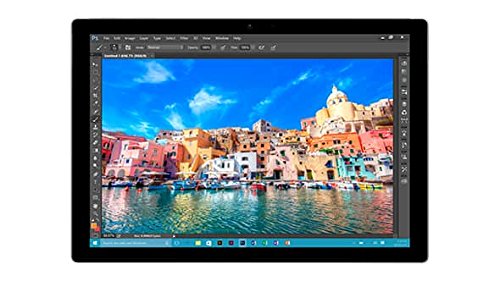
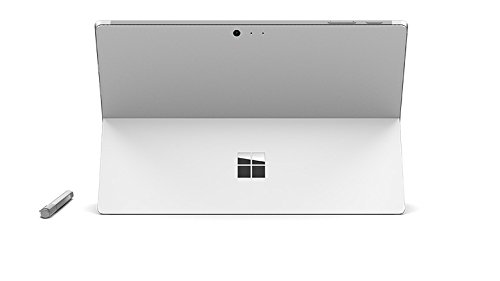
Microsoft Surface Pro 4 is still the best convertible on the market, with a strong recommendation if you do not need Thunderbolt.
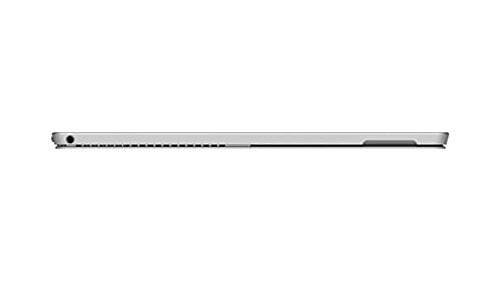
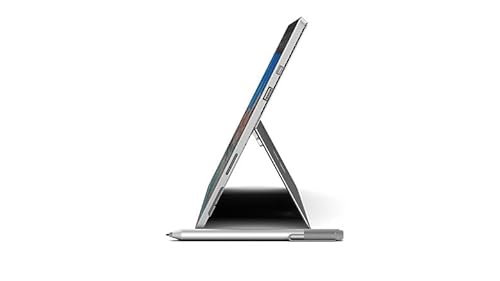
Likes- Premium build quality with a very thin, stable design
- Best-in-class speakers, and nearly silent in everyday use
- Excellent display and a fast SSD, even in the 256 GB model
- Stylus and Windows Hello camera work well
Dislikes- Display power-saving feature is hard to turn off
- No brightness control on the Type Cover
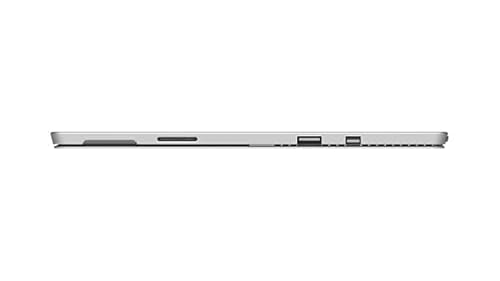
- Ports may not be fully future-proof
- Faint high-pitched tone and fan whine under full load
ÜBERGIZMO DE · 05/01/2016
Hands-on review · design, pen, battery and ports
Microsoft Surface Pro 4 is clearly a better successor to the Surface Pro 3, a solid tablet for university and work with few missing ports.
Likes- Display is sharp, bright and colourful
- Pen is one of the best and works well
- Improved Type Cover makes typing more enjoyable
- Battery life of 5 to 7 hours is good enough
Dislikes- Only one USB port
- No SD card slot
- Software problems still need fixing
- Charging a phone from the power brick was not reliable
PC-WELT · 23/11/2015
Hands-on review · benchmarks, display and battery tests
Microsoft Surface Pro 4 is currently the best 2-in-1, but it is expensive with the keyboard, short on battery and lacking mobile data.
Likes- Bright, sharp display with good colours
- Thinner and lighter than the predecessor
- Type Cover keyboard with clearly separated keys
- Very flexible as both a tablet and a laptop
Dislikes- Battery only just over five hours when browsing
- Price rises sharply once the keyboard is added
- No mobile data option and few built-in ports
- Too big to use as a pure tablet, and the pen costs extra
iKnowReview · 05/02/2016
Hands-on review · display, keyboard, performance and gaming
Microsoft Surface Pro 4 is a versatile full Windows machine with a great pen and display, though pricey and less comfortable as a tablet.
Likes- Display quality and pen feel
- Keyboard and trackpad are much improved
- Full Windows 10 runs desktop software
- Front stereo speakers sound very good
Dislikes- Expensive for the performance you get
- Battery drops to about two hours under load
- Less comfortable to use as a tablet
- Occasional lags and software hangs
Technikfaultier · 02/02/2016
First impressions · setup, wake and battery tests
Microsoft Surface Pro 4 makes a positive first impression, but battery life looks short and the keyboard is pricey.
Likes- Quick wake from sleep for a laptop-style device
- Large backlit keyboard that is usable
- Trackpad works fine with two fingers
- Faster than the Surface 3 in daily tasks
Dislikes- Battery estimated at only five to six hours
- Screen reflects heavily in bright light
- Sharp edges on the body
- Keyboard cover is priced too high
WindowsArea · 12/11/2015
First look · unboxing and setup
Microsoft Surface Pro 4 makes a positive first impression, with a beautiful screen and solid build, but the keyboard flexes.
Likes- Colours and viewing angles on the display
- Build quality up to Surface standard
- Touchpad is very good
- Pen now attaches magnetically
Dislikes- Keyboard bends inward when typing
- Pen falls off easily in a backpack
CURVED · 11/11/2015
First look · hands-on impressions
Microsoft Surface Pro 4 is a good work tablet with improved software, but too expensive and powerful for casual home use.
Likes- Solid metal build that feels premium
- Windows 10 makes the tablet more usable
- Fast hardware for a tablet
- Pen and keyboard suit work well
Dislikes- Heavy, so not ideal for relaxed use on a sofa
- Trackpad on the keyboard is barely usable
- Too expensive and powerful for home use
Superbites Studios · 22/03/2020
Hands-on review · screen, pen, ports and accessories
Microsoft Surface Pro 4 is recommended, especially if you want Microsoft's own build; not cheap, but it works well.
Likes- Good resolution and a clear picture
- Solid build and magnetic charging connector
- Good performance with few errors in Windows
- Type Cover feels well built
Dislikes- Front of the trackpad gets dirty quickly
- Cooling limits it as a heavy-duty workstation
- Price is high compared with cheaper tablets
iSenaCode · 11/06/2016
Hands-on review · battery, pen, keyboard and software
Microsoft Surface Pro 4 is the ideal device for professional work, though heavy, expensive and still affected by some software problems.
Likes- Solid aluminium and magnesium build feels premium
- Pen with pressure levels and handy buttons
- Backlit keyboard that is comfortable to type on
- Full USB port that is useful for office work
Dislikes- Heavy for casual tablet use
- Battery lasts a working day but not much longer
- Some software problems still need fixing
- Keyboard is sold separately and costs extra
BlogNT \ Media · 29/03/2016
Hands-on review · stylus, drawing, OneNote and development tests
Microsoft Surface Pro 4 is very responsive and offers an excellent stylus experience for artists and developers.
Likes- Very responsive in Visual Studio and other apps
- Pressure-sensitive stylus that works well for drawing
- Easy switching between tablet and desktop mode
- Fairly powerful for a convertible in its class
Dislikes- Development is harder without a keyboard
- Some Fresh Paint brushes need paid packs
Numerama · 05/02/2016
Hands-on review · laptop mode, keyboard and stylet
Microsoft Surface Pro 4 keeps its promises and is ideal for professional work, though the tablet and pen features are less convincing.
Likes- Sharp screen with room for many windows
- Keyboard feels natural after a few hours
- Full Windows 10 suits professional tasks
- OneNote and pen work well together
Dislikes- Fans spin up loudly with only a browser open
- Occasional graphics chipset crashes and forced restarts
- Touchscreen gets dirty quickly in tablet use
- Tablet and pen features are less interesting than laptop mode
BlogNT \ Media · 05/01/2016
First look · unboxing, stylus, keyboard and quick tests
Microsoft Surface Pro 4 is an excellent machine, though the first impression included a crash and some known software problems.
Likes- Pressure-sensitive pen with useful buttons
- Keyboard feels good and is backlit
- Full Windows 10 runs Photoshop and desktop apps
- Thin and pleasant to hold
Dislikes- Some known software problems at launch
- Proprietary power connector that you must not lose
BFM Tech · 02/12/2015
Short lab test · keyboard, battery and daily-use check
Microsoft Surface Pro 4 is not yet a laptop replacement; clear progress, but the next version should bring more.
Likes- Comfortable keys with good travel
- Larger touchpad that glides well
- New pen that sits more comfortably in the hand
- Brighter, higher-contrast screen
Dislikes- Battery life lower than on the previous model
- Keyboard not included, so the price climbs fast
- Virtual keyboard is only a weak fallback
- Not comfortable enough to replace a laptop just yet