TabletBlog · 15/06/2017
Hands-on review · design, display, performance and battery test
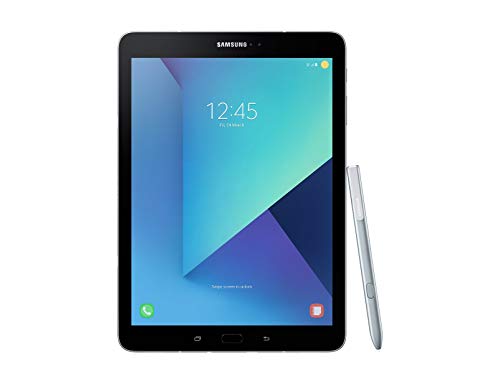
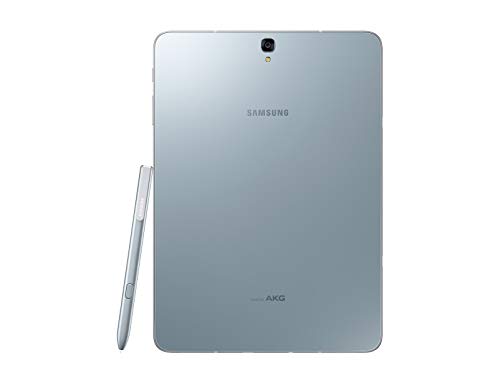
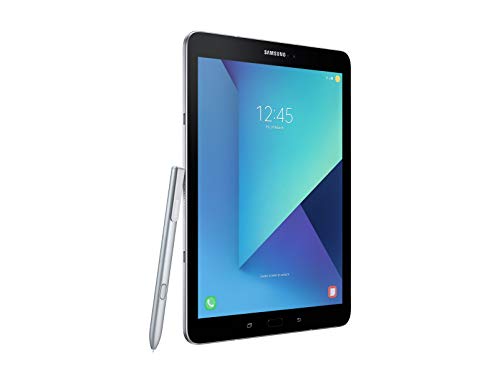
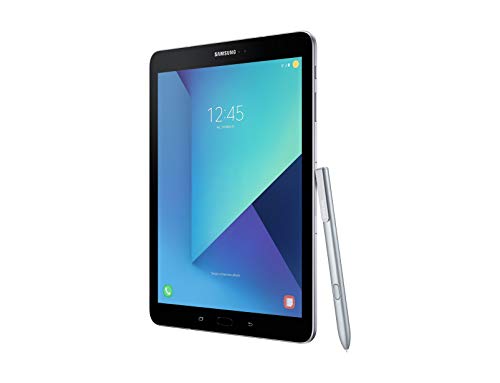
The Samsung Galaxy Tab S3 LTE is currently the best Android tablet with a great display, but its value for money is not fully convincing.
Likes- Very good display
- Good performance
- High-quality build despite the glass back
- Good battery life for a tablet this powerful
Dislikes- No full metal body
- Expensive, and value for money is less convincing
- Battery life is not the best
techloupe · 03/06/2017
Long-term review · four weeks of testing
The Samsung Galaxy Tab S3 LTE is good overall, with a great display and pen, but the price is too high, so it is only conditionally recommended.
Likes- Very good display with high brightness and HDR playback
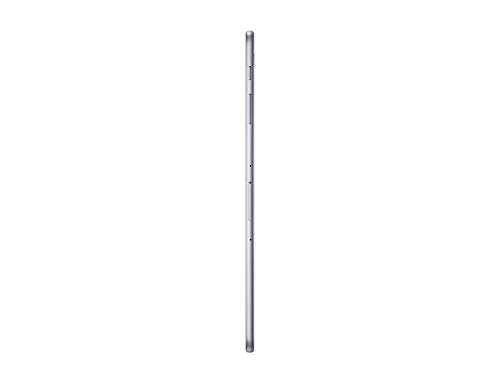
- Premium build and very thin design
- Precise S Pen with pressure sensitivity
- Long battery runtime while streaming video
Dislikes- Speakers creak and lack volume and bass
- Price is too high for what it offers
- Software interface feels outdated and oversized
- Palm rejection does not work reliably with the pen
techloupe · 30/04/2017
Unboxing · first impressions and Android overview
The Samsung Galaxy Tab S3 LTE feels premium, and its HDR display impresses at first, though black bars on 4:3 content are a minor drawback.
Likes- Comfortable, premium feel in the hand
- HDR display looks great
- Stylus apps suit creative users
- Familiar Android layout with useful quick settings
Dislikes- Black bars on 4:3 content
- The older processor choice is questionable
- Could be a little lighter
All About Samsung · 26/02/2017
First look · hands-on with fingerprint, pen and camera
The Samsung Galaxy Tab S3 LTE is a well-executed package, an extremely slim device with premium materials.
Likes- Extremely slim design with glass back and metal frame
- Super AMOLED display with 4:3 aspect ratio
- Fingerprint sensor reliable once scanned in several positions
- S Pen is very handy, with a fine tip
Dislikes- Fingerprint needs to be scanned in several positions
- S Pen does not fit into the device
Technikfaultier · 07/03/2017
First impressions · short hands-on at a trade fair
The Samsung Galaxy Tab S3 LTE makes a solid first impression, but Android tablet apps still lag behind iOS.
Likes- Thin, solid-feeling build
- S Pen included in the box
- Multi-window support on Android 7
Dislikes- Glass back attracts fingerprints
- No magnetic slot for the S Pen
- Keyboard dock is priced high
SwagTab · 05/03/2017
First look · first impressions of design and pen
The Samsung Galaxy Tab S3 LTE is thin and light, but the price is too high for what it adds beyond the display.
Likes- Very thin and light, feels like an 8-inch tablet
- Attractive display with HDR support
- Pen feels better in the hand than before
Dislikes- Glass back attracts fingerprints
- Price is set too high
- Few features beyond the display
Gregory F · 03/05/2017
Unboxing and hands-on · battery, S Pen and accessories
The Samsung Galaxy Tab S3 LTE has a superb screen and sound and good battery life, but the price stings.
Likes- Superb screen, even in sunlight
- Sound from the front-facing speakers
- Smooth overall performance
- Slim, premium-looking design
Dislikes- Price is above 650 euros
- Official keyboard accessory is expensive
- S Pen eraser button gets pressed by accident
Tablette Tactile · 07/04/2017
Hands-on review · screen, S Pen and price
The Samsung Galaxy Tab S3 LTE has a great screen for multimedia, but it is not very innovative, and cheaper tablets are just as capable.
Likes- Vivid screen with strong colours
- Premium design and build quality
- Excellent speakers and audio
- S Pen is very responsive, with 4096 pressure levels
Dislikes- Very expensive for what it offers
- Keyboard accessory sold separately at extra cost
- Stylus is not magnetic and easy to lose
- Not very innovative for its class
Mobile Phone Island · 29/03/2018
Hands-on review · interface, performance, camera and audio
The Samsung Galaxy Tab S3 LTE is a sensible tablet that feels fluid and pleasant to use, though its low-light camera is weak.
Likes- Fluid and responsive performance in daily use
- Pleasant display and good stereo speakers
- Pen and multitasking features give the tablet purpose
- Reliable Samsung build and software
Dislikes- Low-light photos are poor
- Some Android apps do not rotate automatically
- Heavy Samsung interface can slow the processor down
SmartWorld · 27/04/2017
Hands-on review · display, camera, battery and LTE tests
The Samsung Galaxy Tab S3 LTE is again the best Android tablet, with a great display and strong hardware, though a few areas could improve.
Likes- Great display and colours
- Refined metal build with a matte finish
- Powerful hardware and useful S Pen features
- Battery lasts a full day with heavy use
Dislikes- Camera app has few shooting modes
- No headphones included in the box
- Occasional small lag
- Wi-Fi model not recommended
Tecnoandroid · 07/04/2017
Hands-on review · battery, camera and productivity tests
The Samsung Galaxy Tab S3 LTE is well made and interesting, but probably too expensive for what it offers, given Android's productivity limits.
Likes- Well-made design with a beautiful screen
- Battery lasts two days of mixed use
- Good LTE reception and smooth browsing
- Four speakers tuned with AKG
Dislikes- Glass back scratches easily
- No NFC
- Only 32 GB of storage
- Android limits productivity apps
HDblog · 04/04/2017
Hands-on review · temperatures, camera, storage and software
The Samsung Galaxy Tab S3 LTE is premium but expensive, a strong choice for productivity users, though last year's Tab S2 is cheaper.
Likes- Excellent display with HDR and strong brightness
- Thin, light build with premium materials
- Precise S Pen with 4096 pressure levels
- Software with useful productivity features, such as OneNote
Dislikes- Price is high and last year's Tab S2 costs less
- Fingerprint sensor is fussy about finger position
- Camera is decent but not impressive
andreagaleazzi · 04/04/2017
Hands-on review · pen, display, apps and audio
The Samsung Galaxy Tab S3 LTE's pen gives it a clear purpose, so it is probably a good choice.
Likes- Pen gives the tablet a clear purpose
- Bright, deep-black Super AMOLED display
- Games run smoothly with no lag
- Samsung extras such as Flow work well with a phone
Dislikes- Few professional apps use the pen on Android
- Audio sounds better on the iPad Pro
- Pen needs charging, and the tablet has no place to store it