
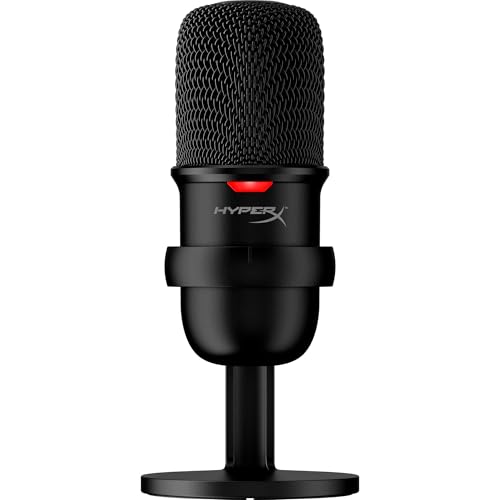
Are HyperX microphones good?
HyperX microphones have an average overall score of 8.3, ranking #1 among comparable microphone brands, and a user rating of 9.6, placing them at #1 based on user reviews.
HyperX microphones are good for a one-person USB desk when quick operation matters. Every model offers cardioid pickup and tap-to-mute, while DuoCast and the QuadCast families add direct headphone monitoring, onboard gain, and shock isolation. The upper models also support alternative pickup patterns for face-to-face conversation, room capture, or stereo work, although cardioid remains the safest setting for a single streamer.
Their limitations follow from the same design focus. These are sensitive desktop condensers rather than close-talk dynamic microphones, so untreated rooms, mechanical keyboards, and distant placement can become prominent. The range also stays USB-only: it is convenient for one computer, but it does not provide the balanced XLR path needed for a mixer, multi-microphone interface, or hardware broadcast chain.
The chart below ranks microphone brands by average overall score.
[horizontal-chart-17722261969187988942009596606811630445561412665918]
Who should consider buying HyperX microphones?
The following users are especially well suited to HyperX microphones:
- Gamers and voice-chat users: Tap-to-mute is standard across the range, and the visible lighting state makes it easy to confirm whether the microphone is live without opening software.
- New streamers and content makers: SoloCast offers a simple cardioid USB path, while DuoCast and QuadCast add gain, monitoring, and stronger physical isolation as the setup becomes more demanding.
- Streamers who monitor through the microphone: DuoCast and every QuadCast model provide a headphone output with zero-latency monitoring, avoiding the distracting delay of listening through a software round trip.
- Multi-format desktop recordists: QuadCast and QuadCast S offer cardioid, bidirectional, omnidirectional, and stereo patterns for solo speech, interviews across a desk, group discussion, or stereo ambience.
- Buyers who want lighting integrated with the desk: DuoCast, QuadCast S, and QuadCast 2S combine microphone status with RGB styling, with QuadCast 2S offering the most elaborate lighting and highest digital recording specification.

How do HyperX microphones differ from other microphones?
HyperX differs from many microphone brands by treating the microphone as part of a gaming desk rather than as one component in a traditional studio chain. USB-C connectivity, prominent tap-to-mute, visible status lighting, onboard gain, direct monitoring, and integrated shock mounting are prioritised as the price rises. This makes the controls easy to understand during a stream, but it also means the range does not offer XLR output, replaceable analogue preamps, or the lower room sensitivity of a close broadcast dynamic.
The family ladder is unusually clear. SoloCast removes monitoring, gain, pattern selection, and the integrated shock mount to reach the lowest price. DuoCast restores the most useful live controls and two patterns in a smaller body. QuadCast and QuadCast S provide four patterns and the familiar suspended design, while the second generation improves digital resolution and modernises control; QuadCast 2S then adds the widest recording modes and the strongest RGB emphasis. Buyers are therefore choosing an operating level and desk experience, not merely a different colour or cosmetic shell.
How do the main HyperX microphone families differ?
The main HyperX microphone families differ as follows:
- SoloCast: This is the compact entry model for one-person cardioid recording. It supports up to 24-bit/96 kHz and has tap-to-mute, but omits a headphone output, direct monitoring, onboard gain, selectable patterns, and an integrated shock mount; choose it when simplicity and a small footprint matter most.
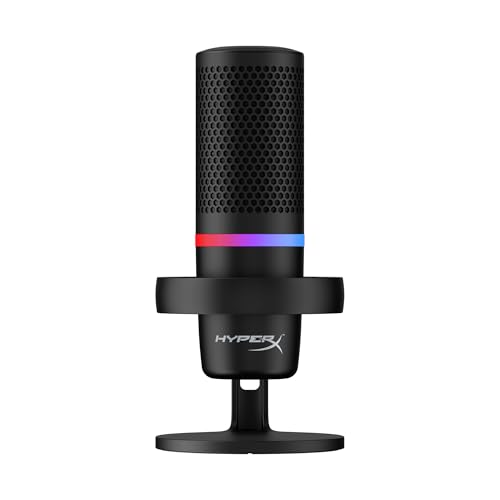
- DuoCast: This middle compact model adds a headphone output, zero-latency monitoring, gain control, an included shock mount, RGB lighting, and a choice of cardioid or omnidirectional pickup. Its 24-bit/96 kHz path suits streamers who need live controls without the larger QuadCast body.
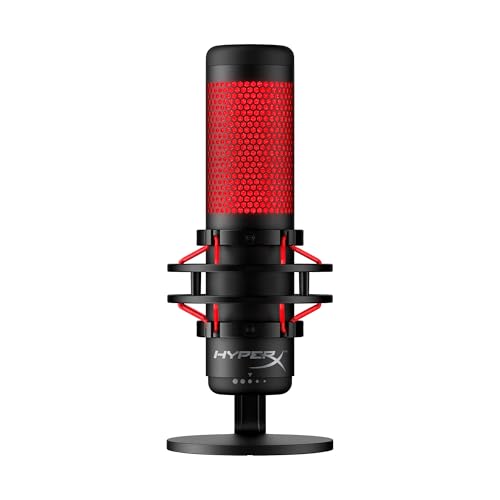
- QuadCast and QuadCast S: These original full-size models add cardioid, bidirectional, omnidirectional, and stereo patterns, direct monitoring, gain, tap-to-mute, and suspended mounting. QuadCast S adds RGB lighting, while both are limited to 16-bit recording at up to 48 kHz and focus more on workflow than high-resolution files.
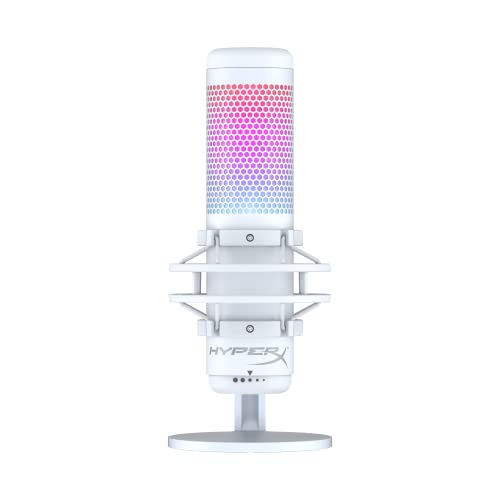
- QuadCast 2 and QuadCast 2S: The second generation retains monitoring, gain, mute, shock isolation, and multiple patterns while updating USB-C operation and digital capability. QuadCast 2 supports up to 24-bit/96 kHz; QuadCast 2S reaches up to 32-bit/192 kHz and adds the most advanced RGB presentation, making it the flagship for buyers who want maximum headroom and customisation.
How much do HyperX microphones cost?
HyperX microphones cost about £40-£140. The range is compact enough that each step should buy a specific workflow improvement rather than a vague promise of better sound.
SoloCast costs roughly £40 and is the value choice for cardioid speech with tap-to-mute. It is inexpensive because monitoring, gain, pattern selection, RGB, and the integrated shock mount are removed, so allow for a separate arm or suspension if the desk transmits vibration.
DuoCast sits near £80, while the original QuadCast costs about £90. DuoCast is smaller and adds the most important live controls plus two patterns; QuadCast justifies its extra size with four patterns and the full suspended design. These are the practical middle choices when monitoring and physical isolation matter more than maximum digital resolution.
QuadCast 2 costs around £130, and QuadCast S or QuadCast 2S reaches about £140. At this level the decision is feature-specific: choose QuadCast S for the original four-pattern design with RGB, QuadCast 2 for newer 24-bit/96 kHz operation without RGB emphasis, or QuadCast 2S for up to 32-bit/192 kHz and the most extensive lighting. Higher sample rates do not replace close placement or room control.
What should you consider while choosing HyperX microphones?
The main points to consider while choosing a HyperX microphone are as follows:
- Room, voice distance, and capsule behavior: Every model is a condenser, so keep the microphone roughly 10–20 cm from the mouth and reduce gain before blaming the pickup pattern for keyboard or room noise. In a very reflective space, a close dynamic microphone from another range may be easier.
- Pickup patterns: SoloCast is cardioid-only, DuoCast adds omnidirectional pickup, and the QuadCast families add bidirectional and stereo modes. Buy extra patterns only for a real interview, group, or stereo use; cardioid remains best for one streamer.
- Monitoring and live controls: SoloCast has tap-to-mute but no headphone output or onboard gain. DuoCast and all QuadCast models add zero-latency monitoring and gain, while the exact headphone, mix, and multifunction-control behavior should be checked for the intended streaming application.
- Shock isolation and mounting: SoloCast lacks an integrated shock mount; the other models include one. Check stand height, boom-arm load, thread compatibility, cable clearance, and whether the suspended body can be positioned close without blocking the screen or camera.
- Recording format: Original QuadCast and QuadCast S top out at 16-bit/48 kHz, DuoCast and QuadCast 2 reach 24-bit/96 kHz, SoloCast supports up to 24-bit/96 kHz, and QuadCast 2S reaches 32-bit/192 kHz. For streaming, stable 24-bit/48 kHz operation is normally more useful than the highest available mode.
- RGB and software priorities: DuoCast, QuadCast S, and QuadCast 2S include RGB, but lighting should not outrank monitoring, placement, or pattern needs. Verify whether colour, effects, gain, and firmware settings require HyperX software and whether essential functions remain usable without it.