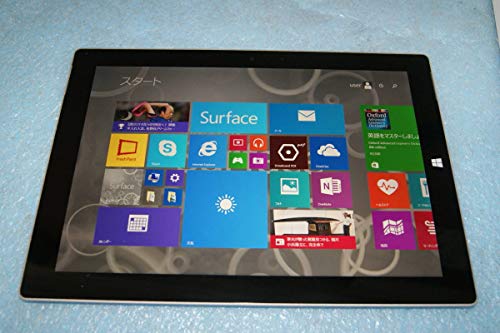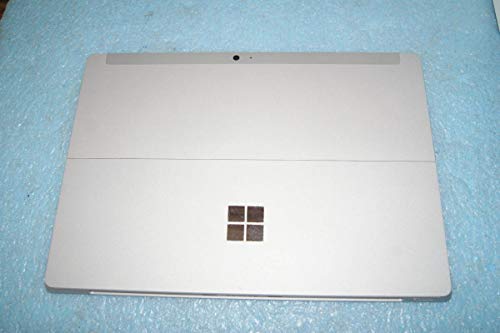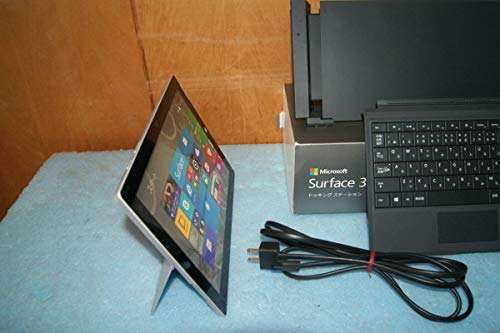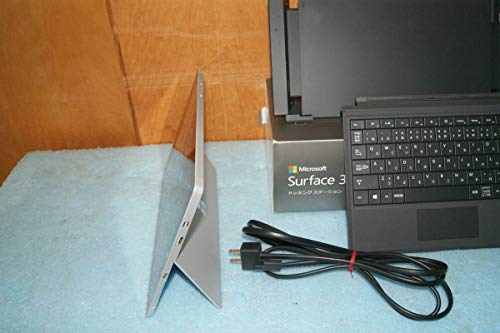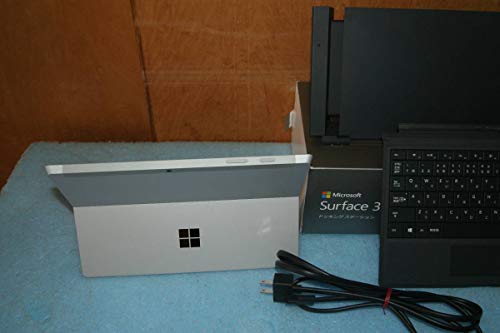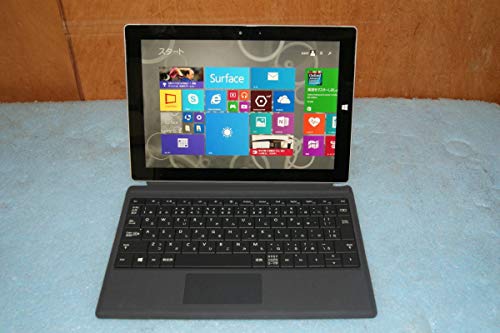
Microsoft Surface 3 4G (4GB + 128GB) review. Compare 168 technical specifications and user reviews to see how it ranks among tablets and if it is worth buying.
Overall score
What it is: An overall evaluation of the smartphone's quality, based on technical analyses and user reviews.
When it matters: When you need a quick reference to identify the best Tablets on the market.
Score components:
90.0%
Technical Score
10.0%
User score
Technical Score
What it is: An assessment of the smartphone's technical performance, covering eight key areas: performance & hardware, software, camera, connectivity, display, battery, audio, and design.
When it matters: When you want to compare Tablets based on technical performance and available features.
Score components:
22.0%
Performance
20.0%
Display
16.0%
Camera
14.0%
Battery
12.0%
Connectivity
8.0%
Software & Features
5.0%
Design
3.0%
Audio & Multimedia
User score
What it is: A rating that combines user reviews and the total number of reviews received by the smartphone
When it matters: When you want to know how a smartphone handles daily tasks and how reliable it remains over time according to user feedback.
Score components:
70.0%
User reviews
30.0%
Popularity
No reviews for this version.
Check reviews from other versions.
Score components:
25.0%
RAM capacity
20.0%
Refresh rate
20.0%
GPU frequency
20.0%
Chipset
15.0%
Battery capacity
Score components:
20.0%
Chipset
20.0%
Battery life
20.0%
RAM capacity
10.0%
Weight
10.0%
Internal storage
10.0%
Keyboard accessory
10.0%
Screen size
Score components:
30.0%
RAM capacity
25.0%
Chipset
20.0%
Internal storage
15.0%
Screen size
5.0%
Keyboard accessory
5.0%
Stylus included
Score components:
20.0%
Screen size
20.0%
Battery life
20.0%
Weight
20.0%
RAM capacity
20.0%
Chipset
Score components:
25.0%
Battery capacity
25.0%
RAM capacity
15.0%
Weight
15.0%
Internal storage
10.0%
Screen size
10.0%
Price
Score components:
20.0%
RAM capacity
20.0%
Battery life
15.0%
Chipset
15.0%
Weight
10.0%
Cellular module
10.0%
5G connectivity
5.0%
GPS
5.0%
Internal storage
Available: ranking among products currently available (including other versions of this product).
All: ranking among all products in the database.
#126 in Best 11-inch Tablets
#405 in Best Tablets With SIM Card
#480 in Best Tablets With Keyboard
#605 in Best Tablets
#N/A in Best Windows Tablets
#N/A in Best Tablets For Students
#N/A in Best Microsoft Surface Tablets
What it is: An assessment of the smartphone's technical performance, covering eight key areas: performance & hardware, software, camera, connectivity, display, battery, audio, and design.
When it matters: When you want to compare Tablets based on technical performance and available features.
Score components:
22.0%
Performance
20.0%
Display
16.0%
Camera
14.0%
Battery
12.0%
Connectivity
8.0%
Software & Features
5.0%
Design
3.0%
Audio & Multimedia
What it is: A rating that combines user reviews and the total number of reviews received by the smartphone
When it matters: When you want to know how a smartphone handles daily tasks and how reliable it remains over time according to user feedback.
Score components:
70.0%
User reviews
30.0%
Popularity
No reviews for this version.
Check reviews from other versions.
What it is: An indicator that combines the smartphone's overall rating with its cost.
When it matters: When you are looking for a smartphone with a good balance between quality and price.
Score components:
60.0%
Overall score
40.0%
Price
Importance: MEDIUM
Importance: HIGH
Good value: >=8 GB
Importance: HIGH
Good value: <7 nm
Importance: HIGH
Good value: >=128 GB
Importance: HIGH
Good value: >1300
Importance: HIGH
Importance: HIGH
Importance: HIGH
Importance: MEDIUM
Good value: >3500
Importance: MEDIUM
Good value: >=8 GB
Importance: MEDIUM
Good value: 5
Importance: MEDIUM
Good value: >20 GB/s
Importance: MEDIUM
Importance: MEDIUM
Good value: >7 W
Importance: MEDIUM
Good value: >2500
Importance: MEDIUM
Good value: >800
Importance: MEDIUM
Good value: >8
Importance: MEDIUM
Good value: >900 MHz
Importance: MEDIUM
Importance: MEDIUM
Good value: >3000
Importance: MEDIUM
Good value: >1200
Importance: MEDIUM
Good value: >3200 MHz
Importance: MEDIUM
Good value: >400
Importance: MEDIUM
Importance: MEDIUM
Good value: 8+
Importance: MEDIUM
Importance: MEDIUM
Good value: >800 MHz
Importance: MEDIUM
Importance: MEDIUM
Importance: MEDIUM
Good value: >10000 million
Importance: LOW
Good value: >=4 MB
Importance: LOW
Good value: >64 KB
Importance: LOW
Good value: >=1 MB
Importance: LOW
Importance: LOW
Good value: 4
Importance: LOW
Good value: >=512 GB
Importance: LOW
Good value: 2.0/3.0
Importance: LOW
Good value: 3.2
Importance: LOW
Good value: 3.3
Importance: HIGH
Importance: HIGH
Good value: >=120 Hz
Importance: HIGH
Importance: HIGH
Good value: >250 ppi
Importance: HIGH
Importance: MEDIUM
Good value: >500 nits
Importance: MEDIUM
Good value: >=11 inches
Importance: MEDIUM
Importance: MEDIUM
Good value: >120 Hz
Importance: MEDIUM
Importance: MEDIUM
Importance: MEDIUM
Importance: MEDIUM
Good value: >200 Hz
Importance: MEDIUM
Good value: >250 ppi
Importance: MEDIUM
Good value: >400 nits
Importance: MEDIUM
Importance: LOW
Importance: LOW
Importance: LOW
Importance: HIGH
Importance: HIGH
Importance: HIGH
Good value: >=8 MP
Importance: HIGH
Importance: HIGH
Importance: MEDIUM
Importance: MEDIUM
Importance: MEDIUM
Importance: MEDIUM
Importance: LOW
Importance: LOW
Importance: LOW
Importance: LOW
Importance: LOW
Importance: LOW
Importance: LOW
Importance: LOW
Importance: LOW
Importance: LOW
Importance: LOW
Importance: LOW
Importance: LOW
Importance: LOW
Importance: LOW
Importance: LOW
Importance: LOW
Importance: LOW
Importance: LOW
Importance: LOW
Importance: LOW
Importance: LOW
Importance: LOW
Importance: HIGH
Good value: >8000 mAh
Importance: HIGH
Good value: >30 W
Importance: HIGH
Good value: >10 hours
Importance: MEDIUM
Importance: MEDIUM
Importance: LOW
Importance: LOW
Importance: HIGH
Importance: HIGH
Importance: HIGH
Importance: MEDIUM
Importance: MEDIUM
Importance: MEDIUM
Importance: MEDIUM
Importance: MEDIUM
Importance: MEDIUM
Importance: MEDIUM
Importance: MEDIUM
Importance: MEDIUM
Importance: MEDIUM
Importance: LOW
Good value: >5.2
Importance: LOW
Importance: LOW
Importance: LOW
Good value: 3.1/3.2
Importance: LOW
Importance: LOW
Importance: LOW
Importance: LOW
Importance: LOW
Importance: LOW
Importance: LOW
Importance: LOW
Importance: LOW
Importance: HIGH
Importance: HIGH
Importance: HIGH
Importance: MEDIUM
Importance: MEDIUM
Importance: MEDIUM
Importance: MEDIUM
Importance: MEDIUM
Importance: MEDIUM
Importance: MEDIUM
Importance: MEDIUM
Importance: LOW
Importance: LOW
Importance: LOW
Importance: LOW
Importance: LOW
Importance: LOW
Importance: LOW
Importance: LOW
Importance: LOW
Importance: LOW
Importance: MEDIUM
Importance: MEDIUM
Good value: <500 g
Importance: MEDIUM
Importance: MEDIUM
Importance: MEDIUM
Good value: <10 ms
Importance: MEDIUM
Good value: >7
Importance: MEDIUM
Importance: MEDIUM
Importance: LOW
Good value: <7 mm
Importance: LOW
Importance: LOW
Importance: LOW
Importance: LOW
Importance: LOW
Importance: MEDIUM
Good value: >=2
Importance: MEDIUM
Importance: MEDIUM
Importance: MEDIUM
Good value: >=4
Importance: LOW
Importance: LOW
Importance: LOW
Importance: LOW
Importance: LOW
Importance: LOW
Importance: LOW
Importance: LOW
Importance: HIGH
Importance: LOW
Importance: MEDIUM
Good value: >8
Importance: MEDIUM
Importance: MEDIUM
Importance: MEDIUM
Good value: >200 Hz
Importance: MEDIUM
Importance: LOW
Importance: MEDIUM
Importance: HIGH
Importance: LOW
Importance: MEDIUM
Importance: LOW
Importance: HIGH
Good value: >1300
The Microsoft Surface 3 is a capable, premium Windows hybrid featuring a solid magnesium alloy design, a full-sized USB 3.0 port, and a practical switch to micro-USB charging. While praised for its portability, the device features a less flexible kickstand with only three fixed positions compared to the Pro model. The 10.8-inch screen is a standout, delivering 97.2% sRGB color gamut coverage and 410cd/m2 brightness, while the Intel Atom x7-Z8700 processor provides adequate performance for basic tasks but struggles with heavy multitasking. Expert ReviewsDespite being a strong, portable alternative, the overall cost increases significantly with necessary, separately sold accessories like the £110 Type Cover keyboard. The 2GB RAM model offers mediocre performance, leading to a stronger recommendation for the 4GB version, which includes a one-year Office 365 subscription. Expert Reviews
The Microsoft Surface 3 is described as a highly portable, affordable alternative to the Pro 3 that runs full Windows 8.1, featuring a premium magnesium build, a bright 10.8-inch display, and a functional full-size USB 3.0 port. While praised for its design and versatility, the device is limited by a fanless Intel Atom processor that struggles with demanding tasks, and it features a constrained three-position kickstand. Ultimately, Tech Advisor notes that the necessary separate purchase of a Type Cover makes it expensive, suggesting the Surface Pro 3 offers better value for serious productivity. For more details, visit Tech Advisor.
The TechRadar review praises the Microsoft Surface 3 as an affordable, portable 2-in-1, featuring a premium magnesium alloy build, a 10.8-inch screen, and a fanless design for silent operation. The device runs full Windows 8.1, offering productivity advantages like a full-size USB 3.0 port and stylus support, successfully moving away from earlier RT limitations. Key performance constraints include the Intel Atom X7 processor, which limits gaming and intense workloads, while the necessary Type Cover and pen are sold separately, increasing the overall cost.
The Microsoft Surface 3 is a compact, well-built hybrid tablet featuring a 10.8-inch Full HD screen with a 3:2 aspect ratio, running full Windows 8.1. Key pros include an impressive 10-hour battery life and capable performance for basic tasks, offering a more affordable alternative to the Surface Pro 3. However, essential accessories like the Type Cover ($129.99) and Pen ($49.99) are sold separately, significantly increasing the total cost. Performance is limited by the Intel Atom x7-Z8700 processor, which, while adequate for daily tasks, struggles with demanding software compared to Core-based systems. The device features a restrictive three-position kickstand and a somewhat loose micro-USB charging port. Despite these drawbacks, it is recommended for students and travelers needing portability. PCMag
The Microsoft Surface 3 is a highly portable 10.8-inch 2-in-1 featuring a premium magnesium alloy design, a sharp 3:2 display, and a fanless, silent architecture. Powered by an Intel Atom x7-Z8700 processor, it delivers capable performance for everyday tasks and boasting over 8 hours of battery life. While the micro-USB charging adds convenience, the device relies on slower eMMC storage and requires purchasing the Type Cover and Surface Pen separately, which significantly increases the total cost.
The Microsoft Surface 3 LTE acts as a versatile hybrid running full Windows 10, featuring a premium magnesium design, a robust three-position kickstand, and a highly accurate 10.8-inch display. While performance is sufficient for daily tasks, the Intel Atom x7 processor struggles with heavy loads, and the base 64GB storage model provides limited usable space, making the 128GB version preferable. Key pros include the premium build and excellent screen, though it is hindered by slow charging, poor low-light cameras, and a high total cost when adding required accessories like the Type Cover. For more details, visit PhoneArena. PhoneArena
Engadget's review hails the 2015 Microsoft Surface 3 as the first affordable, full Windows 8.1 tablet, featuring a premium magnesium build, a 10.8-inch display with a 3:2 aspect ratio, and a fanless Intel Atom x7 processor. Notable pros include the switch to standard micro-USB charging, improved battery life, and high-quality build materials, though it is limited by a three-position kickstand rather than the continuous hinge on the Pro model. While deemed excellent for productivity, the review notes that the Atom processor is best suited for light tasks rather than heavy multitasking, and the total cost increases significantly due to separate accessory pricing. For more details, visit Engadget.
The Guardian's May 2015 review hailed the Microsoft Surface 3 as a successful, premium-built, and silent tablet-laptop hybrid running full Windows 8.1. It was praised for its bright screen, capable performance for office tasks, and useful full-size USB 3.0 port. However, the review noted significant added costs for essential accessories like the Type Cover and found the device less comfortable for lap use compared to a traditional laptop.
The Microsoft Surface 3 is a well-built hybrid featuring a premium magnesium chassis, a high-quality 10.8-inch 3:2 screen, and a silent, fanless design, making it an excellent on-the-go companion. While offering a convenient micro-USB charger, the base model’s 2GB of RAM is often insufficient for multitasking, and the Atom processor can suffer from thermal throttling under heavy, sustained loads. The device's "bargain" price is misleading as essential accessories like the Type Cover are sold separately, and the limited I/O and small screen make it better suited as a secondary device rather than a primary laptop replacement. For more details, visit UltrabookReview.com.
The Microsoft Surface 3 is a portable 10.8-inch tablet featuring a high-quality PixelSense display, a sturdy magnesium alloy chassis, and an integrated three-stage kickstand. Unlike earlier RT models, it runs a full version of Windows 8.1, allowing for standard desktop software, and offers a versatile, high-end design at a lower price point than the Pro series. Performance is driven by an Intel Atom x7-Z8700, which handles daily office tasks and web browsing well, while offering solid battery life. However, the base model’s 2GB of RAM can lead to lag, and the 64GB storage is limiting. The inclusion of a full-size USB 3.0 port and microSD slot adds necessary flexibility for expansion. Key drawbacks include the high total cost of ownership, as the Surface Type Cover and Pen are sold separately, along with the device's sometimes uncomfortable, squared-off edges. It is best suited for users prioritizing portability, such as students or travelers, rather than heavy-duty computing. For more details, visit Computerwoche.
In a May 2015 review, Der Spiegel characterizes the Microsoft Surface 3 as a robust, premium-built device, featuring a sturdy magnesium alloy chassis and running full Windows 8.1. Pros highlighted include the versatile three-stage kickstand for enhanced usability and a high-quality 10.8-inch display with a 3:2 aspect ratio, although the essential Type Cover keyboard is sold separately. Powered by a fanless Intel Atom x7, the tablet operates silently and avoids overheating, yet it lacks the processing power for heavy tasks or gaming, often resulting in sluggish performance. Ultimately, with added accessories, the cost approaches that of more powerful laptops, making it a compromised, albeit versatile, notebook alternative.
The Microsoft Surface 3 is a 10.8-inch tablet featuring a high-quality 3:2 aspect ratio display, a premium magnesium chassis, and a fanless, silent design. It offers full Windows 8.1 capability and a versatile three-position kickstand, making it a portable alternative to the "Pro" series. While the build is excellent, the device is limited by an Intel Atom x7-Z8700 processor, making it suitable only for light productivity rather than heavy multitasking. Further, its reliance on slower eMMC storage and the high cost of essential accessories, such as the Type Cover and stylus, are significant drawbacks. Ultimately, the Surface 3 provides a full Windows experience in a light, 622-gram package, catering to users prioritizing portability over raw performance.
The Microsoft Surface 3 functions as a compact, premium-built, and more affordable alternative to the Pro model, featuring a high-quality 10.8-inch display, a magnesium body, and a three-stage kickstand. Powered by a fanless Intel Atom x7-Z8700 processor, it operates silently and offers around 8-10 hours of battery life, running full Windows for both productivity and media consumption. Limitations highlighted include the exclusion of essential accessories like the Type Cover from the base price, slower eMMC storage compared to SSDs, and reduced flexibility of the kickstand compared to the Surface Pro 3.
The Microsoft Surface 3 offers a premium magnesium chassis, fanless design, and a full 64-bit Windows experience as an affordable alternative to the Pro line, though it is limited by a lower-power Intel Atom x7 processor. Its 10.8-inch, 3:2 display is highly praised for brightness and readability, and it features convenient micro-USB charging. However, the experience is hindered by the extra cost of essential accessories like the Type Cover and a kickstand that only offers three fixed angles.
The Hardwareluxx review highlights the Microsoft Surface 3 as a versatile, non-pro tablet that shifts to a standard Windows 8.1 OS, replacing the restricted Windows RT. It features a premium, lightweight magnesium alloy chassis and a 10.8-inch display, though it utilizes a simplified three-position kickstand rather than the fully adjustable hinge found on the Pro model. Key pros include the bright, high-resolution 1920x1280 PixelSense display with excellent contrast. The fanless Intel Atom x7 processor enables completely silent operation, complemented by practical connectivity options like a full-size USB 3.0 port, microSD slot, and roughly 7.5 to 10 hours of battery life during mixed usage. Conversely, the review notes significant cons, specifically the Atom processor's struggle with heavy, demanding applications and gaming. Additional drawbacks include extremely long charging times (up to 6 hours) and high total costs, as essential accessories like the Type Cover and Surface Pen are sold separately.
The Microsoft Surface 3 features a premium magnesium alloy chassis and a high-quality 10.8-inch 3:2 display, supporting full 64-bit Windows 8.1 for desktop applications. Its Intel Atom x7-Z8700 processor allows for fanless, silent operation suitable for daily tasks, though it struggles with heavy multitasking. While the Micro-USB charging is advantageous for portability, the required Type Cover and Surface Pen are sold separately, and the kickstand is limited to three fixed positions.
The Microsoft Surface 3, reviewed by Welt.de, marks a significant shift for Microsoft by replacing restrictive Windows RT with full Windows 8.1 on a 10.8-inch display, enabling desktop applications in a 10-inch form factor. The device is lauded for its premium magnesium body, fanless silent operation, and a 3:2 aspect ratio screen, while providing versatile connectivity through a full-size USB 3.0 port and solid 7-10 hour battery life. However, the Intel Atom X7 processor struggles with heavy multitasking and gaming, and the essential Type Cover keyboard is sold separately, significantly increasing the total cost. Additionally, users must contend with a very slow charging process (5.5 to 6 hours) and limited, three-position kickstand angles.
The Microsoft Surface 3 is characterized as a premium, fanless netbook with excellent build quality, a high-quality 10.8-inch 3:2 display, and the advantage of full Windows 8.1 functionality along with micro-USB charging. While praised for portability, the device is considered an expensive "kit" because the essential Type Cover and Surface Pen are sold separately, increasing the total cost significantly. Performance is adequate for office tasks, but the Intel Atom x7 processor struggles with heavy multitasking, making it best suited for students or travelers needing a mobile, premium device.
The Microsoft Surface 3 offers a premium, fanless design with a high-quality 10.8-inch, 3:2 PixelSense display, transitioning to a full 64-bit Windows experience for improved productivity. Powered by an Intel Atom x7-Z8700, the device delivers solid performance for daily tasks and 9-10 hours of battery life, though it struggles with heavy workloads. Key compromises include the added cost of essential accessories and a limited three-position kickstand, but its portability makes it a strong choice for mobile users. Pros: Premium build, full Windows OS, silent fanless operation, micro-USB charging, and good battery life.Cons: High added cost for accessories, limited performance, only three kickstand angles, and small trackpad.
The Microsoft Surface 3 is a compact, premium-built tablet featuring a high-quality magnesium alloy body and a productive 10.8-inch, 3:2 display, effectively bridging the gap between tablets and full Windows PCs. Key strengths include its portability, lightweight design, and the capability to run full desktop applications, making it suitable for light office work or on-the-go usage. However, the device is constrained by an Intel Atom x7 processor, resulting in limited performance for demanding tasks and rendering it unsuitable for heavy multitasking or modern gaming. Furthermore, the review highlights the kickstand's restricted three-position adjustment as a drawback, along with a slow battery charging process. Ultimately deemed "expensive, but good," the Surface 3's value is hindered by high total costs due to the necessity of purchasing the Type Cover and Surface Pen separately. It is recommended as a well-crafted, portable, and versatile option for users who prioritize design over top-tier, heavy-duty processing power. For more details, visit n-tv.de. Ntv
Maxime Johnson’s review highlights the Microsoft Surface 3 as a significant ergonomic improvement, offering a 10.8-inch screen and a 622-gram weight that makes it a viable everyday tablet, unlike the bulkier Pro 3. A major pro is the 3:2 aspect ratio, which is ideal for web browsing and note-taking with the Surface Pen, combined with a premium build quality and a convenient micro-USB charging port. Performance-wise, it functions as a versatile hybrid running full Windows 8.1, representing a major pro over previous RT models, although it is not intended as a high-power laptop replacement. A notable con is that the Surface 3 may struggle with highly demanding tasks compared to the Pro line due to its less powerful processor. Additionally, the required accessories, such as the Surface Type Cover and Pen, are sold separately, significantly increasing the total cost. Despite these limitations, the device is considered a solid, versatile, and well-built tablet that bridges the gap for users seeking a more portable Windows experience.
Here is a summary of the Microsoft Surface 3 review: Compact Design and Display Quality The Surface 3 is a more compact and lightweight version of the Surface Pro 3, weighing 622g and featuring a 10.8-inch screen. It retains the premium build quality of its predecessor but uses a simplified three-angle kickstand instead of a fully adjustable one. While the 1920x1280 resolution provides good pixel density, the screen is notably less bright than the Pro model, which can cause visibility issues due to reflections in outdoor settings. A significant design improvement is the fanless architecture, making the device completely silent. Performance and Connectivity Equipped with an Intel Atom x7 processor and up to 4GB of RAM, the Surface 3 is designed for light productivity rather than heavy multitasking. A major advantage over previous non-Pro models is the inclusion of the full Windows 8.1 operating system, allowing users to run any standard desktop application. For connectivity, it features a versatile USB Host port and a Mini DisplayPort. Notably, it switches to a Micro-USB charging port; however, the reviewer found this method...
The Microsoft Surface 3 is a premium, fanless 2-in-1 featuring a durable magnesium-alloy build and a high-quality 10.8-inch ClearType display with a 3:2 aspect ratio. It runs a full version of Windows and is praised for its portability, though it serves primarily as a secondary device rather than a primary workhorse. The Intel Atom x7-z8700 processor provides adequate power for basic tasks, but is significantly slower than Core processors and can struggle with heavy workloads. The base 2GB RAM model is considered insufficient for modern tasks, though a microSD slot allows for expansion. Significant drawbacks include the added expense of essential accessories like the Type Cover and slow micro-USB charging.
The Microsoft Surface 3 is a compact, premium-built tablet featuring a 10.8-inch 3:2 screen and a standard micro-USB charging port, serving as an accessible, full-Windows alternative to the Pro model. Powered by an Intel Atom x7 processor, it excels at daily tasks and office work, though it is not suited for intensive multitasking or gaming. While offering a versatile hybrid experience, the device's high cost of ownership is driven up by mandatory, separately sold accessories, and the kickstand is limited to only three positions.
The Microsoft Surface 3 is praised for its high-quality magnesium chassis and excellent 10.8-inch display, offering a premium, lightweight alternative to the Pro series while running full Windows applications. However, significant downsides include limited performance from the Intel Atom processor and underwhelming battery life, which often fails to meet the 10-hour claim. Furthermore, the slow micro-USB charging and the added expense of necessary accessories like the Type Cover reduce its overall value proposition, leaving it as a versatile but compromise-heavy device.
The Microsoft Surface 3 is lauded by Les Numériques for its robust, lightweight magnesium design and a high-quality, bright 10.8-inch display (3:2 aspect ratio) that excels in portability. Its transition to a micro-USB charging port is highlighted as a practical advantage for user mobility. However, the Intel Atom x7-Z8700 processor exhibits limitations in performance, prone to thermal throttling during heavy multitasking, and is best suited for basic productivity rather than intense creative work. Despite respectable 8-9 hour battery life, significant drawbacks include the added expense of necessary accessories (Type Cover/Pen) and a limited three-position kickstand.
The Microsoft Surface Laptop 3 is lauded for its elegant design, superior build quality, and a high-resolution 3:2 PixelSense touchscreen. It features comfortable input devices and 10th-generation Intel processors, which offer significantly improved integrated graphics performance compared to its predecessor. Key advantages include its excellent audio system and quiet operation, along with the addition of a USB-C port. Les NumériquesHowever, the laptop falls short on battery life, lasting just over 8 hours in testing, which is notably lower than competitive models and official claims. The device is also criticized for having limited connectivity, featuring only one USB-A and one USB-C port, along with relatively thick screen bezels compared to modern competitors. Les NumériquesWhile the chassis is technically removable, the Surface Laptop 3 remains non-user-serviceable, limiting long-term upgradeability. Despite these drawbacks, it remains a strong contender in the premium ultrabook market, particularly for its display and build quality. Les Numériques
The Microsoft Surface 3 is presented as a high-quality, compact alternative to the Pro 3, featuring a durable magnesium chassis and a practical 10.8-inch screen with a 3:2 aspect ratio. It runs a full version of Windows 8.1, allowing for standard desktop software usage. The device boasts silent operation, a bright display, and excellent battery life, though it lacks a USB-C port and uses a slower micro-USB charger. Powered by an Intel Atom x7-Z8700, performance is limited to light tasks, web browsing, and Office applications rather than heavy gaming or video editing. The kickstand is limited to only three positions. A major downside is that the keyboard Type Cover and Pen are not included, increasing the overall cost for a complete experience. The 01net review highlights the excellent construction and portability as primary benefits. However, the modest processor and the lack of included accessories make it a better fit for casual users rather than professionals. The device offers a solid, fanless experience for daily, light-duty work.
The Gizmodo en Español review identifies the Microsoft Surface 3 as a refined, portable 10.8-inch hybrid that successfully replaces RT models by running full Windows 8.1, offering a premium design similar to the Pro 3. Key pros include high build quality, an excellent Full HD display, and suitability for productivity tasks, though the Intel Atom processor and slow SSD make it unsuitable for heavy multitasking. However, the review notes that separating essential accessories like the Type Cover significantly raises the total cost, while 2GB RAM limitations and shorter-than-advertised battery life present major drawbacks.
The Microsoft Surface 3, as analyzed by Zona Movilidad, acts as a portable, affordable alternative to the Pro 3 by utilizing a full version of Windows 8.1 (upgradeable to 10) on a bright 10.8-inch, 3:2 screen. It features an Intel Atom x7 processor, offering a silent, fanless design suitable for general productivity, though it relies on slower eMMC storage and is powered by a micro-USB port. Despite a high-quality magnesium build and functional kickstand, the review notes a significant drawback in the high total cost once essential accessories, such as the Type Cover and Pen, are purchased. Pros include full Windows capability, a vibrant display, and a premium, silent design; cons include slow storage, limited, small trackpad, and expensive, mandatory accessories. For more details, visit Zona Movilidad.
The Microsoft Surface 3 is a compact, well-built Windows 8.1 tablet featuring a high-quality 10.8-inch display and a versatile, fanless design. It serves as an affordable alternative to the Pro line, featuring a full-size USB 3.0 port and micro-USB charging for convenience, though charging is slower. Key strengths include its excellent productivity-focused 3:2 screen ratio, lightweight portability, and the comfortable, backlit Type Cover. However, performance limitations exist; the Intel Atom processor and 2GB RAM option are insufficient for heavy tasks, and the kickstand is restricted to only three positions. Furthermore, essential accessories such as the Surface Pen and keyboard are sold separately, increasing the overall cost. For more details, visit the review at ComputerHoy.
The ADSLZone review highlights the Surface 3 as a significant upgrade over RT models, featuring a premium 10.8-inch Full HD display and a 3:2 aspect ratio, running full Windows 8.1. Its fanless Intel Atom x7 processor offers quiet performance suitable for daily tasks, though it lacks the power of the Surface Pro 3's Core CPUs, with battery life lasting 8-10 hours. Key drawbacks include the high cost of essential accessories sold separately, a limited three-position kickstand, and a slower micro-USB charging port.
The Microsoft Surface 3 is a premium, lightweight tablet featuring a 10.8-inch, 3:2 aspect ratio screen, designed as an affordable alternative for light productivity. Pros include its excellent build quality, fanless silent operation, and long battery life. Equipped with a full version of Windows 8.1 and an Intel Atom x7 processor, it excels at standard office tasks but struggles with demanding applications, offering moderate performance for daily use. A major drawback is the limited three-position kickstand compared to the Pro model's versatility. Total ownership cost is high due to necessary, separately sold accessories like the Type Cover, which is essential for a good user experience. Additionally, charging is slow via the micro USB port, and the screen size can feel cramped, though it remains a superior tablet-work hybrid. Copy
The Microsoft Surface 3 brings premium magnesium chassis construction to a more affordable, compact 10.8-inch form factor, featuring a bright 3:2 aspect ratio display. It runs a full version of Windows 8.1 (upgradable to Windows 10) on an Intel Atom x7-Z8700 processor, offering a fanless, silent computing experience suitable for daily productivity and media consumption. While pros include the high-quality build and capable display, key limitations (cons) involve the Intel Atom's restricted performance for heavy tasks, limited connectivity, and the necessity to purchase the Type Cover and Pen separately. Copy
The Microsoft Surface 3 is a premium-built hybrid featuring a 10.8-inch, 3:2 aspect ratio display and a functional three-position kickstand. Its primary pros include high portability, superior build quality with a magnesium alloy chassis, and the inclusion of a full-size USB 3.0 port. The device effectively runs a full version of Windows, aiming to serve as a versatile "workhorse" for light productivity. However, the Intel Atom x7 processor serves as a significant con, limiting performance in intensive multitasking and gaming compared to Core i series devices. While sufficient for web browsing, the base 2GB RAM model is prone to lag, and the 13W micro-USB charging is slow. Another drawback is the added cost of essential accessories like the Type Cover and Surface Pen. Ultimately, the Surface 3 balances portability with functionality, though it is not a direct performance replacement for a traditional laptop. Its 3:2 screen is lauded for document work, but the touch-optimized app ecosystem is limited.
The DDay.it review of the Surface 3 praises the device for finally delivering a full Windows experience on a portable, fanless, and affordable tablet, highlighting its excellent 10.8-inch 3:2 screen and premium magnesium build quality. While the Intel Atom x7 processor offers adequate performance for basic tasks and media, the device suffers from slow Micro USB charging, limited multitasking capability, and potential thermal throttling. Despite these limitations, the review concludes it is the best non-Pro Surface, though it notes that the high cost of necessary accessories like the Type Cover and Pen reduces its overall value proposition.
The 2015 GQ Italia review describes the Microsoft Surface 3 as a lightweight, fast, and comfortable alternative to the Pro 3, suitable for portability without compromising on a full operating system. Pros include a slim 8.7mm, 622g design, a bright 10.8-inch Full HD screen with a 3:2 ratio, and a fanless Intel Atom x7 processor. However, the device features a limited three-position kickstand and requires separate, costly purchases for the Type Cover and Surface Pen, along with lower performance for heavy multitasking.
The Microsoft Surface 3 is a compact, fanless 10.8-inch device that successfully brings a full Windows 8.1 experience to a budget-friendly form factor, featuring a premium magnesium alloy chassis and a productive 3:2 aspect ratio. It offers excellent battery life and convenient Micro-USB charging, though it struggles with heavy tasks and has very slow charging times using the included adapter. Performance is smooth for daily tasks, yet the Intel Atom x7 processor falls short on intensive multitasking. A major drawback noted by Tweakers is the high cost of essential accessories, specifically the Type Cover and Surface Pen, which are sold separately, pushing the final price higher than the base unit suggests.
The Microsoft Surface 3 offers a premium, compact design with a high-quality 10.8-inch 3:2 display and runs full Windows, making it a versatile, fanless alternative to the Pro model. Featuring micro-USB charging and a durable magnesium body, its build quality is a major pro, though the kickstand is limited to only three fixed positions. Performance is sufficient for light tasks, powered by an Intel Atom x7-Z8700, but is hampered by slow eMMC storage and sluggish performance on the 2GB RAM base model, making it unsuitable for heavy multitasking. While battery life provides a solid 7-8 hours of typical use, the high cost of essential, separately sold accessories like the Type Cover diminishes its overall value proposition, despite the cover's improved, rigid typing experience.
The Tweakers.net review highlights the Microsoft Surface 3 as a well-built, premium 10.8-inch tablet featuring a 3:2 screen and silent, fanless operation. Key pros include the robust magnesium chassis, a high-quality display, and excellent portability. However, performance is limited by the Intel Atom x7 processor, which struggles with heavy tasks, and the charging process is extremely slow. Furthermore, the limited three-position kickstand and the high, added cost for necessary accessories like the Type Cover make it an expensive option, culminating in a poor price-to-performance ratio compared to competitors.
The Microsoft Surface 3 is a well-built 10.8-inch convertible featuring a premium, fanless magnesium alloy body and a 3:2 aspect ratio display designed for enhanced productivity. Running a full version of Windows, it is powered by an Intel Atom x7-Z8700 processor capable of handling daily tasks such as web browsing and office applications. Key advantages include its silent operation, high-quality screen, long battery life, and the utility of the active stylus and USB 3.0 port. Conversely, the device's drawbacks include the high cost of essential accessories sold separately, such as the Type Cover and Pen, and limited processing power for demanding applications. Additionally, the three-position kickstand offers limited flexibility compared to traditional laptops. For more details, visit Notebookcheck.net.
The Microsoft Surface 3 functions as an affordable, portable hybrid featuring a premium magnesium chassis, a 10.8-inch 3:2 screen, and a convenient Micro-USB charging port. While the fanless design allows for silent operation, a key limitation is the restricted three-position kickstand compared to the Pro version. The device runs full Windows, but the entry-level 2GB RAM model faces performance bottlenecks, making the 4GB/128GB version necessary for smoother operation. Equipped with an Intel Atom x7 processor, the Surface 3 handles everyday tasks, light photo editing, and media consumption well, though it struggles with heavy multitasking or intensive gaming. Battery life is adequate for moderate use, but charging is slower than the Pro model. While offering good value through a one-year Office 365 subscription, the total cost increases significantly because essential accessories like the Type Cover and Surface Pen are sold separately. Ultimately, the review finds it a strong, versatile option for students and travelers, provided users account for the added accessory costs.
Compare