Logitech Pro X 60 Review | 64 Data compared

double-arrow
  • Avg. price in UK: ~£180
  • Avg. price in US: ~$180
  • Layout size: 60%
  • Connection type: USB / 2.4GHz / Bluetooth
  • Switch type: optical
  • Polling rate: 1,000 Hz

Logitech Pro X 60 review. Compare 64 technical specifications and user reviews to see how it ranks among keyboards and if it is worth buying.

6.6

Overall score

What it is: An overall evaluation of the keyboard's quality, based on technical analyses and user reviews.

When it matters: When you need a quick reference to identify the best keyboards on the market.

Score components:

80.0%

5.9

Technical Score

20.0%

9.4

User score

Good
5.9

Technical Score

What it is: An assessment of the keyboard's technical performance, covering key areas such as switch feel, typing and gaming performance, layout and features, connectivity, build quality, backlighting, software, and comfort.

When it matters: When you want to compare keyboards based on technical performance and available features.

Score components:

34.0%

6.6

Connectivity & Power

28.0%

2.2

Switches

20.0%

10

Materials

12.0%

6.8

Features

6.0%

4.4

Design

Good
9.4

User score

What it is: A rating that combines user reviews and the total number of reviews received by the keyboard.

When it matters: When you want to understand how a keyboard performs in daily use or gaming and how reliable it is in terms of typing feel, noise level, comfort, and long-term durability.

Score components:

70.0%

9.2

User reviews

30.0%

10

Popularity

User score:
United Kingdom
amazon
4.6
(404)
amazon
4.2
(19)
United States
Amazon_logo.png
4.6
(404)
Amazon_logo.png
4.2
(19)

(Reviews last updated: June 2026)

Exceptional
  • 2.1
    Gaming

    Score components:

    28.0%

    1.0

    Polling rate

    24.0%

    1.0

    Rapid trigger

    20.0%

    1.0

    Adjustable actuation

    16.0%

    1.0

    Hot-swappable switches

    12.0%

    10

    Onboard memory

  • 7.8
    Typing

    Score components:

    28.0%

    4.0

    Wrist rest included

    24.0%

    10

    Legend method

    20.0%

    10

    Adjustable feet

    15.0%

    6.6

    Typing angle

    13.0%

    10

    Pre-lubed stabilizers

  • 3.3
    Programming

    Score components:

    30.0%

    1.0

    QMK support

    26.0%

    1.0

    VIA support

    18.0%

    1.0

    Mac compatibility

    14.0%

    10

    Multi-device pairing

    12.0%

    10

    Connection type

  • logitech-pro-x-60
  • logitech-pro-x-60
  • logitech-pro-x-60
  • logitech-pro-x-60
  • logitech-pro-x-60
  • logitech-pro-x-60
  • logitech-pro-x-60
  • logitech-pro-x-60
  • logitech-pro-x-60
logitech-pro-x-60
logitech-pro-x-60
logitech-pro-x-60
logitech-pro-x-60
logitech-pro-x-60
logitech-pro-x-60
logitech-pro-x-60
logitech-pro-x-60
logitech-pro-x-60

Best prices in UK

Best rankings

?

Available: ranking among products currently available (including other versions of this product).
All: ranking among all products in the database.

Verdict

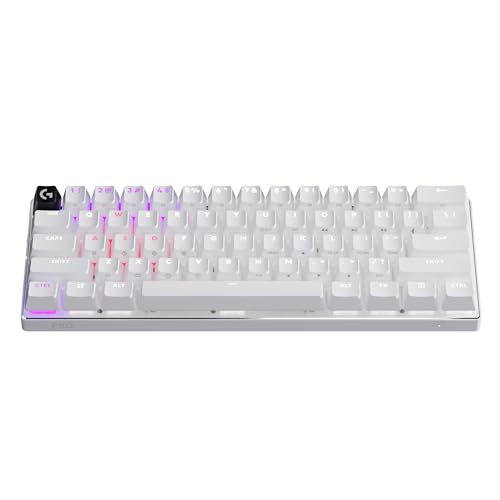
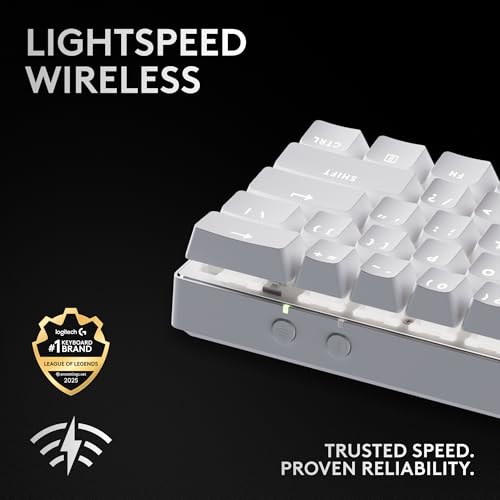
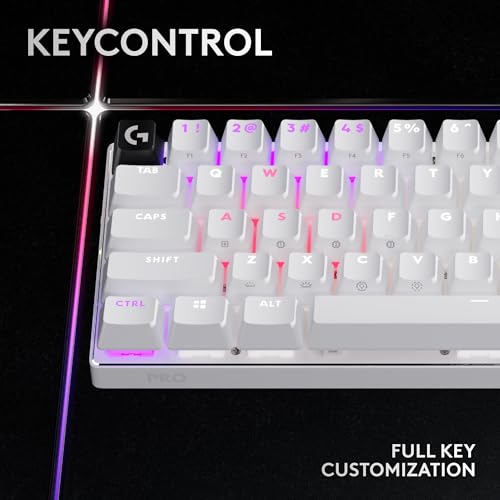
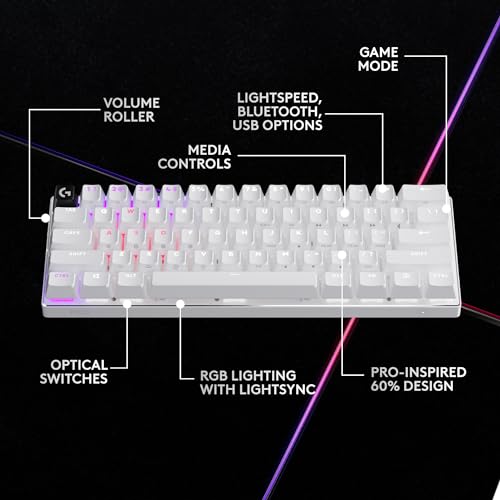
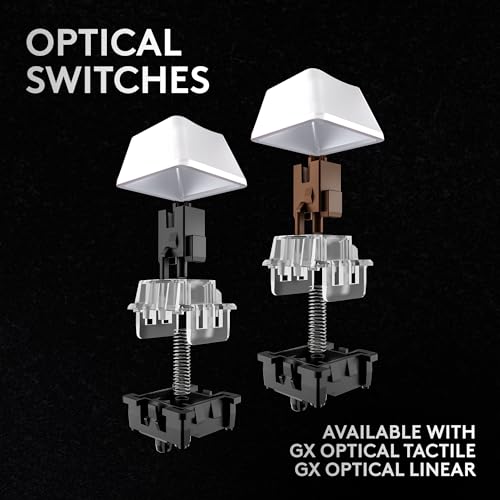
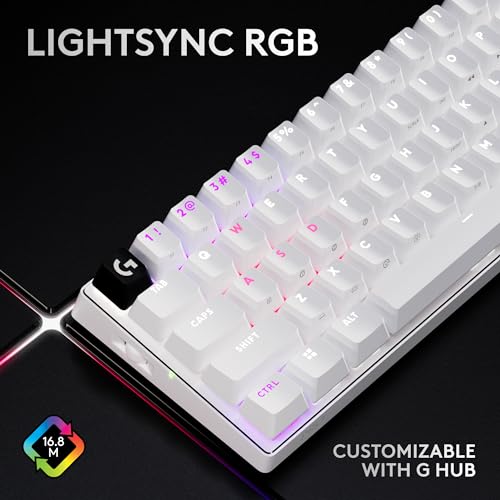
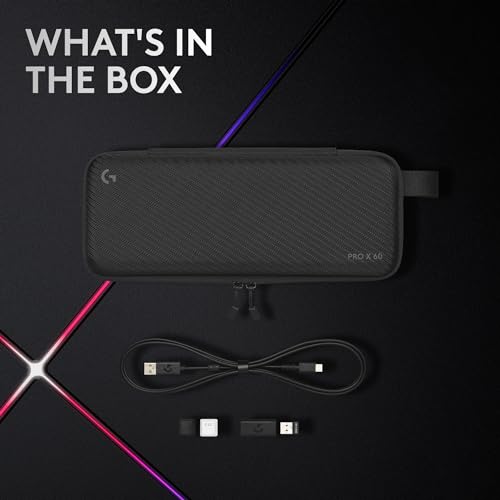
The Logitech G Pro X 60 is an ultra-compact wireless gaming keyboard designed for esports, featuring a space-saving 60% layout and high-performance GX Optical switches (available in linear or tactile) with a 1.8mm actuation point and 4mm total travel. It offers versatile connectivity through 2.4 GHz Lightspeed, Bluetooth, and USB-C, alongside premium features like doubleshot PBT keycaps, a side-mounted volume roller, and 'KeyControl' technology for extensive remapping across multiple layers. Major pros include its exceptional wireless reliability, portable design with an included semi-hard carrying case, and robust software customization, while common cons noted by users include its premium $179 price point, noticeable key wobble, and the absence of more advanced 'rapid trigger' or hall-effect features found in some competitors.

Technical Specifications of Logitech Pro X 60

Technical Score

What it is: An assessment of the keyboard's technical performance, covering key areas such as switch feel, typing and gaming performance, layout and features, connectivity, build quality, backlighting, software, and comfort.

When it matters: When you want to compare keyboards based on technical performance and available features.

Score components:

34.0%

6.6

Connectivity & Power

28.0%

2.2

Switches

20.0%

10

Materials

12.0%

6.8

Features

6.0%

4.4

Design

5.9
Logitech Pro X 60 has a technical score of 5.93 points, which is lower than that of 75.9% of products in this category.
User score

What it is: A rating that combines user reviews and the total number of reviews received by the keyboard.

When it matters: When you want to understand how a keyboard performs in daily use or gaming and how reliable it is in terms of typing feel, noise level, comfort, and long-term durability.

Score components:

70.0%

9.2

User reviews

30.0%

10

Popularity

User score:
United Kingdom
amazon
4.6
(404)
amazon
4.2
(19)
United States
Amazon_logo.png
4.6
(404)
Amazon_logo.png
4.2
(19)

(Reviews last updated: June 2026)

9.4
Logitech Pro X 60 has a user score of 9.41 points, which is higher than that of 93.3% of products in this category.
Popularity
What it is: An indicator based on the number of reviews received by the keyboard.
When it matters: When you prefer a keyboard that has already been chosen and reviewed by many other users.
10
Logitech Pro X 60 has a popularity of 10 points, which is higher than 68.6% of products in this category.
Ratio quality/price

What it is: An indicator that combines the keyboard's overall rating with its cost.

When it matters: When you are looking for a keyboard that offers a strong balance of performance, features, and price.

Score components:

60.0%

6.6

Overall score

40.0%

9.6

Price

7.5
Logitech Pro X 60 has a quality-to-price ratio of 7.5 points, which is lower than 64.4% of products in this category.
Switch type
What it is: Identifies the switch technology used by the keyboard, such as mechanical, optical, or Hall effect.
When it matters: When you are choosing between different response technologies and their long-term behavior.

Importance: HIGH

optical
Switch feel
What it is: Describes the keypress character, such as linear, tactile, or clicky.
When it matters: When the sensation of each keypress changes comfort, control, and noise level for your use.

Importance: HIGH

linear / tactile
Switch name
What it is: States the specific switch model used by the keyboard.
When it matters: When the exact switch model matters because small tuning differences affect your preference.

Importance: MEDIUM

?
Actuation force
What it is: Measures how much force is needed to actuate a key.
When it matters: When finger fatigue, accidental presses, or key resistance matters to your typing style.

Importance: HIGH

50 g
Min actuation distance
What it is: Measures the shortest key travel needed to register an input.
When it matters: When faster key response matters and you want the shortest possible trigger point under your fingers.

Importance: MEDIUM

1.8 mm
Logitech Pro X 60 has a minimum actuation distance of 1.8 mm, which is longer than 53.3% of keyboards and equal to 9.2% of keyboards.
Show more
Keyboard type
What it is: Identifies the keyboard technology, such as mechanical, membrane, optical, or Hall effect.
When it matters: When you need a keyboard built around a specific switch technology or feel profile.

Importance: HIGH

optical
Layout size
What it is: States the keyboard form factor and how much of the standard keyset it includes.
When it matters: When desk space, portability, or access to a full key set affects how you work or play.

Importance: HIGH

60%
Layout standard
What it is: Specifies the regional layout standard, such as ANSI, ISO, or JIS.
When it matters: When you need a regional key layout that matches your language habits or keycap set.

Importance: MEDIUM

ANSI
N. of keys
What it is: States how many keys are present on the keyboard.
When it matters: When you need a certain number of keys for shortcuts, navigation, or a numpad.

Importance: MEDIUM

61
Logitech Pro X 60 has 61 keys, which is fewer than 92.4% of keyboards and equal to 6.8% of keyboards.
Profile
What it is: Describes whether the keyboard uses a low-profile or standard-height design.
When it matters: When key height changes your typing comfort, travel distance, or the overall desk setup.

Importance: MEDIUM

high-profile
Show more
Connection type
What it is: Specifies how the keyboard connects, such as USB, 2.4 GHz wireless, or Bluetooth.
When it matters: When latency, cable management, or wireless flexibility is part of your buying decision.

Importance: HIGH

USB / 2.4GHz / Bluetooth
Logitech Pro X 60 offers USB / 2.4GHz / Bluetooth connectivity, which is more versatile than 57.9% of keyboards and equal to 42.1% of keyboards.
Multi-device pairing
What it is: Shows whether the keyboard can stay paired with multiple devices for quicker switching.
When it matters: When you switch regularly between a laptop, tablet, and other devices on one desk.

Importance: HIGH

yes
Logitech Pro X 60 supports multi-device pairing. 4.5% of keyboards support multi-device pairing.
Bluetooth version
What it is: States the Bluetooth generation supported for wireless pairing.
When it matters: When wireless stability, compatibility, and energy efficiency are part of what you compare.

Importance: MEDIUM

5.0
Logitech Pro X 60 uses Bluetooth 5, which is newer than 46.8% of keyboards and equal to 17.7% of keyboards.
Mac compatibility
What it is: Shows whether the keyboard is intended to work properly with macOS layouts, shortcuts, or legends.
When it matters: When you need the keyboard to work properly with macOS shortcuts and key mapping.

Importance: HIGH

no
Logitech Pro X 60 is not Mac compatible. 55.9% of keyboards work with Mac.
Battery life
What it is: Estimates how long the keyboard can run on a full charge.
When it matters: When the keyboard needs to last through workweeks, travel, or long gaming stretches without constant charging.

Importance: HIGH

65 h
Logitech Pro X 60 lasts 65 h on a charge, which is shorter than 79.9% of keyboards.
RGB on.
Show more
RGB lighting
What it is: Shows whether the keyboard includes customizable RGB lighting effects.
When it matters: When visual customization and desk aesthetics matter to your setup.

Importance: HIGH

yes
Logitech Pro X 60 has RGB lighting. 12.3% of keyboards have RGB lighting.
Per-key RGB
What it is: Shows whether each key can be lit and controlled independently instead of sharing one uniform lighting zone.
When it matters: When customizing each key individually matters for visuals, games, or shortcut visibility.

Importance: HIGH

yes
Logitech Pro X 60 has per-key RGB lighting. 23% of keyboards have per-key RGB lighting.
RGB zones
What it is: States how many RGB lighting zones can be controlled separately.
When it matters: When you want more lighting control than a simple all-at-once backlight can provide.

Importance: LOW

61
Logitech Pro X 60 has 61 RGB zones, which is fewer than 74.7% of keyboards and equal to 6.3% of keyboards.
Underglow / side lighting
What it is: Shows whether the case includes lighting around the underside or outer edges in addition to the keys themselves.
When it matters: When edge lighting is part of the visual style you want from the keyboard.

Importance: MEDIUM

no
Logitech Pro X 60 does not include underglow lighting. 31.7% of keyboards include underglow lighting.
Backlight direction
What it is: Specifies whether the switches use north-facing or south-facing backlighting.
When it matters: When you care about switch compatibility, keycap interference, or lighting placement.

Importance: LOW

north-facing
Show more
Case material
What it is: Describes the main material used for the keyboard case.
When it matters: When build feel, rigidity, and overall finish influence your sense of quality.

Importance: HIGH

plastic
Plate material
What it is: Describes the material used for the mounting plate beneath the switches.
When it matters: When keyboard stiffness, sound profile, and bottom-out feel matter more than the switch spec sheet alone.

Importance: HIGH

aluminum
Keycap material
What it is: Describes the material used to make the keycaps.
When it matters: When surface texture, wear resistance, and sound of the keycaps affect your choice.

Importance: HIGH

PBT
Keycap profile
What it is: Describes the shape and height profile of the keycaps.
When it matters: When key shape and sculpting affect comfort, wrist angle, and the sound of each press.

Importance: MEDIUM

OEM
Legend method
What it is: Describes how the legends are applied to the keycaps, which affects durability and visibility.
When it matters: When you care about how long key legends stay readable after heavy use.

Importance: MEDIUM

double-shot
Logitech Pro X 60 uses double-shot legends, which are more durable than 25.8% of keyboards and equal to 74.2% of keyboards.
Show more

Logitech Pro X 60 vs the average keyboard

  • Volume control wheel
    Logitech Pro X 60 includes a volume wheel, the average keyboard does not. 38.8% of keyboards include a volume wheel.
    What it is: Shows whether the keyboard includes a dedicated wheel or roller for hardware volume control.
    When it matters: When frequent hardware volume control matters enough that you do not want to rely on function-key shortcuts.

    Importance: MEDIUM

    Logitech Pro X 60 includes a volume wheel, the average keyboard does not. 38.8% of keyboards include a volume wheel.
  • 0.2 mm shorter actuation distance
    Logitech Pro X 60 has a longer maximum actuation distance than the average keyboard (1.8 mm vs 2 mm). The average keyboard has a maximum actuation distance of 2 mm.
    What it is: Measures the highest configurable actuation point or trigger position.
    When it matters: When you want precise control over how deep a key can be set to trigger for different games or typing styles.

    Importance: MEDIUM

    Logitech Pro X 60 has a longer maximum actuation distance than the average keyboard (1.8 mm vs 2 mm). The average keyboard has a maximum actuation distance of 2 mm.1.8 mm vs 2 mm
  • 37.5% lower weight
    Logitech Pro X 60 weighs less than the average keyboard (610 g vs 976 g). The average keyboard weighs 976 g.
    What it is: Measures the total mass of the keyboard.
    When it matters: When you care whether the keyboard feels easy to carry or heavy enough to stay planted on the desk.

    Importance: HIGH

    Logitech Pro X 60 weighs less than the average keyboard (610 g vs 976 g). The average keyboard weighs 976 g.610 g vs 976 g
  • 17.7% higher user score
    Logitech Pro X 60 has a higher user score than the average keyboard (9.41 vs 8).
    What it is: A rating that combines user reviews and the total number of reviews received by the keyboard.
    When it matters: When you want to understand how a keyboard performs in daily use or gaming and how reliable it is in terms of typing feel, noise level, comfort, and long-term durability.
    Logitech Pro X 60 has a higher user score than the average keyboard (9.41 vs 8).9.41 vs 8
  • 65 mm narrower width
    Logitech Pro X 60 is narrower than the average keyboard (290 mm vs 355 mm). The average keyboard width is 355 mm.
    What it is: Measures the keyboard from side to side.
    When it matters: When the keyboard has to match limited desk width or fit inside a specific setup.

    Importance: MEDIUM

    Logitech Pro X 60 is narrower than the average keyboard (290 mm vs 355 mm). The average keyboard width is 355 mm.290 mm vs 355 mm
  • 37.5% lower weight
    Logitech Pro X 60 weighs less than the average keyboard (610 g vs 976 g). The average keyboard weighs 976 g.
  • 65 mm narrower width
    Logitech Pro X 60 is narrower than the average keyboard (290 mm vs 355 mm). The average keyboard width is 355 mm.
  • 0.2 mm shorter actuation distance
    Logitech Pro X 60 has a longer maximum actuation distance than the average keyboard (1.8 mm vs 2 mm). The average keyboard has a maximum actuation distance of 2 mm.
  • Volume control wheel
    Logitech Pro X 60 includes a volume wheel, the average keyboard does not. 38.8% of keyboards include a volume wheel.
  • 26 fewer keys
    Logitech Pro X 60 has fewer keys than the average keyboard (61 vs 87). The average keyboard has 87 keys.
  • 62.5% smaller battery capacity
    Logitech Pro X 60 has a smaller battery than the average keyboard (1500 mAh vs 4000 mAh). The average keyboard has a battery capacity of 4000 mAh.
  • Limited Mac support
    Logitech Pro X 60 is not Mac compatible, the average keyboard is. 55.8% of keyboards are Mac compatible.
  • 101 h shorter battery life
    Logitech Pro X 60 lasts less long on a charge than the average keyboard (65 h vs 166 h). The average keyboard lasts 166 h on a charge.
    RGB on.
  • Older Bluetooth version
    Logitech Pro X 60 uses an older Bluetooth version than the average keyboard (5 vs 5.2). The average keyboard uses Bluetooth 5.2.
  • No hot-swap support
    Logitech Pro X 60 does not support hot-swappable switches, the average keyboard does. 65.5% of keyboards support hot-swappable switches.
  • 0.1 mm longer minimum actuation distance
    Logitech Pro X 60 has a longer minimum actuation distance than the average keyboard (1.8 mm vs 1.7 mm). The average keyboard has a minimum actuation distance of 1.7 mm.
  • 22 fewer RGB zones
    Logitech Pro X 60 has fewer RGB zones than the average keyboard (61 vs 83). The average keyboard has 83 RGB zones.
  • 62.5% smaller battery capacity
    Logitech Pro X 60 has a smaller battery than the average keyboard (1500 mAh vs 4000 mAh). The average keyboard has a battery capacity of 4000 mAh.
    What it is: Measures how much electric charge the battery can store, usually in mAh.
    When it matters: When you want rough battery context behind the runtime claim instead of trusting the advertised hours alone.

    Importance: HIGH

    Logitech Pro X 60 has a smaller battery than the average keyboard (1500 mAh vs 4000 mAh). The average keyboard has a battery capacity of 4000 mAh.1500 mAh vs 4000 mAh
  • No hot-swap support
    Logitech Pro X 60 does not support hot-swappable switches, the average keyboard does. 65.5% of keyboards support hot-swappable switches.
    What it is: Shows whether the switches can be removed and replaced without soldering.
    When it matters: When you want to try different switches, replace a bad switch easily, or tune feel without soldering work.

    Importance: HIGH

    Logitech Pro X 60 does not support hot-swappable switches, the average keyboard does. 65.5% of keyboards support hot-swappable switches.
  • Limited Mac support
    Logitech Pro X 60 is not Mac compatible, the average keyboard is. 55.8% of keyboards are Mac compatible.
    What it is: Shows whether the keyboard is intended to work properly with macOS layouts, shortcuts, or legends.
    When it matters: When you need the keyboard to work properly with macOS shortcuts and key mapping.

    Importance: HIGH

    Logitech Pro X 60 is not Mac compatible, the average keyboard is. 55.8% of keyboards are Mac compatible.
  • 26 fewer keys
    Logitech Pro X 60 has fewer keys than the average keyboard (61 vs 87). The average keyboard has 87 keys.
    What it is: States how many keys are present on the keyboard.
    When it matters: When you need a certain number of keys for shortcuts, navigation, or a numpad.

    Importance: MEDIUM

    Logitech Pro X 60 has fewer keys than the average keyboard (61 vs 87). The average keyboard has 87 keys.61 vs 87
  • 101 h shorter battery life
    Logitech Pro X 60 lasts less long on a charge than the average keyboard (65 h vs 166 h). The average keyboard lasts 166 h on a charge.
    RGB on.
    What it is: Estimates how long the keyboard can run on a full charge.
    When it matters: When the keyboard needs to last through workweeks, travel, or long gaming stretches without constant charging.

    Importance: HIGH

    Logitech Pro X 60 lasts less long on a charge than the average keyboard (65 h vs 166 h). The average keyboard lasts 166 h on a charge.65 h vs 166 h
  • Older Bluetooth version
    Logitech Pro X 60 uses an older Bluetooth version than the average keyboard (5 vs 5.2). The average keyboard uses Bluetooth 5.2.
    What it is: States the Bluetooth generation supported for wireless pairing.
    When it matters: When wireless stability, compatibility, and energy efficiency are part of what you compare.

    Importance: MEDIUM

    Logitech Pro X 60 uses an older Bluetooth version than the average keyboard (5 vs 5.2). The average keyboard uses Bluetooth 5.2.5.0 vs 5.2
  • 22 fewer RGB zones
    Logitech Pro X 60 has fewer RGB zones than the average keyboard (61 vs 83). The average keyboard has 83 RGB zones.
    What it is: States how many RGB lighting zones can be controlled separately.
    When it matters: When you want more lighting control than a simple all-at-once backlight can provide.

    Importance: LOW

    Logitech Pro X 60 has fewer RGB zones than the average keyboard (61 vs 83). The average keyboard has 83 RGB zones.61 vs 83
  • 38.5% more expensive
    Logitech Pro X 60 is more expensive than the average keyboard (£180 vs £130).
    Logitech Pro X 60 is more expensive than the average keyboard (£180 vs £130).£180 vs £130

Graphic comparison of Logitech Pro X 60 and

Attribute category
Attribute
No results found

Third-party reviews

(Reviews last updated: June 2026)

What customers like about Logitech Pro X 60?

  • Compact 60% design saves significant desk space for mouse movement
  • Highly portable and includes a premium quality hard carrying case
  • Excellent wireless performance via Lightspeed technology with low latency
  • Versatile connectivity options including 2.4 GHz Lightspeed, Bluetooth, and USB-C
  • Durable double-shot PBT keycaps with a textured, high-quality feel
  • Thoughtful physical controls like a dedicated volume roller and game mode switch
  • Extensive key remapping and layering options through G Hub's KEYCONTROL
  • Solid build quality with a sturdy plastic chassis and no deck flex

What customers dislike about Logitech Pro X 60?

  • High retail price compared to competitors with more features
  • Lacks advanced 'rapid trigger' or adjustable actuation features found in rivals
  • Switches are proprietary and not standard hot-swappable, limiting customization
  • Typing sound is often described as loud, rattly, or lacking sufficient dampening
  • High profile design can cause wrist fatigue and no wrist rest is included
  • Optical tactile switches lack a pronounced or satisfying tactile bump
  • Limited polling rate of 1k Hz, even when connected via cable

Expert reviews

R
rtings.com
10/05/2024
Summary of the review
T
tomshardware.com
15/04/2024
Summary of the review
T
techradar.com
31/03/2025
Summary of the review
9
9to5toys.com
09/04/2024
Summary of the review
P
pcmag.com
29/04/2024
Summary of the review
W
woodgatecomputers.com
09/04/2024
Summary of the review
C
cgmagonline.com
11/11/2024
Summary of the review
S
stuff.tv
09/04/2024
Summary of the review
G
gamingnexus.com
08/04/2024
Summary of the review
P
pcgamer.com
20/05/2024
Summary of the review
U
uk.pcmag.com
29/04/2024
Summary of the review
T
trustedreviews.com
09/04/2024
Summary of the review
W
wired.com
17/05/2024
Summary of the review
C
cnetfrance.fr
30/06/2024
Summary of the review
A
actugaming.net
09/05/2024
Summary of the review
G
gamertech.fr
18/04/2024
Summary of the review
C
cowcotland.com
09/04/2024
Summary of the review
F
frandroid.com
10/04/2024
Summary of the review
X
xboxygen.com
06/06/2024
Summary of the review
G
gameit.es
19/07/2024
Summary of the review
I
itsitio.com
20/05/2024
Summary of the review
E
es.root-nation.com
07/05/2024
Summary of the review
G
geektopia.es
26/05/2024
Summary of the review
G
global.techradar.com
28/05/2024
Summary of the review
J
joypad.ch
04/05/2024
Summary of the review
T
techprincess.it
09/04/2024
Summary of the review
H
hwupgrade.it
22/05/2024
Summary of the review
M
multiplayer.it
17/04/2024
Summary of the review
S
smartworld.it
13/04/2024
Summary of the review
N
nl.ign.com
09/04/2024
Summary of the review
T
tweakers.net
09/04/2024
Summary of the review
T
tweakers.net
09/04/2024
Summary of the review
T
technologyinsider.nl
25/04/2024
Summary of the review

Video reviews

Compare Logitech Pro X 60 with

VS
VS

Compare