ASUS Phoenix GeForce RTX 3060 Review | 118 Data compared

double-arrow
  • Avg. price: ~£260
  • VRAM: 12 GB
  • Memory bus width: 192 bit
  • Thermal Design Power (TDP): 170 W

ASUS Phoenix GeForce RTX 3060 review. Compare 118 technical specifications and user reviews to see how it ranks among graphics cards and if it is worth buying.

5.6

Overall score

What it is: An overall evaluation of the graphics card's quality, based on technical analyses and user reviews.

When it matters: When you need a quick reference to identify the best graphics cards on the market.

Score components:

90.0%

5.1

Technical Score

10.0%

9.5

User score

Good
5.1

Technical Score

What it is: An assessment of the graphics card's technical performance, covering key areas such as gaming and rendering performance, ray tracing, memory configuration, power efficiency, cooling, connectivity, features, and build quality.

When it matters: When you want to compare graphics cards based on technical performance and available features.

Score components:

44.0%

3.6

Performance

24.0%

4.2

Memory

12.0%

6.2

Power & Cooling

11.0%

9.3

Platform & Features

5.0%

8.2

Design

4.0%

9.0

Connectivity & Media

Good
9.5

User score

What it is: A rating that combines user reviews and the total number of reviews received by the graphics card.

When it matters: When you want to understand how a graphics card performs in real use and how reliable it is in terms of performance, temperatures, noise, stability, and long-term ownership.

Score components:

70.0%

9.3

User reviews

30.0%

10

Popularity

User score:
United Kingdom
amazon
4.7
(1064)
amazon
4.6
(358)
United States
Amazon_logo.png
4.6
(374)

(Reviews last updated: June 2026)

Exceptional
  • 3.6
    Gaming

    Score components:

    45.0%

    2.8

    Floating-point performance

    25.0%

    4.0

    VRAM

    20.0%

    2.1

    Ray tracing cores / units

    10.0%

    8.8

    PCI Express (PCIe) version

  • 5.5
    Video editing

    Score components:

    35.0%

    7.0

    AV1 encode

    30.0%

    4.0

    VRAM

    20.0%

    2.8

    Floating-point performance

    15.0%

    8.8

    PCI Express (PCIe) version

  • 3.7
    1080p

    Score components:

    55.0%

    2.8

    Floating-point performance

    25.0%

    4.0

    VRAM

    10.0%

    2.1

    Ray tracing cores / units

    10.0%

    8.8

    PCI Express (PCIe) version

  • 3.4
    1440p

    Score components:

    50.0%

    2.8

    Floating-point performance

    30.0%

    4.0

    VRAM

    15.0%

    2.1

    Ray tracing cores / units

    5.0%

    8.8

    PCI Express (PCIe) version

  • 3.4
    4K

    Score components:

    40.0%

    2.8

    Floating-point performance

    35.0%

    4.0

    VRAM

    20.0%

    2.1

    Ray tracing cores / units

    5.0%

    8.8

    PCI Express (PCIe) version

  • asus-phoenix-geforce-rtx-3060
  • asus-phoenix-geforce-rtx-3060
  • asus-phoenix-geforce-rtx-3060
  • asus-phoenix-geforce-rtx-3060
  • asus-phoenix-geforce-rtx-3060
  • asus-phoenix-geforce-rtx-3060
  • asus-phoenix-geforce-rtx-3060
  • asus-phoenix-geforce-rtx-3060
  • asus-phoenix-geforce-rtx-3060
asus-phoenix-geforce-rtx-3060

Best prices in UK

Best rankings

?

Available: ranking among products currently available (including other versions of this product).
All: ranking among all products in the database.

Verdict

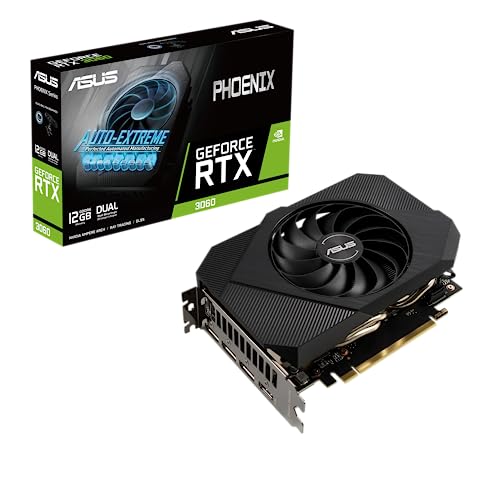
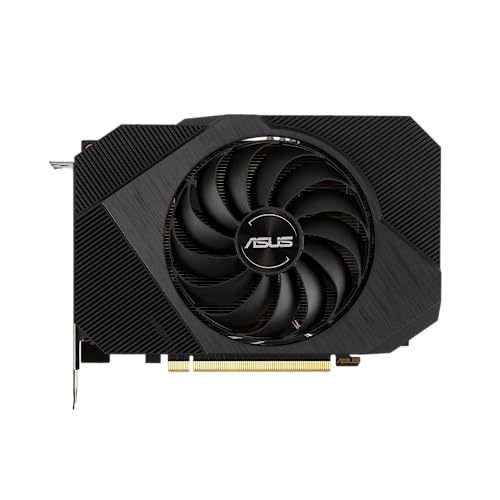
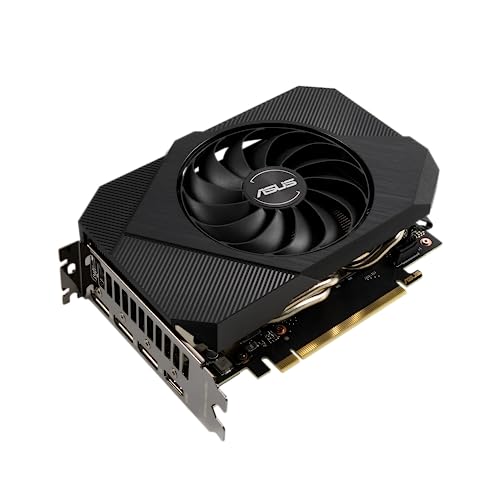
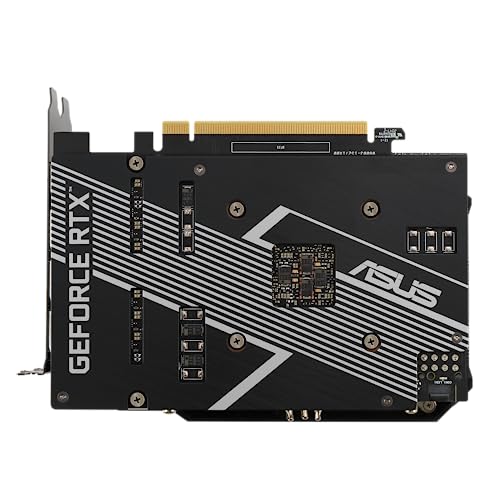
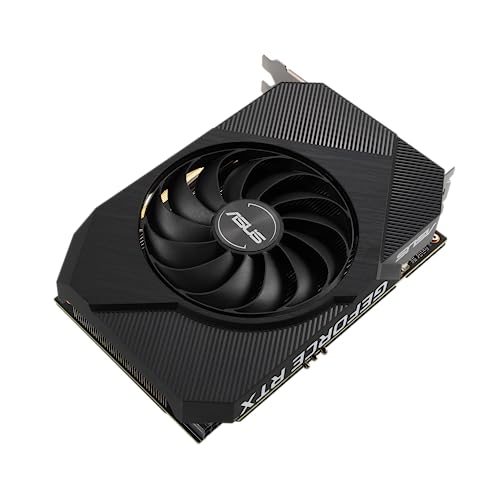
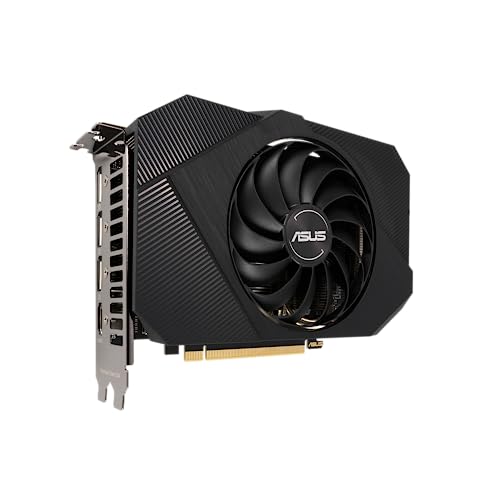
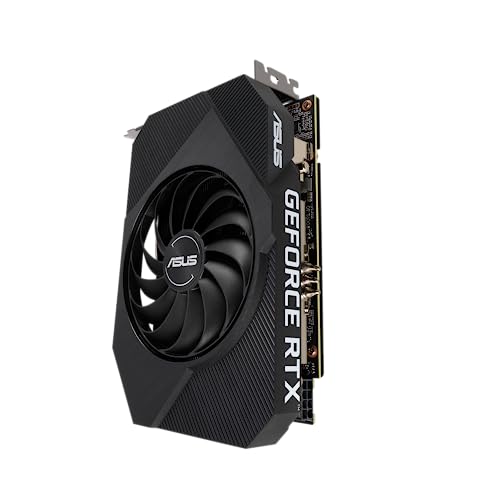
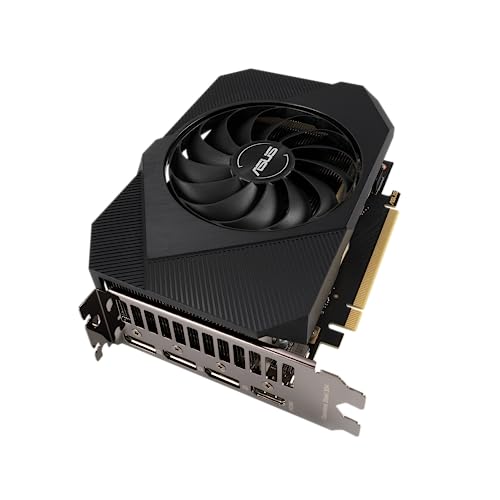
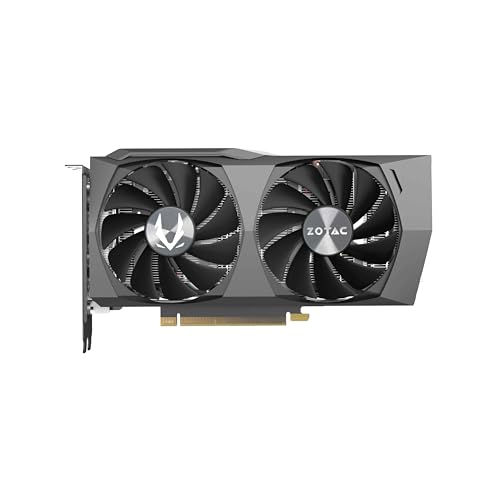
The ASUS Phoenix GeForce RTX 3060Go to product viewer dialogue for this item. is a compact, single-fan graphics card built on NVIDIA’s Ampere architecture, featuring 3584 CUDA cores and a generous 12GB of GDDR6 memory on a 192-bit interface. It offers a boost clock of up to 1807 MHz in OC mode and utilizes a space-saving 17.7 cm length, making it ideal for Mini-ITX builds. Key pros include its robust Axial-tech fan with dual-ball bearings for longevity, a protective backplate for structural rigidity, and support for advanced features like DLSS and ray tracing. However, its 2.55-slot thickness can still be bulky for the tightest small-form-factor cases, and the single-fan configuration may run louder or warmer under heavy loads compared to larger multi-fan alternatives.

Technical Specifications of ASUS Phoenix GeForce RTX 3060

Technical Score

What it is: An assessment of the graphics card's technical performance, covering key areas such as gaming and rendering performance, ray tracing, memory configuration, power efficiency, cooling, connectivity, features, and build quality.

When it matters: When you want to compare graphics cards based on technical performance and available features.

Score components:

44.0%

3.6

Performance

24.0%

4.2

Memory

12.0%

6.2

Power & Cooling

11.0%

9.3

Platform & Features

5.0%

8.2

Design

4.0%

9.0

Connectivity & Media

5.1
ASUS Phoenix GeForce RTX 3060 has a technical score of 5.12 points, which is lower than that of 76.7% of products in this category.
User score

What it is: A rating that combines user reviews and the total number of reviews received by the graphics card.

When it matters: When you want to understand how a graphics card performs in real use and how reliable it is in terms of performance, temperatures, noise, stability, and long-term ownership.

Score components:

70.0%

9.3

User reviews

30.0%

10

Popularity

User score:
United Kingdom
amazon
4.7
(1064)
amazon
4.6
(358)
United States
Amazon_logo.png
4.6
(374)

(Reviews last updated: June 2026)

9.5
ASUS Phoenix GeForce RTX 3060 has a user score of 9.54 points, which is higher than that of 96.4% of products in this category.
Popularity
What it is: An indicator based on the number of reviews received by the graphics card.
When it matters: When you prefer a graphics card that has already been chosen and reviewed by many other users.
10
ASUS Phoenix GeForce RTX 3060 has a popularity of 10 points, which is higher than 77.9% of products in this category.
Ratio quality/price

What it is: An indicator that combines the graphics card's overall rating with its cost.

When it matters: When you are looking for a graphics card that offers a strong balance of performance, features, and price.

Score components:

60.0%

5.6

Overall score

40.0%

9.2

Price

6.6
ASUS Phoenix GeForce RTX 3060 has a quality-to-price ratio of 6.6 points, which is lower than 57.2% of products in this category.
3DMark Time Spy benchmark score
What it is: Benchmark result from 3DMark Time Spy, a synthetic DirectX 12 test often used as a quick gaming-performance reference.
When it matters: When you need a fast rough performance sort before digging into game-specific reviews and frame-rate data.

Importance: LOW

?
3DMark Port Royal score
What it is: Benchmark result from 3DMark Port Royal, a synthetic test focused on ray tracing performance.
When it matters: When ray tracing matters in the games you actually play and you want one quick way to separate stronger and weaker RT cards.

Importance: LOW

?
PassMark (G3D) result
What it is: Overall GPU performance score in PassMark G3D benchmark
When it matters: When you need one broad score to sort cards into rough performance tiers.

Importance: LOW

?
PassMark (DirectCompute) result
What it is: PassMark score for DirectCompute performance tests
When it matters: When compute workloads matter alongside gaming performance.

Importance: LOW

8,260 points
ASUS Phoenix GeForce RTX 3060 scores 8260 points in PassMark DirectCompute, which is higher than 71.5% of graphics cards and equal to 4.8% of graphics cards.
Floating-point performance
What it is: Theoretical floating-point compute performance of the GPU.
When it matters: When rendering, AI, or heavy compute work needs strong single-precision throughput.

Importance: LOW

12.74 TFLOPS
ASUS Phoenix GeForce RTX 3060 delivers 12.74 TFLOPS floating-point performance, which is lower than that of 73.3% of graphics cards and equal to that of 0.5% of graphics cards.
Show more
VRAM
What it is: Total video memory available on the graphics card
When it matters: When you play at high settings, use texture mods, or work with large creative projects.

Importance: HIGH

12 GB
ASUS Phoenix GeForce RTX 3060 has 12 GB of VRAM, which is more than 45.4% of graphics cards and equal to 15.9% of graphics cards.
Memory type
What it is: Type of graphics memory used (GDDR6, HBM2e, etc.)
When it matters: When memory technology is part of the buying decision because it affects bandwidth class, power use, and product positioning.

Importance: LOW

GDDR6
GDDR version
What it is: Generation of GDDR memory used by the graphics card.
When it matters: When you want to separate older memory generations from newer ones before comparing bandwidth, power behavior, and market tier.

Importance: LOW

GDDR6
ASUS Phoenix GeForce RTX 3060 uses GDDR6 memory, which is newer than on 16.6% of graphics cards and equal to 39.1% of graphics cards.
Memory bus width
What it is: Width of the memory interface bus in bits
When it matters: When you care about steadier performance at higher resolutions, heavier texture settings, or ray-traced workloads that stress memory traffic.

Importance: HIGH

192 bit
ASUS Phoenix GeForce RTX 3060 uses a 192 bit memory bus, which is narrower than that of 50.5% of graphics cards and equal to that of 18.8% of graphics cards.
Maximum memory bandwidth
What it is: Maximum data transfer rate between GPU and its memory
When it matters: When 4K gaming, ray tracing, or creator work can choke a slower memory subsystem.

Importance: HIGH

360 GB/s
ASUS Phoenix GeForce RTX 3060 reaches 360 GB/s memory bandwidth, which is lower than that of 62.1% of graphics cards and equal to that of 1.5% of graphics cards.
Show more
PCI Express (PCIe) version
What it is: Version of PCI Express interface supported
When it matters: When you are pairing the card with an older motherboard and want to avoid leaving bandwidth or future compatibility on the table.

Importance: LOW

4.0
ASUS Phoenix GeForce RTX 3060 supports PCIe 4.0, which is newer than on 22.5% of graphics cards and equal to 52% of graphics cards.
PCIe lanes
What it is: Number of PCI Express lanes used for communication
When it matters: When limited lane width could bottleneck the card in some systems.

Importance: LOW

x16
ASUS Phoenix GeForce RTX 3060 uses x16 PCIe lanes, which is more than 31.5% of graphics cards and equal to 68.6% of graphics cards.
DirectX version
What it is: Highest supported DirectX API version
When it matters: When you play newer Windows games that depend on the latest graphics features.

Importance: LOW

?
Vulkan version
What it is: Highest supported Vulkan API version
When it matters: When modern games, emulators, or creative apps lean on Vulkan support.

Importance: LOW

1.4
ASUS Phoenix GeForce RTX 3060 supports Vulkan 1.4, which is more advanced than on 26.6% of graphics cards and equal to 73.4% of graphics cards.
OpenGL version
What it is: Highest supported OpenGL API version
When it matters: When older games or pro apps still depend on OpenGL compatibility.

Importance: LOW

4.6
ASUS Phoenix GeForce RTX 3060 supports OpenGL 4.6, which is more advanced than on 4.8% of graphics cards and equal to 95.2% of graphics cards.
Show more
Max displays supported
What it is: Total number of external displays supported simultaneously
When it matters: When you run a multi-monitor desk for sim racing, trading, or editing.

Importance: LOW

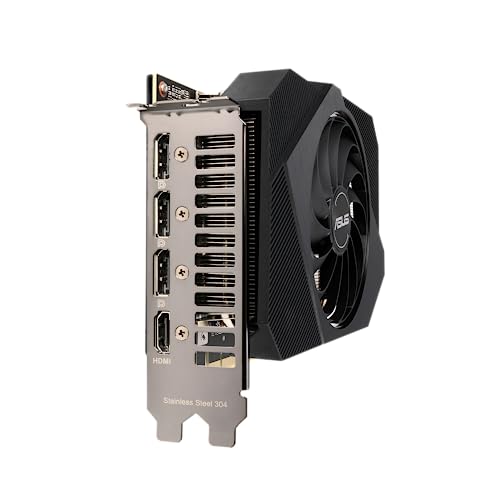
4
ASUS Phoenix GeForce RTX 3060 supports up to 4 displays, which is more than 7.8% of graphics cards and equal to 89.2% of graphics cards.
Max digital resolution
What it is: Maximum supported digital display resolution
When it matters: When you plan to drive 4K or 8K panels at their native resolution.

Importance: LOW

?
DisplayPort outputs
What it is: Number of DisplayPort video outputs
When it matters: When your setup needs several high-refresh monitors without adapters.

Importance: LOW

3
ASUS Phoenix GeForce RTX 3060 offers 3 DisplayPort outputs, which is more than 20.9% of graphics cards and equal to 77.3% of graphics cards.
DisplayPort version
What it is: Version of DisplayPort standard supported
When it matters: When your monitor setup depends on newer DisplayPort features for higher refresh rates, higher resolution, or better cable flexibility.

Importance: LOW

1.4a
ASUS Phoenix GeForce RTX 3060 supports DisplayPort 1.4a, which is more advanced than on 22.7% of graphics cards and equal to 44.2% of graphics cards.
DisplayPort link rates
What it is: Supported data link rates for DisplayPort connections
When it matters: When you are pushing high resolution and refresh rate over DisplayPort.

Importance: LOW

32.4 Gbps
ASUS Phoenix GeForce RTX 3060 supports DisplayPort link rates up to 32.4 Gbps, which is faster than on 58.3% of graphics cards and equal to 24% of graphics cards.
Show more
Thermal Design Power (TDP)
What it is: Typical power consumption under full load (TDP)
When it matters: When you need a realistic idea of power draw before choosing a PSU or case.

Importance: MEDIUM

170 W
ASUS Phoenix GeForce RTX 3060 has a TDP of 170 W, which is lower than that of 63.4% of graphics cards and equal to that of 1.9% of graphics cards.
Power consumption while under peak load
What it is: Peak power draw of the graphics card under maximum load.
When it matters: When transient-heavy gaming loads could stress your power supply.

Importance: LOW

170 W
ASUS Phoenix GeForce RTX 3060 draws 170 W under peak load, which is lower than 64.7% of graphics cards and equal to 1.8% of graphics cards.
Recommended PSU wattage
What it is: Recommended wattage of the system power supply
When it matters: When you are checking whether your current power supply is enough.

Importance: LOW

?
Board power limit
What it is: Maximum configurable power limit for the GPU board
When it matters: When you care about how far the card can be pushed through tuning or factory power settings.

Importance: LOW

?
PCIe power spec
What it is: PCIe power delivery specification followed
When it matters: When you are checking whether the slot and external cables match the card's intended power-delivery standard.

Importance: LOW

?
Show more
Size
What it is: Physical size of the GPU card
When it matters: When you need the card to fit a compact case without blocking nearby hardware.

Importance: LOW

?
Length
What it is: Physical length of the GPU card
When it matters: When front radiators or drive cages leave only limited GPU clearance.

Importance: LOW

177 mm
ASUS Phoenix GeForce RTX 3060 is 177 mm long, which is shorter than 93.9% of graphics cards and equal in length to 0.2% of graphics cards.
Height
What it is: Physical height of the GPU card
When it matters: When side panels, brackets, or tight case layouts reduce vertical clearance.

Importance: LOW

128 mm
ASUS Phoenix GeForce RTX 3060 is 128 mm tall, which is taller than 51.1% of graphics cards and equal in height to 1.5% of graphics cards.
Slot width
What it is: Number of PCIe slots occupied by the card
When it matters: When you need room for another PCIe card or better airflow under the GPU.

Importance: LOW

2.55 slot/s
ASUS Phoenix GeForce RTX 3060 occupies 2.55 slot/s, which is wider than 65% of graphics cards and equal in width to 0.1% of graphics cards.
Weight
What it is: Total weight of the graphics card
When it matters: When sag, bracket support, or shipping stress matters in your build.

Importance: LOW

?
Show more

ASUS Phoenix GeForce RTX 3060 vs the average graphics card

  • 108.37 mm shorter card length
    ASUS Phoenix GeForce RTX 3060 is shorter than the average graphics card (177 mm vs 285.37 mm). The average graphics card has a length of 285.37 mm.
    What it is: Physical length of the GPU card
    When it matters: When front radiators or drive cages leave only limited GPU clearance.

    Importance: LOW

    ASUS Phoenix GeForce RTX 3060 is shorter than the average graphics card (177 mm vs 285.37 mm). The average graphics card has a length of 285.37 mm.177 mm vs 285.37 mm
  • 19.3% higher user score
    ASUS Phoenix GeForce RTX 3060 has a higher user score than the average graphics card (9.54 vs 8.000).
    What it is: A rating that combines user reviews and the total number of reviews received by the graphics card.
    When it matters: When you want to understand how a graphics card performs in real use and how reliable it is in terms of performance, temperatures, noise, stability, and long-term ownership.
    ASUS Phoenix GeForce RTX 3060 has a higher user score than the average graphics card (9.54 vs 8.000).9.54 vs 8
  • 20.9% lower TDP
    ASUS Phoenix GeForce RTX 3060 has a lower TDP than the average graphics card (170 W vs 215 W). The average graphics card has a TDP of 215 W.
    What it is: Typical power consumption under full load (TDP)
    When it matters: When you need a realistic idea of power draw before choosing a PSU or case.

    Importance: MEDIUM

    ASUS Phoenix GeForce RTX 3060 has a lower TDP than the average graphics card (170 W vs 215 W). The average graphics card has a TDP of 215 W.170 W vs 215 W
  • 7.1% faster VRAM clock
    ASUS Phoenix GeForce RTX 3060 has a higher VRAM clock than the average graphics card (1,875 MHz vs 1,750 MHz). The average graphics card runs its VRAM at 1,750 MHz.
    What it is: Speed at which the GPU memory operates
    When it matters: When you want more context on how quickly the card's VRAM can move data.

    Importance: LOW

    ASUS Phoenix GeForce RTX 3060 has a higher VRAM clock than the average graphics card (1,875 MHz vs 1,750 MHz). The average graphics card runs its VRAM at 1,750 MHz.1875 MHz vs 1750 MHz
  • 4.34x more popular
    ASUS Phoenix GeForce RTX 3060 is more popular than the average graphics card (10.00 vs 2.303).
    What it is: An indicator based on the number of reviews received by the graphics card.
    When it matters: When you prefer a graphics card that has already been chosen and reviewed by many other users.
    ASUS Phoenix GeForce RTX 3060 is more popular than the average graphics card (10.00 vs 2.303).10 vs 2.3
  • 2.04x cheaper
    ASUS Phoenix GeForce RTX 3060 is cheaper than the average graphics card (£260 vs £530).
    ASUS Phoenix GeForce RTX 3060 is cheaper than the average graphics card (£260 vs £530).£260 vs £530
  • Newer shader model
    ASUS Phoenix GeForce RTX 3060 supports a newer shader model than the average graphics card (6.9 vs 6.8).
    What it is: Highest supported Shader Model version
    When it matters: When new rendering features require a newer shader feature set.

    Importance: LOW

    ASUS Phoenix GeForce RTX 3060 supports a newer shader model than the average graphics card (6.9 vs 6.8).6.9 vs 6.8
  • 7.1% faster VRAM clock
    ASUS Phoenix GeForce RTX 3060 has a higher VRAM clock than the average graphics card (1,875 MHz vs 1,750 MHz). The average graphics card runs its VRAM at 1,750 MHz.
  • Newer shader model
    ASUS Phoenix GeForce RTX 3060 supports a newer shader model than the average graphics card (6.9 vs 6.8).
  • 20.9% lower TDP
    ASUS Phoenix GeForce RTX 3060 has a lower TDP than the average graphics card (170 W vs 215 W). The average graphics card has a TDP of 215 W.
  • 108.37 mm shorter card length
    ASUS Phoenix GeForce RTX 3060 is shorter than the average graphics card (177 mm vs 285.37 mm). The average graphics card has a length of 285.37 mm.
  • 27.7% lower boost clock speed
    ASUS Phoenix GeForce RTX 3060 has a lower boost GPU clock than the average graphics card (1,807 MHz vs 2,500 MHz). The average graphics card has a boost GPU clock of 2,500 MHz.
  • 20 fewer ray tracing cores
    ASUS Phoenix GeForce RTX 3060 has fewer ray tracing cores than the average graphics card (28 vs 48). The average graphics card has 48 ray tracing cores.
  • 31.3% lower base clock speed
    ASUS Phoenix GeForce RTX 3060 has a lower base GPU clock than the average graphics card (1,320 MHz vs 1,920 MHz). The average graphics card has a base GPU clock of 1,920 MHz.
  • 12 fewer compute units
    ASUS Phoenix GeForce RTX 3060 has fewer compute units than the average graphics card (28 vs 40). The average graphics card has 40 compute units.
  • 72 fewer TMUs
    ASUS Phoenix GeForce RTX 3060 has fewer TMUs than the average graphics card (112 vs 184). The average graphics card has 184 TMUs.
  • 46.3% lower texture rate
    ASUS Phoenix GeForce RTX 3060 has a lower texture rate than the average graphics card (202.4 GTexel/s vs 376.8 GTexel/s). The average graphics card has a texture rate of 376.8 GTexel/s.
  • 47.5% lower pixel rate
    ASUS Phoenix GeForce RTX 3060 has a lower pixel rate than the average graphics card (86.7 GPixel/s vs 165.2 GPixel/s). The average graphics card has a pixel rate of 165.2 GPixel/s.
  • 80 fewer AI cores
    ASUS Phoenix GeForce RTX 3060 has fewer AI cores than the average graphics card (112 vs 192). The average graphics card has 192 AI cores.
  • 16 fewer ROPs
    ASUS Phoenix GeForce RTX 3060 has fewer ROPs than the average graphics card (48 vs 64). The average graphics card has 64 ROPs.
  • 44.3% lower FP32 performance
    ASUS Phoenix GeForce RTX 3060 has a lower FP32 performance than the average graphics card (12.7 TFLOPS vs 22.86 TFLOPS). The average graphics card has FP32 performance of 22.86 TFLOPS.
  • 78.1% lower INT8 performance
    ASUS Phoenix GeForce RTX 3060 has a lower INT8 performance than the average graphics card (101.9 TOPS vs 466 TOPS). The average graphics card has INT8 performance of 466 TOPS.
  • 56.8% lower FP16 performance
    ASUS Phoenix GeForce RTX 3060 has a lower FP16 performance than the average graphics card (12.7 TFLOPS vs 29.5 TFLOPS). The average graphics card has FP16 performance of 29.5 TFLOPS.
  • 57.2% lower FP64 performance
    ASUS Phoenix GeForce RTX 3060 has a lower FP64 performance than the average graphics card (0.2 TFLOPS vs 0.4651 TFLOPS). The average graphics card has FP64 performance of 0.4651 TFLOPS.
  • 64 bit narrower memory bus
    ASUS Phoenix GeForce RTX 3060 has a narrower memory bus than the average graphics card (192 bit vs 256 bit). The average graphics card has a memory bus width of 256 bit.
  • 95.3% less Infinity Cache
    ASUS Phoenix GeForce RTX 3060 has fewer Infinity Cache than the average graphics card (3 MB vs 64 MB). The average graphics card has 64 MB Infinity Cache.
  • 21.1% slower memory speed
    ASUS Phoenix GeForce RTX 3060 has a lower effective memory speed than the average graphics card (15,000 MHz vs 19,000 MHz). The average graphics card reaches an effective memory speed of 19,000 MHz.
  • 90.6% smaller L2 cache
    ASUS Phoenix GeForce RTX 3060 has fewer L2 cache than the average graphics card (3 MB vs 32 MB). The average graphics card has 32 MB L2 cache.
  • 19.6% lower memory bandwidth
    ASUS Phoenix GeForce RTX 3060 has a lower memory bandwidth than the average graphics card (360 GB/s vs 448 GB/s). The average graphics card has a memory bandwidth of 448 GB/s.
  • 60% larger process node
    ASUS Phoenix GeForce RTX 3060 has a higher process node than the average graphics card (8 nm vs 5 nm). The average graphics card uses a process node of 5 nm.
  • 2 older
    ASUS Phoenix GeForce RTX 3060 was released earlier than the average graphics card (2,021 vs 2,023).
  • Older encoder generation
    ASUS Phoenix GeForce RTX 3060 uses an older encoder generation than the average graphics card (7 vs 8). The average graphics card uses encoder generation 8.
  • No AV1 encoding
    ASUS Phoenix GeForce RTX 3060 does not support AV1 encoding, the average graphics card does.
  • 2 fewer fans
    ASUS Phoenix GeForce RTX 3060 has fewer fans than the average graphics card (1 vs 3).
  • No fan stop
    ASUS Phoenix GeForce RTX 3060 does not support fan stop, the average graphics card does.
  • 13 °C higher load temperature
    ASUS Phoenix GeForce RTX 3060 has a higher load temperature than the average graphics card (80 °C vs 67 °C). The average graphics card has a load temperature of 67 °C.
  • 0.55 slot/s wider design
    ASUS Phoenix GeForce RTX 3060 occupies more slots than the average graphics card (2.6 slot/s vs 2 slot/s). The average graphics card occupies 2 slot/s.
  • No RGB lighting
    ASUS Phoenix GeForce RTX 3060 does not include RGB lighting, the average graphics card does.
  • 27.7% lower boost clock speed
    ASUS Phoenix GeForce RTX 3060 has a lower boost GPU clock than the average graphics card (1,807 MHz vs 2,500 MHz). The average graphics card has a boost GPU clock of 2,500 MHz.
    What it is: Maximum boost frequency the GPU can reach under load
    When it matters: When you want a rough idea of peak advertised frequency, while knowing real sustained clocks still depend on cooling and power limits.

    Importance: HIGH

    ASUS Phoenix GeForce RTX 3060 has a lower boost GPU clock than the average graphics card (1,807 MHz vs 2,500 MHz). The average graphics card has a boost GPU clock of 2,500 MHz.1807 MHz vs 2500 MHz
  • 2 fewer fans
    ASUS Phoenix GeForce RTX 3060 has fewer fans than the average graphics card (1 vs 3).
    What it is: Total number of cooling fans
    When it matters: When you compare cooler designs and want one more clue about thermal potential.

    Importance: MEDIUM

    ASUS Phoenix GeForce RTX 3060 has fewer fans than the average graphics card (1 vs 3).1 vs 3
  • 20 fewer ray tracing cores
    ASUS Phoenix GeForce RTX 3060 has fewer ray tracing cores than the average graphics card (28 vs 48). The average graphics card has 48 ray tracing cores.
    What it is: Number of dedicated ray tracing processing cores or units
    When it matters: When you care about ray-traced lighting, reflections, and shadows in newer games.

    Importance: HIGH

    ASUS Phoenix GeForce RTX 3060 has fewer ray tracing cores than the average graphics card (28 vs 48). The average graphics card has 48 ray tracing cores.28 vs 48
  • 64 bit narrower memory bus
    ASUS Phoenix GeForce RTX 3060 has a narrower memory bus than the average graphics card (192 bit vs 256 bit). The average graphics card has a memory bus width of 256 bit.
    What it is: Width of the memory interface bus in bits
    When it matters: When you care about steadier performance at higher resolutions, heavier texture settings, or ray-traced workloads that stress memory traffic.

    Importance: HIGH

    ASUS Phoenix GeForce RTX 3060 has a narrower memory bus than the average graphics card (192 bit vs 256 bit). The average graphics card has a memory bus width of 256 bit.192 bit vs 256 bit
  • 31.3% lower base clock speed
    ASUS Phoenix GeForce RTX 3060 has a lower base GPU clock than the average graphics card (1,320 MHz vs 1,920 MHz). The average graphics card has a base GPU clock of 1,920 MHz.
    What it is: Base operating frequency of the GPU core under standard conditions
    When it matters: When you want to understand the card's guaranteed starting frequency instead of looking only at optimistic boost figures.

    Importance: HIGH

    ASUS Phoenix GeForce RTX 3060 has a lower base GPU clock than the average graphics card (1,320 MHz vs 1,920 MHz). The average graphics card has a base GPU clock of 1,920 MHz.1320 MHz vs 1920 MHz
  • 12 fewer compute units
    ASUS Phoenix GeForce RTX 3060 has fewer compute units than the average graphics card (28 vs 40). The average graphics card has 40 compute units.
    What it is: Total number of shader multiprocessors or compute units
    When it matters: When you want a better sense of the GPU's overall parallel hardware resources before relying on game benchmarks alone.

    Importance: HIGH

    ASUS Phoenix GeForce RTX 3060 has fewer compute units than the average graphics card (28 vs 40). The average graphics card has 40 compute units.28 vs 40
  • 60% larger process node
    ASUS Phoenix GeForce RTX 3060 has a higher process node than the average graphics card (8 nm vs 5 nm). The average graphics card uses a process node of 5 nm.
    What it is: Size of the manufacturing process in nanometers
    When it matters: When process node differences may affect power, heat, and overall efficiency.

    Importance: MEDIUM

    ASUS Phoenix GeForce RTX 3060 has a higher process node than the average graphics card (8 nm vs 5 nm). The average graphics card uses a process node of 5 nm.8 nm vs 5 nm
  • 72 fewer TMUs
    ASUS Phoenix GeForce RTX 3060 has fewer TMUs than the average graphics card (112 vs 184). The average graphics card has 184 TMUs.
    What it is: Total count of texture mapping units on the GPU
    When it matters: When texture-heavy gaming performance matters and you want extra hardware context behind texture-rate claims.

    Importance: HIGH

    ASUS Phoenix GeForce RTX 3060 has fewer TMUs than the average graphics card (112 vs 184). The average graphics card has 184 TMUs.112 vs 184

Graphic comparison of ASUS Phoenix GeForce RTX 3060 and

Attribute category
Attribute
No results found

Third-party reviews

United States

(Reviews last updated: June 2026)

What customers like about ASUS Phoenix GeForce RTX 3060?

  • Compact single-fan design makes it ideal for mini-ITX and small form factor (SFF) builds.
  • Features a massive 12GB of VRAM, which is excellent for creative tasks and future-proofing in 1080p/1440p gaming.
  • Strong value for money, often positioned as the most affordable entry point for the RTX 3060 series.
  • Efficient performance for 1080p gaming, easily maintaining high frame rates (100+ FPS) in many titles.
  • Built with high-quality components, including Axial-tech fans and dual-ball bearing fans for increased longevity.
  • Supports modern features like Ray Tracing and DLSS, which significantly boosts performance in compatible games.

What customers dislike about ASUS Phoenix GeForce RTX 3060?

  • Thermal management is less effective than dual or triple-fan models, potentially reaching temperatures over 80°C under heavy load.
  • Requires a case with good airflow to prevent overheating, especially in warmer environments.
  • While compact in length, the 'dummy thicc' 2.5-slot thickness can still be a tight fit for some ultra-small ITX cases.
  • The single-fan setup can become noticeably louder than larger variants when the cooling system is pushed to its limit.
  • Performance at 1440p and 4K is limited in demanding AAA titles compared to higher-tier cards like the 3060 Ti.

Video reviews

Compare ASUS Phoenix GeForce RTX 3060 with

VS
VS

Compare