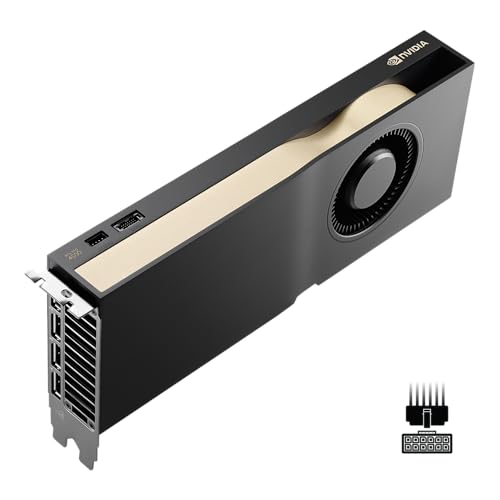
Which brands make the best graphics cards for 1440p?
The 1440p graphics-card brands with the best average overall scores are as follows.
- INNO3D (Average overall score: 8.3)
- Palit (Average overall score: 7.8)
- ASUS (Average overall score: 7.3)
The chart below ranks 1440p graphics-card brands by average overall score.
[horizontal-chart-02121108453598123908157067472781432049141272855426]
What makes a graphics card good for 1440p gaming?
The factors that make a graphics card good for 1440p gaming are as follows:
- GPU performance tier: 1440p usually needs a clearly stronger GPU than ordinary 1080p gaming, especially if the target is 90-144 fps instead of a simple 60 fps baseline.
- VRAM and memory bandwidth: 8 GB can still work, but 12 GB and 16 GB are more comfortable for heavier AAA games, higher texture settings, and longer-term 1440p use.
- Cooler quality and sustained clocks: Many good 1440p cards already live in roughly the 220-350 W range, so cooler quality matters for noise, hotspot temperature, and boost stability.
- Ray tracing and support features: Ray tracing is much more believable at 1440p when the card also has strong upscaling or frame-generation support.
- Build fit and PSU support: A good 1440p upgrade still has to fit the case, the airflow plan, and the power supply instead of forcing a wider rebuild.
- Value at the right tier: The best 1440p card is the one that gives convincing 1440p results for the money, not automatically the most expensive card on the shelf.
What graphics settings are realistic for 1440p gaming?
The graphics settings that are realistic for 1440p gaming are the following.
- High settings as the normal target: Many strong 1440p cards are built for high settings before ultra presets become necessary.
- Ultra presets used selectively: Ultra can be realistic on stronger cards, but cutting a few heavy options often gives a better fps gain than the visual loss suggests.
- Texture quality matched to VRAM: 12 GB and 16 GB cards are more comfortable for high-resolution textures, while 8 GB cards need more care in heavier games.
- Ray tracing with support tools: Ray tracing at 1440p is most realistic when DLSS, FSR, XeSS, or frame generation also play a role.
- Shadows, reflections, and volumetrics watched closely: These are often the first settings worth trimming when 1440p frame rates start slipping.
- Refresh-rate awareness: 1440p at 60 fps, 100 fps, and 144 fps are very different targets even when the visual preset looks similar.
How much do the best 1440p graphics cards cost?
The best 1440p graphics cards usually cost about £400-£1,300. That is the part of the market where 1440p starts to feel comfortable rather than compromised. Cheaper cards can still run 1440p with reduced settings, but most of the stronger long-term options sit in the middle and upper part of this band.
Around £300-£430, you are usually looking at entry 1440p cards with some tradeoffs in settings or longevity. Around £400-£800, the category becomes much stronger for high settings, smoother high-refresh play, and better all-round value. Around £800-£1,300, you are paying for faster 1440p performance, stronger ray tracing, and some real 4K overlap. Above that, the prices are usually being pushed by flagship GPUs rather than by 1440p needs alone.
This chart visualizes 1440p graphics-card prices.
[vertical-chart-01218105892446011065016854131229773342593815057504]
What frame rates can 1440p graphics cards deliver?
1440p graphics cards can deliver anything from roughly 60-90 fps in newer AAA games on entry 1440p hardware to about 100-165 fps on stronger cards, with premium models pushing higher in lighter games or esports titles.
At the lower end, many cards are best at 1440p around 60-90 fps with selective settings or upscaling. The middle of the market is more comfortable for high settings above 100 fps, while stronger upper-tier cards are where 144 Hz monitors, heavier ray tracing, and some 4K overlap start to make more sense.
Game choice still changes everything. A card that can hold 120 fps in a competitive shooter may sit much closer to 60-80 fps in a newer AAA release at ultra settings, and ray tracing can cut that again unless upscaling or frame generation is available.
How demanding is modern 1440p gaming?
Modern 1440p gaming is demanding enough that 8 GB versus 12 GB or 16 GB, a moderate GPU versus a stronger one, and a 60 fps target versus a 144 Hz target all change the buying decision quickly.
The resolution sits in the practical middle ground between accessible 1080p play and expensive 4K hardware. It is much more forgiving than 4K, but newer AAA games, heavier texture packs, ray tracing, and high-refresh monitors can still push a borderline GPU hard.
That is why 1440p usually rewards an upper-mainstream or better card rather than the cheapest model that merely launches the game. If you want high settings with fewer compromises, this is the point where stronger VRAM, memory bandwidth, and cooler quality start to matter much more.
What should you consider while choosing a 1440p graphics card?
You should focus on the following factors when choosing a 1440p graphics card:
- Frame-rate target: 1440p can mean a stable 60-90 fps single-player target, a 100-144 fps mainstream high-refresh target, or even more for lighter competitive games. Decide which one you actually want before choosing the GPU tier.
- VRAM and memory bus: 8 GB can still work in this class, but 12 GB is usually the safer modern baseline and 16 GB gives more room for heavier textures, mods, and longer ownership. Wider memory buses also help stronger cards stay comfortable at this resolution.
- Ray tracing expectations: 1440p with ray tracing is far more demanding than plain raster 1440p. If ray tracing matters, buy enough tier headroom that upscaling and frame generation feel like support tools rather than rescue tools.
- GPU tier fit: Cards in the RTX 4070, RX 7800 XT, or stronger class usually feel more natural at 1440p than cheaper entry-mainstream GPUs, especially if you want high settings longevity instead of bare-minimum results.
- Cooler and acoustics: Many serious 1440p cards sit in roughly the 220-320 W band, and some stronger options go higher. Board-partner cooling quality affects noise and sustained clocks much more than many buyers expect.
- Price logic: A 1440p card should still feel priced for 1440p use. Once the cost moves too close to a 4K flagship tier, it is worth asking whether you should step up fully or buy a more sensible upper-mainstream option instead.