Which brands make the best graphics cards for 1080p?
The 1080p graphics-card brands with the best average overall scores are as follows.
- INNO3D (Average overall score: 8.5)
- ZOTAC (Average overall score: 8.1)
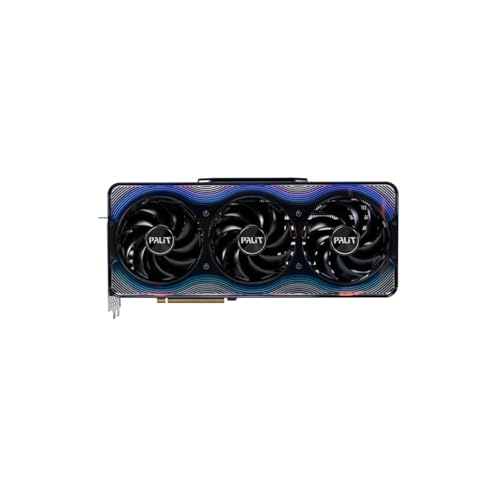
- Palit (Average overall score: 8.1)
The chart below ranks 1080p graphics-card brands by average overall score.
[horizontal-chart-16919224642854654659154986858337645582980087293629]
What makes a graphics card good for 1080p gaming?
The factors that make a graphics card good for 1080p gaming are as follows:
- GPU strength for the real fps target: A good 1080p card should match whether you want basic 60 fps play, smoother 120 fps gaming, or very high-refresh esports performance.
- VRAM comfort margin: 6 GB can still work in lighter cases, but 8 GB and above are more comfortable for newer titles, heavier textures, and longer ownership.
- Cooler efficiency and noise: A 1080p card is easier to recommend when it stays cool and quiet instead of solving one problem by creating another.
- Modern feature support: Upscaling, frame generation, low-latency tools, and ray-tracing support can all change how good a mid-tier 1080p card feels in practice.
- Power and system balance: Many strong 1080p cards stay in a much easier 115-200 W class than upper-tier GPUs, which helps with smaller cases and more modest PSUs.
- Price discipline: A card is only truly good for 1080p when the spending still matches the gaming experience instead of drifting into 1440p- or 4K-class pricing.
What graphics settings are realistic for 1080p gaming?
The graphics settings that are realistic for 1080p gaming are the following.
- High settings as the practical default: Many good 1080p cards can target high settings comfortably before larger cuts become necessary.
- Ultra presets used with care: Ultra can make sense on stronger cards, but it is often the first place where the fps cost becomes worse than the visible gain.
- Texture quality matched to memory: 8 GB and larger cards are more comfortable for higher textures, while tighter 6 GB cards need more care in newer games.
- Ray tracing used selectively: Ray tracing can be realistic at 1080p, but it often makes more sense when upscaling or a stronger GPU is also available.
- Upscaling as a support tool: DLSS, FSR, and XeSS can help a 1080p card stay smooth in newer AAA titles without forcing much lower presets.
- Refresh-rate awareness: 1080p at 60 fps, 120 fps, and 240 fps are completely different targets even when the same game is on screen.
How much do the best 1080p graphics cards cost?
The best 1080p graphics cards usually cost about £220-£600. That is where most sensible 1080p buying decisions sit, from strong value cards to faster high-refresh options. Much cheaper cards are often older low-end models, while the very expensive end usually means you are paying for far more GPU than ordinary 1080p gaming really needs.
Around £100-£220, you are usually looking at lighter 1080p cards or older models. Around £220-£430, the market becomes much stronger for high settings and longer-term value. Around £400-£600, you move into faster high-refresh 1080p and more comfortable 1440p overlap. Above that, the extra money usually goes toward premium features, ray tracing, or much stronger GPUs than a normal 1080p setup really needs.
This chart visualizes 1080p graphics-card prices.
[vertical-chart-00045179524161188803166461938389392512723891624634]
What frame rates can 1080p graphics cards deliver?
1080p graphics cards can deliver anything from a stable 60 fps in modern games on cheaper mainstream hardware to about 120-240 fps on stronger cards, with esports titles often running even higher.
At the lower end, many cards are best for straightforward 1080p around 60-90 fps. The middle of the market is more comfortable for high settings above 100 fps, while the stronger end is where 144 Hz and 240 Hz monitors start to make real sense.
Game type still matters a lot. A card that can look excellent at 1080p 60 fps in a story-driven AAA game may still fall short of the very high frame rates competitive players want, and ray tracing can reduce those numbers quickly unless support features are available.
How demanding is modern 1080p gaming?
Modern 1080p gaming is still demanding enough that 6 GB versus 8 GB, a 60 fps target versus a 144 Hz target, and plain raster play versus ray tracing can all change the right GPU choice.
The resolution remains much easier than 1440p or 4K, which is why more affordable cards can still deliver a satisfying result here. Even so, newer AAA games, heavier textures, and high-refresh monitors can expose the limits of older or weaker cards much faster than many buyers expect.
That makes 1080p accessible rather than effortless. It is the easiest place to optimize for value, but a smarter card choice still matters if you want high settings, stable frame times, or a longer upgrade cycle.
What should you consider while choosing a 1080p graphics card?
You should focus on the following factors when choosing a 1080p graphics card:
- Refresh-rate goal: 1080p can mean 60 fps casual play, 120-144 Hz mixed gaming, or very high-refresh esports. A card that is perfect for story-driven 1080p gaming may still feel weak if the real goal is 200 fps-class performance.
- VRAM floor: For modern 1080p gaming, 8 GB is usually the safer long-term target even though 6 GB cards can still work in lighter games. Once newer engines and heavier textures enter the picture, the smaller cards age faster.
- Efficiency and power draw: One of the best parts of the 1080p tier is that many good options stay in roughly the 115-200 W range. That usually means easier cooling, easier PSU demands, and a quieter system than upper-tier GPUs require.
- Feature priorities: At 1080p, upscaling, encoder quality, low-latency tools, and ray-tracing support can matter as much as raw raster power. Decide whether you mainly want cheap high fps, cleaner streaming support, or broader modern feature coverage.
- Size and system fit: Many strong 1080p cards are available in compact dual-fan or otherwise modest formats. If the build is older or smaller, case fit and power connector requirements may matter more than chasing another small fps gain.
- Price discipline: 1080p is the easiest place to overpay. Once the price starts climbing into clear 1440p-premium territory, it is worth asking whether the extra spend will actually improve the experience on the monitor you own.