Scored using Tablets Methodology v3.0
Tablets Methodology v3.0
Mathematical & Unbiased Scoring
Products in this category are scored under Frontum Tablets Methodology v3.0: the technical score from the specifications is the base, and independent expert and video reviews (up to ±0.5 points), owner opinions (up to ±0.3) and best-of lists (up to +0.3) move it up or down.
Explore Tablets Methodology v3.0

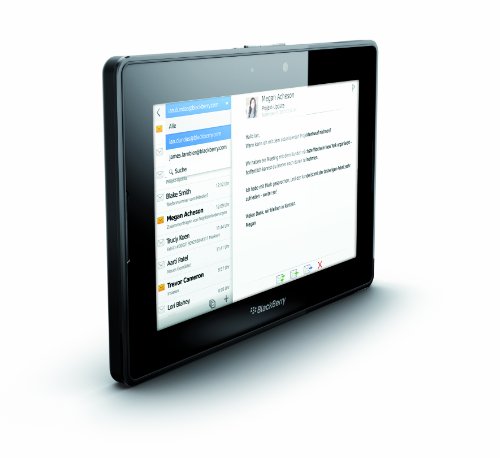
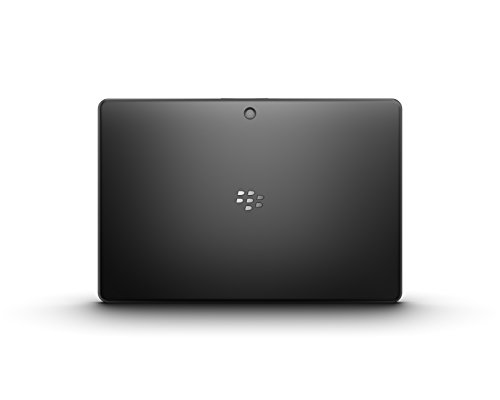
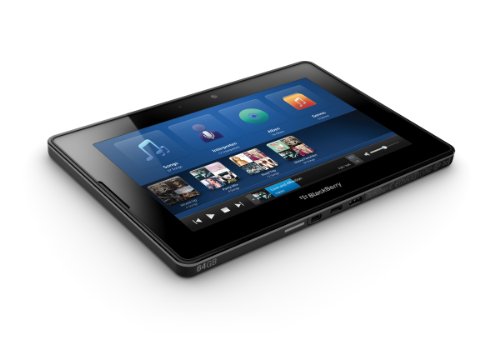
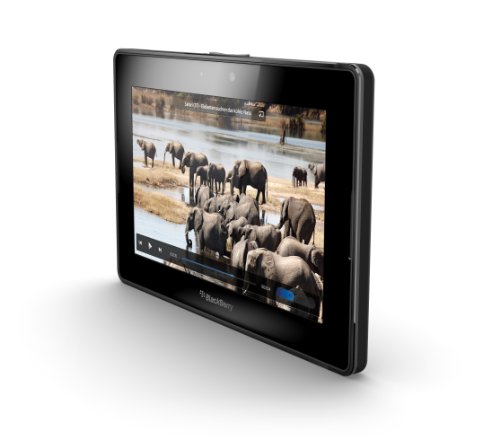
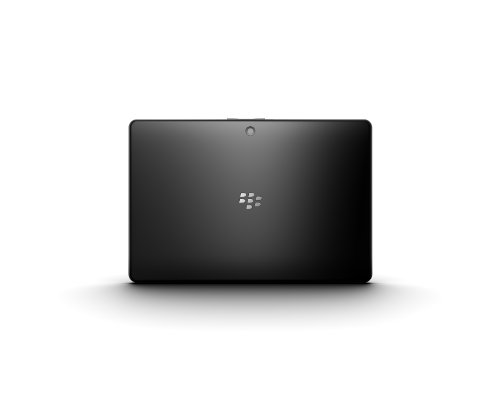
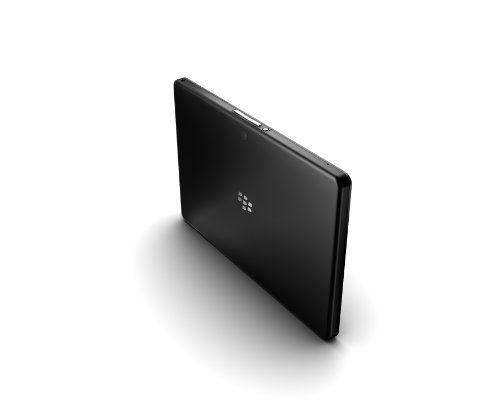
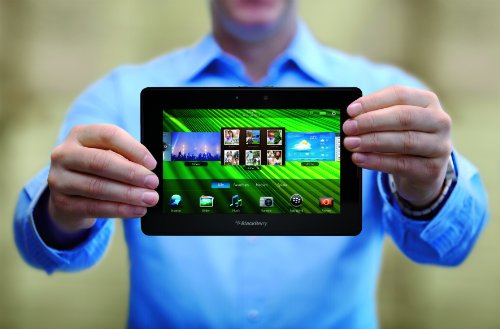
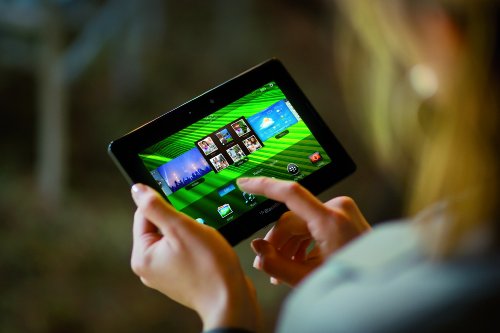
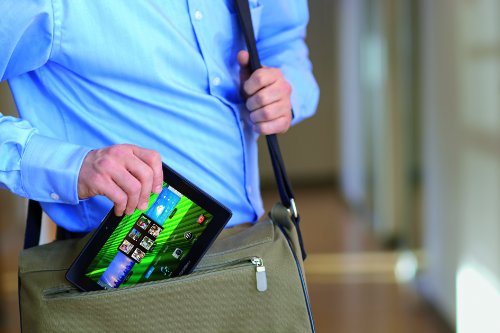
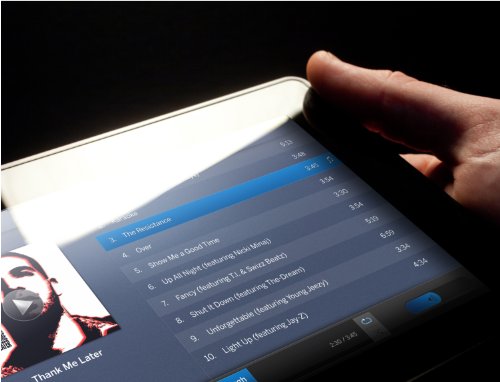
BlackBerry PlayBook WiFi (1GB + 16GB) review: 168 specs compared

Avg. price:~£35RAM capacity:1 GBInternal storage:16 GBScreen size:7 inchesChipset:TI OMAP 4430

BlackBerry PlayBook WiFi (1GB + 16GB) Review: Compare 168 technical specifications and 33 expert and video reviews to see how this product ranks in the Tablets category and whether it is worth buying.
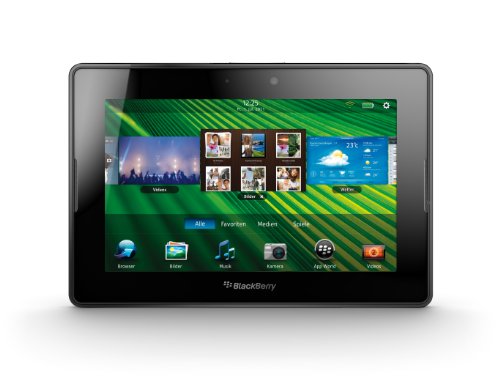
BlackBerry PlayBook WiFi (1GB + 16GB)
6.1/10

Overall score

Score
6.1/ 10
✕
What it is
Our main score for this model, 1–10. It combines specs, best-of lists, expert reviews and owners.
How we count it
Parts: Technical score 35%, List score 30%, Reviews score 25%, Sentiment score 10%
Marks: Each part gets a mark out of 10. For reviews, lists and owners, a typical model in this category gets about 8 and the best one gets 10.
No data yet: A part with no data shows "?". It counts as the mark of a weaker model in this category (4 in 5 models with data score higher). This way, models with reviews, lists and owners usually come out ahead.
Score distribution
â–¼
<55-66-77-88-99-10
Score components

35%

4.9

Technical score

30%

?

List scoreNot enough data yet, so we use 7.5, the mark of a weaker model in this category

25%

4.9

Reviews score

10%

9.4

Sentiment score

â–¼Worse than 83% of tablets
7.3

Value for money

Value for money
7.3/ 10
✕
What it is
An indicator that combines the tablet's overall rating with its cost.
When it matters
When you are looking for a tablet with a good balance between quality and price.
Score distribution
â–¼
<55-66-77-88-99-10
Score components

70%

6.1

Overall score

30%

10

Price

â–¼Worse than 67%
4.9

Technical score

Technical score
4.9/ 10
✕
What it is
How good the specs are compared with the other models in this category, 1–10.
How we count it
Areas: We rate the specs in each area against the other models in this category.
Weighting: The areas that matter most to buyers count more. The shares are shown under Score components.
Share: The technical score is 35% of the overall score.
Score distribution
â–¼
<55-66-77-88-99-10
Score components

22%

3.7

Performance

20%

4.9

Display

16%

5.3

Camera

14%

4.0

Battery

12%

5.7

Connectivity

8%

5.8

Software

5%

6.2

Design

3%

6.9

Audio

â–¼Worse than 92%
4.9

Reviews score

Reviews score
4.9/ 10
✕
What it is
Average grade from independent test sites, magazines and video reviewers, 1–10.
How we count it
Grades: Each review's own score is converted to 1–10; without one, we grade the review ourselves. Big test sites count more, short reviews half as much as full tests. A video review counts half.
Score: The average grade is 80% of the review mark; the number of reviews is the other 20% (1 review = 5, the typical number in this category = 8, the most-reviewed model = 10).
Enough data: With few reviews, the average grade is pulled toward the typical grade of this category. No reviews yet: 7.4 for now.
Share: Reviews count 25% of the overall score.
Score distribution
â–¼
<55-66-77-88-99-10

4.9

Mark 7.7 is below the typical mark 7.8 of this category, so it cannot lift the score above the technical score

80%

7.4

Average grade

20%

8.9

Popularity

Grades by review (33)
24 reviews: 7 with a printed score, 17 estimated from the review. 9 video reviews, each counting half as much as a written test. Reviews count 25% of the overall score.
User ratings collected online are not part of this score.
â–¼Worse than 93%
?

List score

List score
7.5/ 10
✕
What it is
How often independent test sites, magazines and video reviewers put this model in their best-of lists for this category.
How we count it
Points: The model in the most lists of this category gets 10; the others get 8 to 10 in proportion. In no list yet: 7.5. Lists count 30% of the overall score.
Enough data: Every list counts, even a single one. With fewer than 5 best-of lists in the category, this part is left out.
Lists with this model (0)
Not in any best-of list yet, so this part counts as 7.5. Models in a list get 8 to 10.
Not in any best-of list yet
  • rim-blackberry-playbook-16gb-1gb-16gb-wifi
  • rim-blackberry-playbook-16gb-1gb-16gb-wifi
  • rim-blackberry-playbook-16gb-1gb-16gb-wifi
  • rim-blackberry-playbook-16gb-1gb-16gb-wifi
  • rim-blackberry-playbook-16gb-1gb-16gb-wifi
  • rim-blackberry-playbook-16gb-1gb-16gb-wifi
  • rim-blackberry-playbook-16gb-1gb-16gb-wifi
  • rim-blackberry-playbook-16gb-1gb-16gb-wifi
  • rim-blackberry-playbook-16gb-1gb-16gb-wifi
  • rim-blackberry-playbook-16gb-1gb-16gb-wifi
  • rim-blackberry-playbook-16gb-1gb-16gb-wifi
rim-blackberry-playbook-16gb-1gb-16gb-wifi
Where to buy
    N/A~ £35
Best rankings
Available: ranking among products currently available (including other versions of this product).All: ranking among all products in the database.
Other versions:
1GB + 16GB1GB + 32GB

What reviewers say about the BlackBerry PlayBook WiFi (1GB + 16GB)

Based on 24 · 9

Reviewers praise the smooth software, sharp screen, strong sound and video output, but agree the thin app selection and phone-dependent email disappoint.
Praised
Mixed views
Criticised
Pick a topic to see who said what

What owners say about the BlackBerry PlayBook WiFi (1GB + 16GB)

Based on 102 owners sharing their experience in online comments

68%positive13%mixed19%negative

Owners praise its smooth, portable browsing and value, while limited apps and aging software cause the most frustration.

What owners dislike

  • Owners say the app store is small, with few apps and games, and popular apps such as Netflix, Skype and Angry Birds are missing or costly.17
  • Some owners report the tablet suddenly shut off and would not turn on again, with the charging light blinking red, or a USB port broke.12
  • Owners report update and setup failures, such as Wi-Fi dropping during the first update or an error saying it could not connect to the update server.8
  • Owners say the 7-inch screen is too small for everyday use, especially for people with larger hands.5
  • Owners struggle to install or restore apps after a reset, since only the browser and camera remain and no file manager is available.5
  • Owners say the built-in browser is old and slow to load modern web pages, and some sites do not work properly.4
  • Owners find touch gestures awkward to navigate apps, and the Bridge mail app is hard to use and does not reconnect automatically.4

Points mentioned by at least 3 owners, most mentioned first.

Loading...
Loading category ranking...

Technical Specifications of tablet BlackBerry PlayBook WiFi (1GB + 16GB)

Technical score
Technical score
4.9/ 10
✕
What it is
How good the specs are compared with the other models in this category, 1–10.
How we count it
Areas: We rate the specs in each area against the other models in this category.
Weighting: The areas that matter most to buyers count more. The shares are shown under Score components.
Share: The technical score is 35% of the overall score.
Score distribution
â–¼
<55-66-77-88-99-10
Score components:

22%

3.7

Performance

20%

4.9

Display

16%

5.3

Camera

14%

4.0

Battery

12%

5.7

Connectivity

8%

5.8

Software

5%

6.2

Design

3%

6.9

Audio

4.9
Reviews score
4.9
List score
?
Value for money
Value for money
7.3/ 10
✕
What it is
An indicator that combines the tablet's overall rating with its cost.
When it matters
When you are looking for a tablet with a good balance between quality and price.
Score distribution
â–¼
<55-66-77-88-99-10
Score components:

70%

6.1

Overall score

30%

10

Price

7.3
RAM capacity
1 GB
This tablet has 1 GB of RAM, which is less than 78% of tablets and equal to 19.1% of tablets.
Process node
45 nm
This tablet is built on a 45 nm process, which is larger than 94.9% of tablets and equal to 4.4% of tablets.
Internal storage
16 GB
This tablet has 16 GB of internal storage, which is less than 78.8% of tablets and equal to 14.8% of tablets.
Geekbench 6 single-core score
?
Chipset
TI OMAP 4430
This tablet runs on TI OMAP 4430, which is less advanced than 68.4% of tablets and equal to 2.1% of tablets.
Show more
What reviewers say
Screen resolution
1024×600
This tablet has a 1024×600 screen, which is less sharp than 92.8% of tablets and equal to 6.2% of tablets.
Refresh rate
60 Hz
This tablet has a 60 Hz screen, which is smoother than 0.1% of tablets and equal to 73.4% of tablets.
Display type
LCD
This tablet uses a LCD display type. 83.1% of tablets use this display technology.
Pixel density
170 ppi
This tablet has a pixel density of 170 ppi, which is lower than 76.5% of tablets and equal to 4.7% of tablets.
Display glass type
Corning Gorilla Glass
This tablet protects its screen with Corning Gorilla Glass, which is more durable than 45.4% of tablets and the same as 32.8% of tablets.
Show more
What reviewers say
Optical image stabilization
no
This tablet does not support optical stabilisation. 0.4% of tablets offer this.
Main camera megapixels
5 MP
This tablet has a rear camera with 5 MP resolution, which is lower than 63.7% of tablets and equal to 26% of tablets.
Front camera megapixels
3 MP
This tablet has a front camera with 3 MP resolution, which is lower than 51.6% of tablets and equal to 0.5% of tablets.
Main camera aperture
?
Optical zoom
1xxx
This tablet has 1xx optical zoom, which is stronger than 18.2% of tablets and equal to 80.9% of tablets.
Show more
What reviewers say
Battery capacity
5,300 mAh
This tablet has 5,300 mAh battery capacity, which is smaller than 61.8% of tablets and equal to 0.3% of tablets.
Charging speed
9 W
This tablet charges at 9 W, which is slower than 94.3% of tablets and equal to 0.8% of tablets.
Battery life
10 hours
This tablet has a battery life of 10 hours, which is longer than that of 39.1% of tablets and equal to that of 20.5% of tablets.
Wireless charging
no
This tablet does not support wireless charging. 1.5% of tablets offer this.
Fast charging
no
This tablet does not support fast charging. 56.9% of tablets offer this.
Show more
LTE support
no
This tablet does not have built-in LTE. 42.9% of tablets offer this.
Wi-Fi connectivity
yes
This tablet connects to Wi-Fi. 0.2% of tablets offer this.
GPS
yes
This tablet has built-in GPS. 17.1% of tablets offer this.
5G connectivity
no
This tablet does not support 5G. 8.1% of tablets offer this.
NFC
no
This tablet does not include NFC. 10.8% of tablets offer this.
Show more
What reviewers say
Operating system
BlackBerry
This tablet uses the BlackBerry operating system, which is less advanced than the one used by 99.5%.
Update support duration
medium
This tablet offers medium update support, which is longer than the support period of 47.6% of tablets and equal to that of 32.4% of tablets.
Direct OS updates
yes
This tablet supports direct OS updates. 20.3% of tablets offer this.
On-device AI
no
This tablet does not support on-device AI. 28.3% of tablets support this capability.
App tracking protection
no
This tablet does not support app tracking protection. 28.4% of tablets offer this.
Show more
IP rating
not rated
This tablet's IP rating is not rated, which is less protected than 16.5% of tablets and the same as 83.6% of tablets.
Weight
425 g
This tablet weighs 425 g, which is lighter than 72.3% of tablets and equal to 0.6% of tablets.
Backlit keyboard
no
This tablet does not support a backlit keyboard. 9.7% of tablets support backlit keyboards.
Keyboard accessory
yes
This tablet supports a keyboard accessory. 15.8% of tablets support this option.
Pen latency
N/A
Show more
What reviewers say
Number of microphones
2
This tablet has a microphone array of 2, which is more than 55.1% of tablets and equal to 32.7% of tablets.
aptX Adaptive
no
This tablet does not support aptX Adaptive. 6.9% of tablets offer this.
Dolby Atmos support
no
This tablet does not support Dolby Atmos. 31.3% of tablets support Dolby Atmos.
N. of speakers
?
FM radio
?
Show more
What reviewers say

BlackBerry PlayBook WiFi (1GB + 16GB) vs the average tablet

246810TotalPerformanceDisplayCameraBatteryConnectivitySoftwareDesignAudio
  • 100 nits higher typical brightness
    This tablet has a higher typical brightness than the average tablet (500 nits vs 400 nits). The average tablet reaches 400 nits typical brightness.
    500 nits vs 400 nits
  • 90 nits brighter screen
    This tablet is brighter than the average tablet (491 nits vs 401 nits). The average tablet reaches 401 nits.
    491 nits vs 401 nits
  • 1 more microphones
    This tablet has more microphones than the average tablet (2 vs 1). The average tablet's microphone count is 1.
    2 vs 1
  • More advanced chipset
    This tablet has a more advanced chipset than the average tablet (TI OMAP 4430 vs MediaTek MT8169A).
    TI OMAP 4,430 vs MediaTek MT8169A
  • 13.3% lighter
    This tablet is lighter than the average tablet (425 g vs 490 g). The average tablet weighs 490 g.
    425 g vs 490 g
  • 25.3% higher sentiment score
    9.4 vs 7.5
  • 7.43x cheaper
    BlackBerry PlayBook WiFi (1GB + 16GB) is cheaper than the average tablet (£35 vs £260).
    £35 vs £260
  • Supports HDMI output
    This tablet supports HDMI output, while the average tablet does not. 49.8% of tablets offer this.
  • 25.3% higher sentiment score
    9.4 vs 7.5
  • 7.43x cheaper
    BlackBerry PlayBook WiFi (1GB + 16GB) is cheaper than the average tablet (£35 vs £260).
    £35 vs £260
  • More advanced chipset
    This tablet has a more advanced chipset than the average tablet (TI OMAP 4430 vs MediaTek MT8169A).
    TI OMAP 4,430 vs MediaTek MT8169A
  • 100 nits higher typical brightness
    This tablet has a higher typical brightness than the average tablet (500 nits vs 400 nits). The average tablet reaches 400 nits typical brightness.
    500 nits vs 400 nits
  • 90 nits brighter screen
    This tablet is brighter than the average tablet (491 nits vs 401 nits). The average tablet reaches 401 nits.
    491 nits vs 401 nits
  • Supports HDMI output
    This tablet supports HDMI output, while the average tablet does not. 49.8% of tablets offer this.
  • 13.3% lighter
    This tablet is lighter than the average tablet (425 g vs 490 g). The average tablet weighs 490 g.
    425 g vs 490 g
  • 45.3 mm narrower
    This tablet is narrower than the average tablet (130 mm vs 175.3 mm). The average tablet is 175.3 mm wide.
    130 mm vs 175.3 mm
  • 70 mm shorter
    This tablet is shorter than the average tablet (130 mm vs 200 mm). The average tablet is 200 mm tall.
    130 mm vs 200 mm
  • 1 more microphones
    This tablet has more microphones than the average tablet (2 vs 1). The average tablet's microphone count is 1.
    2 vs 1
  • 6 fewer CPU threads
    This tablet has fewer CPU threads than the average tablet (2 vs 8). The average tablet has 8 CPU threads.
    2 vs 8
  • 30.0% lower review score
    Reviews score
    4.9/ 10
    ✕
    What it is
    Average grade from independent test sites, magazines and video reviewers, 1–10.
    How we count it
    Grades: Each review's own score is converted to 1–10; without one, we grade the review ourselves. Big test sites count more, short reviews half as much as full tests. A video review counts half.
    Score: The average grade is 80% of the review mark; the number of reviews is the other 20% (1 review = 5, the typical number in this category = 8, the most-reviewed model = 10).
    Enough data: With few reviews, the average grade is pulled toward the typical grade of this category. No reviews yet: 7.4 for now.
    Share: Reviews count 25% of the overall score.
    Score distribution
    â–¼
    <55-66-77-88-99-10

    4.9

    Mark 7.7 is below the typical mark 7.8 of this category, so it cannot lift the score above the technical score

    80%

    7.4

    Average grade

    20%

    8.9

    Popularity

    Grades by review (33)
    24 reviews: 7 with a printed score, 17 estimated from the review. 9 video reviews, each counting half as much as a written test. Reviews count 25% of the overall score.
    User ratings collected online are not part of this score.
    4.9 vs 7.0
  • No USB-C port
    This tablet does not have a USB Type-C port, while the average tablet does. 54% of tablets have one.
  • Less advanced operating system
    This tablet runs on a less advanced operating system than the average tablet (BlackBerry vs Android). Operating system choice shapes app support, updates, and ecosystem features.
    BlackBerry vs Android
  • 3 GB less RAM
    This tablet has less RAM than the average tablet (1 GB vs 4 GB). The average tablet has 4 GB of RAM.
    1 GB vs 4 GB
  • 50% lower CPU speed
    This tablet has a lower CPU speed than the average tablet (1 GHz vs 2 GHz). The average tablet has CPU speed of 2 GHz.
    1 GHz vs 2 GHz
  • Less sharp display
    This tablet has a less sharp screen than the average tablet (1024×600 vs 1920×1200).
    1,024×600 vs 1,920×1,200
  • No fast charging
    This tablet does not support fast charging, while the average tablet does. 56.8% of tablets support fast charging.
  • 30.0% lower review score
    Reviews score
    4.9/ 10
    ✕
    What it is
    Average grade from independent test sites, magazines and video reviewers, 1–10.
    How we count it
    Grades: Each review's own score is converted to 1–10; without one, we grade the review ourselves. Big test sites count more, short reviews half as much as full tests. A video review counts half.
    Score: The average grade is 80% of the review mark; the number of reviews is the other 20% (1 review = 5, the typical number in this category = 8, the most-reviewed model = 10).
    Enough data: With few reviews, the average grade is pulled toward the typical grade of this category. No reviews yet: 7.4 for now.
    Share: Reviews count 25% of the overall score.
    Score distribution
    â–¼
    <55-66-77-88-99-10

    4.9

    Mark 7.7 is below the typical mark 7.8 of this category, so it cannot lift the score above the technical score

    80%

    7.4

    Average grade

    20%

    8.9

    Popularity

    Grades by review (33)
    24 reviews: 7 with a printed score, 17 estimated from the review. 9 video reviews, each counting half as much as a written test. Reviews count 25% of the overall score.
    User ratings collected online are not part of this score.
    4.9 vs 7.0
  • 3.8% worse value for money
    BlackBerry PlayBook WiFi (1GB + 16GB) has worse value for money than the average tablet (7.28 vs 7.6).
    7.28 vs 7.55
  • 6 fewer CPU threads
    This tablet has fewer CPU threads than the average tablet (2 vs 8). The average tablet has 8 CPU threads.
    2 vs 8
  • 3 GB less RAM
    This tablet has less RAM than the average tablet (1 GB vs 4 GB). The average tablet has 4 GB of RAM.
    1 GB vs 4 GB
  • 50% lower CPU speed
    This tablet has a lower CPU speed than the average tablet (1 GHz vs 2 GHz). The average tablet has CPU speed of 2 GHz.
    1 GHz vs 2 GHz
  • 3.21x larger process node
    This tablet has a larger process node than the average tablet (45 nm vs 14 nm). The average tablet is built on 14 nm.
    45 nm vs 14 nm
  • More basic graphics
    This tablet has less advanced graphics than the average tablet (PowerVR SGX540 vs Mali-G51).
    PowerVR SGX540 vs Mali-G51
  • 75% less internal storage
    This tablet has less internal storage than the average tablet (16 GB vs 64 GB). The average tablet has 64 GB of internal storage.
    16 GB vs 64 GB
  • 1,066 MHz slower RAM speed
    This tablet has a lower RAM speed than the average tablet (800 MHz vs 1,866 MHz). The average tablet has RAM speed of 1,866 MHz.
    800 MHz vs 1,866 MHz
  • No big.LITTLE architecture
    This tablet does not support big.LITTLE architecture, while the average tablet does. 51.7% of tablets support big.LITTLE architecture.
  • 53.2% slower GPU clock
    This tablet runs its GPU slower than the average tablet (304 MHz vs 650 MHz). The average tablet runs its GPU at 650 MHz.
    304 MHz vs 650 MHz
  • 57% less memory bandwidth
    This tablet has less memory bandwidth than the average tablet (6.4 GB/s vs 14.9 GB/s). The average tablet has 14.9 GB/s of memory bandwidth.
    6.4 GB/s vs 14.9 GB/s
  • 8 years older
    This tablet was released earlier than the average tablet (2011 vs 2019). The average tablet was released in 2019.
    April 2011
    2011 vs 2019
  • More basic memory type
    This tablet uses less advanced memory than the average tablet (LPDDR2 vs LPDDR3).
    LPDDR2 vs LPDDR3
  • Less sharp display
    This tablet has a less sharp screen than the average tablet (1024×600 vs 1920×1200).
    1,024×600 vs 1,920×1,200
  • Inferior display type
    This tablet has an inferior display type compared to the average tablet (LCD vs IPS LCD). 0.00% of tablets use the superior display type.
    LCD vs IPS LCD
  • 3.1 inches smaller screen
    This tablet has a smaller screen than the average tablet (7 inches vs 10.1 inches). The average tablet measures 10.1 inches.
    7 inches vs 10.1 inches
  • 23.1% softer screen detail
    This tablet has softer screen detail than the average tablet (170 ppi vs 221 ppi). The average tablet has a pixel density of 221 ppi.
    170 ppi vs 221 ppi
  • No continuous video AF
    This tablet does not support continuous video AF, the average tablet does. 57.7% of tablets support continuous video autofocus.
  • 3 MP lower rear resolution
    This tablet has a lower-resolution rear camera than the average tablet (5 MP vs 8 MP). The average tablet has a rear camera of 8 MP.
    5 MP vs 8 MP
  • No manual exposure control
    This tablet does not support manual exposure, while the average tablet does. 63.6% of tablets support manual exposure.
  • No HDR photo mode
    This tablet does not have HDR photo mode, the average tablet does. 79.8% of tablets support HDR photo mode.
  • No manual white balance
    This tablet does not support manual white balance, while the average tablet does. 51.5% of tablets support manual white balance.
  • No burst mode
    This tablet does not support burst mode, the average tablet does. 60.6% of tablets support burst mode.
  • No panorama mode
    This tablet does not support panorama mode, while the average tablet does. 78.6% of tablets support panorama mode.
  • No backside-illuminated sensor
    This tablet does not have a BSI sensor, while the average tablet does. 52.6% of tablets have a BSI sensor.
  • 2 MP lower front resolution
    This tablet has a lower-resolution front camera than the average tablet (3 MP vs 5 MP). The average tablet has a front camera of 5 MP.
    3 MP vs 5 MP
  • No timelapse video
    This tablet does not support timelapse video, while the average tablet does. 57.5% of tablets support timelapse video.
  • No fast charging
    This tablet does not support fast charging, while the average tablet does. 56.8% of tablets support fast charging.
  • 50% slower charging
    This tablet charges slower than the average tablet (9 W vs 18 W). The average tablet charges at 18 W.
    9 W vs 18 W
  • 19.7% smaller battery capacity
    This tablet has a smaller battery capacity than the average tablet (5,300 mAh vs 6,600 mAh). The average tablet offers 6,600 mAh of battery capacity.
    5,300 mAh vs 6,600 mAh
  • No USB-C port
    This tablet does not have a USB Type-C port, while the average tablet does. 54% of tablets have one.
  • Older Bluetooth version
    This tablet has an older Bluetooth version than the average tablet (2.1 vs 5).
    2.1 vs 5
  • Older Wi-Fi standard
    This tablet has an older Wi-Fi standard than the average tablet (Wi-Fi 4 (802.11n) vs Wi-Fi 5 (802.11ac)).
    Wi-Fi 4 (802.11n) vs Wi-Fi 5 (802.11ac)
  • No face recognition
    This tablet does not have face recognition, the average tablet does. 56.4% of tablets support face recognition.
  • Less advanced operating system
    This tablet runs on a less advanced operating system than the average tablet (BlackBerry vs Android). Operating system choice shapes app support, updates, and ecosystem features.
    BlackBerry vs Android
  • No split-screen
    This tablet does not support split-screen, the average tablet does. 72.8% of tablets support split-screen.
  • No picture-in-picture mode
    This tablet does not support picture-in-picture, the average tablet does. 61.4% of tablets support picture-in-picture.
  • No camera and mic privacy
    This tablet does not support camera and mic privacy, while the average tablet does. 56.6% of tablets offer this.
  • No multi-user mode
    User score
    8.0/ 10
    ✕
    What it is
    Average of independent expert reviews and videos, graded by us; missing reviews count as 7/10.
    When it matters
    When you want to know how independent test sites and video reviewers rate the product in real use.
    Score distribution
    â–¼
    â–¼
    <55-66-77-88-99-10
    BlackBerry PlayBook WiFi
    the average tablet
    BlackBerry PlayBook WiFi (1GB + 16GB) does not support multi-user mode, while the average tablet does. 73.8% of tablets offer this.
  • No full-page screenshots
    This tablet does not support full-page screenshots, the average tablet does. 53% of tablets support full-page screenshots.
  • No widgets
    This tablet does not support widgets, the average tablet does. 93.6% of tablets support widgets.
  • No dark mode
    This tablet does not support dark mode, while the average tablet does. 57.7% of tablets offer this.
  • No offline voice recognition
    This tablet does not support offline voice recognition, the average tablet does. 76.4% of tablets support offline voice recognition.
  • 2 mm thicker
    This tablet is thicker than the average tablet (10 mm vs 8 mm). The average tablet is 8 mm thick.
    10 mm vs 8 mm

Video reviews

Hands-on testing, unboxing, and real-world video evaluations

6.0
BWOne
≈ estimated
25/04/2011
Hands-on review · hardware, OS and app tests
Verdict
BlackBerry PlayBook WiFi has good hardware and system software, but for now it is only a passable tablet lacking key apps.
7.0
Jon Rettinger
≈ estimated
22/04/2011
Hands-on review · OS, screen and keyboard tests
Verdict
BlackBerry PlayBook WiFi is promising but not yet complete, so wait unless missing mail, calendar and apps are acceptable to you.
8.0
MobileTechReview
≈ estimated
19/04/2011
Hands-on review · browsing, video, hardware and comparison
Verdict
BlackBerry PlayBook WiFi has beautiful hardware and strong browsing and multimedia, but it is weak without a BlackBerry phone.
Brand video
Hands-on video, no verdict

Expert reviews

In-depth analysis and verdict from leading tech publications
6.1
theverge.com
✓ explicit
13/04/2011
Full review · Hardware and battery
Verdict
The BlackBerry PlayBook is a sleek tablet with great sound, nearly 11 hours of video playback and smooth Flash, but its power button is hard to press.
6.0
wired.com
✓ explicit
13/04/2011
Hands-on review · Design and software
Verdict
The BlackBerry PlayBook is a good-looking tablet for media and Office documents, but its shaky browser, missing mail apps and thin app store hold it back.
6.0
cnet.com
✓ explicit
14/04/2011
Full review · Hardware and software
Verdict
The BlackBerry PlayBook suits existing BlackBerry users, with fast multitasking and HDMI output, but its small screen and thin app selection put others off.
8.0
crackberry.com
≈ estimated
13/04/2011
Pre-release review · Software and hardware
Verdict
The BlackBerry PlayBook has solid hardware and gesture-driven multitasking, but at launch its software is unfinished and missing key features like BlackBerry Bridge.
6.0
theguardian.com
≈ estimated
16/06/2011
Hands-on review · Business focus
Verdict
The BlackBerry PlayBook is aimed at businesses, with Office editing and HDMI presentations, but its nearly empty app store makes it a poor pick for consumers.
6.0
shegeeks.net
≈ estimated
16/05/2011
Early hands-on review · Launch-period test
Verdict
The BlackBerry PlayBook is quick and its browser is excellent, but missing email and calendar apps mean it is not worth buying yet.
7.0
mobiletechreview.com
≈ estimated
26/04/2011
Hands-on review · Media-focused tablet
Verdict
The BlackBerry PlayBook is fast, polished and excellent for browsing and video, but its thin app range is its main limit.
6.0
uk.pcmag.com
≈ estimated
14/04/2011
Photo tour · Feature review
Verdict
The BlackBerry PlayBook has a smooth interface and an excellent browser, but it trails the iPad 2 and Xoom on apps, video chat and multitasking.
6.0
trustedreviews.com
✓ explicit
20/05/2011
Full review · Early software
Verdict
The BlackBerry PlayBook has a great screen and loud speakers, but it is unstable, short of apps and best left until updates arrive.
8.0
pocket-lint.com
✓ explicit
16/06/2011
Week-long test · Early impressions
Verdict
The BlackBerry PlayBook is fast and simple, with real potential for business, but it is only good for web browsing until apps arrive.
6.0
goughlui.com
≈ estimated
11/08/2013
Opinion · Software outlook
Verdict
The BlackBerry PlayBook has steadily improved since launch, but loyal BlackBerry fans will be disappointed that BlackBerry 10 is not coming.
8.0
journaldugeek.com
≈ estimated
09/05/2011
Hands-on test · First impressions
Verdict
The BlackBerry PlayBook is a comfortable, well-finished 7-inch tablet with quick app launches and Bluetooth keyboard support, but it lacks a microSD slot and easy external storage.
6.0
clubic.com
✓ explicit
15/06/2011
Full review · Design and software
Verdict
The BlackBerry PlayBook is a well-built 7-inch tablet with excellent Flash playback and live multitasking, but its edge gestures need learning and Android apps are not yet available.
7.0
melty.fr
≈ estimated
23/06/2011
Hands-on test · Ergonomics and use
Verdict
The BlackBerry PlayBook is a quick, stable tablet with a usable on-screen keyboard, but syncing with a computer needs a separate desktop program.
8.0
melty.fr
≈ estimated
24/06/2011
Hands-on test · Screen and cameras
Verdict
The BlackBerry PlayBook is a well-finished 7-inch tablet whose screen and sound suit video, while its cameras only match mid-range phones and video chat lacks HD.
8.0
begeek.fr
≈ estimated
25/07/2011
Hands-on test · BlackBerry companion
Verdict
The BlackBerry PlayBook suits BlackBerry phone owners best, as BlackBerry Bridge unlocks its features, while the app range stays limited.
7.0
journalmetro.com
≈ estimated
22/05/2012
One-year review · Updated verdict
Verdict
The BlackBerry PlayBook is far more interesting after its 2.0 update and lower price, best for small-tablet fans who accept a limited app store.
7.0
ereaders.nl
≈ estimated
26/10/2011
Hands-on review · E-reading focus
Verdict
The BlackBerry PlayBook has solid hardware and a good Kobo reading app, but its thin app range is its biggest drawback.
8.0
fwdmagazine.be
≈ estimated
23/04/2012
Review · Living-room media tablet
Verdict
The BlackBerry PlayBook is a fine media player and browser for the living room, but its small app range makes it no obvious choice.

Third-party reviews

What customers like about BlackBerry PlayBook WiFi (1GB + 16GB)

  • Compact and portable 7-inch design that fits easily into pockets or small bags
  • Premium build quality with a solid feel and soft-touch rubberized back
  • High-resolution 1024x600 display with excellent color clarity and wide viewing angles
  • Powerful multitasking capabilities powered by a dual-core processor and 1GB RAM
  • Smooth and intuitive gesture-based user interface
  • High-quality front (3MP) and rear (5MP) cameras capable of 1080p video recording
  • Excellent stereo speakers with surprisingly loud and clear audio output
  • Web browser with full Adobe Flash support for a desktop-like experience

What customers don't like about BlackBerry PlayBook WiFi (1GB + 16GB)

  • Lack of native standalone email, calendar, and contacts apps at launch, requiring a BlackBerry phone for 'Bridge'
  • Significant shortage of high-quality third-party applications compared to competitors
  • Tiny power and volume buttons that are often difficult to press or control
  • Browser instability and occasional crashes, especially when multiple tabs are open
  • Relatively heavy weight (425g) for a 7-inch tablet, making it feel dense
  • Frequent software bugs and a 'half-baked' feel during its initial release
  • Lack of a built-in camera flash, leading to grainy photos in low-light conditions
  • No cellular connectivity or GPS in the standard WiFi-only model

Verdict

The RIM BlackBerry PlayBook WiFi is a compact 7-inch tablet featuring a sharp 1024 x 600 LCD display and a durable, soft-touch design weighing approximately 425g. It is powered by a 1GHz dual-core Texas Instruments OMAP4430 processor paired with 1GB of RAM and 16GB of internal storage. Running on the gesture-based BlackBerry Tablet OS (QNX), it excels in true multitasking and high-definition media, boasting dual 1080p-capable cameras (5MP rear, 3MP front), stereo speakers, and a micro-HDMI port for external output. Main pros include its highly responsive gesture interface, excellent web browsing with Adobe Flash support, and premium build quality. However, significant cons include a lack of native apps (originally requiring a BlackBerry phone for email and calendar), the absence of expandable microSD storage, and a relatively small application ecosystem compared to competitors.

Compare BlackBerry PlayBook WiFi (1GB + 16GB) with other tablets

1Product to compare no. 1
VS
2Product to compare no. 2
VS
3Product to compare no. 3 (optional)

Graphic comparison of BlackBerry PlayBook WiFi (1GB + 16GB) and other tablets

No results found