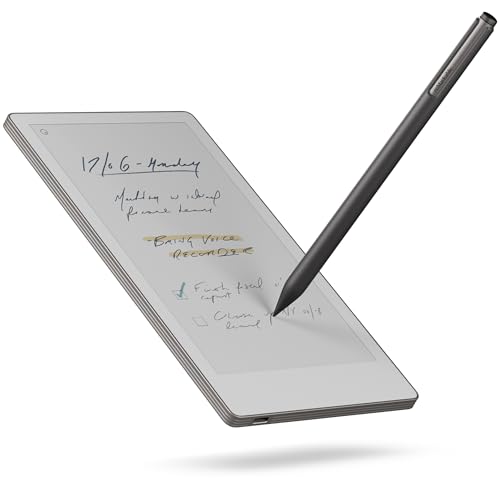
Remarkable Paper Pro Move (2GB + 64GB) review. Compare 168 technical specifications and user reviews to see how this product ranks in the Tablets category and whether it is worth buying.
Overall score
What it is: An overall evaluation of the smartphone's quality, based on technical analyses and user reviews.
When it matters: When you need a quick reference to identify the best Tablets on the market.
Score components:
90.0%
Technical Score
10.0%
User score
Technical Score
What it is: An assessment of the smartphone's technical performance, covering eight key areas: performance & hardware, software, camera, connectivity, display, battery, audio, and design.
When it matters: When you want to compare Tablets based on technical performance and available features.
Score components:
22.0%
Performance
20.0%
Display
16.0%
Camera
14.0%
Battery
12.0%
Connectivity
8.0%
Software & Features
5.0%
Design
3.0%
Audio & Multimedia
User score
What it is: A rating that combines user reviews and the total number of reviews received by the smartphone
When it matters: When you want to know how a smartphone handles daily tasks and how reliable it remains over time according to user feedback.
Score components:
70.0%
User reviews
30.0%
Popularity
Score components:
25.0%
RAM capacity
20.0%
Refresh rate
20.0%
GPU frequency
20.0%
Chipset
15.0%
Battery capacity
Score components:
20.0%
Chipset
20.0%
Battery life
20.0%
RAM capacity
10.0%
Weight
10.0%
Internal storage
10.0%
Keyboard accessory
10.0%
Screen size
Score components:
30.0%
RAM capacity
25.0%
Chipset
20.0%
Internal storage
15.0%
Screen size
5.0%
Keyboard accessory
5.0%
Stylus included
Score components:
20.0%
Screen size
20.0%
Battery life
20.0%
Weight
20.0%
RAM capacity
20.0%
Chipset
Score components:
25.0%
Battery capacity
25.0%
RAM capacity
15.0%
Weight
15.0%
Internal storage
10.0%
Screen size
10.0%
Price
Score components:
20.0%
RAM capacity
20.0%
Battery life
15.0%
Chipset
15.0%
Weight
10.0%
Cellular module
10.0%
5G connectivity
5.0%
GPS
5.0%
Internal storage




Available: ranking among products currently available (including other versions of this product).
All: ranking among all products in the database.
#68 in Best Tablets For Seniors
#137 in Best Tablets With Pen
#187 in Best 10-inch Tablets
#286 in Best Tablets For Drawing
#477 in Best Tablets With Keyboard
#574 in Best Tablets
What it is: An assessment of the smartphone's technical performance, covering eight key areas: performance & hardware, software, camera, connectivity, display, battery, audio, and design.
When it matters: When you want to compare Tablets based on technical performance and available features.
Score components:
22.0%
Performance
20.0%
Display
16.0%
Camera
14.0%
Battery
12.0%
Connectivity
8.0%
Software & Features
5.0%
Design
3.0%
Audio & Multimedia
What it is: A rating that combines user reviews and the total number of reviews received by the smartphone
When it matters: When you want to know how a smartphone handles daily tasks and how reliable it remains over time according to user feedback.
Score components:
70.0%
User reviews
30.0%
Popularity
What it is: An indicator that combines the smartphone's overall rating with its cost.
When it matters: When you are looking for a smartphone with a good balance between quality and price.
Score components:
60.0%
Overall score
40.0%
Price
Importance: MEDIUM
Good value: >=8 GB
Importance: LOW
Good value: <7 nm
Importance: MEDIUM
Good value: >=128 GB
Importance: MEDIUM
Good value: >1300
Importance: MEDIUM
Importance: MEDIUM
Importance: MEDIUM
Importance: MEDIUM
Good value: >3500
Importance: LOW
Good value: >=8 GB
Importance: LOW
Good value: 5
Importance: LOW
Good value: >20 GB/s
Importance: LOW
Importance: LOW
Good value: >7 W
Importance: LOW
Good value: >2500
Importance: LOW
Good value: >800
Importance: LOW
Good value: >8
Importance: LOW
Good value: >900 MHz
Importance: LOW
Importance: LOW
Good value: >3000
Importance: LOW
Good value: >1200
Importance: LOW
Good value: >3200 MHz
Importance: LOW
Good value: >400
Importance: LOW
Importance: LOW
Good value: 8+
Importance: LOW
Importance: LOW
Good value: >800 MHz
Importance: MEDIUM
Importance: LOW
Importance: LOW
Good value: >10000 million
Importance: LOW
Good value: >=4 MB
Importance: LOW
Good value: >64 KB
Importance: LOW
Good value: >=1 MB
Importance: LOW
Importance: LOW
Good value: 4
Importance: LOW
Good value: >=512 GB
Importance: LOW
Good value: 2.0/3.0
Importance: LOW
Good value: 3.2
Importance: LOW
Good value: 3.3
Importance: LOW
Importance: MEDIUM
Importance: MEDIUM
Good value: >=120 Hz
Importance: HIGH
Importance: MEDIUM
Good value: >250 ppi
Importance: LOW
Importance: MEDIUM
Good value: >500 nits
Importance: MEDIUM
Good value: >=11 inches
Importance: LOW
Importance: LOW
Good value: >120 Hz
Importance: LOW
Importance: LOW
Importance: LOW
Importance: LOW
Good value: >200 Hz
Importance: LOW
Good value: >250 ppi
Importance: MEDIUM
Good value: >400 nits
Importance: LOW
Importance: LOW
Importance: LOW
Importance: LOW
Importance: LOW
Importance: MEDIUM
Importance: HIGH
Good value: >=8 MP
Importance: LOW
Importance: LOW
Importance: MEDIUM
Importance: MEDIUM
Importance: LOW
Importance: LOW
Importance: LOW
Importance: LOW
Importance: LOW
Importance: LOW
Importance: LOW
Importance: LOW
Importance: LOW
Importance: LOW
Importance: LOW
Importance: LOW
Importance: LOW
Importance: LOW
Importance: LOW
Importance: LOW
Importance: LOW
Importance: LOW
Importance: LOW
Importance: LOW
Importance: LOW
Importance: LOW
Importance: LOW
Importance: LOW
Importance: LOW
Importance: MEDIUM
Good value: >8000 mAh
Importance: MEDIUM
Good value: >30 W
Importance: HIGH
Good value: >10 hours
Importance: LOW
Importance: LOW
Importance: LOW
Importance: LOW
Importance: LOW
Importance: MEDIUM
Importance: LOW
Importance: LOW
Importance: LOW
Importance: LOW
Importance: LOW
Importance: LOW
Importance: LOW
Importance: LOW
Importance: LOW
Importance: LOW
Importance: LOW
Importance: LOW
Good value: >5.2
Importance: LOW
Importance: LOW
Importance: LOW
Good value: 3.1/3.2
Importance: LOW
Importance: LOW
Importance: LOW
Importance: LOW
Importance: LOW
Importance: LOW
Importance: LOW
Importance: LOW
Importance: LOW
Importance: MEDIUM
Importance: MEDIUM
Importance: LOW
Importance: LOW
Importance: LOW
Importance: LOW
Importance: LOW
Importance: LOW
Importance: LOW
Importance: LOW
Importance: LOW
Importance: LOW
Importance: LOW
Importance: LOW
Importance: LOW
Importance: LOW
Importance: LOW
Importance: LOW
Importance: LOW
Importance: LOW
Importance: LOW
Importance: LOW
Importance: LOW
Good value: <500 g
Importance: LOW
Importance: LOW
Importance: LOW
Good value: <10 ms
Importance: LOW
Good value: >7
Importance: LOW
Importance: LOW
Importance: LOW
Good value: <7 mm
Importance: LOW
Importance: LOW
Importance: LOW
Importance: LOW
Importance: LOW
Importance: LOW
Good value: >=2
Importance: LOW
Importance: LOW
Importance: LOW
Good value: >=4
Importance: LOW
Importance: LOW
Importance: LOW
Importance: LOW
Importance: LOW
Importance: LOW
Importance: HIGH
Good value: >10 hours
Importance: MEDIUM
Importance: LOW
Importance: LOW
Importance: LOW
Good value: 5
Importance: LOW
Importance: LOW
Good value: <500 g
Importance: LOW
Importance: HIGH
Importance: MEDIUM
Good value: >8000 mAh
Importance: LOW
Importance: MEDIUM
Good value: >400 nits
Importance: LOW
Importance: MEDIUM
Good value: >=8 GB
Importance: LOW
Importance: LOW
(Reviews last updated: May 2026)
The reMarkable Paper Pro is highlighted as a premium, distraction-free writing tablet, excelling as a focused, high-end companion tool rather than a standard tablet replacement. Key strengths include a 11.8-inch color Canvas display, significantly reduced 12ms latency for a paper-like feel, and the addition of a backlight for low-light environments. Conversely, the device is criticized for its high cost, muted color palette, lack of native app support (Kindle/Audible), and absence of a warm-light setting, according to the T3 review.
The HuffPost UK review describes the reMarkable Paper Pro as a "game changer" for ADHD-related organizational issues, successfully consolidating physical notes into a distraction-free digital space. Key advantages include a superior tactile writing experience, useful color-coded note-taking via the Canvas Color display, and versatile, intuitive, handwritten content editing. However, the device presents drawbacks, including a high price point compared to versatile tablets and, for some, potential for screen ghosting.
The reMarkable Paper Pro emerges as a premium, larger (11.8-inch) successor to the reMarkable 2, highlighting a "Canvas Color" display with nine colors and an integrated reading light. Key performance improvements include 40% lower latency (12ms) for an improved writing experience and increased storage of 64 GB. However, the Paper Pro introduces trade-offs, being heavier and thicker, with a muted screen color that lacks the high contrast of the monochrome reMarkable 2. While the Paper Pro offers superior speed and color, it requires a new, costly stylus and faces shorter battery life when using the backlight. The reMarkable 2 remains a better choice for users prioritizing extreme portability and the classic "felt-tip" writing feel. Ultimately, the review suggests the Paper Pro is ideal for new users seeking color capabilities, but may not be necessary for current owners who favor simplicity.
Amanda Riu’s review of the reMarkable Paper Pro highlights its natural writing experience,, improved tactile feedback from the responsive E-ink display, and the addition of functional color support and a backlight [1.1]. While praised as a "luxury tool for focus," the device's high cost—exceeding $900 with accessories—and lack of warm-light adjustment are significant drawbacks [1.1]. Riu notes the, software remains highly restricted with no third-party app support, making it a specialized, distraction-free device rather than a tablet replacement [1.1]. For more details, visit Amanda Riu's blog at
Mark Ellis reviews the reMarkable Paper Pro, highlighting it as a specialized, distraction-free digital notebook with an improved 11.8-inch color E-Ink display, a necessary backlight, and a superior, low-latency handwriting feel. The device is praised for its robust build, 64GB storage, and faster processor, making it a "technically impressive" tool for focused, professional note-taking. However, with a high price tag reaching up to £850 when bundled, and its limitation to PDF/EPUB formats, the review concludes it is a niche, expensive option that faces stiff competition from versatile tablets. Medium
In a review on Medium, Jared Belcher describes the reMarkable Paper Pro as a premium, "insanely thin" 11.8-inch device that improves upon the reMarkable 2 with a larger screen, superior accuracy, and a satisfying writing texture. Key pros include the ability to display letter-sized PDFs at full scale, a functional color palette for highlighting, and a faster processor that enhances daily workflow. However, significant drawbacks, or cons, are highlighted, including a dimmer, grayer screen with lower contrast than the reMarkable 2, vibrant colors that only appear in bright light, noticeable light bleed, and disappointing 4-day battery life under heavy use. Despite these flaws, Belcher keeps the device for its size and speed, though he notes the high price and bugs make the reMarkable 2 a better, more cost-effective choice for average users.
The reMarkable Paper Pro is a 5.1mm thin, premium digital notebook featuring an 11.8-inch Canvas Color E Ink display with a, for the first time, color-filter-less design. It enhances the writing experience with near-zero latency, an active pen, and a long-overdue front light for low-light use, while maintaining a distraction-free, "aggressively simple" interface. Pros include superior color E Ink quality, improved, fast-responding stylus technology, and impressive two-week battery life. Conversely, the device is criticized for a high price point, slow system-level responsiveness, and frustratingly limited software that lacks essential features like a web browser or app store. Ultimately, the Paper Pro offers a top-tier, distraction-free writing experience, but its premium cost and restrictive functionality make it a luxury item over a versatile productivity tool. For more details, visit TechRadar.
The reMarkable Paper Pro introduces a 11.8-inch Canvas Color display and integrated front light, utilizing E Ink’s Gallery 3 technology for a muted, paper-like color experience. It features an improved active stylus with nearly imperceptible latency, enhancing the writing feel. Key pros include an ultra-slim 5.1mm design, a 5,030mAh battery lasting up to two weeks, and distraction-free software tailored for focus. The display technology also reduces the distance between the pen tip and "ink" to under 1mm for improved accuracy. Journal of Electronic Commerce Research | Cons include a high $579 price point, excluding necessary accessories, and occasional performance sluggishness with large files. Additionally, the Pro is incompatible with previous reMarkable 2 accessories, requiring new, costly upgrades.
The reMarkable Paper Pro is an 11.8-inch E Ink tablet featuring a color Canvas display with Gallery 3 technology, offering a highly realistic writing experience with a near-zero pen-to-ink distance. A significant advantage is the addition of an even, high-quality front light, enhancing usability over previous models. While offering low-latency, paper-like writing, the device can feel underpowered when handling large PDFs, and the color display offers muted, desaturated tones rather than vibrant, tablet-like color. Designed for a distraction-free environment, it lacks a web browser, app store, and supports only DRM-free files, with a high price point and required subscription for full cloud features. For more details, visit PCMag UK. PCMag UK
The reMarkable Paper Pro offers a premium, distraction-free, "analog-feeling" experience, highlighted by a new Canvas Color display that provides muted, watercolor-like tones perfect for highlighting. A key, long-awaited improvement is the adjustable backlight, although it lacks a warm setting, and the device maintains a top-tier writing experience that perfectly mimics the tactile resistance of parchment paper. However, these features come with trade-offs, including noticeable screen "ghosting" and a refresh rate that can struggle with fast navigation. The 11.8-inch device is also heavier, making it less portable, while the battery life is significantly impacted when the backlight is used at maximum brightness. Positioned as a luxury tool for note-taking, the high price point—often exceeding £500—is a major drawback, especially given the lack of third-party apps, Kindle, or Audible support. While features like handwriting-to-text and cloud synchronization via the Connect subscription add value, the device is best suited for professionals seeking a dedicated, focused writing instrument.
The reMarkable Paper Pro is a 11.8-inch, premium E Ink tablet designed for distraction-free writing, reading, and annotating, featuring a Canvas Color display for a natural palette. The device offers a highly responsive, low-latency writing experience with a textured screen that mimics paper and an integrated reading light. Key advantages include up to two weeks of battery life and seamless cloud integration with services like Google Drive and Slack. Conversely, the device has a high price point, with additional costs for necessary accessories such as the Marker Plus. The color display is muted compared to traditional screens and requires frequent refreshing, and the software lacks support for third-party reading apps like Kindle. Furthermore, advanced features require a monthly Connect subscription.
The reMarkable Paper Pro emerges as a premium, feature-rich upgrade over the reMarkable 2, boasting an 11.8-inch color Canvas display, an integrated reading light, and faster pen latency, along with 64GB of storage. However, pros of improved functionality are offset by cons including a $200 higher price point, increased weight, and lower screen contrast, according to the CrackBerry review. Conversely, the reMarkable 2 is highlighted as the superior choice for users prioritizing portability, featuring a lighter design, 8GB of storage, and a writing experience often described as softer, though it lacks a backlight and has smaller storage capacity. The decision ultimately hinges on whether users require color and backlight, making the Pro ideal for professionals, while the older model suits those preferring minimalist, lightweight note-taking. For a detailed comparison, visit CrackBerry.
The MyDeepGuide review characterizes the reMarkable Paper Pro as a premium, "unapologetic" device focusing on a distraction-free writing experience, highlighted by a 11.8-inch Gallery 3 color display and a durable, thin aluminum alloy design. Key pros include the high-precision screen color rendering (up to 20,000 colors) combined with a new custom-calibrated front light for improved visibility, along with a significantly upgraded, fast-acting active pen. However, the review outlines cons related to the Gallery 3 technology, noting slower page refresh rates and a pronounced "flash" when updating, resulting in a muted, watercolor-like color palette rather than vibrant display. Furthermore, the device’s high price tag ($499) and expensive accessory ecosystem, such as the $229 Type Folio, make it less appealing to users who only require standard black-and-white functionality.
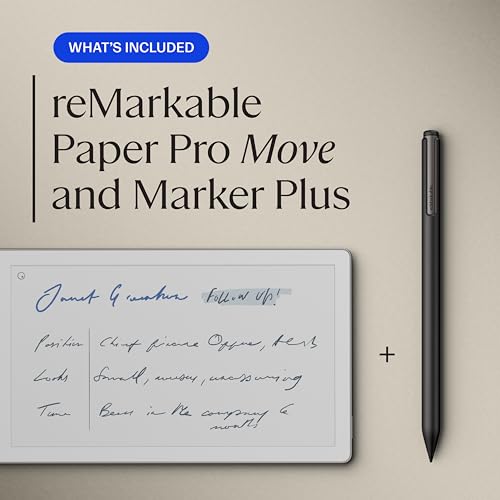
The reMarkable Paper Pro Move is a compact, 7.3-inch digital notebook designed for high portability, featuring a color E Ink Gallery 3 display capable of rendering over 20,000 shades. It boasts a premium anodized aluminum frame and a textured screen for a natural writing experience. Key pros include a fast 12ms response time, a two-week battery life, and an integrated front light for low-light conditions. Conversely, cons include a high price point compared to versatile tablets, a "muddier" color display with noticeable flickering, and required subscription fees for features like handwriting search.
The reviewer returned the reMarkable Paper Pro "Move" due to significant ergonomic issues, noting the smaller, cramped design caused discomfort compared to the reMarkable 2. While praising the premium build, integrated light, and vibrant color display, the user found the tactile experience to be more "glass-like" than paper-like, reducing the writing experience. Technical shortcomings highlighted include a slow, clunky software interface with notable delays when changing fonts or margins, alongside distracting screen flicker. Furthermore, the battery life did not meet expectations, requiring frequent charging when the backlight was utilized. Ultimately, the high price point did not justify the device's limited functionality, with the narrow aspect ratio and lack of advanced, expected features leading to a preference for the older reMarkable 2 model. Despite the drawbacks, the user appreciated the efficient return process for the product.
The reMarkable Paper Pro offers a premium, low-latency writing experience with a Canvas Color display that provides a tactile feel superior to glass tablets. While offering colored, watercolor-like annotations in a distraction-free environment, the device suffers from UI lag and a high price point. It operates as a locked, "walled-off" ecosystem with mandatory cloud subscriptions, making it best suited for dedicated professionals rather than general users.
The reMarkable Paper Pro is a premium digital notebook featuring an 11.8-inch "Canvas Color" E Ink display, a sleek unibody aluminum design, and integrated lighting for improved usability. It excels in providing a highly responsive writing experience that feels like paper while maintaining a distraction-free, note-taking-focused environment. However, at $579, the high cost is a significant barrier, and the device has limitations, including lack of native Kindle support and occasional screen flickering when using color.
The GameStar review highlights the reMarkable Paper Pro as a major, feature-heavy evolution, introducing an 11.8-inch color display and a long-awaited integrated front light. Key advantages include the larger,, faster-refreshing screen that makes note-taking and reading in low-light environments much more productive. However, the device is notably larger and heavier than its predecessor, sacrificing portability for its increased display size. While the "Gallery 3" color E-Ink screen brings muted color functionality, it suffers from slower, "flashier" refresh rates compared to previous technologies. Ultimately, the device is positioned as a premium, niche tool for power users, offering an exceptional writing experience, but it faces criticism for its high cost and subscription-required features.
The reMarkable Paper Pro introduces an 11.8-inch Canvas Color display, a premium aluminum build, and a built-in front light, significantly improving the note-taking experience over previous models. The device is lauded for its "grippy" paper-like writing feel, the precision of the new active Marker, and the added functionality of the Type Folio keyboard. Despite these improvements, the high price point, occasional sluggishness in the E Ink Gallery 3 technology, and lack of handwriting search within a closed ecosystem are noted as significant drawbacks.
The reMarkable Paper Pro is a significant evolution of its predecessor, integrating color and a front light while maintaining a distraction-free, 11.8-inch Canvas Color display that offers a highly responsive, paper-like writing experience with virtually no latency. While praising its premium aluminum design and improved screen, the review highlights that the display has lower contrast than the reMarkable 2, with muted, "muddy" colors and added weight. Despite these drawbacks, the device is considered an excellent tool for professionals and note-takers, although it maintains a high price point, limited file support, and requires a subscription for full cloud features.
The Galaxus review of the 11.8-inch reMarkable Paper Pro highlights a significant advancement, utilizing a color e-ink display to bridge digital functionality with a tactile, paper-like writing experience. While maintaining a focus on distraction-free note-taking rather than general tablet usage, the device features a premium build, improved responsiveness, and color capabilities suitable for highlighting and sketching. Key strengths identified include the refined, grippy design and the highly precise stylus interaction, alongside effective handwriting-to-text conversion and screen sharing. However, the device has a high price point (approx. €650) with additional subscription requirements for some software features. Weaknesses include the nearly 12-inch size, which, while ideal for notes, makes it less comfortable for casual, long-form reading, and inherent, though improved, e-ink latency. The device is primarily available through direct channels. For more details, visit Galaxus.
The reMarkable Paper Pro features an 11.8-inch Gallery 3 color E Ink display with an integrated front light, offering enhanced, low-latency writing via a 1.8GHz processor and improved magnetic stylus. While the device boasts a high-end aluminum build, 64GB storage, and faster, more responsive performance, it retains a distraction-free focus without browsers or app stores. Key drawbacks include a higher price, a grayer screen contrast compared to monochrome models, muted color reproduction, and incompatibility with older accessories.
The reMarkable Paper Pro review by GameStar highlights a premium 11.8-inch color E Ink device featuring a "watercolor-like" display, adjustable front light, and exceptionally low writing latency, offering an "Apple-esque" aluminum build. While praised for its, fast writing, the device is criticized for being larger and heavier than its predecessor, with muted, pale colors and a grayer base tint that reduces contrast. Furthermore, the active stylus now requires charging, and the high-priced, "aggressively simple" tablet remains aimed at, power users who prioritize a distraction-free, note-taking experience over features like third-party apps or a web browser.
The reMarkable Paper Pro introduces an 11.8-inch Canvas Color display with a front light, offering a premium, paper-like writing experience with exceptionally low 12ms latency. Its robust aluminum design and improved usability in dim environments are significant upgrades, though the added color functionality results in muted, "newspaper-like" hues rather than vibrant colors. PCMag UKThe device is heavier than its predecessor and features an active, non-backwards-compatible stylus, with E Ink Gallery 3 technology causing a brief "drying" effect or color flicker during screen refreshes. While the software provides a minimalist, distraction-free environment, it lacks a browser and supports no DRM-protected ebooks, limiting its functionality as an all-in-one tablet. PCMag UKExcellent battery life (up to two weeks) and superior, fast note-taking capabilities make it a strong tool for focused users, albeit at a high price point. The device requires a paid subscription for full cloud, making it a niche, professional-focused choice for note-taking and PDF annotation.
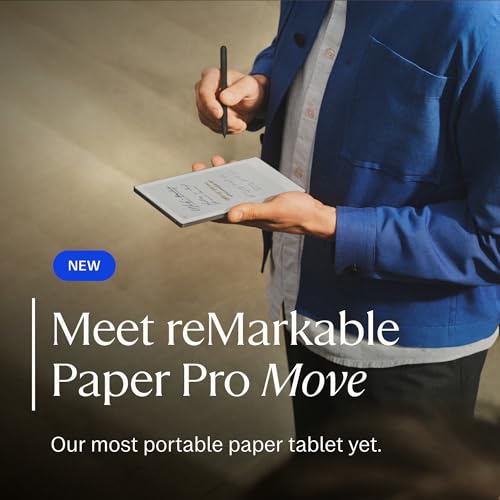
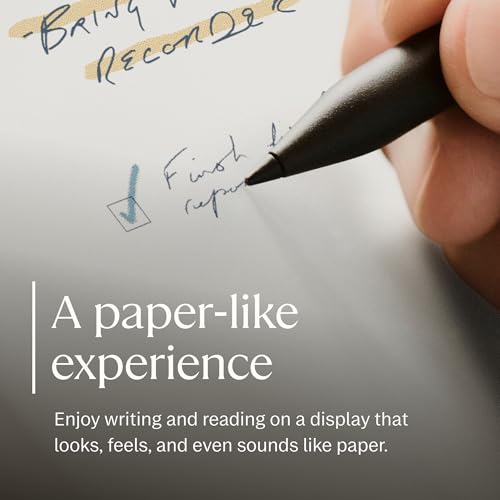
The reMarkable Paper Pro Move is a compact, 7-inch, and highly portable version of the Paper Pro featuring a durable aluminum frame designed for one-handed note-taking. It boasts a 264 PPI Canvas Color display with a textured writing surface, an integrated front light, and magnetic charging for the Marker Plus stylus, offering a superior "pencil-on-paper" experience. However, the device's narrow aspect ratio can feel restrictive, and it comes with a high price tag, limited battery life compared to the larger model, and a required subscription for full functionality.
The reMarkable Paper Pro Move, reviewed by ITDaily, is a highly portable 7.3-inch digital notebook featuring a Canvas Color display with 264 PPI resolution and a 12ms latency, offering a natural writing experience. Its premium design includes an anodised aluminium frame and textured glass, creating a luxury feel. Key advantages highlighted include extreme portability at only 230g, excellent tactile writing feedback, and adjustable backlighting, alongside highly accurate handwriting recognition and a focused, distraction-free environment. However, cons include a high price point for limited functionality, muted colors, and occasional sluggish navigation. The review also noted shorter battery life with the backlight and the requirement of a paid subscription for full cloud features.
The reMarkable Paper Pro Move is a compact, 7.3-inch version of the standard Paper Pro, designed for high portability and distraction-free work with a Canvas Color E Ink display offering a natural writing experience and a built-in light. While lauded for its portability and 64GB storage, key drawbacks include its high cost, required subscription for full functionality, and muted, sometimes slow color screen. It functions primarily as a specialized, premium-built digital notebook for focused, "deep work" rather than a general-purpose tablet, offering integration with services like Google Drive and Dropbox.
The Frandroid review of the reMarkable Paper Pro Move highlights the 7.3-inch device as a highly portable, premium digital notebook featuring an anodized aluminium frame and textured screen for an exceptional writing experience. While offering a, distraction-free, "paper-like" interface, the review notes constraints including a smaller battery (7-10 days real-world use) and muted,, watercolors-like colors from the E Ink Gallery 3 display. Ultimately praised for its design, the device is considered limited by its high cost and lack of third-party ebook support.
The reMarkable Paper Pro Move is a highly portable, 7.3-inch digital notebook featuring an E Ink Gallery 3 color display, designed for on-the-go note-taking with a 230g, pocket-sized build. It offers a superior, responsive writing experience with 12ms latency, a built-in reading light, and vibrant, 264 PPI color rendering for documents. However, the device is criticized for its high, premium price point (around £439) and the necessity of a subscription to unlock key features. Potential users should consider the occasional screen flickering and menu lag. Additionally, the unique 9:16 aspect ratio can lead to issues with template and PDF scaling, according to early reviews. The device supports fast charging, achieving 90% power in 45 minutes.
The reMarkable Paper Pro introduces a 11.8-inch Canvas Color display featuring a textured screen and a 12ms latency rate, delivering an exceptional, natural writing experience. Its, pros include an integrated reading light, support for nine colors for enhanced note-taking, and a durable 5,030 mAh battery. However, the device's "aggressively simple" nature means it lacks a web browser and app store, which are significant cons given its high price point. Users may experience display ghosting, a sluggish interface, and limitations in managing DRM-protected content, making it less versatile than traditional tablets. Designed for portability, it features an aluminum frame, but the 11.8-inch screen makes it heavier and less portable than its predecessor. Ultimately, it is a high-end, distraction-free tool aimed at users prioritizing a premium, tactile, and colorful digital writing experience.
The reMarkable Paper Pro introduces an 11.8-inch Canvas Color display using E Ink Gallery 3 technology, offering a larger, color-capable workspace with an integrated reading light that addresses a major previous limitation. While providing a superior, low-latency writing experience, the display has a greyer, less-contrasted background than the reMarkable 2, and the available colors appear muted. Despite featuring a faster processor and high-end design, the device is considered a high-priced luxury item, with the added backlight and colors impacting battery life, and requiring new, non-backwards-compatible styluses. For more details, visit Notebookcheck.
The reMarkable Paper Pro is presented as a high-end, color-capable, and "aggressively simple" tablet designed for focused note-taking, according to tourdumonde5continents.com. Key pros include the improved, highly responsive 11.8-inch Canvas Color display, the addition of a built-in front light for low-light conditions, and faster processing speeds. Tour du Monde 5 However, the review highlights significant cons, noting the high total cost and the fact that all accessories are incompatible with the previous reMarkable 2 model. Additionally, the color palette is described as muted, and certain advanced features require a paid subscription.
The Femme Actuelle review by Cécile Dard describes the reMarkable Paper Pro as a top-tier digital notebook with a superior writing experience, but it falls short as a dedicated e-reader. Key pros include the upgraded 11.8-inch color display, the addition of a reading light, and the paper-like friction of the "Canvas Color" screen, alongside increased 64GB storage. Conversely, limitations cited include the high price point, significant accessory costs, occasional lag during navigation, and lack of support for mainstream e-book ecosystems.
The reMarkable Paper Pro introduces a 11.8-inch Canvas Color display, maintaining a premium paper-like feel with improved 12ms latency, while adding a necessary adjustable backlight. It serves as a specialized, distraction-free tool optimized for note-taking, featuring a refined active marker and a robust, professional design. 01 However, the transition to color via E Ink Gallery 3 technology introduces drawbacks, including slightly faster battery drain than its predecessor and noticeable visual artifacts such as ghosting. Colors are described as subtle or dull, with a slight delay as they "settle" on screen during page refreshes. 01 The device retains a high price point and a closed, "walled garden" ecosystem, limiting direct file imports and lacking a built-in ebook store, requiring reliance on the companion app. It remains a top-tier choice for users prioritizing premium, color-enabled digital handwriting over general tablet functionality. 01
The reMarkable Paper Pro is lauded for its high-quality aluminium design, 11.8-inch Canvas Color display, and a superior writing experience characterized by ultra-low latency and a satisfying "pencil-on-paper" feel. Key advantages include the addition of a functional, adjustable reading light and a robust two-week battery life. However, the device is considered a niche, premium-priced tool with muted, "watercolor-like" color reproduction, a "filling in" delay for color, and a subscription-dependent ecosystem.
The reMarkable Paper Pro Move is a compact, 7.3-inch digital notebook designed for high portability and distraction-free note-taking, featuring a Canvas Color display capable of rendering 20,000 shades. Key advantages include a natural pen-on-glass writing feel, low-latency performance (12ms), an integrated uniform reading light, and premium build quality. However, the device is criticized for its high price point, narrow 16:9 aspect ratio that limits space for document viewing, and muted, flickering color, which is typical of the E Ink Gallery 3 technology. Additionally, essential features such as handwriting search and cloud storage require a paid monthly subscription, which is seen as a drawback for a premium product. Overall, the Paper Pro Move is recommended for users seeking a highly portable, dedicated digital notebook for taking notes and sketching in color, despite its high cost and screen limitations.
The reMarkable Paper Pro, as reviewed by Presse-Citron, offers a premium digital writing experience with its 11.8-inch Canvas Color display, providing low-latency, natural, paper-like writing with a new color palette. Key improvements over previous models include an integrated, adjustable reading light and superior battery life, making it a powerful tool for focused work. However, the device carries a high price point, limits essential functionality behind a subscription, and suffers from a noticeable refresh flicker when using colors. Additionally, the software remains specialized, lacking native, third-party app support or a browser.
The reMarkable Paper Pro introduces a 11.8-inch Canvas Color display and an adjustable reading light to a slim 5.1 mm chassis, offering a premium, low-latency writing experience. Key improvements include a faster processor, doubled RAM (2GB), and 64GB storage, with muted, watercolor-like color added for effective document annotation. However, the device is expensive, requires a new active marker for charging, and the screen appears darker, often requiring the backlight. It is highly recommended as a focused, distraction-free tool for note-taking and reading for professionals and students.
The reMarkable Paper Pro, highlighted as an essential, premium, and durable note-taking tool, introduces an 11.8-inch color Canvas display and a front light to improve usability in diverse environments. It offers an enhanced, low-latency writing experience that closely mimics paper, supported by a two-week battery life and 64GB of storage for extensive document organization. However, the device has a high price point and limited, muted color vibrancy, combined with specialized software that lacks third-party apps and can be slow with large files.
The Domus review highlights the reMarkable Paper Pro Move as a highly portable, 7.3-inch "pocket-sized" digital notebook designed to replicate a traditional paper experience without digital distractions. It serves as a focused, premium tool for note-taking, utilizing recycled metal in a compact design meant for on-the-go professionals. Key advantages include its lightweight build, low-latency "Canvas Color" display, and magnetic charging. However, the review notes significant drawbacks regarding performance and value. Users may experience slow response times when navigating gestures or using color. Furthermore, heavy use of the backlight can reduce the battery life below expectations, and the requirement for a subscription to unlock full syncing capabilities is highlighted as a limitation. Despite these issues, the Paper Pro Move is recommended for those seeking a dedicated, distraction-free writing instrument. It successfully bridges the gap between traditional paper and digital convenience with features like adjustable backlighting and seamless cloud integration. For more details, visit the review video at Youtube - ReMarkable Paper Pro Move review.
The reMarkable Paper Pro introduces a larger 11.8-inch Canvas Color display utilizing Gallery 3 technology for a natural writing experience, featuring a 12 ms latency and an adjustable front light. While the color display allows for better annotation, the screen offers muted, pastel-like colors with slower refresh rates. The device maintains a strict, distraction-free, note-taking focus without a web browser or third-party apps, making it a specialized, high-priced tool. Despite having 64 GB of storage and up to two weeks of battery life, it can feel underpowered with large files. For more details, visit the Sky TG24 review.
The reMarkable Paper Pro introduces a larger 11.8-inch color e-ink display with built-in lighting, marking a significant hardware evolution while maintaining a distraction-free experience. Key improvements include an active Marker with wireless charging and a new, highly praised Type Folio keyboard, positioning the device as a professional tool for specialized note-taking and document annotation. The review highlights premium build quality, essential adjustable lighting for low-light use, and effective, muted color functionality for highlighting notes as major pros. The Type Folio is specifically recognized for its thin, integrated design. However, the Paper Pro's writing experience is described as less "magical" and more digital-feeling than the reMarkable 2, with a harder pen tip. Other cons include the larger form factor potentially being too big for some users, and software that still lacks advanced, concurrent note-taking features.
Andrea Galeazzi describes the reMarkable Paper Pro as a premium digital notebook featuring a larger 11.8-inch E Ink Gallery 3 display with color and a built-in front light, built to high standards similar to Apple products. Key advantages include significantly improved writing latency (12ms) for a more tactile, paper-like experience and functional color capabilities for document annotation. However, the device is criticized for its higher weight (522g), a high price point, and limited software functionality that excludes browsing and third-party apps.
The reMarkable Paper Pro introduces a significant 11.8-inch "Canvas Color" E Ink display with a backlight, offering 30% more space and improved PDF readability. With a premium, textured design and ultra-low 12ms latency, it provides a best-in-class writing experience, alongside color functionality for note-taking. However, the high price point (exceeding $800) and limitations, including a "washed-out" color display and reliance on a paid "Connect" subscription for cloud features, are key considerations.
The reMarkable Paper Pro, reviewed by SmartWorld, introduces a 11.8-inch Canvas Color display and a front-lit screen within an exceptionally crafted, Apple-level aluminum unibody frame. It utilizes modified E Ink Gallery 3 technology, offering a color palette that is muted and watercolor-like rather than vibrant, which, while a significant milestone, differs from traditional tablet displays. Pro-level features include an unrivaled distraction-free, paper-like writing experience with improved, low-latency, and a new active stylus that offers a tactile, pencil-like sound and feel. The color integration is specifically beneficial for annotating PDFs, highlighting documents, and reviewing technical materials or comics. Conversely, the device faces criticism for its high price point ($579/€649) and a "walled garden" software ecosystem. Key drawbacks include the absence of handwriting search, no DRM ebook support (such as Kindle), and a lack of warm-light adjustment for the, at times, inconsistent touch-responsive screen. For more details, visit SmartWorld.
The reMarkable Paper Pro introduces a 11.8-inch Canvas Color display, bringing subtle, newspaper-like colors and an adjustable reading light to the 5.1mm aluminum device, which features a faster 1.8 GHz processor for a 12ms writing latency. Key pros include the larger, color-enabled screen, improved responsiveness of the magnetic Marker Plus, and enhanced PDF annotation capabilities, while maintaining a distraction-free, focused environment. However, cons include the high price point, Gallery 3 E Ink limitations like color-refresh flickering/ghosting, software limitations with no web browser, and increased battery drain when using the new backlight. For a detailed analysis, visit the TechnologyInsider review.
The reMarkable Paper Pro is a premium 11.8-inch digital notebook featuring a Canvas Color E Ink Gallery 3 display, designed specifically for distraction-free writing and annotation. It boasts a premium aluminum chassis with a 12ms low-latency writing experience, providing a natural, paper-like feel. Pros include the color display, excellent responsiveness, and an integrated adjustable front light. Key drawbacks noted in the review include the muted color palette, which requires front-lighting, and noticeable screen refreshing/flickering. Additionally, the device exhibits sluggish performance when navigating menus or handling complex documents, and it comes with a high price point. Overall, the device is positioned as a niche, luxury, distraction-free tool rather than a versatile tablet.
The reMarkable Paper Pro, featuring an 11.8-inch Canvas Color display and front light, is deemed a premium, highly specialized device with the best "paper-like" writing feel in its class [Reporters Online]. Pros include significantly reduced latency for near-instant writing and the addition of functional, subtle color for highlighting [Reporters Online]. However, the high price tag is a major drawback, compounded by the cost of accessories, and the color display can sometimes exhibit distracting refresh flashes [Reporters Online]. Ultimately, the reviewer concludes the device is a worthwhile investment specifically for professionals prioritizing a focused, distraction-free workflow over versatility, despite its muted color palette and lack of third-party app support [Reporters Online].
Pieter Beens reviews the reMarkable Paper Pro, highlighting its excellent build quality, premium "Apple-like" feel, and an 11.8-inch Canvas Color screen that improves A4 PDF readability. The writing experience is described as top-tier with low latency and improved stylus precision, while the color display, though useful for highlighting, presents muted tones and a grayer background than the reMarkable 2. Despite the addition of a front light, it is noted for being somewhat dim and having light bleed issues. MediumThe review positions the device as a specialized tool for dedicated note-takers, with battery life that remains solid but is lower than the previous model due to the color screen and lighting. The high cost, combined with the necessity of a subscription for full cloud, makes it a luxury purchase rather than an essential upgrade. Medium
The reMarkable Paper Pro introduces "Canvas Color" E Ink technology on an 11.8-inch display, marking a significant, larger, and illuminated evolution for the brand. It features an aluminum design with a highly responsive, low-latency stylus and 64GB storage, optimizing the experience for focused, distraction-free note-taking and document annotation. Despite these advancements, the device faces limitations regarding high costs, reduced screen contrast due to the color layer, increased weight, and the ongoing requirement of a subscription for full functionality.
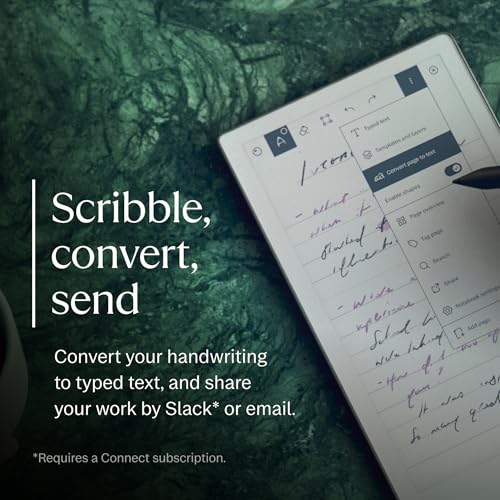
The reMarkable Paper Pro Move is a compact, 7.3-inch digital notebook designed for portable, distraction-free note-taking, featuring a responsive, color-capable Canvas e-ink display and a premium, lightweight build. Key advantages include an even front light, a high-quality writing experience, and long battery life. However, the narrow aspect ratio can make the display feel cramped, and the muted, "watercolor-like" colors may not meet expectations for vibrant, iPad-like saturation. Additionally, some users may find the textured back less premium than the larger, all-aluminum model. The device maintains a focused, minimalist, Linux-based experience without third-party apps, essential for distraction-free work. While features like handwriting-to-text are included, full functionality requires a subscription, and the high price point makes it a specialized, niche investment.
The reMarkable Paper Pro introduces a Canvas Color display utilizing colored ink particles for a natural, albeit subtle, aesthetic that improves note organization. A major advantage is the addition of an adjustable reading light, enabling use in low-light environments while maintaining a non-emissive, eye-friendly screen. Performance is highlighted by ultra-low latency, offering an exceptionally realistic writing experience with the Marker Plus, which includes a convenient eraser. The device also provides 64 GB of storage, supporting extensive note-taking and PDF annotation workflows. Key disadvantages noted include a high price point and the lack of a bundled protective cover. Additionally, the color display can appear dimmer or exhibit more "ghosting" compared to black-and-white screens, and frequent backlight usage impacts battery life.
The reMarkable Paper Pro is a premium, 525-gram digital notepad that enhances the writing experience with a new color E-ink display and a backlight, addressing a key limitation of previous models. It offers high-fidelity, low-latency digital paper, supporting extensive customization for note-taking and document annotation. A major strength is its precise, cloud-powered handwriting-to-text conversion and robust organizational features. However, the software has limitations, such as difficulty adding whitespace to existing notes and an inability to edit the color or style of text after it has been written. TechnologyInsiderPositioned for focus, the tablet excels in its core note-taking purpose but lacks the third-party apps and web browser functionality of more general-purpose devices. It is described as a high-end, "locked-down" tool, prioritizing a refined, paper-like experience for professionals.
The reMarkable Paper Pro is a premium, hardware-focused, 11.8-inch device that introduces a responsive "Canvas Color" display and a front light to the series. It excels with near-zero latency writing, a high-quality, thin aluminum design, and muted, functional color for highlighting. Despite superior writing feel, the device is hampered by sluggish software performance, including slow page navigation and noticeable "flashing" during color screen refreshes. Additionally, the screen's contrast is lower than the reMarkable 2, and the front light lacks a warm setting. Positioned as a high-cost, specialized tool for distraction-free, analog-like workflow, the Paper Pro lacks typical tablet features like a web browser. While excellent for writing, its high price and essential accessory costs make it a niche investment for enthusiasts.
The reMarkable Paper Pro, reviewed by Tweakers, is a 11.8-inch digital notebook featuring a Canvas Colour display and integrated front light, marking a significant hardware upgrade from the reMarkable 2. Utilizing E Ink Gallery 3 technology, it offers color capabilities suitable for annotating documents while maintaining a 12-millisecond latency for a near-paper writing experience. Pros highlighted include the improved, brighter screen, faster performance, and high-quality aluminum build. Conversely, cons include a high total cost (often exceeding €800 with accessories), increased weight, noticeable screen ghosting, and subscription-locked features. Overall, it is positioned as a premium, "distraction-free" tool for professionals, prioritizing writing feel over color vibrancy, despite the high entry price.
Pieter Beens' review of the reMarkable Paper Pro highlights its premium 11.8-inch Canvas Color display, refined aluminum build, and the addition of a functional, long-awaited front light. The color e-ink, described as "watercolor-like," enhances PDF annotation, while the device maintains a high-quality, low-latency writing experience with the updated magnetic Marker Plus. Key improvements include faster UI navigation, though the device suffers from noticeable screen flickering and ghosting during page refreshes. Furthermore, the screen background is slightly darker, requiring the front light more often compared to the reMarkable 2. As a specialized, distraction-free tool, the Paper Pro excels with its long battery life and robust,, though costly, cloud subscription. However, the high price point and lack of third-party apps may limit its appeal to dedicated users, with other alternatives potentially offering better value.

Compare