Scored using Routers Methodology v3.0
Routers Methodology v3.0
Mathematical & Unbiased Scoring
Products in this category are scored under Frontum Routers Methodology v3.0: the technical score from the specifications is the base, and independent expert and video reviews (up to ±0.5 points), owner opinions (up to ±0.3) and best-of lists (up to +0.3) move it up or down.
Explore Routers Methodology v3.0

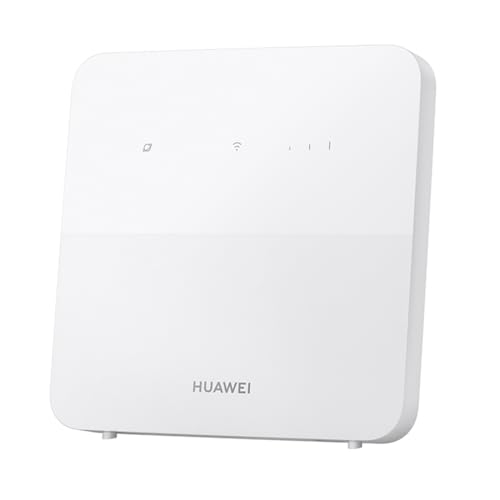
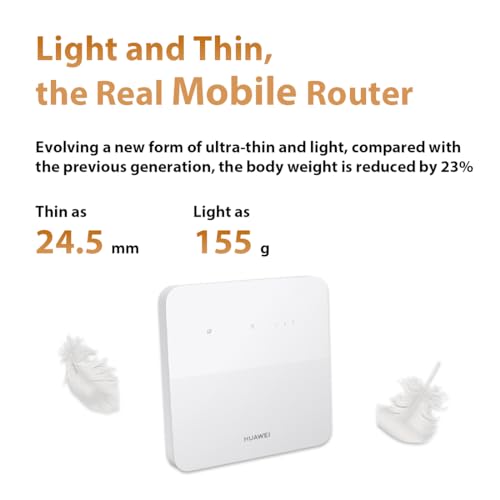
Huawei B320 review: 77 specs compared

Avg. price:~£60Wi-Fi version:Wi-Fi 4 (802.11n)Wi-Fi speed:300 MbpsLAN port speeds:?Mesh Wi-Fi:?

Huawei B320 Review: Compare 77 technical specifications and 1 expert and video reviews to see how this product ranks in the Routers category and whether it is worth buying.
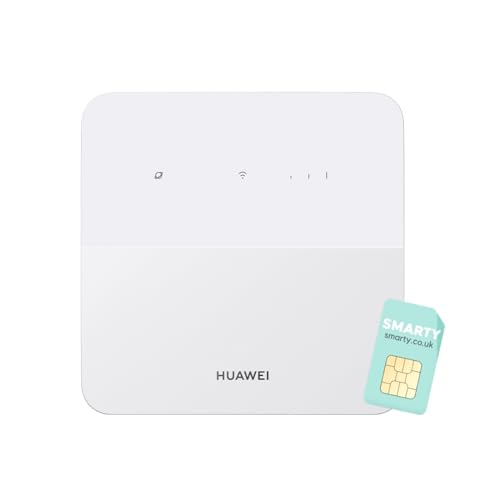
Huawei B320
7.6/10

Overall score

Score
7.6/ 10
✕
What it is
Our main score for this model, 1–10. It combines specs, expert reviews, best-of lists and owners.
How we count it
Parts: Technical score 40%, Reviews score 25%, List score 25%, Sentiment score 10%
Marks: Each part gets a mark out of 10. For reviews, lists and owners, a typical model in this category gets about 8 and the best one gets 10.
No data yet: A part with no data shows "?". It counts as the mark of a weaker model in this category (4 in 5 models with data score higher). This way, models with reviews, lists and owners usually come out ahead.
Score distribution
â–¼
<55-66-77-88-99-10
Score components

40%

7.5

Technical score

25%

7.5

Reviews score

25%

?

List scoreNot enough data yet, so we use 7.5, the mark of a weaker model in this category

10%

8.4

Sentiment score

â–²Better than 59% of routers
8.3

Value for money

Value for money
8.3/ 10
✕
What it is
An indicator that combines the router's overall rating with its cost.
When it matters
When you are looking for a router with a good balance between network performance, features, and price.
Score distribution
â–¼
<55-66-77-88-99-10
Score components

70%

7.6

Overall score

30%

10

Price

â–²Better than 65%
7.5

Technical score

Technical score
7.5/ 10
✕
What it is
How good the specs are compared with the other models in this category, 1–10.
How we count it
Areas: We rate the specs in each area against the other models in this category.
Weighting: The areas that matter most to buyers count more. The shares are shown under Score components.
Share: The technical score is 40% of the overall score.
Score distribution
â–¼
<55-66-77-88-99-10
Score components

26%

5.9

Wireless

20%

7.3

Ports

18%

8.9

Networking

14%

8.2

Security

12%

8.1

Hardware

10%

7.7

Management

â–²Better than 63%
7.5

Reviews score

Reviews score
7.5/ 10
✕
What it is
Average grade from independent test sites, magazines and video reviewers, 1–10.
How we count it
Grades: Each review's own score is converted to 1–10; without one, we grade the review ourselves. Big test sites count more, short reviews half as much as full tests. A video review counts half.
Score: The average grade is 80% of the review mark; the number of reviews is the other 20% (1 review = 5, the typical number in this category = 8, the most-reviewed model = 10).
Enough data: With few reviews, the average grade is pulled toward the typical grade of this category. No reviews yet: 7.7 for now.
Share: Reviews count 25% of the overall score.
Score distribution
â–¼
<55-66-77-88-99-10

7.5

Mark 7.7 is below the typical mark 8.1 of this category, so it cannot lift the score above the technical score

80%

8.4

Average grade

20%

5.0

Popularity

Grades by review (1)
1 video review, counting half as much as a written test. Reviews count 25% of the overall score.
User ratings collected online are not part of this score.
â–¼Worse than 64%
?

List score

List score
7.5/ 10
✕
What it is
How often independent test sites, magazines and video reviewers put this model in their best-of lists for this category.
How we count it
Points: The model in the most lists of this category gets 10; the others get 8 to 10 in proportion. In no list yet: 7.5. Lists count 25% of the overall score.
Enough data: Every list counts, even a single one. With fewer than 5 best-of lists in the category, this part is left out.
Lists with this model (0)
Not in any best-of list yet, so this part counts as 7.5. Models in a list get 8 to 10.
Not in any best-of list yet
  • huawei-b320
  • huawei-b320
  • huawei-b320
  • huawei-b320
  • huawei-b320
  • huawei-b320
  • huawei-b320
huawei-b320
huawei-b320
huawei-b320
huawei-b320
huawei-b320
huawei-b320
huawei-b320
Where to buy
*As an Amazon Associate, we earn from qualifying purchases.
Best rankings
Available: ranking among products currently available (including other versions of this product).All: ranking among all products in the database.

What owners say about the Huawei B320

Based on 82 owners sharing their experience in online comments

37%positive7%mixed56%negative

Owners praise strong reception and speed in weak areas, while unreliable connections, failed logins, and band locking cause frequent frustration.

What owners dislike

  • Owners cannot open the web admin page at 192.168.8.1 or log in even with the correct password, and some see a login menu after connecting.6
  • Owners report internet freezing for a minute or two after weeks of use, and frequent resets at long range, sometimes every three hours.6
  • Some SIMs, including Orbit, XL Go and non-bundled cards, show no internet or are not read, even with correct APN settings.6
  • Indoor signal weakens beyond about 3 meters from the modem, and far-from-tower locations often need an external antenna to get decent speeds.6
  • Owners say band locking fails in Huawei apps or resets to auto, and some Orbit versions cannot lock bands at all.4
  • Owners see the 4G signal bar missing or the light stuck red, even with internet working and after resets; the Orbit version shows no indicator.4
  • Owners find the modem slower than their phone or hotspot on the same SIM, for example 20 Mbps versus 60 Mbps, and slower than 4G+ phones.3
  • Owners say packages can only be bought by dial code, not in the app, and a left-on data package can drain their balance.3

Points mentioned by at least 3 owners, most mentioned first.

Loading...
Loading category ranking...

Routers model ranking

Ranked #165 of 524 models in Routers (Overall score)

Technical Specifications of router Huawei B320

Technical score
Technical score
7.5/ 10
✕
What it is
How good the specs are compared with the other models in this category, 1–10.
How we count it
Areas: We rate the specs in each area against the other models in this category.
Weighting: The areas that matter most to buyers count more. The shares are shown under Score components.
Share: The technical score is 40% of the overall score.
Score distribution
â–¼
<55-66-77-88-99-10
Score components:

26%

5.9

Wireless

20%

7.3

Ports

18%

8.9

Networking

14%

8.2

Security

12%

8.1

Hardware

10%

7.7

Management

7.5
Reviews score
7.5
List score
?
Value for money
Value for money
8.3/ 10
✕
What it is
An indicator that combines the router's overall rating with its cost.
When it matters
When you are looking for a router with a good balance between network performance, features, and price.
Score distribution
â–¼
<55-66-77-88-99-10
Score components:

70%

7.6

Overall score

30%

10

Price

8.3
Brand name
Huawei
Wi-Fi version
Wi-Fi 4 (802.11n)
This router uses Wi-Fi 4 (802.11n), which is less advanced than 65% of routers and equal to 32.7% of routers.
Wi-Fi bands
?
Wi-Fi speed
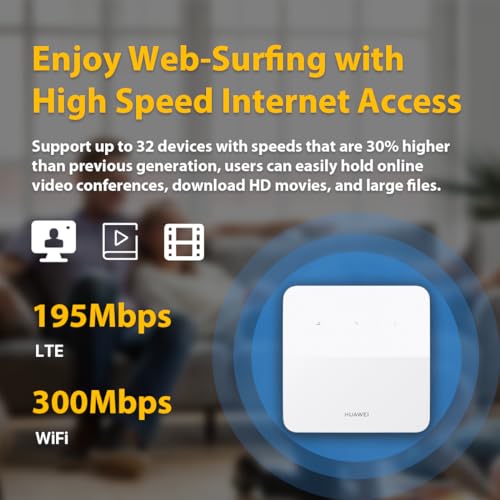
300 Mbps
This router delivers 300 Mbps Wi-Fi speed, which is lower than 75.8% of routers and equal to 16.7% of routers.
Channel widths supported
20 MHz + 40 MHz
This router supports 20 MHz + 40 MHz channel width options, which is fewer than 63.7% of routers and the same as 31.2% of routers.
Show more
Wi-Fi security protocols
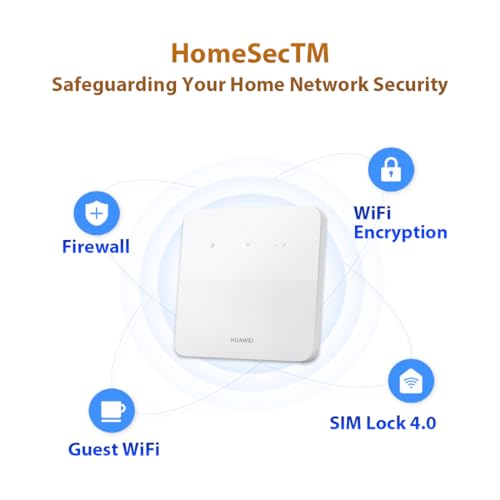
WPA2, WPA
This router supports WPA2, WPA Wi-Fi security protocols, which are less advanced than 80.3% of routers and equal to 8% of routers.
DoS protection
yes
This router includes DoS protection. 9.8% of routers include DoS protection.
SPI intrusion protection
yes
This router includes SPI-based intrusion protection. 4.7% of routers include SPI-based intrusion protection.
MAC address filtering
yes
This router supports MAC address filtering. 1.7% of routers include MAC address filtering.
URL filter
yes
This router supports URL filtering. 2.6% of routers include URL filtering.
Show more
IPv6 support
yes
This router supports IPv6. 8.8% of routers are IPv6-ready.
Dynamic routing
no
This router does not support dynamic routing. 46.2% of routers support dynamic routing.
Inter-VLAN routing
?
VLAN tagging
?
QoS
yes
This router includes QoS controls. 2.4% of routers include QoS controls.
Show more
N. of LAN ports
?
LAN port speeds
?
N. of WAN ports
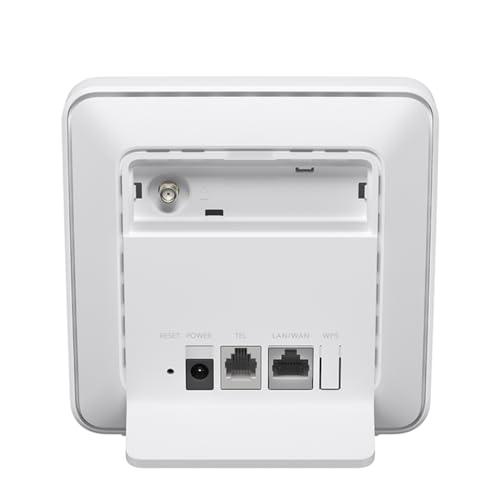
1
This router has 1 WAN ports, which is more than 0.8% of routers and the same as 89.4% of routers.
N. of USB ports
?
Power over Ethernet (PoE)
no
This router does not support Power over Ethernet (PoE). 1.7% of routers can be powered over Ethernet.
Show more
Management interface
Web UI, App
This router uses Web UI, App for management, which is more advanced than 29.7% of routers and equal to 60.9% of routers.
Firmware upgrade method
Web UI, App, Automatic
This router supports Web UI, App, Automatic firmware update methods, which are more convenient than 71.9% of routers and equal to 27.2% of routers.
Traffic monitoring
yes
This router includes traffic monitoring. 13.9% of routers include traffic monitoring.
Guest Wi-Fi network
yes
This router offers a guest Wi‑Fi network. 7.3% of routers offer a guest Wi‑Fi network.
Captive portal
no
This router does not offer captive portal features. 22.4% of routers offer captive portal features.
Show more
CPU clock speed
?
RAM capacity
?
Internal storage
?
Hardware acceleration
yes
This router offers hardware acceleration. 24.9% of routers offer hardware acceleration.
N. of external antennas
2
This router has 2 external antennas, which is more than 41.2% of routers and the same as 16.5% of routers.
Show more

Huawei B320 vs the average router

246810TotalWirelessSecurityNetworkingPortsManagementHardware
  • Newer cellular modem
    This router uses a 4G cellular modem, while the average router uses none (external modem required).
    4G vs none (external modem required)
  • Includes SIM slot
    This router has a SIM slot, while the average router does not. 11.5% of routers have a SIM slot.
  • More advanced integrated modem
    This router uses a 4G integrated modem, while the average router uses none (external modem required).
    4G vs none (external modem required)
  • 4 years newer release date
    This router was released more recently than the average router (2023 vs 2019). The average router release year is 2019.
    2023 vs 2019
  • Newer cellular modem
    This router uses a 4G cellular modem, while the average router uses none (external modem required).
    4G vs none (external modem required)
  • Includes SIM slot
    This router has a SIM slot, while the average router does not. 11.5% of routers have a SIM slot.
  • More advanced integrated modem
    This router uses a 4G integrated modem, while the average router uses none (external modem required).
    4G vs none (external modem required)
  • 4 years newer release date
    This router was released more recently than the average router (2023 vs 2019). The average router release year is 2019.
    2023 vs 2019
  • Older Wi-Fi version
    This router uses an older Wi-Fi version than the average router (Wi-Fi 4 (802.11n) vs Wi-Fi 5 (802.11ac)). The average router uses Wi-Fi 5 (802.11ac).
    Wi-Fi 4 (802.11n) vs Wi-Fi 5 (802.11ac)
  • No VPN server support
    This router cannot act as a VPN server, while the average router can. 68.8% of routers can act as a VPN server.
  • 82.9% slower Wi-Fi speed
    This router has a lower Wi-Fi speed than the average router (300 Mbps vs 1,750 Mbps). The average router reaches Wi-Fi speed of 1,750 Mbps.
    300 Mbps vs 1,750 Mbps
  • No MU-MIMO
    This router does not support MU-MIMO, while the average router does. 54% of routers support MU-MIMO.
  • Narrower channel widths
    This router has a lower supported channel width than the average router (20 MHz + 40 MHz vs 20 MHz + 40 MHz + 80 MHz). The average router supports channel width of 20 MHz + 40 MHz + 80 MHz.
    20 MHz + 40 MHz vs 20 MHz + 40 MHz + 80 MHz
  • No beamforming
    This router does not support beamforming, while the average router does. 62.1% of routers support beamforming.
  • Less capable NAS services
    This router includes none NAS services, while the average router includes SMB, media server.
    none vs SMB, media server
  • No PPTP server
    This router cannot act as a PPTP server, while the average router can. 66.2% of routers can act as a PPTP server.
  • 2.6% lower review score
    Reviews score
    7.5/ 10
    ✕
    What it is
    Average grade from independent test sites, magazines and video reviewers, 1–10.
    How we count it
    Grades: Each review's own score is converted to 1–10; without one, we grade the review ourselves. Big test sites count more, short reviews half as much as full tests. A video review counts half.
    Score: The average grade is 80% of the review mark; the number of reviews is the other 20% (1 review = 5, the typical number in this category = 8, the most-reviewed model = 10).
    Enough data: With few reviews, the average grade is pulled toward the typical grade of this category. No reviews yet: 7.7 for now.
    Share: Reviews count 25% of the overall score.
    Score distribution
    â–¼
    <55-66-77-88-99-10

    7.5

    Mark 7.7 is below the typical mark 8.1 of this category, so it cannot lift the score above the technical score

    80%

    8.4

    Average grade

    20%

    5.0

    Popularity

    Grades by review (1)
    1 video review, counting half as much as a written test. Reviews count 25% of the overall score.
    User ratings collected online are not part of this score.
    7.5 vs 7.7
  • Older Wi-Fi version
    This router uses an older Wi-Fi version than the average router (Wi-Fi 4 (802.11n) vs Wi-Fi 5 (802.11ac)). The average router uses Wi-Fi 5 (802.11ac).
    Wi-Fi 4 (802.11n) vs Wi-Fi 5 (802.11ac)
  • 82.9% slower Wi-Fi speed
    This router has a lower Wi-Fi speed than the average router (300 Mbps vs 1,750 Mbps). The average router reaches Wi-Fi speed of 1,750 Mbps.
    300 Mbps vs 1,750 Mbps
  • No MU-MIMO
    This router does not support MU-MIMO, while the average router does. 54% of routers support MU-MIMO.
  • Narrower channel widths
    This router has a lower supported channel width than the average router (20 MHz + 40 MHz vs 20 MHz + 40 MHz + 80 MHz). The average router supports channel width of 20 MHz + 40 MHz + 80 MHz.
    20 MHz + 40 MHz vs 20 MHz + 40 MHz + 80 MHz
  • No beamforming
    This router does not support beamforming, while the average router does. 62.1% of routers support beamforming.
  • 32 fewer connected devices
    This router supports fewer connected devices than the average router (32 vs 64). The average router supports 64 connected devices.
    32 vs 64
  • No VPN server support
    This router cannot act as a VPN server, while the average router can. 68.8% of routers can act as a VPN server.
  • No PPTP server
    This router cannot act as a PPTP server, while the average router can. 66.2% of routers can act as a PPTP server.
  • Less capable NAS services
    This router includes none NAS services, while the average router includes SMB, media server.
    none vs SMB, media server

Video reviews

Hands-on testing, unboxing, and real-world video evaluations

9.0
Finance & Investment
≈ estimated
15/02/2025
First look · unboxing and first use
Verdict
Huawei B320 has been enjoyable so far, with strong signal, especially for working from home.
Not graded
Hands-on video, no verdict

Third-party reviews

What customers like about Huawei B320

  • Two external antennas help with weak 4G reception
  • Micro SIM slot and no configuration needed
  • Wi-Fi 4 at up to 300 Mbps for 32 devices
  • Parental controls managed from the Huawei app
  • LAN/WAN port works for a wired device or fixed line

What customers don't like about Huawei B320

  • Wi-Fi 4 is dated and capped at 300 Mbps
  • Security stops at WPA2, no WPA3
  • No VPN server for remote access
  • Single LAN/WAN port limits wired devices
  • Mobile downloads limited to about 150 Mbps

Verdict

Budget 4G routers rarely come simpler than the Huawei B320. It takes a micro SIM, needs no configuration and hands out Wi-Fi 4 at up to 300 Mbps to as many as 32 devices. Two external antennas help with weak mobile reception, an advantage over models with internal-only aerials. You manage parental controls from the Huawei app, and the router can use its LAN/WAN port either for a wired device or for a fixed-line connection. Mobile download speeds are quoted at up to 150 Mbps. Be aware of what is missing: Wi-Fi 4 is dated, security stops at WPA2, there is no VPN server and a single LAN/WAN port limits what you can plug in. For a holiday home or a spare line when the main broadband fails, it is an easy and low-cost fit.

Compare Huawei B320 with other routers

1Product to compare no. 1
VS
2Product to compare no. 2
VS
3Product to compare no. 3 (optional)

Graphic comparison of Huawei B320 and other routers

No results found