Scored using Routers Methodology v3.0
Routers Methodology v3.0
Mathematical & Unbiased Scoring
Products in this category are scored under Frontum Routers Methodology v3.0: the technical score from the specifications is the base, and independent expert and video reviews (up to ±0.5 points), owner opinions (up to ±0.3) and best-of lists (up to +0.3) move it up or down.
Explore Routers Methodology v3.0

TP-Link ER605 review: 77 specs compared

Avg. price:~£60Wi-Fi version:N/AWi-Fi speed:?LAN port speeds:1 GbpsMesh Wi-Fi:no

TP-Link ER605 Review: Compare 77 technical specifications and 6 expert and video reviews to see how this product ranks in the Routers category and whether it is worth buying.
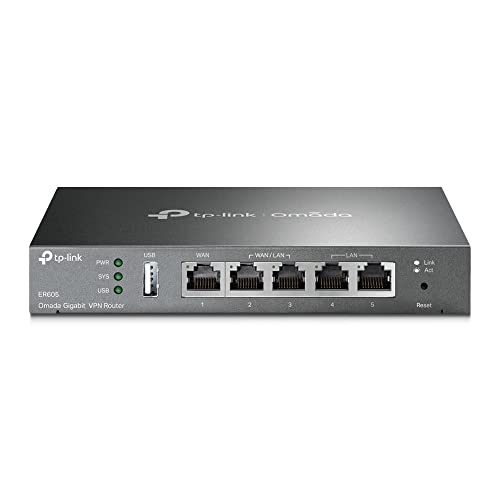
TP-Link ER605
7.3/10

Overall score

Score
7.3/ 10
✕
What it is
Our main score for this model, 1–10. It combines specs, expert reviews, best-of lists and owners.
How we count it
Parts: Technical score 40%, Reviews score 25%, List score 25%, Sentiment score 10%
Marks: Each part gets a mark out of 10. For reviews, lists and owners, a typical model in this category gets about 8 and the best one gets 10.
No data yet: A part with no data shows "?". It counts as the mark of a weaker model in this category (4 in 5 models with data score higher). This way, models with reviews, lists and owners usually come out ahead.
Score distribution
â–¼
<55-66-77-88-99-10
Score components

40%

6.8

Technical score

25%

8.2

Reviews score

25%

?

List scoreNot enough data yet, so we use 7.5, the mark of a weaker model in this category

10%

6.8

Sentiment score

â–¼Worse than 53% of routers
8.1

Value for money

Value for money
8.1/ 10
✕
What it is
An indicator that combines the router's overall rating with its cost.
When it matters
When you are looking for a router with a good balance between network performance, features, and price.
Score distribution
â–¼
<55-66-77-88-99-10
Score components

70%

7.3

Overall score

30%

10

Price

â–¼Worse than 54%
6.8

Technical score

Technical score
6.8/ 10
✕
What it is
How good the specs are compared with the other models in this category, 1–10.
How we count it
Areas: We rate the specs in each area against the other models in this category.
Weighting: The areas that matter most to buyers count more. The shares are shown under Score components.
Share: The technical score is 40% of the overall score.
Score distribution
â–¼
<55-66-77-88-99-10
Score components

26%

4.8

Wireless

20%

5.0

Ports

18%

9.6

Networking

14%

8.4

Security

12%

6.8

Hardware

10%

8.2

Management

â–¼Worse than 63%
8.2

Reviews score

Reviews score
8.2/ 10
✕
What it is
Average grade from independent test sites, magazines and video reviewers, 1–10.
How we count it
Grades: Each review's own score is converted to 1–10; without one, we grade the review ourselves. Big test sites count more, short reviews half as much as full tests. A video review counts half.
Score: The average grade is 80% of the review mark; the number of reviews is the other 20% (1 review = 5, the typical number in this category = 8, the most-reviewed model = 10).
Enough data: With few reviews, the average grade is pulled toward the typical grade of this category. No reviews yet: 7.7 for now.
Share: Reviews count 25% of the overall score.
Score distribution
â–¼
<55-66-77-88-99-10

80%

8.2

Average grade

20%

8.2

Popularity

Grades by review (6)
1 review, with a printed score. 5 video reviews, each counting half as much as a written test. Reviews count 25% of the overall score.
User ratings collected online are not part of this score.
â–²Better than 52%
?

List score

List score
7.5/ 10
✕
What it is
How often independent test sites, magazines and video reviewers put this model in their best-of lists for this category.
How we count it
Points: The model in the most lists of this category gets 10; the others get 8 to 10 in proportion. In no list yet: 7.5. Lists count 25% of the overall score.
Enough data: Every list counts, even a single one. With fewer than 5 best-of lists in the category, this part is left out.
Lists with this model (0)
Not in any best-of list yet, so this part counts as 7.5. Models in a list get 8 to 10.
Not in any best-of list yet
  • tp-link-er605
  • tp-link-er605
  • tp-link-er605
  • tp-link-er605
  • tp-link-er605
  • tp-link-er605
  • tp-link-er605
  • tp-link-er605
  • tp-link-er605
tp-link-er605
tp-link-er605
tp-link-er605
tp-link-er605
tp-link-er605
tp-link-er605
tp-link-er605
tp-link-er605
tp-link-er605
Where to buy
*As an Amazon Associate, we earn from qualifying purchases.
Best rankings
Available: ranking among products currently available (including other versions of this product).All: ranking among all products in the database.

What reviewers say about the TP-Link ER605

Based on 1 · 5

Praised for easy dual internet connections, simple setup and great value, though slow restarts and VPN quirks frustrate some.
Praised
Criticised
Pick a topic to see who said what

What owners say about the TP-Link ER605

Based on 173 owners sharing their experience in online comments

30%positive8%mixed62%negative

Owners value dependable multi-WAN operation and clear setup help, but many report unreliable failover, VPN problems, and disappointing speed aggregation.

What owners dislike

  • Owners report links showing down or web pages not loading, often from wrong WAN mode, gateway or modem settings.18
  • Owners say failover misses outages where the modem stays linked or ping still answers, and takes seconds to minutes to switch to backup.13
  • Owners often get L2TP connection errors, or cannot connect at all when the router sits behind an ISP modem or uses a static public IP.12
  • Owners say updates sometimes remove features, and downgrades or recovery attempts can fail, reverting to newer firmware.10
  • Owners report the router slows or stops handing out addresses around 100 clients, and can overheat under heavy load.9
  • Owners say two lines do not add up in speed tests, with downloads often capped at the faster line while uploads sometimes combine.9
  • Owners connect to the VPN but get no internet over it, or cannot reach other subnets or devices behind a second router.8
  • Owners say static routes, URL filtering and VLAN blocking rules did not work, and some rules only applied after a reboot.6
  • Owners say the Omada software has many bugs, and phone support was hard to reach or could not help with advanced setups.6
  • Owners report the router takes about four to six minutes to boot or restart after a power cut, which they find frustrating.5

Points mentioned by at least 3 owners, most mentioned first.

Loading...
Loading category ranking...

Routers model ranking

Ranked #211 of 524 models in Routers (Overall score)

Technical Specifications of router TP-Link ER605

Technical score
Technical score
6.8/ 10
✕
What it is
How good the specs are compared with the other models in this category, 1–10.
How we count it
Areas: We rate the specs in each area against the other models in this category.
Weighting: The areas that matter most to buyers count more. The shares are shown under Score components.
Share: The technical score is 40% of the overall score.
Score distribution
â–¼
<55-66-77-88-99-10
Score components:

26%

4.8

Wireless

20%

5.0

Ports

18%

9.6

Networking

14%

8.4

Security

12%

6.8

Hardware

10%

8.2

Management

6.8
Reviews score
8.2
List score
?
Value for money
Value for money
8.1/ 10
✕
What it is
An indicator that combines the router's overall rating with its cost.
When it matters
When you are looking for a router with a good balance between network performance, features, and price.
Score distribution
â–¼
<55-66-77-88-99-10
Score components:

70%

7.3

Overall score

30%

10

Price

8.1
Brand name
TP-Link
Wi-Fi version
N/A
Wi-Fi bands
N/A
Wi-Fi speed
?
Channel widths supported
N/A
Show more
Wi-Fi security protocols
N/A
DoS protection
yes
This router includes DoS protection. 9.8% of routers include DoS protection.
SPI intrusion protection
yes
This router includes SPI-based intrusion protection. 4.7% of routers include SPI-based intrusion protection.
MAC address filtering
yes
This router supports MAC address filtering. 1.7% of routers include MAC address filtering.
URL filter
yes
This router supports URL filtering. 2.6% of routers include URL filtering.
Show more
What reviewers say
IPv6 support
yes
This router supports IPv6. 8.8% of routers are IPv6-ready.
Dynamic routing
?
Inter-VLAN routing
yes
This router supports inter-VLAN routing. 75.8% of routers support inter-VLAN routing.
VLAN tagging
yes
This router supports VLAN tagging. 33.6% of routers include VLAN tagging.
QoS
yes
This router includes QoS controls. 2.4% of routers include QoS controls.
Show more
What reviewers say
N. of LAN ports
2
This router has 2 LAN ports, which is fewer than 84.5% of routers and the same as 5% of routers.
LAN port speeds
1 Gbps
This router offers 1 Gbps on its LAN ports, which is faster than 25.7% of routers and on par with 56.1% of routers.
N. of WAN ports
3
This router has 3 WAN ports, which is more than 97.6% of routers and the same as 1.8% of routers.
N. of USB ports
1
This router has 1 USB ports, which is more than 40.1% of routers and the same as 41.5% of routers.
Power over Ethernet (PoE)
no
This router does not support Power over Ethernet (PoE). 1.7% of routers can be powered over Ethernet.
Show more
Management interface
Web UI, App, SNMP, Cloud
This router uses Web UI, App, SNMP, Cloud for management, which is more advanced than 99.6% of routers and equal to 0.2% of routers.
Firmware upgrade method
?
Traffic monitoring
yes
This router includes traffic monitoring. 13.9% of routers include traffic monitoring.
Guest Wi-Fi network
no
This router does not offer a guest Wi‑Fi network. 92.9% of routers offer a guest Wi‑Fi network.
Captive portal
yes
This router offers captive portal features. 77.8% of routers offer captive portal features.
Show more
CPU clock speed
?
RAM capacity
256 MB
This router has 256 MB of RAM, which is more than 46.3% of routers and the same as 14.9% of routers.
Internal storage
0.125 GB
This router has 0.125 GB of internal storage, which is more than 47.9% of routers and the same as 23.8% of routers.
Hardware acceleration
yes
This router offers hardware acceleration. 24.9% of routers offer hardware acceleration.
N. of external antennas
?
Show more

TP-Link ER605 vs the average router

246810TotalWirelessSecurityNetworkingPortsManagementHardware
  • Better management tools
    This router uses the management interface Web UI, App, SNMP, Cloud, while the average router uses Web UI, App.
    Web UI, App, SNMP, Cloud vs Web UI, App
  • Supports automatic failover
    This router offers automatic failover, while the average router does not. 31.2% of routers offer automatic failover.
  • Supports captive portal
    This router supports captive portal, while the average router does not. 22.3% of routers support captive portal.
  • Supports inter-VLAN routing
    This router supports inter-VLAN routing, while the average router does not. 24.4% of routers support inter-VLAN routing.
  • 135,000 more NAT sessions
    This router has more concurrent NAT sessions than the average router (150,000 vs 15,000). The average router supports 15,000 concurrent NAT sessions.
    150,000 vs 15,000
  • 6.5% higher review score
    Reviews score
    8.2/ 10
    ✕
    What it is
    Average grade from independent test sites, magazines and video reviewers, 1–10.
    How we count it
    Grades: Each review's own score is converted to 1–10; without one, we grade the review ourselves. Big test sites count more, short reviews half as much as full tests. A video review counts half.
    Score: The average grade is 80% of the review mark; the number of reviews is the other 20% (1 review = 5, the typical number in this category = 8, the most-reviewed model = 10).
    Enough data: With few reviews, the average grade is pulled toward the typical grade of this category. No reviews yet: 7.7 for now.
    Share: Reviews count 25% of the overall score.
    Score distribution
    â–¼
    <55-66-77-88-99-10

    80%

    8.2

    Average grade

    20%

    8.2

    Popularity

    Grades by review (6)
    1 review, with a printed score. 5 video reviews, each counting half as much as a written test. Reviews count 25% of the overall score.
    User ratings collected online are not part of this score.
    8.2 vs 7.7
  • 26.4 mm lower height
    This router is shorter than the average router (25 mm vs 51.4 mm). The average router is 51.4 mm tall.
    25 mm vs 51.4 mm
  • 6.5% higher review score
    Reviews score
    8.2/ 10
    ✕
    What it is
    Average grade from independent test sites, magazines and video reviewers, 1–10.
    How we count it
    Grades: Each review's own score is converted to 1–10; without one, we grade the review ourselves. Big test sites count more, short reviews half as much as full tests. A video review counts half.
    Score: The average grade is 80% of the review mark; the number of reviews is the other 20% (1 review = 5, the typical number in this category = 8, the most-reviewed model = 10).
    Enough data: With few reviews, the average grade is pulled toward the typical grade of this category. No reviews yet: 7.7 for now.
    Share: Reviews count 25% of the overall score.
    Score distribution
    â–¼
    <55-66-77-88-99-10

    80%

    8.2

    Average grade

    20%

    8.2

    Popularity

    Grades by review (6)
    1 review, with a printed score. 5 video reviews, each counting half as much as a written test. Reviews count 25% of the overall score.
    User ratings collected online are not part of this score.
    8.2 vs 7.7
  • Supports automatic failover
    This router offers automatic failover, while the average router does not. 31.2% of routers offer automatic failover.
  • Supports inter-VLAN routing
    This router supports inter-VLAN routing, while the average router does not. 24.4% of routers support inter-VLAN routing.
  • 135,000 more NAT sessions
    This router has more concurrent NAT sessions than the average router (150,000 vs 15,000). The average router supports 15,000 concurrent NAT sessions.
    150,000 vs 15,000
  • Better management tools
    This router uses the management interface Web UI, App, SNMP, Cloud, while the average router uses Web UI, App.
    Web UI, App, SNMP, Cloud vs Web UI, App
  • Supports captive portal
    This router supports captive portal, while the average router does not. 22.3% of routers support captive portal.
  • 26.4 mm lower height
    This router is shorter than the average router (25 mm vs 51.4 mm). The average router is 51.4 mm tall.
    25 mm vs 51.4 mm
  • 2 fewer LAN ports
    This router has fewer LAN ports than the average router (2 vs 4). The average router has 4 LAN ports.
    2 vs 4
  • No MU-MIMO
    This router does not support MU-MIMO, while the average router does. 54% of routers support MU-MIMO.
  • No guest Wi-Fi network
    This router does not offer a guest Wi-Fi network, while the average router does. 92.7% of routers offer a guest Wi-Fi network.
  • No band steering
    This router does not support band steering, while the average router does. 57.6% of routers support band steering.
  • No beamforming
    This router does not support beamforming, while the average router does. 62.1% of routers support beamforming.
  • 2 fewer WAN ports
    This router has fewer WAN ports than the average router (3 vs 1). The average router has 1 WAN ports.
    3 vs 1
  • 12.8% lower sentiment score
    6.8 vs 7.8
  • No WPS support
    This router does not support WPS, while the average router does. 89.8% of routers support WPS.
  • 12.8% lower sentiment score
    6.8 vs 7.8
  • No MU-MIMO
    This router does not support MU-MIMO, while the average router does. 54% of routers support MU-MIMO.
  • No band steering
    This router does not support band steering, while the average router does. 57.6% of routers support band steering.
  • No beamforming
    This router does not support beamforming, while the average router does. 62.1% of routers support beamforming.
  • No WPS support
    This router does not support WPS, while the average router does. 89.8% of routers support WPS.
  • 2 fewer LAN ports
    This router has fewer LAN ports than the average router (2 vs 4). The average router has 4 LAN ports.
    2 vs 4
  • 2 fewer WAN ports
    This router has fewer WAN ports than the average router (3 vs 1). The average router has 1 WAN ports.
    3 vs 1
  • No guest Wi-Fi network
    This router does not offer a guest Wi-Fi network, while the average router does. 92.7% of routers offer a guest Wi-Fi network.
  • 47 mm thicker design
    This router is thicker than the average router (101 mm vs 54 mm). The average router is 54 mm thick.
    101 mm vs 54 mm

Video reviews

Hands-on testing, unboxing, and real-world video evaluations

8.0
Spliffy TV
≈ estimated
25/04/2022
Hands-on review · multi-WAN setup and initial impressions
Verdict
The TP-Link ER605 is a capable, inexpensive gigabit load balancer better suited to power users than typical home networks.
9.0
JNETWORXS
≈ estimated
19/11/2024
Quick unboxing and setup · dual ISP configuration test
Verdict
The TP-Link ER605 is easy to set up and recommended for anyone combining multiple internet connections, though it boots slowly.
7.0
ErvsTechLab
≈ estimated
03/11/2024
Unboxing and setup · load balancing, failover and VLAN configuration
Verdict
The TP-Link ER605 is easy to set up and affordable for failover and load balancing, but its features are limited.
8.0
SPX Labs
≈ estimated
28/07/2021
First look · unboxing and standalone mode setup
Verdict
The TP-Link ER605 is easy to set up and suits home or small business use, though its hardware VPN tunnel capacity is untested.
Not graded
Shop video

Expert reviews

In-depth analysis and verdict from leading tech publications

8.0
techodash.com
✓ explicit
13/07/2026
Expert review · Office VPN router
Verdict
The TP-Link ER605 is a wired office router with VLAN support, multi-WAN failover and IPsec or WireGuard VPN, but it has no Wi-Fi and no intrusion prevention.

Third-party reviews

What customers like about TP-Link ER605

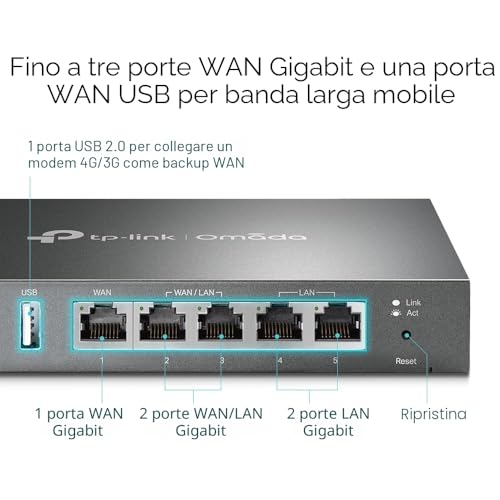
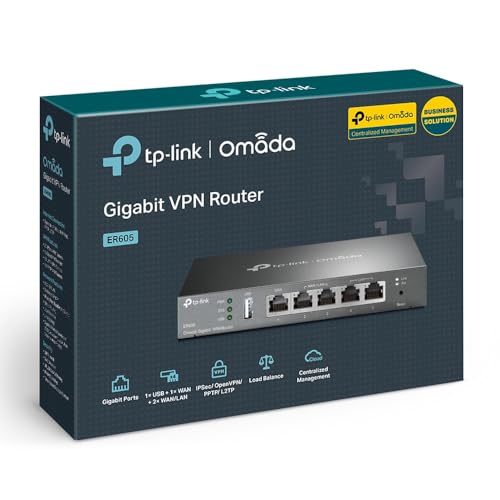
  • Five Gigabit ports with up to three usable as WAN
  • USB port for a mobile modem as backup line
  • Automatic failover between internet lines
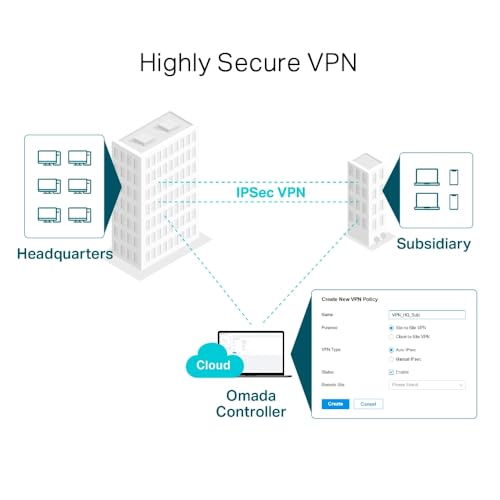
  • IPsec, PPTP, L2TP and OpenVPN with up to 20 IPsec tunnels
  • 150,000 concurrent NAT sessions for a busy network
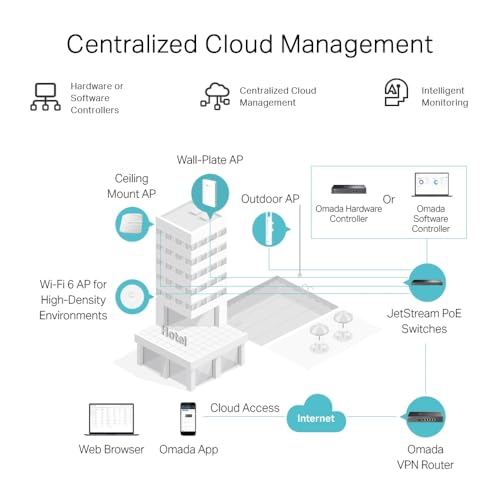
  • Omada, SNMP and cloud management options

What customers don't like about TP-Link ER605

  • No Wi-Fi, so a separate access point is needed
  • No PoE on any port
  • No 2.5 Gbps ports, all ports are Gigabit
  • Just one USB port, used for the mobile modem

Verdict

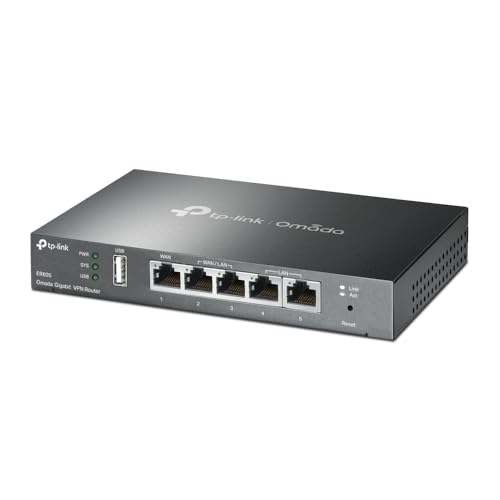
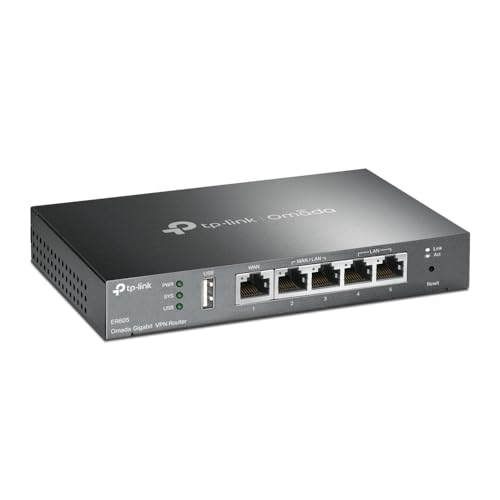
Small offices that need several internet lines on one box are the audience for the ER605. It is a wired VPN router with five Gigabit ports, of which up to three can act as WAN, plus a USB port for a mobile modem. Automatic failover keeps traffic moving when one line drops, and 150,000 concurrent NAT sessions leave room for a busy network. IPsec, PPTP, L2TP and OpenVPN are supported, with up to 20 LAN-to-LAN IPsec tunnels. Management goes through Omada, the web interface, SNMP or a cloud account. There is no Wi-Fi at all, so a separate access point is required, and none of the ports supply PoE. For a budget price it gives a small business or a home lab a solid, flexible gateway. The Amazon listing also quotes a five-year warranty.

Compare TP-Link ER605 with other routers

1Product to compare no. 1
VS
2Product to compare no. 2
VS
3Product to compare no. 3 (optional)

Graphic comparison of TP-Link ER605 and other routers

No results found