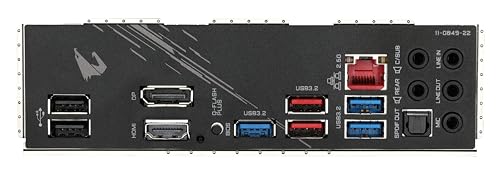
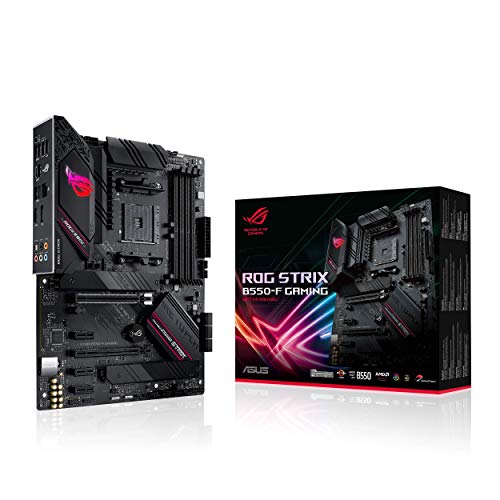
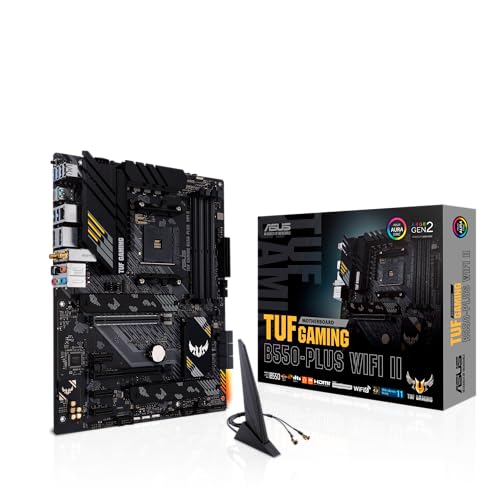
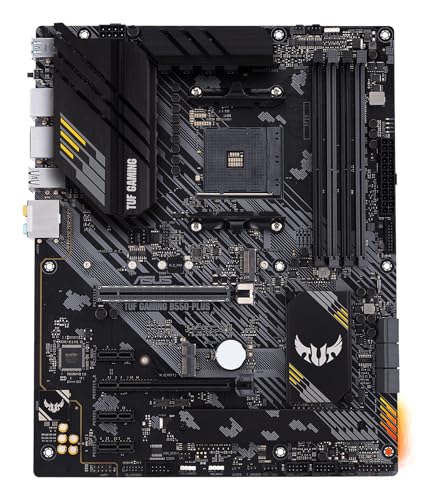
GIGABYTE B550 AORUS Elite Review | 107 Data compared

double-arrow
  • Avg. price in UK: ~£110
  • Avg. price in US: ~$120
  • CPU socket: AM4
  • Chipset: AMD B550
  • Form factor: ATX

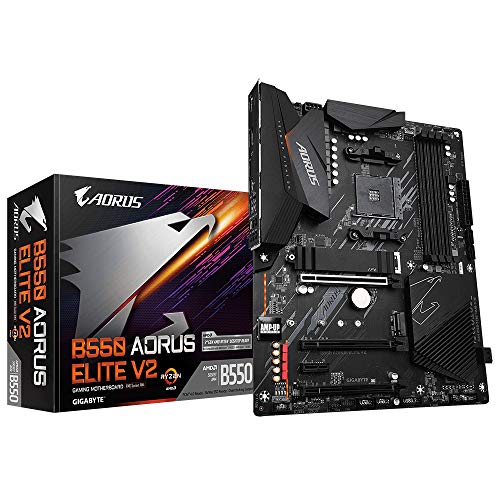
GIGABYTE B550 AORUS Elite review. Compare 107 technical specifications and user reviews to see how it ranks among motherboards and if it is worth buying.

6.9

Overall score

What it is: An overall evaluation of the motherboard's quality, based on technical analyses and user reviews.

When it matters: When you need a quick reference to identify the best motherboards on the market.

Score components:

90.0%

6.6

Technical Score

10.0%

9.4

User score

Good
6.6

Technical Score

What it is: An assessment of the motherboard's technical performance, covering key areas such as power delivery, CPU and memory support, expansion, storage, connectivity, cooling, BIOS features, and design.

When it matters: When you want to compare motherboards based on technical performance and available features.

Score components:

19.0%

7.1

Memory

16.0%

8.0

Platform & Features

16.0%

6.1

Storage

15.0%

7.3

Network

13.0%

5.4

Ports & USB

8.0%

2.9

Expansion

8.0%

6.9

Power & Cooling

5.0%

8.5

Audio

Good
9.4

User score

What it is: A rating that combines user reviews and the total number of reviews received by the motherboard.

When it matters: When you want to understand how a motherboard performs in real-world builds and how reliable it is in terms of stability, BIOS usability, connectivity, and long-term ownership.

Score components:

70.0%

9.2

User reviews

30.0%

10

Popularity

User score:
United Kingdom
amazon
4.6
(2157)
amazon
4.5
(1160)
amazon
4.6
(513)
amazon
4.3
(76)
United States
Amazon_logo.png
4.5
(2147)
Amazon_logo.png
4.6
(1192)
Amazon_logo.png
4.5
(508)
Amazon_logo.png
4.2
(78)

(Reviews last updated: May 2026)

Exceptional
  • 6.0
    Gaming

    Score components:

    28.0%

    7.0

    VRM phases

    22.0%

    5.5

    N. of M.2 sockets

    18.0%

    10

    LAN speed

    17.0%

    5.4

    Maximum RAM speed

    15.0%

    1.0

    N. of PCIe 5.0 x16 slots

  • gigabyte-b550-aorus-elite
  • gigabyte-b550-aorus-elite
  • gigabyte-b550-aorus-elite
  • gigabyte-b550-aorus-elite
  • gigabyte-b550-aorus-elite
gigabyte-b550-aorus-elite

Best prices in UK

Best rankings

?

Available: ranking among products currently available (including other versions of this product).
All: ranking among all products in the database.

Verdict

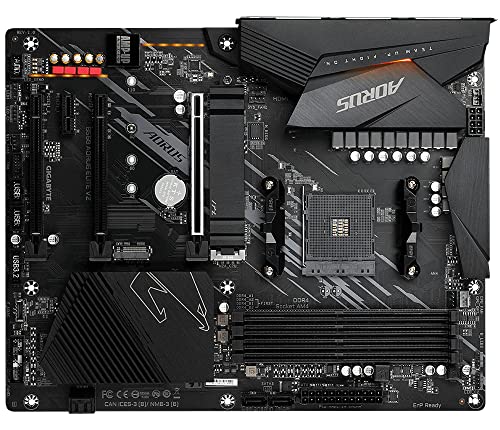
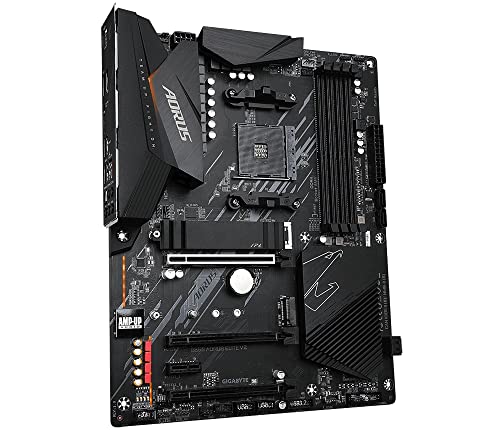
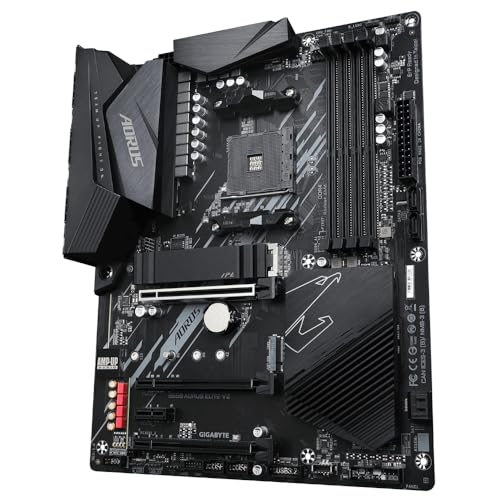
The Gigabyte B550 Aorus Elite is a high-performance ATX motherboard featuring the AMD B550 chipset and AM4 socket, supporting 3rd to 5th Gen Ryzen processors. Key technical specifications include a robust 12+2 phase digital VRM design with 50A DrMOS, four DDR4 DIMM slots supporting up to 128GB at 4733MHz (OC), and dual M.2 slots with one PCIe 4.0 x4 interface. Major advantages include its excellent thermal management with enlarged heatsinks, a fast 2.5GbE LAN, and a pre-installed I/O shield for easy installation. However, notable drawbacks include the absence of onboard Wi-Fi, a BIOS interface that can be unintuitive for beginners, and sometimes unreliable RGB Fusion software.

Technical Specifications of GIGABYTE B550 AORUS Elite

Technical Score

What it is: An assessment of the motherboard's technical performance, covering key areas such as power delivery, CPU and memory support, expansion, storage, connectivity, cooling, BIOS features, and design.

When it matters: When you want to compare motherboards based on technical performance and available features.

Score components:

19.0%

7.1

Memory

16.0%

8.0

Platform & Features

16.0%

6.1

Storage

15.0%

7.3

Network

13.0%

5.4

Ports & USB

8.0%

2.9

Expansion

8.0%

6.9

Power & Cooling

5.0%

8.5

Audio

6.6
GIGABYTE B550 AORUS Elite has a technical score of 6.61 points, which is higher than that of 55.1% of products in this category.
User score

What it is: A rating that combines user reviews and the total number of reviews received by the motherboard.

When it matters: When you want to understand how a motherboard performs in real-world builds and how reliable it is in terms of stability, BIOS usability, connectivity, and long-term ownership.

Score components:

70.0%

9.2

User reviews

30.0%

10

Popularity

User score:
United Kingdom
amazon
4.6
(2157)
amazon
4.5
(1160)
amazon
4.6
(513)
amazon
4.3
(76)
United States
Amazon_logo.png
4.5
(2147)
Amazon_logo.png
4.6
(1192)
Amazon_logo.png
4.5
(508)
Amazon_logo.png
4.2
(78)

(Reviews last updated: May 2026)

9.4
GIGABYTE B550 AORUS Elite has a user score of 9.43 points, which is higher than that of 96.9% of products in this category.
Popularity
What it is: An indicator based on the number of reviews received by the motherboard.
When it matters: When you prefer a motherboard that has already been bought and reviewed by many other users.
10
GIGABYTE B550 AORUS Elite has a popularity of 10 points, which is higher than 79.9% of products in this category.
Ratio quality/price

What it is: An indicator that combines the motherboard's overall rating with its cost.

When it matters: When you are looking for a motherboard that offers a strong balance of features, performance, and price.

Score components:

60.0%

6.9

Overall score

40.0%

9.9

Price

7.8
GIGABYTE B550 AORUS Elite has a quality-to-price ratio of 7.8 points, which is higher than 64% of products in this category.
Brand name
What it is: The brand that makes the motherboard.
When it matters: When you have a brand preference for support, BIOS, or build quality.

Importance: MEDIUM

Gigabyte
CPU socket
What it is: The socket type the motherboard is built to support.
When it matters: When you need the motherboard to match a specific CPU.

Importance: HIGH

AM4
GIGABYTE B550 AORUS Elite uses the AM4 CPU socket, which is more advanced than that of 38.5% of motherboards and equal to that of 13.3% of motherboards.
CPU platform

Importance: MEDIUM

AMD
Chipset
What it is: The chipset that defines the motherboard platform and many of its features.
When it matters: When you compare platform features, connectivity, and CPU support.

Importance: HIGH

AMD B550
GIGABYTE B550 AORUS Elite uses the AMD B550 chipset, which is more advanced than that of 50.5% of motherboards and equal to that of 4.4% of motherboards.
Form factor
What it is: The physical size standard of the motherboard, such as ATX or Micro-ATX.
When it matters: When you need the board to fit a specific case size.

Importance: HIGH

ATX
GIGABYTE B550 AORUS Elite has the ATX form factor, which is more versatile than that of 47.8% of motherboards and equal to that of 52.2% of motherboards.
Show more
DDR memory version
What it is: The RAM generation the motherboard supports, such as DDR4 or DDR5.
When it matters: When you need the board to match a certain memory platform.

Importance: HIGH

Good value: DDR5

DDR4
GIGABYTE B550 AORUS Elite uses DDR4 memory, which is newer than that of 13.6% of motherboards and equal to that of 51% of motherboards.
Memory slots
What it is: The number of RAM slots on the motherboard.
When it matters: When you want more room for future memory upgrades.

Importance: HIGH

Good value: >=4

4
GIGABYTE B550 AORUS Elite has 4 Memory slots, which is more than 21.5% of motherboards and equal to 72.5% of motherboards.
Maximum memory capacity
What it is: The largest total amount of RAM the motherboard supports.
When it matters: When you plan a build with very high memory capacity.

Importance: HIGH

Good value: >=128 GB

128 GB
GIGABYTE B550 AORUS Elite supports up to 128 GB of memory, which is more than 40.4% of motherboards and equal to 32.1% of motherboards.
Memory channels
What it is: The memory channel configuration supported by the motherboard platform.
When it matters: When memory bandwidth matters for your build.

Importance: MEDIUM

2
GIGABYTE B550 AORUS Elite supports 2 memory channels, which is more than 0.2% of motherboards and equal to 92.5% of motherboards.
Maximum RAM speed
What it is: The highest officially supported memory speed for the motherboard.
When it matters: When you choose RAM and want to know the supported speed ceiling.

Importance: HIGH

Good value: >=6400 MT/s

4,733 MT/s
GIGABYTE B550 AORUS Elite supports memory speeds up to 4733 MT/s, which is higher than that of 50.2% of motherboards and equal to that of 1.3% of motherboards.
Show more
N. of M.2 sockets
What it is: The number of M.2 slots available on the motherboard.
When it matters: When you want room for more NVMe or M.2 drives.

Importance: HIGH

Good value: >=3

2
GIGABYTE B550 AORUS Elite has 2 M.2 sockets, which is more than 30.8% of motherboards and equal to 34.6% of motherboards.
M.2 slot interface per slot
What it is: The storage or PCIe interface available for each M.2 slot on the motherboard.
When it matters: When you want to check which drives each M.2 slot can use.

Importance: HIGH

1x PCIe 4.0 x4/x2/SATA, 1x PCIe 3.0 x4/x2/SATA
GIGABYTE B550 AORUS Elite offers 1x PCIe 4.0x4/x2/SATA, 1x PCIe 3.0x4/x2/SATA for M.2 slot interfaces, which is faster than that of 62.1% of motherboards and equal to that of 0.2% of motherboards.
N. of SATA 3 connectors
What it is: The number of SATA 6Gb/s connectors on the motherboard.
When it matters: When you plan to connect multiple SATA drives.

Importance: MEDIUM

Good value: >=6

4
GIGABYTE B550 AORUS Elite has 4 SATA 3 connectors, which is more than 5.6% of motherboards and equal to 46.3% of motherboards.
Supported RAID levels
What it is: The RAID modes officially supported by the motherboard storage platform.
When it matters: When you plan to use multiple drives in a RAID setup.

Importance: MEDIUM

0/1/10
GIGABYTE B550 AORUS Elite supports RAID levels 0/1/10, which is narrower than 68.3% of motherboards and equal to 23.2% of motherboards.
JBOD excluded from RAID-level set
NVMe RAID support
What it is: Shows whether the board supports RAID configurations that use NVMe SSDs.
When it matters: When you plan to use multiple NVMe drives in RAID.

Importance: LOW

yes
GIGABYTE B550 AORUS Elite supports NVMe RAID. 40.3% of motherboards support this feature.
Show more
N. of PCIe 5.0 x16 slots
What it is: The number of PCIe 5.0 x16 physical slots on the motherboard.
When it matters: When you want the newest high-bandwidth expansion slots.

Importance: HIGH

Good value: >=1

0
GIGABYTE B550 AORUS Elite has 0 PCIe 5.0x16 slots, which is equal to 68.5% of motherboards.
N. of PCIe 4.0 x16 slots
What it is: The number of PCIe 4.0 x16 physical slots on the motherboard.
When it matters: When you want more room for modern expansion cards.

Importance: HIGH

Good value: >=1

1
GIGABYTE B550 AORUS Elite has 1 PCIe 4.0x16 slots, which is more than 55.6% of motherboards and equal to 35.3% of motherboards.
N. of PCIe 3.0 x16 slots
What it is: The number of PCIe 3.0 x16 physical slots on the motherboard.
When it matters: When you need more full-length expansion slots.

Importance: MEDIUM

2
GIGABYTE B550 AORUS Elite has 2 PCIe 3.0x16 slots, which is more than 67.4% of motherboards and equal to 15.4% of motherboards.
PCIe slot electrical configuration
What it is: The actual lane wiring used by the motherboard PCIe slots.
When it matters: When you need to know how much bandwidth each slot really gets.

Importance: HIGH

x16/x2/x1/x1
GIGABYTE B550 AORUS Elite uses x16/x2/x1/x1 for PCIe slot electrical configuration, which is more flexible than that of 70.8% of motherboards and equal to that of 0.1% of motherboards.
PCIe bifurcation support
What it is: Shows whether the board can split PCIe lanes across multiple devices from one slot or link.
When it matters: When you plan multi-SSD adapters or more advanced expansion setups.

Importance: MEDIUM

no
GIGABYTE B550 AORUS Elite does not support PCIe bifurcation. 61% of motherboards support this feature.
Show more
Total USB ports (rear I/O)
What it is: The total number of rear USB ports available on the motherboard.
When it matters: When you use many USB devices directly from the back of the PC.

Importance: MEDIUM

Good value: >=8

?
Total USB ports (including headers)
What it is: The total number of USB ports supported when rear ports and internal headers are counted together.
When it matters: When you want to know the board's full USB expansion potential.

Importance: MEDIUM

Good value: >=14

?
Total USB-C ports (rear I/O)
What it is: The total number of rear USB-C ports on the motherboard.
When it matters: When you want more USB-C devices connected without adapters.

Importance: MEDIUM

Good value: >=1

0
GIGABYTE B550 AORUS Elite has 0 USB-C ports (rear I/O), which is fewer than 64.6% of motherboards and equal to 35.4% of motherboards.
Total USB-C ports (including headers)
What it is: The total number of USB-C ports supported when rear ports and internal headers are counted together.
When it matters: When you want more USB-C connectivity across the whole build.

Importance: MEDIUM

Good value: >=2

0
GIGABYTE B550 AORUS Elite has 0 USB-C ports (including headers), which is fewer than 69.6% of motherboards and equal to 30.4% of motherboards.
N. of USB 3.2 Gen2x2 ports (USB-C)
What it is: The number of rear USB 3.2 Gen2x2 Type-C ports on the motherboard.
When it matters: When you want very fast USB-C connectivity on the rear I/O.

Importance: HIGH

Good value: >=1

0
GIGABYTE B550 AORUS Elite has 0 USB 3.2 Gen2x2 ports (USB-C), which is equal to 81.6% of motherboards.
Show more
LAN speed
What it is: The maximum wired Ethernet speed supported by the motherboard.
When it matters: When you want faster wired networking.

Importance: HIGH

Good value: 2.5GbE

2.5 Gbps
GIGABYTE B550 AORUS Elite supports LAN speeds up to 2.5 Gbps, which is higher than that of 49.2% of motherboards and equal to that of 41.5% of motherboards.
LAN controller
What it is: The model of onboard Ethernet controller used by the motherboard.
When it matters: When you compare networking hardware quality and features.

Importance: MEDIUM

?
N. of RJ45 ports
What it is: The number of wired Ethernet ports on the motherboard.
When it matters: When you need one or more wired network connections.

Importance: LOW

1
GIGABYTE B550 AORUS Elite has 1 RJ45 ports, which is equal to 85.6% of motherboards.
Wi-Fi connectivity
What it is: Shows whether the motherboard includes onboard Wi-Fi hardware instead of requiring a separate adapter.
When it matters: When you want wireless networking without adding an extra card.

Importance: MEDIUM

no
GIGABYTE B550 AORUS Elite does not support Wi-Fi connectivity. 49.1% of motherboards support this feature.
Wi-Fi version
What it is: The supported Wi-Fi generation, such as Wi-Fi 6 or Wi-Fi 7.
When it matters: When you care about wireless speed and router compatibility.

Importance: MEDIUM

Good value: Wi-Fi 6E (802.11ax)

N/A
Show more
Audio codec
What it is: The onboard audio codec used by the motherboard.
When it matters: When sound quality from the built-in audio matters to you.

Importance: MEDIUM

Realtek ALC1200
GIGABYTE B550 AORUS Elite uses the Realtek ALC1200 audio codec, which is more advanced than that of 62.7% of motherboards and equal to that of 2.4% of motherboards.
Audio channels
What it is: The audio channel configuration supported by the onboard sound solution.
When it matters: When you want surround sound from the motherboard audio outputs.

Importance: LOW

Good value: 7.1

7.1
GIGABYTE B550 AORUS Elite offers 7.1 audio channels, which is more than 4.9% of motherboards and equal to 95.1% of motherboards.
Audio SNR
What it is: The signal-to-noise ratio of the onboard audio solution.
When it matters: When you care about cleaner onboard audio output.

Importance: MEDIUM

Good value: >=120 dB

110 dB
GIGABYTE B550 AORUS Elite has an audio SNR of 110 dB, which is lower than that of 55.9% of motherboards and equal to that of 5.7% of motherboards.
Headphone amp support
What it is: Shows whether the onboard audio path includes dedicated headphone amplification for harder-to-drive headsets.
When it matters: When you use harder-to-drive headphones from the onboard audio.

Importance: LOW

yes
GIGABYTE B550 AORUS Elite supports a headphone amp. 37% of motherboards support this feature.
Smart Headphone Amp.
N. of 3.5mm audio jacks
What it is: The number of rear 3.5mm audio jacks on the motherboard.
When it matters: When you want more analog audio connection options.

Importance: LOW

Good value: >=5

5
GIGABYTE B550 AORUS Elite has 5 3.5mm audio jacks, which is more than 49.8% of motherboards and equal to 36.8% of motherboards.
Show more
VRM phases
What it is: The number of power-delivery phases used by the motherboard VRM.
When it matters: When you care about CPU power delivery and overclocking headroom.

Importance: HIGH

Good value: >=12

12+2
GIGABYTE B550 AORUS Elite has 12+2 VRM phases, which is more than 62.1% of motherboards and equal to 2.6% of motherboards.
N. of CPU power connectors
What it is: The number of CPU power connectors on the motherboard.
When it matters: When you care about power delivery for higher-end CPUs.

Importance: HIGH

Good value: >=2

1
GIGABYTE B550 AORUS Elite has 1 CPU power connectors, which is equal to 54.5% of motherboards.
N. of fan headers
What it is: The number of headers available for case or CPU fans.
When it matters: When your build uses several fans.

Importance: MEDIUM

Good value: >=6

5
GIGABYTE B550 AORUS Elite has 5 fan headers, which is more than 35.8% of motherboards and equal to 14.5% of motherboards.
Pump header
What it is: Shows whether the motherboard includes a dedicated header designed for a liquid-cooling pump.
When it matters: When you build with an AIO or custom liquid cooling loop.

Importance: MEDIUM

?
Pump header max current
What it is: The maximum current the dedicated pump header can supply.
When it matters: When you want to make sure the pump header can power your cooling setup.

Importance: LOW

Good value: >=2 A

2 A
GIGABYTE B550 AORUS Elite supports up to 2 A on the pump header, which is higher than that of 43.3% of motherboards and equal to that of 33.4% of motherboards.
Show more

GIGABYTE B550 AORUS Elite vs the average motherboard

  • Integrated I/O shield
    GIGABYTE B550 AORUS Elite has an integrated I/O shield, while the average motherboard does not. 46.1% of motherboards include an integrated I/O shield.
    What it is: Shows whether the rear I/O shield comes pre-mounted on the motherboard instead of being installed separately.
    When it matters: When you want an easier motherboard installation process.

    Importance: LOW

    GIGABYTE B550 AORUS Elite has an integrated I/O shield, while the average motherboard does not. 46.1% of motherboards include an integrated I/O shield.
  • 1 more PCIe 4.0x16 slots
    GIGABYTE B550 AORUS Elite has more PCIe 4.0x16 slots than the average motherboard (1 vs 0). The average motherboard has 0 PCIe 4.0x16 slot/s.
    What it is: The number of PCIe 4.0 x16 physical slots on the motherboard.
    When it matters: When you want more room for modern expansion cards.

    Importance: HIGH

    Good value: >=1

    GIGABYTE B550 AORUS Elite has more PCIe 4.0x16 slots than the average motherboard (1 vs 0). The average motherboard has 0 PCIe 4.0x16 slot/s.1 vs 0
  • 1 more USB 3.2 Gen2 ports
    GIGABYTE B550 AORUS Elite has more USB 3.2 Gen2 ports than the average motherboard (2 vs 1). The average motherboard has 1 USB 3.2 Gen2 port/s.
    What it is: The number of rear USB 3.2 Gen2 Type-A ports on the motherboard.
    When it matters: When you want faster USB-A ports for storage or accessories.

    Importance: MEDIUM

    Good value: >=2

    GIGABYTE B550 AORUS Elite has more USB 3.2 Gen2 ports than the average motherboard (2 vs 1). The average motherboard has 1 USB 3.2 Gen2 port/s.2 vs 1
  • More flexible PCIe lane configuration
    GIGABYTE B550 AORUS Elite has more flexible PCIe lane configuration than the average motherboard (x16/x2/x1/x1 vs x16/x1). The average motherboard uses x16/x1 PCIe slot lane configuration.
    What it is: The actual lane wiring used by the motherboard PCIe slots.
    When it matters: When you need to know how much bandwidth each slot really gets.

    Importance: HIGH

    GIGABYTE B550 AORUS Elite has more flexible PCIe lane configuration than the average motherboard (x16/x2/x1/x1 vs x16/x1). The average motherboard uses x16/x1 PCIe slot lane configuration.x16/x2/x1/x1 vs x16/x1
  • Newer CPU socket
    GIGABYTE B550 AORUS Elite has newer CPU socket than the average motherboard (AM4 vs LGA 1,151). The average motherboard uses LGA 1,151 CPU socket.
    What it is: The socket type the motherboard is built to support.
    When it matters: When you need the motherboard to match a specific CPU.

    Importance: HIGH

    GIGABYTE B550 AORUS Elite has newer CPU socket than the average motherboard (AM4 vs LGA 1,151). The average motherboard uses LGA 1,151 CPU socket.AM4 vs LGA 1151
  • Supports ECC memory
    GIGABYTE B550 AORUS Elite supports ECC memory, while the average motherboard does not. 20.9% of motherboards support ECC memory.
    ECC requires compatible CPU.
    What it is: Shows whether the motherboard can work with ECC memory on supported CPU and platform combinations.
    When it matters: When stability and error correction matter in your system.

    Importance: MEDIUM

    GIGABYTE B550 AORUS Elite supports ECC memory, while the average motherboard does not. 20.9% of motherboards support ECC memory.
  • More VRM phases
    GIGABYTE B550 AORUS Elite has more VRM phases than the average motherboard (12+2 vs 10). The average motherboard has 10 VRM phase/s.
    What it is: The number of power-delivery phases used by the motherboard VRM.
    When it matters: When you care about CPU power delivery and overclocking headroom.

    Importance: HIGH

    Good value: >=12

    GIGABYTE B550 AORUS Elite has more VRM phases than the average motherboard (12+2 vs 10). The average motherboard has 10 VRM phase/s.12+2 vs 10
  • 1 more RGB headers
    GIGABYTE B550 AORUS Elite has more RGB headers than the average motherboard (2 vs 1). The average motherboard has 1 RGB header/s.
    What it is: The number of 4-pin RGB headers available on the motherboard.
    When it matters: When you want to connect more standard RGB lighting devices.

    Importance: LOW

    Good value: >=2

    GIGABYTE B550 AORUS Elite has more RGB headers than the average motherboard (2 vs 1). The average motherboard has 1 RGB header/s.2 vs 1
  • Integrated I/O shield
    GIGABYTE B550 AORUS Elite has an integrated I/O shield, while the average motherboard does not. 46.1% of motherboards include an integrated I/O shield.
  • Newer CPU socket
    GIGABYTE B550 AORUS Elite has newer CPU socket than the average motherboard (AM4 vs LGA 1,151). The average motherboard uses LGA 1,151 CPU socket.
  • Supports ECC memory
    GIGABYTE B550 AORUS Elite supports ECC memory, while the average motherboard does not. 20.9% of motherboards support ECC memory.
  • 1 more PCIe 4.0x16 slots
    GIGABYTE B550 AORUS Elite has more PCIe 4.0x16 slots than the average motherboard (1 vs 0). The average motherboard has 0 PCIe 4.0x16 slot/s.
  • More flexible PCIe lane configuration
    GIGABYTE B550 AORUS Elite has more flexible PCIe lane configuration than the average motherboard (x16/x2/x1/x1 vs x16/x1). The average motherboard uses x16/x1 PCIe slot lane configuration.
  • 1 more USB 3.2 Gen2 ports
    GIGABYTE B550 AORUS Elite has more USB 3.2 Gen2 ports than the average motherboard (2 vs 1). The average motherboard has 1 USB 3.2 Gen2 port/s.
  • Better audio codec
    GIGABYTE B550 AORUS Elite has better audio codec than the average motherboard (Realtek ALC1,200 vs Realtek ALC898). The average motherboard uses Realtek ALC898 audio codec.
  • More VRM phases
    GIGABYTE B550 AORUS Elite has more VRM phases than the average motherboard (12+2 vs 10). The average motherboard has 10 VRM phase/s.
  • 1 more RGB headers
    GIGABYTE B550 AORUS Elite has more RGB headers than the average motherboard (2 vs 1). The average motherboard has 1 RGB header/s.
  • More basic motherboard chipset
    GIGABYTE B550 AORUS Elite has more basic motherboard chipset than the average motherboard (AMD B550 vs Intel B860). The average motherboard uses Intel B860 chipset.
  • No debug LED indicators
    GIGABYTE B550 AORUS Elite does not have debug LED indicators, while the average motherboard does. 78.8% of motherboards include debug LED indicators.
  • Slower M.2 slot interfaces
    GIGABYTE B550 AORUS Elite has slower M.2 slot interfaces than the average motherboard (1x PCIe 4.0x4/x2/SATA, 1x PCIe 3.0x4/x2/SATA vs 1x PCIe 5.0x4, 2x PCIe 4.0x4). The average motherboard uses 1x PCIe 5.0x4, 2x PCIe 4.0x4 M.2 slot interfaces.
  • Fewer RAID options
    GIGABYTE B550 AORUS Elite has fewer RAID options than the average motherboard (0/1/10 vs 0/1/5/10). The average motherboard has 0/1/5/10 RAID level/s.
    JBOD excluded from RAID-level set
  • No PCIe bifurcation support
    GIGABYTE B550 AORUS Elite does not support PCIe bifurcation, while the average motherboard does. 61% of motherboards support PCIe bifurcation.
  • No multi-GPU support
    GIGABYTE B550 AORUS Elite does not support multi-GPU, while the average motherboard does. 54.6% of motherboards support multi-GPU.
  • 1 fewer rear USB-C ports
    GIGABYTE B550 AORUS Elite has fewer rear USB-C ports than the average motherboard (0 vs 1). The average motherboard has 1 rear USB-C port/s.
  • 1 fewer PS/2 ports
    GIGABYTE B550 AORUS Elite has fewer PS/2 ports than the average motherboard (0 vs 1). The average motherboard has 1 PS/2 port/s.
  • 1 fewer total USB-C connections
    GIGABYTE B550 AORUS Elite has fewer total USB-C connections than the average motherboard (0 vs 1). The average motherboard has 1 total USB-C connections.
  • No Wi-Fi antenna included
    GIGABYTE B550 AORUS Elite does not include a Wi-Fi antenna, while the average motherboard does. 51.1% of motherboards include a Wi-Fi antenna.
  • 5 dB lower audio SNR
    GIGABYTE B550 AORUS Elite has a lower audio SNR than the average motherboard (110 dB vs 115 dB). The average motherboard has audio SNR of 115 dB.
  • More basic motherboard chipset
    GIGABYTE B550 AORUS Elite has more basic motherboard chipset than the average motherboard (AMD B550 vs Intel B860). The average motherboard uses Intel B860 chipset.
    What it is: The chipset that defines the motherboard platform and many of its features.
    When it matters: When you compare platform features, connectivity, and CPU support.

    Importance: HIGH

    GIGABYTE B550 AORUS Elite has more basic motherboard chipset than the average motherboard (AMD B550 vs Intel B860). The average motherboard uses Intel B860 chipset.AMD B550 vs Intel B860
  • No PCIe bifurcation support
    GIGABYTE B550 AORUS Elite does not support PCIe bifurcation, while the average motherboard does. 61% of motherboards support PCIe bifurcation.
    What it is: Shows whether the board can split PCIe lanes across multiple devices from one slot or link.
    When it matters: When you plan multi-SSD adapters or more advanced expansion setups.

    Importance: MEDIUM

    GIGABYTE B550 AORUS Elite does not support PCIe bifurcation, while the average motherboard does. 61% of motherboards support PCIe bifurcation.
  • 1 fewer rear USB-C ports
    GIGABYTE B550 AORUS Elite has fewer rear USB-C ports than the average motherboard (0 vs 1). The average motherboard has 1 rear USB-C port/s.
    What it is: The total number of rear USB-C ports on the motherboard.
    When it matters: When you want more USB-C devices connected without adapters.

    Importance: MEDIUM

    Good value: >=1

    GIGABYTE B550 AORUS Elite has fewer rear USB-C ports than the average motherboard (0 vs 1). The average motherboard has 1 rear USB-C port/s.0 vs 1
  • Slower M.2 slot interfaces
    GIGABYTE B550 AORUS Elite has slower M.2 slot interfaces than the average motherboard (1x PCIe 4.0x4/x2/SATA, 1x PCIe 3.0x4/x2/SATA vs 1x PCIe 5.0x4, 2x PCIe 4.0x4). The average motherboard uses 1x PCIe 5.0x4, 2x PCIe 4.0x4 M.2 slot interfaces.
    What it is: The storage or PCIe interface available for each M.2 slot on the motherboard.
    When it matters: When you want to check which drives each M.2 slot can use.

    Importance: HIGH

    GIGABYTE B550 AORUS Elite has slower M.2 slot interfaces than the average motherboard (1x PCIe 4.0x4/x2/SATA, 1x PCIe 3.0x4/x2/SATA vs 1x PCIe 5.0x4, 2x PCIe 4.0x4). The average motherboard uses 1x PCIe 5.0x4, 2x PCIe 4.0x4 M.2 slot interfaces.1x PCIe 4.0x4/x2/SATA, 1x PCIe 3.0x4/x2/SATA vs 1x PCIe 5.0x4, 2x PCIe 4.0x4
  • No Wi-Fi antenna included
    GIGABYTE B550 AORUS Elite does not include a Wi-Fi antenna, while the average motherboard does. 51.1% of motherboards include a Wi-Fi antenna.
    What it is: Shows whether the external Wi-Fi antenna is included with the motherboard package.
    When it matters: When the board has Wi-Fi and you want it ready to use right away.

    Importance: LOW

    GIGABYTE B550 AORUS Elite does not include a Wi-Fi antenna, while the average motherboard does. 51.1% of motherboards include a Wi-Fi antenna.
  • Fewer RAID options
    GIGABYTE B550 AORUS Elite has fewer RAID options than the average motherboard (0/1/10 vs 0/1/5/10). The average motherboard has 0/1/5/10 RAID level/s.
    JBOD excluded from RAID-level set
    What it is: The RAID modes officially supported by the motherboard storage platform.
    When it matters: When you plan to use multiple drives in a RAID setup.

    Importance: MEDIUM

    GIGABYTE B550 AORUS Elite has fewer RAID options than the average motherboard (0/1/10 vs 0/1/5/10). The average motherboard has 0/1/5/10 RAID level/s.0/1/10 vs 0/1/5/10
  • No multi-GPU support
    GIGABYTE B550 AORUS Elite does not support multi-GPU, while the average motherboard does. 54.6% of motherboards support multi-GPU.
    What it is: Shows whether the board can run more than one graphics card in a supported multi-GPU configuration.
    When it matters: When you plan to run more than one graphics card.

    Importance: LOW

    GIGABYTE B550 AORUS Elite does not support multi-GPU, while the average motherboard does. 54.6% of motherboards support multi-GPU.
  • No debug LED indicators
    GIGABYTE B550 AORUS Elite does not have debug LED indicators, while the average motherboard does. 78.8% of motherboards include debug LED indicators.
    What it is: Shows whether the motherboard includes status LEDs that help identify boot or hardware problems.
    When it matters: When you want quicker help finding boot or hardware issues.

    Importance: LOW

    GIGABYTE B550 AORUS Elite does not have debug LED indicators, while the average motherboard does. 78.8% of motherboards include debug LED indicators.

Graphic comparison of GIGABYTE B550 AORUS Elite and

Attribute category
Attribute
No results found

Third-party reviews

What customers like about GIGABYTE B550 AORUS Elite?

  • Excellent value for money with high-end features at a mid-range price point
  • Strong VRM design (12+2 phases) that stays cool even under heavy loads or overclocking
  • PCIe 4.0 support for both the primary GPU slot and M.2 storage
  • Integrated 2.5GbE LAN providing faster networking than standard gigabit ports
  • Convenient Q-Flash Plus button for updating BIOS without a CPU or RAM installed
  • Comprehensive rear I/O with an integrated shield and multiple USB options

What customers dislike about GIGABYTE B550 AORUS Elite?

  • Subpar software suite (App Center) that can be buggy or intrusive
  • Reported USB connectivity issues, including intermittent disconnects or stuttering in some revisions
  • Limited number of SATA ports (only 4) compared to some competitors
  • Only one of the two M.2 slots typically includes a thermal guard/heatsink
  • Lack of front-panel USB-C headers on earlier versions (Rev 1.0)
  • Occasional LAN stability issues requiring specific driver updates to fix disconnections

Video reviews

Compare GIGABYTE B550 AORUS Elite with

VS
VS

Compare