Scored using Drawing tablets Methodology v1.0
Drawing tablets Methodology v1.0
Mathematical & Unbiased Scoring
Products in this category are evaluated mathematically under Frontumo Drawing tablets Methodology v1.0 using verified laboratory benchmarks, technical specifications, and authentic consumer ratings with 0% commercial bias.
Explore Drawing tablets Methodology v1.0

HUION Kamvas Pro 16 4K Review | 66 Data compared

Avg. price:~£450Type:pen displayActive drawing area:67185 mm²Resolution:3840x2160Pen pressure levels:8192Report rate:220 RPS

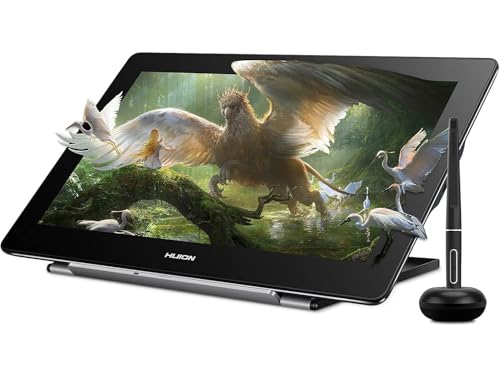
HUION Kamvas Pro 16 4K Review: Compare 66 technical specifications and user reviews to see how this product ranks in the Drawing tablets category and whether it is worth buying.

7.5

Overall score

Score
7.5/ 10
✕
What it is
An overall evaluation of the drawing tablet's quality, based on technical analyses and user reviews.
When it matters
When you need a quick reference to identify the best drawing tablets on the market.
Score distribution
▼
<55-66-77-88-99-10
Score components

90%

7.5

Technical score

10%

7.2

User score

▲Better than 77% of drawing-tablets
7.5

Technical score

Technical score
7.5/ 10
✕
What it is
An assessment of technical performance for products in the Drawing tablets category across these key areas: Form Factor, Display & Color, Pen & Input, Connectivity, Controls & Extras.
When it matters
When you want to compare drawing tablets based on technical performance and available features.
Score distribution
▼
<55-66-77-88-99-10
Score components

50%

8.2

Pen & Input

40%

7.0

Display & Color

4%

7.7

Form Factor

3%

6.9

Connectivity

3%

3.3

Controls & Extras

▲Better than 78% of drawing-tablets
7.2

User score

User score
7.2/ 10
✕
What it is
A rating that combines user reviews and the total number of reviews received by the drawing tablet.
When it matters
When you want to know how a drawing tablet performs in real use and how reliable it remains over time according to user feedback.
Score distribution
▼
<55-66-77-88-99-10
Score components

70%

8.1

User ratings

30%

5.0

Number of reviews

Based on 67 buyer reviews from online shops.
How we calculate this
User ratings – average star rating across all shop listings, weighted by how many reviews each has, on a 1–10 scale.
Number of reviews – how many buyer reviews the product has, on a logarithmic scale; the 8% most-reviewed models in the category get 10.
▼Worse than 95% of drawing-tablets
  • huion-kamvas-pro-16-4k
  • huion-kamvas-pro-16-4k
  • huion-kamvas-pro-16-4k
  • huion-kamvas-pro-16-4k
  • huion-kamvas-pro-16-4k
  • huion-kamvas-pro-16-4k
  • huion-kamvas-pro-16-4k
  • huion-kamvas-pro-16-4k
  • huion-kamvas-pro-16-4k
  • huion-kamvas-pro-16-4k
huion-kamvas-pro-16-4k

Best prices

*As an Amazon Associate, we earn from qualifying purchases.

Best rankings

Available: ranking among products currently available (including other versions of this product).All: ranking among all products in the database.
Loading...
Loading category ranking...

Technical Specifications of drawing tablet HUION Kamvas Pro 16 4K

Technical score
Technical score
7.5/ 10
✕
What it is
An assessment of technical performance for products in the Drawing tablets category across these key areas: Form Factor, Display & Color, Pen & Input, Connectivity, Controls & Extras.
When it matters
When you want to compare drawing tablets based on technical performance and available features.
Score distribution
▼
<55-66-77-88-99-10
Score components:

50%

8.2

Pen & Input

40%

7.0

Display & Color

4%

7.7

Form Factor

3%

6.9

Connectivity

3%

3.3

Controls & Extras

7.5
User score
User score
7.2/ 10
✕
What it is
A rating that combines user reviews and the total number of reviews received by the drawing tablet.
When it matters
When you want to know how a drawing tablet performs in real use and how reliable it remains over time according to user feedback.
Score distribution
▼
<55-66-77-88-99-10
Score components

70%

8.1

User ratings

30%

5.0

Number of reviews

Based on 67 buyer reviews from online shops.
How we calculate this
User ratings – average star rating across all shop listings, weighted by how many reviews each has, on a 1–10 scale.
Number of reviews – how many buyer reviews the product has, on a logarithmic scale; the 8% most-reviewed models in the category get 10.
7.2
Popularity
Popularity
5.0/ 10
✕
What it is
An indicator based on the number of reviews received by the drawing tablet.
When it matters
When you prefer to buy a product chosen and reviewed by many other consumers.
Score distribution
▼
<55-66-77-88-99-10
Popularity:
HUION Kamvas Pro 16 4K has a popularity score of 5 points, which is lower than 55.7% of drawing tablets.
5.0
Value for money
Value for money
7.7/ 10
✕
What it is
An indicator that combines the drawing tablet's overall rating with its cost.
When it matters
When you are looking for a drawing tablet with a good balance between quality and price.
Score distribution
▼
<55-66-77-88-99-10
Score components:

60%

7.5

Overall score

40%

8.1

Price

7.7
Type
pen display
Display
yes
Display
yes
This drawing tablet has a display. This feature is present on 47.9% of drawing tablets.
4K display.
Compatibility
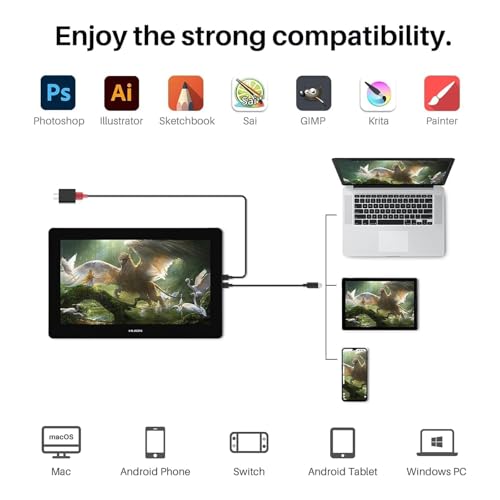
Windows / macOS / Linux / Android
Wireless capability
no
Wireless capability
no
This drawing tablet does not support wireless use. 18.6% of drawing tablets support wireless use.
Weight
1,270 g
Weight
1,270 g
This drawing tablet weighs 1,270 g, heavier than 65.4% of drawing tablets and equal to 0.5% of drawing tablets.
Tablet only; separate stand excluded.
Show more
Active drawing area
67,185 mm²
Active drawing area
67,185 mm²
This drawing tablet offers an active drawing area of 67,185 mm², larger than that of 74.6% of drawing tablets and equal to that of 2.1% of drawing tablets.
345.6 x 194.4 mm.
Screen size
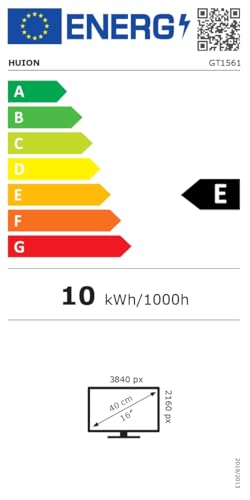
15.6 inch
Screen size
15.6 inch
This drawing tablet has a screen size of 15.6 inch, larger than that of 34.4% of drawing tablets and equal to that of 21.5% of drawing tablets.
Resolution
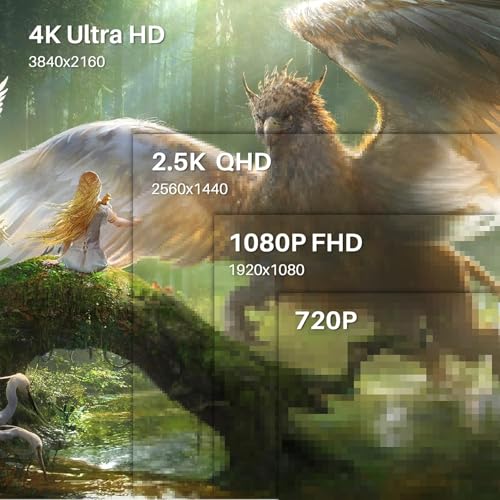
3840x2160
Resolution
3840x2160
This drawing tablet has a display resolution of 3840x2160, higher than that of 89.7% of drawing tablets and equal to that of 10.3% of drawing tablets.
Pixel density
282 ppi
Pixel density
282 ppi
This drawing tablet has a pixel density of 282 ppi, higher than that of 92.5% of drawing tablets and equal to that of 7.5% of drawing tablets.
Typical brightness
220 nits
Typical brightness
220 nits
This drawing tablet has a typical brightness of 220 nits, lower than that of 57.1% of drawing tablets and equal to that of 34.1% of drawing tablets.
Show more
Stylus included
yes
Stylus included
yes
This drawing tablet comes with a stylus. This feature is present on 100% of drawing tablets.
Pen technology
EMR (battery-free)
Pen technology
EMR (battery-free)
This drawing tablet uses EMR (battery-free) pen technology, more advanced than that of 4.6% of drawing tablets and equal to that of 95.4% of drawing tablets.
PenTech 3.
Pen pressure levels
8,192
Pen pressure levels
8,192
This drawing tablet supports 8,192 pen pressure levels, more than 9.3% of drawing tablets and equal to 75.8% of drawing tablets.
Pen resolution
5,080 LPI
Pen resolution
5,080 LPI
This drawing tablet supports a pen resolution of 5,080 LPI, higher than that of 5.7% of drawing tablets and equal to that of 94.3% of drawing tablets.
Report rate
220 RPS
Report rate
220 RPS
This drawing tablet has a report rate of 220 RPS, lower than that of 56% of drawing tablets and equal to that of 20.9% of drawing tablets.
Show more
Bluetooth connectivity
no
Bluetooth connectivity
no
This drawing tablet does not support Bluetooth. 13.1% of drawing tablets support Bluetooth.
USB 3.2 Gen 2 (USB-C) ports
?
USB 3.2 Gen 1 (USB-C) ports
1
USB 3.2 Gen 1 (USB-C) ports
1
This drawing tablet has 1 USB 3.2 Gen 1 (USB-C) ports, more than 49.1% of drawing tablets and equal to 40.2% of drawing tablets.
USB 3.2 Gen 2 (USB-A) ports
0
USB 3.2 Gen 2 (USB-A) ports
0
This drawing tablet has 0 USB 3.2 Gen 2 (USB-A) ports, fewer than 1.1% of drawing tablets and equal to 99% of drawing tablets.
USB 3.2 Gen 1 (USB-A) ports
0
USB 3.2 Gen 1 (USB-A) ports
0
This drawing tablet has 0 USB 3.2 Gen 1 (USB-A) ports, fewer than 1.6% of drawing tablets and equal to 98.4% of drawing tablets.
Show more
N. of express keys
0
N. of express keys
0
This drawing tablet has 0 express keys, fewer than 71.6% of drawing tablets and equal to 28.4% of drawing tablets.
Uses external Keydial remote.
N. of dials
0
N. of dials
0
This drawing tablet has 0 dials, fewer than 21.6% of drawing tablets and equal to 78.4% of drawing tablets.
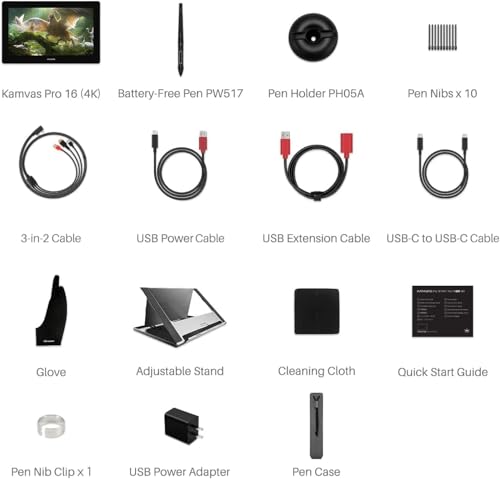
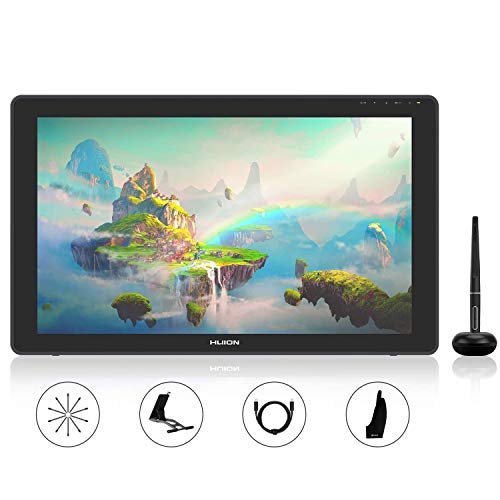
Stand included
yes
Stand included
yes
This drawing tablet comes with a stand. This feature is present on 29.5% of drawing tablets.
Fold-out legs
no
Fold-out legs
no
This drawing tablet does not have fold-out legs. 7.3% of drawing tablets have fold-out legs.
Uses separate stand.
Pen stand included
yes
Pen stand included
yes
This drawing tablet comes with a pen stand. This feature is present on 58.9% of drawing tablets.
Show more

HUION Kamvas Pro 16 4K vs the average drawing tablet

246810TotalForm FactorDisplay & ColorPen & InputConnectivityControls & Extras
  • Fully laminated display
    Full lamination
    yes
    This drawing tablet has full lamination, while the average drawing tablet does not. 39% of drawing tablets have full lamination.
  • 69.9% higher pixel density
    Pixel density
    282 ppi
    This drawing tablet has a higher pixel density than the average drawing tablet (282 ppi vs 166 ppi). The average drawing tablet has a pixel density of 166 ppi.
    282 ppi vs 166 ppi
  • Supports HDR
    HDR support
    yes
    This drawing tablet supports HDR, while the average drawing tablet does not. 6.3% of drawing tablets support HDR.
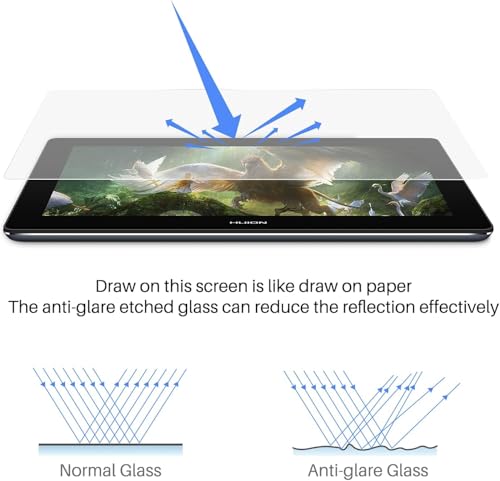
  • Anti-reflection coating
    Anti-reflection coating
    yes
    This drawing tablet has an anti-reflection coating, while the average drawing tablet does not. 47.7% of drawing tablets have an anti-reflection coating.
    Etched anti-glare glass.
  • 26,421 mm² larger work area
    Active drawing area
    67,185 mm²
    This drawing tablet has a larger active drawing area than the average drawing tablet (67185 mm² vs 40764 mm²). The average drawing tablet offers an active drawing area of 40764 mm².
    345.6 x 194.4 mm.
    67,185 mm² vs 40,764 mm²
  • Integrated display
    Display
    yes
    This drawing tablet has a display, while the average drawing tablet does not. 48.2% of drawing tablets have a display.
    4K display.
  • Stand included
    Stand included
    yes
    This drawing tablet comes with a stand, while the average drawing tablet does not. 29.8% of drawing tablets come with a stand.
  • Integrated display
    Display
    yes
    This drawing tablet has a display, while the average drawing tablet does not. 48.2% of drawing tablets have a display.
    4K display.
  • Fully laminated display
    Full lamination
    yes
    This drawing tablet has full lamination, while the average drawing tablet does not. 39% of drawing tablets have full lamination.
  • 69.9% higher pixel density
    Pixel density
    282 ppi
    This drawing tablet has a higher pixel density than the average drawing tablet (282 ppi vs 166 ppi). The average drawing tablet has a pixel density of 166 ppi.
    282 ppi vs 166 ppi
  • Supports HDR
    HDR support
    yes
    This drawing tablet supports HDR, while the average drawing tablet does not. 6.3% of drawing tablets support HDR.
  • Anti-reflection coating
    Anti-reflection coating
    yes
    This drawing tablet has an anti-reflection coating, while the average drawing tablet does not. 47.7% of drawing tablets have an anti-reflection coating.
    Etched anti-glare glass.
  • 26,421 mm² larger work area
    Active drawing area
    67,185 mm²
    This drawing tablet has a larger active drawing area than the average drawing tablet (67185 mm² vs 40764 mm²). The average drawing tablet offers an active drawing area of 40764 mm².
    345.6 x 194.4 mm.
    67,185 mm² vs 40,764 mm²
  • Stand included
    Stand included
    yes
    This drawing tablet comes with a stand, while the average drawing tablet does not. 29.8% of drawing tablets come with a stand.
  • 11 ms slower response
    Response time
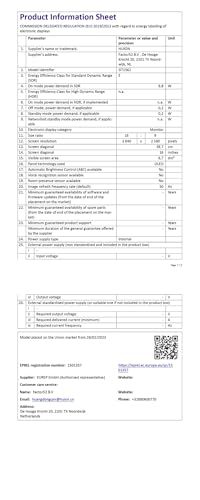
    25 ms
    This drawing tablet has a slower response time than the average drawing tablet (25 ms vs 14 ms). The average drawing tablet has a response time of 14 ms.
    25 ms vs 14 ms
  • 30 nits dimmer display
    Typical brightness
    220 nits
    This drawing tablet has lower typical brightness than the average drawing tablet (220 nits vs 250 nits). The average drawing tablet has a typical brightness of 250 nits.
    220 nits vs 250 nits
  • 1 % narrower sRGB coverage
    sRGB coverage
    98 %
    This drawing tablet covers less sRGB than the average drawing tablet (98 % vs 99 %). The average drawing tablet covers 99 % of sRGB.
    98 % vs 99 %
  • 4 % narrower Adobe RGB coverage
    Adobe RGB coverage
    88 %
    This drawing tablet covers less Adobe RGB than the average drawing tablet (88 % vs 92 %). The average drawing tablet covers 92 % of Adobe RGB.
    88 % vs 92 %
  • 6 fewer express keys
    N. of express keys
    0
    This drawing tablet has fewer express keys than the average drawing tablet (0 vs 6). The average drawing tablet has 6 express keys.
    Uses external Keydial remote.
    0 vs 6
  • 5.6% lower report rate
    Report rate
    220 RPS
    This drawing tablet has a lower report rate than the average drawing tablet (220 RPS vs 233 RPS). The average drawing tablet has a report rate of 233 RPS.
    220 RPS vs 233 RPS
  • 6.1% heavier pen
    Pen weight
    14 g
    This drawing tablet includes a heavier pen than the average drawing tablet (14 g vs 13.2 g). The average drawing tablet pen weighs 13.2 g.
    14 g vs 13.2 g
  • 2 % narrower DCI-P3 coverage
    DCI-P3 coverage
    92 %
    This drawing tablet covers less DCI-P3 than the average drawing tablet (92 % vs 94 %). The average drawing tablet covers 94 % of DCI-P3.
    92 % vs 94 %
  • 2.81x more expensive
    HUION Kamvas Pro 16 4K is more expensive than the average drawing tablet (£450 vs £160).
    £450 vs £160
  • 11.5% lower user score
    User score
    7.2/ 10
    ✕
    What it is
    A rating that combines user reviews and the total number of reviews received by the drawing tablet.
    When it matters
    When you want to know how a drawing tablet performs in real use and how reliable it remains over time according to user feedback.
    Score distribution
    ▼▼
    <55-66-77-88-99-10
    HUION Kamvas Pro 16 4K
    the average drawing tablet
    HUION Kamvas Pro 16 4K has a lower user score than the average drawing tablet (7.18 vs 8.000).
    7.18 vs 8
  • 71.6% heavier design
    Weight
    1,270 g
    This drawing tablet is heavier than the average drawing tablet (1270 g vs 740 g). The average drawing tablet weighs 740 g.
    Tablet only; separate stand excluded.
    1,270 g vs 740 g
  • 45.9 mm bulkier body
    Width
    402.7 mm
    This drawing tablet is wider than the average drawing tablet (402.7 mm vs 356.8 mm). The average drawing tablet is 356.8 mm wide.
    402.7 mm vs 356.8 mm
  • 2.5 mm thicker body
    Thickness
    13 mm
    This drawing tablet is thicker than the average drawing tablet (13 mm vs 10.5 mm). The average drawing tablet is 10.5 mm thick.
    13 mm vs 10.5 mm
  • 34.4 mm taller body
    Height
    257.4 mm
    This drawing tablet is taller than the average drawing tablet (257.4 mm vs 223 mm). The average drawing tablet is 223 mm tall.
    257.4 mm vs 223 mm
  • 11 ms slower response
    Response time
    25 ms
    This drawing tablet has a slower response time than the average drawing tablet (25 ms vs 14 ms). The average drawing tablet has a response time of 14 ms.
    25 ms vs 14 ms
  • 30 nits dimmer display
    Typical brightness
    220 nits
    This drawing tablet has lower typical brightness than the average drawing tablet (220 nits vs 250 nits). The average drawing tablet has a typical brightness of 250 nits.
    220 nits vs 250 nits
  • 1 % narrower sRGB coverage
    sRGB coverage
    98 %
    This drawing tablet covers less sRGB than the average drawing tablet (98 % vs 99 %). The average drawing tablet covers 99 % of sRGB.
    98 % vs 99 %
  • 4 % narrower Adobe RGB coverage
    Adobe RGB coverage
    88 %
    This drawing tablet covers less Adobe RGB than the average drawing tablet (88 % vs 92 %). The average drawing tablet covers 92 % of Adobe RGB.
    88 % vs 92 %
  • 2 % narrower DCI-P3 coverage
    DCI-P3 coverage
    92 %
    This drawing tablet covers less DCI-P3 than the average drawing tablet (92 % vs 94 %). The average drawing tablet covers 94 % of DCI-P3.
    92 % vs 94 %
  • 5.6% lower report rate
    Report rate
    220 RPS
    This drawing tablet has a lower report rate than the average drawing tablet (220 RPS vs 233 RPS). The average drawing tablet has a report rate of 233 RPS.
    220 RPS vs 233 RPS
  • 6.1% heavier pen
    Pen weight
    14 g
    This drawing tablet includes a heavier pen than the average drawing tablet (14 g vs 13.2 g). The average drawing tablet pen weighs 13.2 g.
    14 g vs 13.2 g
  • 6 fewer express keys
    N. of express keys
    0
    This drawing tablet has fewer express keys than the average drawing tablet (0 vs 6). The average drawing tablet has 6 express keys.
    Uses external Keydial remote.
    0 vs 6
  • 2.14x higher power consumption
    Power consumption
    15 W
    This drawing tablet uses more power than the average drawing tablet (15 W vs 7 W). The average drawing tablet uses 7 W of power.
    Typical operating power.
    15 W vs 7 W

Video reviews

Hands-on testing, unboxing, and real-world video evaluations

Expert reviews

In-depth analysis and verdict from leading tech publications

D
digitec.ch
07/01/2025
Summary of the review
G
galaxus.de
07/01/2025
Summary of the review
J
jecreermaboite.fr
31/07/2025
Summary of the review
D
digitalpainting.school
02/08/2020
Summary of the review
S
statoquotidiano.it
22/04/2026
Summary of the review

Third-party reviews

Based on 67 buyer reviews from online shops.
Reviews last updated: July 2026 · How we calculate this

What we like about HUION Kamvas Pro 16 4K

  • Stunning 4K resolution (3840 x 2160) provides exceptional pixel density and sharp details for a 16-inch screen.
  • Fully laminated display with etched anti-glare glass eliminates parallax and provides a natural, paper-like drawing texture.
  • High color accuracy and vibrant visuals, with the Plus model reaching up to 145% sRGB gamut coverage.
  • Premium build quality featuring a sleek aluminum alloy back and slim, lightweight design.
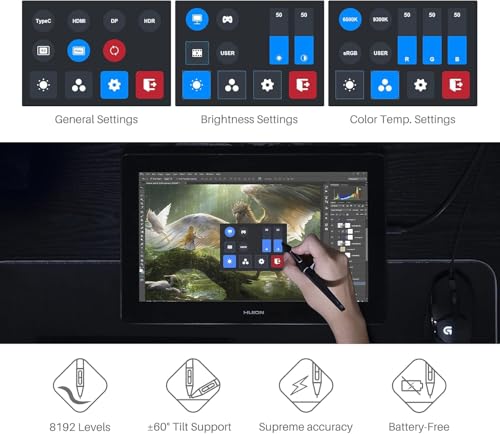
  • Responsive PenTech 3.0 stylus offers 8,192 levels of pressure sensitivity and 60° tilt support without requiring a battery.
  • Includes a solid metal adjustable stand that offers stable support at multiple viewing angles.

What we don't like about HUION Kamvas Pro 16 4K

  • Lack of physical shortcut keys on the tablet itself, which may require purchasing an external remote like the Keydial Mini.
  • Noticeable 'anti-glare sparkle' or graininess on the screen due to the etched glass surface.
  • The 4K resolution can be considered overkill for a 16-inch screen, as UI elements may appear too small without significant scaling.
  • Color calibration out of the box can be inconsistent, sometimes requiring manual adjustment to match professional monitors.
  • Occasional software and driver glitches, such as pen offset issues or the cursor being misidentified as a right-click.
  • Requires multiple cables and a constant power connection, limiting portability compared to standalone tablets.

Verdict

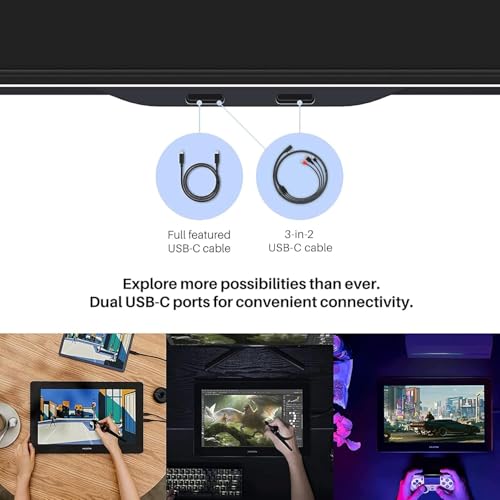
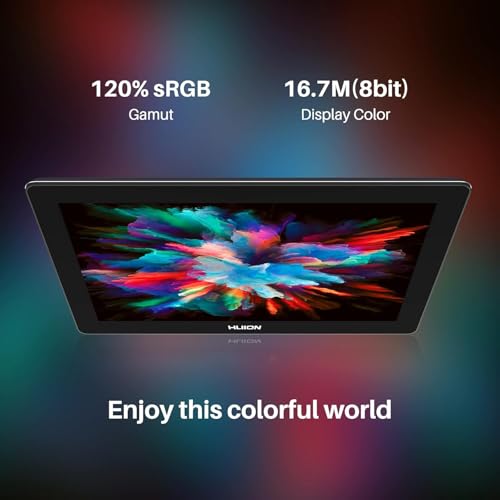
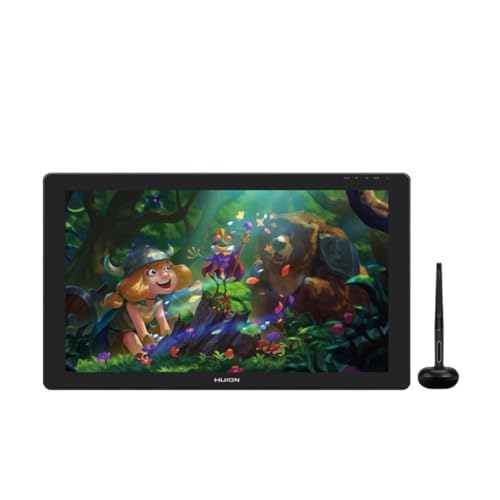
The Huion Kamvas Pro 16 4K is a high-end 15.6-inch drawing tablet featuring a 3840 x 2160 UHD resolution display with a 282 PPI density, delivering exceptional clarity and detail for professional artists. Key characteristics include a fully laminated screen to reduce parallax, anti-glare etched glass for a paper-like feel, and a wide color gamut of 120% sRGB with a 1000:1 contrast ratio. Main pros include its sleek 13mm metal unibody design, a battery-free PW517 pen utilizing PenTech 3.0 with 8,192 pressure levels and ±60° tilt support, and versatile connectivity via a 3-in-1 cable or a single full-featured USB-C port. Major cons are the complete lack of physical shortcut buttons on the device, a maximum brightness of 220 nits that may feel dim in bright rooms, and the high power requirement which often necessitates an external power source even when using USB-C.

Compare HUION Kamvas Pro 16 4K with other products in the Drawing tablets category

1Product to compare no. 1
VS
2Product to compare no. 2
VS
3Product to compare no. 3 (optional)

Graphic comparison of HUION Kamvas Pro 16 4K and other products in the Drawing tablets category

No results found