Scored using Drawing tablets Methodology v1.0
Drawing tablets Methodology v1.0
Mathematical & Unbiased Scoring
Products in this category are evaluated mathematically under Frontumo Drawing tablets Methodology v1.0 using verified laboratory benchmarks, technical specifications, and authentic consumer ratings with 0% commercial bias.
Explore Drawing tablets Methodology v1.0

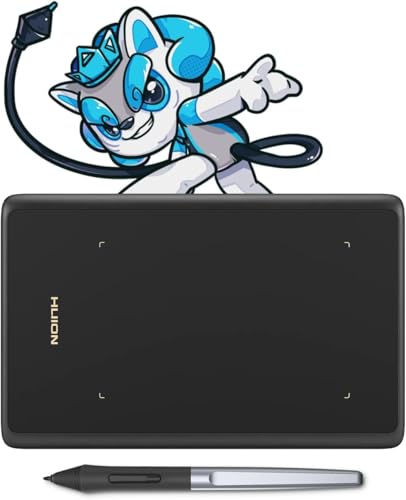
HUION H420 Review | 66 Data compared

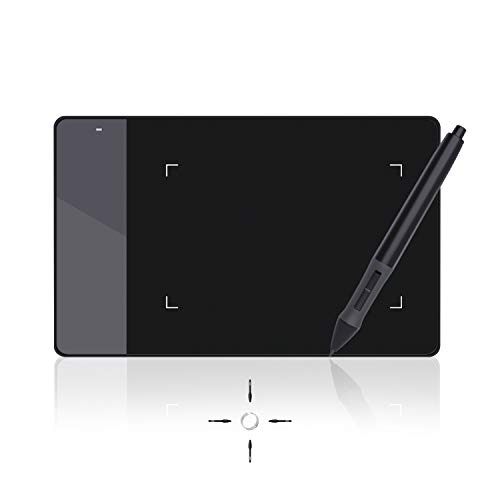
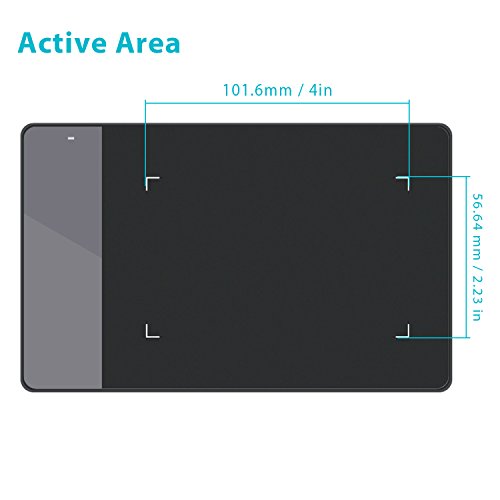
Avg. price:~£25Type:pen tabletActive drawing area:6848 mm²Resolution:N/APen pressure levels:2048Report rate:200 RPS

HUION H420 Review: Compare 66 technical specifications and user reviews to see how this product ranks in the Drawing tablets category and whether it is worth buying.

5.1

Overall score

Score
5.1/ 10
✕
What it is
An overall evaluation of the drawing tablet's quality, based on technical analyses and user reviews.
When it matters
When you need a quick reference to identify the best drawing tablets on the market.
Score distribution
â–¼
<55-66-77-88-99-10
Score components

90%

4.7

Technical score

10%

8.7

User score

â–¼Worse than 98% of drawing-tablets
4.7

Technical score

Technical score
4.7/ 10
✕
What it is
An assessment of technical performance for products in the Drawing tablets category across these key areas: Form Factor, Display & Color, Pen & Input, Connectivity, Controls & Extras.
When it matters
When you want to compare drawing tablets based on technical performance and available features.
Score distribution
â–¼
<55-66-77-88-99-10
Score components

50%

5.4

Pen & Input

40%

3.9

Display & Color

4%

6.5

Form Factor

3%

4.4

Connectivity

3%

3.4

Controls & Extras

â–¼Worse than 98% of drawing-tablets
8.7

User score

User score
8.7/ 10
✕
What it is
A rating that combines user reviews and the total number of reviews received by the drawing tablet.
When it matters
When you want to know how a drawing tablet performs in real use and how reliable it remains over time according to user feedback.
Score distribution
â–¼
<55-66-77-88-99-10
Score components

70%

8.2

User ratings

30%

10

Number of reviews

Based on 48,404 buyer reviews from online shops.
How we calculate this
User ratings – average star rating across all shop listings, weighted by how many reviews each has, on a 1–10 scale.
Number of reviews – how many buyer reviews the product has, on a logarithmic scale; the 8% most-reviewed models in the category get 10.
â–²Better than 76% of drawing-tablets
  • huion-h420
  • huion-h420
  • huion-h420
  • huion-h420
  • huion-h420
  • huion-h420
  • huion-h420
  • huion-h420
huion-h420
huion-h420
huion-h420
huion-h420
huion-h420
huion-h420
huion-h420
huion-h420

Best prices

*As an Amazon Associate, we earn from qualifying purchases.

Best rankings

Available: ranking among products currently available (including other versions of this product).All: ranking among all products in the database.
Loading...
Loading category ranking...

Technical Specifications of drawing tablet HUION H420

Technical score
Technical score
4.7/ 10
✕
What it is
An assessment of technical performance for products in the Drawing tablets category across these key areas: Form Factor, Display & Color, Pen & Input, Connectivity, Controls & Extras.
When it matters
When you want to compare drawing tablets based on technical performance and available features.
Score distribution
â–¼
<55-66-77-88-99-10
Score components:

50%

5.4

Pen & Input

40%

3.9

Display & Color

4%

6.5

Form Factor

3%

4.4

Connectivity

3%

3.4

Controls & Extras

4.7
User score
User score
8.7/ 10
✕
What it is
A rating that combines user reviews and the total number of reviews received by the drawing tablet.
When it matters
When you want to know how a drawing tablet performs in real use and how reliable it remains over time according to user feedback.
Score distribution
â–¼
<55-66-77-88-99-10
Score components

70%

8.2

User ratings

30%

10

Number of reviews

Based on 48,404 buyer reviews from online shops.
How we calculate this
User ratings – average star rating across all shop listings, weighted by how many reviews each has, on a 1–10 scale.
Number of reviews – how many buyer reviews the product has, on a logarithmic scale; the 8% most-reviewed models in the category get 10.
8.7
Popularity
Popularity
10.0/ 10
✕
What it is
An indicator based on the number of reviews received by the drawing tablet.
When it matters
When you prefer to buy a product chosen and reviewed by many other consumers.
Score distribution
â–¼
<55-66-77-88-99-10
Popularity:
HUION H420 has a popularity score of 10 points, which is higher than 92.3% of drawing tablets.
10
Value for money
Value for money
6.6/ 10
✕
What it is
An indicator that combines the drawing tablet's overall rating with its cost.
When it matters
When you are looking for a drawing tablet with a good balance between quality and price.
Score distribution
â–¼
<55-66-77-88-99-10
Score components:

60%

5.1

Overall score

40%

10

Price

6.6
Type
pen tablet
Display
no
Display
no
This drawing tablet does not have a display. 48.5% of drawing tablets have a display.
Compatibility
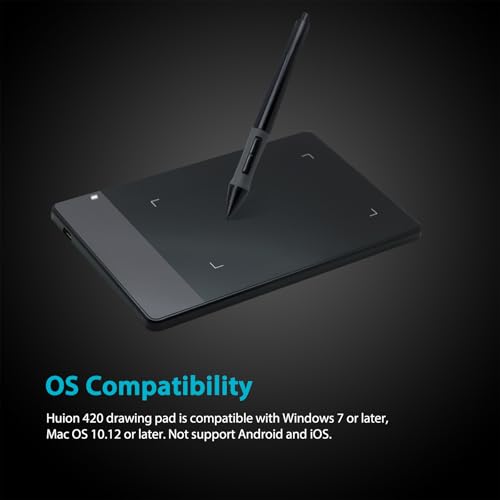
Windows / macOS
Wireless capability
no
Wireless capability
no
This drawing tablet does not support wireless use. 18.6% of drawing tablets support wireless use.
Weight
167 g
Weight
167 g
This drawing tablet weighs 167 g, lighter than 95.2% of drawing tablets.
Show more
Active drawing area
6,848 mm²
Active drawing area
6,848 mm²
This drawing tablet offers an active drawing area of 6,848 mm², smaller than that of 100% of drawing tablets.
106 x 64.6 mm.
Screen size
N/A
Resolution
N/A
Pixel density
N/A
Typical brightness
N/A
Show more
Stylus included
yes
Stylus included
yes
This drawing tablet comes with a stylus. This feature is present on 100% of drawing tablets.
Pen technology
EMR (battery-powered)
Pen technology
EMR (battery-powered)
This drawing tablet uses EMR (battery-powered) pen technology, less advanced than that of 95.9% of drawing tablets and equal to that of 3.6% of drawing tablets.
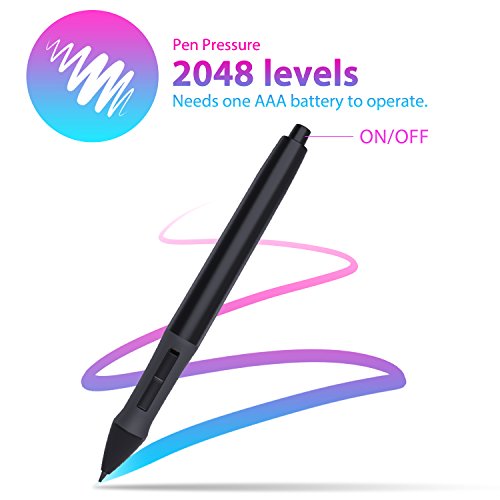
AAA battery pen.
Pen pressure levels
2048
Pen pressure levels
2048
This drawing tablet supports 2048 pen pressure levels, fewer than 95.9% of drawing tablets and equal to 4.1% of drawing tablets.
Pen resolution
4,000 LPI
Pen resolution
4,000 LPI
This drawing tablet supports a pen resolution of 4,000 LPI, lower than that of 94.8% of drawing tablets.
Report rate
200 RPS
Report rate
200 RPS
This drawing tablet has a report rate of 200 RPS, lower than that of 77.5% of drawing tablets and equal to that of 16.5% of drawing tablets.
Show more
Bluetooth connectivity
no
Bluetooth connectivity
no
This drawing tablet does not support Bluetooth. 13.1% of drawing tablets support Bluetooth.
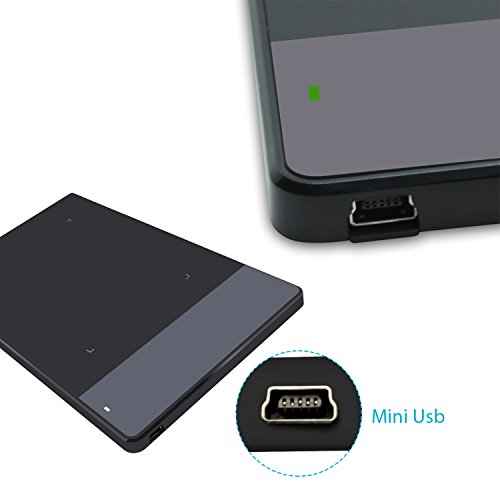
USB 3.2 Gen 2 (USB-C) ports
0
USB 3.2 Gen 2 (USB-C) ports
0
This drawing tablet has 0 USB 3.2 Gen 2 (USB-C) ports, fewer than 17.4% of drawing tablets and equal to 82.6% of drawing tablets.
USB 3.2 Gen 1 (USB-C) ports
0
USB 3.2 Gen 1 (USB-C) ports
0
This drawing tablet has 0 USB 3.2 Gen 1 (USB-C) ports, fewer than 51.8% of drawing tablets and equal to 48.2% of drawing tablets.
USB 3.2 Gen 2 (USB-A) ports
0
USB 3.2 Gen 2 (USB-A) ports
0
This drawing tablet has 0 USB 3.2 Gen 2 (USB-A) ports, fewer than 1.1% of drawing tablets and equal to 99% of drawing tablets.
USB 3.2 Gen 1 (USB-A) ports
0
USB 3.2 Gen 1 (USB-A) ports
0
This drawing tablet has 0 USB 3.2 Gen 1 (USB-A) ports, fewer than 1.6% of drawing tablets and equal to 98.4% of drawing tablets.
Show more
N. of express keys
3
N. of express keys
3
This drawing tablet has 3 express keys, fewer than 69% of drawing tablets and equal to 1.1% of drawing tablets.
N. of dials
0
N. of dials
0
This drawing tablet has 0 dials, fewer than 21.6% of drawing tablets and equal to 78.4% of drawing tablets.
Stand included
no
Stand included
no
This drawing tablet does not come with a stand. 30% of drawing tablets come with a stand.
Fold-out legs
no
Fold-out legs
no
This drawing tablet does not have fold-out legs. 7.3% of drawing tablets have fold-out legs.
Pen stand included
no
Pen stand included
no
This drawing tablet does not come with a pen stand. 59.4% of drawing tablets come with a pen stand.
Only loop/clip storage.
Show more

HUION H420 vs the average drawing tablet

246810TotalForm FactorDisplay & ColorPen & InputConnectivityControls & Extras
  • 180.8 mm slimmer body
    Width
    176 mm
    This drawing tablet is narrower than the average drawing tablet (176 mm vs 356.8 mm). The average drawing tablet is 356.8 mm wide.
    176 mm vs 356.8 mm
  • 77.4% lighter design
    Weight
    167 g
    This drawing tablet is lighter than the average drawing tablet (167 g vs 740 g). The average drawing tablet weighs 740 g.
    167 g vs 740 g
  • 112 mm shorter body
    Height
    111 mm
    This drawing tablet is shorter than the average drawing tablet (111 mm vs 223 mm). The average drawing tablet is 223 mm tall.
    Landscape body height.
    111 mm vs 223 mm
  • 6.4x cheaper
    HUION H420 is cheaper than the average drawing tablet (£25 vs £160).
    £25 vs £160
  • 3 mm thinner body
    Thickness
    7.5 mm
    This drawing tablet is thinner than the average drawing tablet (7.5 mm vs 10.5 mm). The average drawing tablet is 10.5 mm thick.
    7.5 mm vs 10.5 mm
  • 9.1% higher user score
    User score
    8.7/ 10
    ✕
    What it is
    A rating that combines user reviews and the total number of reviews received by the drawing tablet.
    When it matters
    When you want to know how a drawing tablet performs in real use and how reliable it remains over time according to user feedback.
    Score distribution
    â–¼
    â–¼
    <55-66-77-88-99-10
    HUION H420
    the average drawing tablet
    HUION H420 has a higher user score than the average drawing tablet (8.73 vs 8.000).
    8.73 vs 8
  • 62.5% more popular
    HUION H420 has a higher popularity than the average drawing tablet (10 vs 6.2).
    10 vs 6.16
  • 6.4x cheaper
    HUION H420 is cheaper than the average drawing tablet (£25 vs £160).
    £25 vs £160
  • 9.1% higher user score
    User score
    8.7/ 10
    ✕
    What it is
    A rating that combines user reviews and the total number of reviews received by the drawing tablet.
    When it matters
    When you want to know how a drawing tablet performs in real use and how reliable it remains over time according to user feedback.
    Score distribution
    â–¼
    â–¼
    <55-66-77-88-99-10
    HUION H420
    the average drawing tablet
    HUION H420 has a higher user score than the average drawing tablet (8.73 vs 8.000).
    8.73 vs 8
  • 62.5% more popular
    HUION H420 has a higher popularity than the average drawing tablet (10 vs 6.2).
    10 vs 6.16
  • 180.8 mm slimmer body
    Width
    176 mm
    This drawing tablet is narrower than the average drawing tablet (176 mm vs 356.8 mm). The average drawing tablet is 356.8 mm wide.
    176 mm vs 356.8 mm
  • 77.4% lighter design
    Weight
    167 g
    This drawing tablet is lighter than the average drawing tablet (167 g vs 740 g). The average drawing tablet weighs 740 g.
    167 g vs 740 g
  • 112 mm shorter body
    Height
    111 mm
    This drawing tablet is shorter than the average drawing tablet (111 mm vs 223 mm). The average drawing tablet is 223 mm tall.
    Landscape body height.
    111 mm vs 223 mm
  • 3 mm thinner body
    Thickness
    7.5 mm
    This drawing tablet is thinner than the average drawing tablet (7.5 mm vs 10.5 mm). The average drawing tablet is 10.5 mm thick.
    7.5 mm vs 10.5 mm
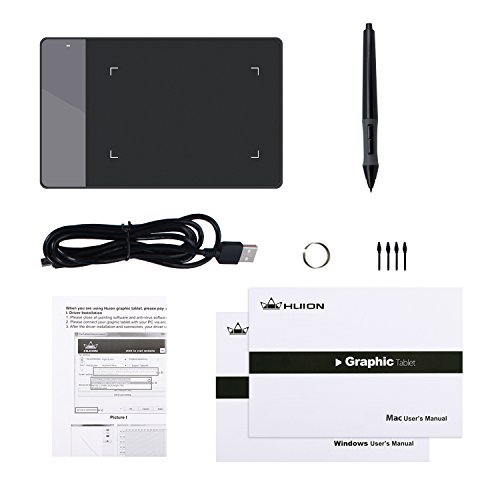
  • 6 fewer nibs included
    N. of nibs included
    4
    This drawing tablet includes fewer replacement nibs than the average drawing tablet (4 vs 10). The average drawing tablet includes 10 replacement nibs.
    4 vs 10
  • Less advanced pen technology
    Pen technology
    EMR (battery-powered)
    This drawing tablet uses less advanced pen technology than the average drawing tablet (EMR (battery-powered) vs EMR (battery-free)). The average drawing tablet uses EMR (battery-free) pen technology.
    AAA battery pen.
    EMR (battery-powered) vs EMR (battery-free)
  • 6,144 lower pen pressure levels
    Pen pressure levels
    2048
    This drawing tablet supports fewer pen pressure levels than the average drawing tablet (2048 vs 8,192). The average drawing tablet supports 8,192 pen pressure levels.
    2,048 vs 8,192
  • 1080 LPI lower pen resolution
    Pen resolution
    4,000 LPI
    This drawing tablet supports a lower pen resolution than the average drawing tablet (4000 LPI vs 5080 LPI). The average drawing tablet supports a pen resolution of 5080 LPI.
    4000 LPI vs 5080 LPI
  • 33,916 mm² smaller work area
    Active drawing area
    6,848 mm²
    This drawing tablet has a smaller active drawing area than the average drawing tablet (6848 mm² vs 40764 mm²). The average drawing tablet offers an active drawing area of 40764 mm².
    106 x 64.6 mm.
    6,848 mm² vs 40,764 mm²
  • 14.2% lower report rate
    Report rate
    200 RPS
    This drawing tablet has a lower report rate than the average drawing tablet (200 RPS vs 233 RPS). The average drawing tablet has a report rate of 233 RPS.
    200 RPS vs 233 RPS
  • 1 fewer USB-C 3.2 Gen 1 ports
    USB 3.2 Gen 1 (USB-C) ports
    0
    This drawing tablet has fewer USB 3.2 Gen 1 (USB-C) ports than the average drawing tablet (0 vs 1). The average drawing tablet has 1 USB 3.2 Gen 1 (USB-C) ports.
    0 vs 1
  • Older release
    Release date
    2012
    This drawing tablet was released earlier than the average drawing tablet.
    2,012 vs 2,021
  • 15.4% worse value for money
    HUION H420 has a lower value-for-money score than the average drawing tablet (6.58 vs 7.6).
    6.58 vs 7.6
  • Older release
    Release date
    2012
    This drawing tablet was released earlier than the average drawing tablet.
    2,012 vs 2,021
  • 33,916 mm² smaller work area
    Active drawing area
    6,848 mm²
    This drawing tablet has a smaller active drawing area than the average drawing tablet (6848 mm² vs 40764 mm²). The average drawing tablet offers an active drawing area of 40764 mm².
    106 x 64.6 mm.
    6,848 mm² vs 40,764 mm²
  • 6 fewer nibs included
    N. of nibs included
    4
    This drawing tablet includes fewer replacement nibs than the average drawing tablet (4 vs 10). The average drawing tablet includes 10 replacement nibs.
    4 vs 10
  • Less advanced pen technology
    Pen technology
    EMR (battery-powered)
    This drawing tablet uses less advanced pen technology than the average drawing tablet (EMR (battery-powered) vs EMR (battery-free)). The average drawing tablet uses EMR (battery-free) pen technology.
    AAA battery pen.
    EMR (battery-powered) vs EMR (battery-free)
  • 6,144 lower pen pressure levels
    Pen pressure levels
    2048
    This drawing tablet supports fewer pen pressure levels than the average drawing tablet (2048 vs 8,192). The average drawing tablet supports 8,192 pen pressure levels.
    2,048 vs 8,192
  • 1080 LPI lower pen resolution
    Pen resolution
    4,000 LPI
    This drawing tablet supports a lower pen resolution than the average drawing tablet (4000 LPI vs 5080 LPI). The average drawing tablet supports a pen resolution of 5080 LPI.
    4000 LPI vs 5080 LPI
  • 14.2% lower report rate
    Report rate
    200 RPS
    This drawing tablet has a lower report rate than the average drawing tablet (200 RPS vs 233 RPS). The average drawing tablet has a report rate of 233 RPS.
    200 RPS vs 233 RPS
  • 2 mm shorter hover distance
    Hover distance
    12 mm
    This drawing tablet supports a shorter hover distance than the average drawing tablet (12 mm vs 10 mm). The average drawing tablet supports a hover distance of 10 mm.
    12 mm vs 10 mm
  • 1 fewer USB-C 3.2 Gen 1 ports
    USB 3.2 Gen 1 (USB-C) ports
    0
    This drawing tablet has fewer USB 3.2 Gen 1 (USB-C) ports than the average drawing tablet (0 vs 1). The average drawing tablet has 1 USB 3.2 Gen 1 (USB-C) ports.
    0 vs 1
  • 3 fewer express keys
    N. of express keys
    3
    This drawing tablet has fewer express keys than the average drawing tablet (3 vs 6). The average drawing tablet has 6 express keys.
    3 vs 6
  • No pen stand included
    Pen stand included
    no
    This drawing tablet does not come with a pen stand, while the average drawing tablet does. 59.1% of drawing tablets come with a pen stand.
    Only loop/clip storage.

Video reviews

Hands-on testing, unboxing, and real-world video evaluations

Expert reviews

In-depth analysis and verdict from leading tech publications

T
therevisionist.org
25/01/2017
Summary of the review
P
patreon.com
05/03/2020
Summary of the review
T
tablet-market.de
26/03/2020
Summary of the review
R
rotek.fr
21/05/2017
Summary of the review
T
tutavolettagrafica.it
15/10/2026
Summary of the review
Q
qualescegliere.it
15/03/2017
Summary of the review

Third-party reviews

Based on 48,404 buyer reviews from online shops.
Reviews last updated: July 2026 · How we calculate this

What we like about HUION H420

  • Extremely affordable entry-level price, often cited as one of the cheapest functional tablets available.
  • Compact and highly portable design, making it suitable for travel or small desk spaces.
  • Decent build quality and durability for the price, with some users reporting over two years of use.
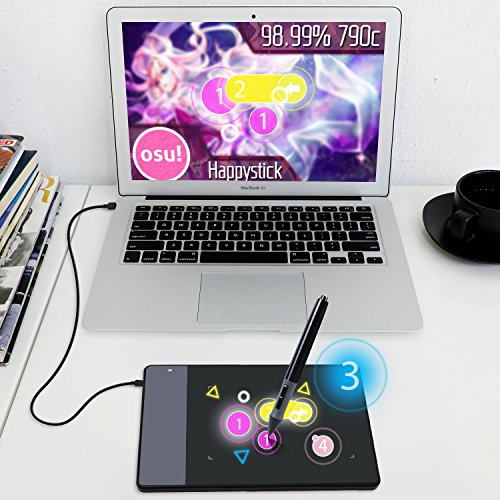
  • Highly popular and effective for rhythm games like Osu! due to its responsive nature.
  • Includes useful accessories in many bundles, such as a cleaning kit, artist glove, and extra nibs.
  • Three programmable express keys provide basic customization for workflow shortcuts.

What we don't like about HUION H420

  • The drawing area is very small (4 x 2.23 inches), which can lead to hand cramping during long art sessions.
  • The pen requires a AAA battery, making it heavier and more top-heavy than modern battery-free alternatives.
  • Software and driver setup can be difficult, with some users reporting compatibility issues with macOS and specific art programs like Krita.
  • Hardware smoothing and input lag are noticeable to more experienced users, affecting precision.
  • The pen's build quality is often criticized as fragile, with reports of it breaking easily if dropped.
  • Lacks advanced features found in slightly more expensive models, such as tilt sensitivity or higher pressure levels.

Verdict

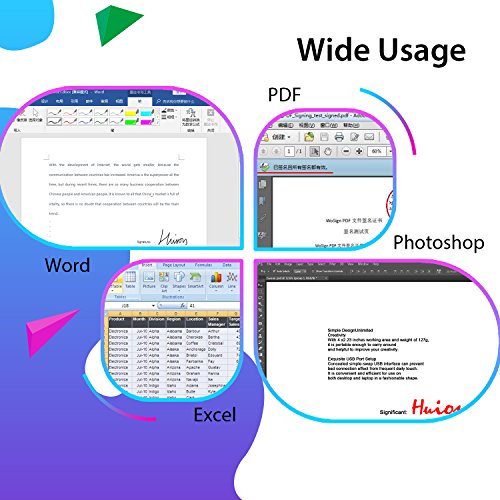
The Huion H420 is an ultra-compact entry-level drawing tablet featuring a 4 x 2.23-inch active area, 2048 levels of pen pressure sensitivity, and a 4000 LPI resolution. Weighing only 127g with a slim 7.5mm thickness, it includes three programmable express keys and a 200 PPS report rate for responsive input across Windows and macOS. Its main pros include extreme portability, affordability for beginners, and versatility for digital signatures or rhythm games like OSU!. However, its primary cons are the very limited drawing space, which may feel cramped for detailed art, and the older requirement for a AAA battery in the pen rather than being battery-free.

Compare HUION H420 with other products in the Drawing tablets category

1Product to compare no. 1
VS
2Product to compare no. 2
VS
3Product to compare no. 3 (optional)

Graphic comparison of HUION H420 and other products in the Drawing tablets category

No results found