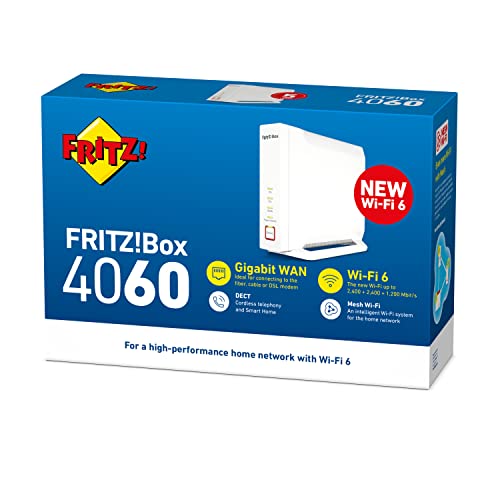
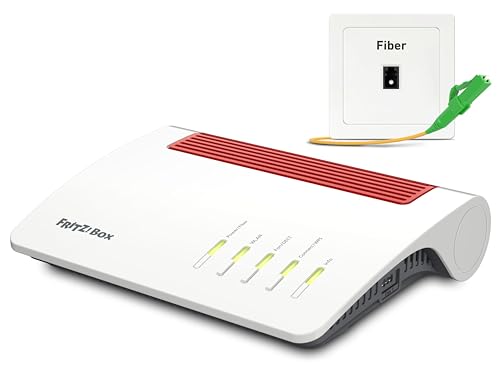
AVM FRITZ!Box 4060 Review | 77 Data compared

Avg. price in UK:~£220Avg. price in US:~$310Wi-Fi version:Wi-Fi 6 (802.11ax)Wi-Fi speed:6000 MbpsLAN port speeds:2.5 GbpsMesh Wi-Fi:yes

AVM FRITZ!Box 4060 Review: Compare 77 technical specifications and user reviews to see how this product ranks in the Routers category and whether it is worth buying.

8.1

Overall score

Score
8.1/ 10
✕
What it is
An overall evaluation of the router's quality, based on technical analyses and user reviews.
When it matters
When you need a quick reference to identify the best routers on the market.
Score distribution
â–¼
<55-66-77-88-99-10
Score components

90%

8.0

Technical Score

10%

8.8

User score

â–²Better than 88% of routers
8.0

Technical Score

Technical score
8.0/ 10
✕
What it is
An assessment of the router's technical performance, covering key areas such as Wi-Fi performance, wired connectivity, security, software features, coverage, and design.
When it matters
When you want to compare routers based on technical performance and available features.
Score distribution
â–¼
<55-66-77-88-99-10
Score components

26%

8.4

Wireless

20%

5.9

Ports

18%

9.0

Networking

14%

9.3

Security

12%

7.9

Hardware

10%

8.1

Management

â–²Better than 86% of routers
8.8

User score

User score
8.8/ 10
✕
What it is
A rating that combines user reviews and the total number of reviews received by the router.
When it matters
When you want to know how a router performs in daily use and how reliable it is for speed, coverage, and stability according to user feedback.
Score distribution
â–¼
<55-66-77-88-99-10
Score components

70%

9.1

User reviews

30%

8.2

Popularity

User score:
United Kingdom
amazon
4.5
(893)
amazon
4.6
(656)
amazon
3.7
(5)
United States
Amazon_logo.png
4.5
(893)

(Reviews last updated: May 2026)

â–²Better than 87% of routers
  • avm-fritz-box-4060
  • avm-fritz-box-4060
  • avm-fritz-box-4060
  • avm-fritz-box-4060
  • avm-fritz-box-4060
  • avm-fritz-box-4060
avm-fritz-box-4060
avm-fritz-box-4060
avm-fritz-box-4060
avm-fritz-box-4060
avm-fritz-box-4060
avm-fritz-box-4060

Best rankings

Available: ranking among products currently available (including other versions of this product).All: ranking among all products in the database.
Loading...
Loading category ranking...

Verdict

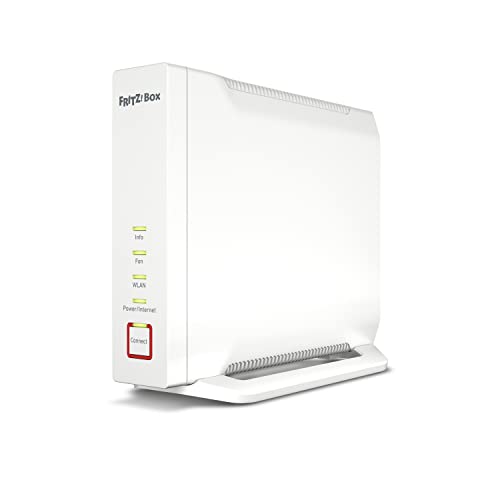
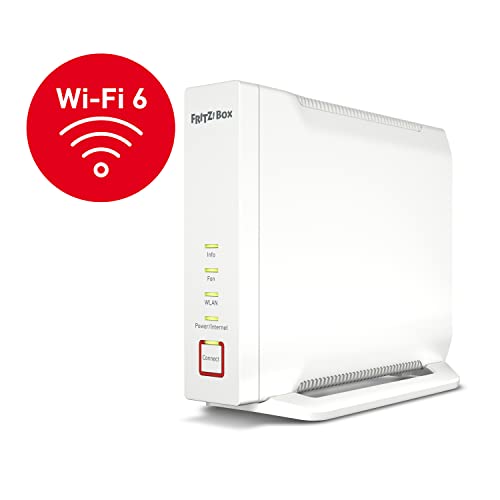
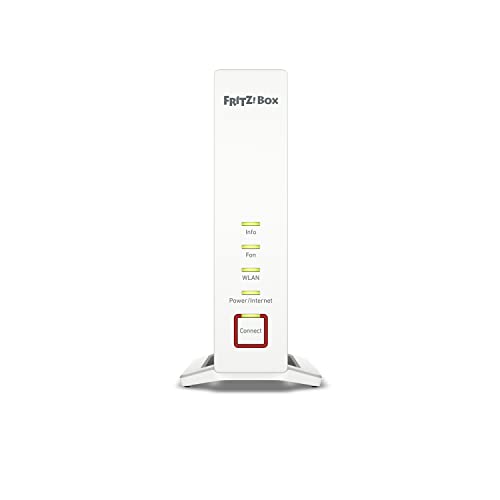
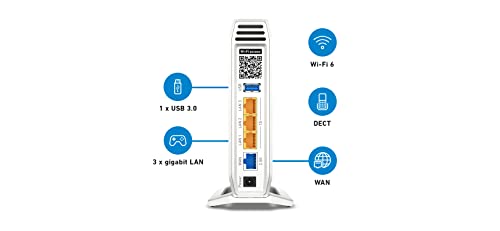
The AVM FRITZ!Box 4060 is a high-performance tri-band Wi-Fi 6 (802.11ax) router designed for flexible connection to existing fiber, cable, or DSL modems via its 2.5 Gigabit WAN port. It delivers aggregate wireless speeds up to 6,000 Mbps (2400 + 2400 Mbps on dual 5 GHz bands and 1200 Mbps on 2.4 GHz) supported by 4x4 MU-MIMO technology and a 2.2 GHz quad-core processor. Key characteristics include an integrated DECT base station for up to six cordless phones, a USB 3.0 port for NAS functionality, and a built-in firewall with WPA3 security. Main pros are its superior handling of multiple devices through tri-band capacity, robust Mesh Wi-Fi integration, and a dedicated telephone system. Notable cons include the lack of a built-in modem, the absence of support for 160 MHz channel bandwidth which can limit peak single-device speeds, and a design that is restricted to an upright standing position.

Technical Specifications of router AVM FRITZ!Box 4060

Technical Score
Technical score
8.0/ 10
✕
What it is
An assessment of the router's technical performance, covering key areas such as Wi-Fi performance, wired connectivity, security, software features, coverage, and design.
When it matters
When you want to compare routers based on technical performance and available features.
Score distribution
â–¼
<55-66-77-88-99-10
Score components:

26%

8.4

Wireless

20%

5.9

Ports

18%

9.0

Networking

14%

9.3

Security

12%

7.9

Hardware

10%

8.1

Management

8.0
AVM FRITZ!Box 4060 has a technical score of 8 points, which is higher than that of 85.8% of products in this category.
User score
User score
8.8/ 10
✕
What it is
A rating that combines user reviews and the total number of reviews received by the router.
When it matters
When you want to know how a router performs in daily use and how reliable it is for speed, coverage, and stability according to user feedback.
Score distribution
â–¼
<55-66-77-88-99-10
Score components

70%

9.1

User reviews

30%

8.2

Popularity

User score:
United Kingdom
amazon
4.5
(893)
amazon
4.6
(656)
amazon
3.7
(5)
United States
Amazon_logo.png
4.5
(893)

(Reviews last updated: May 2026)

8.8
AVM FRITZ!Box 4060 has a user score of 8.83 points, which is higher than that of 87% of products in this category.
Popularity
Popularity
8.2/ 10
✕
What it is
An indicator based on the number of reviews received by the router.
When it matters
When you prefer to choose a router reviewed and selected by many other buyers.
Score distribution
â–¼
<55-66-77-88-99-10
Popularity:
AVM FRITZ!Box 4060 has a popularity score of 8.2 points, which is higher than that of 69.9% of products in this category.
8.2
AVM FRITZ!Box 4060 has a popularity score of 8.2 points, which is higher than that of 69.9% of products in this category.
Ratio quality/price
Value for money
8.5/ 10
✕
What it is
An indicator that combines the router's overall rating with its cost.
When it matters
When you are looking for a router with a good balance between network performance, features, and price.
Score distribution
â–¼
<55-66-77-88-99-10
Score components:

60%

8.1

Overall score

40%

9.4

Price

8.5
AVM FRITZ!Box 4060 has a value-for-money score of 8.5 points, which is higher than that of 86% of products in this category.
Brand name
AVM
Wi-Fi version
Wi-Fi 6 (802.11ax)
Wi-Fi version
Wi-Fi 6 (802.11ax)
This router uses Wi-Fi Wi-Fi 6 (802.11ax), which is more advanced than 65% of routers and equal to 26.7% of routers.
Wi-Fi bands
2.4 GHz + 5 GHz
Wi-Fi bands
2.4 GHz + 5 GHz
This router supports 2.4 GHz + 5 GHz Wi-Fi bands, which are more versatile than 24.8% of routers and equal to 68.1% of routers.
tri-band with two 5 GHz radios
Wi-Fi speed
6,000 Mbps
Wi-Fi speed
6,000 Mbps
This router delivers 6,000 Mbps Wi-Fi speed, which is higher than 88.7% of routers and equal to 2.5% of routers.
Channel widths supported
20 MHz + 40 MHz + 80 MHz
Channel widths supported
20 MHz + 40 MHz + 80 MHz
This router supports 20 MHz + 40 MHz + 80 MHz channel width options, which is more than 40.9% of routers and the same as 31.6% of routers.
Show more
Wi-Fi security protocols
WPA3, WPA2, WPA
Wi-Fi security protocols
WPA3, WPA2, WPA
This router supports WPA3, WPA2, WPA Wi-Fi security protocols, which are more advanced than 87% of routers and equal to 13.1% of routers.
WPA3 is available through Transition Mode on this router.
DoS protection
no
DoS protection
no
This router does not include DoS protection. 87.5% of routers include DoS protection.
SPI intrusion protection
yes
SPI intrusion protection
yes
This router includes SPI-based intrusion protection. 6.1% of routers include SPI-based intrusion protection.
MAC address filtering
yes
MAC address filtering
yes
This router supports MAC address filtering. 2.2% of routers include MAC address filtering.
URL filter
yes
URL filter
yes
This router supports URL filtering. 3.4% of routers include URL filtering.
Show more
IPv6 support
yes
IPv6 support
yes
This router supports IPv6. 11.5% of routers are IPv6-ready.
Dynamic routing
no
Dynamic routing
no
This router does not support dynamic routing. 52.5% of routers support dynamic routing.
Inter-VLAN routing
no
Inter-VLAN routing
no
This router does not support inter-VLAN routing. 23.5% of routers support inter-VLAN routing.
VLAN tagging
yes
VLAN tagging
yes
This router supports VLAN tagging. 38.2% of routers include VLAN tagging.
QoS
yes
QoS
yes
This router includes QoS controls. 3.2% of routers include QoS controls.
Show more
N. of LAN ports
3
N. of LAN ports
3
This router has 3 LAN ports, which is fewer than 76.6% of routers and the same as 14.5% of routers.
LAN port speeds
2.5 Gbps
LAN port speeds
2.5 Gbps
This router offers 2.5 Gbps on its LAN ports, which is faster than 87.7% of routers and on par with 7.9% of routers.
Includes LAN-capable combo ports.
N. of WAN ports
1
N. of WAN ports
1
This router has 1 WAN ports, which is more than 1% of routers and the same as 90.1% of routers.
N. of USB ports
1
N. of USB ports
1
This router has 1 USB ports, which is more than 39.5% of routers and the same as 39.5% of routers.
Power over Ethernet (PoE)
no
Power over Ethernet (PoE)
no
This router does not support Power over Ethernet (PoE). 0.5% of routers can be powered over Ethernet.
Show more
Management interface
Web UI, App
Management interface
Web UI, App
This router uses Web UI, App for management, which is more advanced than 33.4% of routers and equal to 57% of routers.
Firmware upgrade method
Web UI, Automatic
Firmware upgrade method
Web UI, Automatic
This router supports Web UI, Automatic firmware update methods, which are more convenient than 35.4% of routers and equal to 37.8% of routers.
Traffic monitoring
yes
Traffic monitoring
yes
This router includes traffic monitoring. 18.1% of routers include traffic monitoring.
Guest Wi-Fi network
yes
Guest Wi-Fi network
yes
This router offers a guest Wi‑Fi network. 8.6% of routers offer a guest Wi‑Fi network.
Captive portal
yes
Captive portal
yes
This router offers captive portal features. 76.7% of routers offer captive portal features.
Show more
CPU clock speed
4x 2.2 GHz
CPU clock speed
4x 2.2 GHz
This router runs at 4x2.2 GHz, which is faster than 95.7% of routers and on par with 2% of routers.
RAM capacity
1,024 MB
RAM capacity
1,024 MB
This router has 1,024 MB of RAM, which is more than 87.5% of routers and the same as 10% of routers.
Internal storage
0.125 GB
Internal storage
0.125 GB
This router has 0.125 GB of internal storage, which is more than 45.1% of routers and the same as 22.8% of routers.
Hardware acceleration
yes
Hardware acceleration
yes
This router offers hardware acceleration. 31.4% of routers offer hardware acceleration.
N. of external antennas
0
N. of external antennas
0
This router has 0 external antennas, which is fewer than 59.6% of routers and the same as 40.4% of routers.
Show more

AVM FRITZ!Box 4060 vs the average router

246810TotalWirelessSecurityNetworkingPortsManagementHardware
  • 4.07x faster Wi-Fi speed
    Wi-Fi speed
    6,000 Mbps
    This router has a higher Wi-Fi speed than the average router (6000 Mbps vs 1475 Mbps). The average router reaches Wi-Fi speed of 1475 Mbps.
    6,000 Mbps vs 1,475 Mbps
  • Stronger Wi-Fi security
    Wi-Fi security protocols
    WPA3, WPA2, WPA
    This router supports the Wi-Fi security protocols WPA3, WPA2, WPA, while the average router supports WPA2, WPA, WEP, WPS.
    WPA3 is available through Transition Mode on this router.
    WPA3, WPA2, WPA vs WPA2, WPA, WEP, WPS
  • Faster LAN ports
    LAN port speeds
    2.5 Gbps
    This router has a higher LAN port speed than the average router (2.5 Gbps vs 1 Gbps). The average router has a LAN port speed of 1 Gbps.
    Includes LAN-capable combo ports.
    2.5 Gbps vs 1 Gbps
  • Supports mesh Wi-Fi
    Mesh Wi-Fi
    yes
    This router supports mesh Wi-Fi, while the average router does not. 36.4% of routers support mesh Wi-Fi.
  • Supports automatic failover
    Automatic failover
    yes
    This router offers automatic failover, while the average router does not. 24.9% of routers offer automatic failover.
  • Supports OFDMA
    OFDMA support
    yes
    This router supports OFDMA, while the average router does not. 35% of routers support OFDMA.
  • Higher CPU clock speed
    CPU clock speed
    4 x 2.2 GHz
    This router has a higher CPU clock speed than the average router (4x2.2 GHz vs 2x0.5 GHz). The average router has a CPU clock speed of 2x0.5 GHz.
    4x2.2 GHz vs 2x0.5 GHz
  • 4x more RAM
    RAM capacity
    1,024 MB
    This router has more RAM than the average router (1024 MB vs 256 MB). The average router has 256 MB of RAM.
    1,024 MB vs 256 MB
  • 10.3% higher user score
    User score
    8.8/ 10
    ✕
    What it is
    A rating that combines user reviews and the total number of reviews received by the router.
    When it matters
    When you want to know how a router performs in daily use and how reliable it is for speed, coverage, and stability according to user feedback.
    Score distribution
    â–¼
    â–¼
    <55-66-77-88-99-10
    AVM FRITZ!Box 4060
    the average router
    AVM FRITZ!Box 4060 has a higher user score than the average router (8.83 vs 8.000).
    8.83 vs 8
  • 8.6% better value for money
    AVM FRITZ!Box 4060 has better value for money than the average router (8.49 vs 7.8).
    8.49 vs 7.82
  • 4.07x faster Wi-Fi speed
    Wi-Fi speed
    6,000 Mbps
    This router has a higher Wi-Fi speed than the average router (6000 Mbps vs 1475 Mbps). The average router reaches Wi-Fi speed of 1475 Mbps.
    6,000 Mbps vs 1,475 Mbps
  • Supports mesh Wi-Fi
    Mesh Wi-Fi
    yes
    This router supports mesh Wi-Fi, while the average router does not. 36.4% of routers support mesh Wi-Fi.
  • Supports OFDMA
    OFDMA support
    yes
    This router supports OFDMA, while the average router does not. 35% of routers support OFDMA.
  • Newer Wi-Fi version
    Wi-Fi version
    Wi-Fi 6 (802.11ax)
    This router supports a newer Wi-Fi version than the average router (Wi-Fi 6 (802.11ax) vs Wi-Fi 5 (802.11ac)). The average router uses Wi-Fi Wi-Fi 5 (802.11ac).
    Wi-Fi 6 (802.11ax) vs Wi-Fi 5 (802.11ac)
  • Supports MU-MIMO
    MU-MIMO
    yes
    This router supports MU-MIMO, while the average router does not. 47.7% of routers support MU-MIMO.
  • Supports TWT
    Target Wake Time (TWT) support
    yes
    This router supports Target Wake Time (TWT), while the average router does not. 36.4% of routers support Target Wake Time (TWT).
  • 1 more spatial streams
    N. of spatial streams
    4
    This router has more spatial streams than the average router (4 vs 3). The average router has 3 spatial streams.
    4 vs 3
  • Stronger Wi-Fi security
    Wi-Fi security protocols
    WPA3, WPA2, WPA
    This router supports the Wi-Fi security protocols WPA3, WPA2, WPA, while the average router supports WPA2, WPA, WEP, WPS.
    WPA3 is available through Transition Mode on this router.
    WPA3, WPA2, WPA vs WPA2, WPA, WEP, WPS
  • Supports automatic failover
    Automatic failover
    yes
    This router offers automatic failover, while the average router does not. 24.9% of routers offer automatic failover.
  • 50,547 more NAT sessions
    NAT concurrent sessions
    65,535
    This router has more concurrent NAT sessions than the average router (65,535 vs 14,988). The average router supports 14,988 concurrent NAT sessions.
    65,535 vs 14,988
  • Faster LAN ports
    LAN port speeds
    2.5 Gbps
    This router has a higher LAN port speed than the average router (2.5 Gbps vs 1 Gbps). The average router has a LAN port speed of 1 Gbps.
    Includes LAN-capable combo ports.
    2.5 Gbps vs 1 Gbps
  • Supports captive portal
    Captive portal
    yes
    This router supports captive portal, while the average router does not. 23.5% of routers support captive portal.
  • Higher CPU clock speed
    CPU clock speed
    4 x 2.2 GHz
    This router has a higher CPU clock speed than the average router (4x2.2 GHz vs 2x0.5 GHz). The average router has a CPU clock speed of 2x0.5 GHz.
    4x2.2 GHz vs 2x0.5 GHz
  • 4x more RAM
    RAM capacity
    1,024 MB
    This router has more RAM than the average router (1024 MB vs 256 MB). The average router has 256 MB of RAM.
    1,024 MB vs 256 MB
  • Suitable for gaming
    Suitable for gaming
    yes
    This router is designed for gaming, while the average router is not. 36.9% of routers are designed for gaming.
  • 4 more internal antennas
    N. of internal antennas
    4
    This router has more internal antennas than the average router (4 vs 0). The average router has 0 internal antennas.
    4 vs 0
  • 7 newer release date
    Release date
    2022
    This router was released more recently than the average router (2022 vs 2015). The average router release year is 2015.
    January 2022
    2022 vs 2015
  • 121 mm narrower width
    Width
    81 mm
    This router is narrower than the average router (81 mm vs 202 mm). The average router is 202 mm wide.
    81 mm vs 202 mm
  • 1 fewer LAN ports
    N. of LAN ports
    3
    This router has fewer LAN ports than the average router (3 vs 4). The average router has 4 LAN ports.
    3 vs 4
  • Limited firmware updates
    Firmware upgrade method
    Web UI, Automatic
    This router supports the firmware update methods Web UI, Automatic, while the average router supports Web UI, App, Automatic.
    Web UI, Automatic vs Web UI, App, Automatic
  • No dynamic routing
    Dynamic routing
    no
    This router does not support dynamic routing, while the average router does. 52.3% of routers support dynamic routing.
  • No DoS protection
    DoS protection
    no
    This router does not support DoS protection, while the average router does. 87.3% of routers support DoS protection.
  • 4.3 W higher power consumption
    Power consumption
    12.4 W
    This router uses more power than the average router (12.4 W vs 8.1 W). The average router uses 8.1 W power.
    12.4 W vs 8.1 W
  • No beamforming
    Beamforming
    no
    This router does not support beamforming, while the average router does. 56.7% of routers support beamforming.
  • 2 fewer external antennas
    N. of external antennas
    0
    This router has fewer external antennas than the average router (0 vs 2). The average router has 2 external antennas.
    0 vs 2
  • Less capable NAS services
    Built-in NAS services
    SMB, FTP, time machine, NFS
    This router includes SMB, FTP, time machine, NFS NAS services, while the average router includes SMB, FTP, time machine, NFS, web access.
    SMB, FTP, time machine, NFS vs SMB, FTP, time machine, NFS, web access
  • 2.44x more expensive
    AVM FRITZ!Box 4060 is more expensive than the average router (£220 vs £90).
    £220 vs £90
  • No beamforming
    Beamforming
    no
    This router does not support beamforming, while the average router does. 56.7% of routers support beamforming.
  • No DoS protection
    DoS protection
    no
    This router does not support DoS protection, while the average router does. 87.3% of routers support DoS protection.
  • No dynamic routing
    Dynamic routing
    no
    This router does not support dynamic routing, while the average router does. 52.3% of routers support dynamic routing.
  • 1 fewer LAN ports
    N. of LAN ports
    3
    This router has fewer LAN ports than the average router (3 vs 4). The average router has 4 LAN ports.
    3 vs 4
  • Limited firmware updates
    Firmware upgrade method
    Web UI, Automatic
    This router supports the firmware update methods Web UI, Automatic, while the average router supports Web UI, App, Automatic.
    Web UI, Automatic vs Web UI, App, Automatic
  • Less capable NAS services
    Built-in NAS services
    SMB, FTP, time machine, NFS
    This router includes SMB, FTP, time machine, NFS NAS services, while the average router includes SMB, FTP, time machine, NFS, web access.
    SMB, FTP, time machine, NFS vs SMB, FTP, time machine, NFS, web access
  • 4.3 W higher power consumption
    Power consumption
    12.4 W
    This router uses more power than the average router (12.4 W vs 8.1 W). The average router uses 8.1 W power.
    12.4 W vs 8.1 W
  • 2 fewer external antennas
    N. of external antennas
    0
    This router has fewer external antennas than the average router (0 vs 2). The average router has 2 external antennas.
    0 vs 2
  • 162.5 mm higher height
    Height
    210 mm
    This router is taller than the average router (210 mm vs 47.5 mm). The average router is 47.5 mm tall.
    210 mm vs 47.5 mm
  • 36 mm thicker design
    Thickness
    81 mm
    This router is thicker than the average router (81 mm vs 45 mm). The average router is 45 mm thick.
    81 mm vs 45 mm

Graphic comparison of AVM FRITZ!Box 4060 and other routers

No results found

Third-party reviews

United States

(Reviews last updated: May 2026)

What customers like about AVM FRITZ!Box 4060?

  • Tri-band Wi-Fi 6 offers high speeds (up to 6 Gbps) and handles multiple devices efficiently.
  • Extremely stable and mature firmware (FRITZ!OS) with a user-friendly interface and long-term update support.
  • Features a 2.5 Gbps WAN port for high-speed internet connections.
  • Includes an integrated DECT base station for cordless telephony and smart home control.
  • Excellent Mesh Wi-Fi capabilities, providing seamless coverage when paired with other FRITZ! devices.
  • Clean, modern upright design with clearly marked LED indicators.

What customers dislike about AVM FRITZ!Box 4060?

  • Lacks support for the 160 MHz channel width, limiting maximum theoretical speed on a single 5 GHz band compared to some competitors.
  • No analog telephone (TAE/RJ11) ports; supports only DECT or IP-based telephony.
  • Relatively high power consumption compared to some older or simpler router models.
  • Standalone Wi-Fi range can struggle to penetrate thick walls or reach outer areas in larger homes without a repeater.
  • The 2.4 GHz band performance is only average compared to the stronger 5 GHz bands.
  • NAS functionality is considered rudimentary compared to dedicated network storage solutions.

Video reviews

Hands-on testing, unboxing, and real-world video evaluations
Compare AVM FRITZ!Box 4060 with other routers

1Product to compare no. 1
VS
2Product to compare no. 2
VS
3Product to compare no. 3 (optional)