
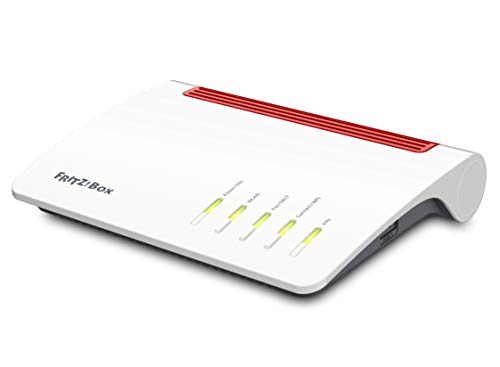
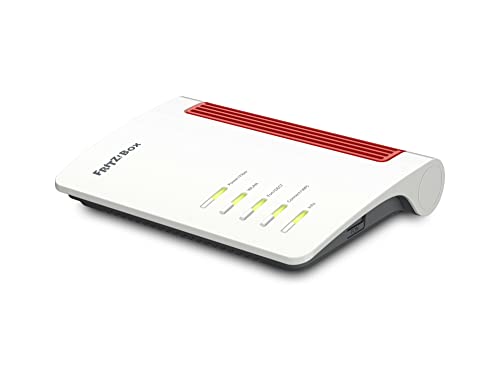
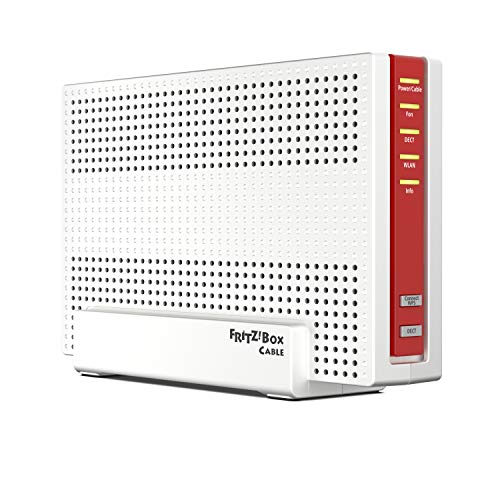
Are FRITZ!Box routers good?
FRITZ!Box routers have an average overall score of 7.9, ranking #3 among all router brands, and a user rating of 9.6, placing them at #1 based on user reviews.
FRITZ!Box routers are good and reliable for home and small office networks. They combine fast Wi-Fi, strong security, and user-friendly interfaces.
Most models support dual-band Wi-Fi and advanced standards like Wi-Fi 6 for high-speed connections. The firmware, FRITZ!OS, is intuitive and receives regular updates for performance and security. These routers also include features like integrated VoIP, media servers, and VPN support. Users can manage settings through a web interface or mobile app for convenience.
The routers excel in versatility and compatibility with various internet connections, including DSL, cable, and fiber. They prioritize Quality of Service (QoS) for stable performance during heavy usage, like streaming or gaming.
The best FRITZ!Box routers are as follows.
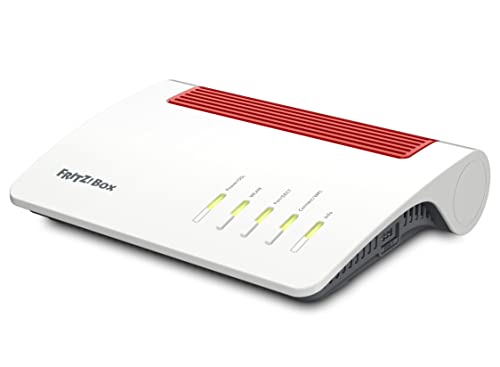
- AVM FRITZ!Box 7590 AX (Overall score: 8.2 points)
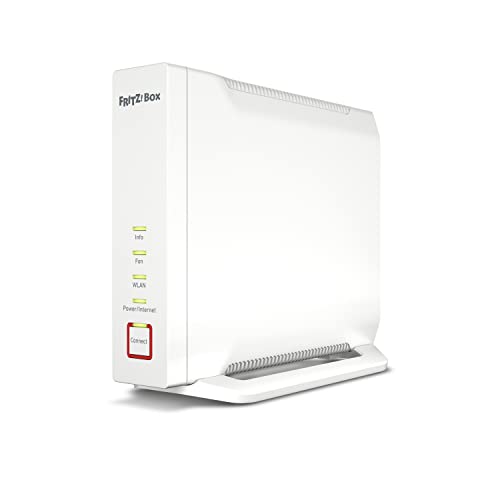
- AVM FRITZ!Box 4060 (Overall score: 8.02 points)
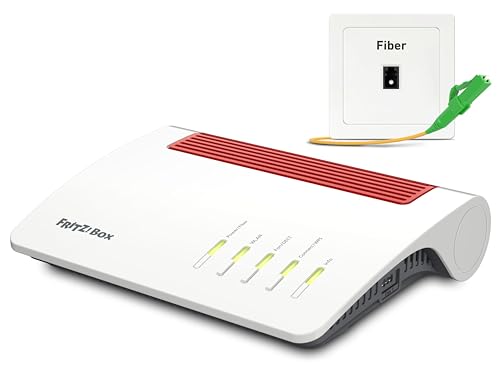
- AVM FRITZ!Box 5590 Fiber (Overall score: 7.98 points)
The chart below ranks router brands by average overall score.
[horizontal-chart-12358809363490758653123200512821428302133513557861]
What are the main advantages of FRITZ!Box routers?
The main advantages of FRITZ!Box routers are as follows.
- Speed and Wi-Fi standards: FRITZ!Box routers support the latest Wi-Fi 6 standard (up to 2400 Mbit/s on 5 GHz and 1200 Mbit/s on 2.4 GHz), which improves speed and capacity in households with many connected devices. They also maintain backward compatibility with older Wi-Fi standards.
- Integrated telephony: Most FRITZ!Box models include a DECT base station for up to 6 cordless phones, VoIP support, and integrated answering machines with remote access. They also manage fax functions and smart home devices that use DECT ULE.
- Strong security: FRITZ!Box routers include WPA3 encryption, an automatic firewall, parental controls, and regular firmware updates from AVM. Updates are free for many years (even models older than 5 years often still receive updates).
- All-in-one design: A single FRITZ!Box unit typically includes DSL, VDSL with Supervectoring, cable, or fiber modem, a Wi-Fi router, a telephony system, and media server functions. This integration reduces the need for extra hardware and cables.
- Network management: The FRITZ!OS interface is user-friendly and includes features such as guest Wi-Fi, VPN support (IPSec and WireGuard), Mesh Wi-Fi integration with FRITZ!Repeater, and detailed device management.
- USB and NAS functions: With USB 3.0 ports, the router can connect external storage or printers and act as a basic NAS. It supports media streaming across the network through DLNA and integrates with cloud services.
- Longevity and support: FRITZ!Box routers are known for long service life and consistent support. Firmware updates improve performance and security even years after purchase, which extends usability and reduces replacement costs.
What are the main disadvantages of FRITZ!Box routers?
The main disadvantages of FRITZ!Box routers are as follows.
- Higher price: FRITZ!Box routers usually cost more than competitors, with premium models often above £170 while basic routers from other brands start at 50–£60.
- Limited availability: They are most common in Germany and parts of Europe, while distribution in other regions is limited, which restricts support and accessories.
- Complex features: The large set of integrated functions can confuse less experienced users, as settings for telephony, VPN, or NAS require some technical knowledge.
- Hardware limitations: Although integration is strong, built-in modems sometimes lag behind specialized standalone devices in performance, especially for cable or fiber networks with very high speeds above 1 Gbit/s.
- Bulkier design: Compared to some minimalist routers, FRITZ!Box models are larger and less discreet, which can be a drawback for users who want compact hardware.

Who makes FRITZ!Box routers?
FRITZ!Box routers are made by AVM, a German company founded in Berlin in 1986.
AVM started with ISDN products and expanded into DSL hardware in the 1990s. The first FRITZ!Box was released in 2004 as a combination of DSL modem, router, and telephony device. Since then, the FRITZ!Box series has become the leading brand for consumer and small business networking in Germany.
AVM employs more than 800 people, with headquarters in Berlin and additional offices in other German cities. The company develops its hardware and the FRITZ!OS software platform in-house, which supports networking, telephony, smart home, and media features.
How popular are FRITZ!Box routers?
FRITZ!Box routers are a strong regional player, with shipments in 2024 estimated at about 5 million units and a global market share near 3 %, which kept the brand outside the worldwide top 5 but dominant in Germany and parts of Central Europe. AVM, the maker of FRITZ!Box, focused on premium home routers with integrated features such as DECT telephony and smart home controls.
FRITZ!Box performed best in Germany, Austria, and Switzerland, where its share exceeded 40 % in some markets, while its presence in North America and Asia remained very limited.
What are the main FRITZ!Box router series?
The main FRITZ!Box router series are as follows.
- FRITZ!Box DSL series: Routers designed for DSL connections that integrate modem, router, Wi-Fi, and telephony in one device. They support VDSL, ADSL, and often include vectoring and supervectoring technologies for higher speeds.
- FRITZ!Box Cable series: Routers for cable internet with integrated DOCSIS modem. They combine internet, Wi-Fi, and telephony functions in one unit and are compatible with most European cable providers.
- FRITZ!Box Fiber series: Devices developed for fiber optic connections. They connect directly to the fiber network through GPON, AON, or XGS-PON standards and integrate Wi-Fi and telephony features.
- FRITZ!Box LTE/5G series: Routers built for mobile broadband. They use LTE or 5G networks as the main internet source and provide high-speed Wi-Fi and VoIP telephony, suitable for areas without wired connections.
- FRITZ!Box All-in-One series: Universal models that support multiple connection types (DSL, cable, fiber, or mobile) through dedicated ports or external modems. They combine maximum flexibility with integrated telephony and smart home functions.
How much do FRITZ!Box routers cost?
FRITZ!Box routers cost between £90 and £300 depending on the model and its specifications.
Entry-level models with basic Wi-Fi coverage and standard speed fall closer to £90, while mid-range devices with dual-band Wi-Fi, higher throughput, and extra ports range between £130 and £220. The most advanced models with Wi-Fi 6, mesh support, integrated telephony, and strong hardware usually cost between £220 and £300.
The price also depends on whether the router includes DSL, cable, or fiber compatibility. FRITZ!Box devices with integrated modems for DSL or cable networks are generally more expensive than standalone routers, as they replace both the modem and the router in one unit. Business-oriented versions and those with extended VoIP or DECT base station functions also sit at the higher end of the price range.
The following chart shows the price distribution of FRITZ!Box routers.
[vertical-chart-09356104334686217656084636137494826949660498897111]
What should you consider while choosing the best FRITZ!Box router?
While choosing the best FRITZ!Box router, you should consider the following factors.
- Compatibility: Different FRITZ!Box series support different connection technologies. The 7000 series (like 7690 and 7590) works with DSL and VDSL connections, while the 6000 series Cable models (such as 6690 Cable) connect to cable internet through DOCSIS 3.1. The 5590 Fiber targets fiber optic connections with up to 10 Gbit/s support, and the 6890 LTE handles mobile broadband connections. Choose the series that matches your internet service provider's technology.
- Wi-Fi standard: Modern FRITZ!Box models offer different wireless standards that affect performance. Wi-Fi 7 models like the 7690 reach speeds up to 5760 Mbit/s and support the new 6 GHz band, while Wi-Fi 6 models like the 6690 Cable deliver up to 4800 + 1200 Mbit/s. The 7590 with Wi-Fi 5 provides 1733 Mbps on 5GHz band. Higher standards handle more devices simultaneously and deliver faster speeds for 4K streaming and file transfers.
- Port configuration: Port specifications vary significantly between models and affect connectivity options. The 5690 Pro features 1x 2.5-gigabit WAN/LAN and 4x gigabit LAN ports, while the 4060 Fiber includes 1x 10-gigabit WAN, 1x 10-gigabit LAN, and 3x 2.5-gigabit LAN ports. Consider your wired device count and bandwidth needs, as higher-end models provide more ports with faster speeds for NAS systems and gaming consoles.
- Mesh networking capabilities: FRITZ!Box routers support mesh technology that extends wireless coverage throughout larger homes. Models work with FRITZ! repeaters to create seamless networks where devices switch between access points automatically. Tri-band models like the 5690 Pro with 4x4 Wi-Fi configuration provide better mesh performance than dual-band alternatives. This feature becomes essential for multi-story homes or properties with dead zones.
- Smart Home integration: Different models support various smart home protocols and device capacities. High-end models include both Zigbee and DECT support for connecting smart sensors, thermostats, and lighting systems. The integrated DECT base station connects cordless phones and smart home devices directly to the router. Consider your current and planned smart home ecosystem when selecting between basic and advanced integration features.
- Telephony system features: FRITZ!Box routers include integrated telephone exchanges that replace traditional phone systems. Models support DECT cordless phones, analog connections, and even ISDN compatibility on some versions. The system handles multiple phone numbers, call routing, and answering machine functions. Business users or families with multiple phone lines benefit from advanced telephony features in higher-end models.
- Storage and media functions: Many FRITZ!Box models include USB ports that transform the router into a NAS server and media center. USB 3.0 or 3.1 ports support external drives for file sharing, automatic backups, and media streaming. Some models dedicate internal storage for answering machine messages and system logs. These features eliminate the need for separate network storage devices in smaller setups.
The chart below shows the Wi-Fi speed distribution of FRITZ!Box routers.
[vertical-chart-14023851699306569850011305036785858846072803057021]






