GIGABYTE Z590I Vision D Review | 107 Data compared

double-arrow
  • Avg. price in UK: ~£210
  • Avg. price in US: ~$280
  • CPU socket: LGA 1200
  • Chipset: Intel Z590
  • Form factor: Mini-ITX

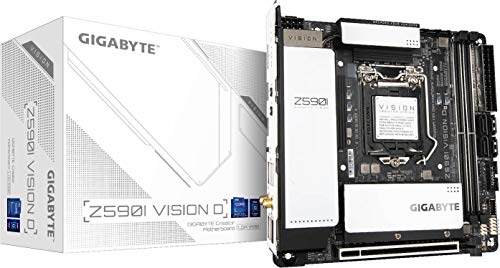
GIGABYTE Z590I Vision D review. Compare 107 technical specifications and user reviews to see how it ranks among motherboards and if it is worth buying.

6.4

Overall score

What it is: An overall evaluation of the motherboard's quality, based on technical analyses and user reviews.

When it matters: When you need a quick reference to identify the best motherboards on the market.

Score components:

90.0%

6.3

Technical Score

10.0%

7.5

User score

Good
6.3

Technical Score

What it is: An assessment of the motherboard's technical performance, covering key areas such as power delivery, CPU and memory support, expansion, storage, connectivity, cooling, BIOS features, and design.

When it matters: When you want to compare motherboards based on technical performance and available features.

Score components:

19.0%

4.2

Memory

16.0%

8.6

Platform & Features

16.0%

6.2

Storage

15.0%

9.3

Network

13.0%

5.0

Ports & USB

8.0%

3.6

Expansion

8.0%

5.7

Power & Cooling

5.0%

7.4

Audio

Good
7.5

User score

What it is: A rating that combines user reviews and the total number of reviews received by the motherboard.

When it matters: When you want to understand how a motherboard performs in real-world builds and how reliable it is in terms of stability, BIOS usability, connectivity, and long-term ownership.

Score components:

70.0%

8.0

User reviews

30.0%

6.5

Popularity

User score:
United Kingdom
amazon
4.2
(61)
amazon
3.8
(52)
amazon
3.9
(44)
United States
Amazon_logo.png
4.2
(63)

(Reviews last updated: May 2026)

Very good
  • 5.3
    Gaming

    Score components:

    28.0%

    5.5

    VRM phases

    22.0%

    5.5

    N. of M.2 sockets

    18.0%

    10

    LAN speed

    17.0%

    3.3

    Maximum RAM speed

    15.0%

    1.0

    N. of PCIe 5.0 x16 slots

  • gigabyte-z590i-vision-d
  • gigabyte-z590i-vision-d
  • gigabyte-z590i-vision-d
  • gigabyte-z590i-vision-d
  • gigabyte-z590i-vision-d
gigabyte-z590i-vision-d

Best prices in UK

Best rankings

?

Available: ranking among products currently available (including other versions of this product).
All: ranking among all products in the database.

Verdict

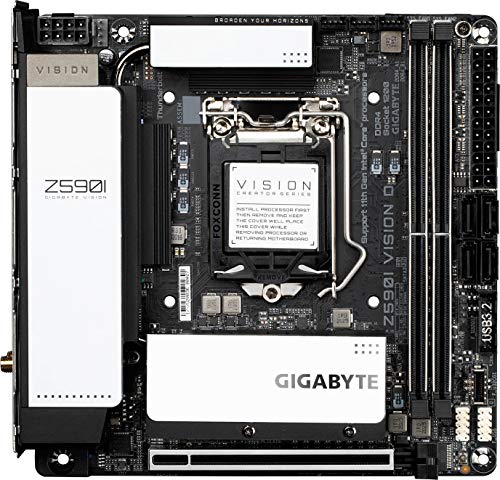
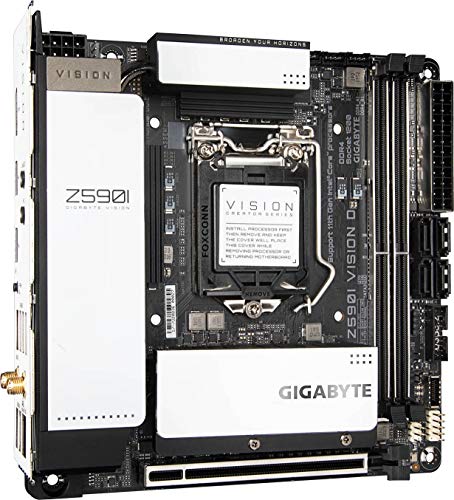
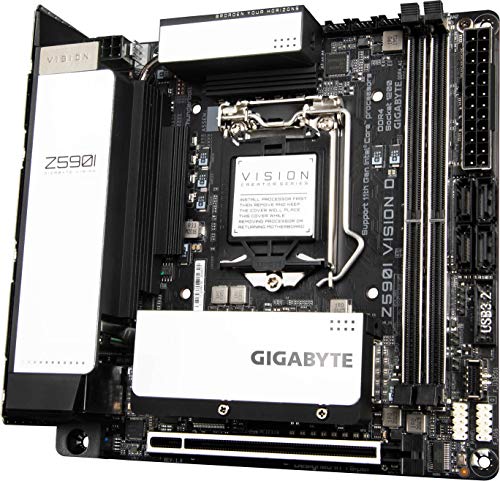
The Gigabyte Z590I VISION D is a premium Mini-ITX motherboard optimized for content creators, featuring a robust 8+1 phase VRM, Thunderbolt 4, dual M.2 slots (one PCIe 4.0), and 2.5GbE LAN [1]. It stands out for its high-quality passive cooling design, extensive connectivity, and sleek white/silver aesthetic suitable for small-form-factor workstations [1]. While offering top-tier performance, its compact size necessitates careful cable management, and the premium feature set commands a high price point [1].

Technical Specifications of GIGABYTE Z590I Vision D

Technical Score

What it is: An assessment of the motherboard's technical performance, covering key areas such as power delivery, CPU and memory support, expansion, storage, connectivity, cooling, BIOS features, and design.

When it matters: When you want to compare motherboards based on technical performance and available features.

Score components:

19.0%

4.2

Memory

16.0%

8.6

Platform & Features

16.0%

6.2

Storage

15.0%

9.3

Network

13.0%

5.0

Ports & USB

8.0%

3.6

Expansion

8.0%

5.7

Power & Cooling

5.0%

7.4

Audio

6.3
GIGABYTE Z590I Vision D has a technical score of 6.3 points, which is lower than that of 50.5% of products in this category.
User score

What it is: A rating that combines user reviews and the total number of reviews received by the motherboard.

When it matters: When you want to understand how a motherboard performs in real-world builds and how reliable it is in terms of stability, BIOS usability, connectivity, and long-term ownership.

Score components:

70.0%

8.0

User reviews

30.0%

6.5

Popularity

User score:
United Kingdom
amazon
4.2
(61)
amazon
3.8
(52)
amazon
3.9
(44)
United States
Amazon_logo.png
4.2
(63)

(Reviews last updated: May 2026)

7.5
GIGABYTE Z590I Vision D has a user score of 7.53 points, which is lower than that of 62.7% of products in this category.
Popularity
What it is: An indicator based on the number of reviews received by the motherboard.
When it matters: When you prefer a motherboard that has already been bought and reviewed by many other users.
6.5
GIGABYTE Z590I Vision D has a popularity of 6.5 points, which is higher than 66.6% of products in this category.
Ratio quality/price

What it is: An indicator that combines the motherboard's overall rating with its cost.

When it matters: When you are looking for a motherboard that offers a strong balance of features, performance, and price.

Score components:

60.0%

6.4

Overall score

40.0%

9.4

Price

7.3
GIGABYTE Z590I Vision D has a quality-to-price ratio of 7.3 points, which is higher than 46.1% of products in this category.
Brand name
What it is: The brand that makes the motherboard.
When it matters: When you have a brand preference for support, BIOS, or build quality.

Importance: MEDIUM

Gigabyte
CPU socket
What it is: The socket type the motherboard is built to support.
When it matters: When you need the motherboard to match a specific CPU.

Importance: HIGH

LGA 1200
GIGABYTE Z590I Vision D uses the LGA 1200 CPU socket, which is less advanced than that of 61.6% of motherboards and equal to that of 8.8% of motherboards.
CPU platform

Importance: MEDIUM

Intel
Chipset
What it is: The chipset that defines the motherboard platform and many of its features.
When it matters: When you compare platform features, connectivity, and CPU support.

Importance: HIGH

Intel Z590
GIGABYTE Z590I Vision D uses the Intel Z590 chipset, which is more advanced than that of 48.1% of motherboards and equal to that of 2.4% of motherboards.
Form factor
What it is: The physical size standard of the motherboard, such as ATX or Micro-ATX.
When it matters: When you need the board to fit a specific case size.

Importance: HIGH

Mini-ITX
GIGABYTE Z590I Vision D has the Mini-ITX form factor, which is less versatile than that of 84.6% of motherboards and equal to that of 7.3% of motherboards.
Show more
DDR memory version
What it is: The RAM generation the motherboard supports, such as DDR4 or DDR5.
When it matters: When you need the board to match a certain memory platform.

Importance: HIGH

Good value: DDR5

DDR4
GIGABYTE Z590I Vision D uses DDR4 memory, which is newer than that of 13.6% of motherboards and equal to that of 51% of motherboards.
Memory slots
What it is: The number of RAM slots on the motherboard.
When it matters: When you want more room for future memory upgrades.

Importance: HIGH

Good value: >=4

2
GIGABYTE Z590I Vision D has 2 Memory slots, which is fewer than 78.6% of motherboards and equal to 21.4% of motherboards.
Maximum memory capacity
What it is: The largest total amount of RAM the motherboard supports.
When it matters: When you plan a build with very high memory capacity.

Importance: HIGH

Good value: >=128 GB

64 GB
GIGABYTE Z590I Vision D supports up to 64 GB of memory, which is less than 62.6% of motherboards and equal to 24.3% of motherboards.
Memory channels
What it is: The memory channel configuration supported by the motherboard platform.
When it matters: When memory bandwidth matters for your build.

Importance: MEDIUM

2
GIGABYTE Z590I Vision D supports 2 memory channels, which is more than 0.2% of motherboards and equal to 92.5% of motherboards.
Maximum RAM speed
What it is: The highest officially supported memory speed for the motherboard.
When it matters: When you choose RAM and want to know the supported speed ceiling.

Importance: HIGH

Good value: >=6400 MT/s

3,200 MT/s
GIGABYTE Z590I Vision D supports memory speeds up to 3200 MT/s, which is lower than that of 62.8% of motherboards and equal to that of 10.9% of motherboards.
top speed with 11th Gen CPU
Show more
N. of M.2 sockets
What it is: The number of M.2 slots available on the motherboard.
When it matters: When you want room for more NVMe or M.2 drives.

Importance: HIGH

Good value: >=3

2
GIGABYTE Z590I Vision D has 2 M.2 sockets, which is more than 30.8% of motherboards and equal to 34.6% of motherboards.
M.2 slot interface per slot
What it is: The storage or PCIe interface available for each M.2 slot on the motherboard.
When it matters: When you want to check which drives each M.2 slot can use.

Importance: HIGH

1x PCIe 4.0 x4, 1x PCIe 3.0 x4/SATA
GIGABYTE Z590I Vision D offers 1x PCIe 4.0x4, 1x PCIe 3.0x4/SATA for M.2 slot interfaces, which is faster than that of 53.6% of motherboards and equal to that of 2.4% of motherboards.
one slot requires 11th Gen CPU.
N. of SATA 3 connectors
What it is: The number of SATA 6Gb/s connectors on the motherboard.
When it matters: When you plan to connect multiple SATA drives.

Importance: MEDIUM

Good value: >=6

4
GIGABYTE Z590I Vision D has 4 SATA 3 connectors, which is more than 5.6% of motherboards and equal to 46.3% of motherboards.
Supported RAID levels
What it is: The RAID modes officially supported by the motherboard storage platform.
When it matters: When you plan to use multiple drives in a RAID setup.

Importance: MEDIUM

0/1/5/10
GIGABYTE Z590I Vision D supports RAID levels 0/1/5/10, which is broader than 31.8% of motherboards and equal to 68.2% of motherboards.
SATA only
NVMe RAID support
What it is: Shows whether the board supports RAID configurations that use NVMe SSDs.
When it matters: When you plan to use multiple NVMe drives in RAID.

Importance: LOW

yes
GIGABYTE Z590I Vision D supports NVMe RAID. 40.3% of motherboards support this feature.
Show more
N. of PCIe 5.0 x16 slots
What it is: The number of PCIe 5.0 x16 physical slots on the motherboard.
When it matters: When you want the newest high-bandwidth expansion slots.

Importance: HIGH

Good value: >=1

0
GIGABYTE Z590I Vision D has 0 PCIe 5.0x16 slots, which is equal to 68.5% of motherboards.
N. of PCIe 4.0 x16 slots
What it is: The number of PCIe 4.0 x16 physical slots on the motherboard.
When it matters: When you want more room for modern expansion cards.

Importance: HIGH

Good value: >=1

1
GIGABYTE Z590I Vision D has 1 PCIe 4.0x16 slots, which is more than 55.6% of motherboards and equal to 35.3% of motherboards.
N. of PCIe 3.0 x16 slots
What it is: The number of PCIe 3.0 x16 physical slots on the motherboard.
When it matters: When you need more full-length expansion slots.

Importance: MEDIUM

0
GIGABYTE Z590I Vision D has 0 PCIe 3.0x16 slots, which is fewer than 59.5% of motherboards and equal to 40.5% of motherboards.
PCIe slot electrical configuration
What it is: The actual lane wiring used by the motherboard PCIe slots.
When it matters: When you need to know how much bandwidth each slot really gets.

Importance: HIGH

x16
GIGABYTE Z590I Vision D uses x16 for PCIe slot electrical configuration, which is less flexible than that of 86.5% of motherboards and equal to that of 9.3% of motherboards.
Depends on CPU.
PCIe bifurcation support
What it is: Shows whether the board can split PCIe lanes across multiple devices from one slot or link.
When it matters: When you plan multi-SSD adapters or more advanced expansion setups.

Importance: MEDIUM

yes
GIGABYTE Z590I Vision D supports PCIe bifurcation. 39.1% of motherboards support this feature.
x8/x8, x8/x4/x4.
Show more
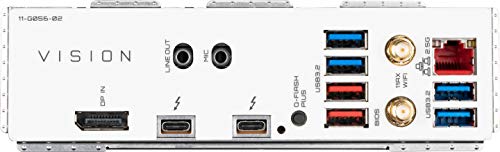
Total USB ports (rear I/O)
What it is: The total number of rear USB ports available on the motherboard.
When it matters: When you use many USB devices directly from the back of the PC.

Importance: MEDIUM

Good value: >=8

8
GIGABYTE Z590I Vision D has 8 USB ports (rear I/O), which is more than 40.3% of motherboards and equal to 30.7% of motherboards.
includes USB4 / Thunderbolt ports.
Total USB ports (including headers)
What it is: The total number of USB ports supported when rear ports and internal headers are counted together.
When it matters: When you want to know the board's full USB expansion potential.

Importance: MEDIUM

Good value: >=14

11
GIGABYTE Z590I Vision D has 11 USB ports (including headers), which is fewer than 89% of motherboards and equal to 3% of motherboards.
includes USB4 / Thunderbolt ports.
Total USB-C ports (rear I/O)
What it is: The total number of rear USB-C ports on the motherboard.
When it matters: When you want more USB-C devices connected without adapters.

Importance: MEDIUM

Good value: >=1

2
GIGABYTE Z590I Vision D has 2 USB-C ports (rear I/O), which is more than 84.3% of motherboards and equal to 12.3% of motherboards.
Thunderbolt / USB4 Type-C ports counted.
Total USB-C ports (including headers)
What it is: The total number of USB-C ports supported when rear ports and internal headers are counted together.
When it matters: When you want more USB-C connectivity across the whole build.

Importance: MEDIUM

Good value: >=2

3
GIGABYTE Z590I Vision D has 3 USB-C ports (including headers), which is more than 84.6% of motherboards and equal to 11.1% of motherboards.
includes internal USB-C header.
N. of USB 3.2 Gen2x2 ports (USB-C)
What it is: The number of rear USB 3.2 Gen2x2 Type-C ports on the motherboard.
When it matters: When you want very fast USB-C connectivity on the rear I/O.

Importance: HIGH

Good value: >=1

0
GIGABYTE Z590I Vision D has 0 USB 3.2 Gen2x2 ports (USB-C), which is equal to 81.6% of motherboards.
Thunderbolt excluded.
Show more
LAN speed
What it is: The maximum wired Ethernet speed supported by the motherboard.
When it matters: When you want faster wired networking.

Importance: HIGH

Good value: 2.5GbE

2.5 Gbps
GIGABYTE Z590I Vision D supports LAN speeds up to 2.5 Gbps, which is higher than that of 49.2% of motherboards and equal to that of 41.5% of motherboards.
LAN controller
What it is: The model of onboard Ethernet controller used by the motherboard.
When it matters: When you compare networking hardware quality and features.

Importance: MEDIUM

?
N. of RJ45 ports
What it is: The number of wired Ethernet ports on the motherboard.
When it matters: When you need one or more wired network connections.

Importance: LOW

1
GIGABYTE Z590I Vision D has 1 RJ45 ports, which is equal to 85.6% of motherboards.
Wi-Fi connectivity
What it is: Shows whether the motherboard includes onboard Wi-Fi hardware instead of requiring a separate adapter.
When it matters: When you want wireless networking without adding an extra card.

Importance: MEDIUM

yes
GIGABYTE Z590I Vision D supports Wi-Fi connectivity. 50.9% of motherboards support this feature.
Wi-Fi version
What it is: The supported Wi-Fi generation, such as Wi-Fi 6 or Wi-Fi 7.
When it matters: When you care about wireless speed and router compatibility.

Importance: MEDIUM

Good value: Wi-Fi 6E (802.11ax)

Wi-Fi 6 (802.11ax)
GIGABYTE Z590I Vision D supports Wi-Fi 6 (802.11ax), which is newer than that of 60.4% of motherboards and equal to that of 11.6% of motherboards.
Show more
Audio codec
What it is: The onboard audio codec used by the motherboard.
When it matters: When sound quality from the built-in audio matters to you.

Importance: MEDIUM

Realtek ALC4080
GIGABYTE Z590I Vision D uses the Realtek ALC4080 audio codec, which is more advanced than that of 90.3% of motherboards and equal to that of 6.4% of motherboards.
Audio channels
What it is: The audio channel configuration supported by the onboard sound solution.
When it matters: When you want surround sound from the motherboard audio outputs.

Importance: LOW

Good value: 7.1

7.1
GIGABYTE Z590I Vision D offers 7.1 audio channels, which is more than 4.9% of motherboards and equal to 95.1% of motherboards.
full 7.1 needs front panel audio.
Audio SNR
What it is: The signal-to-noise ratio of the onboard audio solution.
When it matters: When you care about cleaner onboard audio output.

Importance: MEDIUM

Good value: >=120 dB

120 dB
GIGABYTE Z590I Vision D has an audio SNR of 120 dB, which is higher than that of 55% of motherboards and equal to that of 41.5% of motherboards.
Headphone amp support
What it is: Shows whether the onboard audio path includes dedicated headphone amplification for harder-to-drive headsets.
When it matters: When you use harder-to-drive headphones from the onboard audio.

Importance: LOW

no
GIGABYTE Z590I Vision D does not support a headphone amp. 63% of motherboards support this feature.
N. of 3.5mm audio jacks
What it is: The number of rear 3.5mm audio jacks on the motherboard.
When it matters: When you want more analog audio connection options.

Importance: LOW

Good value: >=5

2
GIGABYTE Z590I Vision D has 2 3.5mm audio jacks, which is fewer than 88.6% of motherboards and equal to 11.1% of motherboards.
Show more
VRM phases
What it is: The number of power-delivery phases used by the motherboard VRM.
When it matters: When you care about CPU power delivery and overclocking headroom.

Importance: HIGH

Good value: >=12

8+1
GIGABYTE Z590I Vision D has 8+1 VRM phases, which is fewer than 66.1% of motherboards and equal to 1.4% of motherboards.
N. of CPU power connectors
What it is: The number of CPU power connectors on the motherboard.
When it matters: When you care about power delivery for higher-end CPUs.

Importance: HIGH

Good value: >=2

1
GIGABYTE Z590I Vision D has 1 CPU power connectors, which is equal to 54.5% of motherboards.
N. of fan headers
What it is: The number of headers available for case or CPU fans.
When it matters: When your build uses several fans.

Importance: MEDIUM

Good value: >=6

4
GIGABYTE Z590I Vision D has 4 fan headers, which is fewer than 64.3% of motherboards and equal to 12.3% of motherboards.
Pump header
What it is: Shows whether the motherboard includes a dedicated header designed for a liquid-cooling pump.
When it matters: When you build with an AIO or custom liquid cooling loop.

Importance: MEDIUM

yes
GIGABYTE Z590I Vision D has a pump header. 23.1% of motherboards include this feature.
Pump header max current
What it is: The maximum current the dedicated pump header can supply.
When it matters: When you want to make sure the pump header can power your cooling setup.

Importance: LOW

Good value: >=2 A

2 A
GIGABYTE Z590I Vision D supports up to 2 A on the pump header, which is higher than that of 43.3% of motherboards and equal to that of 33.4% of motherboards.
Show more

GIGABYTE Z590I Vision D vs the average motherboard

  • 1 more rear USB-C ports
    GIGABYTE Z590I Vision D has more rear USB-C ports than the average motherboard (2 vs 1). The average motherboard has 1 rear USB-C port/s.
    Thunderbolt / USB4 Type-C ports counted.
    What it is: The total number of rear USB-C ports on the motherboard.
    When it matters: When you want more USB-C devices connected without adapters.

    Importance: MEDIUM

    Good value: >=1

    GIGABYTE Z590I Vision D has more rear USB-C ports than the average motherboard (2 vs 1). The average motherboard has 1 rear USB-C port/s.2 vs 1
  • Integrated I/O shield
    GIGABYTE Z590I Vision D has an integrated I/O shield, while the average motherboard does not. 46.1% of motherboards include an integrated I/O shield.
    What it is: Shows whether the rear I/O shield comes pre-mounted on the motherboard instead of being installed separately.
    When it matters: When you want an easier motherboard installation process.

    Importance: LOW

    GIGABYTE Z590I Vision D has an integrated I/O shield, while the average motherboard does not. 46.1% of motherboards include an integrated I/O shield.
  • Better audio codec
    GIGABYTE Z590I Vision D has better audio codec than the average motherboard (Realtek ALC4,080 vs Realtek ALC898). The average motherboard uses Realtek ALC898 audio codec.
    What it is: The onboard audio codec used by the motherboard.
    When it matters: When sound quality from the built-in audio matters to you.

    Importance: MEDIUM

    GIGABYTE Z590I Vision D has better audio codec than the average motherboard (Realtek ALC4,080 vs Realtek ALC898). The average motherboard uses Realtek ALC898 audio codec.Realtek ALC4080 vs Realtek ALC898
  • Includes POST code display
    GIGABYTE Z590I Vision D has a POST code display, while the average motherboard does not. 27.2% of motherboards include a POST code display.
    What it is: Shows whether the board includes a diagnostic POST code readout for boot troubleshooting.
    When it matters: When you troubleshoot boot issues and want clearer error information.

    Importance: LOW

    GIGABYTE Z590I Vision D has a POST code display, while the average motherboard does not. 27.2% of motherboards include a POST code display.
  • 1 more PCIe 4.0x16 slots
    GIGABYTE Z590I Vision D has more PCIe 4.0x16 slots than the average motherboard (1 vs 0). The average motherboard has 0 PCIe 4.0x16 slot/s.
    What it is: The number of PCIe 4.0 x16 physical slots on the motherboard.
    When it matters: When you want more room for modern expansion cards.

    Importance: HIGH

    Good value: >=1

    GIGABYTE Z590I Vision D has more PCIe 4.0x16 slots than the average motherboard (1 vs 0). The average motherboard has 0 PCIe 4.0x16 slot/s.1 vs 0
  • Supports Wi-Fi
    GIGABYTE Z590I Vision D supports Wi-Fi connectivity, while the average motherboard does not. 49.1% of motherboards support Wi-Fi connectivity.
    What it is: Shows whether the motherboard includes onboard Wi-Fi hardware instead of requiring a separate adapter.
    When it matters: When you want wireless networking without adding an extra card.

    Importance: MEDIUM

    GIGABYTE Z590I Vision D supports Wi-Fi connectivity, while the average motherboard does not. 49.1% of motherboards support Wi-Fi connectivity.
  • 1 more USB 3.2 Gen2 ports
    GIGABYTE Z590I Vision D has more USB 3.2 Gen2 ports than the average motherboard (2 vs 1). The average motherboard has 1 USB 3.2 Gen2 port/s.
    What it is: The number of rear USB 3.2 Gen2 Type-A ports on the motherboard.
    When it matters: When you want faster USB-A ports for storage or accessories.

    Importance: MEDIUM

    Good value: >=2

    GIGABYTE Z590I Vision D has more USB 3.2 Gen2 ports than the average motherboard (2 vs 1). The average motherboard has 1 USB 3.2 Gen2 port/s.2 vs 1
  • 2 more total USB-C connections
    GIGABYTE Z590I Vision D has more total USB-C connections than the average motherboard (3 vs 1). The average motherboard has 1 total USB-C connections.
    includes internal USB-C header.
    What it is: The total number of USB-C ports supported when rear ports and internal headers are counted together.
    When it matters: When you want more USB-C connectivity across the whole build.

    Importance: MEDIUM

    Good value: >=2

    GIGABYTE Z590I Vision D has more total USB-C connections than the average motherboard (3 vs 1). The average motherboard has 1 total USB-C connections.3 vs 1
  • Integrated I/O shield
    GIGABYTE Z590I Vision D has an integrated I/O shield, while the average motherboard does not. 46.1% of motherboards include an integrated I/O shield.
  • Includes POST code display
    GIGABYTE Z590I Vision D has a POST code display, while the average motherboard does not. 27.2% of motherboards include a POST code display.
  • Newer CPU socket
    GIGABYTE Z590I Vision D has newer CPU socket than the average motherboard (LGA 1,200 vs LGA 1,151). The average motherboard uses LGA 1,151 CPU socket.
  • Supports ECC memory
    GIGABYTE Z590I Vision D supports ECC memory, while the average motherboard does not. 20.9% of motherboards support ECC memory.
  • 1 more PCIe 4.0x16 slots
    GIGABYTE Z590I Vision D has more PCIe 4.0x16 slots than the average motherboard (1 vs 0). The average motherboard has 0 PCIe 4.0x16 slot/s.
  • 1 more rear USB-C ports
    GIGABYTE Z590I Vision D has more rear USB-C ports than the average motherboard (2 vs 1). The average motherboard has 1 rear USB-C port/s.
  • 1 more USB 3.2 Gen2 ports
    GIGABYTE Z590I Vision D has more USB 3.2 Gen2 ports than the average motherboard (2 vs 1). The average motherboard has 1 USB 3.2 Gen2 port/s.
  • 2 more total USB-C connections
    GIGABYTE Z590I Vision D has more total USB-C connections than the average motherboard (3 vs 1). The average motherboard has 1 total USB-C connections.
  • 2 more USB4 40Gbps ports
    GIGABYTE Z590I Vision D has more USB4 40Gbps ports than the average motherboard (2 vs 0). The average motherboard has 0 USB4 40Gbps port/s.
  • 2 more Thunderbolt 4 ports
    GIGABYTE Z590I Vision D has more Thunderbolt 4 ports than the average motherboard (2 vs 0). The average motherboard has 0 Thunderbolt 4 port/s.
  • Supports Wi-Fi
    GIGABYTE Z590I Vision D supports Wi-Fi connectivity, while the average motherboard does not. 49.1% of motherboards support Wi-Fi connectivity.
  • Supports Bluetooth
    GIGABYTE Z590I Vision D supports Bluetooth, while the average motherboard does not. 47% of motherboards support Bluetooth.
  • Better audio codec
    GIGABYTE Z590I Vision D has better audio codec than the average motherboard (Realtek ALC4,080 vs Realtek ALC898). The average motherboard uses Realtek ALC898 audio codec.
  • 5 dB higher audio SNR
    GIGABYTE Z590I Vision D has a higher audio SNR than the average motherboard (120 dB vs 115 dB). The average motherboard has audio SNR of 115 dB.
  • 135 mm shorter
    GIGABYTE Z590I Vision D is shorter than the average motherboard (170 mm vs 305 mm). The average motherboard height is 305 mm.
  • 74 mm narrower
    GIGABYTE Z590I Vision D is narrower than the average motherboard (170 mm vs 244 mm). The average motherboard width is 244 mm.
  • More basic motherboard chipset
    GIGABYTE Z590I Vision D has more basic motherboard chipset than the average motherboard (Intel Z590 vs Intel B860). The average motherboard uses Intel B860 chipset.
  • 2 fewer memory slots
    GIGABYTE Z590I Vision D has fewer memory slots than the average motherboard (2 vs 4). The average motherboard has 4 memory slot/s.
  • 50% less maximum memory capacity
    GIGABYTE Z590I Vision D has fewer maximum memory capacity than the average motherboard (64 GB vs 128 GB). The average motherboard supports 128 GB of memory.
  • 30.4% lower maximum RAM speed
    GIGABYTE Z590I Vision D has a lower maximum RAM speed than the average motherboard (3,200 MT/s vs 4,600 MT/s). The average motherboard supports RAM speed of 4,600 MT/s.
    top speed with 11th Gen CPU
  • Slower M.2 slot interfaces
    GIGABYTE Z590I Vision D has slower M.2 slot interfaces than the average motherboard (1x PCIe 4.0x4, 1x PCIe 3.0x4/SATA vs 1x PCIe 5.0x4, 2x PCIe 4.0x4). The average motherboard uses 1x PCIe 5.0x4, 2x PCIe 4.0x4 M.2 slot interfaces.
    one slot requires 11th Gen CPU.
  • No multi-GPU support
    GIGABYTE Z590I Vision D does not support multi-GPU, while the average motherboard does. 54.6% of motherboards support multi-GPU.
    Single PCIe x16 slot only.
  • 1 fewer PCIe x1 slots
    GIGABYTE Z590I Vision D has fewer PCIe x1 slots than the average motherboard (0 vs 1). The average motherboard has 1 PCIe x1 slot/s.
  • Less flexible PCIe lane configuration
    GIGABYTE Z590I Vision D has less flexible PCIe lane configuration than the average motherboard (x16 vs x16/x1). The average motherboard uses x16/x1 PCIe slot lane configuration.
    Depends on CPU.
  • 1 fewer PCIe 3.0x16 slots
    GIGABYTE Z590I Vision D has fewer PCIe 3.0x16 slots than the average motherboard (0 vs 1). The average motherboard has 1 PCIe 3.0x16 slot/s.
  • 4 fewer total USB connections
    GIGABYTE Z590I Vision D has fewer total USB connections than the average motherboard (11 vs 15). The average motherboard has 15 total USB connections.
    includes USB4 / Thunderbolt ports.
  • 1 fewer DisplayPort outputs
    GIGABYTE Z590I Vision D has fewer DisplayPort outputs than the average motherboard (0 vs 1). The average motherboard has 1 DisplayPort outputs.
  • 1 fewer USB 2.0 headers
    GIGABYTE Z590I Vision D has fewer USB 2.0 headers than the average motherboard (1 vs 2). The average motherboard has 2 USB 2.0 header/s.
  • Older HDMI version
    GIGABYTE Z590I Vision D has older HDMI version than the average motherboard (1.4 vs 2.1). The average motherboard supports HDMI 2.1.
  • 1 fewer PS/2 ports
    GIGABYTE Z590I Vision D has fewer PS/2 ports than the average motherboard (0 vs 1). The average motherboard has 1 PS/2 port/s.
  • 2 fewer USB 2.0 ports
    GIGABYTE Z590I Vision D has fewer USB 2.0 ports than the average motherboard (0 vs 2). The average motherboard has 2 USB 2.0 port/s.
  • Older Bluetooth version
    GIGABYTE Z590I Vision D has older Bluetooth version than the average motherboard (5.1 vs 5.4). The average motherboard supports Bluetooth 5.4.
  • No headphone amp support
    GIGABYTE Z590I Vision D does not support a headphone amp, while the average motherboard does. 63% of motherboards support a headphone amp.
  • 3 fewer 3.5mm audio jacks
    GIGABYTE Z590I Vision D has fewer 3.5mm audio jacks than the average motherboard (2 vs 5). The average motherboard has 5 3.5mm audio jacks.
  • No front-panel audio header
    GIGABYTE Z590I Vision D does not have a front-panel audio header, while the average motherboard does. 99.7% of motherboards include a front-panel audio header.
  • No optical S/PDIF out
    GIGABYTE Z590I Vision D does not have optical S/PDIF out, while the average motherboard does. 55.7% of motherboards include optical S/PDIF out.
  • No rear line-in
    GIGABYTE Z590I Vision D does not have rear line-in, while the average motherboard does. 95.5% of motherboards include rear line-in.
  • No onboard RGB lighting
    GIGABYTE Z590I Vision D does not have onboard RGB lighting, while the average motherboard does. 50.3% of motherboards include onboard RGB lighting.
  • 1 fewer ARGB headers
    GIGABYTE Z590I Vision D has fewer ARGB headers than the average motherboard (1 vs 2). The average motherboard has 2 ARGB header/s.
  • Fewer VRM phases
    GIGABYTE Z590I Vision D has fewer VRM phases than the average motherboard (8+1 vs 10). The average motherboard has 10 VRM phase/s.
  • 1 fewer fan headers
    GIGABYTE Z590I Vision D has fewer fan headers than the average motherboard (4 vs 5). The average motherboard has 5 fan header/s.
  • More basic motherboard chipset
    GIGABYTE Z590I Vision D has more basic motherboard chipset than the average motherboard (Intel Z590 vs Intel B860). The average motherboard uses Intel B860 chipset.
    What it is: The chipset that defines the motherboard platform and many of its features.
    When it matters: When you compare platform features, connectivity, and CPU support.

    Importance: HIGH

    GIGABYTE Z590I Vision D has more basic motherboard chipset than the average motherboard (Intel Z590 vs Intel B860). The average motherboard uses Intel B860 chipset.Intel Z590 vs Intel B860
  • 2 fewer memory slots
    GIGABYTE Z590I Vision D has fewer memory slots than the average motherboard (2 vs 4). The average motherboard has 4 memory slot/s.
    What it is: The number of RAM slots on the motherboard.
    When it matters: When you want more room for future memory upgrades.

    Importance: HIGH

    Good value: >=4

    GIGABYTE Z590I Vision D has fewer memory slots than the average motherboard (2 vs 4). The average motherboard has 4 memory slot/s.2 vs 4
  • Slower M.2 slot interfaces
    GIGABYTE Z590I Vision D has slower M.2 slot interfaces than the average motherboard (1x PCIe 4.0x4, 1x PCIe 3.0x4/SATA vs 1x PCIe 5.0x4, 2x PCIe 4.0x4). The average motherboard uses 1x PCIe 5.0x4, 2x PCIe 4.0x4 M.2 slot interfaces.
    one slot requires 11th Gen CPU.
    What it is: The storage or PCIe interface available for each M.2 slot on the motherboard.
    When it matters: When you want to check which drives each M.2 slot can use.

    Importance: HIGH

    GIGABYTE Z590I Vision D has slower M.2 slot interfaces than the average motherboard (1x PCIe 4.0x4, 1x PCIe 3.0x4/SATA vs 1x PCIe 5.0x4, 2x PCIe 4.0x4). The average motherboard uses 1x PCIe 5.0x4, 2x PCIe 4.0x4 M.2 slot interfaces.1x PCIe 4.0x4, 1x PCIe 3.0x4/SATA vs 1x PCIe 5.0x4, 2x PCIe 4.0x4
  • 50% less maximum memory capacity
    GIGABYTE Z590I Vision D has fewer maximum memory capacity than the average motherboard (64 GB vs 128 GB). The average motherboard supports 128 GB of memory.
    What it is: The largest total amount of RAM the motherboard supports.
    When it matters: When you plan a build with very high memory capacity.

    Importance: HIGH

    Good value: >=128 GB

    GIGABYTE Z590I Vision D has fewer maximum memory capacity than the average motherboard (64 GB vs 128 GB). The average motherboard supports 128 GB of memory.64 GB vs 128 GB
  • 4 fewer total USB connections
    GIGABYTE Z590I Vision D has fewer total USB connections than the average motherboard (11 vs 15). The average motherboard has 15 total USB connections.
    includes USB4 / Thunderbolt ports.
    What it is: The total number of USB ports supported when rear ports and internal headers are counted together.
    When it matters: When you want to know the board's full USB expansion potential.

    Importance: MEDIUM

    Good value: >=14

    GIGABYTE Z590I Vision D has fewer total USB connections than the average motherboard (11 vs 15). The average motherboard has 15 total USB connections.11 vs 15
  • No multi-GPU support
    GIGABYTE Z590I Vision D does not support multi-GPU, while the average motherboard does. 54.6% of motherboards support multi-GPU.
    Single PCIe x16 slot only.
    What it is: Shows whether the board can run more than one graphics card in a supported multi-GPU configuration.
    When it matters: When you plan to run more than one graphics card.

    Importance: LOW

    GIGABYTE Z590I Vision D does not support multi-GPU, while the average motherboard does. 54.6% of motherboards support multi-GPU.
  • No headphone amp support
    GIGABYTE Z590I Vision D does not support a headphone amp, while the average motherboard does. 63% of motherboards support a headphone amp.
    What it is: Shows whether the onboard audio path includes dedicated headphone amplification for harder-to-drive headsets.
    When it matters: When you use harder-to-drive headphones from the onboard audio.

    Importance: LOW

    GIGABYTE Z590I Vision D does not support a headphone amp, while the average motherboard does. 63% of motherboards support a headphone amp.
  • 3 fewer 3.5mm audio jacks
    GIGABYTE Z590I Vision D has fewer 3.5mm audio jacks than the average motherboard (2 vs 5). The average motherboard has 5 3.5mm audio jacks.
    What it is: The number of rear 3.5mm audio jacks on the motherboard.
    When it matters: When you want more analog audio connection options.

    Importance: LOW

    Good value: >=5

    GIGABYTE Z590I Vision D has fewer 3.5mm audio jacks than the average motherboard (2 vs 5). The average motherboard has 5 3.5mm audio jacks.2 vs 5

Graphic comparison of GIGABYTE Z590I Vision D and

Attribute category
Attribute
No results found

Third-party reviews

United States

(Reviews last updated: May 2026)

What customers like about GIGABYTE Z590I Vision D?

  • Stunning and unique white aesthetic, often cited as one of the best-looking mini-ITX boards
  • Excellent connectivity for creators, featuring dual Thunderbolt 4 ports (VisionLINK) and 2.5GbE LAN
  • Solid thermal performance for a small form factor, with effective heatsinks for VRMs and M.2 slots
  • Good storage flexibility including dual M.2 slots and support for various RAID configurations
  • Premium build quality with a thick PCB and reinforced PCIe slots
  • Includes helpful accessories like a branded Wi-Fi antenna and fan adapter cables

What customers dislike about GIGABYTE Z590I Vision D?

  • Mediocre onboard audio solution that lacks a front panel audio header and can sound 'thin'
  • Premium pricing compared to other Z590 mini-ITX options, largely due to Thunderbolt 4
  • The front M.2 slot (PCIe 4.0) only functions when paired with an 11th Gen Intel CPU; it is disabled with 10th Gen
  • Aggressive default fan profiles can lead to higher noise levels (acoustics)
  • Restricted physical space around the CPU socket can cause clearance issues with some larger air coolers
  • Lack of standard onboard HDMI or DisplayPort outputs, requiring a GPU or Thunderbolt for video

Video reviews

Compare GIGABYTE Z590I Vision D with

VS
VS

Compare