Scored using Mice Methodology v1.0
Mice Methodology v1.0
Mathematical & Unbiased Scoring
Products in this category are scored under Frontum Mice Methodology v1.0: technical specifications plus authentic consumer ratings, with 0% commercial bias.
Explore Mice Methodology v1.0

Logitech Pebble Mouse 2 M350S Review | 78 Data compared

Avg. price:~£20Connectivity:wirelessMaximum polling rate:125 HzMaximum DPI:4000 DPIWeight:76 g

Logitech Pebble Mouse 2 M350S Review: Compare 78 technical specifications and user reviews to see how this product ranks in the Mice category and whether it is worth buying.
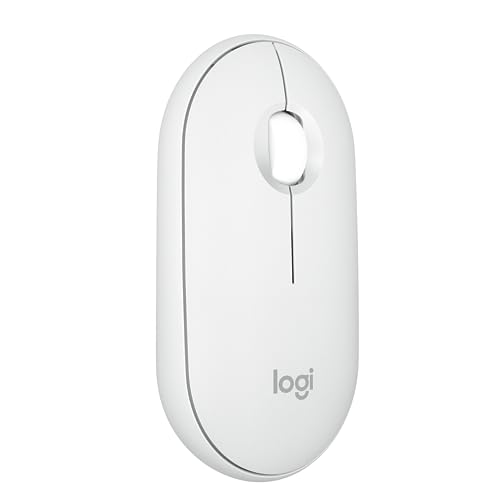
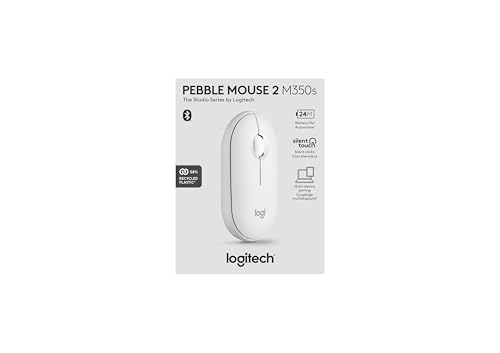
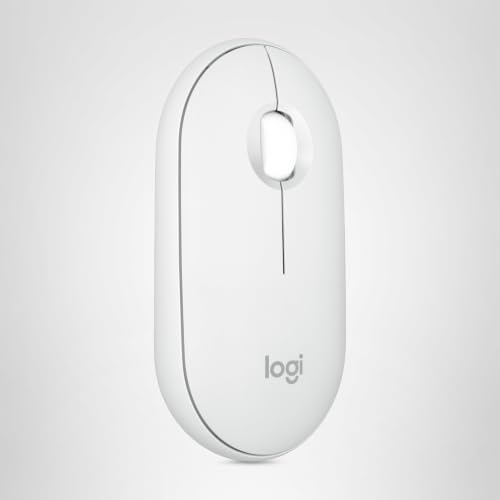
Logitech Pebble Mouse 2 M350S
5.5/10

Overall score

Score
5.5/ 10
✕
What it is
An overall evaluation of the mouse's quality, based on technical analyses and user reviews.
When it matters
When you need a quick reference to identify the best mice on the market.
Score distribution
▼
<55-66-77-88-99-10
Score components

80%

4.5

Technical score

20%

9.6

User score

▼Worse than 67% of mice
6.9

Value for money

Value for money
6.9/ 10
✕
What it is
An indicator that combines the mouse's overall rating with its cost.
When it matters
When you are looking for a mouse that offers a strong balance of performance, features, and price.
Score distribution
▼
<55-66-77-88-99-10
Score components

70%

5.5

Overall score

30%

10

Price

▼Worse than 68%
4.5

Technical score

Technical score
4.5/ 10
✕
What it is
An assessment of technical performance for products in the Mice category across these key areas: Performance & Sensor, Connectivity, Battery & Charging, Controls, Design, Features.
When it matters
When you want to compare mice based on technical performance and available features.
Score distribution
▼
<55-66-77-88-99-10
Score components

36%

3.6

Performance & Sensor

22%

2.7

Controls

16%

7.7

Design

14%

3.3

Features

7%

8.6

Connectivity

5%

6.6

Battery & Charging

▼Worse than 81%
9.6

User score

User score
9.6/ 10
✕
What it is
A rating that combines user reviews and the total number of reviews received by the mouse.
When it matters
When you want to understand how a mouse performs in daily use or gaming and how reliable it is in terms of comfort, button feel, tracking accuracy, and long-term durability.
Score distribution
▼
<55-66-77-88-99-10
Score components

70%

9.5

User ratings

30%

10

Number of reviews

Based on ratings from across the web.
★Better than 99%
  • logitech-pebble-mouse-2-m350s
  • logitech-pebble-mouse-2-m350s
  • logitech-pebble-mouse-2-m350s
  • logitech-pebble-mouse-2-m350s
  • logitech-pebble-mouse-2-m350s
  • logitech-pebble-mouse-2-m350s
  • logitech-pebble-mouse-2-m350s
  • logitech-pebble-mouse-2-m350s
  • logitech-pebble-mouse-2-m350s
  • logitech-pebble-mouse-2-m350s
  • logitech-pebble-mouse-2-m350s
logitech-pebble-mouse-2-m350s
Where to buy
*As an Amazon Associate, we earn from qualifying purchases.
Best rankings
Available: ranking among products currently available (including other versions of this product).All: ranking among all products in the database.

What owners say about the Logitech Pebble Mouse 2 M350S

Based on 34 owners sharing their experience in online comments

50%positive18%mixed32%negative

Owners value its compact portability and long battery life, while many find the flat shape uncomfortable and device switching awkward.

What owners dislike

  • Its flat shape gives little palm support, so after about an hour of use some owners feel hand strain and discomfort.5
  • The device-switch button sits on the underside, so owners must flip the mouse over, and it is easy to click by accident while doing so.3

Points mentioned by at least 3 owners, most mentioned first.

Loading...
Loading category ranking...

Technical Specifications of mouse Logitech Pebble Mouse 2 M350S

Technical score
Technical score
4.5/ 10
✕
What it is
An assessment of technical performance for products in the Mice category across these key areas: Performance & Sensor, Connectivity, Battery & Charging, Controls, Design, Features.
When it matters
When you want to compare mice based on technical performance and available features.
Score distribution
▼
<55-66-77-88-99-10
Score components:

36%

3.6

Performance & Sensor

22%

2.7

Controls

16%

7.7

Design

14%

3.3

Features

7%

8.6

Connectivity

5%

6.6

Battery & Charging

4.5
User score
User score
9.6/ 10
✕
What it is
A rating that combines user reviews and the total number of reviews received by the mouse.
When it matters
When you want to understand how a mouse performs in daily use or gaming and how reliable it is in terms of comfort, button feel, tracking accuracy, and long-term durability.
Score distribution
▼
<55-66-77-88-99-10
Score components

70%

9.5

User ratings

30%

10

Number of reviews

Based on ratings from across the web.
9.6
Popularity
Popularity
10/ 10
✕
What it is
An indicator based on the number of reviews received by the mouse.
When it matters
When you prefer a mouse that has already been chosen and reviewed by many other users.
Score distribution
▼
<55-66-77-88-99-10
Popularity:
Logitech Pebble Mouse 2 M350S has a popularity score of 10 points, which is higher than that of 91.5% of products in this category.
10
Value for money
Value for money
6.9/ 10
✕
What it is
An indicator that combines the mouse's overall rating with its cost.
When it matters
When you are looking for a mouse that offers a strong balance of performance, features, and price.
Score distribution
▼
<55-66-77-88-99-10
Score components:

70%

5.5

Overall score

30%

10

Price

6.9
Brand name
Logitech
Maximum polling rate
125 Hz
This mouse has a maximum polling rate of 125 Hz, which is lower than 75.8% of mice and equal to 23.9% of mice.
Wired polling rate
N/A
2.4 GHz polling rate
125 Hz
This mouse has a 2.4 GHz polling rate of 125 Hz, which is lower than 71.1% of mice and equal to 28.8% of mice.
Bluetooth polling rate
125 Hz
This mouse has a Bluetooth polling rate of 125 Hz, which is higher than 67.8% of mice and equal to 30.7% of mice.
varies by OS.
Show more
Connectivity
wireless
This mouse supports wireless connectivity, which is more versatile than 35% of mice and equal to 21.7% of mice.
connection modes: Bluetooth / 2.4 GHz.
Bluetooth support
yes
This mouse supports Bluetooth. 64.5% of mice support Bluetooth.
Bluetooth version
5.1
This mouse uses Bluetooth 5.1, which is newer than 86.3% of mice and equal to 6.1% of mice.
Proprietary 2.4 GHz support
yes
This mouse supports proprietary 2.4 GHz wireless. 38.8% of mice support proprietary 2.4 GHz wireless.
Receiver included
no
This mouse does not include a receiver. 62.3% of mice include a receiver.
Show more
Battery life
N/A
Battery capacity
N/A
Battery form factor
AA
Rechargeable battery
no
This mouse does not use a rechargeable battery. 46% of mice use a rechargeable battery.
Removable battery
yes
This mouse uses a removable battery. 77.8% of mice use a removable battery.
Show more
N. of buttons
4
This mouse has 4 buttons, which is less than 86.6% of mice and equal to 4.3% of mice.
N. of side buttons
0
This mouse has 0 side buttons, which is less than 85.3% of mice and equal to 14.7% of mice.
N. of programmable buttons
1
This mouse has 1 programmable buttons, which is less than 82.4% of mice and equal to 0.8% of mice.
DPI switching button
no
This mouse does not include a DPI switching button. 85.4% of mice include a DPI switching button.
Profile switching button
no
This mouse does not include a profile switching button. 16% of mice include a profile switching button.
Show more
Orientation
ambidextrous
Weight
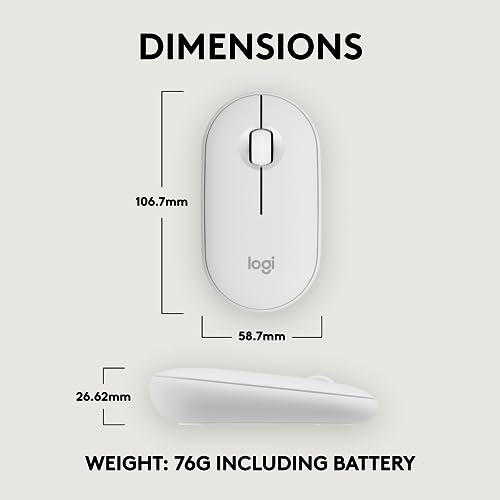
76 g
This mouse weighs 76 g, which makes it lighter than 55.7% of mice and equal to 1% of mice.
Extra weights
0 g
This mouse comes with 0 g extra weights, which is less than 4.6% of mice and equal to 95.4% of mice.
Cable length
N/A
Cable type
N/A
Show more
Onboard memory profiles
0
This mouse supports 0 onboard memory profiles, which is less than 52.2% of mice and equal to 47.8% of mice.
Onboard memory size
0 KB
This mouse has an onboard memory size of 0 KB, which is smaller than 12.6% of mice and equal to 87.4% of mice.
no onboard memory.
Software name
Logi Options+
Firmware upgradable
yes
This mouse supports firmware updates. 22.5% of mice support firmware updates.
Suitable for gaming
no
This mouse is not suitable for gaming. 76.2% of mice are suitable for gaming.

Logitech Pebble Mouse 2 M350S vs the average mouse

246810TotalPerformance & SensorConnectivityBattery & ChargingControlsDesignFeatures
  • Silent primary switches
    This mouse uses silent primary switches, while the average mouse does not. 14.1% of mice use silent primary switches.
  • Gesture support
    This mouse supports gesture controls, while the average mouse does not. 6.6% of mice support gesture controls.
  • 20.2% higher user score
    User score
    9.6/ 10
    ✕
    What it is
    A rating that combines user reviews and the total number of reviews received by the mouse.
    When it matters
    When you want to understand how a mouse performs in daily use or gaming and how reliable it is in terms of comfort, button feel, tracking accuracy, and long-term durability.
    Score distribution
    ▼
    ▼
    <55-66-77-88-99-10
    Logitech Pebble Mouse 2 M350S
    the average mouse
    Logitech Pebble Mouse 2 M350S has a higher user score than the average mouse (9.62 vs 8).
    9.62 vs 8
  • 2 more paired devices
    This mouse pairs with 3 devices, while the average mouse pairs with 1 devices.
    3 vs 1
  • Removable battery
    This mouse uses a removable battery, while the average mouse does not. 22.3% of mice use a removable battery.
  • Multi-device pairing
    This mouse supports multi-device pairing, while the average mouse does not. 20.3% of mice support multi-device pairing.
  • 56.6% more popular
    Logitech Pebble Mouse 2 M350S is more popular than the average mouse (10 vs 6.4).
    10 vs 6.38
  • 7.3% lower mouse weight
    This mouse weighs 76 g, while the average mouse weighs 82 g.
    76 g vs 82 g
  • 20.2% higher user score
    User score
    9.6/ 10
    ✕
    What it is
    A rating that combines user reviews and the total number of reviews received by the mouse.
    When it matters
    When you want to understand how a mouse performs in daily use or gaming and how reliable it is in terms of comfort, button feel, tracking accuracy, and long-term durability.
    Score distribution
    ▼
    ▼
    <55-66-77-88-99-10
    Logitech Pebble Mouse 2 M350S
    the average mouse
    Logitech Pebble Mouse 2 M350S has a higher user score than the average mouse (9.62 vs 8).
    9.62 vs 8
  • 56.6% more popular
    Logitech Pebble Mouse 2 M350S is more popular than the average mouse (10 vs 6.4).
    10 vs 6.38
  • 75% cheaper
    Logitech Pebble Mouse 2 M350S is cheaper than the average mouse (£20 vs £35).
    £20 vs £35
  • 100 DPI lower minimum setting
    This mouse goes as low as 100 DPI, while the average mouse goes as low as 200 DPI.
    100 DPI vs 200 DPI
  • 2 more paired devices
    This mouse pairs with 3 devices, while the average mouse pairs with 1 devices.
    3 vs 1
  • Multi-device pairing
    This mouse supports multi-device pairing, while the average mouse does not. 20.3% of mice support multi-device pairing.
  • Bluetooth support
    This mouse supports Bluetooth, while the average mouse does not. 35.5% of mice support Bluetooth.
  • Receiver storage inside mouse
    This mouse has receiver storage inside the mouse, while the average mouse does not. 45.9% of mice have receiver storage inside the mouse.
  • Removable battery
    This mouse uses a removable battery, while the average mouse does not. 22.3% of mice use a removable battery.
  • Silent primary switches
    This mouse uses silent primary switches, while the average mouse does not. 14.1% of mice use silent primary switches.
  • Gesture support
    This mouse supports gesture controls, while the average mouse does not. 6.6% of mice support gesture controls.
  • 7.3% lower mouse weight
    This mouse weighs 76 g, while the average mouse weighs 82 g.
    76 g vs 82 g
  • 13.1 mm lower mouse height
    This mouse is 26.6 mm tall, while the average mouse is 39.7 mm tall.
    26.6 mm vs 39.7 mm
  • 7.3 mm narrower mouse width
    This mouse is 58.7 mm wide, while the average mouse is 66 mm wide.
    58.7 mm vs 66 mm
  • 87.5% lower maximum polling rate
    This mouse has a maximum polling rate of 125 Hz, while the average mouse has a maximum polling rate of 1,000 Hz.
    125 Hz vs 1,000 Hz
  • 5 fewer programmable buttons
    This mouse has 1 programmable buttons, while the average mouse has 6 programmable buttons.
    1 vs 6
  • 95% lower tracking speed
    This mouse has a maximum tracking speed of 20 IPS, while the average mouse has a maximum tracking speed of 400 IPS.
    20 IPS vs 400 IPS
  • 20 million clicks shorter switch lifespan
    This mouse has a switch durability of 10 million clicks, while the average mouse has a switch durability of 30 million clicks.
    10 million clicks vs 30 million clicks
  • 1 fewer onboard profiles
    This mouse supports 0 onboard memory profiles, while the average mouse supports 1 onboard memory profiles.
    0 vs 1
  • No receiver included
    This mouse does not include a receiver, while the average mouse does. 62.3% of mice include a receiver.
  • 87.5% lower 2.4 GHz polling rate
    This mouse has a 2.4 GHz polling rate of 125 Hz, while the average mouse has a 2.4 GHz polling rate of 1,000 Hz.
    125 Hz vs 1,000 Hz
  • Not suitable for gaming
    This mouse is not suitable for gaming, while the average mouse is. 76.1% of mice are suitable for gaming.
  • 6.4% worse value for money
    Logitech Pebble Mouse 2 M350S has worse value for money than the average mouse (6.87 vs 7.3).
    6.87 vs 7.31
  • 87.5% lower maximum polling rate
    This mouse has a maximum polling rate of 125 Hz, while the average mouse has a maximum polling rate of 1,000 Hz.
    125 Hz vs 1,000 Hz
  • 95% lower tracking speed
    This mouse has a maximum tracking speed of 20 IPS, while the average mouse has a maximum tracking speed of 400 IPS.
    20 IPS vs 400 IPS
  • 87.5% lower 2.4 GHz polling rate
    This mouse has a 2.4 GHz polling rate of 125 Hz, while the average mouse has a 2.4 GHz polling rate of 1,000 Hz.
    125 Hz vs 1,000 Hz
  • 60% lower maximum DPI
    This mouse has a maximum DPI of 4,000 DPI, while the average mouse has a maximum DPI of 10,000 DPI.
    4,000 DPI vs 10,000 DPI
  • 75% lower maximum acceleration
    This mouse has a maximum acceleration of 10 G, while the average mouse has a maximum acceleration of 40 G.
    10 G vs 40 G
  • No angle snapping support
    This mouse does not support angle snapping, while the average mouse does. 54.4% of mice support angle snapping.
  • No receiver included
    This mouse does not include a receiver, while the average mouse does. 62.3% of mice include a receiver.
  • 5 fewer programmable buttons
    This mouse has 1 programmable buttons, while the average mouse has 6 programmable buttons.
    1 vs 6
  • 20 million clicks shorter switch lifespan
    This mouse has a switch durability of 10 million clicks, while the average mouse has a switch durability of 30 million clicks.
    10 million clicks vs 30 million clicks
  • No DPI switching button
    This mouse does not include a DPI switching button, while the average mouse does. 85.3% of mice include a DPI switching button.
  • 2 fewer side buttons
    This mouse has 0 side buttons, while the average mouse has 2 side buttons.
    0 vs 2
  • 2 fewer buttons
    This mouse has 4 buttons, while the average mouse has 6 buttons.
    4 vs 6
  • No RGB lighting
    This mouse does not have RGB lighting, while the average mouse does. 56.3% of mice have RGB lighting.
  • 1 fewer onboard profiles
    This mouse supports 0 onboard memory profiles, while the average mouse supports 1 onboard memory profiles.
    0 vs 1
  • Not suitable for gaming
    This mouse is not suitable for gaming, while the average mouse is. 76.1% of mice are suitable for gaming.

Video reviews

Hands-on testing, unboxing, and real-world video evaluations

9.0
TechRush 2.0
≈ estimated
15/12/2024
Long-term test · 6 months of daily use
Verdict
Logitech Pebble Mouse 2 M350S is one of the best minimalist options for multi-device use, with no problems after six months.
7.0
Mindy C
≈ estimated
18/02/2024
Long-term test · several months of use across devices
Verdict
Logitech Pebble Mouse 2 M350S works well on Windows, is less reliable on iPad with occasional scroll stutter, and works as a cheap, stylish keyboard partner.
9.0
IrensTech
≈ estimated
23/11/2024
First impressions · a couple of days of use
Verdict
Logitech Pebble Mouse 2 M350S has worked well so far as a lightweight, reliable mouse for moving between workplaces.
9.0
American System
≈ estimated
20/01/2024
Unboxing · multi-laptop switching and click test
Verdict
Logitech Pebble Mouse 2 M350S is very light and easy to switch between laptops, and the creator highly recommends it.
9.0
Adam Talks Tech
≈ estimated
03/01/2024
Short review · mouse features and battery overview
Verdict
Logitech Pebble Mouse 2 M350S is a solid, affordable travel mouse, though its small size may not suit everyone.
7.0
Kova
≈ estimated
26/09/2023
First look · feature and software walkthrough · quick click test
Verdict
Logitech Pebble Mouse 2 M350S is simple and quiet, not a bad mouse, and best suited to quiet offices.
Overview video
Overview video
Not graded

Expert reviews

In-depth analysis and verdict from leading tech publications

rtings.com
05/04/2024
Lab test · Basic portable mouse
Verdict
The Logitech Pebble Mouse 2 M350S is a small, low-profile mouse for carrying around, but it feels cheap, is uncomfortable for long desk sessions, and is weak for gaming.
imore.com
01/10/2023
Hands-on test · Slim travel mouse
Verdict
The Logitech Pebble Mouse 2 M350S suits quiet travel use, but its flat shape becomes uncomfortable quickly, so other mice are better.
trustedreviews.com
08/11/2023
Hands-on review · Office travel mouse
Verdict
The Logitech Pebble Mouse 2 M350S is a decent travel mouse with quiet, responsive buttons and strong software, though its flat shape takes getting used to.
stuff.co.za
20/10/2023
Hands-on test · Desk combo
Verdict
The Logitech Pebble Mouse 2 M350S is too light and too short for larger hands, though its quiet clicks and long battery life suit travel.
leparticulier.lefigaro.fr
14/02/2024
Hands-on test · Compact travel mouse
Verdict
The Logitech Pebble Mouse 2 M350S is a compact, light mouse that fits a laptop bag and pairs easily with three devices, at a very affordable price.
rtings.com
05/04/2024
Lab test · Basic portable mouse
Verdict
The Logitech Pebble Mouse 2 M350S is a small, low-profile mouse for carrying around, but it feels cheap, is uncomfortable for long desk sessions, and is weak for gaming.
irrompibles.net
16/04/2024
Hands-on review · Office mouse combo
Verdict
The Logitech Pebble Mouse 2 M350S is a tiny, quiet office mouse that switches between three devices with one button, though it suits smaller hands best.

Third-party reviews

Based on ratings from across the web.
Reviews last updated: November 2026 · How we calculate this

What customers like about Logitech Pebble Mouse 2 M350S

  • Extremely portable with a slim, lightweight, and low-profile design that easily fits into pockets or laptop bags
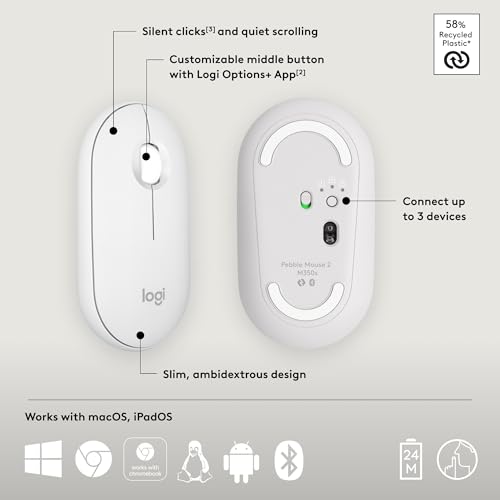
  • Whisper-quiet 'Silent Touch' technology reduces click noise by 90%, making it ideal for libraries or shared workspaces
  • Multi-device pairing allows seamless switching between up to three different devices via Bluetooth
  • Long-lasting battery life of up to 24 months on a single AA battery
  • Customisable middle button through the Logi Options+ app for app-specific shortcuts and macros
  • Responsive 4000 DPI sensor provides precise tracking on a variety of surfaces

What customers don't like about Logitech Pebble Mouse 2 M350S

  • Lacks ergonomic support; the flat shape may cause hand or wrist fatigue during prolonged use
  • Not ideal for users with larger hands due to its small footprint and lack of a palm rest
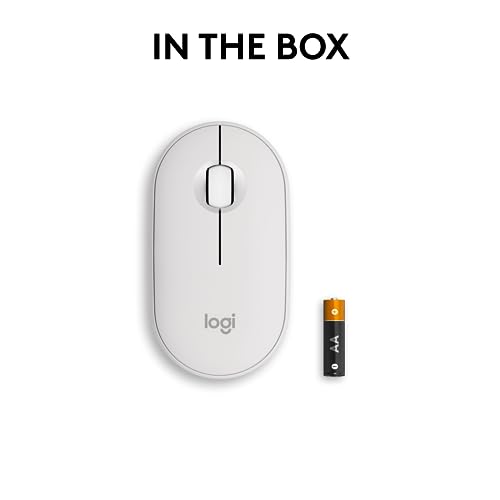
  • Does not include the Logi Bolt USB receiver in the box, requiring a separate purchase if Bluetooth is not used
  • Minimalist feature set with no side buttons or specialized scroll wheel modes like free-scrolling
  • Limited polling rate and sensor latency make it unsuitable for competitive or fast-paced gaming

Verdict

The Logitech Pebble Mouse 2 M350s is a minimalist, ambidextrous wireless mouse featuring a slim, portable design and a high-precision optical sensor with an adjustable DPI range of 400 to 4000. Key characteristics include Silent Touch technology that reduces click noise by 90%, multi-device pairing for up to three devices via Bluetooth Low Energy, and a customizable middle button compatible with the Logi Options+ app. Its main pros are an exceptional 24-month battery life from a single AA battery, lightweight 76g construction made from over 50% recycled plastic, and seamless switching between operating systems like Windows, macOS, and iPadOS. However, its extremely low-profile, flat shape lacks ergonomic palm support, which can cause discomfort during extended use, and it lacks side buttons for advanced navigation.

Compare Logitech Pebble Mouse 2 M350S with other products in the Mice category

1Product to compare no. 1
VS
2Product to compare no. 2
VS
3Product to compare no. 3 (optional)

Graphic comparison of Logitech Pebble Mouse 2 M350S and other products in the Mice category

No results found