Which brands make the best wireless mice?
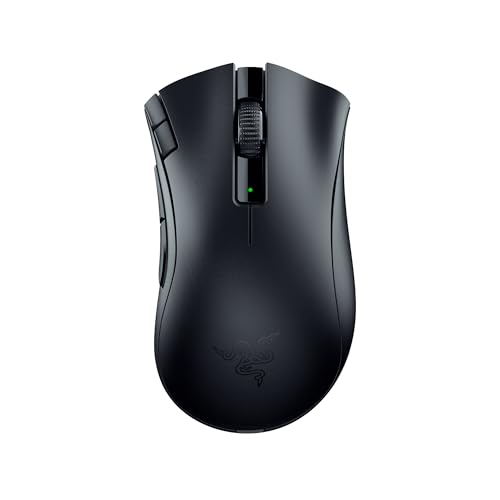
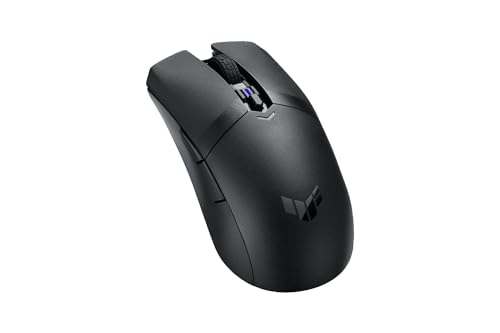
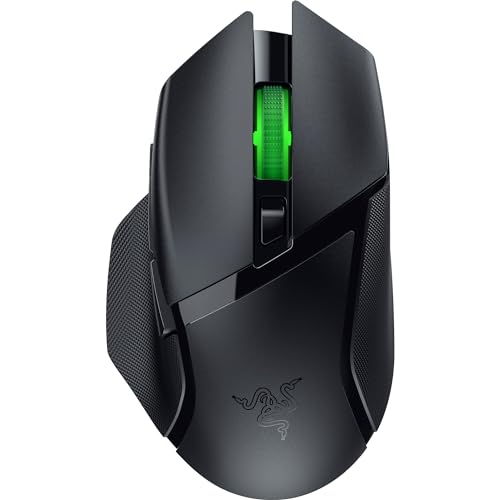
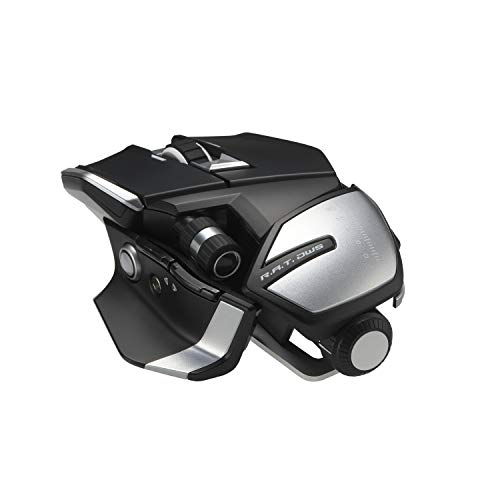
The best wireless mouse brands are as follows.
- Rapoo (Average overall score: 8.9)
- Razer (Average overall score: 8.7)
- Attack Shark (Average overall score: 8.6)
The chart below ranks wireless mouse brands by average overall score.
[horizontal-chart-17791853101855542083015457596352065587081497649568]
What makes a wireless mouse different from wired models?
A wireless mouse differs from a wired model mainly by replacing the permanent cable with a battery-powered radio link such as 2.4 GHz, Bluetooth, or both. The practical result is more desk freedom, easier portability, and less cable drag, but also a dependence on charging or battery replacement.
Wireless design changes more than just the connection. A wireless mouse usually has to balance battery size, weight, sleep behavior, charging method, and radio reliability, while a wired mouse can focus more directly on continuous power and uninterrupted data transfer.
That does not mean wireless mice are always slower or worse. Modern high-end wireless models can perform extremely well, but wired models still keep the advantages of zero charging hassle, a guaranteed physical connection, and fewer variables during long uninterrupted use.
What wireless connections are common on computer mice?
The most common wireless connections on computer mice are 2.4 GHz dongles, Bluetooth, and dual-mode combinations that support both. Each option solves a slightly different problem, so connection type matters almost as much as the mouse shape itself.
2.4 GHz wireless is the most common mainstream option because it is simple and usually stable with low setup friction. Bluetooth is more convenient for laptops and tablets when you do not want to occupy a USB receiver, while dual-mode mice try to combine both advantages in one device.
Wireless mice can also blur the line with wired use. Many current models support wired / 2.4 GHz or wired / Bluetooth / 2.4 GHz operation, which means you can use them wirelessly most of the time but still plug them in for charging or continuous desktop use when needed.
How long does the battery last on wireless mice?
Battery life on wireless mice varies more than on almost any other mouse type. Some rechargeable models last only several days to a few weeks per charge, while simpler office mice built around low-power sensors and replaceable batteries can keep going for many months before you need to think about them.
In practice, wireless mice usually split into two broad groups. Performance-oriented models tend to trade some runtime for lower weight, faster response, or richer features, while everyday office mice are tuned more for convenience and long low-maintenance use than for speed.
So battery-life expectations should follow the kind of mouse you are buying, not just the fact that it is wireless. If you want higher polling, RGB, or gaming hardware, shorter runtimes are normal; if you want a simple productivity mouse, long battery life is much easier to get.
How much do the best wireless mice cost?
The best wireless mice currently cost about 50-200+ €, with most strong mainstream options clustering in the middle of that range rather than at the very bottom. In practical terms, the best wireless mice are usually midrange or premium models that combine better sensors, stronger connectivity, longer battery life, and more refined shapes than cheap office-focused cordless mice.
Wireless mouse prices are driven mainly by connection flexibility, sensor class, polling rate, battery system, shape specialization, and gaming ambition. The market is especially broad here because cheap 2.4 GHz office mice coexist with dual-mode, high-polling, rechargeable flagship models in the same overall cordless category.
This chart visualizes wireless mouse prices.
[vertical-chart-11969360069163304907178873777561140395042681335394]
What should you consider while choosing a wireless mouse?
The main technical criteria for a wireless mouse are as follows.
- Wireless protocol: 2.4 GHz, Bluetooth, and dual-mode designs solve different latency and convenience needs, so protocol choice is a core filter rather than a minor feature. Bluetooth makes pairing simple across laptops and tablets, but it usually signals a convenience-first approach rather than a low-latency gaming-oriented connection path.
- Battery behavior: The wireless market spans short-runtime rechargeable performance mice and ultra-long-life office mice, so endurance expectations should match the intended workload. Hundreds or thousands of quoted hours usually indicate an office-first sensor and lower polling behavior, while shorter runtime often means a higher-performance wireless stack.
- Sensor and polling range: Wireless mice now cover roughly 1000-45000 DPI and about 90-8000 Hz polling, which means the category includes both simple office hardware and serious gaming designs. The useful question is whether the mouse sits in the office tier, the midrange all-purpose tier, or the gaming-performance tier, because those groups behave very differently in daily use.
- Shell shape and handedness: Wireless does not imply comfort, so ambidextrous, right-handed, and rarer left-handed fits still need to be checked separately. For shared-office or late-night use, a stable low-noise grip is often more important than chasing extra buttons or gaming-oriented shell traits that add little practical value.
- Weight class: Battery system, shell size, and intended use create a very wide spread from light performance mice to heavy office-oriented models. Within broad lineups, the lighter end usually signals faster movement and simpler shells, while the heavier end more often reflects larger bodies, extra buttons, batteries, or support-first office designs.
- Charging or battery system: Replaceable batteries and rechargeable internal cells create very different maintenance patterns, especially for daily-use devices. That affects whether the mouse behaves like a low-maintenance appliance or like a device that regularly needs cable time, dock time, or spare batteries nearby.