Scored using Mice Methodology v1.0
Mice Methodology v1.0
Mathematical & Unbiased Scoring
Products in this category are scored under Frontum Mice Methodology v1.0: technical specifications plus authentic consumer ratings, with 0% commercial bias.
Explore Mice Methodology v1.0

Logitech MX Master 4 Review | 78 Data compared

Avg. price:~£110Connectivity:wireless+wiredMaximum polling rate:125 HzMaximum DPI:8000 DPIWeight:150 g

Logitech MX Master 4 Review: Compare 78 technical specifications and user reviews to see how this product ranks in the Mice category and whether it is worth buying.
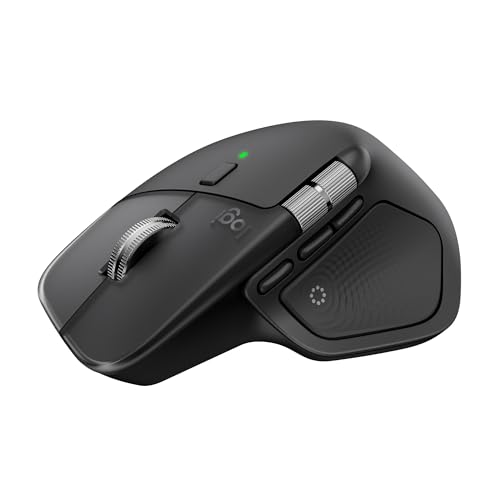
Logitech MX Master 4
5.9/10

Overall score

Score
5.9/ 10
✕
What it is
An overall evaluation of the mouse's quality, based on technical analyses and user reviews.
When it matters
When you need a quick reference to identify the best mice on the market.
Score distribution
▼
<55-66-77-88-99-10
Score components

80%

5.2

Technical score

20%

8.6

User score

▼Worse than 58% of mice
7.1

Value for money

Value for money
7.1/ 10
✕
What it is
An indicator that combines the mouse's overall rating with its cost.
When it matters
When you are looking for a mouse that offers a strong balance of performance, features, and price.
Score distribution
▼
<55-66-77-88-99-10
Score components

70%

5.9

Overall score

30%

9.9

Price

▼Worse than 59%
5.2

Technical score

Technical score
5.2/ 10
✕
What it is
An assessment of technical performance for products in the Mice category across these key areas: Performance & Sensor, Connectivity, Battery & Charging, Controls, Design, Features.
When it matters
When you want to compare mice based on technical performance and available features.
Score distribution
▼
<55-66-77-88-99-10
Score components

36%

4.1

Performance & Sensor

22%

7.9

Controls

16%

2.3

Design

14%

3.3

Features

7%

9.9

Connectivity

5%

8.6

Battery & Charging

▼Worse than 64%
8.6

User score

User score
8.6/ 10
✕
What it is
A rating that combines user reviews and the total number of reviews received by the mouse.
When it matters
When you want to understand how a mouse performs in daily use or gaming and how reliable it is in terms of comfort, button feel, tracking accuracy, and long-term durability.
Score distribution
▼
<55-66-77-88-99-10
Score components

70%

8.7

User ratings

30%

8.5

Number of reviews

Based on ratings from across the web.
▲Better than 75%
  • logitech-mx-master-4
  • logitech-mx-master-4
  • logitech-mx-master-4
  • logitech-mx-master-4
  • logitech-mx-master-4
  • logitech-mx-master-4
  • logitech-mx-master-4
  • logitech-mx-master-4
  • logitech-mx-master-4
  • logitech-mx-master-4
  • logitech-mx-master-4
  • logitech-mx-master-4
  • logitech-mx-master-4
  • logitech-mx-master-4
logitech-mx-master-4
Where to buy
*As an Amazon Associate, we earn from qualifying purchases.
Best rankings
Available: ranking among products currently available (including other versions of this product).All: ranking among all products in the database.

What owners say about the Logitech MX Master 4

Based on 198 owners sharing their experience in online comments

40%positive9%mixed51%negative

Owners love the fast, versatile scrolling, but many find the shape slippery, uncomfortable, and hard to lift.

What owners dislike

  • Owners with medium or small hands find the shape too wide and smooth, with the palm sliding off, the thumb sitting awkwardly, and the back button too far back.33
  • Owners say the smooth new surface makes the mouse slip out of the hand when lifting it, causing palm and wrist strain and needing extra grip.22
  • Owners say the mouse is too heavy for long sessions, causing wrist pain and slowing them down, and some want to return it because of the weight.19
  • Owners say Logi Options+ software hangs, fails to install on newer macOS and Linux, and does not save button remaps on the device, so features stop working.14
  • Owners say the thumb button sticks out too far and the right-click and thumbwheel are awkwardly placed, making them hard to reach and causing accidental clicks.14
  • Owners say the 125Hz polling rate feels laggy and slow, especially on high-refresh monitors, and some say it is disappointing for a mouse at this price.11
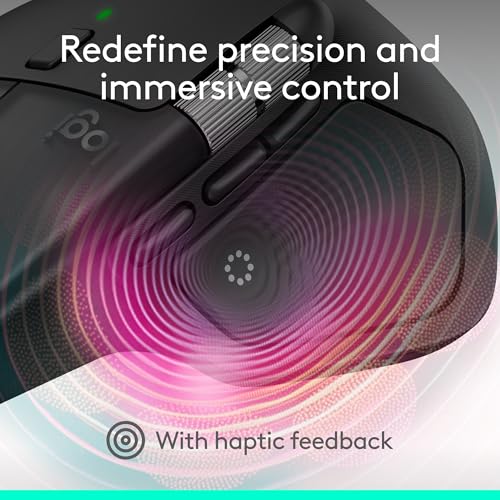
  • Owners say the haptic feedback causes unwanted vibration or accidental clicks, and some say the buttons feel gimmicky rather than useful.9
  • Owners say the mouse needs Logi Options+ software to set up and change buttons, with no onboard memory, which is a problem at work and on shared computers.8
  • Owners say the scroll wheel is jerky or inconsistent on macOS, and the free-spin wheel can rattle or mis-scroll.8
  • Owners say the new plastic surface and mould lines feel cheap and rough compared with the textured finish of the MX Master 3S.6

Points mentioned by at least 3 owners, most mentioned first.

Loading...
Loading category ranking...

Technical Specifications of mouse Logitech MX Master 4

Technical score
Technical score
5.2/ 10
✕
What it is
An assessment of technical performance for products in the Mice category across these key areas: Performance & Sensor, Connectivity, Battery & Charging, Controls, Design, Features.
When it matters
When you want to compare mice based on technical performance and available features.
Score distribution
▼
<55-66-77-88-99-10
Score components:

36%

4.1

Performance & Sensor

22%

7.9

Controls

16%

2.3

Design

14%

3.3

Features

7%

9.9

Connectivity

5%

8.6

Battery & Charging

5.2
User score
User score
8.6/ 10
✕
What it is
A rating that combines user reviews and the total number of reviews received by the mouse.
When it matters
When you want to understand how a mouse performs in daily use or gaming and how reliable it is in terms of comfort, button feel, tracking accuracy, and long-term durability.
Score distribution
▼
<55-66-77-88-99-10
Score components

70%

8.7

User ratings

30%

8.5

Number of reviews

Based on ratings from across the web.
8.6
Popularity
Popularity
8.5/ 10
✕
What it is
An indicator based on the number of reviews received by the mouse.
When it matters
When you prefer a mouse that has already been chosen and reviewed by many other users.
Score distribution
▼
<55-66-77-88-99-10
Popularity:
Logitech MX Master 4 has a popularity score of 8.5 points, which is higher than that of 77.4% of products in this category.
8.5
Value for money
Value for money
7.1/ 10
✕
What it is
An indicator that combines the mouse's overall rating with its cost.
When it matters
When you are looking for a mouse that offers a strong balance of performance, features, and price.
Score distribution
▼
<55-66-77-88-99-10
Score components:

70%

5.9

Overall score

30%

9.9

Price

7.1
Brand name
Logitech
Maximum polling rate
125 Hz
This mouse has a maximum polling rate of 125 Hz, which is lower than 75.8% of mice and equal to 23.9% of mice.
Wired polling rate
125 Hz
This mouse has a wired polling rate of 125 Hz, which is lower than 89.2% of mice and equal to 10.8% of mice.
2.4 GHz polling rate
125 Hz
This mouse has a 2.4 GHz polling rate of 125 Hz, which is lower than 71.1% of mice and equal to 28.8% of mice.
Bluetooth polling rate
125 Hz
This mouse has a Bluetooth polling rate of 125 Hz, which is higher than 67.8% of mice and equal to 30.7% of mice.
Show more
Connectivity
wireless+wired
This mouse supports wireless+wired connectivity, which is more versatile than 56.8% of mice and equal to 43.3% of mice.
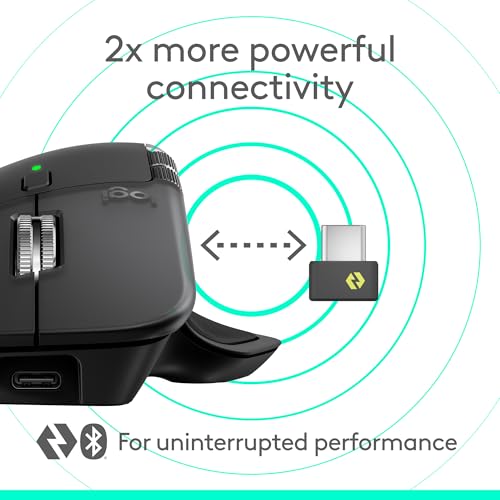
connection modes: wired / Bluetooth / 2.4 GHz.
Bluetooth support
yes
This mouse supports Bluetooth. 64.5% of mice support Bluetooth.
Bluetooth version
5.1
This mouse uses Bluetooth 5.1, which is newer than 86.3% of mice and equal to 6.1% of mice.
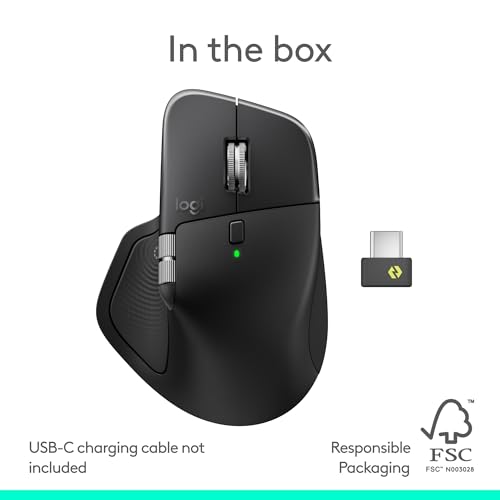
Proprietary 2.4 GHz support
yes
This mouse supports proprietary 2.4 GHz wireless. 38.8% of mice support proprietary 2.4 GHz wireless.
Receiver included
yes
This mouse includes a receiver. 37.8% of mice include a receiver.
Show more
Battery life
?
Battery capacity
650 mAh
This mouse has a battery capacity of 650 mAh, which is larger than 79.6% of mice and equal to 1.1% of mice.
Battery form factor
integrated
Rechargeable battery
yes
This mouse uses a rechargeable battery. 54.2% of mice use a rechargeable battery.
Removable battery
no
This mouse does not use a removable battery. 22.3% of mice use a removable battery.
Show more
N. of buttons
8
This mouse has 8 buttons, which is more than 78.5% of mice and equal to 9.6% of mice.
N. of side buttons
3
This mouse has 3 side buttons, which is more than 83.8% of mice and equal to 8.6% of mice.
N. of programmable buttons
8
This mouse has 8 programmable buttons, which is more than 79.8% of mice and equal to 8.7% of mice.
DPI switching button
no
This mouse does not include a DPI switching button. 85.4% of mice include a DPI switching button.
Profile switching button
no
This mouse does not include a profile switching button. 16% of mice include a profile switching button.
Show more
Orientation
right-handed
Weight
150 g
This mouse weighs 150 g, which is heavier than 96.9% of mice and equal to 0.8% of mice.
Extra weights
0 g
This mouse comes with 0 g extra weights, which is less than 4.6% of mice and equal to 95.4% of mice.
Cable length
N/A
Cable type
N/A
Show more
Onboard memory profiles
0
This mouse supports 0 onboard memory profiles, which is less than 52.2% of mice and equal to 47.8% of mice.
Onboard memory size
0 KB
This mouse has an onboard memory size of 0 KB, which is smaller than 12.6% of mice and equal to 87.4% of mice.
no onboard memory.
Software name
Logi Options+
Firmware upgradable
yes
This mouse supports firmware updates. 22.5% of mice support firmware updates.
Suitable for gaming
no
This mouse is not suitable for gaming. 76.2% of mice are suitable for gaming.

Logitech MX Master 4 vs the average mouse

246810TotalPerformance & SensorConnectivityBattery & ChargingControlsDesignFeatures
  • 2 more programmable buttons
    This mouse has 8 programmable buttons, while the average mouse has 6 programmable buttons.
    8 vs 6
  • Silent primary switches
    This mouse uses silent primary switches, while the average mouse does not. 14.1% of mice use silent primary switches.
  • Free-spin scroll mode
    This mouse offers a free-spin scroll mode, while the average mouse does not. 3.9% of mice offer a free-spin scroll mode.
  • Usable while charging
    This mouse can be used while charging, while the average mouse cannot. 47.5% of mice can be used while charging.
  • 20 million clicks longer switch lifespan
    This mouse offers switch durability of 50 million clicks, while the average mouse offers switch durability of 30 million clicks.
    50 million clicks vs 30 million clicks
  • 1 more side buttons
    This mouse has 3 side buttons, while the average mouse has 2 side buttons.
    3 vs 2
  • Thumb scroll wheel
    This mouse includes a thumb scroll wheel, while the average mouse does not. 2% of mice include a thumb scroll wheel.
  • Gesture support
    This mouse supports gesture controls, while the average mouse does not. 6.6% of mice support gesture controls.
  • 8% higher user score
    User score
    8.6/ 10
    ✕
    What it is
    A rating that combines user reviews and the total number of reviews received by the mouse.
    When it matters
    When you want to understand how a mouse performs in daily use or gaming and how reliable it is in terms of comfort, button feel, tracking accuracy, and long-term durability.
    Score distribution
    ▼
    ▼
    <55-66-77-88-99-10
    Logitech MX Master 4
    the average mouse
    Logitech MX Master 4 has a higher user score than the average mouse (8.64 vs 8).
    8.64 vs 8
  • 2 more paired devices
    This mouse pairs with 3 devices, while the average mouse pairs with 1 devices.
    3 vs 1
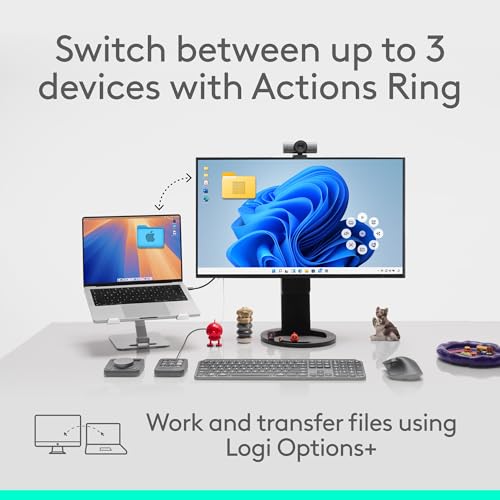
  • Multi-device pairing
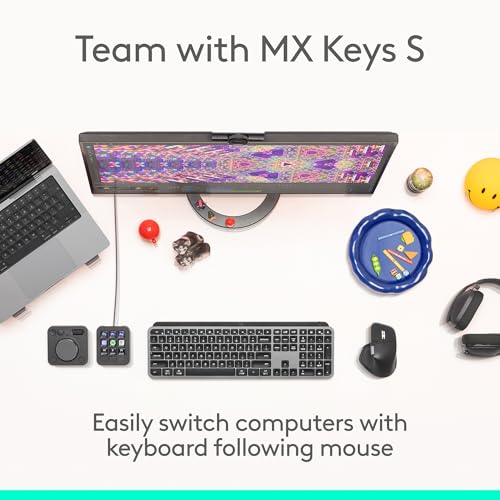
    This mouse supports multi-device pairing, while the average mouse does not. 20.3% of mice support multi-device pairing.
  • Versatile connectivity
    This mouse supports wireless+wired connectivity, while the average mouse supports wireless connectivity.
    connection modes: wired / Bluetooth / 2.4 GHz.
    wireless+wired vs wireless
  • Bluetooth support
    This mouse supports Bluetooth, while the average mouse does not. 35.5% of mice support Bluetooth.
  • Usable while charging
    This mouse can be used while charging, while the average mouse cannot. 47.5% of mice can be used while charging.
  • Rechargeable battery
    This mouse uses a rechargeable battery, while the average mouse does not. 45.9% of mice use a rechargeable battery.
  • 2 more programmable buttons
    This mouse has 8 programmable buttons, while the average mouse has 6 programmable buttons.
    8 vs 6
  • Silent primary switches
    This mouse uses silent primary switches, while the average mouse does not. 14.1% of mice use silent primary switches.
  • Free-spin scroll mode
    This mouse offers a free-spin scroll mode, while the average mouse does not. 3.9% of mice offer a free-spin scroll mode.
  • 20 million clicks longer switch lifespan
    This mouse offers switch durability of 50 million clicks, while the average mouse offers switch durability of 30 million clicks.
    50 million clicks vs 30 million clicks
  • 1 more side buttons
    This mouse has 3 side buttons, while the average mouse has 2 side buttons.
    3 vs 2
  • Thumb scroll wheel
    This mouse includes a thumb scroll wheel, while the average mouse does not. 2% of mice include a thumb scroll wheel.
  • Gesture support
    This mouse supports gesture controls, while the average mouse does not. 6.6% of mice support gesture controls.
  • 2 more buttons
    This mouse has 8 buttons, while the average mouse has 6 buttons.
    8 vs 6
  • 4 newer release date
    This mouse was released in 2025, while the average mouse was released in 2021.
    September 2025
    2025 vs 2021
  • 82.9% higher mouse weight
    This mouse weighs 150 g, while the average mouse weighs 82 g.
    150 g vs 82 g
  • 87.5% lower maximum polling rate
    This mouse has a maximum polling rate of 125 Hz, while the average mouse has a maximum polling rate of 1,000 Hz.
    125 Hz vs 1,000 Hz
  • 87.5% lower wired polling rate
    This mouse has a wired polling rate of 125 Hz, while the average mouse has a wired polling rate of 1,000 Hz.
    125 Hz vs 1,000 Hz
  • 1 fewer onboard profiles
    This mouse supports 0 onboard memory profiles, while the average mouse supports 1 onboard memory profiles.
    0 vs 1
  • 87.5% lower 2.4 GHz polling rate
    This mouse has a 2.4 GHz polling rate of 125 Hz, while the average mouse has a 2.4 GHz polling rate of 1,000 Hz.
    125 Hz vs 1,000 Hz
  • Not suitable for gaming
    This mouse is not suitable for gaming, while the average mouse is. 76.1% of mice are suitable for gaming.
  • No DPI switching button
    This mouse does not include a DPI switching button, while the average mouse does. 85.3% of mice include a DPI switching button.
  • 3.14x more expensive
    Logitech MX Master 4 is more expensive than the average mouse (£110 vs £35).
    £110 vs £35
  • 3.14x more expensive
    Logitech MX Master 4 is more expensive than the average mouse (£110 vs £35).
    £110 vs £35
  • 87.5% lower maximum polling rate
    This mouse has a maximum polling rate of 125 Hz, while the average mouse has a maximum polling rate of 1,000 Hz.
    125 Hz vs 1,000 Hz
  • 87.5% lower wired polling rate
    This mouse has a wired polling rate of 125 Hz, while the average mouse has a wired polling rate of 1,000 Hz.
    125 Hz vs 1,000 Hz
  • 87.5% lower 2.4 GHz polling rate
    This mouse has a 2.4 GHz polling rate of 125 Hz, while the average mouse has a 2.4 GHz polling rate of 1,000 Hz.
    125 Hz vs 1,000 Hz
  • 20% lower maximum DPI
    This mouse has a maximum DPI of 8,000 DPI, while the average mouse has a maximum DPI of 10,000 DPI.
    8,000 DPI vs 10,000 DPI
  • No DPI switching button
    This mouse does not include a DPI switching button, while the average mouse does. 85.3% of mice include a DPI switching button.
  • 82.9% higher mouse weight
    This mouse weighs 150 g, while the average mouse weighs 82 g.
    150 g vs 82 g
  • No RGB lighting
    This mouse does not have RGB lighting, while the average mouse does. 56.3% of mice have RGB lighting.
  • 22.4 mm wider mouse width
    This mouse has a width of 88.4 mm, while the average mouse has a width of 66 mm.
    88.4 mm vs 66 mm
  • 11.1 mm taller mouse height
    This mouse has a height of 50.8 mm, while the average mouse has a height of 39.7 mm.
    50.8 mm vs 39.7 mm
  • 1 fewer onboard profiles
    This mouse supports 0 onboard memory profiles, while the average mouse supports 1 onboard memory profiles.
    0 vs 1
  • Not suitable for gaming
    This mouse is not suitable for gaming, while the average mouse is. 76.1% of mice are suitable for gaming.

Video reviews

Hands-on testing, unboxing, and real-world video evaluations

9.5
Eamonn Reviews
≈ estimated
11/11/2026
Long-term test · 6 months of daily use
Verdict
Logitech MX Master 4 is the favourite mouse so far, praised for its comfort, precision and battery life.
9.0
The Geek Cat
≈ estimated
24/10/2026
Upgrade review · setup and DaVinci Resolve workflow
Verdict
Logitech MX Master 4 is a fantastic mouse for editing, with per-app shortcuts and easy switching between computers.
7.1
Pagi
✓ explicit
23/10/2026
Hands-on review · two weeks of daily use and smoothness test
Verdict
Logitech MX Master 4 ranks among the best mice tested, but its 125Hz polling rate hurts on high-refresh screens, so it only suits a niche.
8.0
Dev Neil A
≈ estimated
14/10/2026
Long-term test · one year of daily use
Verdict
Logitech MX Master 4 feels really good in the hand, though its software and firmware update problems are a real mess.
8.0
Garrett Lindsay
≈ estimated
21/06/2026
Unboxing and review · comparison with previous model
Verdict
Logitech MX Master 4 is decent for productivity with many customisation options, though cheaper alternatives exist.
9.0
Binosha Tech
≈ estimated
23/05/2026
Long-term review · six months of daily use
Verdict
Logitech MX Master 4 is excellent for editing, programming and office work, but a poor choice for gamers.
4.0
PocketSpec
≈ estimated
22/05/2026
Long-term test · months of daily use, returned and replaced
Verdict
Logitech MX Master 4 is one most people should skip, since its issues remain unchanged from the 3S and a cheaper mouse suits better.
6.0
ArtIsRight
≈ estimated
22/04/2026
Hands-on review · haptic panel, polling rate and comparison with MX Master 3S
Verdict
Logitech MX Master 4 trails the MX Master 3S for this reviewer, and only suits people who want the haptic panel.
7.0
Rouben Cherchian
≈ estimated
28/02/2026
Long-term test · three months of daily use
Verdict
Logitech MX Master 4 is recommended for productivity and office work only, as the action ring feels like a gimmick.
4.0
Mark Yaasi
≈ estimated
07/02/2026
Week-long comparison · against the MX Master 3
Verdict
Logitech MX Master 4 is not worth the upgrade from the MX Master 3, which works just as well for less.
9.0
Techniqued
≈ estimated
27/12/2025
Hands-on review · features, Actions Ring and haptics
Verdict
Logitech MX Master 4 is a well-refined upgrade and one of the best mice to buy, though it costs more than regular mice.
9.0
Mark Franks Tech Reviews
≈ estimated
22/12/2025
Hands-on review · setup tutorial and app walkthrough
Verdict
Logitech MX Master 4 is impressive and definitely recommended, especially for programmable buttons and productivity.
More graded video reviews (10)
creator’s own scoreestimated by us

Expert reviews

In-depth analysis and verdict from leading tech publications

wired.com
30/09/2025
Month-long test · Productivity mouse
Verdict
The MX Master 4 is a quiet, comfortable productivity mouse with useful gesture controls, but its 125Hz polling rate is not ideal for games.
A
au.pcmag.com
30/09/2025
Summary of the review
N
neowin.net
04/10/2025
Summary of the review
eftm.com
04/11/2025
Two-week test · Productivity mouse
Verdict
The MX Master 4 is a quieter, more stylish productivity mouse, but unless you use the Actions Ring a lot, it may not justify upgrading from the 3S.
theguardian.com
09/02/2026
Hands-on test · Office mouse
Verdict
The MX Master 4 is a comfortable, quiet mouse for long office days, though its haptic feedback only pays off in apps with plugins.
pcmag.com
30/09/2025
Hands-on review · Productivity mouse
Verdict
The MX Master 4 is a polished upgrade on the 3S, best for CAD, spreadsheets and heavy productivity work, but casual users may not need it.
G
galaxus.at
30/09/2025
Summary of the review
mediaberry.co.uk
08/11/2025
Hands-on review · Office mouse
Verdict
The MX Master 4 is an excellent office mouse, but its haptics alone are not enough to justify upgrading from the 3S.
tomshardware.com
30/09/2025
First look · Productivity mouse
Verdict
The MX Master 4 keeps the 3S's comfort and scroll wheels while adding haptics and an Actions Ring, but at 150g it is heavy for gaming.
corriere.it
10/10/2025
Review · Productivity mouse
Verdict
The Logitech MX Master 4 remains the best productivity mouse, with excellent ergonomics, though its haptic feedback and Actions Ring only partly convince.
tg24.sky.it
14/10/2025
Review · Multi-device mouse
Verdict
The Logitech MX Master 4 suits people juggling several devices, with up to 70 days per charge and one-press switching between three computers.
tomshw.it
30/09/2025
Review · Haptic productivity mouse
Verdict
The Logitech MX Master 4 is a solid upgrade for creative users with supported software, but its extra weight and right-hand-only shape limit its appeal.
saggiamente.com
11/12/2025
Hands-on review · Mac vs universal
Verdict
The Logitech MX Master 4 is a well-built mouse with quieter clicks, but its Actions Ring is usually slower than keyboard shortcuts on macOS.
tuttotech.net
11/10/2025
Review · Sustainable pro mouse
Verdict
The Logitech MX Master 4 suits people who switch between several computers daily, but its 125 Hz update rate and lack of built-in memory limit it.
assemblocomputer.it
06/10/2025
Hands-on test · Daily productivity use
Verdict
The MX Master 4 is a strong work mouse whose Actions Ring helps with daily tasks, but its 125Hz polling rate makes it a weak choice for fast gaming.
techfi.nl
30/09/2025
Hands-on review · Haptic thumb button
Verdict
The Logitech MX Master 4 keeps the familiar MX shape and adds a vibrating thumb button with many Actions Ring shortcuts, but it's not for gamers.
techgaming.nl
01/10/2025
Hands-on test · Productivity mouse
Verdict
The Logitech MX Master 4 is a solid, comfortable work mouse whose vibrating thumb button feels satisfying, but it's large for smaller hands.
tweakers.net
30/09/2025
Hands-on test · Office mouse
Verdict
The Logitech MX Master 4 works as smoothly as its predecessors, but new button positions and slippery side grips take getting used to; skip it if you own a 3S.
ct.nl
11/11/2025
Hands-on test · Pro productivity mouse
Verdict
The Logitech MX Master 4 refines the 3S with quieter clicks and haptics, and suits precise CAD and graphics work best.
digimama.nl
10/10/2025
Hands-on test · Editing mouse
Verdict
The Logitech MX Master 4 takes time to master but suits video and photo editors, while Linux users lack Logi Options+ software.

Third-party reviews

Based on ratings from across the web.
Reviews last updated: November 2026 · How we calculate this

What customers like about Logitech MX Master 4

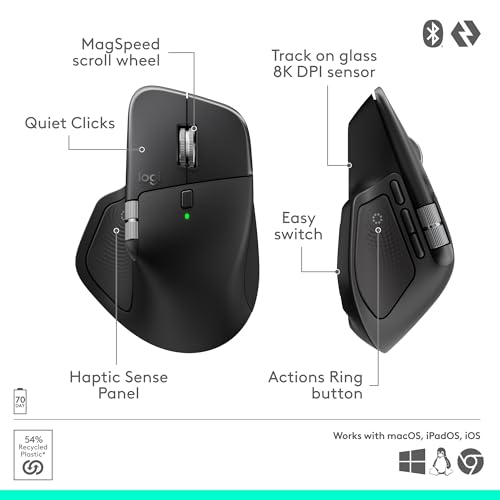
  • New haptic feedback system provides tactile alerts for actions like device switching and snapping to grids.
  • The 'Action Ring' feature offers quick, app-aware shortcuts directly at the cursor for enhanced productivity.
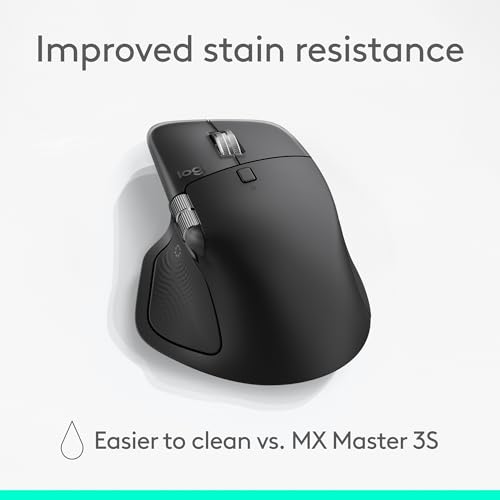
  • Updated materials with improved stain resistance and a more durable matte plastic finish compared to previous rubberized versions.
  • Includes an additional customisable button on the side, bringing the total to eight programmable inputs.
  • Quiet Click technology makes the main buttons virtually silent while maintaining a satisfying tactile feel.
  • MagSpeed electromagnetic scroll wheel remains best-in-class for both precision and hyper-fast scrolling.
  • Excellent ergonomic support for medium to large hands, reducing wrist strain during long sessions.
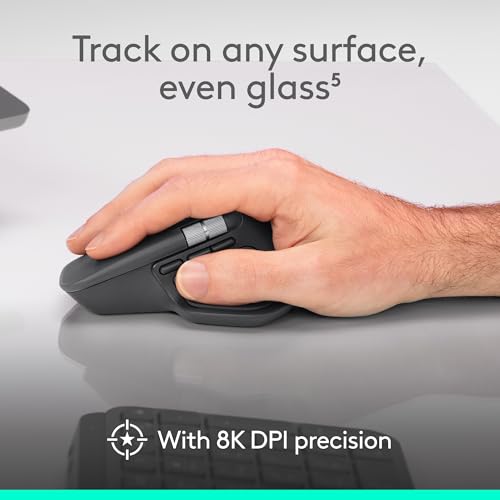
  • Tracks effectively on almost any surface, including glass, with an 8,000 DPI sensor.
  • Repair-friendly design with exposed screws for easier battery replacement and maintenance.

What customers don't like about Logitech MX Master 4

  • High premium price compared to previous models and competitors.
  • The 125Hz polling rate is considered dated and unsuitable for high-refresh-rate monitors or competitive gaming.
  • Heavier than many modern mice, which some users find causes fatigue during repositioning.
  • No internal storage compartment for the Logi Bolt USB-C receiver.
  • Not designed for left-handed users (right-hand only sculpted shape).
  • Full feature set, including haptics and the Action Ring, requires the Logi Options+ software to be installed and running.
  • Limited initial plugin support for the haptic system outside of major apps like the Adobe Creative Suite.
  • Some users find the new matte plastic finish feels less 'grippy' or more 'slippery' than the previous rubber texture.

Verdict

The Logitech MX Master 4 is an advanced ergonomic wireless mouse designed for professional productivity, featuring a high-precision 8,000 DPI Darkfield sensor that tracks on virtually any surface, including glass. Key characteristics include the new 'Actions Ring' for rapid shortcut access, customizable haptic feedback for tactile interaction confirmation, and a more durable design utilizing silicone and hard plastic rather than the previous generation's rubber coating. Its primary pros are the MagSpeed electromagnetic scroll wheel capable of zipping through 1,000 lines per second, 90% quieter 'Quiet Click' buttons, and a 70-day battery life (650 mAh) with fast USB-C charging. However, notable cons include its increased weight of 150g, a relatively low 125Hz polling rate that is unsuitable for high-refresh gaming, and a smoother finish that some users find more slippery and prone to accidental thumb-button presses compared to its predecessors.

Compare Logitech MX Master 4 with other products in the Mice category

1Product to compare no. 1
VS
2Product to compare no. 2
VS
3Product to compare no. 3 (optional)

Graphic comparison of Logitech MX Master 4 and other products in the Mice category

No results found