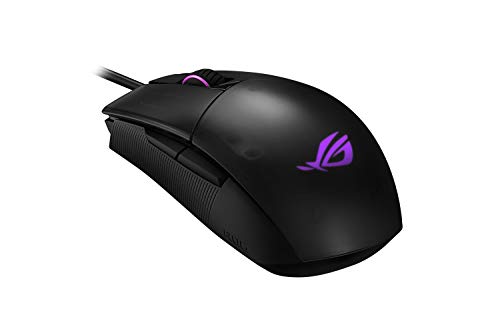
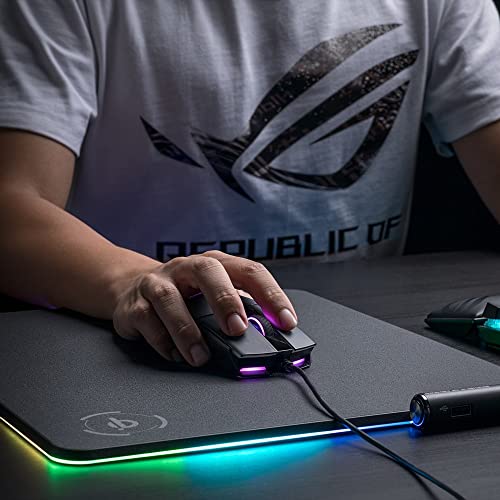
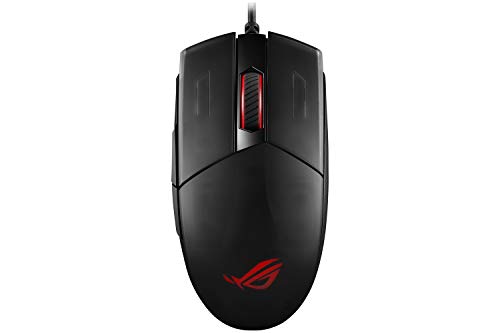
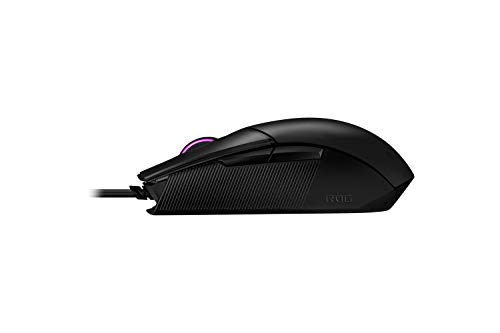
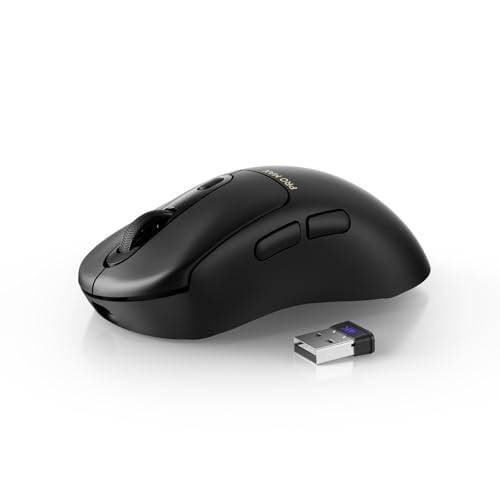
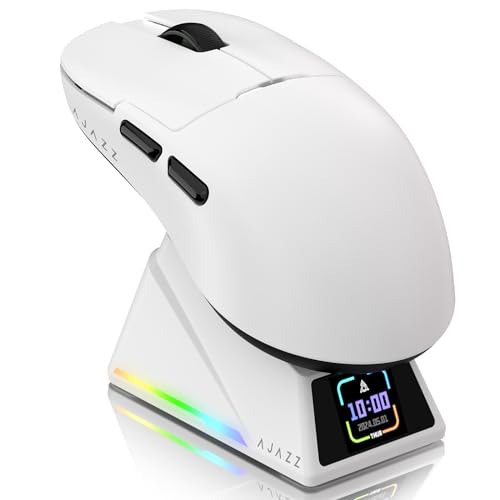
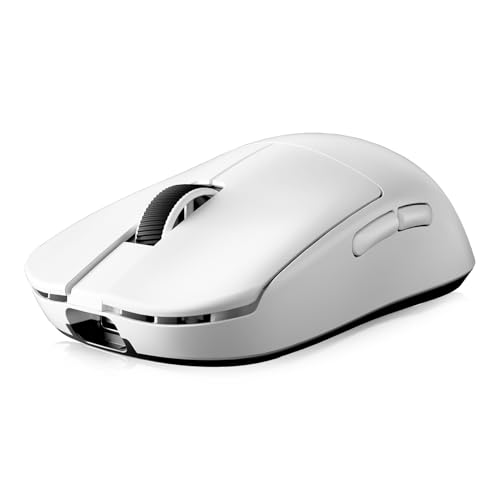
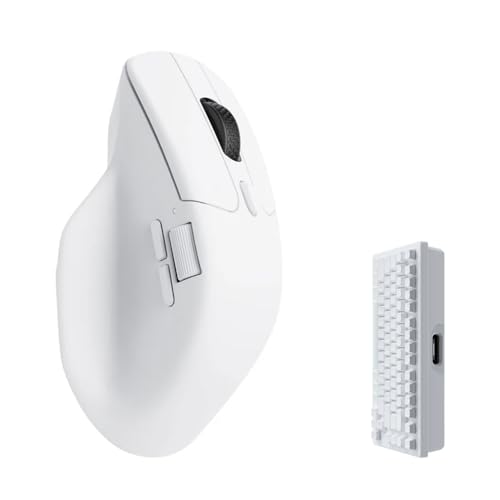
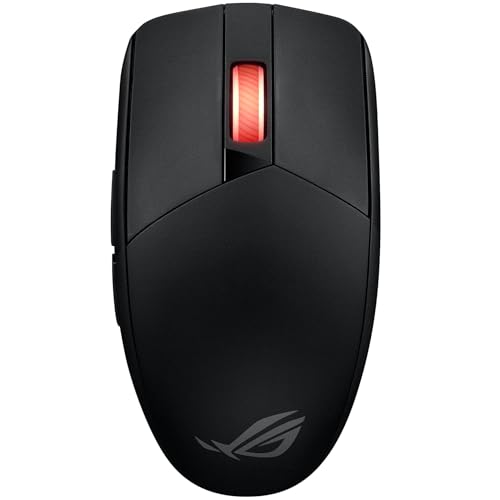
ASUS ROG Strix Impact II Wireless Review | 78 Data compared

double-arrow
  • Avg. price in UK: ~£60
  • Avg. price in US: ~$70
  • Connectivity: wireless+wired
  • Maximum polling rate: 1000 Hz
  • Maximum DPI: 16000 DPI
  • Weight: 93 g

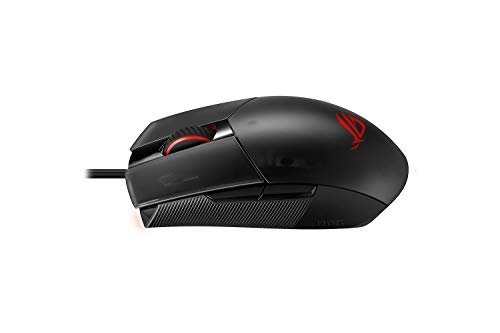
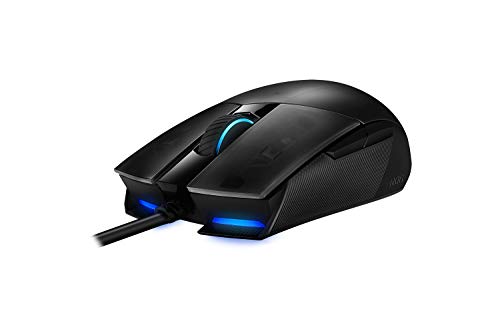
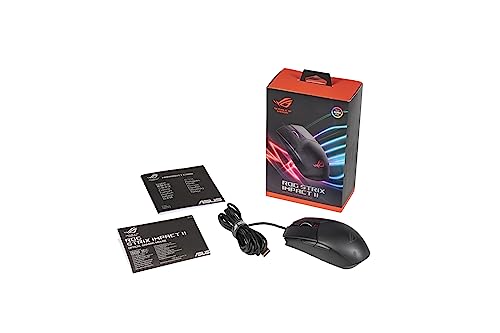
ASUS ROG Strix Impact II Wireless review. Compare 78 technical specifications and user reviews to see how it ranks among mice and if it is worth buying.

6.9

Overall score

What it is: An overall evaluation of the mouse's quality, based on technical analyses and user reviews.

When it matters: When you need a quick reference to identify the best mice on the market.

Score components:

80.0%

6.3

Technical Score

20.0%

9.4

User score

Good
6.3

Technical Score

What it is: An assessment of the mouse's technical performance, covering key areas such as sensor performance, buttons and features, connectivity, battery life, ergonomics, software, and build quality.

When it matters: When you want to compare mice based on technical performance and available features.

Score components:

36.0%

5.3

Performance & Sensor

22.0%

6.1

Controls

16.0%

6.5

Design

14.0%

6.9

Features

7.0%

9.7

Connectivity

5.0%

6.5

Battery & Charging

Good
9.4

User score

What it is: A rating that combines user reviews and the total number of reviews received by the mouse.

When it matters: When you want to understand how a mouse performs in daily use or gaming and how reliable it is in terms of comfort, button feel, tracking accuracy, and long-term durability.

Score components:

70.0%

9.2

User reviews

30.0%

9.9

Popularity

User score:
United Kingdom
amazon
4.6
(382)
United States
Amazon_logo.png
4.6
(498)
Amazon_logo.png
4.6
(375)

(Reviews last updated: May 2026)

Exceptional
  • 5.7
    Gaming

    Score components:

    28.0%

    3.7

    Maximum polling rate

    24.0%

    6.6

    N. of programmable buttons

    20.0%

    6.4

    Onboard memory profiles

    16.0%

    6.4

    Maximum tracking speed

    12.0%

    6.1

    Weight

  • asus-rog-strix-impact-ii-wireless
  • asus-rog-strix-impact-ii-wireless
  • asus-rog-strix-impact-ii-wireless
  • asus-rog-strix-impact-ii-wireless
  • asus-rog-strix-impact-ii-wireless
  • asus-rog-strix-impact-ii-wireless
  • asus-rog-strix-impact-ii-wireless
  • asus-rog-strix-impact-ii-wireless
asus-rog-strix-impact-ii-wireless

Best prices in UK

Best rankings

?

Available: ranking among products currently available (including other versions of this product).
All: ranking among all products in the database.

Verdict

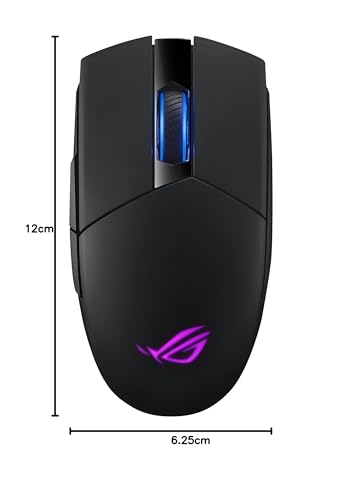
The ASUS ROG Strix Impact II Wireless is an ambidextrous gaming mouse featuring a high-precision 16,000 DPI optical sensor, 400 IPS tracking speed, and 40g maximum acceleration. It offers dual connectivity via 2.4 GHz wireless or USB wired modes, with a battery life reaching up to 89 hours (48 hours with RGB active). Key characteristics include a lightweight 93g build, five programmable buttons, and an exclusive push-fit switch socket design that allows users to easily swap Omron switches. Its main pros are the low-latency performance, hot-swappable switches for extended lifespan, and smooth glide provided by 100% PTFE feet. However, notable cons include its relatively heavy weight compared to modern ultra-light competitors, the inconvenient placement of the DPI button on the underside, and the lack of Bluetooth support.

Technical Specifications of ASUS ROG Strix Impact II Wireless

Technical Score

What it is: An assessment of the mouse's technical performance, covering key areas such as sensor performance, buttons and features, connectivity, battery life, ergonomics, software, and build quality.

When it matters: When you want to compare mice based on technical performance and available features.

Score components:

36.0%

5.3

Performance & Sensor

22.0%

6.1

Controls

16.0%

6.5

Design

14.0%

6.9

Features

7.0%

9.7

Connectivity

5.0%

6.5

Battery & Charging

6.3
ASUS ROG Strix Impact II Wireless has a technical score of 6.27 points, which is higher than that of 61% of products in this category.
User score

What it is: A rating that combines user reviews and the total number of reviews received by the mouse.

When it matters: When you want to understand how a mouse performs in daily use or gaming and how reliable it is in terms of comfort, button feel, tracking accuracy, and long-term durability.

Score components:

70.0%

9.2

User reviews

30.0%

9.9

Popularity

User score:
United Kingdom
amazon
4.6
(382)
United States
Amazon_logo.png
4.6
(498)
Amazon_logo.png
4.6
(375)

(Reviews last updated: May 2026)

9.4
ASUS ROG Strix Impact II Wireless has a user score of 9.41 points, which is higher than that of 93.7% of products in this category.
Popularity
What it is: An indicator based on the number of reviews received by the mouse.
When it matters: When you prefer a mouse that has already been chosen and reviewed by many other users.
9.9
ASUS ROG Strix Impact II Wireless has a popularity of 9.9 points, which is higher than 63% of products in this category.
Ratio quality/price

What it is: An indicator that combines the mouse's overall rating with its cost.

When it matters: When you are looking for a mouse that offers a strong balance of performance, features, and price.

Score components:

60.0%

6.9

Overall score

40.0%

10

Price

7.8
ASUS ROG Strix Impact II Wireless has a quality-to-price ratio of 7.8 points, which is higher than 65.5% of products in this category.
Brand name
What it is: The manufacturer or brand of the product.
When it matters: When you prefer a specific ecosystem, support network, or design philosophy.

Importance: MEDIUM

Asus
Maximum polling rate
What it is: The maximum number of position reports the mouse can send to the computer each second, measured in Hertz (Hz).
When it matters: When you are chasing the lowest possible input delay for competitive play and want the mouse reporting as often as possible.

Importance: HIGH

Good value: >=1000 Hz

1,000 Hz
ASUS ROG Strix Impact II Wireless has a maximum polling rate of 1000 Hz, which is higher than 27.8% of mice and equal to 55.1% of mice.
Wired polling rate
What it is: The polling rate the mouse reaches when it is connected with a cable.
When it matters: When you mainly use the mouse wired and want maximum responsiveness.

Importance: HIGH

Good value: >=1000 Hz

1,000 Hz
ASUS ROG Strix Impact II Wireless has a wired polling rate of 1000 Hz, which is higher than 13.3% of mice and equal to 77.3% of mice.
2.4 GHz polling rate
What it is: The polling rate available when the mouse is used over a 2.4 GHz wireless connection.
When it matters: When you use the 2.4 GHz receiver and want near-wired performance.

Importance: HIGH

Good value: >=1000 Hz

1,000 Hz
ASUS ROG Strix Impact II Wireless has a 2.4 GHz polling rate of 1000 Hz, which is higher than 33.5% of mice and equal to 46.8% of mice.
Bluetooth polling rate
What it is: The polling rate available when the mouse is connected through Bluetooth.
When it matters: When you use Bluetooth and want to understand the trade-off in responsiveness.

Importance: LOW

Good value: >=125 Hz

0 Hz
ASUS ROG Strix Impact II Wireless has a Bluetooth polling rate of 0 Hz, which is equal to 63% of mice.
no Bluetooth mode.
Show more
Connectivity
What it is: The mouse's high-level connectivity class: wired only, wireless only, or both wired and wireless.
When it matters: When you need to know at a glance whether the mouse is wired, wireless, or flexible enough to support both.

Importance: HIGH

wireless+wired
ASUS ROG Strix Impact II Wireless supports wireless+wired connectivity, which is more versatile than 56.8% of mice and equal to 43.3% of mice.
connection modes: wired / 2.4 GHz.
Bluetooth support
What it is: Shows whether the mouse can connect over Bluetooth instead of relying only on a wired link or proprietary USB receiver.
When it matters: When you want a dongle-free connection option for laptops, tablets, or devices with limited USB ports.

Importance: MEDIUM

no
ASUS ROG Strix Impact II Wireless does not support Bluetooth. 35.6% of mice support Bluetooth.
Bluetooth version
What it is: The Bluetooth standard version supported by the mouse for wireless connectivity and compatibility.
When it matters: When you care about Bluetooth compatibility, efficiency, and connection quality.

Importance: LOW

Good value: >=5.1

N/A
Proprietary 2.4 GHz support
What it is: Shows whether the mouse supports the brand's dedicated 2.4 GHz wireless system rather than relying only on Bluetooth.
When it matters: When you want the brand's fast low-latency wireless mode instead of depending only on Bluetooth performance.

Importance: MEDIUM

yes
ASUS ROG Strix Impact II Wireless supports proprietary 2.4 GHz wireless. 38.5% of mice support proprietary 2.4 GHz wireless.
Receiver included
What it is: Shows whether a compatible wireless receiver is included in the box instead of needing to be bought separately.
When it matters: When you expect full wireless use immediately and do not want to buy extra accessories just to get started.

Importance: MEDIUM

yes
ASUS ROG Strix Impact II Wireless includes a receiver. 37.7% of mice include a receiver.
Show more
Battery life
What it is: The operating time the mouse can deliver on a full charge or a fresh set of batteries under normal use.
When it matters: When the mouse needs to last through workdays, travel, or repeated gaming sessions without constant charging.

Importance: HIGH

Good value: >400 hours

89 hours
ASUS ROG Strix Impact II Wireless lasts 89 hours on a charge, which is longer than 50.9% of mice.
Battery capacity
What it is: The amount of energy the built-in battery can store, measured in milliampere-hours (mAh).
When it matters: When you want rough battery context behind the runtime claim instead of judging endurance from marketing hours alone.

Importance: MEDIUM

Good value: >=500 mAh

700 mAh
ASUS ROG Strix Impact II Wireless has a battery capacity of 700 mAh, which is larger than 81.5% of mice and equal to 2.7% of mice.
Battery form factor
What it is: The battery format used by the mouse, such as AA, AAA, integrated rechargeable cell, or another form.
When it matters: When you care whether the mouse uses easy-to-replace AA or AAA cells or a sealed rechargeable pack.

Importance: LOW

integrated
Rechargeable battery
What it is: Shows whether the mouse uses a rechargeable battery instead of relying only on disposable cells.
When it matters: When you prefer topping the mouse up over USB or a dock instead of buying disposable batteries repeatedly.

Importance: HIGH

yes
ASUS ROG Strix Impact II Wireless uses a rechargeable battery. 54.1% of mice use a rechargeable battery.
Removable battery
What it is: Shows whether the battery can be removed and replaced by the user instead of being sealed inside the mouse.
When it matters: When long-term serviceability matters and you would rather replace the battery than replace the whole mouse later.

Importance: LOW

no
ASUS ROG Strix Impact II Wireless does not use a removable battery. 22.3% of mice use a removable battery.
Show more
N. of buttons
What it is: The total number of physical buttons available on the mouse body.
When it matters: When you need enough physical controls for shortcuts, MMO binds, browser actions, or productivity commands.

Importance: HIGH

Good value: >=7

5
ASUS ROG Strix Impact II Wireless has 5 buttons, which is less than 76.9% of mice and equal to 9.7% of mice.
N. of side buttons
What it is: The number of buttons placed on the side of the mouse, typically for thumb access.
When it matters: When thumb-access buttons matter for browser navigation, MMOs, or productivity shortcuts.

Importance: MEDIUM

Good value: >=2

2
ASUS ROG Strix Impact II Wireless has 2 side buttons, which is more than 15.1% of mice and equal to 68.4% of mice.
N. of programmable buttons
What it is: The number of mouse buttons that can be customized or reassigned through software or onboard settings.
When it matters: When remapping flexibility matters and you want more actions moved off the keyboard.

Importance: HIGH

Good value: >=7

5
ASUS ROG Strix Impact II Wireless has 5 programmable buttons, which is less than 63.7% of mice and equal to 13.7% of mice.
DPI switching button
What it is: Shows whether the mouse includes a dedicated control for changing DPI levels on the fly.
When it matters: When you want to swap sensitivity instantly for sniping, browsing, editing, or different game genres.

Importance: MEDIUM

yes
ASUS ROG Strix Impact II Wireless includes a DPI switching button. 14.7% of mice include a DPI switching button.
Profile switching button
What it is: Shows whether the mouse includes a dedicated control for changing onboard or saved profiles during use.
When it matters: When you switch between saved profiles for different games or work routines.

Importance: LOW

no
ASUS ROG Strix Impact II Wireless does not include a profile switching button. 16.8% of mice include a profile switching button.
Show more
Orientation
What it is: The hand orientation the mouse is designed for, such as right-handed, left-handed, or ambidextrous use.
When it matters: When hand comfort matters and you need a shape that fits your grip and dominant hand.

Importance: HIGH

ambidextrous
Weight
What it is: The overall weight of the mouse itself, which influences portability, comfort, and movement feel.
When it matters: When you care about how light or substantial the mouse feels during long sessions.

Importance: HIGH

Good value: <100 g

93 g
ASUS ROG Strix Impact II Wireless weighs 93 g, which is heavier than 62% of mice and equal to 0.6% of mice.
Without cable.
Extra weights
What it is: The total weight of removable extra weights included for tuning the balance or feel of the mouse.
When it matters: When you care about tuning balance and overall heft instead of being locked into the stock feel.

Importance: LOW

0 g
ASUS ROG Strix Impact II Wireless comes with 0 g of extra weights, which is equal to 95.4% of mice.
Cable length
What it is: The length of the supplied cable used for wired operation or charging, usually measured in meters.
When it matters: When you need enough cable reach across your desk or charging setup.

Importance: LOW

Good value: >=1.8 m

2 m
ASUS ROG Strix Impact II Wireless comes with a 2 m cable, which is longer than 85.5% of mice and equal to 10.1% of mice.
Cable type
What it is: The construction style of the cable, such as braided, rubber, or paracord, which affects flexibility and durability.
When it matters: When cable drag, flexibility, and durability affect how the mouse feels in use.

Importance: LOW

rubber
Show more
Onboard memory profiles
What it is: The number of user profiles that can be stored directly in the mouse memory for use without reconfiguring software each time.
When it matters: When you use different games, apps, or devices and want settings saved directly on the mouse.

Importance: MEDIUM

Good value: >=3

3
ASUS ROG Strix Impact II Wireless stores 3 onboard profiles, which is more than 69.5% of mice and equal to 8.3% of mice.
Onboard memory size
What it is: The amount of onboard memory available inside the mouse for storing settings, macros, or profiles.
When it matters: When you store complex macros, settings, or several onboard profiles.

Importance: LOW

Good value: >=512 KB

3 KB
ASUS ROG Strix Impact II Wireless has 3 KB of onboard memory, which is larger than 83.3% of mice and equal to 0.9% of mice.
Software name
What it is: The name of the official software used to configure the mouse, update firmware, or customize features.
When it matters: When software ecosystem and customization tools influence your buying decision.

Importance: LOW

Armoury Crate
Firmware upgradable
What it is: Shows whether the mouse can receive firmware updates for fixes, compatibility improvements, or feature changes.
When it matters: When you want the option for later fixes, stability improvements, or performance tweaks after purchase.

Importance: LOW

yes
ASUS ROG Strix Impact II Wireless supports firmware updates. 27.3% of mice support firmware updates.
Suitable for gaming
What it is: Shows whether the mouse is positioned or tuned around gaming-focused speed, latency, and control features.
When it matters: When fast clicks, low latency, and gaming-oriented features are priorities.

Importance: MEDIUM

yes
ASUS ROG Strix Impact II Wireless is suitable for gaming. 24.3% of mice are suitable for gaming.

ASUS ROG Strix Impact II Wireless vs the average mouse

  • 2 more onboard profiles
    ASUS ROG Strix Impact II Wireless stores 3 onboard profiles, while the average mouse stores 1 onboard profiles.
    What it is: The number of user profiles that can be stored directly in the mouse memory for use without reconfiguring software each time.
    When it matters: When you use different games, apps, or devices and want settings saved directly on the mouse.

    Importance: MEDIUM

    Good value: >=3

    ASUS ROG Strix Impact II Wireless stores 3 onboard profiles, while the average mouse stores 1 onboard profiles.3 vs 1
  • Usable while charging
    ASUS ROG Strix Impact II Wireless can be used while charging, while the average mouse cannot. 47.5% of mice can be used while charging.
    What it is: Shows whether the mouse keeps working normally while a charging cable is connected.
    When it matters: When you do not want downtime while the mouse battery is charging.

    Importance: MEDIUM

    ASUS ROG Strix Impact II Wireless can be used while charging, while the average mouse cannot. 47.5% of mice can be used while charging.
  • 60% higher maximum DPI
    ASUS ROG Strix Impact II Wireless has a maximum DPI of 16,000 DPI, while the average mouse has a maximum DPI of 10,000 DPI.
    What it is: The highest sensitivity setting supported by the mouse sensor, measured in dots per inch (DPI).
    When it matters: When extremely high sensitivity is part of your setup, even if it matters less than sensor quality for most users.

    Importance: HIGH

    Good value: >=18000 DPI

    ASUS ROG Strix Impact II Wireless has a maximum DPI of 16,000 DPI, while the average mouse has a maximum DPI of 10,000 DPI.16000 DPI vs 10000 DPI
  • 20 million clicks longer switch lifespan
    ASUS ROG Strix Impact II Wireless offers switch durability of 50 million clicks, while the average mouse offers switch durability of 30 million clicks.
    Omron switches.
    What it is: The rated click lifespan of the primary switches, usually expressed in millions of clicks.
    When it matters: When heavy clicking, long-term reliability, and avoiding early switch failure are part of the buying decision.

    Importance: MEDIUM

    Good value: >=70 million clicks

    ASUS ROG Strix Impact II Wireless offers switch durability of 50 million clicks, while the average mouse offers switch durability of 30 million clicks.50 million clicks vs 30 million clicks
  • 17.6% higher user score
    ASUS ROG Strix Impact II Wireless has a higher user score than the average mouse (9.41 vs 8.000).
    What it is: A rating that combines user reviews and the total number of reviews received by the mouse.
    When it matters: When you want to understand how a mouse performs in daily use or gaming and how reliable it is in terms of comfort, button feel, tracking accuracy, and long-term durability.
    ASUS ROG Strix Impact II Wireless has a higher user score than the average mouse (9.41 vs 8.000).9.41 vs 8
  • 79.7 mm shorter mouse length
    ASUS ROG Strix Impact II Wireless is 38.6 mm long, while the average mouse is 118.3 mm long.
    What it is: The overall front-to-back length of the mouse body.
    When it matters: When hand size and grip style are central to comfort and you want to avoid a mouse that feels too short or too stretched out.

    Importance: MEDIUM

    ASUS ROG Strix Impact II Wireless is 38.6 mm long, while the average mouse is 118.3 mm long.38.6 mm vs 118.3 mm
  • Rechargeable battery
    ASUS ROG Strix Impact II Wireless uses a rechargeable battery, while the average mouse does not. 46% of mice use a rechargeable battery.
    What it is: Shows whether the mouse uses a rechargeable battery instead of relying only on disposable cells.
    When it matters: When you prefer topping the mouse up over USB or a dock instead of buying disposable batteries repeatedly.

    Importance: HIGH

    ASUS ROG Strix Impact II Wireless uses a rechargeable battery, while the average mouse does not. 46% of mice use a rechargeable battery.
  • Detachable cable
    ASUS ROG Strix Impact II Wireless comes with a detachable cable, while the average mouse does not. 42.9% of mice come with a detachable cable.
    What it is: Shows whether the cable can be unplugged and replaced instead of staying permanently attached to the mouse.
    When it matters: When you value easier cable replacement, transport, or long-term repairability.

    Importance: LOW

    ASUS ROG Strix Impact II Wireless comes with a detachable cable, while the average mouse does not. 42.9% of mice come with a detachable cable.
  • 60% higher maximum DPI
    ASUS ROG Strix Impact II Wireless has a maximum DPI of 16,000 DPI, while the average mouse has a maximum DPI of 10,000 DPI.
  • 100 DPI lower minimum setting
    ASUS ROG Strix Impact II Wireless goes as low as 100 DPI DPI, while the average mouse goes as low as 200 DPI DPI.
  • Versatile connectivity
    ASUS ROG Strix Impact II Wireless supports wireless+wired connectivity, while the average mouse supports wireless connectivity.
  • Receiver storage inside mouse
    ASUS ROG Strix Impact II Wireless has receiver storage inside the mouse, while the average mouse does not. 45.9% of mice have receiver storage inside the mouse.
  • Usable while charging
    ASUS ROG Strix Impact II Wireless can be used while charging, while the average mouse cannot. 47.5% of mice can be used while charging.
  • Rechargeable battery
    ASUS ROG Strix Impact II Wireless uses a rechargeable battery, while the average mouse does not. 46% of mice use a rechargeable battery.
  • 20 million clicks longer switch lifespan
    ASUS ROG Strix Impact II Wireless offers switch durability of 50 million clicks, while the average mouse offers switch durability of 30 million clicks.
  • 79.7 mm shorter mouse length
    ASUS ROG Strix Impact II Wireless is 38.6 mm long, while the average mouse is 118.3 mm long.
  • Detachable cable
    ASUS ROG Strix Impact II Wireless comes with a detachable cable, while the average mouse does not. 42.9% of mice come with a detachable cable.
  • 0.2 m longer cable
    ASUS ROG Strix Impact II Wireless comes with a 2 m cable, while the average mouse comes with a 1.8 m cable.
  • 2 more onboard profiles
    ASUS ROG Strix Impact II Wireless stores 3 onboard profiles, while the average mouse stores 1 onboard profiles.
  • 1 fewer stored DPI steps
    ASUS ROG Strix Impact II Wireless stores 4 DPI steps, while the average mouse stores 5 DPI steps.
  • 1 fewer programmable buttons
    ASUS ROG Strix Impact II Wireless has 5 programmable buttons, while the average mouse has 6 programmable buttons.
  • 12.4% higher mouse weight
    ASUS ROG Strix Impact II Wireless weighs 93 g, while the average mouse weighs 82.745 g.
    Without cable.
  • Thin glide feet
    ASUS ROG Strix Impact II Wireless uses 0.6 mm thick mouse feet, while the average mouse uses 0.8 mm thick mouse feet.
  • 1 fewer programmable buttons
    ASUS ROG Strix Impact II Wireless has 5 programmable buttons, while the average mouse has 6 programmable buttons.
    What it is: The number of mouse buttons that can be customized or reassigned through software or onboard settings.
    When it matters: When remapping flexibility matters and you want more actions moved off the keyboard.

    Importance: HIGH

    Good value: >=7

    ASUS ROG Strix Impact II Wireless has 5 programmable buttons, while the average mouse has 6 programmable buttons.5 vs 6
  • 12.4% higher mouse weight
    ASUS ROG Strix Impact II Wireless weighs 93 g, while the average mouse weighs 82.745 g.
    Without cable.
    What it is: The overall weight of the mouse itself, which influences portability, comfort, and movement feel.
    When it matters: When you care about how light or substantial the mouse feels during long sessions.

    Importance: HIGH

    Good value: <100 g

    ASUS ROG Strix Impact II Wireless weighs 93 g, while the average mouse weighs 82.745 g.93 g vs 82.745 g
  • Thin glide feet
    ASUS ROG Strix Impact II Wireless uses 0.6 mm thick mouse feet, while the average mouse uses 0.8 mm thick mouse feet.
    What it is: The thickness of the glide feet material attached to the bottom of the mouse.
    When it matters: When you care about glide feel and how long the feet will last before replacement.

    Importance: LOW

    ASUS ROG Strix Impact II Wireless uses 0.6 mm thick mouse feet, while the average mouse uses 0.8 mm thick mouse feet.0.6 mm vs 0.8 mm
  • 71.4% more expensive
    ASUS ROG Strix Impact II Wireless is more expensive than the average mouse (£60 vs £35).
    ASUS ROG Strix Impact II Wireless is more expensive than the average mouse (£60 vs £35).£60 vs £35
  • 1 fewer stored DPI steps
    ASUS ROG Strix Impact II Wireless stores 4 DPI steps, while the average mouse stores 5 DPI steps.
    What it is: The number of different DPI levels that can be saved and recalled on the mouse.
    When it matters: When you switch sensitivity often and want several presets ready without opening software every time.

    Importance: MEDIUM

    Good value: >=5

    ASUS ROG Strix Impact II Wireless stores 4 DPI steps, while the average mouse stores 5 DPI steps.4 vs 5

Graphic comparison of ASUS ROG Strix Impact II Wireless and

Attribute category
Attribute
No results found

Third-party reviews

United Kingdom

(Reviews last updated: May 2026)

What customers like about ASUS ROG Strix Impact II Wireless?

  • Exclusive push-fit switch sockets allow for easy DIY switch replacement to extend lifespan or customize click feel
  • Excellent battery life, with users reporting up to a week of heavy daily use without RGB
  • Very low click latency and responsive performance for competitive gaming
  • Ambidextrous, comfortable shape suitable for nearly all hand sizes and grip types
  • Solid build quality and durable plastic shell that is resistant to fingerprints
  • Features high-quality 100% Virgin Grade PTFE feet for smooth gliding on various surfaces
  • Convenient internal storage compartment for the USB wireless receiver

What customers dislike about ASUS ROG Strix Impact II Wireless?

  • DPI (CPI) adjustment button is located on the bottom, preventing on-the-fly sensitivity changes during gameplay
  • Lacks Bluetooth connectivity, relying solely on the 2.4GHz USB receiver or wired mode
  • Considered somewhat heavy (approx. 93g) compared to dedicated ultra-light gaming competitors
  • Included charging cable is basic rubber and not braided, making it prone to kinking
  • Some users report the scroll wheel can become noisy or produce a 'screeching' sound over time
  • Armoury Crate software can be resource-heavy and occasionally confusing to navigate
  • Sensor (3327 on some models) is sometimes viewed as lower-tier compared to flagship rivals at similar price points

Video reviews

Compare ASUS ROG Strix Impact II Wireless with

VS
VS

Compare