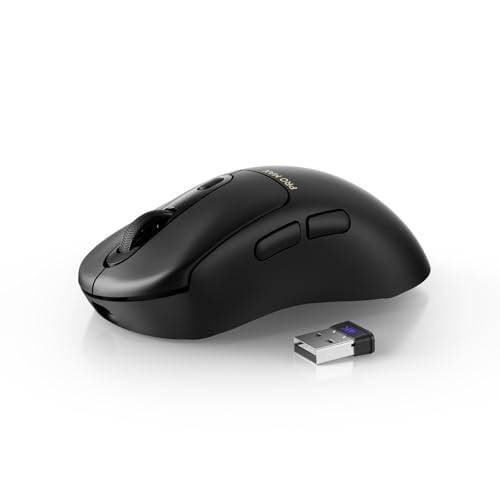
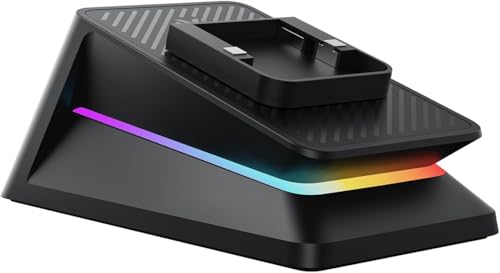
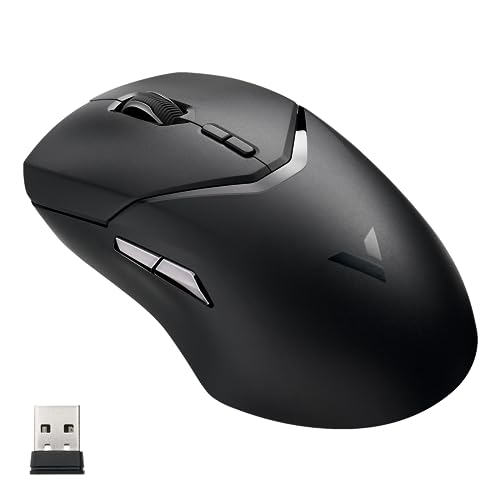
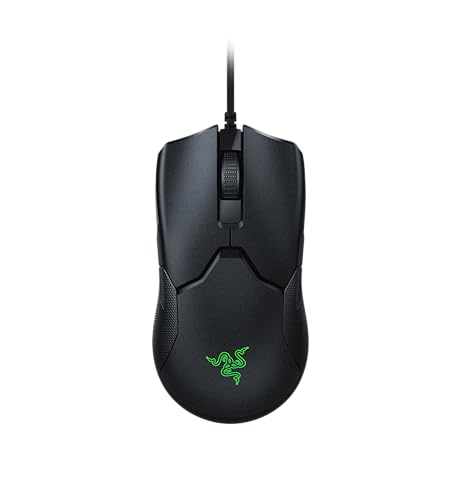
Which brands make the best gaming mice?
The best gaming mouse brands are as follows.
- Rapoo (Overall score: 8.9 points)
- Razer (Overall score: 8.7 points)
- Attack Shark (Overall score: 8.6 points)
The chart below ranks gaming mouse brands by average overall score.
[horizontal-chart-15002618913246360626036658414263328605483175530742]
What makes a mouse good for gaming?
A mouse is good for gaming when it stays accurate, fast, and comfortable under repeated quick movement. The most important gaming-mouse factors are the following:
- Sensor consistency: Gaming mice need an optical sensor that keeps tracking stable during fast flicks and lift-offs. In practice, that matters more than chasing the very highest DPI headline.
- Low latency: Fast click response and stable polling matter because they make movement and clicks feel more immediate. Wired models and stronger 2.4 GHz wireless models usually handle this best.
- Weight and balance: Many strong gaming mice sit around 50-90 g because that range stays quick enough for fast aiming without becoming too empty or unstable. Heavier shells can still work well, but they usually suit slower or more macro-heavy play styles better.
- Shape and grip fit: A gaming mouse has to match palm, claw, or fingertip grip well enough to stay controllable for long sessions. Shape usually affects real aiming comfort more than small spec differences on paper.
- Buttons, switches, and feet: Good gaming mice use reliable primary switches, side buttons that are easy to reach without accidental presses, and smooth feet that glide consistently across the pad.
What sensor and polling specs matter most?
The sensor and polling specs that matter most in a gaming mouse are the following:
- Sensor type: Optical sensors dominate gaming mice because they are more predictable across common pads and usually avoid the quirks older laser sensors can show.
- Maximum DPI: Good gaming mice often reach about 16,000-30,000 DPI, but most players use much lower real sensitivity settings. DPI range matters mainly as a sign of sensor class and tuning flexibility.
- Polling rate: A 1,000 Hz polling rate is the normal high-performance baseline, and some stronger models now push to 2,000 Hz, 4,000 Hz, or even 8,000 Hz. Higher polling can reduce delay, but only if the rest of the system and the game setup can make use of it.
- Tracking stability: Fast tracking speed and good acceleration handling matter because they help the cursor stay accurate during quick swipes. This is usually more important in real play than raw DPI alone.
- Sensor tuning: Lift-off behavior, surface compatibility, and firmware tuning all affect how cleanly the mouse feels in repeated repositioning and fast aim corrections.
The chart below compares maximum polling rates on gaming mice.
[vertical-chart-16670383411508232572111225890098436397423718673730]
Are wired or wireless gaming mice better?
Neither wired nor wireless gaming mice are automatically better. Wired gaming mice still make the most sense when you want the simplest path to low latency, no charging routine, and consistent competitive performance.
Wireless gaming mice are now strong enough for serious play when they use good 2.4 GHz links, and many of them feel just as responsive in practice while removing cable drag. Bluetooth is far less important for gaming because it usually prioritizes convenience and battery life over speed.
Gaming-mouse choice therefore depends on how you play. Wired is the safer value and tournament-style option, while 2.4 GHz wireless is often the better premium choice if you care about cleaner movement and desk freedom.
Gaming mice usually need about 6-8 buttons. That is enough for left click, right click, scroll, DPI control, and at least two side actions without making the shell feel overloaded.
Six buttons is the most common practical layout because it covers the controls most FPS, MOBA, and general-purpose players actually use. MMO or macro-oriented gaming mice can push into 9-20 buttons, but those designs are bulkier and make more sense only when extra commands matter more than a lighter, simpler shell.
The chart below compares the number of buttons on gaming mice.
[vertical-chart-07424696541948143660039351103614595688170755191140]
How much do the best gaming mice cost?
The best gaming mice usually cost about 30-£160. Good budget gaming mice often sit around 20-£45, stronger mid-range models usually land near 50-£90, and premium wireless or ultra-light gaming mice often move into the 100-£160 range. At the top end, specialist models can go well beyond £160 and in a few cases approach £850.
Price differences usually come from the sensor generation, wireless hardware, weight reduction, switch quality, software support, and battery system. In gaming mice, you are usually paying more for lower latency, lower weight, or a more refined shell than for raw DPI alone.
This chart visualizes gaming mouse prices.
[vertical-chart-17796752161618225030029862207879030034111091790542]
What should you consider while choosing a gaming mouse?
The main technical criteria for a gaming mouse are as follows.
- Shape and grip geometry: Shell width, hump position, side contour, and rear support should match palm, claw, or fingertip grip style, because control quality depends on fit more than on headline specs alone. A lower front and tighter waist usually suit fingertip or claw users better, while a broader rear shell and fuller right side usually suit palm grip better over long sessions.
- Weight band: Most stronger gaming mice sit around 50-90 g, with the lighter end suiting faster aim-heavy play and the heavier end suiting fuller shells or more button-rich layouts. In practice, sub-60 g usually signals a speed-first competitive design, 60-80 g is the common all-round gaming zone, and above roughly 85-90 g often means a fuller shell or more feature-heavy layout.
- Sensor tier and DPI range: A modern optical sensor and a meaningful DPI range matter more than extreme marketing numbers, but the stronger part of the gaming market usually starts around 16,000 DPI and goes much higher. For most buyers, the real signal is whether the sensor tracks cleanly at low lift-off and high swipe speed, not whether the advertised DPI figure is the largest number on the box.
- Polling rate: 1,000 Hz is the real baseline for serious gaming, while 2,000-8,000 Hz is a higher-end latency tier that matters mainly for more demanding setups. Around 125-250 Hz belongs to office-oriented response, 1,000 Hz is the practical modern gaming baseline, and higher tiers mainly matter when the rest of the setup can expose the latency difference.
- Connection mode: Wired and 2.4 GHz wireless are the main gaming-relevant options, while Bluetooth is usually a secondary convenience mode rather than a performance priority. That usually means wired for simplest zero-charging use, 2.4 GHz for low-latency wireless, and Bluetooth for secondary-device convenience rather than for the main performance path.
- Button layout: Most players only need 6-8 buttons, but MMO or command-heavy use can justify denser side-button layouts if button reach stays clean and consistent. The important detail is not only the count but also thumb reach, side-button size, and whether the shell leaves enough grip security to press those buttons without shifting the hand.