Scored using Drawing tablets Methodology v1.0
Drawing tablets Methodology v1.0
Mathematical & Unbiased Scoring
Products in this category are evaluated mathematically under Frontumo Drawing tablets Methodology v1.0 using verified laboratory benchmarks, technical specifications, and authentic consumer ratings with 0% commercial bias.
Explore Drawing tablets Methodology v1.0

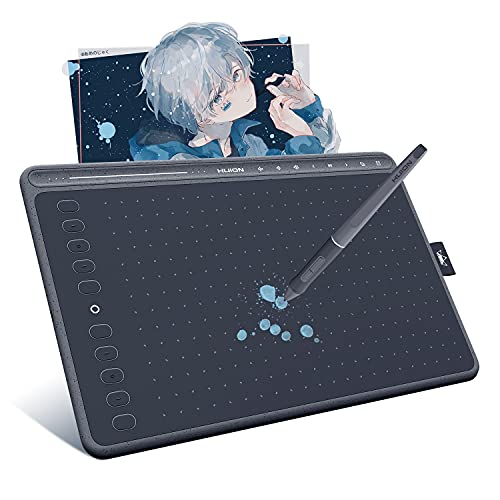
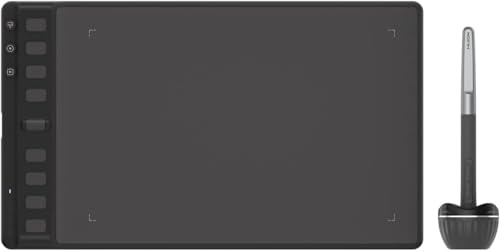
HUION Inspiroy H950P Review | 66 Data compared

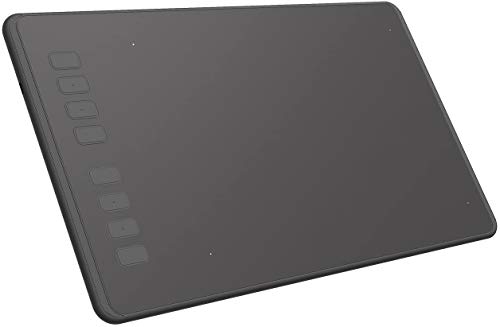
Avg. price:~£60Type:pen tabletActive drawing area:30498 mm²Resolution:N/APen pressure levels:8192Report rate:233 RPS

HUION Inspiroy H950P Review: Compare 66 technical specifications and user reviews to see how this product ranks in the Drawing tablets category and whether it is worth buying.

6.6

Overall score

Score
6.6/ 10
✕
What it is
An overall evaluation of the drawing tablet's quality, based on technical analyses and user reviews.
When it matters
When you need a quick reference to identify the best drawing tablets on the market.
Score distribution
â–¼
<55-66-77-88-99-10
Score components

90%

6.3

Technical score

10%

9.2

User score

â–¼Worse than 72% of drawing-tablets
6.3

Technical score

Technical score
6.3/ 10
✕
What it is
An assessment of technical performance for products in the Drawing tablets category across these key areas: Form Factor, Display & Color, Pen & Input, Connectivity, Controls & Extras.
When it matters
When you want to compare drawing tablets based on technical performance and available features.
Score distribution
â–¼
<55-66-77-88-99-10
Score components

50%

8.0

Pen & Input

40%

4.2

Display & Color

4%

6.2

Form Factor

3%

4.4

Connectivity

3%

8.0

Controls & Extras

â–¼Worse than 81% of drawing-tablets
9.2

User score

User score
9.2/ 10
✕
What it is
A rating that combines user reviews and the total number of reviews received by the drawing tablet.
When it matters
When you want to know how a drawing tablet performs in real use and how reliable it remains over time according to user feedback.
Score distribution
â–¼
<55-66-77-88-99-10
Score components

70%

8.8

User ratings

30%

10

Number of reviews

Based on 14,258 buyer reviews from online shops.
How we calculate this
User ratings – average star rating across all shop listings, weighted by how many reviews each has, on a 1–10 scale.
Number of reviews – how many buyer reviews the product has, on a logarithmic scale; the 8% most-reviewed models in the category get 10.
★Better than 95% of drawing-tablets
  • huion-inspiroy-h950p
  • huion-inspiroy-h950p
  • huion-inspiroy-h950p
  • huion-inspiroy-h950p
  • huion-inspiroy-h950p
  • huion-inspiroy-h950p
  • huion-inspiroy-h950p
huion-inspiroy-h950p

Best prices

*As an Amazon Associate, we earn from qualifying purchases.

Best rankings

Available: ranking among products currently available (including other versions of this product).All: ranking among all products in the database.
Loading...
Loading category ranking...

Technical Specifications of drawing tablet HUION Inspiroy H950P

Technical score
Technical score
6.3/ 10
✕
What it is
An assessment of technical performance for products in the Drawing tablets category across these key areas: Form Factor, Display & Color, Pen & Input, Connectivity, Controls & Extras.
When it matters
When you want to compare drawing tablets based on technical performance and available features.
Score distribution
â–¼
<55-66-77-88-99-10
Score components:

50%

8.0

Pen & Input

40%

4.2

Display & Color

4%

6.2

Form Factor

3%

4.4

Connectivity

3%

8.0

Controls & Extras

6.3
User score
User score
9.2/ 10
✕
What it is
A rating that combines user reviews and the total number of reviews received by the drawing tablet.
When it matters
When you want to know how a drawing tablet performs in real use and how reliable it remains over time according to user feedback.
Score distribution
â–¼
<55-66-77-88-99-10
Score components

70%

8.8

User ratings

30%

10

Number of reviews

Based on 14,258 buyer reviews from online shops.
How we calculate this
User ratings – average star rating across all shop listings, weighted by how many reviews each has, on a 1–10 scale.
Number of reviews – how many buyer reviews the product has, on a logarithmic scale; the 8% most-reviewed models in the category get 10.
9.2
Popularity
Popularity
10.0/ 10
✕
What it is
An indicator based on the number of reviews received by the drawing tablet.
When it matters
When you prefer to buy a product chosen and reviewed by many other consumers.
Score distribution
â–¼
<55-66-77-88-99-10
Popularity:
HUION Inspiroy H950P has a popularity score of 10 points, which is higher than 92.3% of drawing tablets.
10
Value for money
Value for money
7.6/ 10
✕
What it is
An indicator that combines the drawing tablet's overall rating with its cost.
When it matters
When you are looking for a drawing tablet with a good balance between quality and price.
Score distribution
â–¼
<55-66-77-88-99-10
Score components:

60%

6.6

Overall score

40%

10

Price

7.6
Type
pen tablet
Display
no
Display
no
This drawing tablet does not have a display. 48.5% of drawing tablets have a display.
Compatibility
Windows / macOS / Linux / ChromeOS / Android
Wireless capability
no
Wireless capability
no
This drawing tablet does not support wireless use. 18.6% of drawing tablets support wireless use.
Weight
497 g
Weight
497 g
This drawing tablet weighs 497 g, lighter than 72.9% of drawing tablets.
Show more
Active drawing area
30,498 mm²
Active drawing area
30,498 mm²
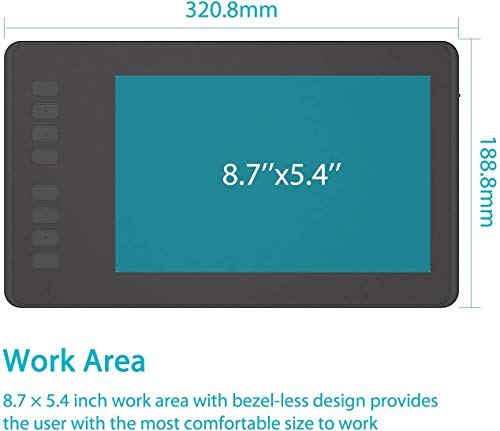
This drawing tablet offers an active drawing area of 30,498 mm², smaller than that of 73.5% of drawing tablets and equal to that of 0.5% of drawing tablets.
PC mode 221 x 138 mm.
Screen size
N/A
Resolution
N/A
Pixel density
N/A
Typical brightness
N/A
Show more
Stylus included
yes
Stylus included
yes
This drawing tablet comes with a stylus. This feature is present on 100% of drawing tablets.
Pen technology
EMR (battery-free)
Pen technology
EMR (battery-free)
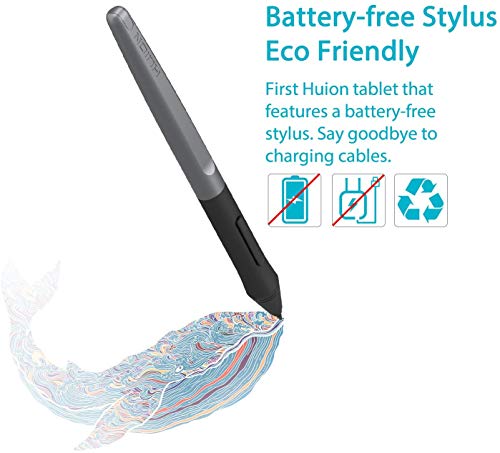
This drawing tablet uses EMR (battery-free) pen technology, more advanced than that of 4.6% of drawing tablets and equal to that of 95.4% of drawing tablets.
Pen pressure levels
8,192
Pen pressure levels
8,192
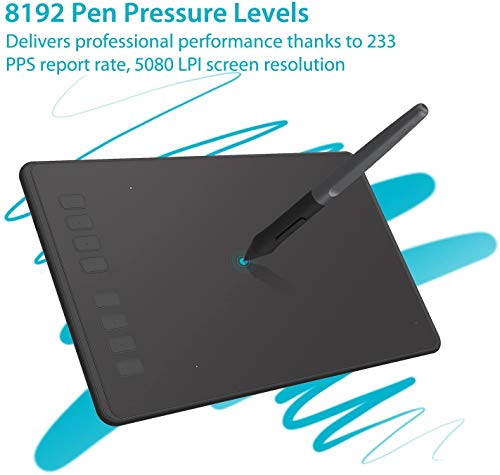
This drawing tablet supports 8,192 pen pressure levels, more than 9.3% of drawing tablets and equal to 75.8% of drawing tablets.
Pen resolution
5,080 LPI
Pen resolution
5,080 LPI
This drawing tablet supports a pen resolution of 5,080 LPI, higher than that of 5.7% of drawing tablets and equal to that of 94.3% of drawing tablets.
Report rate
233 RPS
Report rate
233 RPS
This drawing tablet has a report rate of 233 RPS, higher than that of 45.1% of drawing tablets and equal to that of 6% of drawing tablets.
Show more
Bluetooth connectivity
no
Bluetooth connectivity
no
This drawing tablet does not support Bluetooth. 13.1% of drawing tablets support Bluetooth.
USB 3.2 Gen 2 (USB-C) ports
0
USB 3.2 Gen 2 (USB-C) ports
0
This drawing tablet has 0 USB 3.2 Gen 2 (USB-C) ports, fewer than 17.4% of drawing tablets and equal to 82.6% of drawing tablets.
USB 3.2 Gen 1 (USB-C) ports
0
USB 3.2 Gen 1 (USB-C) ports
0
This drawing tablet has 0 USB 3.2 Gen 1 (USB-C) ports, fewer than 51.8% of drawing tablets and equal to 48.2% of drawing tablets.
USB 3.2 Gen 2 (USB-A) ports
0
USB 3.2 Gen 2 (USB-A) ports
0
This drawing tablet has 0 USB 3.2 Gen 2 (USB-A) ports, fewer than 1.1% of drawing tablets and equal to 99% of drawing tablets.
USB 3.2 Gen 1 (USB-A) ports
0
USB 3.2 Gen 1 (USB-A) ports
0
This drawing tablet has 0 USB 3.2 Gen 1 (USB-A) ports, fewer than 1.6% of drawing tablets and equal to 98.4% of drawing tablets.
Show more
N. of express keys
8
N. of express keys
8
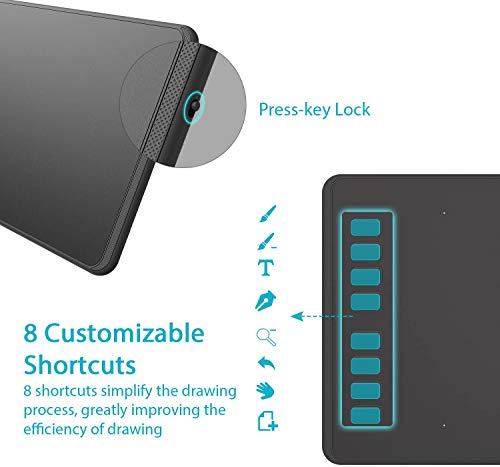
This drawing tablet has 8 express keys, more than 58.4% of drawing tablets and equal to 26.3% of drawing tablets.
N. of dials
?
Stand included
no
Stand included
no
This drawing tablet does not come with a stand. 30% of drawing tablets come with a stand.
Fold-out legs
no
Fold-out legs
no
This drawing tablet does not have fold-out legs. 7.3% of drawing tablets have fold-out legs.
Pen stand included
yes
Pen stand included
yes
This drawing tablet comes with a pen stand. This feature is present on 58.9% of drawing tablets.
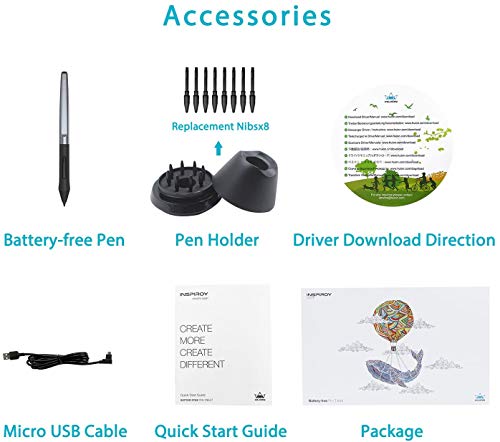
Pen holder stores spare nibs.
Show more

HUION Inspiroy H950P vs the average drawing tablet

246810TotalForm FactorDisplay & ColorPen & InputConnectivityControls & Extras
  • 215 mm shorter body
    Height
    8 mm
    This drawing tablet is shorter than the average drawing tablet (8 mm vs 223 mm). The average drawing tablet is 223 mm tall.
    8 mm vs 223 mm
  • 14.5% higher user score
    User score
    9.2/ 10
    ✕
    What it is
    A rating that combines user reviews and the total number of reviews received by the drawing tablet.
    When it matters
    When you want to know how a drawing tablet performs in real use and how reliable it remains over time according to user feedback.
    Score distribution
    â–¼
    â–¼
    <55-66-77-88-99-10
    HUION Inspiroy H950P
    the average drawing tablet
    HUION Inspiroy H950P has a higher user score than the average drawing tablet (9.16 vs 8.000).
    9.16 vs 8
  • 2 more express keys
    N. of express keys
    8
    This drawing tablet has more express keys than the average drawing tablet (8 vs 6). The average drawing tablet has 6 express keys.
    8 vs 6
  • 32.8% lighter design
    Weight
    497 g
    This drawing tablet is lighter than the average drawing tablet (497 g vs 740 g). The average drawing tablet weighs 740 g.
    497 g vs 740 g
  • 62.5% more popular
    HUION Inspiroy H950P has a higher popularity than the average drawing tablet (10 vs 6.2).
    10 vs 6.16
  • 2.5 mm thinner body
    Thickness
    8 mm
    This drawing tablet is thinner than the average drawing tablet (8 mm vs 10.5 mm). The average drawing tablet is 10.5 mm thick.
    8 mm vs 10.5 mm
  • 14.5% higher user score
    User score
    9.2/ 10
    ✕
    What it is
    A rating that combines user reviews and the total number of reviews received by the drawing tablet.
    When it matters
    When you want to know how a drawing tablet performs in real use and how reliable it remains over time according to user feedback.
    Score distribution
    â–¼
    â–¼
    <55-66-77-88-99-10
    HUION Inspiroy H950P
    the average drawing tablet
    HUION Inspiroy H950P has a higher user score than the average drawing tablet (9.16 vs 8.000).
    9.16 vs 8
  • 62.5% more popular
    HUION Inspiroy H950P has a higher popularity than the average drawing tablet (10 vs 6.2).
    10 vs 6.16
  • 215 mm shorter body
    Height
    8 mm
    This drawing tablet is shorter than the average drawing tablet (8 mm vs 223 mm). The average drawing tablet is 223 mm tall.
    8 mm vs 223 mm
  • 32.8% lighter design
    Weight
    497 g
    This drawing tablet is lighter than the average drawing tablet (497 g vs 740 g). The average drawing tablet weighs 740 g.
    497 g vs 740 g
  • 2.5 mm thinner body
    Thickness
    8 mm
    This drawing tablet is thinner than the average drawing tablet (8 mm vs 10.5 mm). The average drawing tablet is 10.5 mm thick.
    8 mm vs 10.5 mm
  • 2 more express keys
    N. of express keys
    8
    This drawing tablet has more express keys than the average drawing tablet (8 vs 6). The average drawing tablet has 6 express keys.
    8 vs 6
  • 2 fewer nibs included
    N. of nibs included
    8
    This drawing tablet includes fewer replacement nibs than the average drawing tablet (8 vs 10). The average drawing tablet includes 10 replacement nibs.
    8 vs 10
  • 21.2% heavier pen
    Pen weight
    16 g
    This drawing tablet includes a heavier pen than the average drawing tablet (16 g vs 13.2 g). The average drawing tablet pen weighs 13.2 g.
    16 g vs 13.2 g
  • 10,266 mm² smaller work area
    Active drawing area
    30,498 mm²
    This drawing tablet has a smaller active drawing area than the average drawing tablet (30498 mm² vs 40764 mm²). The average drawing tablet offers an active drawing area of 40764 mm².
    PC mode 221 x 138 mm.
    30,498 mm² vs 40,764 mm²
  • 1 fewer USB-C 3.2 Gen 1 ports
    USB 3.2 Gen 1 (USB-C) ports
    0
    This drawing tablet has fewer USB 3.2 Gen 1 (USB-C) ports than the average drawing tablet (0 vs 1). The average drawing tablet has 1 USB 3.2 Gen 1 (USB-C) ports.
    0 vs 1
  • Older release
    Release date
    2017
    This drawing tablet was released earlier than the average drawing tablet.
    December 2017.
    2,017 vs 2,021
  • Older release
    Release date
    2017
    This drawing tablet was released earlier than the average drawing tablet.
    December 2017.
    2,017 vs 2,021
  • 10,266 mm² smaller work area
    Active drawing area
    30,498 mm²
    This drawing tablet has a smaller active drawing area than the average drawing tablet (30498 mm² vs 40764 mm²). The average drawing tablet offers an active drawing area of 40764 mm².
    PC mode 221 x 138 mm.
    30,498 mm² vs 40,764 mm²
  • 2 fewer nibs included
    N. of nibs included
    8
    This drawing tablet includes fewer replacement nibs than the average drawing tablet (8 vs 10). The average drawing tablet includes 10 replacement nibs.
    8 vs 10
  • 21.2% heavier pen
    Pen weight
    16 g
    This drawing tablet includes a heavier pen than the average drawing tablet (16 g vs 13.2 g). The average drawing tablet pen weighs 13.2 g.
    16 g vs 13.2 g
  • 1 fewer USB-C 3.2 Gen 1 ports
    USB 3.2 Gen 1 (USB-C) ports
    0
    This drawing tablet has fewer USB 3.2 Gen 1 (USB-C) ports than the average drawing tablet (0 vs 1). The average drawing tablet has 1 USB 3.2 Gen 1 (USB-C) ports.
    0 vs 1

Video reviews

Hands-on testing, unboxing, and real-world video evaluations

Expert reviews

In-depth analysis and verdict from leading tech publications

L
lightandmatter.org
19/11/2019
Summary of the review
D
digitalarttabletguides.wordpress.com
06/12/2018
Summary of the review
D
deviantart.com
27/05/2018
Summary of the review
D
digitalarttabletguides.wordpress.com
06/12/2018
Summary of the review
F
faz.net
03/12/2025
Summary of the review
D
digitalarttabletguides.wordpress.com
06/12/2018
Summary of the review
D
digitalarttabletguides.wordpress.com
06/12/2018
Summary of the review

Third-party reviews

Based on 14,258 buyer reviews from online shops.
Reviews last updated: July 2026 · How we calculate this

What we like about HUION Inspiroy H950P

  • Excellent value for money and very affordable for beginners
  • Highly portable, slim design (8mm thick) and lightweight
  • Battery-free stylus with 8192 levels of pressure sensitivity
  • Matte, paper-like surface texture provides a natural drawing feel
  • Includes 8 customizable express keys for workflow efficiency
  • Broad compatibility with Windows, macOS, and Android devices
  • Simple, user-friendly setup and driver installation

What we don't like about HUION Inspiroy H950P

  • Drivers can be buggy, especially regarding Windows Ink compatibility
  • Tablet surface is prone to showing minor scratches and smudges
  • Micro-USB port is less durable than modern USB-C alternatives
  • Lightweight base may slide on smooth desks without extra support
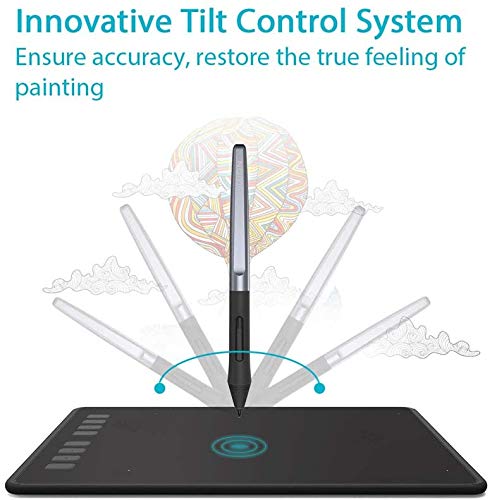
  • Tilt functionality can be difficult to master or inconsistent in some apps
  • Lacks a built-in eraser on the stylus

Verdict

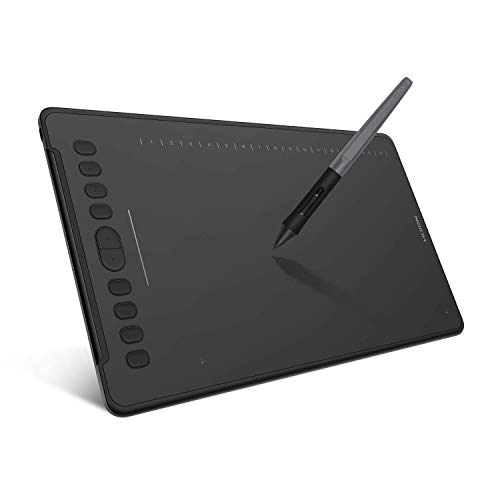
The Huion Inspiroy H950P is a professional-grade graphics tablet featuring a compact 8.7 x 5.4-inch active area and an ultra-slim 8mm profile. It is equipped with 8,192 levels of pressure sensitivity, 5,080 LPI resolution, and a report rate exceeding 220 PPS, providing a highly responsive drawing experience with the included PW100 battery-free stylus. Key characteristics include eight programmable express keys with a physical lock switch and ±60° tilt support for natural shading. Main pros are its lightweight portability at 497g, broad compatibility with Windows, macOS, and Android 6.0+, and the textured surface that mimics a pen-on-paper feel. Notable cons include occasional line wobble during extremely slow strokes at sharp angles, potential for the surface to scratch over time, and the lack of a built-in display.

Compare HUION Inspiroy H950P with other products in the Drawing tablets category

1Product to compare no. 1
VS
2Product to compare no. 2
VS
3Product to compare no. 3 (optional)

Graphic comparison of HUION Inspiroy H950P and other products in the Drawing tablets category

No results found