Scored using Routers Methodology v3.0
Routers Methodology v3.0
Mathematical & Unbiased Scoring
Products in this category are scored under Frontum Routers Methodology v3.0: the technical score from the specifications is the base, and independent expert and video reviews (up to ±0.5 points), owner opinions (up to ±0.3) and best-of lists (up to +0.3) move it up or down.
Explore Routers Methodology v3.0

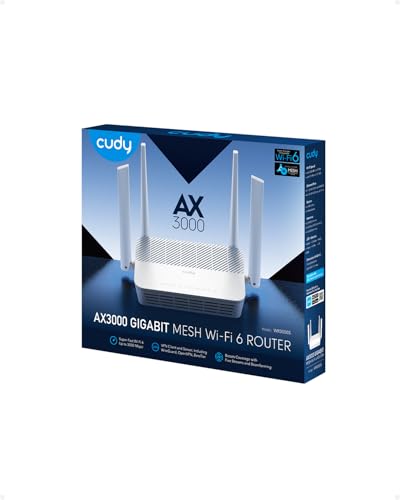
Cudy WR3000S review: 77 specs compared

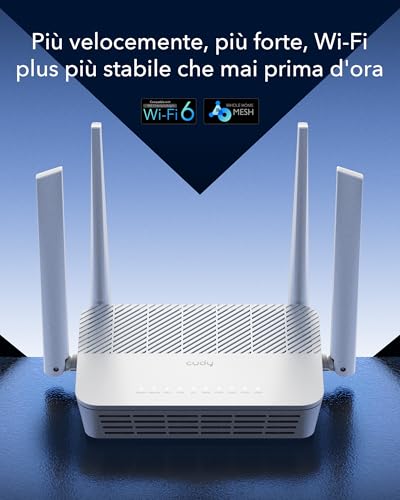
Avg. price:~£35Wi-Fi version:Wi-Fi 6 (802.11ax)Wi-Fi speed:3000 MbpsLAN port speeds:1 GbpsMesh Wi-Fi:yes

Cudy WR3000S Review: Compare 77 technical specifications to see how this product ranks in the Routers category and whether it is worth buying.
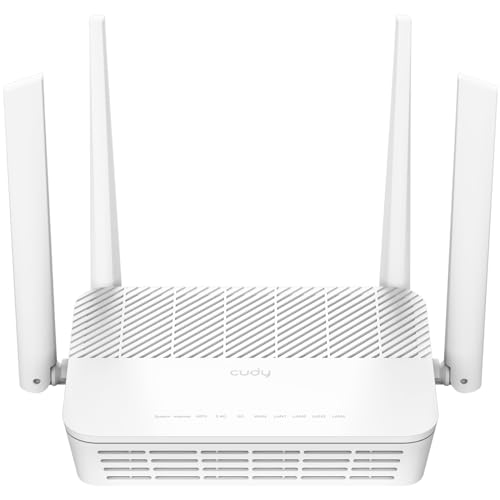
Cudy WR3000S
7.7/10

Overall score

Score
7.7/ 10
✕
What it is
Our main score for this model, 1–10. It combines specs, expert reviews, best-of lists and owners.
How we count it
Parts: Technical score 40%, Reviews score 25%, List score 25%, Sentiment score 10%
Marks: Each part gets a mark out of 10. For reviews, lists and owners, a typical model in this category gets about 8 and the best one gets 10.
No data yet: A part with no data shows "?". It counts as the mark of a weaker model in this category (4 in 5 models with data score higher). This way, models with reviews, lists and owners usually come out ahead.
Score distribution
â–¼
<55-66-77-88-99-10
Score components

40%

7.7

Technical score

25%

?

Reviews scoreNot enough data yet, so we use 7.7, the mark of a weaker model in this category

25%

?

List scoreNot enough data yet, so we use 7.5, the mark of a weaker model in this category

10%

8.2

Sentiment score

â–²Better than 65% of routers
8.4

Value for money

Value for money
8.4/ 10
✕
What it is
An indicator that combines the router's overall rating with its cost.
When it matters
When you are looking for a router with a good balance between network performance, features, and price.
Score distribution
â–¼
<55-66-77-88-99-10
Score components

70%

7.7

Overall score

30%

10

Price

â–²Better than 74%
7.7

Technical score

Technical score
7.7/ 10
✕
What it is
How good the specs are compared with the other models in this category, 1–10.
How we count it
Areas: We rate the specs in each area against the other models in this category.
Weighting: The areas that matter most to buyers count more. The shares are shown under Score components.
Share: The technical score is 40% of the overall score.
Score distribution
â–¼
<55-66-77-88-99-10
Score components

26%

7.2

Wireless

20%

6.3

Ports

18%

8.9

Networking

14%

9.6

Security

12%

7.1

Hardware

10%

7.6

Management

â–²Better than 70%
?

Reviews score

Reviews score
✕
What it is
Average grade from independent test sites, magazines and video reviewers, 1–10.
How we count it
Grades: Each review's own score is converted to 1–10; without one, we grade the review ourselves. Big test sites count more, short reviews half as much as full tests. A video review counts half.
Score: The average grade is 80% of the review mark; the number of reviews is the other 20% (1 review = 5, the typical number in this category = 8, the most-reviewed model = 10).
Enough data: With few reviews, the average grade is pulled toward the typical grade of this category. No reviews yet: 7.7 for now.
Share: Reviews count 25% of the overall score.
Score distribution
â–¼
<55-66-77-88-99-10
Grades by review (0)
We have not found an independent test of this model yet. Until we do, its review part counts as 7.7.
User ratings collected online are not part of this score.
No expert tests yet
?

List score

List score
7.5/ 10
✕
What it is
How often independent test sites, magazines and video reviewers put this model in their best-of lists for this category.
How we count it
Points: The model in the most lists of this category gets 10; the others get 8 to 10 in proportion. In no list yet: 7.5. Lists count 25% of the overall score.
Enough data: Every list counts, even a single one. With fewer than 5 best-of lists in the category, this part is left out.
Lists with this model (0)
Not in any best-of list yet, so this part counts as 7.5. Models in a list get 8 to 10.
Not in any best-of list yet
  • cudy-wr3000s
  • cudy-wr3000s
  • cudy-wr3000s
  • cudy-wr3000s
  • cudy-wr3000s
  • cudy-wr3000s
  • cudy-wr3000s
  • cudy-wr3000s
  • cudy-wr3000s
cudy-wr3000s
cudy-wr3000s
cudy-wr3000s
cudy-wr3000s
cudy-wr3000s
cudy-wr3000s
cudy-wr3000s
cudy-wr3000s
cudy-wr3000s
Where to buy
*As an Amazon Associate, we earn from qualifying purchases.
Best rankings
Available: ranking among products currently available (including other versions of this product).All: ranking among all products in the database.

What owners say about the Cudy WR3000S

Based on 88 owners sharing their experience in online comments

18%positive38%mixed44%negative

Owners value wide channel support and flexible VPN routing, but firmware setup, memory limits, and connection problems remain common frustrations.

What owners dislike

  • Some owners bricked the router while installing U-boot or OpenWRT, and TFTP recovery often fails to find the device.14
  • With VPN routing on, some owners lose remote camera access, Russian sites load partly, and apps like Epic Games Launcher or WhatsApp fail.9
  • VLESS links are rejected or drop out, while the same link works in phone VPN apps; Hysteria sometimes still connects.8
  • 5 GHz may not show on some phones when auto channel is off, and some owners find it slower than 2.4 GHz.5
  • After installing OpenWrt, free memory is low, so packages like Tailscale may not fit, and geosite/geoip lists can use up all remaining RAM.5
  • Podkop install can fail with 'failed to send request' when the router sits behind another router, or with 'DNS is not working'.5
  • Wi-Fi signal can drop sharply within about three meters, and some owners cannot connect devices to hidden networks.4
  • On 24.10.5 with PPPoE, the WAN connection can go idle and needs a scheduled restart; after some flashes the WAN port drops until a reboot.4
  • Custom domain lists are sometimes ignored, and some lists do not update. Telegram can still fail after being added to community lists.4

Points mentioned by at least 3 owners, most mentioned first.

Loading...
Loading category ranking...

Technical Specifications of router Cudy WR3000S

Technical score
Technical score
7.7/ 10
✕
What it is
How good the specs are compared with the other models in this category, 1–10.
How we count it
Areas: We rate the specs in each area against the other models in this category.
Weighting: The areas that matter most to buyers count more. The shares are shown under Score components.
Share: The technical score is 40% of the overall score.
Score distribution
â–¼
<55-66-77-88-99-10
Score components:

26%

7.2

Wireless

20%

6.3

Ports

18%

8.9

Networking

14%

9.6

Security

12%

7.1

Hardware

10%

7.6

Management

7.7
Reviews score
7.7
List score
?
Value for money
Value for money
8.4/ 10
✕
What it is
An indicator that combines the router's overall rating with its cost.
When it matters
When you are looking for a router with a good balance between network performance, features, and price.
Score distribution
â–¼
<55-66-77-88-99-10
Score components:

70%

7.7

Overall score

30%

10

Price

8.4
Brand name
Cudy
Wi-Fi version
Wi-Fi 6 (802.11ax)
This router uses Wi-Fi 6 (802.11ax), which is more advanced than 58.5% of routers and equal to 25.9% of routers.
Wi-Fi bands
2.4 GHz + 5 GHz
This router supports 2.4 GHz + 5 GHz Wi-Fi bands, which are more versatile than 24.2% of routers and equal to 65.6% of routers.
Wi-Fi speed
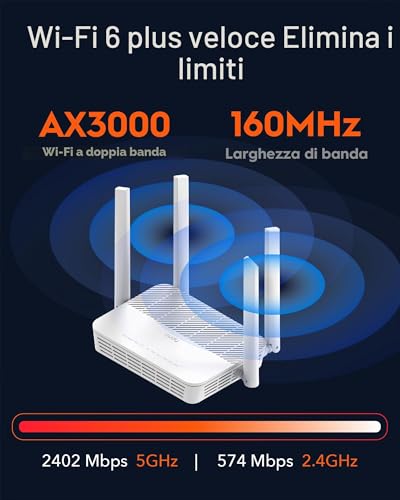
3,000 Mbps
This router delivers 3,000 Mbps Wi-Fi speed, which is higher than 65.9% of routers and equal to 6.6% of routers.
Channel widths supported
20 MHz + 40 MHz + 80 MHz + 160 MHz
This router supports 20 MHz + 40 MHz + 80 MHz + 160 MHz channel width options, which is more than 66.5% of routers and the same as 27.4% of routers.
Show more
Wi-Fi security protocols
?
DoS protection
yes
This router includes DoS protection. 9.8% of routers include DoS protection.
SPI intrusion protection
yes
This router includes SPI-based intrusion protection. 4.7% of routers include SPI-based intrusion protection.
MAC address filtering
yes
This router supports MAC address filtering. 1.7% of routers include MAC address filtering.
URL filter
yes
This router supports URL filtering. 2.6% of routers include URL filtering.
Show more
IPv6 support
yes
This router supports IPv6. 8.8% of routers are IPv6-ready.
Dynamic routing
no
This router does not support dynamic routing. 46.2% of routers support dynamic routing.
Inter-VLAN routing
?
VLAN tagging
?
QoS
yes
This router includes QoS controls. 2.4% of routers include QoS controls.
Show more
N. of LAN ports
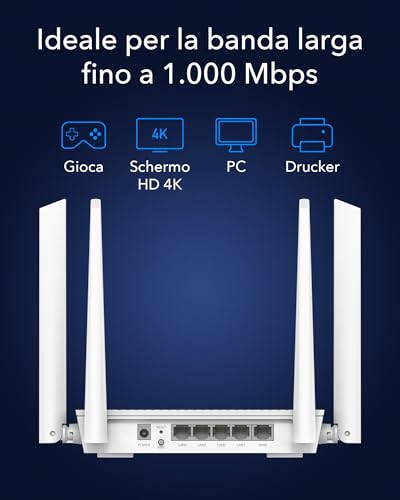
4
This router has 4 LAN ports, which is more than 34.2% of routers and the same as 59.3% of routers.
LAN port speeds
1 Gbps
This router offers 1 Gbps on its LAN ports, which is faster than 25.7% of routers and on par with 56.1% of routers.
N. of WAN ports
1
This router has 1 WAN ports, which is more than 0.8% of routers and the same as 89.4% of routers.
N. of USB ports
?
Power over Ethernet (PoE)
no
This router does not support Power over Ethernet (PoE). 1.7% of routers can be powered over Ethernet.
Show more
Management interface
Web UI, App
This router uses Web UI, App for management, which is more advanced than 29.7% of routers and equal to 60.9% of routers.
Firmware upgrade method
Web UI, App
This router supports Web UI, App firmware update methods, which are more convenient than 62.3% of routers and equal to 8.4% of routers.
Traffic monitoring
yes
This router includes traffic monitoring. 13.9% of routers include traffic monitoring.
Guest Wi-Fi network
yes
This router offers a guest Wi‑Fi network. 7.3% of routers offer a guest Wi‑Fi network.
Captive portal
no
This router does not offer captive portal features. 22.4% of routers offer captive portal features.
Show more
CPU clock speed
2x 1.3 GHz
This router runs at 2x1.3 GHz, which is faster than 58.2% of routers and on par with 1% of routers.
RAM capacity
256 MB
This router has 256 MB of RAM, which is more than 46.3% of routers and the same as 14.9% of routers.
Internal storage
0.125 GB
This router has 0.125 GB of internal storage, which is more than 47.9% of routers and the same as 23.8% of routers.
Hardware acceleration
yes
This router offers hardware acceleration. 24.9% of routers offer hardware acceleration.
N. of external antennas
?
Show more

Cudy WR3000S vs the average router

246810TotalWirelessSecurityNetworkingPortsManagementHardware
  • Supports mesh Wi-Fi
    This router supports mesh Wi-Fi, while the average router does not. 45.2% of routers support mesh Wi-Fi.
  • Supports OFDMA
    This router supports OFDMA, while the average router does not. 41.5% of routers support OFDMA.
  • Newer Wi-Fi version
    This router supports a newer Wi-Fi version than the average router (Wi-Fi 6 (802.11ax) vs Wi-Fi 5 (802.11ac)). The average router uses Wi-Fi 5 (802.11ac).
    Wi-Fi 6 (802.11ax) vs Wi-Fi 5 (802.11ac)
  • 71.4% faster Wi-Fi speed
    This router has a higher Wi-Fi speed than the average router (3,000 Mbps vs 1,750 Mbps). The average router reaches Wi-Fi speed of 1,750 Mbps.
    3,000 Mbps vs 1,750 Mbps
  • Wider channel widths
    This router has a higher supported channel width than the average router (20 MHz + 40 MHz + 80 MHz + 160 MHz vs 20 MHz + 40 MHz + 80 MHz). The average router supports channel width of 20 MHz + 40 MHz + 80 MHz.
    20 MHz + 40 MHz + 80 MHz + 160 MHz vs 20 MHz + 40 MHz + 80 MHz
  • 192 more connected devices
    This router supports more connected devices than the average router (256 vs 64). The average router supports 64 connected devices.
    256 vs 64
  • Supports TWT
    This router supports Target Wake Time (TWT), while the average router does not. 42.6% of routers support Target Wake Time (TWT).
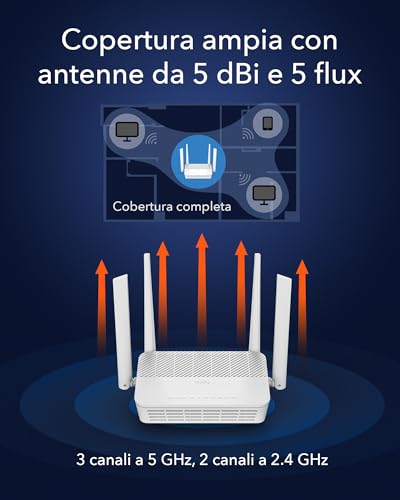
  • 3 more internal antennas
    This router has more internal antennas than the average router (3 vs 0). The average router has 0 internal antennas.
    3 vs 0
  • 2.71x cheaper
    Cudy WR3000S is cheaper than the average router (£35 vs £95).
    £35 vs £95
  • Supports mesh Wi-Fi
    This router supports mesh Wi-Fi, while the average router does not. 45.2% of routers support mesh Wi-Fi.
  • Supports OFDMA
    This router supports OFDMA, while the average router does not. 41.5% of routers support OFDMA.
  • Newer Wi-Fi version
    This router supports a newer Wi-Fi version than the average router (Wi-Fi 6 (802.11ax) vs Wi-Fi 5 (802.11ac)). The average router uses Wi-Fi 5 (802.11ac).
    Wi-Fi 6 (802.11ax) vs Wi-Fi 5 (802.11ac)
  • 71.4% faster Wi-Fi speed
    This router has a higher Wi-Fi speed than the average router (3,000 Mbps vs 1,750 Mbps). The average router reaches Wi-Fi speed of 1,750 Mbps.
    3,000 Mbps vs 1,750 Mbps
  • Wider channel widths
    This router has a higher supported channel width than the average router (20 MHz + 40 MHz + 80 MHz + 160 MHz vs 20 MHz + 40 MHz + 80 MHz). The average router supports channel width of 20 MHz + 40 MHz + 80 MHz.
    20 MHz + 40 MHz + 80 MHz + 160 MHz vs 20 MHz + 40 MHz + 80 MHz
  • 192 more connected devices
    This router supports more connected devices than the average router (256 vs 64). The average router supports 64 connected devices.
    256 vs 64
  • Supports TWT
    This router supports Target Wake Time (TWT), while the average router does not. 42.6% of routers support Target Wake Time (TWT).
  • 3 more internal antennas
    This router has more internal antennas than the average router (3 vs 0). The average router has 0 internal antennas.
    3 vs 0
  • 4 years newer release date
    This router was released more recently than the average router (2023 vs 2019). The average router release year is 2019.
    2023 vs 2019
  • 30.1% narrower wireless coverage
    This router has narrower wireless coverage than the average router (130 m² vs 186 m²). The average router offers wireless coverage of 186 m².
    130 m² vs 186 m²
  • Limited firmware updates
    This router supports the firmware update methods Web UI, App, while the average router supports Web UI, App, Automatic.
    Web UI, App vs Web UI, App, Automatic
  • 1 fewer spatial streams
    This router has fewer spatial streams than the average router (2 vs 3). The average router has 3 spatial streams.
    2 vs 3
  • Narrower DFS range
    This router has fewer supported DFS channels than the average router (52-64 + 100-140 vs 52-64 + 100-144). The average router supports 52-64 + 100-144 DFS channels.
    52-64 + 100-140 vs 52-64 + 100-144
  • 30.1% narrower wireless coverage
    This router has narrower wireless coverage than the average router (130 m² vs 186 m²). The average router offers wireless coverage of 186 m².
    130 m² vs 186 m²
  • 1 fewer spatial streams
    This router has fewer spatial streams than the average router (2 vs 3). The average router has 3 spatial streams.
    2 vs 3
  • Narrower DFS range
    This router has fewer supported DFS channels than the average router (52-64 + 100-140 vs 52-64 + 100-144). The average router supports 52-64 + 100-144 DFS channels.
    52-64 + 100-140 vs 52-64 + 100-144
  • Limited firmware updates
    This router supports the firmware update methods Web UI, App, while the average router supports Web UI, App, Automatic.
    Web UI, App vs Web UI, App, Automatic

Third-party reviews

What customers like about Cudy WR3000S

  • Wi-Fi 6 AX3000 with 160 MHz channels
  • Full OpenWrt compatibility for VLANs and custom firewall rules
  • 1.3 GHz dual-core CPU with 256 MB RAM
  • Gigabit Ethernet ports for wired devices
  • WireGuard, OpenVPN and IPsec server and client
  • Compact white vertical design suits living rooms
  • Supports up to 256 devices

What customers don't like about Cudy WR3000S

  • No 2.5 Gbps port for multi-gig lines
  • No built-in modem, external modem required
  • Three internal antennas, no upgrades
  • Dual-band only, no 6 GHz band

Verdict

Design-minded buyers get the clean white finish of the WR3000S, a compact vertical Wi-Fi 6 router that is easy to leave on a shelf. Inside sit a 1.3 GHz dual-core CPU, 256 MB of RAM and 128 MB of storage. The AX3000 radio offers 2,402 Mbps on 5 GHz and 574 Mbps on 2.4 GHz over 160 MHz channels, and three internal antennas handle beamforming. Gigabit Ethernet ports serve wired devices, with no multi-gig option. Its main draw for enthusiasts is OpenWrt compatibility for VLANs, custom firewall rules and community packages. WireGuard, OpenVPN and IPsec are built in, and an isolated guest network uses WPA3. The antennas cannot be swapped, and there is no modem. It supports up to 256 devices. It is a budget price for this feature set.

Compare Cudy WR3000S with other routers

1Product to compare no. 1
VS
2Product to compare no. 2
VS
3Product to compare no. 3 (optional)

Graphic comparison of Cudy WR3000S and other routers

No results found