Scored using Mice Methodology v1.0
Mice Methodology v1.0
Mathematical & Unbiased Scoring
Products in this category are scored under Frontum Mice Methodology v1.0: technical specifications plus authentic consumer ratings, with 0% commercial bias.
Explore Mice Methodology v1.0

Razer Naga V2 HyperSpeed Review | 78 Data compared

Avg. price:~£95Connectivity:wirelessMaximum polling rate:1000 HzMaximum DPI:30000 DPIWeight:95 g

Razer Naga V2 HyperSpeed Review: Compare 78 technical specifications and user reviews to see how this product ranks in the Mice category and whether it is worth buying.
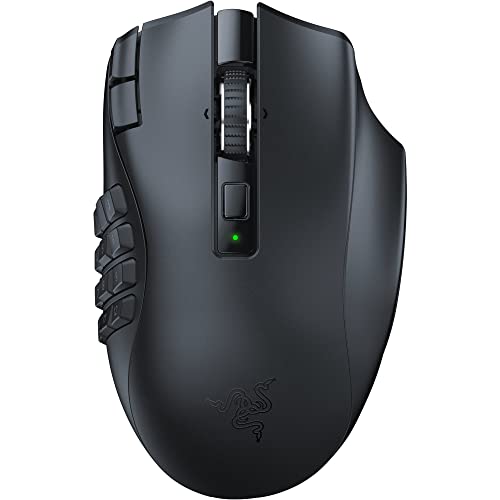
Razer Naga V2 HyperSpeed
7.2/10

Overall score

Score
7.2/ 10
✕
What it is
An overall evaluation of the mouse's quality, based on technical analyses and user reviews.
When it matters
When you need a quick reference to identify the best mice on the market.
Score distribution
▼
<55-66-77-88-99-10
Score components

80%

7.0

Technical score

20%

8.2

User score

▲Better than 74% of mice
8.1

Value for money

Value for money
8.1/ 10
✕
What it is
An indicator that combines the mouse's overall rating with its cost.
When it matters
When you are looking for a mouse that offers a strong balance of performance, features, and price.
Score distribution
▼
<55-66-77-88-99-10
Score components

70%

7.2

Overall score

30%

10

Price

▲Better than 74%
7.0

Technical score

Technical score
7.0/ 10
✕
What it is
An assessment of technical performance for products in the Mice category across these key areas: Performance & Sensor, Connectivity, Battery & Charging, Controls, Design, Features.
When it matters
When you want to compare mice based on technical performance and available features.
Score distribution
▼
<55-66-77-88-99-10
Score components

36%

6.7

Performance & Sensor

22%

8.0

Controls

16%

6.2

Design

14%

6.1

Features

7%

9.7

Connectivity

5%

6.6

Battery & Charging

▲Better than 73%
8.2

User score

User score
8.2/ 10
✕
What it is
A rating that combines user reviews and the total number of reviews received by the mouse.
When it matters
When you want to understand how a mouse performs in daily use or gaming and how reliable it is in terms of comfort, button feel, tracking accuracy, and long-term durability.
Score distribution
▼
<55-66-77-88-99-10
Score components

70%

8.3

User ratings

30%

8.0

Number of reviews

Based on ratings from across the web.
▲Better than 60%
  • razer-naga-v2-hyperspeed
  • razer-naga-v2-hyperspeed
  • razer-naga-v2-hyperspeed
  • razer-naga-v2-hyperspeed
  • razer-naga-v2-hyperspeed
  • razer-naga-v2-hyperspeed
  • razer-naga-v2-hyperspeed
  • razer-naga-v2-hyperspeed
  • razer-naga-v2-hyperspeed
  • razer-naga-v2-hyperspeed
  • razer-naga-v2-hyperspeed
razer-naga-v2-hyperspeed
Where to buy
*As an Amazon Associate, we earn from qualifying purchases.
Best rankings
Available: ranking among products currently available (including other versions of this product).All: ranking among all products in the database.

What owners say about the Razer Naga V2 HyperSpeed

Based on 41 owners sharing their experience in online comments

34%positive15%mixed51%negative

Owners praise the useful programmable buttons and free scrolling, but criticize limited profile saving, awkward side buttons, and unreliable connections.

What owners dislike

  • The side buttons are easy to hit by accident while gripping the mouse, and the far rows are awkward to reach with the thumb.5
  • Settings are saved only to a single default profile, and bindings can reset to factory defaults when Synapse software is closed. Profiles do not switch per program.5
  • The wireless connection drops out during play, sometimes disconnecting from the USB receiver within seconds. Some owners could not pair it with Synapse or Bluetooth.4
  • It runs on non-rechargeable AA batteries with no USB-C charging, which some buyers did not expect and found annoying.3
  • The scroll wheel or its click switch wears out or fails after about a year or three, causing lag or a dead scroll.3
  • The mouse goes to sleep after short idle breaks and takes several seconds to wake, which interrupts play.3
  • Macros and key combinations do not always save or fire reliably, and some shortcuts such as Shift+Windows+S fail to record.3

Points mentioned by at least 3 owners, most mentioned first.

Loading...
Loading category ranking...

Technical Specifications of mouse Razer Naga V2 HyperSpeed

Technical score
Technical score
7.0/ 10
✕
What it is
An assessment of technical performance for products in the Mice category across these key areas: Performance & Sensor, Connectivity, Battery & Charging, Controls, Design, Features.
When it matters
When you want to compare mice based on technical performance and available features.
Score distribution
▼
<55-66-77-88-99-10
Score components:

36%

6.7

Performance & Sensor

22%

8.0

Controls

16%

6.2

Design

14%

6.1

Features

7%

9.7

Connectivity

5%

6.6

Battery & Charging

7.0
User score
User score
8.2/ 10
✕
What it is
A rating that combines user reviews and the total number of reviews received by the mouse.
When it matters
When you want to understand how a mouse performs in daily use or gaming and how reliable it is in terms of comfort, button feel, tracking accuracy, and long-term durability.
Score distribution
▼
<55-66-77-88-99-10
Score components

70%

8.3

User ratings

30%

8.0

Number of reviews

Based on ratings from across the web.
8.2
Popularity
Popularity
8.0/ 10
✕
What it is
An indicator based on the number of reviews received by the mouse.
When it matters
When you prefer a mouse that has already been chosen and reviewed by many other users.
Score distribution
▼
<55-66-77-88-99-10
Popularity:
Razer Naga V2 HyperSpeed has a popularity score of 8 points, which is higher than that of 72% of products in this category.
8.0
Value for money
Value for money
8.1/ 10
✕
What it is
An indicator that combines the mouse's overall rating with its cost.
When it matters
When you are looking for a mouse that offers a strong balance of performance, features, and price.
Score distribution
▼
<55-66-77-88-99-10
Score components:

70%

7.2

Overall score

30%

10

Price

8.1
Brand name
Razer
Maximum polling rate
1,000 Hz
This mouse has a maximum polling rate of 1,000 Hz, which is higher than 27.8% of mice and equal to 55% of mice.
Wired polling rate
N/A
2.4 GHz polling rate
1,000 Hz
This mouse has a 2.4 GHz polling rate of 1,000 Hz, which is higher than 33.4% of mice and equal to 46.9% of mice.
Bluetooth polling rate
125 Hz
This mouse has a Bluetooth polling rate of 125 Hz, which is higher than 67.8% of mice and equal to 30.7% of mice.
Show more
Connectivity
wireless
This mouse supports wireless connectivity, which is more versatile than 35% of mice and equal to 21.7% of mice.
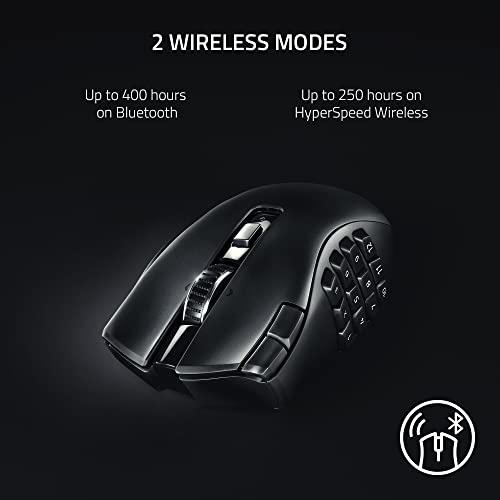
connection modes: Bluetooth / 2.4 GHz.
Bluetooth support
yes
This mouse supports Bluetooth. 64.5% of mice support Bluetooth.
Bluetooth version
5
This mouse uses Bluetooth 5, which is newer than 73.9% of mice and equal to 12.3% of mice.
Proprietary 2.4 GHz support
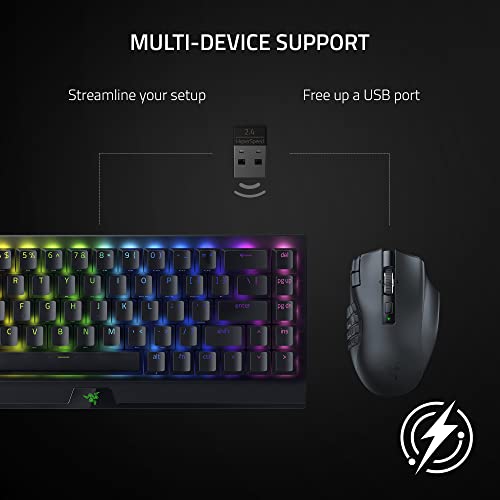
yes
This mouse supports proprietary 2.4 GHz wireless. 38.8% of mice support proprietary 2.4 GHz wireless.
Receiver included
yes
This mouse includes a receiver. 37.8% of mice include a receiver.
Show more
Battery life
N/A
Battery capacity
N/A
Battery form factor
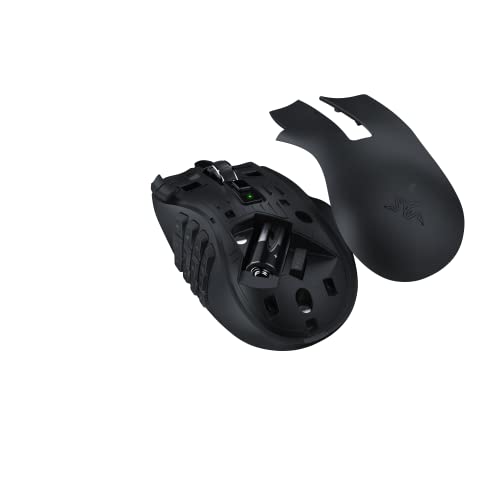
AA
Rechargeable battery
no
This mouse does not use a rechargeable battery. 46% of mice use a rechargeable battery.
Removable battery
yes
This mouse uses a removable battery. 77.8% of mice use a removable battery.
Show more
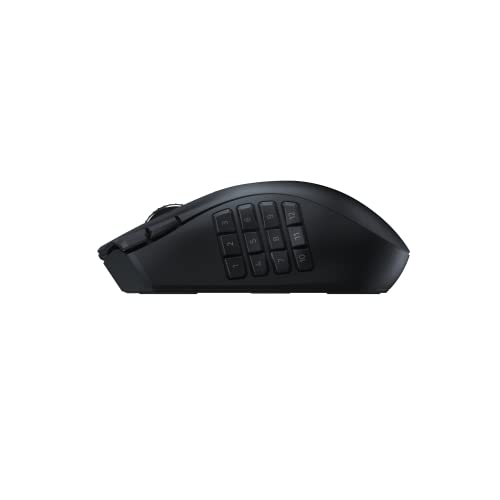
N. of buttons
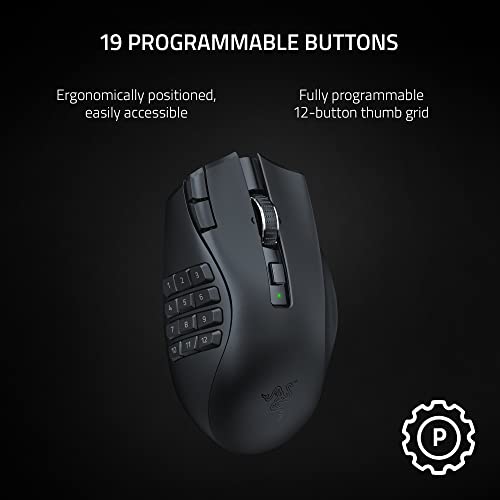
19
This mouse has 19 buttons, which is more than 99.3% of mice and equal to 0.1% of mice.
N. of side buttons
12
This mouse has 12 side buttons, which is more than 98.9% of mice and equal to 1.1% of mice.
N. of programmable buttons
19
This mouse has 19 programmable buttons, which is more than 99.3% of mice and equal to 0.1% of mice.
DPI switching button
yes
This mouse includes a DPI switching button. 14.7% of mice include a DPI switching button.
Profile switching button
no
This mouse does not include a profile switching button. 16% of mice include a profile switching button.
Show more
Orientation
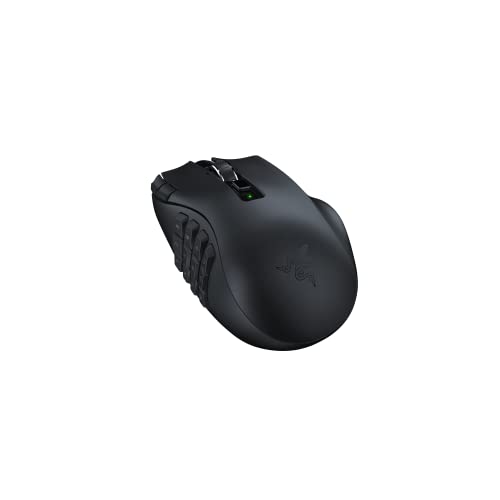
right-handed
Weight
95 g
This mouse weighs 95 g, which is heavier than 63.4% of mice and equal to 1.8% of mice.
Extra weights
0 g
This mouse comes with 0 g extra weights, which is less than 4.6% of mice and equal to 95.4% of mice.
Cable length
N/A
Cable type
N/A
Show more
Onboard memory profiles
1
This mouse stores 1 onboard profiles, which is more than 48% of mice and equal to 20% of mice.
Onboard memory size
?
Software name
Razer Synapse
Firmware upgradable
yes
This mouse supports firmware updates. 22.5% of mice support firmware updates.
Suitable for gaming
yes
This mouse is suitable for gaming. 23.9% of mice are suitable for gaming.

Razer Naga V2 HyperSpeed vs the average mouse

246810TotalPerformance & SensorConnectivityBattery & ChargingControlsDesignFeatures
  • 13 more programmable buttons
    This mouse has 19 programmable buttons, while the average mouse has 6 programmable buttons.
    19 vs 6
  • 3x higher maximum DPI
    This mouse has a maximum DPI of 30,000 DPI, while the average mouse has a maximum DPI of 10,000 DPI.
    30,000 DPI vs 10,000 DPI
  • 87.5% higher tracking speed
    This mouse offers a maximum tracking speed of 750 IPS, while the average mouse offers a maximum tracking speed of 400 IPS.
    750 IPS vs 400 IPS
  • Adjustable lift-off distance
    This mouse supports adjustable lift-off distance, while the average mouse does not. 46.5% of mice support adjustable lift-off distance.
  • 30 million clicks longer switch lifespan
    This mouse offers switch durability of 60 million clicks, while the average mouse offers switch durability of 30 million clicks.
    60 million clicks vs 30 million clicks
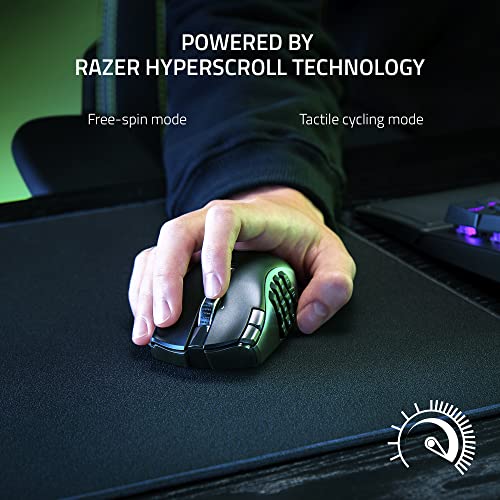
  • Free-spin scroll mode
    This mouse offers a free-spin scroll mode, while the average mouse does not. 3.9% of mice offer a free-spin scroll mode.
  • 10 more side buttons
    This mouse has 12 side buttons, while the average mouse has 2 side buttons.
    12 vs 2
  • Tilting scroll wheel
    This mouse has a tilting scroll wheel, while the average mouse does not. 6.6% of mice have a tilting scroll wheel.
  • 3x higher maximum DPI
    This mouse has a maximum DPI of 30,000 DPI, while the average mouse has a maximum DPI of 10,000 DPI.
    30,000 DPI vs 10,000 DPI
  • 87.5% higher tracking speed
    This mouse offers a maximum tracking speed of 750 IPS, while the average mouse offers a maximum tracking speed of 400 IPS.
    750 IPS vs 400 IPS
  • Adjustable lift-off distance
    This mouse supports adjustable lift-off distance, while the average mouse does not. 46.5% of mice support adjustable lift-off distance.
  • 25% higher maximum acceleration
    This mouse has a maximum acceleration of 50 G, while the average mouse has a maximum acceleration of 40 G.
    50 G vs 40 G
  • 100 DPI lower minimum setting
    This mouse goes as low as 100 DPI, while the average mouse goes as low as 200 DPI.
    100 DPI vs 200 DPI
  • Bluetooth support
    This mouse supports Bluetooth, while the average mouse does not. 35.5% of mice support Bluetooth.
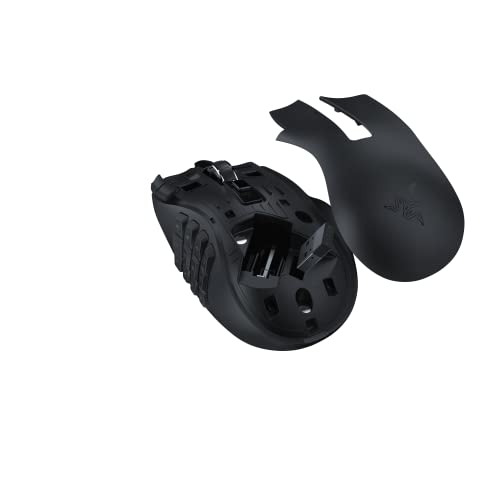
  • Receiver storage inside mouse
    This mouse has receiver storage inside the mouse, while the average mouse does not. 45.9% of mice have receiver storage inside the mouse.
  • Removable battery
    This mouse uses a removable battery, while the average mouse does not. 22.3% of mice use a removable battery.
  • 13 more programmable buttons
    This mouse has 19 programmable buttons, while the average mouse has 6 programmable buttons.
    19 vs 6
  • 30 million clicks longer switch lifespan
    This mouse offers switch durability of 60 million clicks, while the average mouse offers switch durability of 30 million clicks.
    60 million clicks vs 30 million clicks
  • Free-spin scroll mode
    This mouse offers a free-spin scroll mode, while the average mouse does not. 3.9% of mice offer a free-spin scroll mode.
  • 10 more side buttons
    This mouse has 12 side buttons, while the average mouse has 2 side buttons.
    12 vs 2
  • Tilting scroll wheel
    This mouse has a tilting scroll wheel, while the average mouse does not. 6.6% of mice have a tilting scroll wheel.
  • 13 more buttons
    This mouse has 19 buttons, while the average mouse has 6 buttons.
    19 vs 6
  • 15.9% higher mouse weight
    This mouse weighs 95 g, while the average mouse weighs 82 g.
    95 g vs 82 g
  • 2.71x more expensive
    Razer Naga V2 HyperSpeed is more expensive than the average mouse (£95 vs £35).
    £95 vs £35
  • No RGB lighting
    This mouse does not have RGB lighting, while the average mouse does. 56.3% of mice have RGB lighting.
  • 3.8 mm taller mouse height
    This mouse has a height of 43.5 mm, while the average mouse has a height of 39.7 mm.
    43.5 mm vs 39.7 mm
  • Thin glide feet
    This mouse uses 0.7 mm thick mouse feet, while the average mouse uses 0.8 mm thick mouse feet.
    0.7 mm vs 0.8 mm
  • 9 mm wider mouse width
    This mouse has a width of 75 mm, while the average mouse has a width of 66 mm.
    75 mm vs 66 mm
  • 2.71x more expensive
    Razer Naga V2 HyperSpeed is more expensive than the average mouse (£95 vs £35).
    £95 vs £35
  • 15.9% higher mouse weight
    This mouse weighs 95 g, while the average mouse weighs 82 g.
    95 g vs 82 g
  • No RGB lighting
    This mouse does not have RGB lighting, while the average mouse does. 56.3% of mice have RGB lighting.
  • 3.8 mm taller mouse height
    This mouse has a height of 43.5 mm, while the average mouse has a height of 39.7 mm.
    43.5 mm vs 39.7 mm
  • 9 mm wider mouse width
    This mouse has a width of 75 mm, while the average mouse has a width of 66 mm.
    75 mm vs 66 mm
  • Thin glide feet
    This mouse uses 0.7 mm thick mouse feet, while the average mouse uses 0.8 mm thick mouse feet.
    0.7 mm vs 0.8 mm

Video reviews

Hands-on testing, unboxing, and real-world video evaluations

8.0
PSVICE
≈ estimated
05/06/2025
Hands-on review · long-term use and comparison with older mice
Verdict
Razer Naga V2 HyperSpeed is decent rather than premium, but functional and recommended despite its drawbacks, especially as a wireless mouse.
9.0
Aphosius Dota
≈ estimated
18/02/2026
Setup guide · first impressions and wireless connection
Verdict
Razer Naga V2 HyperSpeed is a strong choice for MMO and Dota 2 players who need many quick side buttons.
8.0
EternityInGaming
✓ explicit
18/07/2024
Unboxing and review · setup and button remapping
Verdict
Razer Naga V2 HyperSpeed is mostly a case of paying for the extra shoulder button and build quality, despite no RGB lighting.
8.0
Fix and Stuff
≈ estimated
09/05/2024
Hands-on review · MMO layout, macros and software tests
Verdict
Razer Naga V2 HyperSpeed is one of the best MMO mice in its class, though its price is a bit high for what it offers.
Overview video
Hands-on video, no verdict

Expert reviews

In-depth analysis and verdict from leading tech publications

rtings.com
10/01/2023
Lab test · Wireless MMO mouse
Verdict
The Razer Naga V2 HyperSpeed is an excellent MMO mouse with a 12-button side panel, but its weight makes it a poor fit for fast FPS play.
T
techpowerup.com
13/03/2023
Summary of the review
vamers.com
13/07/2023
Hands-on review · Versatile MMO mouse
Verdict
The Razer Naga V2 HyperSpeed is a well-built, versatile mouse that handles games and office work, though it has no cable and no RGB lighting.
techpowerup.com
13/03/2023
Hands-on test · Wireless MMO mouse
Verdict
The Razer Naga V2 HyperSpeed is a strong MMO mouse that swaps rechargeable power for AA batteries lasting about 250 hours and drops RGB.
V
vividrepairs.co.uk
19/01/2026
Summary of the review
earlyaxes.co.za
16/05/2023
Hands-on review · Wireless MMO mouse
Verdict
The Razer Naga V2 HyperSpeed is a comfortable MMO mouse with a top-tier sensor, suited to players on a tighter budget who don't need RGB.

Third-party reviews

Based on ratings from across the web.
Reviews last updated: November 2026 · How we calculate this

What customers like about Razer Naga V2 HyperSpeed

  • Excellent battery life (up to 400 hours on Bluetooth and 250 hours on 2.4GHz)
  • Highly versatile with 19 programmable buttons suitable for MMOs and productivity
  • Ergonomic right-handed design with a comfortable ring finger rest
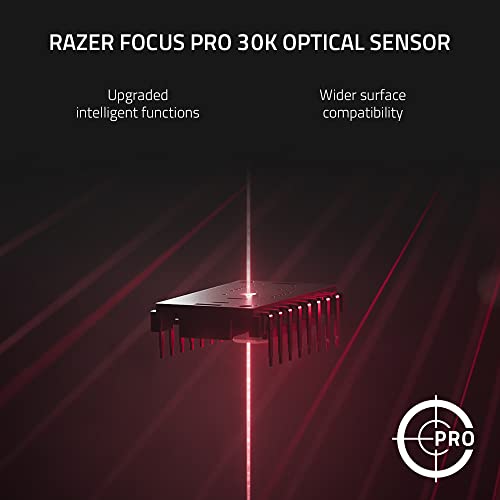
  • Low click latency and high-performance 30K optical sensor
  • Dual wireless connectivity options (HyperSpeed 2.4GHz and Bluetooth)
  • Tactile and free-spin scroll wheel modes for fast navigation
  • Durable, grainy matte surface that resists fingerprints and provides good grip

What customers don't like about Razer Naga V2 HyperSpeed

  • Relatively heavy (approx. 95g without battery), which may not suit fast-paced FPS gaming
  • Uses AA batteries instead of being rechargeable via USB, which some find inconvenient
  • No wired mode option for data transmission; it is wireless-only
  • Bulky design may be challenging for users with smaller hands
  • Lack of RGB lighting, which some users miss for aesthetics or visibility in the dark
  • Placement of the two buttons next to the left-click can feel awkward or difficult to reach

Verdict

The Razer Naga V2 HyperSpeed is a wireless ergonomic MMO gaming mouse featuring 19 programmable buttons and a high-precision Focus Pro 30K Optical Sensor with 30,000 DPI and 750 IPS tracking. It offers dual-mode connectivity via ultra-low-latency 2.4GHz HyperSpeed Wireless and Bluetooth, providing an impressive battery life of up to 250 hours and 400 hours respectively on a single AA battery. Key highlights include the HyperScroll technology with tactile and free-spin modes, Gen-2 mechanical switches rated for 60 million clicks, and 100% PTFE feet for smooth gliding. Its primary advantages are its unmatched macro density for complex skill rotations and long-lasting swappable battery power, though it is hindered by a relatively heavy 134g weight, a right-hand-only design, and the lack of a wired connection option.

Compare Razer Naga V2 HyperSpeed with other products in the Mice category

1Product to compare no. 1
VS
2Product to compare no. 2
VS
3Product to compare no. 3 (optional)

Graphic comparison of Razer Naga V2 HyperSpeed and other products in the Mice category

No results found