Razer Basilisk X HyperSpeed Review | 78 Data compared

Avg. price:~£60Connectivity:wirelessMaximum polling rate:1000 HzMaximum DPI:16000 DPIWeight:83 g

Razer Basilisk X HyperSpeed Review: Compare 78 technical specifications and user reviews to see how this product ranks in the Mice category and whether it is worth buying.

7.1

Overall score

Score
7.1/ 10
✕
What it is
An overall evaluation of the mouse's quality, based on technical analyses and user reviews.
When it matters
When you need a quick reference to identify the best mice on the market.
Score distribution
â–¼
<55-66-77-88-99-10
Score components

80%

6.5

Technical Score

20%

9.3

User score

â–²Better than 70% of mice
6.5

Technical Score

Technical score
6.5/ 10
✕
What it is
An assessment of technical performance for products in the Mice category across these key areas: Performance & Sensor, Connectivity, Battery & Charging, Controls, Design, Features.
When it matters
When you want to compare mice based on technical performance and available features.
Score distribution
â–¼
<55-66-77-88-99-10
Score components

36%

5.8

Performance & Sensor

22%

6.5

Controls

16%

7.1

Design

14%

6.1

Features

7%

9.7

Connectivity

5%

6.6

Battery & Charging

â–²Better than 64% of mice
9.3

User score

User score
9.3/ 10
✕
What it is
A rating that combines user reviews and the total number of reviews received by the mouse.
When it matters
When you want to understand how a mouse performs in daily use or gaming and how reliable it is in terms of comfort, button feel, tracking accuracy, and long-term durability.
Score distribution
â–¼
<55-66-77-88-99-10
Score components

70%

9.0

User ratings

30%

10

Number of reviews

Based on 43,346 buyer reviews from online shops.
How we calculate this
User ratings – average star rating across all shop listings, weighted by how many reviews each has, on a 1–10 scale.
Number of reviews – how many buyer reviews the product has, on a logarithmic scale; the 8% most-reviewed models in the category get 10.
★Better than 93% of mice
  • razer-basilisk-x-hyperspeed
  • razer-basilisk-x-hyperspeed
  • razer-basilisk-x-hyperspeed
  • razer-basilisk-x-hyperspeed
  • razer-basilisk-x-hyperspeed
  • razer-basilisk-x-hyperspeed
  • razer-basilisk-x-hyperspeed
  • razer-basilisk-x-hyperspeed
razer-basilisk-x-hyperspeed

Best prices

*As an Amazon Associate, we earn from qualifying purchases.

Best rankings

Available: ranking among products currently available (including other versions of this product).All: ranking among all products in the database.
Loading...
Loading category ranking...

Verdict

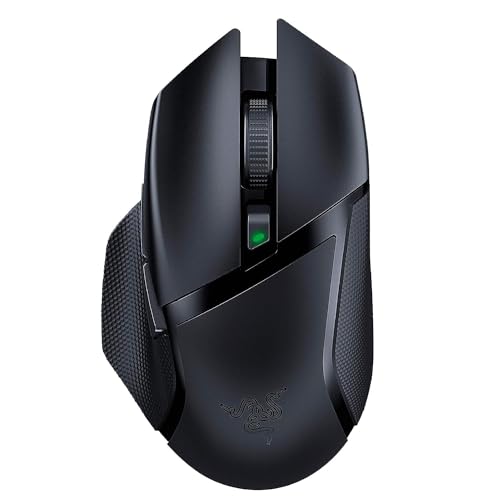
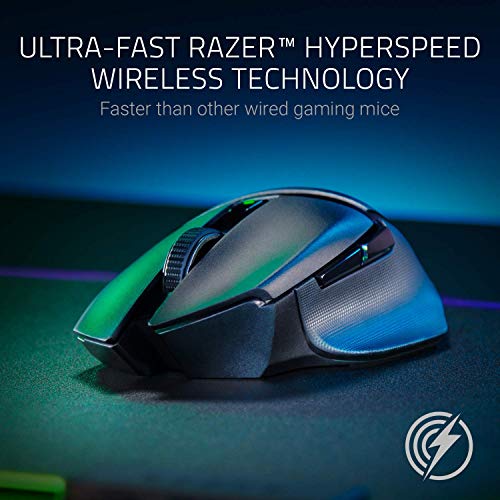
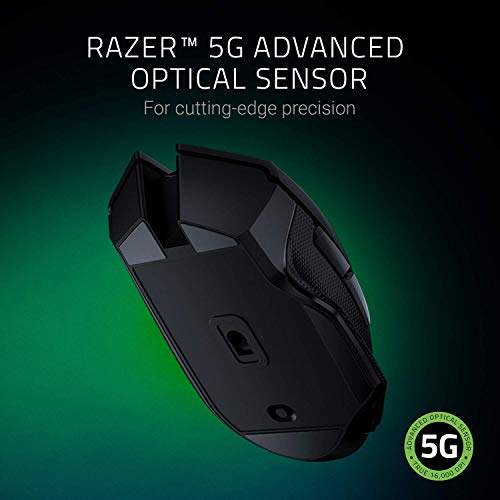
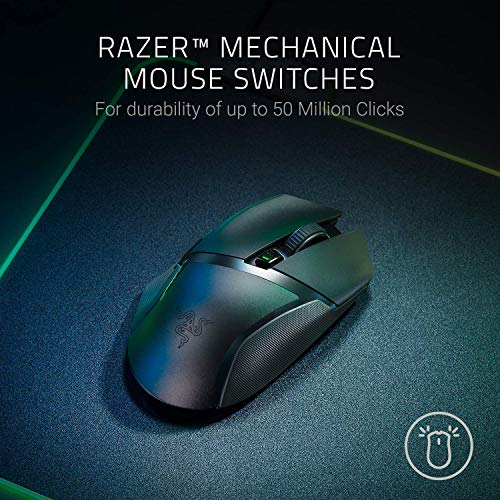
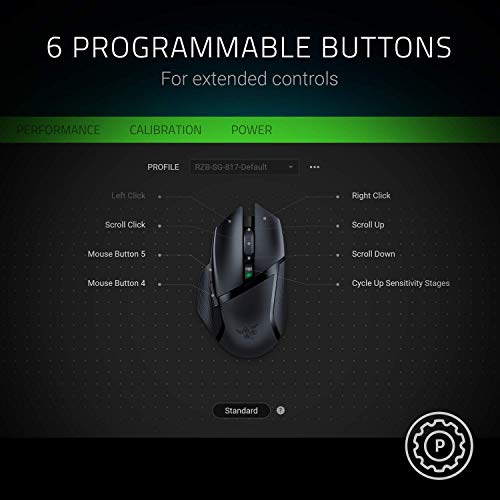
The Razer Basilisk X HyperSpeed is a dual-mode wireless gaming mouse featuring a Razer 5G Advanced Optical Sensor with a true 16,000 DPI, 450 IPS tracking speed, and 40G acceleration. Its signature ergonomic right-handed design includes a thumb rest and six programmable buttons equipped with durable Razer Mechanical Mouse Switches rated for 50 million clicks. Key advantages include its versatile connectivity via ultra-low-latency HyperSpeed Wireless (2.4GHz) or Bluetooth, and an impressive battery life of up to 450 hours on a single AA battery. However, notable drawbacks include its relatively high weight of approximately 106g (with battery), the total lack of RGB lighting, and the absence of a wired backup mode or rechargeable internal battery.

Technical Specifications of mouse Razer Basilisk X HyperSpeed

Technical Score
Technical score
6.5/ 10
✕
What it is
An assessment of technical performance for products in the Mice category across these key areas: Performance & Sensor, Connectivity, Battery & Charging, Controls, Design, Features.
When it matters
When you want to compare mice based on technical performance and available features.
Score distribution
â–¼
<55-66-77-88-99-10
Score components:

36%

5.8

Performance & Sensor

22%

6.5

Controls

16%

7.1

Design

14%

6.1

Features

7%

9.7

Connectivity

5%

6.6

Battery & Charging

6.5
Razer Basilisk X HyperSpeed has a technical score of 6.5 points, which is higher than that of 63.9% of products in this category.
User score
User score
9.3/ 10
✕
What it is
A rating that combines user reviews and the total number of reviews received by the mouse.
When it matters
When you want to understand how a mouse performs in daily use or gaming and how reliable it is in terms of comfort, button feel, tracking accuracy, and long-term durability.
Score distribution
â–¼
<55-66-77-88-99-10
Score components

70%

9.0

User ratings

30%

10

Number of reviews

Based on 43,346 buyer reviews from online shops.
How we calculate this
User ratings – average star rating across all shop listings, weighted by how many reviews each has, on a 1–10 scale.
Number of reviews – how many buyer reviews the product has, on a logarithmic scale; the 8% most-reviewed models in the category get 10.
9.3
Razer Basilisk X HyperSpeed has a user score of 9.27 points, which is higher than that of 93% of products in this category.
Popularity
Popularity
10.0/ 10
✕
What it is
An indicator based on the number of reviews received by the mouse.
When it matters
When you prefer a mouse that has already been chosen and reviewed by many other users.
Score distribution
â–¼
<55-66-77-88-99-10
Popularity:
Razer Basilisk X HyperSpeed has a popularity score of 10 points, which is higher than that of 91.5% of products in this category.
10
Razer Basilisk X HyperSpeed has a popularity score of 10 points, which is higher than that of 91.5% of products in this category.
Ratio quality/price
Value for money
7.9/ 10
✕
What it is
An indicator that combines the mouse's overall rating with its cost.
When it matters
When you are looking for a mouse that offers a strong balance of performance, features, and price.
Score distribution
â–¼
<55-66-77-88-99-10
Score components:

60%

7.1

Overall score

40%

10

Price

7.9
Razer Basilisk X HyperSpeed has a value-for-money score of 7.9 points, which is higher than that of 66.8% of products in this category.
Brand name
Razer
Maximum polling rate
1,000 Hz
Maximum polling rate
1,000 Hz
This mouse has a maximum polling rate of 1,000 Hz, which is higher than 27.8% of mice and equal to 55% of mice.
Wired polling rate
N/A
2.4 GHz polling rate
1,000 Hz
2.4 GHz polling rate
1,000 Hz
This mouse has a 2.4 GHz polling rate of 1,000 Hz, which is higher than 33.4% of mice and equal to 46.9% of mice.
Bluetooth polling rate
125 Hz
Bluetooth polling rate
125 Hz
This mouse has a Bluetooth polling rate of 125 Hz, which is higher than 67.8% of mice and equal to 30.7% of mice.
Show more
Connectivity
wireless
Connectivity
wireless
This mouse supports wireless connectivity, which is more versatile than 35% of mice and equal to 21.7% of mice.
connection modes: Bluetooth / 2.4 GHz.
Bluetooth support
yes
Bluetooth support
yes
This mouse supports Bluetooth. 64.5% of mice support Bluetooth.
Bluetooth version
5
Bluetooth version
5
This mouse uses Bluetooth 5, which is newer than 73.9% of mice and equal to 12.3% of mice.
Proprietary 2.4 GHz support
yes
Proprietary 2.4 GHz support
yes
This mouse supports proprietary 2.4 GHz wireless. 38.8% of mice support proprietary 2.4 GHz wireless.
Receiver included
yes
Receiver included
yes
This mouse includes a receiver. 37.8% of mice include a receiver.
Show more
Battery life
N/A
Battery capacity
N/A
Battery form factor
AA
Rechargeable battery
no
Rechargeable battery
no
This mouse does not use a rechargeable battery. 46% of mice use a rechargeable battery.
Removable battery
yes
Removable battery
yes
This mouse uses a removable battery. 77.8% of mice use a removable battery.
Show more
N. of buttons
6
N. of buttons
6
This mouse has 6 buttons, which is more than 23.2% of mice and equal to 40% of mice.
N. of side buttons
2
N. of side buttons
2
This mouse has 2 side buttons, which is more than 15% of mice and equal to 68.6% of mice.
N. of programmable buttons
6
N. of programmable buttons
6
This mouse has 6 programmable buttons, which is more than 35.6% of mice and equal to 31.2% of mice.
DPI switching button
yes
DPI switching button
yes
This mouse includes a DPI switching button. 14.7% of mice include a DPI switching button.
Profile switching button
no
Profile switching button
no
This mouse does not include a profile switching button. 16% of mice include a profile switching button.
Show more
Orientation
right-handed
Weight
83 g
Weight
83 g
This mouse weighs 83 g, which is heavier than 50.4% of mice and equal to 0.4% of mice.
Extra weights
0 g
Extra weights
0 g
This mouse comes with 0 g extra weights, which is less than 4.6% of mice and equal to 95.4% of mice.
Cable length
N/A
Cable type
N/A
Show more
Onboard memory profiles
1
Onboard memory profiles
1
This mouse stores 1 onboard profiles, which is more than 48% of mice and equal to 20% of mice.
Onboard memory size
?
Software name
Razer Synapse
Firmware upgradable
yes
Firmware upgradable
yes
This mouse supports firmware updates. 22.5% of mice support firmware updates.
Suitable for gaming
yes
Suitable for gaming
yes
This mouse is suitable for gaming. 23.9% of mice are suitable for gaming.

Razer Basilisk X HyperSpeed vs the average mouse

246810TotalPerformance & SensorConnectivityBattery & ChargingControlsDesignFeatures
  • Adjustable lift-off distance
    Lift-off distance adjustable
    yes
    This mouse supports adjustable lift-off distance, while the average mouse does not. 46.5% of mice support adjustable lift-off distance.
  • 60% higher maximum DPI
    Maximum DPI
    16,000 DPI
    This mouse has a maximum DPI of 16000 DPI, while the average mouse has a maximum DPI of 10000 DPI.
    16,000 DPI vs 10,000 DPI
  • 20 million clicks longer switch lifespan
    Switch durability
    50 million clicks
    This mouse offers switch durability of 50 million clicks, while the average mouse offers switch durability of 30 million clicks.
    50 million clicks vs 30 million clicks
  • 12.5% higher tracking speed
    Maximum tracking speed
    450 IPS
    This mouse offers a maximum tracking speed of 450 IPS, while the average mouse offers a maximum tracking speed of 400 IPS.
    450 IPS vs 400 IPS
  • Removable battery
    Removable battery
    yes
    This mouse uses a removable battery, while the average mouse does not. 22.3% of mice use a removable battery.
  • 15.9% higher user score
    User score
    9.3/ 10
    ✕
    What it is
    A rating that combines user reviews and the total number of reviews received by the mouse.
    When it matters
    When you want to understand how a mouse performs in daily use or gaming and how reliable it is in terms of comfort, button feel, tracking accuracy, and long-term durability.
    Score distribution
    â–¼
    â–¼
    <55-66-77-88-99-10
    Razer Basilisk X HyperSpeed
    the average mouse
    Razer Basilisk X HyperSpeed has a higher user score than the average mouse (9.27 vs 8.000).
    9.27 vs 8
  • 56.6% more popular
    Razer Basilisk X HyperSpeed is more popular than the average mouse (10 vs 6.4).
    10 vs 6.38
  • 100 DPI lower minimum setting
    Minimum DPI
    100 DPI
    This mouse goes as low as 100 DPI, while the average mouse goes as low as 200 DPI.
    100 DPI vs 200 DPI
  • 15.9% higher user score
    User score
    9.3/ 10
    ✕
    What it is
    A rating that combines user reviews and the total number of reviews received by the mouse.
    When it matters
    When you want to understand how a mouse performs in daily use or gaming and how reliable it is in terms of comfort, button feel, tracking accuracy, and long-term durability.
    Score distribution
    â–¼
    â–¼
    <55-66-77-88-99-10
    Razer Basilisk X HyperSpeed
    the average mouse
    Razer Basilisk X HyperSpeed has a higher user score than the average mouse (9.27 vs 8.000).
    9.27 vs 8
  • 56.6% more popular
    Razer Basilisk X HyperSpeed is more popular than the average mouse (10 vs 6.4).
    10 vs 6.38
  • Adjustable lift-off distance
    Lift-off distance adjustable
    yes
    This mouse supports adjustable lift-off distance, while the average mouse does not. 46.5% of mice support adjustable lift-off distance.
  • 60% higher maximum DPI
    Maximum DPI
    16,000 DPI
    This mouse has a maximum DPI of 16000 DPI, while the average mouse has a maximum DPI of 10000 DPI.
    16,000 DPI vs 10,000 DPI
  • 12.5% higher tracking speed
    Maximum tracking speed
    450 IPS
    This mouse offers a maximum tracking speed of 450 IPS, while the average mouse offers a maximum tracking speed of 400 IPS.
    450 IPS vs 400 IPS
  • 100 DPI lower minimum setting
    Minimum DPI
    100 DPI
    This mouse goes as low as 100 DPI, while the average mouse goes as low as 200 DPI.
    100 DPI vs 200 DPI
  • Well-tuned default DPI
    Default DPI
    1,800 DPI
    This mouse defaults to 1800 DPI, while the average mouse defaults to 1000 DPI.
    1,800 DPI vs 1,000 DPI
  • Bluetooth support
    Bluetooth support
    yes
    This mouse supports Bluetooth, while the average mouse does not. 35.5% of mice support Bluetooth.
  • Receiver storage inside mouse
    Receiver storage in mouse
    yes
    This mouse has receiver storage inside the mouse, while the average mouse does not. 45.9% of mice have receiver storage inside the mouse.
  • Removable battery
    Removable battery
    yes
    This mouse uses a removable battery, while the average mouse does not. 22.3% of mice use a removable battery.
  • 20 million clicks longer switch lifespan
    Switch durability
    50 million clicks
    This mouse offers switch durability of 50 million clicks, while the average mouse offers switch durability of 30 million clicks.
    50 million clicks vs 30 million clicks
  • 6 mm narrower mouse width
    Width
    60 mm
    This mouse is 60 mm wide, while the average mouse is 66 mm wide.
    60 mm vs 66 mm
  • No angle snapping support
    Angle snapping
    no
    This mouse does not support angle snapping, while the average mouse does. 54.4% of mice support angle snapping.
  • No RGB lighting
    RGB lighting
    no
    This mouse does not have RGB lighting, while the average mouse does. 56.3% of mice have RGB lighting.
  • 71.4% more expensive
    Razer Basilisk X HyperSpeed is more expensive than the average mouse (£60 vs £35).
    £60 vs £35
  • 2.3 mm taller mouse height
    Height
    42 mm
    This mouse has a height of 42 mm, while the average mouse has a height of 39.7 mm.
    42 mm vs 39.7 mm
  • 71.4% more expensive
    Razer Basilisk X HyperSpeed is more expensive than the average mouse (£60 vs £35).
    £60 vs £35
  • No angle snapping support
    Angle snapping
    no
    This mouse does not support angle snapping, while the average mouse does. 54.4% of mice support angle snapping.
  • No RGB lighting
    RGB lighting
    no
    This mouse does not have RGB lighting, while the average mouse does. 56.3% of mice have RGB lighting.
  • 2.3 mm taller mouse height
    Height
    42 mm
    This mouse has a height of 42 mm, while the average mouse has a height of 39.7 mm.
    42 mm vs 39.7 mm

Graphic comparison of Razer Basilisk X HyperSpeed and other products in the Mice category

No results found

Third-party reviews

Based on 43,346 buyer reviews from online shops.
Reviews last updated: May 2026 · How we calculate this

What customers like about Razer Basilisk X HyperSpeed?

  • Excellent ergonomic shape with a comfortable thumb rest suitable for most hand sizes and grip types.
  • Great value for money, often cited as a top budget wireless option.
  • Dual wireless connectivity with both 2.4GHz HyperSpeed and Bluetooth modes.
  • Very low click latency, making it responsive for gaming.
  • Clean, professional design without distracting RGB lighting, suitable for office environments.
  • Long battery life on a single AA battery, especially in Bluetooth mode.

What customers dislike about Razer Basilisk X HyperSpeed?

  • Frequent reports of connection instability and random disconnects requiring a battery reseat.
  • Build quality can feel cheap, particularly with the side buttons and the plastic materials used.
  • Relatively heavy weight (around 100g with battery), which may not suit competitive FPS players.
  • Razer Synapse software can be difficult to set up and may have reliability issues.
  • Lacks advanced features found in higher-end Basilisk models, such as an adjustable scroll wheel or onboard macro storage.
  • Long-term durability concerns include rubber grips wearing down and potential double-clicking issues.

Video reviews

Hands-on testing, unboxing, and real-world video evaluations

Compare Razer Basilisk X HyperSpeed with other products in the Mice category

1Product to compare no. 1
VS
2Product to compare no. 2
VS
3Product to compare no. 3 (optional)