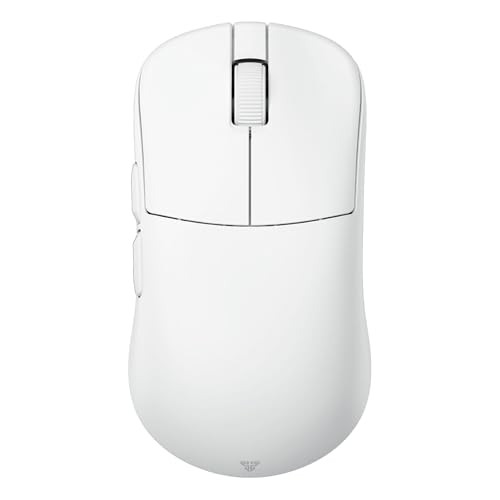
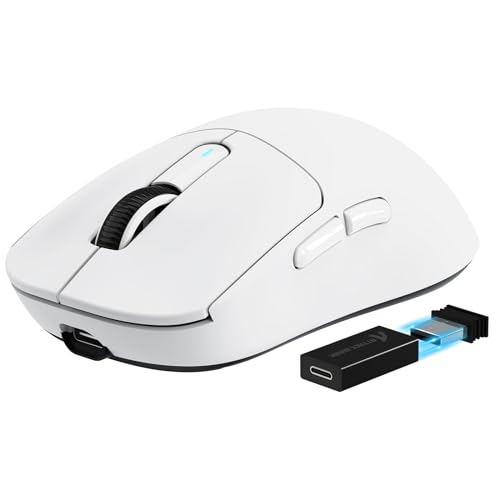
GravaStar Mercury M2 Review | 78 Data compared

Avg. price:~£80Connectivity:wireless+wiredMaximum polling rate:1000 HzMaximum DPI:26000 DPIWeight:79 g

GravaStar Mercury M2 Review: Compare 78 technical specifications and user reviews to see how this product ranks in the Mice category and whether it is worth buying.

7.8

Overall score

Score
7.8/ 10
✕
What it is
An overall evaluation of the mouse's quality, based on technical analyses and user reviews.
When it matters
When you need a quick reference to identify the best mice on the market.
Score distribution
▼
<55-66-77-88-99-10
Score components

80%

7.6

Technical Score

20%

8.7

User score

▲Better than 84% of mice
7.6

Technical Score

Technical score
7.6/ 10
✕
What it is
An assessment of technical performance for products in the Mice category across these key areas: Performance & Sensor, Connectivity, Battery & Charging, Controls, Design, Features.
When it matters
When you want to compare mice based on technical performance and available features.
Score distribution
▼
<55-66-77-88-99-10
Score components

36%

6.9

Performance & Sensor

22%

7.7

Controls

16%

7.4

Design

14%

8.8

Features

7%

9.8

Connectivity

5%

6.6

Battery & Charging

▲Better than 82% of mice
8.7

User score

User score
8.7/ 10
✕
What it is
A rating that combines user reviews and the total number of reviews received by the mouse.
When it matters
When you want to understand how a mouse performs in daily use or gaming and how reliable it is in terms of comfort, button feel, tracking accuracy, and long-term durability.
Score distribution
▼
<55-66-77-88-99-10
Score components

70%

9.0

User ratings

30%

7.9

Number of reviews

Based on 2,986 buyer reviews from online shops.
How we calculate this
User ratings – average star rating across all shop listings, weighted by how many reviews each has, on a 1–10 scale.
Number of reviews – how many buyer reviews the product has, on a logarithmic scale; the 8% most-reviewed models in the category get 10.
▲Better than 77% of mice
  • gravastar-mercury-m2
  • gravastar-mercury-m2
  • gravastar-mercury-m2
  • gravastar-mercury-m2
  • gravastar-mercury-m2
  • gravastar-mercury-m2
  • gravastar-mercury-m2
  • gravastar-mercury-m2
gravastar-mercury-m2

Best prices

*As an Amazon Associate, we earn from qualifying purchases.

Best rankings

Available: ranking among products currently available (including other versions of this product).All: ranking among all products in the database.
Loading...
Loading category ranking...

Verdict

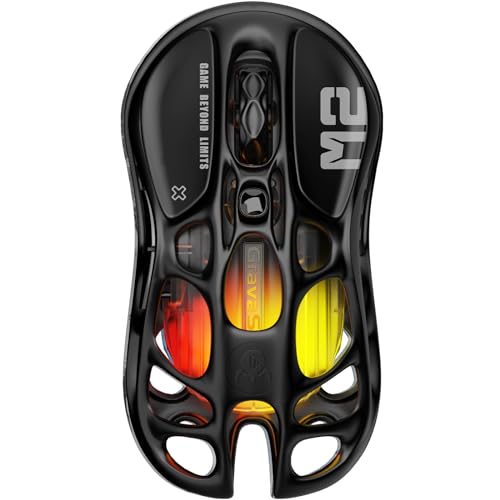
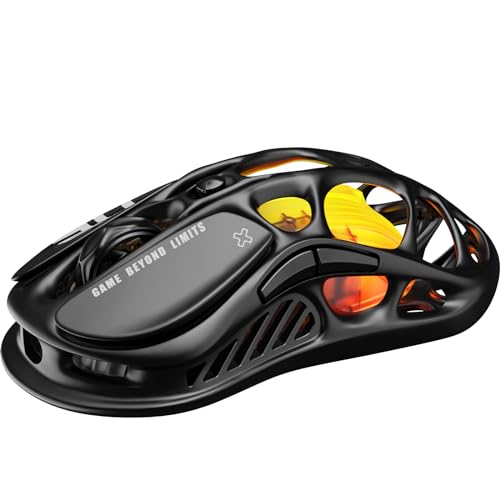
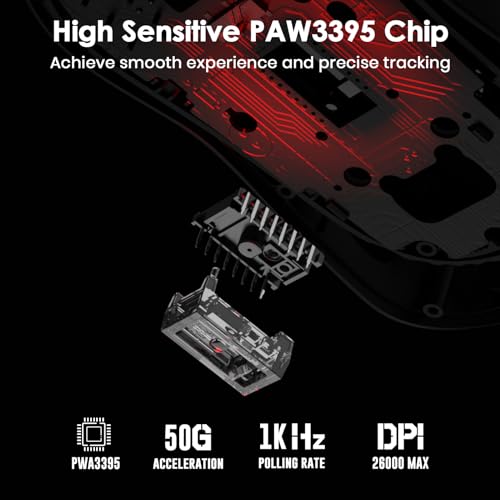
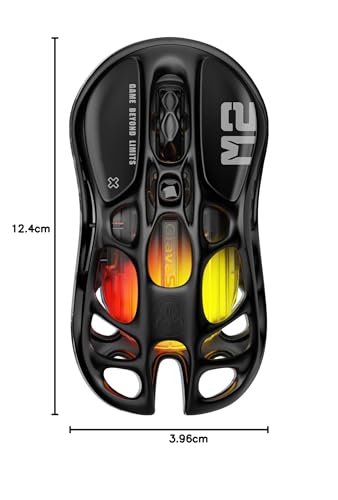
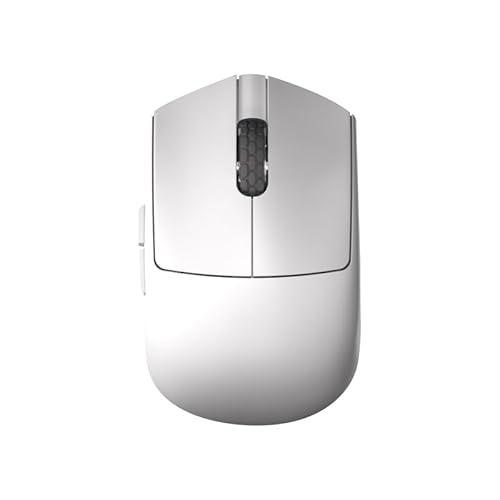
The Gravastar Mercury M2 is a visually striking, lightweight (79g) gaming mouse defined by its unique hollowed-out skeletal chassis and five-mode GLOWSYNC RGB lighting. It is equipped with a high-end PixArt PAW3395 optical sensor offering up to 26,000 DPI, 650 IPS tracking speed, and 50G acceleration, alongside a standard 1,000Hz polling rate. Its main pros include versatile tri-mode connectivity (2.4GHz, Bluetooth 5.1, and USB-C wired), five programmable buttons, and an impressive battery life of up to 82 hours on Bluetooth or 50 hours on 2.4GHz with lights active. However, common cons include its narrower profile and top-heavy weight distribution, which may be uncomfortable for palm grip users or those with larger hands, and a scroll wheel that some users find lacks sufficient tactile feedback for precise gaming.

Technical Specifications of mouse GravaStar Mercury M2

Technical Score
Technical score
7.6/ 10
✕
What it is
An assessment of technical performance for products in the Mice category across these key areas: Performance & Sensor, Connectivity, Battery & Charging, Controls, Design, Features.
When it matters
When you want to compare mice based on technical performance and available features.
Score distribution
▼
<55-66-77-88-99-10
Score components:

36%

6.9

Performance & Sensor

22%

7.7

Controls

16%

7.4

Design

14%

8.8

Features

7%

9.8

Connectivity

5%

6.6

Battery & Charging

7.6
GravaStar Mercury M2 has a technical score of 7.6 points, which is higher than that of 81.5% of products in this category.
User score
User score
8.7/ 10
✕
What it is
A rating that combines user reviews and the total number of reviews received by the mouse.
When it matters
When you want to understand how a mouse performs in daily use or gaming and how reliable it is in terms of comfort, button feel, tracking accuracy, and long-term durability.
Score distribution
▼
<55-66-77-88-99-10
Score components

70%

9.0

User ratings

30%

7.9

Number of reviews

Based on 2,986 buyer reviews from online shops.
How we calculate this
User ratings – average star rating across all shop listings, weighted by how many reviews each has, on a 1–10 scale.
Number of reviews – how many buyer reviews the product has, on a logarithmic scale; the 8% most-reviewed models in the category get 10.
8.7
GravaStar Mercury M2 has a user score of 8.67 points, which is higher than that of 76.6% of products in this category.
Popularity
Popularity
7.9/ 10
✕
What it is
An indicator based on the number of reviews received by the mouse.
When it matters
When you prefer a mouse that has already been chosen and reviewed by many other users.
Score distribution
▼
<55-66-77-88-99-10
Popularity:
GravaStar Mercury M2 has a popularity score of 7.9 points, which is higher than that of 70.8% of products in this category.
7.9
GravaStar Mercury M2 has a popularity score of 7.9 points, which is higher than that of 70.8% of products in this category.
Ratio quality/price
Value for money
8.5/ 10
✕
What it is
An indicator that combines the mouse's overall rating with its cost.
When it matters
When you are looking for a mouse that offers a strong balance of performance, features, and price.
Score distribution
▼
<55-66-77-88-99-10
Score components:

60%

7.8

Overall score

40%

10

Price

8.5
GravaStar Mercury M2 has a value-for-money score of 8.5 points, which is higher than that of 82.7% of products in this category.
Brand name
Gravastar
Maximum polling rate
1,000 Hz
Maximum polling rate
1,000 Hz
This mouse has a maximum polling rate of 1,000 Hz, which is higher than 27.8% of mice and equal to 55% of mice.
Wired polling rate
1,000 Hz
Wired polling rate
1,000 Hz
This mouse has a wired polling rate of 1,000 Hz, which is higher than 13.2% of mice and equal to 77.4% of mice.
2.4 GHz polling rate
1,000 Hz
2.4 GHz polling rate
1,000 Hz
This mouse has a 2.4 GHz polling rate of 1,000 Hz, which is higher than 33.4% of mice and equal to 46.9% of mice.
Bluetooth polling rate
125 Hz
Bluetooth polling rate
125 Hz
This mouse has a Bluetooth polling rate of 125 Hz, which is higher than 67.8% of mice and equal to 30.7% of mice.
Show more
Connectivity
wireless+wired
Connectivity
wireless+wired
This mouse supports wireless+wired connectivity, which is more versatile than 56.8% of mice and equal to 43.3% of mice.
connection modes: wired / Bluetooth / 2.4 GHz.
Bluetooth support
yes
Bluetooth support
yes
This mouse supports Bluetooth. 64.5% of mice support Bluetooth.
Bluetooth version
5.1
Bluetooth version
5.1
This mouse uses Bluetooth 5.1, which is newer than 86.3% of mice and equal to 6.1% of mice.
Proprietary 2.4 GHz support
yes
Proprietary 2.4 GHz support
yes
This mouse supports proprietary 2.4 GHz wireless. 38.8% of mice support proprietary 2.4 GHz wireless.
Receiver included
yes
Receiver included
yes
This mouse includes a receiver. 37.8% of mice include a receiver.
Show more
Battery life
82 hours
Battery life
82 hours
This mouse has a battery life of 82 hours, which is less than 51.2% of mice.
Battery capacity
300 mAh
Battery capacity
300 mAh
This mouse has a battery capacity of 300 mAh, which is smaller than 70.3% of mice and equal to 19.9% of mice.
Battery form factor
integrated
Rechargeable battery
yes
Rechargeable battery
yes
This mouse uses a rechargeable battery. 54.2% of mice use a rechargeable battery.
Removable battery
no
Removable battery
no
This mouse does not use a removable battery. 22.3% of mice use a removable battery.
Show more
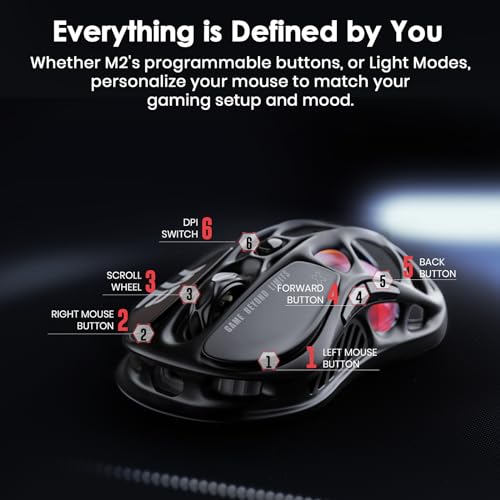
N. of buttons
6
N. of buttons
6
This mouse has 6 buttons, which is more than 23.2% of mice and equal to 40% of mice.
N. of side buttons
2
N. of side buttons
2
This mouse has 2 side buttons, which is more than 15% of mice and equal to 68.6% of mice.
N. of programmable buttons
5
N. of programmable buttons
5
This mouse has 5 programmable buttons, which is less than 64.5% of mice and equal to 13.4% of mice.
DPI switching button
yes
DPI switching button
yes
This mouse includes a DPI switching button. 14.7% of mice include a DPI switching button.
Profile switching button
no
Profile switching button
no
This mouse does not include a profile switching button. 16% of mice include a profile switching button.
Show more
Orientation
ambidextrous
Weight
79 g
Weight
79 g
This mouse weighs 79 g, which makes it lighter than 52.8% of mice and equal to 1.1% of mice.
Extra weights
0 g
Extra weights
0 g
This mouse comes with 0 g extra weights, which is less than 4.6% of mice and equal to 95.4% of mice.
Cable length
1.8 m
Cable length
1.8 m
This mouse comes with a 1.8 m cable, which is longer than 18.4% of mice and equal to 65.2% of mice.
Cable type
braided
Show more
Onboard memory profiles
4
Onboard memory profiles
4
This mouse stores 4 onboard profiles, which is more than 78.1% of mice and equal to 3.2% of mice.
Onboard memory size
?
Software name
GravaStar Mercury Mouse Software
Firmware upgradable
yes
Firmware upgradable
yes
This mouse supports firmware updates. 22.5% of mice support firmware updates.
Suitable for gaming
yes
Suitable for gaming
yes
This mouse is suitable for gaming. 23.9% of mice are suitable for gaming.

GravaStar Mercury M2 vs the average mouse

246810TotalPerformance & SensorConnectivityBattery & ChargingControlsDesignFeatures
  • 50 million clicks longer switch lifespan
    Switch durability
    80 million clicks
    This mouse offers switch durability of 80 million clicks, while the average mouse offers switch durability of 30 million clicks.
    80 million clicks vs 30 million clicks
  • 2.6x higher maximum DPI
    Maximum DPI
    26,000 DPI
    This mouse has a maximum DPI of 26000 DPI, while the average mouse has a maximum DPI of 10000 DPI.
    26,000 DPI vs 10,000 DPI
  • 3 more onboard profiles
    Onboard memory profiles
    4
    This mouse stores 4 onboard profiles, while the average mouse stores 1 onboard profiles.
    4 vs 1
  • Adjustable lift-off distance
    Lift-off distance adjustable
    yes
    This mouse supports adjustable lift-off distance, while the average mouse does not. 46.5% of mice support adjustable lift-off distance.
  • 62.5% higher tracking speed
    Maximum tracking speed
    650 IPS
    This mouse offers a maximum tracking speed of 650 IPS, while the average mouse offers a maximum tracking speed of 400 IPS.
    650 IPS vs 400 IPS
  • Usable while charging
    Use while charging
    yes
    This mouse can be used while charging, while the average mouse cannot. 47.5% of mice can be used while charging.
  • 0.5 hours shorter full charge time
    Full charge time
    1.5 hours
    This mouse reaches a full charge in 1.5 hours, while the average mouse reaches a full charge in 2 hours.
    1.5 hours vs 2 hours
  • 150 DPI lower minimum setting
    Minimum DPI
    50 DPI
    This mouse goes as low as 50 DPI, while the average mouse goes as low as 200 DPI.
    50 DPI vs 200 DPI
  • 8.4% higher user score
    User score
    8.7/ 10
    ✕
    What it is
    A rating that combines user reviews and the total number of reviews received by the mouse.
    When it matters
    When you want to understand how a mouse performs in daily use or gaming and how reliable it is in terms of comfort, button feel, tracking accuracy, and long-term durability.
    Score distribution
    ▼
    ▼
    <55-66-77-88-99-10
    GravaStar Mercury M2
    the average mouse
    GravaStar Mercury M2 has a higher user score than the average mouse (8.67 vs 8.000).
    8.67 vs 8
  • 16.1% better value for money
    GravaStar Mercury M2 has better value for money than the average mouse (8.49 vs 7.3).
    8.49 vs 7.31
  • 2.6x higher maximum DPI
    Maximum DPI
    26,000 DPI
    This mouse has a maximum DPI of 26000 DPI, while the average mouse has a maximum DPI of 10000 DPI.
    26,000 DPI vs 10,000 DPI
  • Adjustable lift-off distance
    Lift-off distance adjustable
    yes
    This mouse supports adjustable lift-off distance, while the average mouse does not. 46.5% of mice support adjustable lift-off distance.
  • 62.5% higher tracking speed
    Maximum tracking speed
    650 IPS
    This mouse offers a maximum tracking speed of 650 IPS, while the average mouse offers a maximum tracking speed of 400 IPS.
    650 IPS vs 400 IPS
  • 150 DPI lower minimum setting
    Minimum DPI
    50 DPI
    This mouse goes as low as 50 DPI, while the average mouse goes as low as 200 DPI.
    50 DPI vs 200 DPI
  • 25% higher maximum acceleration
    Maximum acceleration
    50 G
    This mouse has a maximum acceleration of 50 G, while the average mouse has a maximum acceleration of 40 G.
    50 G vs 40 G
  • Versatile connectivity
    Connectivity
    wireless+wired
    This mouse supports wireless+wired connectivity, while the average mouse supports wireless connectivity.
    connection modes: wired / Bluetooth / 2.4 GHz.
    wireless+wired vs wireless
  • Bluetooth support
    Bluetooth support
    yes
    This mouse supports Bluetooth, while the average mouse does not. 35.5% of mice support Bluetooth.
  • Receiver storage inside mouse
    Receiver storage in mouse
    yes
    This mouse has receiver storage inside the mouse, while the average mouse does not. 45.9% of mice have receiver storage inside the mouse.
  • Usable while charging
    Use while charging
    yes
    This mouse can be used while charging, while the average mouse cannot. 47.5% of mice can be used while charging.
  • 0.5 hours shorter full charge time
    Full charge time
    1.5 hours
    This mouse reaches a full charge in 1.5 hours, while the average mouse reaches a full charge in 2 hours.
    1.5 hours vs 2 hours
  • Rechargeable battery
    Rechargeable battery
    yes
    This mouse uses a rechargeable battery, while the average mouse does not. 45.9% of mice use a rechargeable battery.
  • 50 million clicks longer switch lifespan
    Switch durability
    80 million clicks
    This mouse offers switch durability of 80 million clicks, while the average mouse offers switch durability of 30 million clicks.
    80 million clicks vs 30 million clicks
  • Adjustable debounce time
    Debounce time adjustable
    yes
    This mouse supports adjustable debounce time, while the average mouse does not. 28.2% of mice support adjustable debounce time.
  • Detachable cable
    Detachable cable
    yes
    This mouse comes with a detachable cable, while the average mouse does not. 43% of mice come with a detachable cable.
  • 3 newer release date
    Release date
    2024
    This mouse was released in 2024, while the average mouse was released in 2021.
    January 2024
    2024 vs 2021
  • 3 more onboard profiles
    Onboard memory profiles
    4
    This mouse stores 4 onboard profiles, while the average mouse stores 1 onboard profiles.
    4 vs 1
  • 1 fewer programmable buttons
    N. of programmable buttons
    5
    This mouse has 5 programmable buttons, while the average mouse has 6 programmable buttons.
    5 vs 6
  • 2.29x more expensive
    GravaStar Mercury M2 is more expensive than the average mouse (£80 vs £35).
    £80 vs £35
  • 40% smaller battery capacity
    Battery capacity
    300 mAh
    This mouse has a battery capacity of 300 mAh, while the average mouse has a battery capacity of 500 mAh.
    300 mAh vs 500 mAh
  • Poor default DPI tuning
    Default DPI
    800 DPI
    This mouse uses a default DPI of 800 DPI, while the average mouse uses a default DPI of 1000 DPI.
    800 DPI vs 1,000 DPI
  • 2.29x more expensive
    GravaStar Mercury M2 is more expensive than the average mouse (£80 vs £35).
    £80 vs £35
  • Poor default DPI tuning
    Default DPI
    800 DPI
    This mouse uses a default DPI of 800 DPI, while the average mouse uses a default DPI of 1000 DPI.
    800 DPI vs 1,000 DPI
  • 40% smaller battery capacity
    Battery capacity
    300 mAh
    This mouse has a battery capacity of 300 mAh, while the average mouse has a battery capacity of 500 mAh.
    300 mAh vs 500 mAh
  • 1 fewer programmable buttons
    N. of programmable buttons
    5
    This mouse has 5 programmable buttons, while the average mouse has 6 programmable buttons.
    5 vs 6

Graphic comparison of GravaStar Mercury M2 and other products in the Mice category

No results found

Third-party reviews

Based on 2,986 buyer reviews from online shops.
Reviews last updated: May 2026 · How we calculate this

What customers like about GravaStar Mercury M2?

  • Unique, futuristic hollowed-out 'skeletal' design that stands out on a desk.
  • Highly precise PixArt PAW3395 sensor with up to 26,000 DPI for sharp accuracy.
  • Versatile tri-mode connectivity including 2.4GHz wireless, Bluetooth, and wired USB-C.
  • Lightweight build (approx. 79g) compared to traditional gaming mice.
  • Excellent stock mouse feet that provide a smooth glide on various pads.
  • Good value for money with a competitive price point ($79.95 / £89.95) for its specs.
  • Hollow structure improves airflow, helping to keep the palm cool during long sessions.

What customers dislike about GravaStar Mercury M2?

  • Weight distribution feels front-heavy to some users, affecting overall balance.
  • Unconventional shape and large side holes can be uncomfortable for certain grip styles.
  • The hollow design makes it difficult to clean dust or debris out of the internal crevices.
  • Software is often described as basic, lackluster, or having an unpolished user interface.
  • Included grip stickers can lose adhesion over time, leaving a sticky residue.
  • RGB customisation in the app is limited and occasionally buggy.
  • Larger hands may find the mouse slightly too small for a comfortable palm grip.

Video reviews

Hands-on testing, unboxing, and real-world video evaluations

Compare GravaStar Mercury M2 with other products in the Mice category

1Product to compare no. 1
VS
2Product to compare no. 2
VS
3Product to compare no. 3 (optional)