
Are Streak CRM tools good?
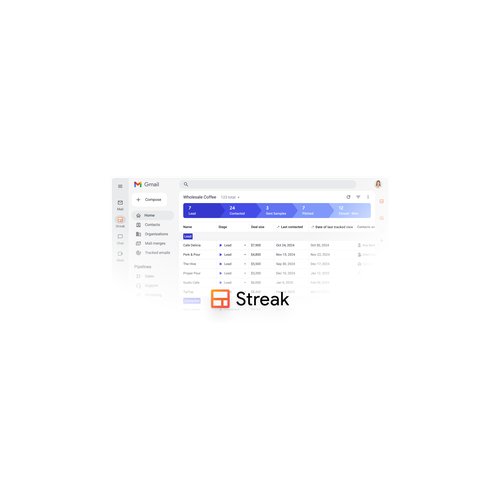
Streak is a good CRM for small teams that run their whole sales or deal process in Gmail, and a weak one for anyone outside Google Workspace. Streak CRM works as a browser extension and mobile app that adds pipelines, boxes and columns straight into your inbox. Email tracking, mail merge, snippets and shared threads come built in. Unlimited contacts and storage plus a free plan make it easy to start alone and add colleagues later.
The main limitation is depth. Streak CRM has simple automations and reports, but no built-in quoting, phone dialer or marketing journeys of the kind Zoho CRM or HubSpot offer. Teams of 30 or more sellers with managers, forecasts and territories hit those limits fast. It also lives only in Gmail, so Outlook users have no way in.
What are the main advantages of Streak CRM tools?
The main advantages of Streak CRM tools are as follows:
- Works inside Gmail: Streak CRM puts pipelines, deal boxes and notes directly in the Gmail window. Reps never switch tabs to update a deal. HubSpot and Pipedrive offer Gmail extensions too, but their full CRM still lives in a separate web app.
- Free plan: Streak CRM has a free plan with basic pipelines, email tracking and mail merge for personal use. A founder or recruiter runs a real pipeline without paying. Microsoft Dynamics 365 Sales has no free tier at all.
- No contact or storage cap: Streak CRM sets no limit on contacts or attached files. HubSpot raises its bill as your marketing contact list grows. Large outreach lists cost nothing extra here.
- Built-in email tools: Streak CRM includes open tracking, snippets and mail merge with per-recipient fields. Personalised follow-ups to 50 contacts go out in a couple of minutes. Pipedrive sells comparable campaign tools as a paid add-on.
- Fast setup: Streak CRM goes live minutes after you install the extension and pick a pipeline template. Templates cover sales, hiring, fundraising and support. Microsoft Dynamics 365 Sales or Salesforce Sales Cloud need days or weeks of configuration by comparison.
- Shared pipelines: Streak CRM shares pipelines and email threads across a team with role-based permissions. A colleague picks up a deal with the full email history attached. Copper offers a similar Google-based setup but keeps the pipeline in its own app.
What are the main disadvantages of Streak CRM tools?
The main disadvantages of Streak CRM tools are the following:
- Gmail only: Streak CRM works only with Gmail and Google Workspace. Teams on Outlook or Microsoft 365 cannot use it at all. Pipedrive and HubSpot connect to both mail systems.
- Basic reporting: Streak CRM offers pipeline views and simple reports, but no deep forecasting by quarter or territory. Sales managers miss the dashboards that Salesforce Sales Cloud or Zoho CRM provide. Exports to Google Sheets fill part of the gap.
- No quotes or invoices: Streak CRM has no built-in quotes, product catalogue or invoicing. Zoho CRM and Bitrix24 include these on low tiers. Proposals end up in a separate tool or in Google Docs templates.
- Light automation: Streak CRM automates simple steps on its higher plans, but it has no visual workflow builder with branches and approvals. HubSpot and Zoho CRM handle multi-step workflows with conditions. Teams with complex handovers outgrow Streak quickly.
- Browser dependence: Streak CRM runs on desktop as an extension built for Chrome, so locked-down company browsers cause trouble. The mobile app covers the basics but not every pipeline view. Copper also uses an extension but adds a full web app as a fallback.