Scored using Mice Methodology v1.0
Mice Methodology v1.0
Mathematical & Unbiased Scoring
Products in this category are scored under Frontum Mice Methodology v1.0: technical specifications plus authentic consumer ratings, with 0% commercial bias.
Explore Mice Methodology v1.0

Logitech MX Anywhere 3 Mac Review | 78 Data compared

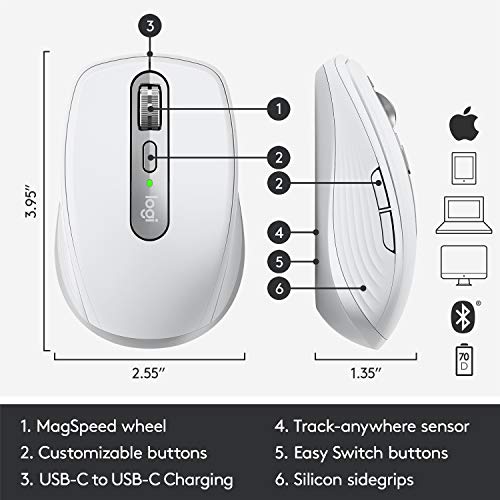
Avg. price:~£90Connectivity:wirelessMaximum polling rate:125 HzMaximum DPI:4000 DPIWeight:99 g

Logitech MX Anywhere 3 Mac Review: Compare 78 technical specifications and user reviews to see how this product ranks in the Mice category and whether it is worth buying.
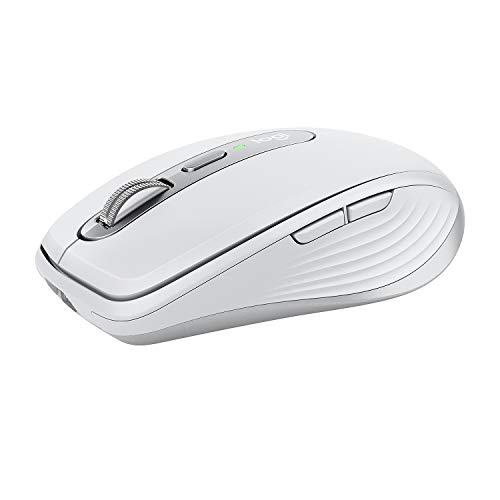
Logitech MX Anywhere 3 Mac
5.5/10

Overall score

Score
5.5/ 10
✕
What it is
An overall evaluation of the mouse's quality, based on technical analyses and user reviews.
When it matters
When you need a quick reference to identify the best mice on the market.
Score distribution
â–¼
<55-66-77-88-99-10
Score components

80%

4.6

Technical score

20%

9.1

User score

â–¼Worse than 68% of mice
6.9

Value for money

Value for money
6.9/ 10
✕
What it is
An indicator that combines the mouse's overall rating with its cost.
When it matters
When you are looking for a mouse that offers a strong balance of performance, features, and price.
Score distribution
â–¼
<55-66-77-88-99-10
Score components

70%

5.5

Overall score

30%

10

Price

â–¼Worse than 68%
4.6

Technical score

Technical score
4.6/ 10
✕
What it is
An assessment of technical performance for products in the Mice category across these key areas: Performance & Sensor, Connectivity, Battery & Charging, Controls, Design, Features.
When it matters
When you want to compare mice based on technical performance and available features.
Score distribution
â–¼
<55-66-77-88-99-10
Score components

36%

4.1

Performance & Sensor

22%

4.0

Controls

16%

5.8

Design

14%

3.3

Features

7%

7.0

Connectivity

5%

7.8

Battery & Charging

â–¼Worse than 79%
9.1

User score

User score
9.1/ 10
✕
What it is
A rating that combines user reviews and the total number of reviews received by the mouse.
When it matters
When you want to understand how a mouse performs in daily use or gaming and how reliable it is in terms of comfort, button feel, tracking accuracy, and long-term durability.
Score distribution
â–¼
<55-66-77-88-99-10
Score components

70%

9.4

User ratings

30%

8.5

Number of reviews

Based on ratings from across the web.
★Better than 90%
  • logitech-mx-anywhere-3-mac
  • logitech-mx-anywhere-3-mac
  • logitech-mx-anywhere-3-mac
  • logitech-mx-anywhere-3-mac
  • logitech-mx-anywhere-3-mac
  • logitech-mx-anywhere-3-mac
  • logitech-mx-anywhere-3-mac
  • logitech-mx-anywhere-3-mac
  • logitech-mx-anywhere-3-mac
logitech-mx-anywhere-3-mac
Where to buy
*As an Amazon Associate, we earn from qualifying purchases.
Best rankings
Available: ranking among products currently available (including other versions of this product).All: ranking among all products in the database.
Loading...
Loading category ranking...

Technical Specifications of mouse Logitech MX Anywhere 3 Mac

Technical score
Technical score
4.6/ 10
✕
What it is
An assessment of technical performance for products in the Mice category across these key areas: Performance & Sensor, Connectivity, Battery & Charging, Controls, Design, Features.
When it matters
When you want to compare mice based on technical performance and available features.
Score distribution
â–¼
<55-66-77-88-99-10
Score components:

36%

4.1

Performance & Sensor

22%

4.0

Controls

16%

5.8

Design

14%

3.3

Features

7%

7.0

Connectivity

5%

7.8

Battery & Charging

4.6
User score
User score
9.1/ 10
✕
What it is
A rating that combines user reviews and the total number of reviews received by the mouse.
When it matters
When you want to understand how a mouse performs in daily use or gaming and how reliable it is in terms of comfort, button feel, tracking accuracy, and long-term durability.
Score distribution
â–¼
<55-66-77-88-99-10
Score components

70%

9.4

User ratings

30%

8.5

Number of reviews

Based on ratings from across the web.
9.1
Popularity
Popularity
8.5/ 10
✕
What it is
An indicator based on the number of reviews received by the mouse.
When it matters
When you prefer a mouse that has already been chosen and reviewed by many other users.
Score distribution
â–¼
<55-66-77-88-99-10
Popularity:
Logitech MX Anywhere 3 Mac has a popularity score of 8.5 points, which is higher than that of 77.4% of products in this category.
8.5
Value for money
Value for money
6.9/ 10
✕
What it is
An indicator that combines the mouse's overall rating with its cost.
When it matters
When you are looking for a mouse that offers a strong balance of performance, features, and price.
Score distribution
â–¼
<55-66-77-88-99-10
Score components:

70%

5.5

Overall score

30%

10

Price

6.9
Brand name
Logitech
Maximum polling rate
125 Hz
This mouse has a maximum polling rate of 125 Hz, which is lower than 75.8% of mice and equal to 23.9% of mice.
Wired polling rate
125 Hz
This mouse has a wired polling rate of 125 Hz, which is lower than 89.2% of mice and equal to 10.8% of mice.
2.4 GHz polling rate
125 Hz
This mouse has a 2.4 GHz polling rate of 125 Hz, which is lower than 71.1% of mice and equal to 28.8% of mice.
Bluetooth polling rate
125 Hz
This mouse has a Bluetooth polling rate of 125 Hz, which is higher than 67.8% of mice and equal to 30.7% of mice.
varies by OS.
Show more
Connectivity
wireless
This mouse supports wireless connectivity, which is more versatile than 35% of mice and equal to 21.7% of mice.
connection modes: Bluetooth / 2.4 GHz.
Bluetooth support
yes
This mouse supports Bluetooth. 64.5% of mice support Bluetooth.
Bluetooth version
5
This mouse uses Bluetooth 5, which is newer than 73.9% of mice and equal to 12.3% of mice.
Proprietary 2.4 GHz support
?
Receiver included
no
This mouse does not include a receiver. 62.3% of mice include a receiver.
Show more
Battery life
?
Battery capacity
500 mAh
This mouse has a battery capacity of 500 mAh, which is larger than 48.2% of mice and equal to 22.1% of mice.
Battery form factor
integrated
Rechargeable battery
yes
This mouse uses a rechargeable battery. 54.2% of mice use a rechargeable battery.
Removable battery
no
This mouse does not use a removable battery. 22.3% of mice use a removable battery.
Show more
N. of buttons
6
This mouse has 6 buttons, which is more than 23.2% of mice and equal to 40% of mice.
N. of side buttons
2
This mouse has 2 side buttons, which is more than 15% of mice and equal to 68.6% of mice.
N. of programmable buttons
6
This mouse has 6 programmable buttons, which is more than 35.6% of mice and equal to 31.2% of mice.
DPI switching button
no
This mouse does not include a DPI switching button. 85.4% of mice include a DPI switching button.
Profile switching button
no
This mouse does not include a profile switching button. 16% of mice include a profile switching button.
Show more
Orientation
ambidextrous
Weight
99 g
This mouse weighs 99 g, which is heavier than 68.7% of mice and equal to 1.7% of mice.
Extra weights
0 g
This mouse comes with 0 g extra weights, which is less than 4.6% of mice and equal to 95.4% of mice.
Cable length
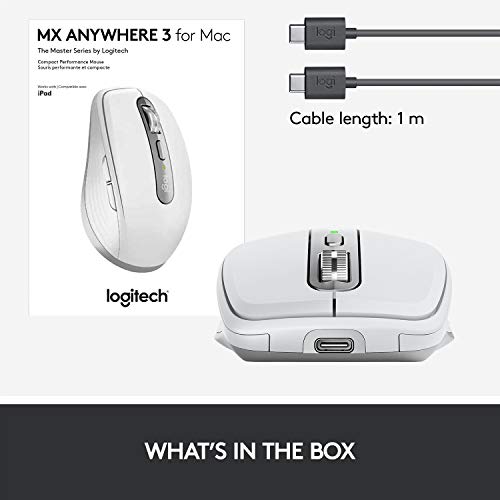
1 m
This mouse has a cable length of 1 m, which is less than 96.7% of mice and equal to 2.1% of mice.
Cable type
rubber
Show more
Onboard memory profiles
0
This mouse supports 0 onboard memory profiles, which is less than 52.2% of mice and equal to 47.8% of mice.
Onboard memory size
0 KB
This mouse has an onboard memory size of 0 KB, which is smaller than 12.6% of mice and equal to 87.4% of mice.
no onboard memory.
Software name
Logi Options+
Firmware upgradable
yes
This mouse supports firmware updates. 22.5% of mice support firmware updates.
Suitable for gaming
no
This mouse is not suitable for gaming. 76.2% of mice are suitable for gaming.

Logitech MX Anywhere 3 Mac vs the average mouse

246810TotalPerformance & SensorConnectivityBattery & ChargingControlsDesignFeatures
  • 62.5% higher tracking speed
    This mouse offers a maximum tracking speed of 650 IPS, while the average mouse offers a maximum tracking speed of 400 IPS.
    650 IPS vs 400 IPS
  • Free-spin scroll mode
    This mouse offers a free-spin scroll mode, while the average mouse does not. 3.9% of mice offer a free-spin scroll mode.
  • Usable while charging
    This mouse can be used while charging, while the average mouse cannot. 47.5% of mice can be used while charging.
  • Gesture support
    This mouse supports gesture controls, while the average mouse does not. 6.6% of mice support gesture controls.
  • 2 more paired devices
    This mouse pairs with 3 devices, while the average mouse pairs with 1 devices.
    3 vs 1
  • Multi-device pairing
    This mouse supports multi-device pairing, while the average mouse does not. 20.3% of mice support multi-device pairing.
  • Rechargeable battery
    This mouse uses a rechargeable battery, while the average mouse does not. 45.9% of mice use a rechargeable battery.
  • 14.2% higher user score
    User score
    9.1/ 10
    ✕
    What it is
    A rating that combines user reviews and the total number of reviews received by the mouse.
    When it matters
    When you want to understand how a mouse performs in daily use or gaming and how reliable it is in terms of comfort, button feel, tracking accuracy, and long-term durability.
    Score distribution
    â–¼
    â–¼
    <55-66-77-88-99-10
    Logitech MX Anywhere 3 Mac
    the average mouse
    Logitech MX Anywhere 3 Mac has a higher user score than the average mouse (9.13 vs 8).
    9.13 vs 8
  • 62.5% higher tracking speed
    This mouse offers a maximum tracking speed of 650 IPS, while the average mouse offers a maximum tracking speed of 400 IPS.
    650 IPS vs 400 IPS
  • 2 more paired devices
    This mouse pairs with 3 devices, while the average mouse pairs with 1 devices.
    3 vs 1
  • Multi-device pairing
    This mouse supports multi-device pairing, while the average mouse does not. 20.3% of mice support multi-device pairing.
  • Bluetooth support
    This mouse supports Bluetooth, while the average mouse does not. 35.5% of mice support Bluetooth.
  • Usable while charging
    This mouse can be used while charging, while the average mouse cannot. 47.5% of mice can be used while charging.
  • Rechargeable battery
    This mouse uses a rechargeable battery, while the average mouse does not. 45.9% of mice use a rechargeable battery.
  • Free-spin scroll mode
    This mouse offers a free-spin scroll mode, while the average mouse does not. 3.9% of mice offer a free-spin scroll mode.
  • Gesture support
    This mouse supports gesture controls, while the average mouse does not. 6.6% of mice support gesture controls.
  • 5.3 mm lower mouse height
    This mouse is 34.4 mm tall, while the average mouse is 39.7 mm tall.
    34.4 mm vs 39.7 mm
  • 87.5% lower maximum polling rate
    This mouse has a maximum polling rate of 125 Hz, while the average mouse has a maximum polling rate of 1,000 Hz.
    125 Hz vs 1,000 Hz
  • 20 million clicks shorter switch lifespan
    This mouse has a switch durability of 10 million clicks, while the average mouse has a switch durability of 30 million clicks.
    10 million clicks vs 30 million clicks
  • 87.5% lower wired polling rate
    This mouse has a wired polling rate of 125 Hz, while the average mouse has a wired polling rate of 1,000 Hz.
    125 Hz vs 1,000 Hz
  • 1 fewer onboard profiles
    This mouse supports 0 onboard memory profiles, while the average mouse supports 1 onboard memory profiles.
    0 vs 1
  • 20.7% higher mouse weight
    This mouse weighs 99 g, while the average mouse weighs 82 g.
    99 g vs 82 g
  • No receiver included
    This mouse does not include a receiver, while the average mouse does. 62.3% of mice include a receiver.
  • 87.5% lower 2.4 GHz polling rate
    This mouse has a 2.4 GHz polling rate of 125 Hz, while the average mouse has a 2.4 GHz polling rate of 1,000 Hz.
    125 Hz vs 1,000 Hz
  • Not suitable for gaming
    This mouse is not suitable for gaming, while the average mouse is. 76.1% of mice are suitable for gaming.
  • 2.57x more expensive
    Logitech MX Anywhere 3 Mac is more expensive than the average mouse (£90 vs £35).
    £90 vs £35
  • 6.5% worse value for money
    Logitech MX Anywhere 3 Mac has worse value for money than the average mouse (6.87 vs 7.3).
    6.87 vs 7.31
  • 87.5% lower maximum polling rate
    This mouse has a maximum polling rate of 125 Hz, while the average mouse has a maximum polling rate of 1,000 Hz.
    125 Hz vs 1,000 Hz
  • 87.5% lower wired polling rate
    This mouse has a wired polling rate of 125 Hz, while the average mouse has a wired polling rate of 1,000 Hz.
    125 Hz vs 1,000 Hz
  • 87.5% lower 2.4 GHz polling rate
    This mouse has a 2.4 GHz polling rate of 125 Hz, while the average mouse has a 2.4 GHz polling rate of 1,000 Hz.
    125 Hz vs 1,000 Hz
  • 60% lower maximum DPI
    This mouse has a maximum DPI of 4,000 DPI, while the average mouse has a maximum DPI of 10,000 DPI.
    4,000 DPI vs 10,000 DPI
  • No angle snapping support
    This mouse does not support angle snapping, while the average mouse does. 54.4% of mice support angle snapping.
  • 3 fewer stored DPI steps
    This mouse stores 2 DPI steps, while the average mouse stores 5 DPI steps.
    2 vs 5
  • 25% lower maximum acceleration
    This mouse has a maximum acceleration of 30 G, while the average mouse has a maximum acceleration of 40 G.
    30 G vs 40 G
  • No receiver included
    This mouse does not include a receiver, while the average mouse does. 62.3% of mice include a receiver.
  • 1 hours longer full charge time
    This mouse reaches a full charge in 3 hours, while the average mouse reaches a full charge in 2 hours.
    3 hours vs 2 hours
  • 20 million clicks shorter switch lifespan
    This mouse has a switch durability of 10 million clicks, while the average mouse has a switch durability of 30 million clicks.
    10 million clicks vs 30 million clicks
  • No DPI switching button
    This mouse does not include a DPI switching button, while the average mouse does. 85.3% of mice include a DPI switching button.
  • 20.7% higher mouse weight
    This mouse weighs 99 g, while the average mouse weighs 82 g.
    99 g vs 82 g
  • No RGB lighting
    This mouse does not have RGB lighting, while the average mouse does. 56.3% of mice have RGB lighting.
  • 0.8 m shorter cable
    This mouse has a cable length of 1 m, while the average mouse has a cable length of 1.8 m.
    1 m vs 1.8 m
  • 1 fewer onboard profiles
    This mouse supports 0 onboard memory profiles, while the average mouse supports 1 onboard memory profiles.
    0 vs 1
  • Not suitable for gaming
    This mouse is not suitable for gaming, while the average mouse is. 76.1% of mice are suitable for gaming.

Video reviews

Hands-on testing, unboxing, and real-world video evaluations

9.5
Alexis Texier
≈ estimated
13/04/2021
Hands-on review · configuration, battery and daily use
Verdict
Logitech MX Anywhere 3 Mac has no real flaws, and its app-specific customisation saves creators and editors real time.
Hands-on video, no verdict

Expert reviews

In-depth analysis and verdict from leading tech publications

appleinsider.com
21/09/2020
Hands-on review · Compact work mouse
Verdict
The Logitech MX Anywhere 3 for Mac is a compact mouse for working from home, with a strong scroll wheel and quick switching between Mac and iPad.
the-gadgeteer.com
31/10/2020
Hands-on review · Small travel mouse
Verdict
The Logitech MX Anywhere 3 for Mac is a small, reliable mouse for travelers and small hands, but it is too tiny for eight-hour workdays.
T
tomshardware.com
21/09/2020
Summary of the review
rtings.com
04/12/2020
Lab test · Compact office mouse
Verdict
The Logitech MX Anywhere 3 is a good office and travel mouse for fingertip grip users, but its delayed clicks and fixed polling rate rule out fast games.
techradar.com
15/12/2020
Hands-on review · Laptop travel mouse
Verdict
The Logitech MX Anywhere 3 is a precise travel mouse that tracks on almost any surface, though it can feel cramped in larger hands.
S
statetechmagazine.com
03/09/2021
Summary of the review
T
techgadgetsfinder.com
16/03/2024
Summary of the review
imtest.de
28/12/2020
Hands-on test · Compact mouse
Verdict
The Logitech MX Anywhere 3 is a precise, versatile mouse that suits small hands and travel, but it is too small for large hands.
lesnumeriques.com
25/09/2020
Hands-on test · Portable mouse
Verdict
The Logitech MX Anywhere 3 is a precise portable mouse with a fast MagSpeed wheel, but its loud main buttons and slippery sides are drawbacks.
lokan.fr
28/09/2020
Hands-on test · Portable mouse
Verdict
The Logitech MX Anywhere 3 is a comfortable, precise travel mouse with a fast scroll wheel and Flow, but its loud clicks make it a poor fit for shared offices.
01net.com
21/02/2021
Hands-on test · Portable mouse
Verdict
The Logitech MX Anywhere 3 is a comfortable, well-built travel mouse with a MagSpeed wheel, but its high price is its main drawback.
profesionalreview.com
23/11/2020
Full review · Productivity mouse
Verdict
The Logitech MX Anywhere 3 is a compact, well-built mouse with a MagSpeed wheel and long battery life for productivity, though its small size needs careful handling.
saggiamente.com
15/02/2021
Hands-on test · Master-style travel mouse
Verdict
The Logitech MX Anywhere 3 for Mac is a compact mouse identical to the generic version, so the Mac edition only makes sense with a big discount.
socialandtech.net
07/04/2026
Hands-on review · Portable mouse
Verdict
The Logitech MX Anywhere 3 for Mac is a light, symmetrical travel mouse with long battery life, best suited to people without large hands.
recensionedigitale.it
27/03/2021
Two-month test · Portable mouse
Verdict
The Logitech MX Anywhere 3 for Mac is a precise, long-lasting portable mouse that tracks on nearly any surface and suits people who work on the move.

Third-party reviews

Based on ratings from across the web.
Reviews last updated: November 2026 · How we calculate this

What customers like about Logitech MX Anywhere 3 Mac

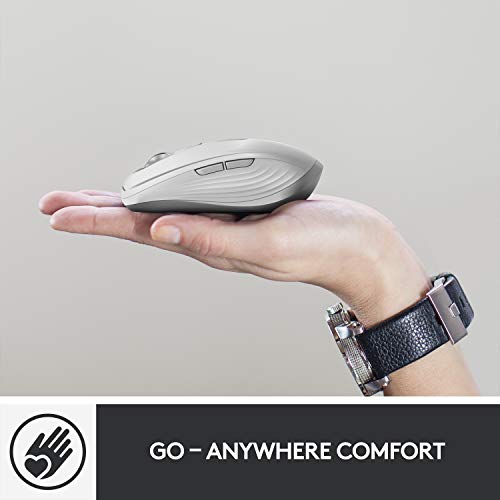
  • Excellent portability due to its compact and lightweight design.
  • The MagSpeed electromagnetic scroll wheel is highly praised for being fast, precise, and quiet.
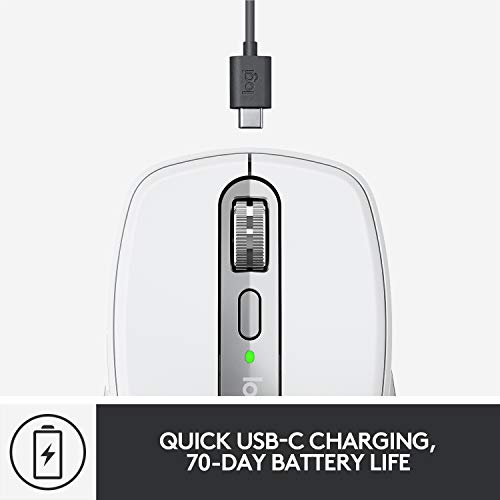
  • Outstanding battery life (up to 70 days) with a very convenient quick-charge feature.
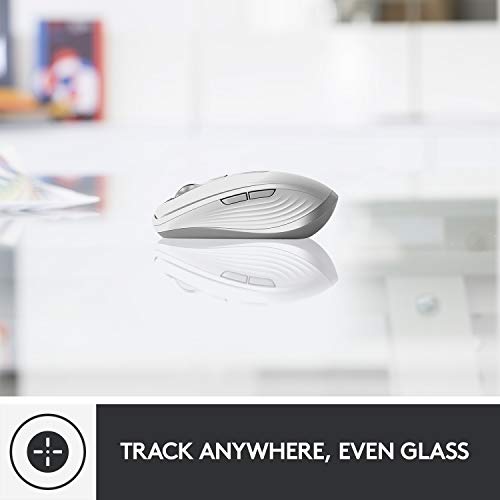
  • Darkfield sensor allows for flawless tracking on almost any surface, including glass.
  • Seamless multi-device pairing and switching for up to three devices via Bluetooth.
  • High level of customisation through the Logi Options+ software, including app-specific profiles.

What customers don't like about Logitech MX Anywhere 3 Mac

  • Small size may be uncomfortable for users with large hands during long work sessions.
  • Lacks a dedicated thumb wheel and the additional thumb button found on the larger MX Master 3.
  • The 'For Mac' version does not include a USB receiver (dongle), relying solely on Bluetooth.
  • The horizontal scroll method (holding a side button while scrolling) can feel unintuitive to some.
  • Relatively high price point for a portable mouse.
  • High click latency and low polling rate make it unsuitable for competitive gaming.

Verdict

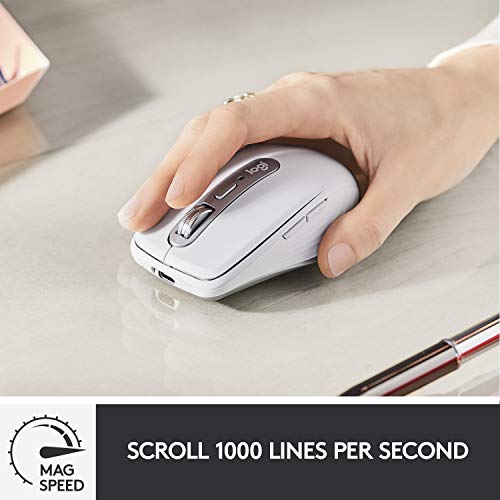
The Logitech MX Anywhere 3 for Mac is a compact, high-performance wireless mouse featuring a 4,000 DPI Darkfield sensor that tracks on virtually any surface, including glass. Key characteristics include the electromagnetic MagSpeed scroll wheel, which can scroll 1,000 lines per second with pixel-perfect precision, and a rechargeable 500 mAh battery offering up to 70 days of use on a full charge. Main pros include its exceptional portability, silent and fast scrolling, the ability to connect to three devices via Bluetooth, and extensive app-specific customizations through Logi Options+ software. However, some cons include its small, low-profile design which may be less comfortable for users with larger hands or palm-style grips, and the lack of a dedicated storage compartment for a USB receiver.

Compare Logitech MX Anywhere 3 Mac with other products in the Mice category

1Product to compare no. 1
VS
2Product to compare no. 2
VS
3Product to compare no. 3 (optional)

Graphic comparison of Logitech MX Anywhere 3 Mac and other products in the Mice category

No results found