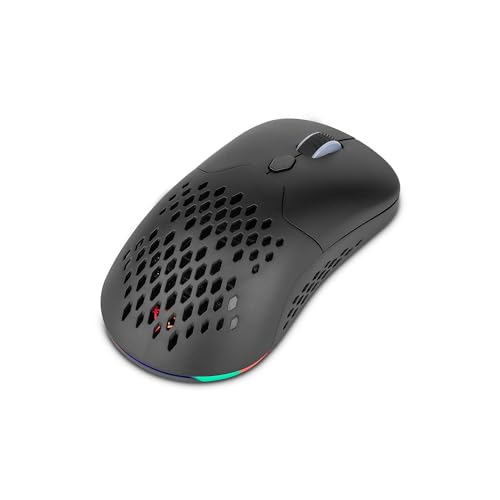
JLab Go Review | 78 Data compared

Avg. price:~£25Connectivity:wirelessMaximum polling rate:125 HzMaximum DPI:1600 DPIWeight:63 g

JLab Go Review: Compare 78 technical specifications and user reviews to see how this product ranks in the Mice category and whether it is worth buying.

6.1

Overall score

Score
6.1/ 10
✕
What it is
An overall evaluation of the mouse's quality, based on technical analyses and user reviews.
When it matters
When you need a quick reference to identify the best mice on the market.
Score distribution
â–¼
<55-66-77-88-99-10
Score components

80%

5.5

Technical Score

20%

8.5

User score

â–¼Worse than 53% of mice
5.5

Technical Score

Technical score
5.5/ 10
✕
What it is
An assessment of technical performance for products in the Mice category across these key areas: Performance & Sensor, Connectivity, Battery & Charging, Controls, Design, Features.
When it matters
When you want to compare mice based on technical performance and available features.
Score distribution
â–¼
<55-66-77-88-99-10
Score components

36%

3.4

Performance & Sensor

22%

8.0

Controls

16%

8.6

Design

14%

1.0

Features

7%

9.9

Connectivity

5%

5.3

Battery & Charging

â–¼Worse than 56% of mice
8.5

User score

User score
8.5/ 10
✕
What it is
A rating that combines user reviews and the total number of reviews received by the mouse.
When it matters
When you want to understand how a mouse performs in daily use or gaming and how reliable it is in terms of comfort, button feel, tracking accuracy, and long-term durability.
Score distribution
â–¼
<55-66-77-88-99-10
Score components

70%

8.8

User ratings

30%

7.6

Number of reviews

Based on 1,461 buyer reviews from online shops.
How we calculate this
User ratings – average star rating across all shop listings, weighted by how many reviews each has, on a 1–10 scale.
Number of reviews – how many buyer reviews the product has, on a logarithmic scale; the 8% most-reviewed models in the category get 10.
â–²Better than 69% of mice
  • jlab-go
  • jlab-go
  • jlab-go
  • jlab-go
  • jlab-go
  • jlab-go
  • jlab-go
  • jlab-go
jlab-go
jlab-go
jlab-go
jlab-go
jlab-go
jlab-go
jlab-go
jlab-go

Best prices

*As an Amazon Associate, we earn from qualifying purchases.

Best rankings

Available: ranking among products currently available (including other versions of this product).All: ranking among all products in the database.
Loading...
Loading category ranking...

Verdict

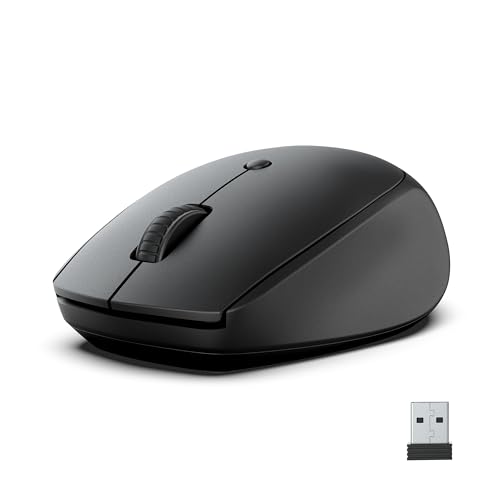
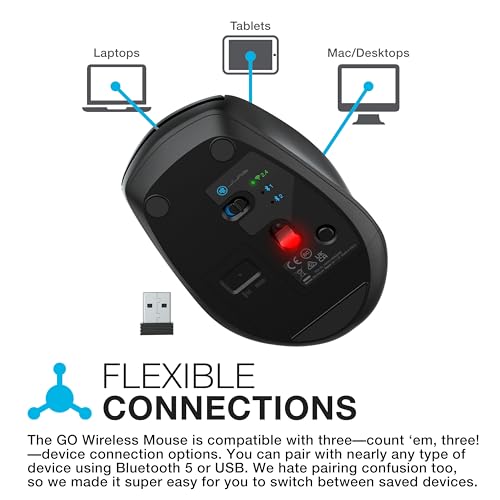
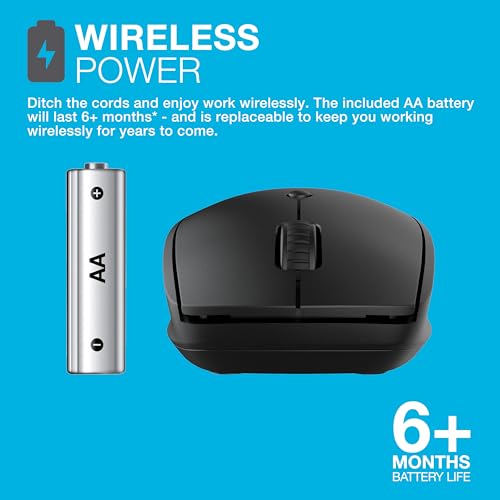
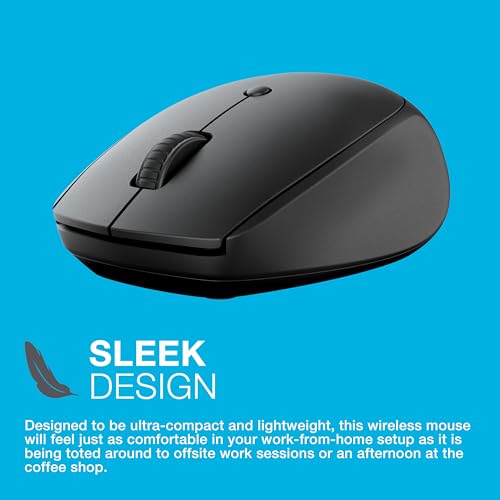
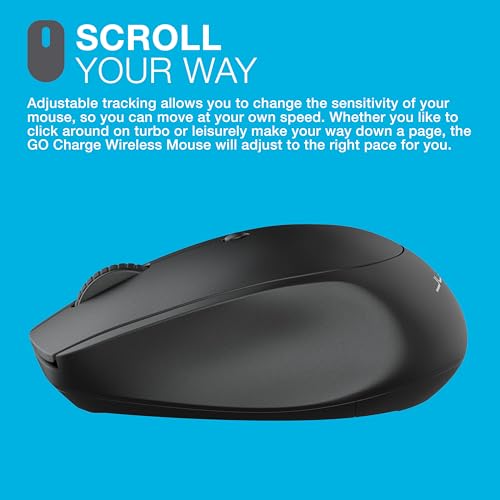
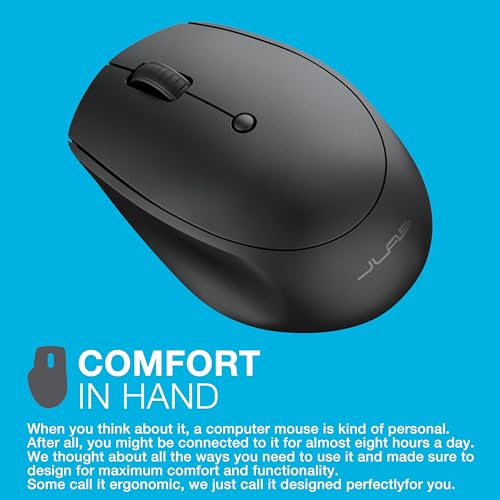
The JLab Go is an ultra-compact, ambidextrous wireless mouse designed for high portability and travel. Its key technical specifications include tri-mode connectivity (Bluetooth 5.0 and a 2.4GHz USB dongle) that supports switching between three saved devices, alongside an optical sensor with adjustable sensitivity (800, 1200, and 1600 DPI). The device features four silent-click buttons to minimize noise in shared environments and offers a battery life of over six months on a single AA battery. Its main pros are the lightweight 63g build, multi-device versatility, and quiet operation; however, it lacks a rechargeable battery, may feel too small for users with larger hands, and lacks advanced customization software.

Technical Specifications of mouse JLab Go

Technical Score
Technical score
5.5/ 10
✕
What it is
An assessment of technical performance for products in the Mice category across these key areas: Performance & Sensor, Connectivity, Battery & Charging, Controls, Design, Features.
When it matters
When you want to compare mice based on technical performance and available features.
Score distribution
â–¼
<55-66-77-88-99-10
Score components:

36%

3.4

Performance & Sensor

22%

8.0

Controls

16%

8.6

Design

14%

1.0

Features

7%

9.9

Connectivity

5%

5.3

Battery & Charging

5.5
JLab Go has a technical score of 5.5 points, which is lower than that of 55.6% of products in this category.
User score
User score
8.5/ 10
✕
What it is
A rating that combines user reviews and the total number of reviews received by the mouse.
When it matters
When you want to understand how a mouse performs in daily use or gaming and how reliable it is in terms of comfort, button feel, tracking accuracy, and long-term durability.
Score distribution
â–¼
<55-66-77-88-99-10
Score components

70%

8.8

User ratings

30%

7.6

Number of reviews

Based on 1,461 buyer reviews from online shops.
How we calculate this
User ratings – average star rating across all shop listings, weighted by how many reviews each has, on a 1–10 scale.
Number of reviews – how many buyer reviews the product has, on a logarithmic scale; the 8% most-reviewed models in the category get 10.
8.5
JLab Go has a user score of 8.45 points, which is higher than that of 68.9% of products in this category.
Popularity
Popularity
7.6/ 10
✕
What it is
An indicator based on the number of reviews received by the mouse.
When it matters
When you prefer a mouse that has already been chosen and reviewed by many other users.
Score distribution
â–¼
<55-66-77-88-99-10
Popularity:
JLab Go has a popularity score of 7.6 points, which is higher than that of 67% of products in this category.
7.6
JLab Go has a popularity score of 7.6 points, which is higher than that of 67% of products in this category.
Ratio quality/price
Value for money
7.2/ 10
✕
What it is
An indicator that combines the mouse's overall rating with its cost.
When it matters
When you are looking for a mouse that offers a strong balance of performance, features, and price.
Score distribution
â–¼
<55-66-77-88-99-10
Score components:

60%

6.1

Overall score

40%

10

Price

7.2
JLab Go has a value-for-money score of 7.2 points, which is lower than that of 52.1% of products in this category.
Brand name
Jlab
Maximum polling rate
125 Hz
Maximum polling rate
125 Hz
This mouse has a maximum polling rate of 125 Hz, which is lower than 75.8% of mice and equal to 23.9% of mice.
Wired polling rate
N/A
2.4 GHz polling rate
125 Hz
2.4 GHz polling rate
125 Hz
This mouse has a 2.4 GHz polling rate of 125 Hz, which is lower than 71.1% of mice and equal to 28.8% of mice.
Bluetooth polling rate
115 Hz
Bluetooth polling rate
115 Hz
This mouse has a Bluetooth polling rate of 115 Hz, which is higher than 65.8% of mice and equal to 1.9% of mice.
Show more
Connectivity
wireless
Connectivity
wireless
This mouse supports wireless connectivity, which is more versatile than 35% of mice and equal to 21.7% of mice.
connection modes: Bluetooth / 2.4 GHz.
Bluetooth support
yes
Bluetooth support
yes
This mouse supports Bluetooth. 64.5% of mice support Bluetooth.
Bluetooth version
5
Bluetooth version
5
This mouse uses Bluetooth 5, which is newer than 73.9% of mice and equal to 12.3% of mice.
Proprietary 2.4 GHz support
yes
Proprietary 2.4 GHz support
yes
This mouse supports proprietary 2.4 GHz wireless. 38.8% of mice support proprietary 2.4 GHz wireless.
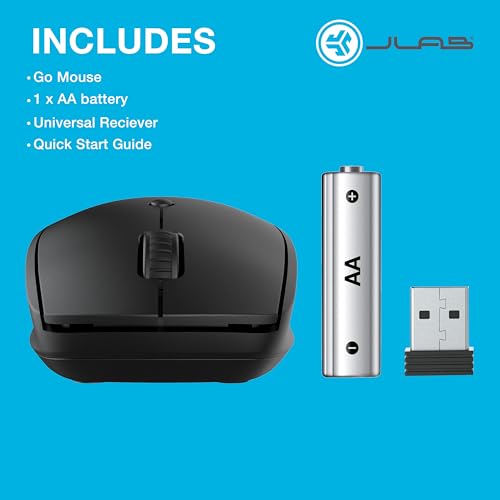
Receiver included
yes
Receiver included
yes
This mouse includes a receiver. 37.8% of mice include a receiver.
Show more
Battery life
N/A
Battery capacity
N/A
Battery form factor
AA
Rechargeable battery
no
Rechargeable battery
no
This mouse does not use a rechargeable battery. 46% of mice use a rechargeable battery.
Removable battery
yes
Removable battery
yes
This mouse uses a removable battery. 77.8% of mice use a removable battery.
Show more
N. of buttons
4
N. of buttons
4
This mouse has 4 buttons, which is less than 86.6% of mice and equal to 4.3% of mice.
N. of side buttons
0
N. of side buttons
0
This mouse has 0 side buttons, which is less than 85.3% of mice and equal to 14.7% of mice.
N. of programmable buttons
?
DPI switching button
yes
DPI switching button
yes
This mouse includes a DPI switching button. 14.7% of mice include a DPI switching button.
Profile switching button
no
Profile switching button
no
This mouse does not include a profile switching button. 16% of mice include a profile switching button.
Show more
Orientation
ambidextrous
Weight
63 g
Weight
63 g
This mouse weighs 63 g, which makes it lighter than 72.4% of mice and equal to 1.1% of mice.
Extra weights
0 g
Extra weights
0 g
This mouse comes with 0 g extra weights, which is less than 4.6% of mice and equal to 95.4% of mice.
Cable length
1.8 m
Cable length
1.8 m
This mouse comes with a 1.8 m cable, which is longer than 18.4% of mice and equal to 65.2% of mice.
Cable type
N/A
Show more
Onboard memory profiles
0
Onboard memory profiles
0
This mouse supports 0 onboard memory profiles, which is less than 52.2% of mice and equal to 47.8% of mice.
Onboard memory size
0 KB
Onboard memory size
0 KB
This mouse has an onboard memory size of 0 KB, which is smaller than 12.6% of mice and equal to 87.4% of mice.
no onboard memory.
Software name
N/A
Firmware upgradable
no
Firmware upgradable
no
This mouse does not support firmware upgrades. 77.7% of mice support firmware upgrades.
Suitable for gaming
no
Suitable for gaming
no
This mouse is not suitable for gaming. 76.2% of mice are suitable for gaming.

JLab Go vs the average mouse

246810TotalPerformance & SensorConnectivityBattery & ChargingControlsDesignFeatures
  • Silent primary switches
    Silent primary switches
    yes
    This mouse uses silent primary switches, while the average mouse does not. 14.1% of mice use silent primary switches.
  • 23.2% lower mouse weight
    Weight
    63 g
    This mouse weighs 63 g, while the average mouse weighs 82 g.
    63 g vs 82 g
  • 2 more paired devices
    Multi-device pair count
    3
    This mouse pairs with 3 devices, while the average mouse pairs with 1 devices.
    3 vs 1
  • Removable battery
    Removable battery
    yes
    This mouse uses a removable battery, while the average mouse does not. 22.3% of mice use a removable battery.
  • Multi-device pairing
    Multi-device pairing
    yes
    This mouse supports multi-device pairing, while the average mouse does not. 20.3% of mice support multi-device pairing.
  • Bluetooth support
    Bluetooth support
    yes
    This mouse supports Bluetooth, while the average mouse does not. 35.5% of mice support Bluetooth.
  • Receiver storage inside mouse
    Receiver storage in mouse
    yes
    This mouse has receiver storage inside the mouse, while the average mouse does not. 45.9% of mice have receiver storage inside the mouse.
  • 3 newer release date
    Release date
    2024
    This mouse was released in 2024, while the average mouse was released in 2021.
    2024 vs 2021
  • 2 more paired devices
    Multi-device pair count
    3
    This mouse pairs with 3 devices, while the average mouse pairs with 1 devices.
    3 vs 1
  • Multi-device pairing
    Multi-device pairing
    yes
    This mouse supports multi-device pairing, while the average mouse does not. 20.3% of mice support multi-device pairing.
  • Bluetooth support
    Bluetooth support
    yes
    This mouse supports Bluetooth, while the average mouse does not. 35.5% of mice support Bluetooth.
  • Receiver storage inside mouse
    Receiver storage in mouse
    yes
    This mouse has receiver storage inside the mouse, while the average mouse does not. 45.9% of mice have receiver storage inside the mouse.
  • Removable battery
    Removable battery
    yes
    This mouse uses a removable battery, while the average mouse does not. 22.3% of mice use a removable battery.
  • Silent primary switches
    Silent primary switches
    yes
    This mouse uses silent primary switches, while the average mouse does not. 14.1% of mice use silent primary switches.
  • 23.2% lower mouse weight
    Weight
    63 g
    This mouse weighs 63 g, while the average mouse weighs 82 g.
    63 g vs 82 g
  • 3 newer release date
    Release date
    2024
    This mouse was released in 2024, while the average mouse was released in 2021.
    2024 vs 2021
  • 87.5% lower maximum polling rate
    Maximum polling rate
    125 Hz
    This mouse has a maximum polling rate of 125 Hz, while the average mouse has a maximum polling rate of 1000 Hz.
    125 Hz vs 1,000 Hz
  • 93% lower tracking speed
    Maximum tracking speed
    28 IPS
    This mouse has a maximum tracking speed of 28 IPS, while the average mouse has a maximum tracking speed of 400 IPS.
    28 IPS vs 400 IPS
  • No firmware upgrades
    Firmware upgradable
    no
    This mouse does not support firmware upgrades, while the average mouse does. 77.6% of mice support firmware upgrades.
  • 84% lower maximum DPI
    Maximum DPI
    1,600 DPI
    This mouse has a maximum DPI of 1600 DPI, while the average mouse has a maximum DPI of 10000 DPI.
    1,600 DPI vs 10,000 DPI
  • 1 fewer onboard profiles
    Onboard memory profiles
    0
    This mouse supports 0 onboard memory profiles, while the average mouse supports 1 onboard memory profiles.
    0 vs 1
  • 87.5% lower 2.4 GHz polling rate
    2.4 GHz polling rate
    125 Hz
    This mouse has a 2.4 GHz polling rate of 125 Hz, while the average mouse has a 2.4 GHz polling rate of 1000 Hz.
    125 Hz vs 1,000 Hz
  • Not suitable for gaming
    Suitable for gaming
    no
    This mouse is not suitable for gaming, while the average mouse is. 76.1% of mice are suitable for gaming.
  • 600 DPI higher minimum setting
    Minimum DPI
    800 DPI
    This mouse has a minimum DPI of 800 DPI, while the average mouse has a minimum DPI of 200 DPI.
    800 DPI vs 200 DPI
  • 87.5% lower maximum polling rate
    Maximum polling rate
    125 Hz
    This mouse has a maximum polling rate of 125 Hz, while the average mouse has a maximum polling rate of 1000 Hz.
    125 Hz vs 1,000 Hz
  • 93% lower tracking speed
    Maximum tracking speed
    28 IPS
    This mouse has a maximum tracking speed of 28 IPS, while the average mouse has a maximum tracking speed of 400 IPS.
    28 IPS vs 400 IPS
  • 84% lower maximum DPI
    Maximum DPI
    1,600 DPI
    This mouse has a maximum DPI of 1600 DPI, while the average mouse has a maximum DPI of 10000 DPI.
    1,600 DPI vs 10,000 DPI
  • 87.5% lower 2.4 GHz polling rate
    2.4 GHz polling rate
    125 Hz
    This mouse has a 2.4 GHz polling rate of 125 Hz, while the average mouse has a 2.4 GHz polling rate of 1000 Hz.
    125 Hz vs 1,000 Hz
  • 600 DPI higher minimum setting
    Minimum DPI
    800 DPI
    This mouse has a minimum DPI of 800 DPI, while the average mouse has a minimum DPI of 200 DPI.
    800 DPI vs 200 DPI
  • 75% lower maximum acceleration
    Maximum acceleration
    10 G
    This mouse has a maximum acceleration of 10 G, while the average mouse has a maximum acceleration of 40 G.
    10 G vs 40 G
  • No angle snapping support
    Angle snapping
    no
    This mouse does not support angle snapping, while the average mouse does. 54.4% of mice support angle snapping.
  • 305 DPI coarser step size
    DPI step size
    400 DPI
    This mouse has a DPI step size of 400 DPI, while the average mouse has a DPI step size of 95 DPI.
    400 DPI vs 95 DPI
  • 2 fewer stored DPI steps
    DPI steps stored
    3
    This mouse stores 3 DPI steps, while the average mouse stores 5 DPI steps.
    3 vs 5
  • 2 fewer side buttons
    N. of side buttons
    0
    This mouse has 0 side buttons, while the average mouse has 2 side buttons.
    0 vs 2
  • 2 fewer buttons
    N. of buttons
    4
    This mouse has 4 buttons, while the average mouse has 6 buttons.
    4 vs 6
  • No RGB lighting
    RGB lighting
    no
    This mouse does not have RGB lighting, while the average mouse does. 56.3% of mice have RGB lighting.
  • No firmware upgrades
    Firmware upgradable
    no
    This mouse does not support firmware upgrades, while the average mouse does. 77.6% of mice support firmware upgrades.
  • 1 fewer onboard profiles
    Onboard memory profiles
    0
    This mouse supports 0 onboard memory profiles, while the average mouse supports 1 onboard memory profiles.
    0 vs 1
  • Not suitable for gaming
    Suitable for gaming
    no
    This mouse is not suitable for gaming, while the average mouse is. 76.1% of mice are suitable for gaming.

Graphic comparison of JLab Go and other products in the Mice category

No results found

Third-party reviews

Based on 1,461 buyer reviews from online shops.
Reviews last updated: May 2026 · How we calculate this

What customers like about JLab Go?

  • Silent-click buttons make it ideal for shared workspaces or libraries
  • Compact and lightweight design ensures high portability for travel
  • Connects to up to three devices simultaneously with easy switching
  • Versatile connectivity options via Bluetooth 5.0 and 2.4GHz USB dongle
  • Adjustable DPI settings (800, 1200, 1600) for customizable cursor speed
  • Rechargeable battery (on 'Charge' model) with convenient USB-C charging
  • Ambidextrous shape is comfortable for both right and left-handed users
  • Great value for money compared to higher-end competitors

What customers dislike about JLab Go?

  • Compact size may feel too small or 'hollow' for users with larger hands
  • Side buttons are not programmable and lack customization software
  • Matte finish on the exterior easily picks up fingerprints and smudges
  • Occasional connectivity issues or lag reported by some users
  • Left-handed users may find it difficult to reach the side thumb buttons
  • Lack of a dedicated DPI indicator makes it hard to identify current settings
  • Some users reported the scroll wheel feels thin or slightly inconsistent

Video reviews

Hands-on testing, unboxing, and real-world video evaluations

Compare JLab Go with other products in the Mice category

1Product to compare no. 1
VS
2Product to compare no. 2
VS
3Product to compare no. 3 (optional)