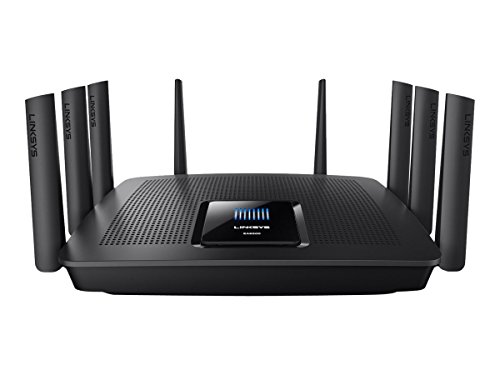
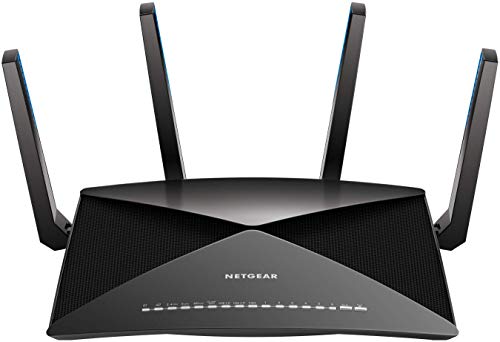
Draytek Vigor 2830VN Review | 77 Data compared

Avg. price:~£360Wi-Fi version:Wi-Fi 4 (802.11n)Wi-Fi speed:300 MbpsLAN port speeds:1 GbpsMesh Wi-Fi:no

Draytek Vigor 2830VN Review: Compare 77 technical specifications and user reviews to see how this product ranks in the Routers category and whether it is worth buying.

7.1

Overall score

Score
7.1/ 10
✕
What it is
An overall evaluation of the router's quality, based on technical analyses and user reviews.
When it matters
When you need a quick reference to identify the best routers on the market.
Score distribution
â–¼
<55-66-77-88-99-10
Score components

90%

7.0

Technical Score

10%

7.4

User score

â–²Better than 54% of routers
7.0

Technical Score

Technical score
7.0/ 10
✕
What it is
An assessment of the router's technical performance, covering key areas such as Wi-Fi performance, wired connectivity, security, software features, coverage, and design.
When it matters
When you want to compare routers based on technical performance and available features.
Score distribution
â–¼
<55-66-77-88-99-10
Score components

26%

4.7

Wireless

20%

6.0

Ports

18%

9.6

Networking

14%

9.2

Security

12%

5.9

Hardware

10%

9.0

Management

â–²Better than 54% of routers
7.4

User score

User score
7.4/ 10
✕
What it is
A rating that combines user reviews and the total number of reviews received by the router.
When it matters
When you want to know how a router performs in daily use and how reliable it is for speed, coverage, and stability according to user feedback.
Score distribution
â–¼
<55-66-77-88-99-10
Score components

70%

9.4

User reviews

30%

2.6

Popularity

User score:
United States
Amazon_logo.png
4.7
(4)

(Reviews last updated: May 2026)

â–¼Worse than 85% of routers
  • No image
No image

Best rankings

Available: ranking among products currently available (including other versions of this product).All: ranking among all products in the database.
Loading...
Loading category ranking...

Verdict

The DrayTek Vigor 2830vn is a versatile triple-WAN ADSL2+ router designed for small to medium-sized businesses, featuring an integrated ADSL2+ modem, a dedicated Gigabit Ethernet WAN port for cable or fibre connections, and a USB port for 3G/4G failover. It provides dual-band 802.11n wireless connectivity with speeds up to 300 Mbps, alongside two FXS phone ports for integrated VoIP services and a PSTN line port for traditional analogue backup. Key strengths include its robust object-based firewall, support for 32 concurrent VPN tunnels, and extensive VLAN/QoS management for traffic prioritisation. However, its complex manual setup can be unintuitive for average users, and as a legacy product, its wireless standards and interface are now outdated compared to modern Wi-Fi 6 alternatives.

Technical Specifications of router Draytek Vigor 2830VN

Technical Score
Technical score
7.0/ 10
✕
What it is
An assessment of the router's technical performance, covering key areas such as Wi-Fi performance, wired connectivity, security, software features, coverage, and design.
When it matters
When you want to compare routers based on technical performance and available features.
Score distribution
â–¼
<55-66-77-88-99-10
Score components:

26%

4.7

Wireless

20%

6.0

Ports

18%

9.6

Networking

14%

9.2

Security

12%

5.9

Hardware

10%

9.0

Management

7.0
Draytek Vigor 2830VN has a technical score of 7 points, which is higher than that of 54.4% of products in this category.
User score
User score
7.4/ 10
✕
What it is
A rating that combines user reviews and the total number of reviews received by the router.
When it matters
When you want to know how a router performs in daily use and how reliable it is for speed, coverage, and stability according to user feedback.
Score distribution
â–¼
<55-66-77-88-99-10
Score components

70%

9.4

User reviews

30%

2.6

Popularity

User score:
United States
Amazon_logo.png
4.7
(4)

(Reviews last updated: May 2026)

7.4
Draytek Vigor 2830VN has a user score of 7.36 points, which is lower than that of 85.1% of products in this category.
Popularity
Popularity
2.6/ 10
✕
What it is
An indicator based on the number of reviews received by the router.
When it matters
When you prefer to choose a router reviewed and selected by many other buyers.
Score distribution
â–¼
<55-66-77-88-99-10
Popularity:
Draytek Vigor 2830VN has a popularity score of 2.6 points, which is lower than that of 69.6% of products in this category.
2.6
Draytek Vigor 2830VN has a popularity score of 2.6 points, which is lower than that of 69.6% of products in this category.
Ratio quality/price
Value for money
7.5/ 10
✕
What it is
An indicator that combines the router's overall rating with its cost.
When it matters
When you are looking for a router with a good balance between network performance, features, and price.
Score distribution
â–¼
<55-66-77-88-99-10
Score components:

60%

7.1

Overall score

40%

8.6

Price

7.5
Draytek Vigor 2830VN has a value-for-money score of 7.5 points, which is lower than that of 66.7% of products in this category.
Brand name
Draytek
Wi-Fi version
Wi-Fi 4 (802.11n)
Wi-Fi version
Wi-Fi 4 (802.11n)
This router uses Wi-Fi Wi-Fi 4 (802.11n), which is less advanced than 60.8% of routers and equal to 37.3% of routers.
Wi-Fi bands
2.4 GHz
Wi-Fi bands
2.4 GHz
This router supports 2.4 GHz Wi-Fi bands, which are less versatile than 75.4% of routers and equal to 22.4% of routers.
Wi-Fi speed
300 Mbps
Wi-Fi speed
300 Mbps
This router delivers 300 Mbps Wi-Fi speed, which is lower than 73.7% of routers and equal to 16.8% of routers.
Channel widths supported
20 MHz + 40 MHz
Channel widths supported
20 MHz + 40 MHz
This router supports 20 MHz + 40 MHz channel width options, which is fewer than 59.3% of routers and the same as 35.1% of routers.
Show more
Wi-Fi security protocols
WPA2, WPA, WEP, 802.1X
Wi-Fi security protocols
WPA2, WPA, WEP, 802.1X
This router supports WPA2, WPA, WEP, 802.1X Wi-Fi security protocols, which are less advanced than 62.3% of routers and equal to 4.9% of routers.
DoS protection
yes
DoS protection
yes
This router includes DoS protection. 12.8% of routers include DoS protection.
SPI intrusion protection
yes
SPI intrusion protection
yes
This router includes SPI-based intrusion protection. 6.1% of routers include SPI-based intrusion protection.
MAC address filtering
yes
MAC address filtering
yes
This router supports MAC address filtering. 2.2% of routers include MAC address filtering.
URL filter
yes
URL filter
yes
This router supports URL filtering. 3.4% of routers include URL filtering.
Show more
IPv6 support
yes
IPv6 support
yes
This router supports IPv6. 11.5% of routers are IPv6-ready.
Dynamic routing
yes
Dynamic routing
yes
This router supports dynamic routing. 47.8% of routers support dynamic routing.
Inter-VLAN routing
yes
Inter-VLAN routing
yes
This router supports inter-VLAN routing. 76.7% of routers support inter-VLAN routing.
VLAN tagging
yes
VLAN tagging
yes
This router supports VLAN tagging. 38.2% of routers include VLAN tagging.
QoS
yes
QoS
yes
This router includes QoS controls. 3.2% of routers include QoS controls.
Show more
N. of LAN ports
4
N. of LAN ports
4
This router has 4 LAN ports, which is more than 23.7% of routers and the same as 69.2% of routers.
LAN port speeds
1 Gbps
LAN port speeds
1 Gbps
This router offers 1 Gbps on its LAN ports, which is faster than 27.1% of routers and on par with 59.9% of routers.
N. of WAN ports
3
N. of WAN ports
3
This router has 3 WAN ports, which is more than 97.8% of routers and the same as 1.5% of routers.
N. of USB ports
1
N. of USB ports
1
This router has 1 USB ports, which is more than 39.5% of routers and the same as 39.5% of routers.
Power over Ethernet (PoE)
no
Power over Ethernet (PoE)
no
This router does not support Power over Ethernet (PoE). 0.5% of routers can be powered over Ethernet.
Show more
Management interface
Web UI, CLI, SNMP
Management interface
Web UI, CLI, SNMP
This router uses Web UI, CLI, SNMP for management, which is more advanced than 97.8% of routers and equal to 2% of routers.
Firmware upgrade method
Web UI, Utility, TFTP, Cloud
Firmware upgrade method
Web UI, Utility, TFTP, Cloud
This router supports Web UI, Utility, TFTP, Cloud firmware update methods, which are more convenient than 99% of routers and equal to 0.7% of routers.
Firmware Upgrade Utility
Traffic monitoring
yes
Traffic monitoring
yes
This router includes traffic monitoring. 18.1% of routers include traffic monitoring.
Guest Wi-Fi network
yes
Guest Wi-Fi network
yes
This router offers a guest Wi‑Fi network. 8.6% of routers offer a guest Wi‑Fi network.
Captive portal
yes
Captive portal
yes
This router offers captive portal features. 76.7% of routers offer captive portal features.
Show more
CPU clock speed
?
RAM capacity
32 MB
RAM capacity
32 MB
This router has 32 MB of RAM, which is less than 83.5% of routers and the same as 12% of routers.
Internal storage
0.007812 GB
Internal storage
0.007812 GB
This router has 0.007812 GB of internal storage, which is less than 72.7% of routers and the same as 20.6% of routers.
8 MB onboard flash; 500GB refers to external USB storage support.
Hardware acceleration
yes
Hardware acceleration
yes
This router offers hardware acceleration. 31.4% of routers offer hardware acceleration.
N. of external antennas
3
N. of external antennas
3
This router has 3 external antennas, which is more than 58.4% of routers and the same as 13.3% of routers.
Show more

Draytek Vigor 2830VN vs the average router

246810TotalWirelessSecurityNetworkingPortsManagementHardware
  • Supports automatic failover
    Automatic failover
    yes
    This router offers automatic failover, while the average router does not. 24.9% of routers offer automatic failover.
  • Better management tools
    Management interface
    Web UI, CLI, SNMP
    This router uses the management interface Web UI, CLI, SNMP, while the average router uses Web UI, App.
    Web UI, CLI, SNMP vs Web UI, App
  • Wider temperature range
    Operating temperature range
    0 to 45 C
    This router is rated for 0 to 45 C, while the average router is rated for 0 to 40 C.
    0 to 45 C vs 0 to 40 C
  • Supports captive portal
    Captive portal
    yes
    This router supports captive portal, while the average router does not. 23.5% of routers support captive portal.
  • More advanced integrated modem
    Integrated modem type
    ADSL2+
    This router uses a ADSL2+ integrated modem, while the average router uses none (external modem required).
    ADSL2+ vs none (external modem required)
  • Supports inter-VLAN routing
    Inter-VLAN routing
    yes
    This router supports inter-VLAN routing, while the average router does not. 23.5% of routers support inter-VLAN routing.
  • Flexible firmware updates
    Firmware upgrade method
    Web UI, Utility, TFTP, Cloud
    This router supports the firmware update methods Web UI, Utility, TFTP, Cloud, while the average router supports Web UI, App, Automatic.
    Firmware Upgrade Utility
    Web UI, Utility, TFTP, Cloud vs Web UI, App, Automatic
  • 35,012 more NAT sessions
    NAT concurrent sessions
    50,000
    This router has more concurrent NAT sessions than the average router (50,000 vs 14,988). The average router supports 14,988 concurrent NAT sessions.
    50,000 vs 14,988
  • Stronger Wi-Fi security
    Wi-Fi security protocols
    WPA2, WPA, WEP, 802.1X
    This router supports the Wi-Fi security protocols WPA2, WPA, WEP, 802.1X, while the average router supports WPA2, WPA, WEP, WPS.
    WPA2, WPA, WEP, 802.1X vs WPA2, WPA, WEP, WPS
  • Supports automatic failover
    Automatic failover
    yes
    This router offers automatic failover, while the average router does not. 24.9% of routers offer automatic failover.
  • Supports inter-VLAN routing
    Inter-VLAN routing
    yes
    This router supports inter-VLAN routing, while the average router does not. 23.5% of routers support inter-VLAN routing.
  • 35,012 more NAT sessions
    NAT concurrent sessions
    50,000
    This router has more concurrent NAT sessions than the average router (50,000 vs 14,988). The average router supports 14,988 concurrent NAT sessions.
    50,000 vs 14,988
  • More advanced integrated modem
    Integrated modem type
    ADSL2+
    This router uses a ADSL2+ integrated modem, while the average router uses none (external modem required).
    ADSL2+ vs none (external modem required)
  • Better management tools
    Management interface
    Web UI, CLI, SNMP
    This router uses the management interface Web UI, CLI, SNMP, while the average router uses Web UI, App.
    Web UI, CLI, SNMP vs Web UI, App
  • Supports captive portal
    Captive portal
    yes
    This router supports captive portal, while the average router does not. 23.5% of routers support captive portal.
  • Flexible firmware updates
    Firmware upgrade method
    Web UI, Utility, TFTP, Cloud
    This router supports the firmware update methods Web UI, Utility, TFTP, Cloud, while the average router supports Web UI, App, Automatic.
    Firmware Upgrade Utility
    Web UI, Utility, TFTP, Cloud vs Web UI, App, Automatic
  • Wider temperature range
    Operating temperature range
    0 to 45 C
    This router is rated for 0 to 45 C, while the average router is rated for 0 to 40 C.
    0 to 45 C vs 0 to 40 C
  • 1.4 W lower power consumption
    Power consumption
    6.7 W
    This router uses less power than the average router (6.7 W vs 8.1 W). The average router uses 8.1 W power.
    6.7 W vs 8.1 W
  • 68.2% lighter weight
    Weight
    140 g
    This router is lighter than the average router (140 g vs 440 g). The average router weighs 440 g.
    140 g vs 440 g
  • Older Wi-Fi version
    Wi-Fi version
    Wi-Fi 4 (802.11n)
    This router uses an older Wi-Fi version than the average router (Wi-Fi 4 (802.11n) vs Wi-Fi 5 (802.11ac)). The average router uses Wi-Fi Wi-Fi 5 (802.11ac).
    Wi-Fi 4 (802.11n) vs Wi-Fi 5 (802.11ac)
  • Fewer Wi-Fi bands
    Wi-Fi bands
    2.4 GHz
    This router supports fewer Wi-Fi bands than the average router (2.4 GHz vs 2.4 GHz + 5 GHz). The average router supports 2.4 GHz + 5 GHz Wi-Fi bands.
    2.4 GHz vs 2.4 GHz + 5 GHz
  • 79.7% slower Wi-Fi speed
    Wi-Fi speed
    300 Mbps
    This router has a lower Wi-Fi speed than the average router (300 Mbps vs 1475 Mbps). The average router reaches Wi-Fi speed of 1475 Mbps.
    300 Mbps vs 1,475 Mbps
  • 87.5% less RAM
    RAM capacity
    32 MB
    This router has less RAM than the average router (32 MB vs 256 MB). The average router has 256 MB of RAM.
    32 MB vs 256 MB
  • Less capable NAS services
    Built-in NAS services
    SMB, FTP
    This router includes SMB, FTP NAS services, while the average router includes SMB, FTP, time machine, NFS, web access.
    SMB, FTP vs SMB, FTP, time machine, NFS, web access
  • Narrower channel widths
    Channel widths supported
    20 MHz + 40 MHz
    This router has a lower supported channel width than the average router (20 MHz + 40 MHz vs 20 MHz + 40 MHz + 80 MHz). The average router supports channel width of 20 MHz + 40 MHz + 80 MHz.
    20 MHz + 40 MHz vs 20 MHz + 40 MHz + 80 MHz
  • 1 fewer spatial streams
    N. of spatial streams
    2
    This router has fewer spatial streams than the average router (2 vs 3). The average router has 3 spatial streams.
    2 vs 3
  • No band steering
    Band steering
    no
    This router does not support band steering, while the average router does. 51.8% of routers support band steering.
  • 4x more expensive
    Draytek Vigor 2830VN is more expensive than the average router (£360 vs £90).
    £360 vs £90
  • 8.8% lower user score
    User score
    7.4/ 10
    ✕
    What it is
    A rating that combines user reviews and the total number of reviews received by the router.
    When it matters
    When you want to know how a router performs in daily use and how reliable it is for speed, coverage, and stability according to user feedback.
    Score distribution
    ▼▼
    <55-66-77-88-99-10
    Draytek Vigor 2830VN
    the average router
    Draytek Vigor 2830VN has a lower user score than the average router (7.36 vs 8.000).
    7.36 vs 8
  • 3.9% worse value for money
    Draytek Vigor 2830VN has worse value for money than the average router (7.53 vs 7.8).
    7.53 vs 7.82
  • 2.53x less popular
    Draytek Vigor 2830VN is less popular than the average router (2.59 vs 6.5).
    2.59 vs 6.54
  • Older Wi-Fi version
    Wi-Fi version
    Wi-Fi 4 (802.11n)
    This router uses an older Wi-Fi version than the average router (Wi-Fi 4 (802.11n) vs Wi-Fi 5 (802.11ac)). The average router uses Wi-Fi Wi-Fi 5 (802.11ac).
    Wi-Fi 4 (802.11n) vs Wi-Fi 5 (802.11ac)
  • Fewer Wi-Fi bands
    Wi-Fi bands
    2.4 GHz
    This router supports fewer Wi-Fi bands than the average router (2.4 GHz vs 2.4 GHz + 5 GHz). The average router supports 2.4 GHz + 5 GHz Wi-Fi bands.
    2.4 GHz vs 2.4 GHz + 5 GHz
  • 79.7% slower Wi-Fi speed
    Wi-Fi speed
    300 Mbps
    This router has a lower Wi-Fi speed than the average router (300 Mbps vs 1475 Mbps). The average router reaches Wi-Fi speed of 1475 Mbps.
    300 Mbps vs 1,475 Mbps
  • Narrower channel widths
    Channel widths supported
    20 MHz + 40 MHz
    This router has a lower supported channel width than the average router (20 MHz + 40 MHz vs 20 MHz + 40 MHz + 80 MHz). The average router supports channel width of 20 MHz + 40 MHz + 80 MHz.
    20 MHz + 40 MHz vs 20 MHz + 40 MHz + 80 MHz
  • 1 fewer spatial streams
    N. of spatial streams
    2
    This router has fewer spatial streams than the average router (2 vs 3). The average router has 3 spatial streams.
    2 vs 3
  • No band steering
    Band steering
    no
    This router does not support band steering, while the average router does. 51.8% of routers support band steering.
  • No beamforming
    Beamforming
    no
    This router does not support beamforming, while the average router does. 56.7% of routers support beamforming.
  • 32 fewer connected devices
    Maximum connected devices
    32
    This router supports fewer connected devices than the average router (32 vs 64). The average router supports 64 connected devices.
    32 vs 64
  • 2 fewer WAN ports
    N. of WAN ports
    3
    This router has fewer WAN ports than the average router (3 vs 1). The average router has 1 WAN ports.
    3 vs 1
  • Less capable NAS services
    Built-in NAS services
    SMB, FTP
    This router includes SMB, FTP NAS services, while the average router includes SMB, FTP, time machine, NFS, web access.
    SMB, FTP vs SMB, FTP, time machine, NFS, web access
  • No DLNA support
    DLNA support
    no
    This router does not support DLNA, while the average router does. 54% of routers support DLNA.
  • 87.5% less RAM
    RAM capacity
    32 MB
    This router has less RAM than the average router (32 MB vs 256 MB). The average router has 256 MB of RAM.
    32 MB vs 256 MB
  • 93.8% less internal storage
    Internal storage
    0.007812 GB
    This router has less internal storage than the average router (0 GB vs 0.1 GB). The average router offers 0.125 GB of internal storage.
    8 MB onboard flash; 500GB refers to external USB storage support.
    0.007812 GB vs 0.125 GB
  • 4 older release date
    Release date
    2011
    This router is an older model than the average router (2011 vs 2015). The average router release year is 2015.
    April 2011
    2011 vs 2015

Graphic comparison of Draytek Vigor 2830VN and other routers

No results found

Third-party reviews

United States

(Reviews last updated: May 2026)

What customers like about Draytek Vigor 2830VN?

  • Feature-rich with business-class capabilities like triple-WAN and VoIP support
  • Robust security including a powerful hardware-based firewall and content filtering
  • Reliable and 'rock solid' performance for handling multiple concurrent users
  • Good wireless range with minimal speed drop-off across larger areas
  • Flexible management options such as user-based access control and VLAN tagging

What customers dislike about Draytek Vigor 2830VN?

  • High price point compared to other consumer-grade routers
  • Non-intuitive and manual setup process that can be time-consuming for non-experts
  • Interface is considered dated and can be confusing to navigate
  • Maximum Wi-Fi speeds may be lower than newer or cheaper specialized consumer routers
  • Overkill for average home users due to its complex professional feature set

Expert reviews

In-depth analysis and verdict from leading tech publications

T
techradar.com
19/05/2011
Summary of the review
A
alphr.com
02/08/2011
Summary of the review

Video reviews

Hands-on testing, unboxing, and real-world video evaluations
Compare Draytek Vigor 2830VN with other routers

1Product to compare no. 1
VS
2Product to compare no. 2
VS
3Product to compare no. 3 (optional)