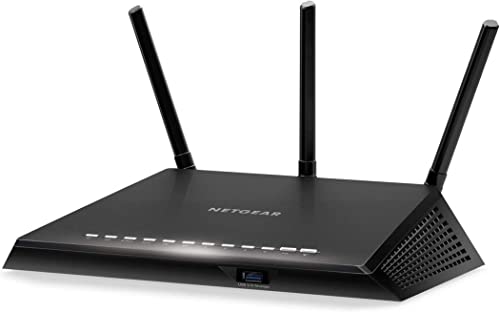
Belkin AC1000 Review | 77 Data compared

Avg. price in UK:~£110Avg. price in US:~$140Wi-Fi version:Wi-Fi 5 (802.11ac)Wi-Fi speed:950 MbpsLAN port speeds:1 GbpsMesh Wi-Fi:no

Belkin AC1000 Review: Compare 77 technical specifications and user reviews to see how this product ranks in the Routers category and whether it is worth buying.

6.9

Overall score

Score
6.9/ 10
✕
What it is
An overall evaluation of the router's quality, based on technical analyses and user reviews.
When it matters
When you need a quick reference to identify the best routers on the market.
Score distribution
â–¼
<55-66-77-88-99-10
Score components

90%

6.8

Technical Score

10%

8.1

User score

â–¼Worse than 51% of routers
6.8

Technical Score

Technical score
6.8/ 10
✕
What it is
An assessment of the router's technical performance, covering key areas such as Wi-Fi performance, wired connectivity, security, software features, coverage, and design.
When it matters
When you want to compare routers based on technical performance and available features.
Score distribution
â–¼
<55-66-77-88-99-10
Score components

26%

5.4

Wireless

20%

6.4

Ports

18%

8.2

Networking

14%

8.5

Security

12%

6.4

Hardware

10%

6.9

Management

â–¼Worse than 54% of routers
8.1

User score

User score
8.1/ 10
✕
What it is
A rating that combines user reviews and the total number of reviews received by the router.
When it matters
When you want to know how a router performs in daily use and how reliable it is for speed, coverage, and stability according to user feedback.
Score distribution
â–¼
<55-66-77-88-99-10
Score components

70%

8.0

User reviews

30%

8.5

Popularity

User score:
United Kingdom
amazon
4.0
(1986)
United States
Amazon_logo.png
4.0
(68)

(Reviews last updated: May 2026)

â–²Better than 63% of routers
  • belkin-ac1000
  • belkin-ac1000
  • belkin-ac1000
  • belkin-ac1000
belkin-ac1000
belkin-ac1000
belkin-ac1000
belkin-ac1000

Best prices in UK

Best rankings

Available: ranking among products currently available (including other versions of this product).All: ranking among all products in the database.
Loading...
Loading category ranking...

Verdict

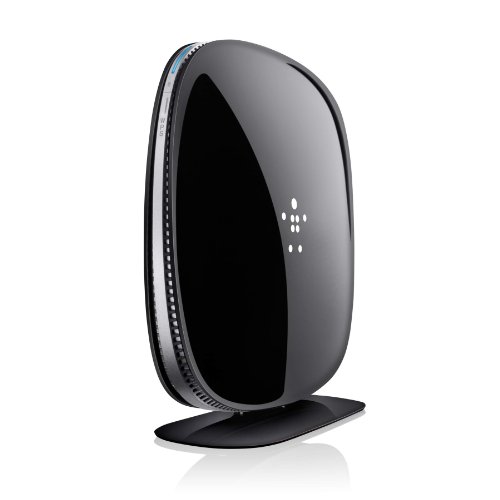
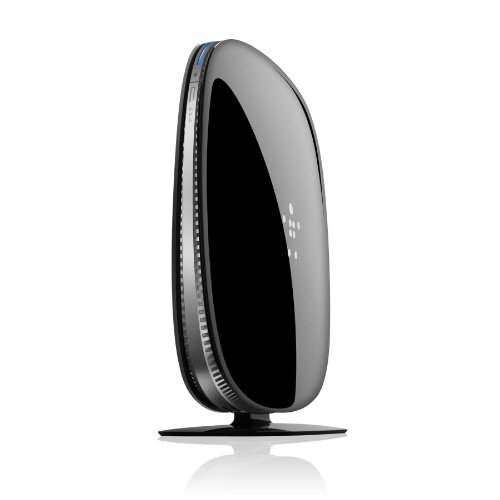
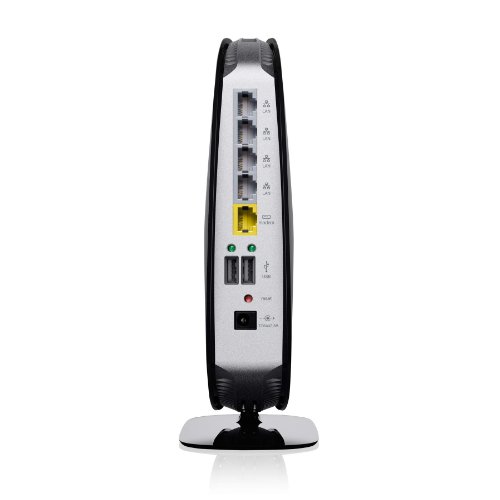
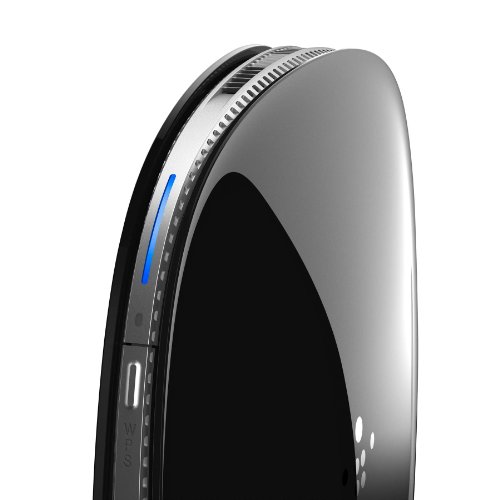
The Belkin AC1000 (F9K1112) is a dual-band Wi-Fi 5 (802.11ac) router delivering total speeds up to 965 Mbps, split between 300 Mbps on the 2.4 GHz band and 665 Mbps on the 5 GHz band. It features four Gigabit Ethernet ports for high-speed wired connections, two USB 2.0 ports for printer or storage sharing, and internal antennas utilizing MultiBeam technology for expanded home coverage. Key advantages include its easy browser-based setup, Intellistream QoS for prioritizing gaming and video traffic, and integrated parental controls powered by Norton. However, notable drawbacks include inconsistent wired performance reported in some reviews, a lack of advanced customization options for power users, and security concerns regarding its default preset WPA2 passwords.

Technical Specifications of router Belkin AC1000

Technical Score
Technical score
6.8/ 10
✕
What it is
An assessment of the router's technical performance, covering key areas such as Wi-Fi performance, wired connectivity, security, software features, coverage, and design.
When it matters
When you want to compare routers based on technical performance and available features.
Score distribution
â–¼
<55-66-77-88-99-10
Score components:

26%

5.4

Wireless

20%

6.4

Ports

18%

8.2

Networking

14%

8.5

Security

12%

6.4

Hardware

10%

6.9

Management

6.8
Belkin AC1000 has a technical score of 6.8 points, which is lower than that of 53.9% of products in this category.
User score
User score
8.1/ 10
✕
What it is
A rating that combines user reviews and the total number of reviews received by the router.
When it matters
When you want to know how a router performs in daily use and how reliable it is for speed, coverage, and stability according to user feedback.
Score distribution
â–¼
<55-66-77-88-99-10
Score components

70%

8.0

User reviews

30%

8.5

Popularity

User score:
United Kingdom
amazon
4.0
(1986)
United States
Amazon_logo.png
4.0
(68)

(Reviews last updated: May 2026)

8.1
Belkin AC1000 has a user score of 8.14 points, which is higher than that of 62.5% of products in this category.
Popularity
Popularity
8.5/ 10
✕
What it is
An indicator based on the number of reviews received by the router.
When it matters
When you prefer to choose a router reviewed and selected by many other buyers.
Score distribution
â–¼
<55-66-77-88-99-10
Popularity:
Belkin AC1000 has a popularity score of 8.5 points, which is higher than that of 74% of products in this category.
8.5
Belkin AC1000 has a popularity score of 8.5 points, which is higher than that of 74% of products in this category.
Ratio quality/price
Value for money
7.8/ 10
✕
What it is
An indicator that combines the router's overall rating with its cost.
When it matters
When you are looking for a router with a good balance between network performance, features, and price.
Score distribution
â–¼
<55-66-77-88-99-10
Score components:

60%

6.9

Overall score

40%

9.9

Price

7.8
Belkin AC1000 has a value-for-money score of 7.8 points, which is higher than that of 45.1% of products in this category.
Brand name
Belkin
Wi-Fi version
Wi-Fi 5 (802.11ac)
Wi-Fi version
Wi-Fi 5 (802.11ac)
This router uses Wi-Fi Wi-Fi 5 (802.11ac), which is more advanced than 39.5% of routers and equal to 25.3% of routers.
Wi-Fi bands
2.4 GHz + 5 GHz
Wi-Fi bands
2.4 GHz + 5 GHz
This router supports 2.4 GHz + 5 GHz Wi-Fi bands, which are more versatile than 24.8% of routers and equal to 68.1% of routers.
Wi-Fi speed
950 Mbps
Wi-Fi speed
950 Mbps
This router delivers 950 Mbps Wi-Fi speed, which is lower than 60.4% of routers.
Channel widths supported
20 MHz + 40 MHz + 80 MHz
Channel widths supported
20 MHz + 40 MHz + 80 MHz
This router supports 20 MHz + 40 MHz + 80 MHz channel width options, which is more than 40.9% of routers and the same as 31.6% of routers.
Show more
Wi-Fi security protocols
WPA3, WPA2, WPA, WEP, WPS
Wi-Fi security protocols
WPA3, WPA2, WPA, WEP, WPS
This router supports WPA3, WPA2, WPA, WEP, WPS Wi-Fi security protocols, which are more advanced than 71.7% of routers and equal to 0.3% of routers.
DoS protection
yes
DoS protection
yes
This router includes DoS protection. 12.8% of routers include DoS protection.
SPI intrusion protection
yes
SPI intrusion protection
yes
This router includes SPI-based intrusion protection. 6.1% of routers include SPI-based intrusion protection.
MAC address filtering
yes
MAC address filtering
yes
This router supports MAC address filtering. 2.2% of routers include MAC address filtering.
URL filter
yes
URL filter
yes
This router supports URL filtering. 3.4% of routers include URL filtering.
Show more
IPv6 support
yes
IPv6 support
yes
This router supports IPv6. 11.5% of routers are IPv6-ready.
Dynamic routing
yes
Dynamic routing
yes
This router supports dynamic routing. 47.8% of routers support dynamic routing.
Inter-VLAN routing
no
Inter-VLAN routing
no
This router does not support inter-VLAN routing. 23.5% of routers support inter-VLAN routing.
VLAN tagging
no
VLAN tagging
no
This router does not support VLAN tagging. 62% of routers include VLAN tagging.
QoS
yes
QoS
yes
This router includes QoS controls. 3.2% of routers include QoS controls.
Show more
N. of LAN ports
4
N. of LAN ports
4
This router has 4 LAN ports, which is more than 23.7% of routers and the same as 69.2% of routers.
LAN port speeds
1 Gbps
LAN port speeds
1 Gbps
This router offers 1 Gbps on its LAN ports, which is faster than 27.1% of routers and on par with 59.9% of routers.
N. of WAN ports
1
N. of WAN ports
1
This router has 1 WAN ports, which is more than 1% of routers and the same as 90.1% of routers.
N. of USB ports
2
N. of USB ports
2
This router has 2 USB ports, which is more than 79.2% of routers and the same as 20.6% of routers.
Power over Ethernet (PoE)
no
Power over Ethernet (PoE)
no
This router does not support Power over Ethernet (PoE). 0.5% of routers can be powered over Ethernet.
Show more
Management interface
Web UI
Management interface
Web UI
This router uses Web UI for management, which is less advanced than 72.2% of routers and equal to 27.3% of routers.
Firmware upgrade method
Web UI
Firmware upgrade method
Web UI
This router supports Web UI firmware update methods, which are less convenient than 69.5% of routers and equal to 29.7% of routers.
Traffic monitoring
yes
Traffic monitoring
yes
This router includes traffic monitoring. 18.1% of routers include traffic monitoring.
Guest Wi-Fi network
yes
Guest Wi-Fi network
yes
This router offers a guest Wi‑Fi network. 8.6% of routers offer a guest Wi‑Fi network.
Captive portal
yes
Captive portal
yes
This router offers captive portal features. 76.7% of routers offer captive portal features.
Show more
CPU clock speed
?
RAM capacity
?
Internal storage
?
Hardware acceleration
no
Hardware acceleration
no
This router does not offer hardware acceleration. 68.9% of routers offer hardware acceleration.
N. of external antennas
0
N. of external antennas
0
This router has 0 external antennas, which is fewer than 59.6% of routers and the same as 40.4% of routers.
Show more

Belkin AC1000 vs the average router

246810TotalWirelessSecurityNetworkingPortsManagementHardware
  • Stronger Wi-Fi security
    Wi-Fi security protocols
    WPA3, WPA2, WPA, WEP, WPS
    This router supports the Wi-Fi security protocols WPA3, WPA2, WPA, WEP, WPS, while the average router supports WPA2, WPA, WEP, WPS.
    WPA3, WPA2, WPA, WEP, WPS vs WPA2, WPA, WEP, WPS
  • 1 more USB ports
    N. of USB ports
    2
    This router has more USB ports than the average router (2 vs 1). The average router has 1 USB ports.
    2 vs 1
  • Supports captive portal
    Captive portal
    yes
    This router supports captive portal, while the average router does not. 23.5% of routers support captive portal.
  • More advanced integrated modem
    Integrated modem type
    ADSL2+
    This router uses a ADSL2+ integrated modem, while the average router uses none (external modem required).
    ADSL2+ vs none (external modem required)
  • Stronger Wi-Fi security
    Wi-Fi security protocols
    WPA3, WPA2, WPA, WEP, WPS
    This router supports the Wi-Fi security protocols WPA3, WPA2, WPA, WEP, WPS, while the average router supports WPA2, WPA, WEP, WPS.
    WPA3, WPA2, WPA, WEP, WPS vs WPA2, WPA, WEP, WPS
  • 1 more USB ports
    N. of USB ports
    2
    This router has more USB ports than the average router (2 vs 1). The average router has 1 USB ports.
    2 vs 1
  • More advanced integrated modem
    Integrated modem type
    ADSL2+
    This router uses a ADSL2+ integrated modem, while the average router uses none (external modem required).
    ADSL2+ vs none (external modem required)
  • Supports captive portal
    Captive portal
    yes
    This router supports captive portal, while the average router does not. 23.5% of routers support captive portal.
  • Limited firmware updates
    Firmware upgrade method
    Web UI
    This router supports the firmware update methods Web UI, while the average router supports Web UI, App, Automatic.
    Web UI vs Web UI, App, Automatic
  • No VLAN tagging
    VLAN tagging
    no
    This router does not support VLAN tagging, while the average router does. 61.9% of routers support VLAN tagging.
  • No hardware acceleration
    Hardware acceleration
    no
    This router does not offer hardware acceleration, while the average router does. 68.7% of routers offer hardware acceleration.
  • No VPN server support
    VPN server support
    no
    This router cannot act as a VPN server, while the average router can. 66.3% of routers can act as a VPN server.
  • Less capable NAS services
    Built-in NAS services
    none
    This router includes none NAS services, while the average router includes SMB, FTP, time machine, NFS, web access.
    none vs SMB, FTP, time machine, NFS, web access
  • Weaker management tools
    Management interface
    Web UI
    This router uses the management interface Web UI, while the average router uses Web UI, App.
    Web UI vs Web UI, App
  • 1 fewer spatial streams
    N. of spatial streams
    2
    This router has fewer spatial streams than the average router (2 vs 3). The average router has 3 spatial streams.
    2 vs 3
  • No beamforming
    Beamforming
    no
    This router does not support beamforming, while the average router does. 56.7% of routers support beamforming.
  • 1 fewer spatial streams
    N. of spatial streams
    2
    This router has fewer spatial streams than the average router (2 vs 3). The average router has 3 spatial streams.
    2 vs 3
  • No beamforming
    Beamforming
    no
    This router does not support beamforming, while the average router does. 56.7% of routers support beamforming.
  • 35.6% slower Wi-Fi speed
    Wi-Fi speed
    950 Mbps
    This router has a lower Wi-Fi speed than the average router (950 Mbps vs 1475 Mbps). The average router reaches Wi-Fi speed of 1475 Mbps.
    950 Mbps vs 1,475 Mbps
  • No VPN server support
    VPN server support
    no
    This router cannot act as a VPN server, while the average router can. 66.3% of routers can act as a VPN server.
  • No network services filtering
    Network services filter
    no
    This router does not support network services filtering, while the average router does. 93.2% of routers support network services filtering.
  • No VLAN tagging
    VLAN tagging
    no
    This router does not support VLAN tagging, while the average router does. 61.9% of routers support VLAN tagging.
  • Limited firmware updates
    Firmware upgrade method
    Web UI
    This router supports the firmware update methods Web UI, while the average router supports Web UI, App, Automatic.
    Web UI vs Web UI, App, Automatic
  • Less capable NAS services
    Built-in NAS services
    none
    This router includes none NAS services, while the average router includes SMB, FTP, time machine, NFS, web access.
    none vs SMB, FTP, time machine, NFS, web access
  • Weaker management tools
    Management interface
    Web UI
    This router uses the management interface Web UI, while the average router uses Web UI, App.
    Web UI vs Web UI, App
  • No hardware acceleration
    Hardware acceleration
    no
    This router does not offer hardware acceleration, while the average router does. 68.7% of routers offer hardware acceleration.
  • 2 fewer external antennas
    N. of external antennas
    0
    This router has fewer external antennas than the average router (0 vs 2). The average router has 2 external antennas.
    0 vs 2
  • 130 mm wider width
    Width
    332 mm
    This router is wider than the average router (332 mm vs 202 mm). The average router is 202 mm wide.
    332 mm vs 202 mm
  • 36 mm thicker design
    Thickness
    81 mm
    This router is thicker than the average router (81 mm vs 45 mm). The average router is 45 mm thick.
    81 mm vs 45 mm
  • 3 older release date
    Release date
    2012
    This router is an older model than the average router (2012 vs 2015). The average router release year is 2015.
    June 2012
    2012 vs 2015
  • 34.5 mm higher height
    Height
    82 mm
    This router is taller than the average router (82 mm vs 47.5 mm). The average router is 47.5 mm tall.
    82 mm vs 47.5 mm

Graphic comparison of Belkin AC1000 and other routers

No results found

Third-party reviews

United Kingdom
United States

(Reviews last updated: May 2026)

What customers like about Belkin AC1000?

  • Simple and quick setup process, often completed in under 5 minutes
  • Excellent value for the price compared to other AC-standard routers
  • Reliable dual-band performance for simultaneous streaming and gaming
  • Strong signal range suitable for multi-story homes or large apartments
  • Useful features like guest network access and a dedicated smartphone app
  • Compact and aesthetically pleasing design with minimal distracting LEDs

What customers dislike about Belkin AC1000?

  • The 5GHz band has a significantly shorter range than the 2.4GHz band
  • Occasional connectivity drops or signal strength issues reported by some users
  • Potential compatibility issues with specific internet service providers or older devices
  • Lack of advanced configuration options for power users (e.g., limited parental controls)
  • Customer support and warranty processes have received negative feedback regarding responsiveness
  • Large physical footprint compared to newer, more modern router models

Expert reviews

In-depth analysis and verdict from leading tech publications

D
digitalcitizen.life
29/09/2025
Summary of the review

Video reviews

Hands-on testing, unboxing, and real-world video evaluations
Compare Belkin AC1000 with other routers

1Product to compare no. 1
VS
2Product to compare no. 2
VS
3Product to compare no. 3 (optional)