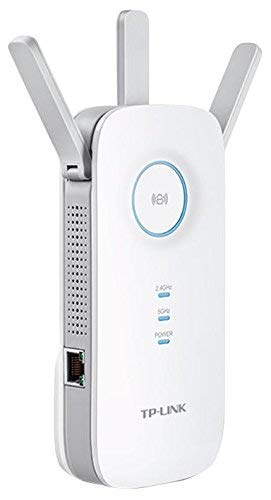
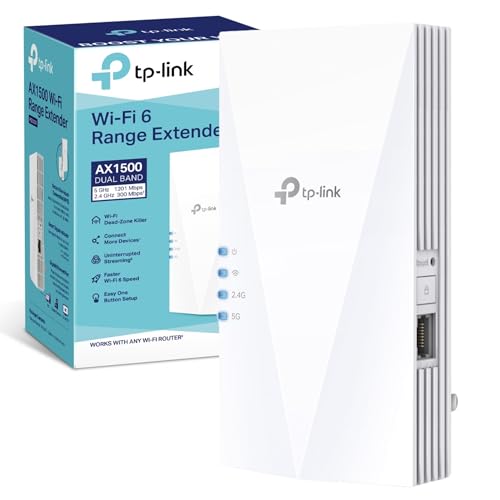
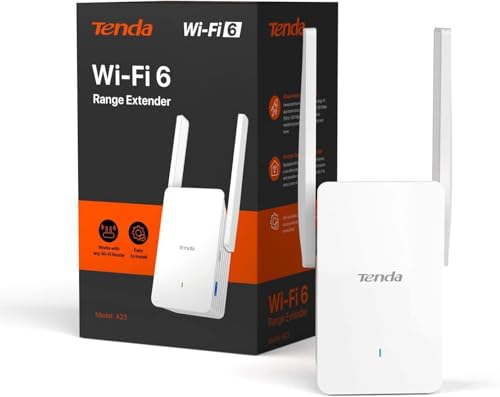
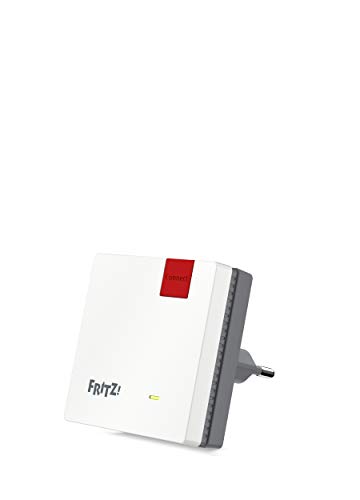
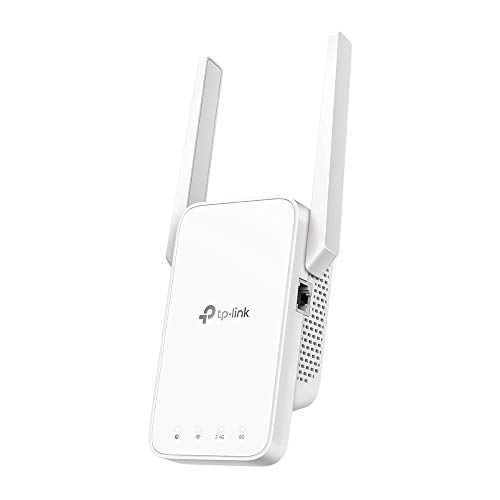
TP-Link RE450 Review | 63 Data compared

double-arrow
  • Avg. price in UK: ~£35
  • Avg. price in US: ~$30
  • Wi-Fi version: Wi-Fi 5 (802.11ac)
  • Wi-Fi speed: 1750 Mbps
  • Coverage area: ?

TP-Link RE450 review. Compare 63 technical specifications and user reviews to see how it ranks among wi-fi extenders and if it is worth buying.

6.8

Overall score

What it is: An overall evaluation of the Wi-Fi extender's quality, based on technical analyses and user reviews.

When it matters: When you need a quick reference to spot the best Wi‑Fi extenders overall.

Score components:

80.0%

6.7

Technical Score

20.0%

7.1

User score

Good
6.7

Technical Score

What it is: An assessment of the Wi-Fi extender's technical performance, covering eight key areas: speed, coverage, signal stability, connectivity, Ethernet features, mesh support, ease of setup, and design.

When it matters: When you want to compare Wi‑Fi extenders based on speed, coverage, ports, and wireless features.

Score components:

40.0%

6.2

Wi-Fi Performance

30.0%

6.3

Network & Security

12.0%

8.7

Setup & Management

10.0%

4.8

Hardware & Deployment

8.0%

10

Ports

Good
7.1

User score

What it is: A rating that combines user reviews and the total number of reviews received by the Wi-Fi extender.

When it matters: When you want to know how a Wi‑Fi extender performs in daily use and how reliably it maintains a stable connection over time according to user feedback.

Score components:

70.0%

8.3

User reviews

30.0%

4.3

Popularity

User score:
United Kingdom
amazon
4.1
(57)
amazon
4.2
(39)

(Reviews last updated: June 2026)

Very good
  • 5.6
    Gaming

    Score components:

    35.0%

    5.8

    Wi-Fi speed

    30.0%

    1.0

    QoS support

    20.0%

    9.0

    Ethernet backhaul

    15.0%

    10

    N. of LAN ports

  • 9.0
    Travel

    Score components:

    45.0%

    9.1

    Weight

    30.0%

    10

    Portable design

    15.0%

    5.8

    Wi-Fi speed

    10.0%

    10

    Access Point mode

  • tp-link-re450
tp-link-re450

Best prices in UK

Best rankings

?

Available: ranking among products currently available (including other versions of this product).
All: ranking among all products in the database.

Verdict

The TP-Link RE450 is a dual-band AC1750 Wi-Fi range extender capable of delivering speeds up to 1300Mbps on the 5GHz band and 450Mbps on the 2.4GHz band. Key characteristics include three adjustable external antennas for optimized coverage, a high-speed Gigabit Ethernet port for wired devices, and an intelligent signal light that helps users find the ideal installation spot. Main pros include its easy setup via the RE button and Tether app, solid throughput performance at long distances, and its versatile ability to double as a wireless access point. However, users should note its bulky design, which often blocks adjacent wall outlets, and the lack of an integrated AC pass-through socket.

Technical Specifications of TP-Link RE450

Technical Score

What it is: An assessment of the Wi-Fi extender's technical performance, covering eight key areas: speed, coverage, signal stability, connectivity, Ethernet features, mesh support, ease of setup, and design.

When it matters: When you want to compare Wi‑Fi extenders based on speed, coverage, ports, and wireless features.

Score components:

40.0%

6.2

Wi-Fi Performance

30.0%

6.3

Network & Security

12.0%

8.7

Setup & Management

10.0%

4.8

Hardware & Deployment

8.0%

10

Ports

6.7
TP-Link RE450 has a technical score of 6.7 points, which is lower than 60.8% of Wi-Fi extenders.
User score

What it is: A rating that combines user reviews and the total number of reviews received by the Wi-Fi extender.

When it matters: When you want to know how a Wi‑Fi extender performs in daily use and how reliably it maintains a stable connection over time according to user feedback.

Score components:

70.0%

8.3

User reviews

30.0%

4.3

Popularity

User score:
United Kingdom
amazon
4.1
(57)
amazon
4.2
(39)

(Reviews last updated: June 2026)

7.1
TP-Link RE450 has a user score of 7.09 points, which is lower than 92.2% of Wi-Fi extenders.
Popularity
What it is: An indicator based on the number of reviews received by the Wi-Fi extender.
When it matters: When you prefer to buy a Wi‑Fi extender that has already been chosen and reviewed by many other users.
4.3
TP-Link RE450 has a popularity of 4.3 points, which is lower than 65.7% of products in this category.
Ratio quality/price

What it is: An indicator that combines the Wi-Fi extender's overall rating with its cost.

When it matters: When you are looking for a Wi‑Fi extender with a good balance between performance and price.

Score components:

60.0%

6.8

Overall score

40.0%

10

Price

7.7
TP-Link RE450 has a quality-to-price ratio of 7.7 points, which is lower than 64.7% of products in this category.
Wi-Fi version
What it is: The Wi‑Fi generation the extender supports, such as Wi‑Fi 5, Wi‑Fi 6, or Wi‑Fi 6E.
When it matters: When you want the extender to work well with newer routers and support modern wireless features.

Importance: HIGH

Wi-Fi 5 (802.11ac)
TP-Link RE450 supports Wi-Fi 5 (802.11ac), more advanced than 9.8% of Wi-Fi extenders and equal to 44.1% of Wi-Fi extenders.
Wi-Fi bands
What it is: The wireless frequency bands the extender can use.
When it matters: When your router and devices depend on support for the right Wi‑Fi bands.

Importance: HIGH

Dual-band
TP-Link RE450 supports Dual-band, more versatile than 10.8% of Wi-Fi extenders and equal to 74.5% of Wi-Fi extenders.
6 GHz band support
What it is: Whether the extender can operate on the 6 GHz band.
When it matters: When you want the extender to work well with newer routers and support modern wireless features.

Importance: LOW

no
TP-Link RE450 does not support the 6 GHz band. 5.9% of Wi-Fi extenders support the 6 GHz band.
Wi-Fi speed
What it is: The combined theoretical maximum wireless speed across the supported bands.
When it matters: When you need better speed and signal strength in rooms that are harder to reach.

Importance: HIGH

1,750 Mbps
TP-Link RE450 reaches 1,750 Mbps Wi-Fi speed, slower than 54.9% of Wi-Fi extenders and equal to 2.9% of Wi-Fi extenders.
Max speed 2.4 GHz
What it is: The maximum supported wireless speed on the 2.4 GHz band.
When it matters: When you need better speed and signal strength in rooms that are harder to reach.

Importance: MEDIUM

450 Mbps
TP-Link RE450 reaches 450 Mbps on 2.4 GHz, faster than 49% of Wi-Fi extenders and equal to 2.9% of Wi-Fi extenders.
Show more
Ethernet backhaul
What it is: Whether the extender supports Ethernet backhaul through a wired network connection.
When it matters: When you want a more stable link over Ethernet instead of relying only on wireless repeating.

Importance: MEDIUM

?
Mesh compatibility
What it is: The mesh systems or ecosystems the extender can work with.
When it matters: When you want smoother roaming and more consistent coverage across your home.

Importance: LOW

OneMesh
Mesh standard
What it is: The mesh standard or ecosystem the extender uses.
When it matters: When you want smoother roaming and more consistent coverage across your home.

Importance: LOW

?
Roaming feature
What it is: Whether the extender supports seamless roaming between network nodes.
When it matters: When you want smoother roaming and more consistent coverage across your home.

Importance: MEDIUM

yes
TP-Link RE450 supports roaming. 17.7% of Wi-Fi extenders support roaming.
Requires mesh system.
802.11k support
What it is: Whether the extender supports 802.11k for better roaming information between access points.
When it matters: When you want smoother roaming and more consistent coverage across your home.

Importance: LOW

yes
TP-Link RE450 supports 802.11k. 27.1% of Wi-Fi extenders support 802.11k.
Requires OneMesh/EasyMesh.
Show more
N. of LAN ports
What it is: The number of wired LAN ports on the extender.
When it matters: When you need to connect wired devices such as TVs, consoles, PCs, or switches.

Importance: MEDIUM

1
TP-Link RE450 has 1 LAN port/s, more than 8.1% of Wi-Fi extenders and equal to 76.8% of Wi-Fi extenders.
Ethernet port speed
What it is: The maximum Ethernet speed supported by the wired ports.
When it matters: When you connect wired devices and want them to run at full local network speed.

Importance: MEDIUM

1 Gbps
TP-Link RE450 offers 1 Gbps Ethernet speed, faster than 25.7% of Wi-Fi extenders and equal to 64.4% of Wi-Fi extenders.
N. of USB ports
What it is: The number of USB ports on the extender.
When it matters: When you need to connect wired devices such as TVs, consoles, PCs, or switches.

Importance: LOW

0
TP-Link RE450 has 0 USB port/s, fewer than 2.9% of Wi-Fi extenders and equal to 97.1% of Wi-Fi extenders.
PoE standard
What it is: The Power over Ethernet standard the extender supports, if any.
When it matters: When you want to power the extender over Ethernet instead of using a separate power adapter.

Importance: LOW

N/A
Dedicated smartphone app
What it is: Whether the extender can be managed through a dedicated smartphone app.
When it matters: When you want easier setup, monitoring, and control from your phone.

Importance: MEDIUM

yes
TP-Link RE450 comes with a dedicated smartphone app. 15.2% of Wi-Fi extenders come with a dedicated smartphone app.
TP-Link Tether app.
Web UI management
What it is: Whether the extender offers a web-based interface for setup and management.
When it matters: When you prefer advanced setup and control from a web browser.

Importance: MEDIUM

yes
TP-Link RE450 has a web management interface. 2% of Wi-Fi extenders have a web management interface.
Web UI at tplinkrepeater.net.
Automatic firmware updates
What it is: Whether the extender can install firmware updates automatically.
When it matters: When you want security and stability updates without having to manage them manually.

Importance: LOW

no
TP-Link RE450 does not have automatic firmware updates. 48% of Wi-Fi extenders have automatic firmware updates.
LED control
What it is: Whether the extender’s LED indicators can be adjusted or turned off.
When it matters: When the extender sits in a bedroom or another space where bright status lights can be annoying.

Importance: LOW

yes
TP-Link RE450 has LED control. 12.1% of Wi-Fi extenders have LED control.
Night Mode for LEDs.
Buttons present
What it is: The physical buttons available on the extender, such as reset, power, or WPS.
When it matters: When you prefer direct physical controls instead of relying only on software menus.

Importance: LOW

wps, reset, power, led
Show more
Mounting type
What it is: The mounting style the extender uses, such as wall-plug or desktop placement.
When it matters: When the extender needs to fit neatly into a tight space, behind furniture, or near an outlet.

Importance: LOW

wall-plug
Portable design
What it is: Whether the extender has a travel-friendly portable design, usually a compact plug-in form factor rather than a larger desktop or fixed-installation unit.
When it matters: When you want an extender that is easy to pack, move between locations, or use temporarily while travelling.

Importance: LOW

yes
TP-Link RE450 has a portable design. 34.3% of Wi-Fi extenders have a portable design.
Derived from compact plug-in form factor.
Height
What it is: The height of the extender body.
When it matters: When the extender needs to fit neatly into a tight space, behind furniture, or near an outlet.

Importance: LOW

163 mm
TP-Link RE450 is 163 mm tall, taller than 81.4% of Wi-Fi extenders and equal to 3.9% of Wi-Fi extenders.
Width
What it is: The width of the extender body.
When it matters: When the extender needs to fit neatly into a tight space, behind furniture, or near an outlet.

Importance: LOW

163 mm
TP-Link RE450 is 163 mm wide, wider than 86.3% of Wi-Fi extenders and equal to 1% of Wi-Fi extenders.
Thickness
What it is: The depth or thickness of the extender body.
When it matters: When the extender needs to fit neatly into a tight space, behind furniture, or near an outlet.

Importance: LOW

66.5 mm
TP-Link RE450 is 66.5 mm thick, thicker than 87.3% of Wi-Fi extenders and equal to 1% of Wi-Fi extenders.
Show more

TP-Link RE450 vs the average wi-fi extender

  • 6.2 W lower power consumption
    TP-Link RE450 uses less power than the average wi-fi extender (3.3 W vs 9.5 W). The average Wi-Fi extender uses 9.5 W of power.
    10 W maximum also appears in specs.
    What it is: The power the extender typically uses during normal operation.
    When it matters: When you care about energy use, heat output, or running costs.

    Importance: LOW

    TP-Link RE450 uses less power than the average wi-fi extender (3.3 W vs 9.5 W). The average Wi-Fi extender uses 9.5 W of power.3.3 W vs 9.5 W
  • 1 more antennas
    TP-Link RE450 has more antennas than the average wi-fi extender (3 vs 2). The average Wi-Fi extender has 2 antennas.
    What it is: The number of antennas built into or attached to the extender.
    When it matters: When you need better speed and signal strength in rooms that are harder to reach.

    Importance: LOW

    TP-Link RE450 has more antennas than the average wi-fi extender (3 vs 2). The average Wi-Fi extender has 2 antennas.3 vs 2
  • Supports DFS
    TP-Link RE450 supports DFS, while the average wi-fi extender does not. 44.7% of Wi-Fi extenders support DFS.
    What it is: Whether the extender supports DFS channels for access to additional wireless spectrum.
    When it matters: When your home or office has many nearby networks that can cause interference and congestion.

    Importance: LOW

    TP-Link RE450 supports DFS, while the average wi-fi extender does not. 44.7% of Wi-Fi extenders support DFS.
  • 1 more spatial streams
    TP-Link RE450 has more spatial streams per band than the average wi-fi extender (3 vs 2). The average Wi-Fi extender has 2 spatial streams per band.
    What it is: The number of spatial streams supported on each wireless band.
    When it matters: When many phones, laptops, TVs, and smart-home devices are online at the same time.

    Importance: LOW

    TP-Link RE450 has more spatial streams per band than the average wi-fi extender (3 vs 2). The average Wi-Fi extender has 2 spatial streams per band.3 vs 2
  • 2x cheaper
    TP-Link RE450 is cheaper than the average wi-fi extender (£35 vs £70).
    TP-Link RE450 is cheaper than the average wi-fi extender (£35 vs £70).£35 vs £70
  • 21.4% lighter
    TP-Link RE450 is lighter than the average wi-fi extender (220 g vs 280 g). The average Wi-Fi extender weighs 280 g.
    What it is: The total weight of the extender.
    When it matters: When you want an extender that is easier to move, mount, or place without adding bulk.

    Importance: LOW

    TP-Link RE450 is lighter than the average wi-fi extender (220 g vs 280 g). The average Wi-Fi extender weighs 280 g.220 g vs 280 g
  • 1 more antennas
    TP-Link RE450 has more antennas than the average wi-fi extender (3 vs 2). The average Wi-Fi extender has 2 antennas.
  • Supports DFS
    TP-Link RE450 supports DFS, while the average wi-fi extender does not. 44.7% of Wi-Fi extenders support DFS.
  • 1 more spatial streams
    TP-Link RE450 has more spatial streams per band than the average wi-fi extender (3 vs 2). The average Wi-Fi extender has 2 spatial streams per band.
  • 6.2 W lower power consumption
    TP-Link RE450 uses less power than the average wi-fi extender (3.3 W vs 9.5 W). The average Wi-Fi extender uses 9.5 W of power.
  • 21.4% lighter
    TP-Link RE450 is lighter than the average wi-fi extender (220 g vs 280 g). The average Wi-Fi extender weighs 280 g.
  • No band steering
    TP-Link RE450 does not have band steering, while the average wi-fi extender does. 65.3% of Wi-Fi extenders have band steering.
  • 1 dBi lower antenna gain
    TP-Link RE450 has lower antenna gain than the average wi-fi extender (3 dBi vs 4 dBi). The average Wi-Fi extender has 4 dBi antenna gain.
  • 1.4% slower Wi-Fi speed
    TP-Link RE450 reaches slower Wi-Fi speed than the average wi-fi extender (1,750 Mbps vs 1,775 Mbps). The average Wi-Fi extender reaches 1,775 Mbps Wi-Fi speed.
  • No QoS support
    TP-Link RE450 does not support QoS, while the average wi-fi extender does. 57.4% of Wi-Fi extenders support QoS.
  • No 802.11r support
    TP-Link RE450 does not support 802.11r, while the average wi-fi extender does. 58.3% of Wi-Fi extenders support 802.11r.
  • No 802.11v support
    TP-Link RE450 does not support 802.11v, while the average wi-fi extender does. 68.4% of Wi-Fi extenders support 802.11v.
  • No IPv6 support
    TP-Link RE450 does not support IPv6, while the average wi-fi extender does. 90.5% of Wi-Fi extenders support IPv6.
  • 50% less RAM
    TP-Link RE450 has less RAM than the average wi-fi extender (128 MB vs 256 MB). The average Wi-Fi extender has 256 MB of RAM.
  • 20.5 mm thicker
    TP-Link RE450 is thicker than the average wi-fi extender (66.5 mm vs 46 mm). The average Wi-Fi extender has a thickness of 46 mm.
  • Limited temperature range
    TP-Link RE450 operates within a narrower temperature range than the average wi-fi extender (0-30 vs 0-40). The average Wi-Fi extender operates within 0-40.
  • 81.6 mm wider
    TP-Link RE450 is wider than the average wi-fi extender (163 mm vs 81.4 mm). The average Wi-Fi extender has a width of 81.4 mm.
  • 41 mm taller
    TP-Link RE450 is taller than the average wi-fi extender (163 mm vs 122 mm). The average Wi-Fi extender has a height of 122 mm.
  • 5 older release date
    TP-Link RE450 was released earlier than the average wi-fi extender (2015 vs 2020). The average Wi-Fi extender was released in 2020.
    June 2015
  • 50% less flash storage
    TP-Link RE450 has less flash storage than the average wi-fi extender (8 MB vs 16 MB). The average Wi-Fi extender has 16 MB of flash storage.
  • No QoS support
    TP-Link RE450 does not support QoS, while the average wi-fi extender does. 57.4% of Wi-Fi extenders support QoS.
    What it is: Whether the extender supports Quality of Service to prioritize certain traffic.
    When it matters: When the extender needs to fit cleanly into a more advanced network setup.

    Importance: MEDIUM

    TP-Link RE450 does not support QoS, while the average wi-fi extender does. 57.4% of Wi-Fi extenders support QoS.
  • No 802.11r support
    TP-Link RE450 does not support 802.11r, while the average wi-fi extender does. 58.3% of Wi-Fi extenders support 802.11r.
    What it is: Whether the extender supports 802.11r for faster roaming handoffs.
    When it matters: When you want smoother roaming and more consistent coverage across your home.

    Importance: LOW

    TP-Link RE450 does not support 802.11r, while the average wi-fi extender does. 58.3% of Wi-Fi extenders support 802.11r.
  • No 802.11v support
    TP-Link RE450 does not support 802.11v, while the average wi-fi extender does. 68.4% of Wi-Fi extenders support 802.11v.
    What it is: Whether the extender supports 802.11v for network-assisted roaming.
    When it matters: When you want smoother roaming and more consistent coverage across your home.

    Importance: LOW

    TP-Link RE450 does not support 802.11v, while the average wi-fi extender does. 68.4% of Wi-Fi extenders support 802.11v.
  • No band steering
    TP-Link RE450 does not have band steering, while the average wi-fi extender does. 65.3% of Wi-Fi extenders have band steering.
    What it is: Whether the extender can automatically steer devices to the most suitable frequency band.
    When it matters: When your home or office has many nearby networks that can cause interference and congestion.

    Importance: LOW

    TP-Link RE450 does not have band steering, while the average wi-fi extender does. 65.3% of Wi-Fi extenders have band steering.
  • No IPv6 support
    TP-Link RE450 does not support IPv6, while the average wi-fi extender does. 90.5% of Wi-Fi extenders support IPv6.
    What it is: Whether the extender supports IPv6 network addressing.
    When it matters: When the extender needs to fit cleanly into a more advanced network setup.

    Importance: LOW

    TP-Link RE450 does not support IPv6, while the average wi-fi extender does. 90.5% of Wi-Fi extenders support IPv6.
  • 50% less RAM
    TP-Link RE450 has less RAM than the average wi-fi extender (128 MB vs 256 MB). The average Wi-Fi extender has 256 MB of RAM.
    What it is: The amount of RAM available for system operation and multitasking.
    When it matters: When you want the extender to stay responsive and capable over the long term.

    Importance: MEDIUM

    TP-Link RE450 has less RAM than the average wi-fi extender (128 MB vs 256 MB). The average Wi-Fi extender has 256 MB of RAM.128 MB vs 256 MB
  • 20.5 mm thicker
    TP-Link RE450 is thicker than the average wi-fi extender (66.5 mm vs 46 mm). The average Wi-Fi extender has a thickness of 46 mm.
    What it is: The depth or thickness of the extender body.
    When it matters: When the extender needs to fit neatly into a tight space, behind furniture, or near an outlet.

    Importance: LOW

    TP-Link RE450 is thicker than the average wi-fi extender (66.5 mm vs 46 mm). The average Wi-Fi extender has a thickness of 46 mm.66.5 mm vs 46 mm
  • 1 dBi lower antenna gain
    TP-Link RE450 has lower antenna gain than the average wi-fi extender (3 dBi vs 4 dBi). The average Wi-Fi extender has 4 dBi antenna gain.
    What it is: The antenna gain, describing how effectively the antenna focuses signal.
    When it matters: When you need better speed and signal strength in rooms that are harder to reach.

    Importance: LOW

    TP-Link RE450 has lower antenna gain than the average wi-fi extender (3 dBi vs 4 dBi). The average Wi-Fi extender has 4 dBi antenna gain.3 dBi vs 4 dBi

Graphic comparison of TP-Link RE450 and

Attribute category
Attribute
No results found

Third-party reviews

(Reviews last updated: June 2026)

What customers like about TP-Link RE450?

  • Simple and quick setup process, often described as 'plug-and-play' via the WPS button
  • Excellent long-range throughput, particularly on the 2.4GHz band
  • Helpful smart signal indicator light for finding the optimal placement
  • Includes a high-speed Gigabit Ethernet port for stable wired connections to consoles or TVs
  • Reliable and stable connection once configured, requiring minimal reboots

What customers dislike about TP-Link RE450?

  • Bulky design that often blocks the adjacent wall outlet and lacks an AC pass-through
  • May create separate network IDs (SSIDs) ending in '_EXT' rather than a seamless mesh
  • Lacks support for newer WiFi 6 technology, limiting its future-proofing
  • Glossy plastic finish is a magnet for fingerprints and dust
  • Advanced users may find the administration interface lacks deep configuration options

Expert reviews

M
moviesgamesandtech.com
22/05/2016
Summary of the review
D
digitalcitizen.life
30/09/2025
Summary of the review
T
toptenreviews.com
29/08/2018
Summary of the review
P
pcmag.com
27/01/2016
Summary of the review
V
vividrepairs.co.uk
02/02/2026
Summary of the review
F
faz.net
09/02/2024
Summary of the review
T
techtest.org
10/11/2015
Summary of the review
L
lesnumeriques.com
11/04/2026
Summary of the review
T
tests-et-bons-plans.fr
13/01/2019
Summary of the review
I
it-connect.fr
12/12/2016
Summary of the review
T
tp-link.com
25/07/2026
Summary of the review
G
geeknetic.es
24/01/2016
Summary of the review
R
redeszone.net
24/03/2021
Summary of the review
B
bestewifiversterker.nl
05/11/2025
Summary of the review
R
rudybrinkman.nl
09/09/2025
Summary of the review
T
tweakers.net
16/03/2016
Summary of the review

Video reviews

Compare TP-Link RE450 with

VS
VS

Compare