Acer Chromebook Tab 10 (4GB + 32GB) Review | 168 Data compared

double-arrow
  • Avg. price in UK: ~£290
  • Avg. price in US: ~$330
  • RAM capacity: 4 GB
  • Internal storage: 32 GB
  • Screen size: 9.7 inches
  • Chipset: Rockchip RK3399

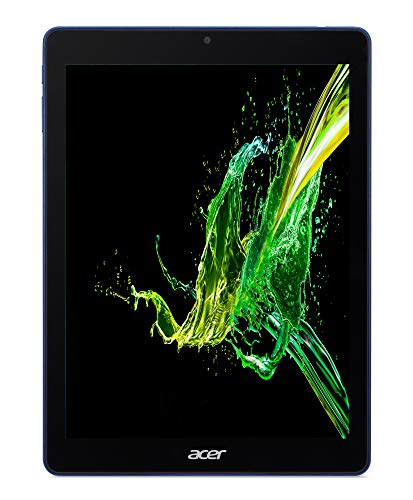
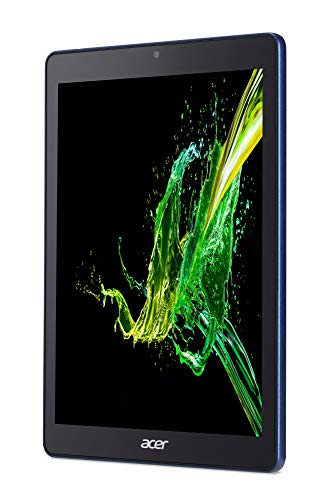
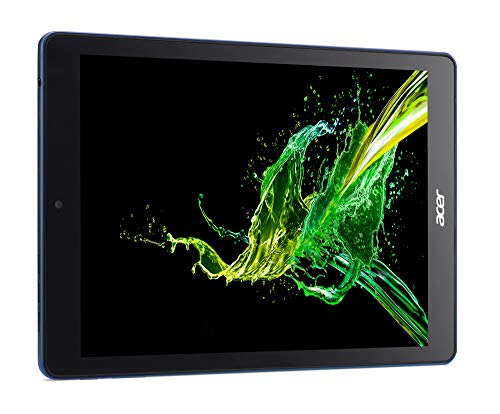
Acer Chromebook Tab 10 (4GB + 32GB) review. Compare 168 technical specifications and user reviews to see how it ranks among tablets and if it is worth buying.

5.8

Overall score

What it is: An overall evaluation of the smartphone's quality, based on technical analyses and user reviews.

When it matters: When you need a quick reference to identify the best Tablets on the market.

Score components:

90.0%

5.6

Technical Score

10.0%

7.1

User score

Good
5.6

Technical Score

What it is: An assessment of the smartphone's technical performance, covering eight key areas: performance & hardware, software, camera, connectivity, display, battery, audio, and design.

When it matters: When you want to compare Tablets based on technical performance and available features.

Score components:

22.0%

5.1

Performance

20.0%

5.1

Display

16.0%

3.8

Camera

14.0%

7.6

Battery

12.0%

5.5

Connectivity

8.0%

9.0

Software & Features

5.0%

6.6

Design

3.0%

4.5

Audio & Multimedia

Good
7.1

User score

What it is: A rating that combines user reviews and the total number of reviews received by the smartphone

When it matters: When you want to know how a smartphone handles daily tasks and how reliable it remains over time according to user feedback.

Score components:

70.0%

7.3

User reviews

30.0%

6.6

Popularity

User score:
United Kingdom
amazon
3.6
(14)
amazon
3.8
(9)
United States
Amazon_logo.png
3.6
(118)
Amazon_logo.png
3.8
(21)

(Reviews last updated: May 2026)

Very good
  • 5.5
    Gaming

    Score components:

    25.0%

    4.9

    RAM capacity

    20.0%

    1.0

    Refresh rate

    20.0%

    9.0

    GPU frequency

    20.0%

    4.6

    Chipset

    15.0%

    9.1

    Battery capacity

  • 5.4
    School

    Score components:

    20.0%

    4.6

    Chipset

    20.0%

    5.7

    Battery life

    20.0%

    4.9

    RAM capacity

    10.0%

    5.9

    Weight

    10.0%

    1.9

    Internal storage

    10.0%

    10

    Keyboard accessory

    10.0%

    5.9

    Screen size

  • 4.9
    Work

    Score components:

    30.0%

    4.9

    RAM capacity

    25.0%

    4.6

    Chipset

    20.0%

    1.9

    Internal storage

    15.0%

    5.9

    Screen size

    5.0%

    10

    Keyboard accessory

    5.0%

    10

    Stylus included

  • 5.4
    Seniors

    Score components:

    20.0%

    5.9

    Screen size

    20.0%

    5.7

    Battery life

    20.0%

    5.9

    Weight

    20.0%

    4.9

    RAM capacity

    20.0%

    4.6

    Chipset

  • 6.1
    Kids

    Score components:

    25.0%

    9.1

    Battery capacity

    25.0%

    4.9

    RAM capacity

    15.0%

    5.9

    Weight

    15.0%

    1.9

    Internal storage

    10.0%

    5.9

    Screen size

    10.0%

    9.0

    Price

  • 4.0
    Travel

    Score components:

    20.0%

    4.9

    RAM capacity

    20.0%

    5.7

    Battery life

    15.0%

    4.6

    Chipset

    15.0%

    5.9

    Weight

    10.0%

    1.0

    Cellular module

    10.0%

    1.0

    5G connectivity

    5.0%

    1.0

    GPS

    5.0%

    1.9

    Internal storage

  • acer-chromebook-tab-10-4gb-32gb
  • acer-chromebook-tab-10-4gb-32gb
  • acer-chromebook-tab-10-4gb-32gb
  • acer-chromebook-tab-10-4gb-32gb
  • acer-chromebook-tab-10-4gb-32gb
acer-chromebook-tab-10-4gb-32gb

Best prices in UK

Best rankings

?

Available: ranking among products currently available (including other versions of this product).
All: ranking among all products in the database.

Verdict

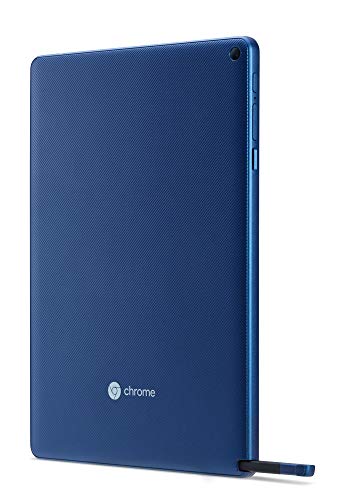
The Acer Chromebook Tab 10 is an education-focused 9.7-inch tablet featuring a high-resolution 2048 x 1536 QXGA IPS display and a battery-free, integrated Wacom EMR stylus. It is powered by an OP1 hexa-core processor (Rockchip RK3399) paired with 4GB of LPDDR3 RAM and 32GB of eMMC storage, which is expandable via a microSD card slot. Main advantages include its crisp screen, the inclusion of a pressure-sensitive stylus, and access to the Google Play Store for Android apps. However, it suffers from sluggish multitasking performance, mediocre 5MP rear and 2MP front cameras, and weak internal speakers.

Technical Specifications of tablet Acer Chromebook Tab 10 (4GB + 32GB)

Technical Score

What it is: An assessment of the smartphone's technical performance, covering eight key areas: performance & hardware, software, camera, connectivity, display, battery, audio, and design.

When it matters: When you want to compare Tablets based on technical performance and available features.

Score components:

22.0%

5.1

Performance

20.0%

5.1

Display

16.0%

3.8

Camera

14.0%

7.6

Battery

12.0%

5.5

Connectivity

8.0%

9.0

Software & Features

5.0%

6.6

Design

3.0%

4.5

Audio & Multimedia

5.6
Acer Chromebook Tab 10 (4GB + 32GB) has a technical score of 5.65 points, which is lower than 51% of Tablets.
User score

What it is: A rating that combines user reviews and the total number of reviews received by the smartphone

When it matters: When you want to know how a smartphone handles daily tasks and how reliable it remains over time according to user feedback.

Score components:

70.0%

7.3

User reviews

30.0%

6.6

Popularity

User score:
United Kingdom
amazon
3.6
(14)
amazon
3.8
(9)
United States
Amazon_logo.png
3.6
(118)
Amazon_logo.png
3.8
(21)

(Reviews last updated: May 2026)

7.1
Acer Chromebook Tab 10 (4GB + 32GB) has a user score of 7.06 points, which is lower than 85.4% of Tablets.
Popularity
What it is: An indicator based on the number of reviews received by the smartphone.
When it matters: When you prefer to purchase a product chosen and reviewed by many other consumers.
6.6
Acer Chromebook Tab 10 (4GB + 32GB) has a popularity of 6.6 points, which is higher than 77.9% of smartphones.
Ratio quality/price

What it is: An indicator that combines the smartphone's overall rating with its cost.

When it matters: When you are looking for a smartphone with a good balance between quality and price.

Score components:

60.0%

5.8

Overall score

40.0%

9.0

Price

6.7
Acer Chromebook Tab 10 (4GB + 32GB) has a quality-to-price ratio of 6.7 points, which is lower than 51.2% of smartphones.
Brand name
What it is: The manufacturer or brand of the product.
When it matters: When you prefer a specific ecosystem, support network, or design philosophy.

Importance: MEDIUM

Acer
RAM capacity
What it is: The amount of volatile memory available for running apps and multitasking.
When it matters: When you use multiple apps at once or want smoother multitasking without reloads.

Importance: HIGH

Good value: >=8 GB

4 GB
Acer Chromebook Tab 10 (4GB + 32GB) has a RAM capacity of 4 GB which is larger than the RAM capacity of 47.6% of tablets and equal to that of 17.6% of tablets.
Process node
What it is: The size of the manufacturing process used to create the chip's transistors, measured in nanometers (nm). Smaller nodes generally indicate more advanced, power-efficient chips.
When it matters: When you want a chipset that is more power-efficient and generates less heat.

Importance: HIGH

Good value: <7 nm

28 nm
Acer Chromebook Tab 10 (4GB + 32GB) is built on a 28 nm nm process node, which is larger than the node size used in 64.7% of tablets and equal to the node used in 17.8% of tablets.
Internal storage
What it is: The total built-in space available for apps, media, and files.
When it matters: When you keep large libraries of photos, videos, and apps directly on your device.

Importance: HIGH

Good value: >=128 GB

32 GB
Acer Chromebook Tab 10 (4GB + 32GB) has an internal storage capacity of 32 GB which is smaller than the storage of 60.5% of tablets and equal to that of 18% of tablets.
Geekbench 6 single-core benchmark score
What it is: A cross-platform benchmark by Primate Labs that measures single-core CPU performance. It reflects how quickly a device handles everyday tasks that rely on a single processing core.
When it matters: When you want snappy responsiveness in everyday interactions and simple apps.

Importance: HIGH

Good value: >1300

?
Show more
Screen resolution
What it is: The total number of pixels displayed on the screen, expressed as width x height, determining sharpness.
When it matters: When you want text and media to look sharper on a larger display.

Importance: HIGH

2048×1536
Acer Chromebook Tab 10 (4GB + 32GB) has a screen resolution of 2048×1536 which is higher than that of 68.6% of tablets and equal to that of 3.8% of tablets.
Refresh rate
What it is: The number of times per second the display updates the image, measured in Hertz (Hz); higher rates offer smoother motion.
When it matters: When you want scrolling to feel fluid and games to look smoother.

Importance: HIGH

Good value: >=120 Hz

60 Hz
Acer Chromebook Tab 10 (4GB + 32GB) supports a refresh rate of 60 Hz which is higher than in 0% of tablets and equal to that in 73.8% of tablets.
Display type
What it is: The specific technology used for the screen panel (e.g., OLED, IPS LCD), influencing contrast, color, and efficiency.
When it matters: When you care about vibrant colors, deep blacks, and battery efficiency.

Importance: HIGH

IPS LCD
Acer Chromebook Tab 10 (4GB + 32GB) uses a IPS LCD display type. 75.4% of tablets use this display technology.
Pixel density
What it is: The concentration of pixels on the display, measured in pixels per inch (PPI), affecting image clarity.
When it matters: When you read a lot, look at fine details, or want text and graphics to look cleaner at close range.

Importance: HIGH

Good value: >250 ppi

264 ppi
Acer Chromebook Tab 10 (4GB + 32GB) has a pixel density of 264 ppi which is higher than that of 71% of tablets and equal to that of 6% of tablets.
Display glass type
What it is: The specific brand or model of strengthened glass used to protect the screen from scratches and drops.
When it matters: When drops, scratches, or long-term screen wear are a concern in daily use.

Importance: HIGH

Corning Gorilla Glass
Acer Chromebook Tab 10 (4GB + 32GB) uses Corning Gorilla Glass display glass which is stronger than that on 45.4% of tablets and equal to that on 32.7% of tablets.
Show more
Optical image stabilization
What it is: A hardware mechanism that physically moves the camera lens or sensor to counteract hand shakiness and reduce blur in photos and videos.
When it matters: When you want to reduce blur in photos and shake in videos, especially in low light.

Importance: HIGH

no
Acer Chromebook Tab 10 (4GB + 32GB) does not support optical image stabilization. 0.4% of tablets include OIS.
Main camera megapixels
What it is: The resolution of the primary rear camera sensor, measured in millions of pixels (MP). Higher megapixels can capture more detail.
When it matters: When you want to capture high-resolution images that can be cropped or printed large.

Importance: HIGH

5 MP
Acer Chromebook Tab 10 (4GB + 32GB) has a main camera resolution of 5 MP MP which is lower than that of 61.7% of tablets and equal to that of 26.3% of tablets.
Front camera megapixels
What it is: The resolution of the front-facing camera, measured in megapixels, determining the detail level of selfies.
When it matters: When you want detailed selfies or high-quality video for calls and streaming.

Importance: HIGH

Good value: >=8 MP

2 MP
Acer Chromebook Tab 10 (4GB + 32GB) has a front camera resolution of 2 MP MP which is lower than in 53.4% of tablets and equal to that in 25.5% of tablets.
Main camera aperture
What it is: The size of the lens opening (f-stop) that controls light entry. A lower f-number indicates a wider aperture, allowing better low-light shots.
When it matters: When you want better low-light performance or a natural background blur effect.

Importance: HIGH

f/2.2
Acer Chromebook Tab 10 (4GB + 32GB) has a main camera aperture of f/2.2 which is wider than that of 30% of tablets and equal to that of 27.6% of tablets.
Optical zoom
What it is: A true zoom feature that adjusts the camera lens to get closer to the subject without losing image quality, unlike digital zoom.
When it matters: When you want to get closer to a distant subject without losing image clarity.

Importance: HIGH

1xx
Acer Chromebook Tab 10 (4GB + 32GB) supports 1x x optical zoom which is higher than in 18.4% of tablets and equal to that in 80.7% of tablets.
Show more
Battery capacity
What it is: The amount of electric charge the battery can hold, measured in milliampere-hours (mAh).
When it matters: When you want a stronger chance of longer battery life, especially if you use the tablet heavily away from a charger.

Importance: HIGH

Good value: >8000 mAh

8,860 mAh
Acer Chromebook Tab 10 (4GB + 32GB) has a battery capacity of 8,860 mAh which is larger than the batteries in 82.6% of tablets and equal to those in 0.1% of tablets.
Charging speed
What it is: The maximum power input supported for wired charging, measured in Watts (W).
When it matters: When you are in a rush and need to top up your battery quickly.

Importance: HIGH

Good value: >30 W

45 W
Acer Chromebook Tab 10 (4GB + 32GB) supports charging speeds of 45 W which is faster than in 83.8% of tablets and equal to speeds in 6.7% of tablets.
Battery life
What it is: An estimate of how long the tablet can run on one charge.
When it matters: When you do not want to recharge the tablet too often.

Importance: HIGH

Good value: >10 hours

10 hours
Acer Chromebook Tab 10 (4GB + 32GB) has a battery life of 10 hours, which is longer than that of 39.1% of tablets and equal to that of 20.6% of tablets.
Wireless charging
What it is: The ability to charge the battery without cables by placing the device on a compatible charging pad.
When it matters: When you want to charge the tablet by placing it on a compatible pad.

Importance: MEDIUM

no
Acer Chromebook Tab 10 (4GB + 32GB) does not support wireless charging. 1.5% of tablets support wireless charging.
Fast charging
What it is: In the context of modern electronics, "Fast Charging" refers to any technology that delivers power significantly higher than the traditional USB baseline. While the industry standard for a basic charger is 5W (5V at 1A), a charger is generally classified as a fast charger if it provides at least 18W of power.
When it matters: When you want to minimize the time your tablet spends tethered to a wall outlet.

Importance: MEDIUM

yes
Acer Chromebook Tab 10 (4GB + 32GB) supports fast charging. 49.3% of tablets support fast charging.
Show more
LTE support
What it is: Support for Long-Term Evolution (4G) networks, providing high-speed mobile data.
When it matters: When you need reliable mobile internet coverage in areas where 5G isn't available.

Importance: HIGH

no
Acer Chromebook Tab 10 (4GB + 32GB) does not support LTE. 63.3% of tablets include LTE connectivity.
Wi-Fi connectivity
What it is: The ability to connect to wireless local area networks for internet access and local networking.
When it matters: When you want to save mobile data and connect to home or public networks.

Importance: HIGH

yes
Acer Chromebook Tab 10 (4GB + 32GB) supports Wi-Fi connectivity. 99.9% of tablets offer Wi-Fi support.
GPS
What it is: Support for the Global Positioning System to determine the device's precise location.
When it matters: When you need accurate navigation for driving, walking, or exploring new places.

Importance: HIGH

no
Acer Chromebook Tab 10 (4GB + 32GB) does not support GPS. 83.2% of tablets include GPS functionality.
5G connectivity
What it is: Support for the fifth generation of mobile network technology, offering significantly faster data speeds and lower latency.
When it matters: When you need the fastest possible mobile data speeds for streaming and downloading on the go.

Importance: MEDIUM

no
Acer Chromebook Tab 10 (4GB + 32GB) does not support 5G connectivity. 10.8% of tablets support 5G.
This version supports cellular data up to 4G/LTE or 3G, not 5G.
NFC
What it is: Near Field Communication technology that enables contactless payments, quick pairing, and data exchange over short distances.
When it matters: When you want to make contactless payments or quickly pair with compatible accessories.

Importance: MEDIUM

no
Acer Chromebook Tab 10 (4GB + 32GB) does not support NFC. 9.8% of tablets include NFC.
Show more
Operating system
What it is: The primary system software that manages the tablet's hardware and software resources.
When it matters: When you have a preference for the user interface and app ecosystem.

Importance: HIGH

?
Update support duration
What it is: The expected length of software update support for the tablet.
When it matters: When you care about how long the tablet should keep getting software updates.

Importance: HIGH

long
Acer Chromebook Tab 10 (4GB + 32GB) offers long update support, which is longer than the support period of 79.3% of tablets and equal to that of 20.7% of tablets.
Direct OS updates
What it is: Receives major operating system updates directly from the device maker or platform provider instead of waiting on extra intermediaries.
When it matters: When fast access to new Android or system features and security patches matters to you.

Importance: HIGH

yes
Acer Chromebook Tab 10 (4GB + 32GB) receives direct OS updates. 79.4% of tablets receive direct updates.
On-device AI
What it is: A tablet feature related to on-device ai.
When it matters: When you use smart writing, photo, voice, or search features and want them to work faster or more privately on the tablet itself.

Importance: MEDIUM

?
App tracking protection
What it is: A system-level feature that limits how apps track user behavior across other apps and services.
When it matters: When you want to stop apps from following your activity across other companies' apps and websites.

Importance: MEDIUM

yes
Acer Chromebook Tab 10 (4GB + 32GB) includes app tracking protection. 25.2% of tablets support this feature.
Show more
IP rating
What it is: A standardized code (Ingress Protection) indicating the device's resistance to dust and water intrusion.
When it matters: When you use the tablet around water, outdoors, or in dusty environments and want more durability.

Importance: MEDIUM

not rated
Acer Chromebook Tab 10 (4GB + 32GB) has an IP rating of not rated which is equal to that of 83% of tablets.
Weight
What it is: The total mass of the tablet, affecting how heavy it feels in the hand.
When it matters: When you want the tablet to be easier to carry and hold for longer sessions.

Importance: MEDIUM

Good value: <500 g

550 g
Acer Chromebook Tab 10 (4GB + 32GB) weighs 550 g which is heavier than 65.2% of tablets and equal to the weight of 0.6% of tablets.
Backlit keyboard
What it is: A keyboard with illuminated keys for easier typing in darker environments.
When it matters: When you type in dim rooms or low light.

Importance: MEDIUM

no
Acer Chromebook Tab 10 (4GB + 32GB) does not support a backlit keyboard. 8.9% of tablets support this accessory feature.
Keyboard accessory
What it is: Support for a keyboard accessory made for the tablet.
When it matters: When you want the tablet to work more like a small laptop.

Importance: MEDIUM

yes
Acer Chromebook Tab 10 (4GB + 32GB) supports a keyboard accessory. 83.4% of tablets support this option.
Pen latency
What it is: The delay between stylus input and the line or action appearing on screen, usually measured in milliseconds.
When it matters: When you want stylus input to feel quicker and more natural.

Importance: MEDIUM

Good value: <10 ms

?
Show more
Number of microphones
What it is: The total count of microphones on the device, used for audio recording, noise cancellation, and voice isolation.
When it matters: When you want clear audio recording and better noise cancellation during calls.

Importance: MEDIUM

Good value: >=2

1
Acer Chromebook Tab 10 (4GB + 32GB) includes 1 microphones, which is more than in 0.2% of tablets and equal to the number in 55.1% of tablets.
aptX Adaptive
What it is: A Bluetooth codec that dynamically adjusts bitrate to balance audio quality and connection stability.
When it matters: When you use wireless headphones in changing environments and want better audio quality without sacrificing connection stability.

Importance: MEDIUM

no
Acer Chromebook Tab 10 (4GB + 32GB) does not support aptX Adaptive. 4.9% of tablets offer this codec.
No confirmed built-in aptX Adaptive Bluetooth codec support.
Dolby Atmos support
What it is: Support for Dolby Atmos audio playback or processing.
When it matters: When you want more immersive sound from compatible movies, games, or music.

Importance: MEDIUM

no
Acer Chromebook Tab 10 (4GB + 32GB) does not support Dolby Atmos. 26.4% of tablets support this audio feature.
No confirmed Dolby Atmos audio support.
N. of speakers
What it is: The number of built-in speakers used for audio playback.
When it matters: When you want fuller sound without always using headphones.

Importance: MEDIUM

Good value: >=4

2
Acer Chromebook Tab 10 (4GB + 32GB) includes 2 speakers, which is more than in 12.2% of tablets and equal to the number in 59.2% of tablets.
Dual speakers.
FM radio
What it is: A built-in receiver allowing users to listen to local FM radio stations using wired headphones as an antenna.
When it matters: When you want to listen to local radio stations without using mobile data.

Importance: LOW

no
Acer Chromebook Tab 10 (4GB + 32GB) does not include an FM radio. 14.9% of tablets offer FM radio functionality.
No confirmed built-in FM radio support.
Show more

Acer Chromebook Tab 10 (4GB + 32GB) vs the average tablet

  • 2.5x faster charging speed
    Acer Chromebook Tab 10 (4GB + 32GB) supports faster charging than the average tablet (45 W vs 18 W). The average tablet supports charging speed of 18 W.
    What it is: The maximum power input supported for wired charging, measured in Watts (W).
    When it matters: When you are in a rush and need to top up your battery quickly.

    Importance: HIGH

    Good value: >30 W

    Acer Chromebook Tab 10 (4GB + 32GB) supports faster charging than the average tablet (45 W vs 18 W). The average tablet supports charging speed of 18 W.45 W vs 18 W
  • Supports DisplayPort over USB-C
    Acer Chromebook Tab 10 (4GB + 32GB) supports DisplayPort over USB-C, the average tablet does not. 19.9% of tablets support DisplayPort over USB-C.
    Supports native display output over USB-C.
    What it is: Support for sending video to an external display through USB-C using DisplayPort Alt Mode.
    When it matters: When you want to connect the tablet to an external display through USB-C.

    Importance: MEDIUM

    Acer Chromebook Tab 10 (4GB + 32GB) supports DisplayPort over USB-C, the average tablet does not. 19.9% of tablets support DisplayPort over USB-C.
  • Supports fast charging
    Acer Chromebook Tab 10 (4GB + 32GB) supports fast charging, the average tablet does not. 49.3% of tablets feature fast charging.
    What it is: In the context of modern electronics, "Fast Charging" refers to any technology that delivers power significantly higher than the traditional USB baseline. While the industry standard for a basic charger is 5W (5V at 1A), a charger is generally classified as a fast charger if it provides at least 18W of power.
    When it matters: When you want to minimize the time your tablet spends tethered to a wall outlet.

    Importance: MEDIUM

    Acer Chromebook Tab 10 (4GB + 32GB) supports fast charging, the average tablet does not. 49.3% of tablets feature fast charging.
  • 34.2% larger battery capacity
    Acer Chromebook Tab 10 (4GB + 32GB) has a higher battery capacity than the average tablet (8,860 mAh vs 6,600 mAh). The average tablet battery has capacity of 6,600 mAh.
    What it is: The amount of electric charge the battery can hold, measured in milliampere-hours (mAh).
    When it matters: When you want a stronger chance of longer battery life, especially if you use the tablet heavily away from a charger.

    Importance: HIGH

    Good value: >8000 mAh

    Acer Chromebook Tab 10 (4GB + 32GB) has a higher battery capacity than the average tablet (8,860 mAh vs 6,600 mAh). The average tablet battery has capacity of 6,600 mAh.8,860 mAh vs 6,600 mAh
  • Includes battery health monitoring
    Acer Chromebook Tab 10 (4GB + 32GB) features battery health monitoring, the average tablet does not. 34.7% of tablets include battery health tools.
    What it is: A system that tracks and reports the battery's condition, capacity degradation, and overall health over time to help users understand performance changes.
    When it matters: When you keep the tablet for years and want early warning if the battery is wearing out.

    Importance: LOW

    Acer Chromebook Tab 10 (4GB + 32GB) features battery health monitoring, the average tablet does not. 34.7% of tablets include battery health tools.
  • Longer update support
    Acer Chromebook Tab 10 (4GB + 32GB) offers longer update support than the average tablet (long vs medium). The average tablet gets medium of update support.
    What it is: The expected length of software update support for the tablet.
    When it matters: When you care about how long the tablet should keep getting software updates.

    Importance: HIGH

    Acer Chromebook Tab 10 (4GB + 32GB) offers longer update support than the average tablet (long vs medium). The average tablet gets medium of update support.long vs medium
  • Includes a stylus
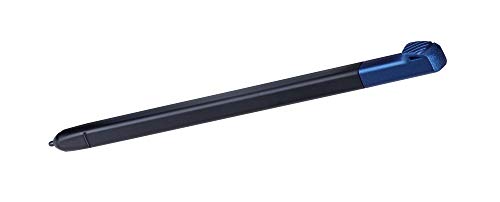
    Acer Chromebook Tab 10 (4GB + 32GB) includes a stylus, the average tablet does not. 15.2% of tablets come with a stylus.
    What it is: Comes bundled with a compatible digital pen instead of requiring a separate stylus purchase.
    When it matters: When note-taking, drawing, or precise document markup is part of how you plan to use the tablet.

    Importance: LOW

    Acer Chromebook Tab 10 (4GB + 32GB) includes a stylus, the average tablet does not. 15.2% of tablets come with a stylus.
  • Includes app tracking protection
    Acer Chromebook Tab 10 (4GB + 32GB) includes app tracking protection, the average tablet does not. 25.2% of tablets offer app tracking protection.
    What it is: A system-level feature that limits how apps track user behavior across other apps and services.
    When it matters: When you want to stop apps from following your activity across other companies' apps and websites.

    Importance: MEDIUM

    Acer Chromebook Tab 10 (4GB + 32GB) includes app tracking protection, the average tablet does not. 25.2% of tablets offer app tracking protection.
  • Supports external displays
    Acer Chromebook Tab 10 (4GB + 32GB) has more supported external displays than the average tablet (yes vs no). The average tablet supports no external displays.
  • Higher screen resolution
    Acer Chromebook Tab 10 (4GB + 32GB) has a higher screen resolution than the average tablet (2048×1536 vs 1920×1200). The average tablet resolution is 1920×1200.
  • 17.9% higher pixel density
    Acer Chromebook Tab 10 (4GB + 32GB) has a higher pixel density than the average tablet (264 ppi vs 224 ppi). The average tablet has pixel density of 224 ppi.
  • 40 ppi higher screen sharpness
    Acer Chromebook Tab 10 (4GB + 32GB) has a higher screen sharpness than the average tablet (264 ppi vs 224 ppi). The average tablet has screen sharpness of 224 ppi.
  • 2.5x faster charging speed
    Acer Chromebook Tab 10 (4GB + 32GB) supports faster charging than the average tablet (45 W vs 18 W). The average tablet supports charging speed of 18 W.
  • Supports fast charging
    Acer Chromebook Tab 10 (4GB + 32GB) supports fast charging, the average tablet does not. 49.3% of tablets feature fast charging.
  • 34.2% larger battery capacity
    Acer Chromebook Tab 10 (4GB + 32GB) has a higher battery capacity than the average tablet (8,860 mAh vs 6,600 mAh). The average tablet battery has capacity of 6,600 mAh.
  • Includes battery health monitoring
    Acer Chromebook Tab 10 (4GB + 32GB) features battery health monitoring, the average tablet does not. 34.7% of tablets include battery health tools.
  • Supports DisplayPort over USB-C
    Acer Chromebook Tab 10 (4GB + 32GB) supports DisplayPort over USB-C, the average tablet does not. 19.9% of tablets support DisplayPort over USB-C.
  • Newer USB version
    Acer Chromebook Tab 10 (4GB + 32GB) supports a newer USB version than the average tablet (USB 3.2 Gen 1 vs USB 2.0). The average tablet uses USB USB 2.0.
  • Has HDMI output
    Acer Chromebook Tab 10 (4GB + 32GB) supports HDMI output, the average tablet does not. 49.6% of tablets offer direct HDMI connectivity.
  • Longer update support
    Acer Chromebook Tab 10 (4GB + 32GB) offers longer update support than the average tablet (long vs medium). The average tablet gets medium of update support.
  • Includes app tracking protection
    Acer Chromebook Tab 10 (4GB + 32GB) includes app tracking protection, the average tablet does not. 25.2% of tablets offer app tracking protection.
  • Supports dynamic theme
    Acer Chromebook Tab 10 (4GB + 32GB) features dynamic themes, the average tablet does not. 29.1% of tablets offer dynamic theming.
  • Has clipboard warnings
    Acer Chromebook Tab 10 (4GB + 32GB) has clipboard warnings, the average tablet does not. 38% of tablets include clipboard warnings.
  • Includes a stylus
    Acer Chromebook Tab 10 (4GB + 32GB) includes a stylus, the average tablet does not. 15.2% of tablets come with a stylus.
  • Suitable for drawing
    Acer Chromebook Tab 10 (4GB + 32GB) is suitable for drawing, the average tablet is not. 40.3% of tablets are suitable for drawing.
  • Good for kids
    Acer Chromebook Tab 10 (4GB + 32GB) is suitable for kids, the average tablet is not. 23.6% of tablets are suitable for kids.
  • 66.3% lower Geekbench 6 multi-core benchmark score
    Acer Chromebook Tab 10 (4GB + 32GB) achieves a lower Geekbench 6 multi-core benchmark score than the average tablet (630 points vs 1,872 points). The average tablet scores 1,872 points in Geekbench 6 multi-core.
  • 2x larger process node
    Acer Chromebook Tab 10 (4GB + 32GB) uses a larger process node than the average tablet (28 nm vs 14 nm). The average tablet uses a process node of 14 nm.
  • 50% less storage
    Acer Chromebook Tab 10 (4GB + 32GB) has less internal storage than the average tablet (32 GB vs 64 GB). The average tablet provides 64 GB of internal storage.
  • 14.1% lower memory bandwidth
    Acer Chromebook Tab 10 (4GB + 32GB) has a lower memory bandwidth than the average tablet (12.8 GB/s vs 14.9 GB/s). The average tablet has memory bandwidth of 14.9 GB/s.
  • 852 points lower PassMark benchmark
    Acer Chromebook Tab 10 (4GB + 32GB) achieves a lower PassMark benchmark result than the average tablet (1,559 points vs 2,411 points). The average tablet scores 2,411 points in PassMark.
  • Supports older OpenCL version
    Acer Chromebook Tab 10 (4GB + 32GB) supports a lower OpenCL version than the average tablet (1.2 vs 2.0). The average tablet supports OpenCL version 2.0.
  • 101 nits lower peak brightness
    Acer Chromebook Tab 10 (4GB + 32GB) has a lower peak brightness than the average tablet (300 nits vs 401 nits). The average tablet reaches 401 nits peak brightness.
  • 0.4 inches smaller screen size
    Acer Chromebook Tab 10 (4GB + 32GB) has a lower screen size than the average tablet (9.7 inches vs 10.1 inches). The average tablet has screen size of 10.1 inches.
  • 18 nits lower typical brightness
    Acer Chromebook Tab 10 (4GB + 32GB) has a lower typical brightness than the average tablet (382 nits vs 400 nits). The average tablet reaches 400 nits typical brightness.
  • No continuous video AF
    Acer Chromebook Tab 10 (4GB + 32GB) does not support continuous video AF, the average tablet does. 55.4% of tablets support continuous video autofocus.
  • 3 MP lower front camera megapixels
    Acer Chromebook Tab 10 (4GB + 32GB) has less front camera megapixels than the average tablet (2 MP vs 5 MP). The average tablet has 5 MP front camera resolution.
  • No touch autofocus
    Acer Chromebook Tab 10 (4GB + 32GB) does not support touch autofocus, the average tablet does. 82.8% of tablets allow touch-to-focus.
  • Narrower front camera aperture
    Acer Chromebook Tab 10 (4GB + 32GB) has a worse front camera aperture than the average tablet (f/2.4 vs f/2.2). The average tablet uses f/2.2 front camera aperture.
  • No HDR photo mode
    Acer Chromebook Tab 10 (4GB + 32GB) does not have HDR photo mode, the average tablet does. 80.2% of tablets support HDR photo mode.
  • No manual exposure control
    Acer Chromebook Tab 10 (4GB + 32GB) does not offer manual exposure control, the average tablet does. 67.4% of tablets have manual exposure.
  • Worse main-camera video
    Acer Chromebook Tab 10 (4GB + 32GB) supports worse main-camera video recording than the average tablet (720x30 fps vs 1080x30 fps). The average tablet supports 1080x30 fps main-camera video recording.
  • No manual white balance
    Acer Chromebook Tab 10 (4GB + 32GB) does not allow manual white balance adjustments, the average tablet does. 51.2% of tablets include white balance controls.
  • 3 MP lower main camera megapixels
    Acer Chromebook Tab 10 (4GB + 32GB) has a lower-resolution main camera than the average tablet (5 MP vs 8 MP). The average tablet has a 8 MP main camera.
  • No panorama mode
    Acer Chromebook Tab 10 (4GB + 32GB) does not have a panorama mode, the average tablet does. 78.5% of tablets include panorama features.
  • No LTE support
    Acer Chromebook Tab 10 (4GB + 32GB) does not support LTE, the average tablet does. 63.3% of tablets support LTE.
  • No GPS
    Acer Chromebook Tab 10 (4GB + 32GB) does not have GPS, the average tablet does. 83.2% of tablets feature GPS.
  • No cellular module
    Acer Chromebook Tab 10 (4GB + 32GB) does not have a cellular module, the average tablet does. 59.7% of tablets include a cellular module.
  • No compass
    Acer Chromebook Tab 10 (4GB + 32GB) does not have a compass, the average tablet does. 61.1% of tablets include a built-in compass.
  • Older Bluetooth version
    Acer Chromebook Tab 10 (4GB + 32GB) uses an older Bluetooth version than the average tablet (4.1 vs 5.0). The average tablet uses Bluetooth 5.0.
    Bluetooth version: 4.1.
  • 1.98 mm thicker
    Acer Chromebook Tab 10 (4GB + 32GB) is thicker than the average tablet (10 mm vs 8 mm). The average tablet is 8 mm thick.
  • 12.2% heavier
    Acer Chromebook Tab 10 (4GB + 32GB) is heavier than the average tablet (550 g vs 490 g). The average tablet weighs 490 g.
  • 38.2 mm taller
    Acer Chromebook Tab 10 (4GB + 32GB) is taller than the average tablet (238.2 mm vs 200 mm). The average tablet is 200 mm tall.
  • No LTE support
    Acer Chromebook Tab 10 (4GB + 32GB) does not support LTE, the average tablet does. 63.3% of tablets support LTE.
    What it is: Support for Long-Term Evolution (4G) networks, providing high-speed mobile data.
    When it matters: When you need reliable mobile internet coverage in areas where 5G isn't available.

    Importance: HIGH

    Acer Chromebook Tab 10 (4GB + 32GB) does not support LTE, the average tablet does. 63.3% of tablets support LTE.
  • No continuous video AF
    Acer Chromebook Tab 10 (4GB + 32GB) does not support continuous video AF, the average tablet does. 55.4% of tablets support continuous video autofocus.
    What it is: Support for keeping focus updated automatically while recording video.
    When it matters: When you record moving subjects and want focus to keep up.

    Importance: LOW

    Acer Chromebook Tab 10 (4GB + 32GB) does not support continuous video AF, the average tablet does. 55.4% of tablets support continuous video autofocus.
  • 3 MP lower front camera megapixels
    Acer Chromebook Tab 10 (4GB + 32GB) has less front camera megapixels than the average tablet (2 MP vs 5 MP). The average tablet has 5 MP front camera resolution.
    What it is: The resolution of the front-facing camera, measured in megapixels, determining the detail level of selfies.
    When it matters: When you want detailed selfies or high-quality video for calls and streaming.

    Importance: HIGH

    Good value: >=8 MP

    Acer Chromebook Tab 10 (4GB + 32GB) has less front camera megapixels than the average tablet (2 MP vs 5 MP). The average tablet has 5 MP front camera resolution.2 MP vs 5 MP
  • No touch autofocus
    Acer Chromebook Tab 10 (4GB + 32GB) does not support touch autofocus, the average tablet does. 82.8% of tablets allow touch-to-focus.
    What it is: Allows the user to tap a specific area on the viewfinder screen to set the focus point manually.
    When it matters: When you want creative control to decide exactly which part of the image should be sharp.

    Importance: MEDIUM

    Acer Chromebook Tab 10 (4GB + 32GB) does not support touch autofocus, the average tablet does. 82.8% of tablets allow touch-to-focus.
  • Narrower front camera aperture
    Acer Chromebook Tab 10 (4GB + 32GB) has a worse front camera aperture than the average tablet (f/2.4 vs f/2.2). The average tablet uses f/2.2 front camera aperture.
    What it is: The f-stop value of the front camera lens, affecting light intake and background blur in selfies.
    When it matters: When you take selfies in low light and want them to appear brighter.

    Importance: MEDIUM

    Acer Chromebook Tab 10 (4GB + 32GB) has a worse front camera aperture than the average tablet (f/2.4 vs f/2.2). The average tablet uses f/2.2 front camera aperture.f/2.4 vs f/2.2
  • 101 nits lower peak brightness
    Acer Chromebook Tab 10 (4GB + 32GB) has a lower peak brightness than the average tablet (300 nits vs 401 nits). The average tablet reaches 401 nits peak brightness.
    What it is: The absolute maximum brightness a small portion of the screen can achieve briefly, usually when displaying HDR content.
    When it matters: When you watch HDR content and want highlights like explosions or sunlight to look realistic.

    Importance: MEDIUM

    Good value: >500 nits

    Acer Chromebook Tab 10 (4GB + 32GB) has a lower peak brightness than the average tablet (300 nits vs 401 nits). The average tablet reaches 401 nits peak brightness.300 nits vs 401 nits
  • No HDR photo mode
    Acer Chromebook Tab 10 (4GB + 32GB) does not have HDR photo mode, the average tablet does. 80.2% of tablets support HDR photo mode.
    What it is: Support for taking photos with extended highlight and shadow detail.
    When it matters: When you want better highlight and shadow detail in photos.

    Importance: LOW

    Acer Chromebook Tab 10 (4GB + 32GB) does not have HDR photo mode, the average tablet does. 80.2% of tablets support HDR photo mode.
  • No manual exposure control
    Acer Chromebook Tab 10 (4GB + 32GB) does not offer manual exposure control, the average tablet does. 67.4% of tablets have manual exposure.
    What it is: Gives the user control over the overall brightness of the image by adjusting exposure compensation values.
    When it matters: When the automatic settings make the image too bright or too dark for your taste.

    Importance: LOW

    Acer Chromebook Tab 10 (4GB + 32GB) does not offer manual exposure control, the average tablet does. 67.4% of tablets have manual exposure.

Graphic comparison of Acer Chromebook Tab 10 (4GB + 32GB) and other tablets

Attribute category
Attribute
No results found

Third-party reviews

(Reviews last updated: May 2026)

What customers like about Acer Chromebook Tab 10 (4GB + 32GB)?

  • High-resolution (2048 x 1536) 9.7-inch IPS display provides sharp and colorful visuals similar to Apple's Retina screens.
  • Integrated Wacom EMR stylus is battery-free, pressure-sensitive, and stores conveniently inside the tablet body.
  • Durable, ruggedized build with a textured plastic back makes it ideal for classroom environments and younger users.
  • Lightweight and portable design at approximately 1.2 pounds, making it easy to carry in a backpack.
  • Supports long-term Chrome OS updates and IT remote-management features for schools.
  • Includes a 3.5mm headphone jack and a microSD card slot for expandable storage.

What customers dislike about Acer Chromebook Tab 10 (4GB + 32GB)?

  • Sluggish performance and lag when multitasking or switching between multiple Chrome tabs and Android apps.
  • Battery life typically lasts between 6 and 9 hours, falling short of competitors like the iPad.
  • Poor front and rear camera quality that produces grainy, washed-out images unsuitable for anything beyond basic documentation.
  • Chrome OS interface is not fully optimized for touch-only use, making navigation difficult without a keyboard.
  • Underpowered speakers that lack volume and depth, often requiring headphones for media consumption.
  • Small stylus size can cause hand cramping during extended note-taking sessions.

Expert reviews

T
techradar.com
23/05/2018

The Acer Chromebook Tab 10 is the first tablet running Chrome OS, designed for education with a 9.7-inch display, built-in Wacom EMR stylus, and versatile ports. It competes with the iPad by offering integrated stylus storage and a functional, albeit basic, design aimed at school environments. Performance is a major drawback, as the Rockchip processor and 4GB of RAM struggle with...Read more

A
arstechnica.com
23/06/2018

The Ars Technica review characterizes the Acer Chromebook Tab 10 as a durable, education-focused device featuring a high-resolution 9.7-inch display and a convenient, docked Wacom EMR stylus. While offering solid 10-hour battery life and fast-charging USB-C, the tablet suffers from a lackluster Rockchip processor and 4GB of RAM that results in sluggish, unpolished performance....Read more

P
pcmag.com
27/06/2018

The Acer Chromebook Tab 10, analyzed in the PCMag review, is positioned as the first "pure" slate tablet running Chrome OS, specifically designed for the K-12 education market with a durable, easy-to-clean cobalt blue chassis. It features a high-resolution 9.7-inch display and an integrated, battery-free Wacom EMR stylus, which are significant highlights for student use. Powered by...Read more

E
expertreviews.co.uk
29/06/2018

The Expert Reviews assessment of the Acer Chromebook Tab 10 describes it as a sturdy, education-focused device that fails to challenge the iPad due to software and performance limitations. Key pros include a lightweight design, a Wacom EMR stylus that docks inside the chassis, and an impressive 11-hour, 37-minute battery life. However, notable cons include sluggish performance from...Read more

A
androidheadlines.com
09/07/2018

The Android Headlines review of the Acer Chromebook Tab 10 highlights the device as a durable, education-focused pioneer that brings Chrome OS to a tablet form factor, featuring a sharp 9.7-inch display and a convenient, battery-free Wacom EMR stylus. While providing 9-10 hours of battery life and good performance for standard tasks, the tablet's Rockchip processor can struggle with...Read more

A
androidauthority.com
18/07/2018

The Acer Chromebook Tab 10 is designed for the education market, featuring a durable design, a high-resolution 9.7-inch display, and a built-in Wacom stylus. While it offers decent battery life, the tablet is plagued by performance issues, including significant lag from its underpowered processor and weak, "mediocre" cameras. Chrome OS in this tablet format feels unoptimized,...Read more

A
androidcentral.com
15/08/2018

The Acer Chromebook Tab 10, designed primarily for education, features a sharp 9.7-inch QXGA display and an integrated, battery-free Wacom EMR stylus for note-taking. While it serves as a functional, easily managed tool for classrooms, the device suffers from performance lag due to its processor, underwhelming cameras, and quiet speakers. Furthermore, the tablet experience in Chrome...Read more

E
edtechmagazine.com
23/08/2018

The EdTech Magazine review highlights the Acer Chromebook Tab 10 as the first Chrome OS tablet tailored for K-12, offering a portable, lightweight design (1.2 pounds) ideal for young students. Key advantages include a sharp 9.7-inch QXGA display and a battery-free Wacom EMR stylus that docks directly into the chassis. The tablet provides solid, all-day battery life, exceeding 11...Read more

M
mashable.com
31/08/2018

The Mashable review of the Acer Chromebook Tab 10 highlights a durable, education-focused device featuring a textured, robust plastic design and an integrated Wacom EMR stylus for effective note-taking. While well-suited for classroom environments, the tablet suffers from performance issues, including significant lag and glitching under multitasking, despite satisfactory single-task...Read more

L
laptopmag.com
03/10/2018

The Laptop Mag review of the Acer Chromebook Tab 10 describes it as a pioneering yet flawed Chrome OS tablet, featuring a vibrant 9.7-inch display but limited by a slow Rockchip OP1 processor and disappointing sub-seven-hour battery life. While the design is praised and it includes a functional, no-charge Wacom EMR stylus, the tablet struggles with performance compared to...Read more

T
trustedreviews.com
12/11/2018

The Trusted Reviews analysis of the Acer Chromebook Tab 10 highlights it as a pioneering educational tablet featuring a sharp 9.7-inch QXGA display and a convenient, docked Wacom EMR stylus. While durable and portable, the device suffers from performance issues with its OP1 processor, along with a clunky, non-optimized touch interface for Android apps. Furthermore, the tablet is...Read more

C
coreza.com
18/07/2018

The Acer Chromebook Tab 10, a durable tablet designed for education, features a sturdy plastic body, a sharp 2048×1536 screen, and a responsive, battery-free Wacom stylus. While suitable for schoolwork with excellent battery life, the device suffers from navigating issues within Chrome OS, a "microscopic" native screen resolution, and limited performance for gaming. Despite being an...Read more

U
uk.pcmag.com
27/06/2018

The Acer Chromebook Tab 10, designed for the K-12 education market, is the first "pure" tablet to run Chrome OS, featuring a sharp 9.7-inch display and an integrated Wacom EMR stylus. While its sturdy build and specialized IT management tools are major pros, the tablet is hindered by sluggish performance from its OP1 processor, which struggles with multitasking, and a Chrome OS...Read more

L
liliputing.com
13/07/2018

The Liliputing review highlights the Acer Chromebook Tab 10 as a pioneering education-focused tablet featuring a high-resolution 9.7-inch IPS display and a convenient, docked Wacom EMR stylus. While providing a full desktop browser and Android app support, the device suffers from performance lag during multitasking, a plastic build, and poor-quality cameras. Despite these...Read more

W
winfuture.de
07/08/2018

The Acer Chromebook Tab 10, designed primarily for the education market, features a durable blue plastic chassis, a high-resolution 9.7-inch QXGA IPS display, and an integrated Wacom EMR stylus that requires no charging. Performance is driven by a Rockchip OP1 processor, 4GB of RAM, and 32GB of storage, which the review notes can feel sluggish under heavy multitasking compared to...Read more

N
netzwelt.de
23/05/2018

The Netzwelt review highlights the Acer Chromebook Tab 10 as the first Chrome OS tablet, featuring a durable design, a 9.7-inch 2K display, and a built-in Wacom EMR stylus designed primarily for the educational market. Key strengths include excellent battery life exceeding 9 hours and access to Android apps via the Google Play Store. However, the device suffers from mediocre,...Read more

C
curved.de
23/01/2023

The Acer Chromebook Tab 10 is reviewed as a pioneering but flawed tablet, primarily designed for education with a sturdy build, textured grip, and an integrated, battery-free Wacom stylus. Performance drawbacks include a sluggish OP1 processor, inadequate multitasking capabilities, mediocre screen brightness, and poor camera quality. While offering solid battery life lasting a full...Read more

X
xavierstuder.com
23/07/2018

Xavier Studer's July 2018 review characterizes the Acer Chromebook Tab 10 as a sturdy, education-focused device featuring a sharp 9.7-inch QXGA display and an integrated, battery-free Wacom EMR stylus. While the stylus provides a strong, responsive drawing experience, the tablet's design is described as basic and utilitarian with a textured plastic chassis. The device operates on a...Read more

B
blablahightech.fr
07/09/2018

The Acer Chromebook Tab 10, designed for education, is the first tablet to run Chrome OS natively, featuring a durable, textured plastic design and a 9.7-inch QXGA IPS display. Key advantages include an integrated, battery-free Wacom EMR stylus for precise note-taking and exceptional battery life exceeding 9–10 hours. However, the device suffers from performance bottlenecks due to...Read more

M
mychromebook.fr
20/06/2019

The Acer Chromebook Tab 10, designed for education, is a 9.7-inch tablet with a 2048 x 1536 IPS display and integrated Wacom stylus, praised for its durability and excellent stylus performance. However, the device is limited by sluggish performance from its Rockchip OP1 processor and immature software, leading to a "one year too soon" assessment. While offering great battery life...Read more

M
mychromebook.fr
07/09/2018

The Acer Chromebook Tab 10, a durable, education-focused tablet with an integrated Wacom stylus and a sharp 9.7-inch display, is the first to run ChromeOS. However, the device suffers from sluggish performance due to its weak OP1 processor, an unrefined touch interface, and poor camera/audio quality. While offering a full desktop browser experience and great battery life, it is best...Read more

S
smartworld.it
04/10/2018

The Acer Chromebook Tab 10 brings ChromeOS to a tablet form factor with a sturdy, textured plastic design aimed at the education market, featuring a sharp 9.7-inch IPS display. It boasts an integrated, battery-free Wacom EMR stylus for precise input, though performance from its Rockchip processor is only adequate for basic tasks and can struggle with heavy multitasking. While...Read more

M
meestersander.nl
05/09/2018

The Acer Chromebook Tab 10 is highlighted by Meester Sander as a significant, student-friendly addition to classroom technology, bridging the gap between traditional laptops and tablets. It is designed for durability and ease of use, featuring an integrated Wacom EMR stylus that fits directly into the chassis. While offering a high-resolution 9.7-inch display, the device's...Read more

T
tweakers.net
11/12/2018

Tweakers examines ChromeOS's evolution into a hybrid OS, featuring a "tablet mode" that essentially overlays Android functionality onto the traditional desktop environment for a dual-purpose experience. Key pros include seamless transition between modes and a full desktop-class Chrome browser, offering a superior web experience over standard Android tablets. However, cons include...Read more

H
hardware.info
03/05/2019

The Acer Chromebook Tab 10, aimed at education, is the first tablet to run Chrome OS, featuring a sharp 9.7-inch IPS display and a convenient, integrated Wacom EMR stylus. It offers solid, durable construction for classroom environments but falls short in performance, with the Rockchip processor experiencing lag under heavy, multi-app usage. Key pros include the excellent display...Read more

H
hardware.info
03/05/2019

The Acer Chromebook Tab 10 is highlighted as the first ChromeOS tablet, designed primarily for education with a durable, textured plastic build. Key advantages include a built-in, battery-free Wacom EMR stylus for high-precision input and a sharp 9.7-inch, 2,048 x 1,536 IPS display, although the screen lacks high-end vibrancy. Performance is driven by a Rockchip OP1 processor, which...Read more

H
hardware.info
03/05/2019

The Acer Chromebook Tab 10 (D651N) is positioned as an education-focused device rather than a consumer tablet, featuring a 9.7-inch 2048 x 1536 IPS display in a durable chassis. It runs on a Rockchip OP1 processor with 4GB of RAM, designed to run Chrome OS efficiently for classroom environments. Key advantages include a Wacom EMR stylus that stores internally, a versatile USB-C...Read more

T
tweakers.net
01/12/2018

The Acer Chromebook Tab 10 D651N, the first ChromeOS tablet, targets the education market with a durable design, a 9.7-inch high-resolution display, and a Wacom EMR stylus that stows in the chassis. While its, display and battery life are strong, the tablet suffers from sluggish performance using an older OP1 processor and 4GB of RAM, often stuttering under heavy, or even moderate,...Read more

H
hardware.info
03/05/2019

The Acer Chromebook Tab 10, targeting the education market, features a durable, grippy design and an integrated, battery-free Wacom EMR stylus, offering a practical, cost-effective alternative to the iPad. Performance is driven by a Rockchip OP1 processor, which is sufficient for basic tasks but struggles with multitasking, while the 9.7-inch IPS display provides sharp,...Read more

Video reviews

Compare Acer Chromebook Tab 10 (4GB + 32GB) with other tablets

VS
VS

Compare