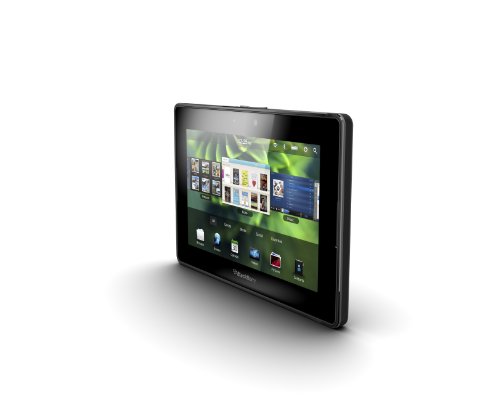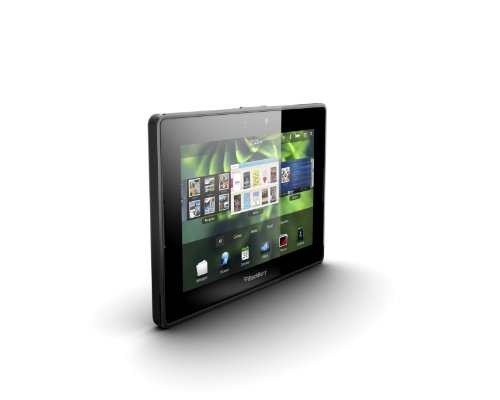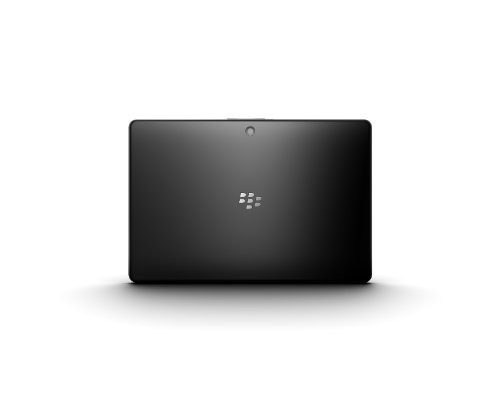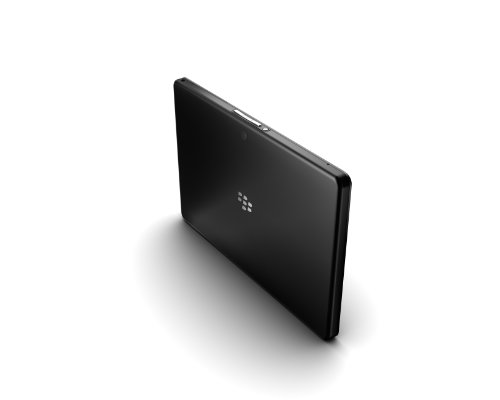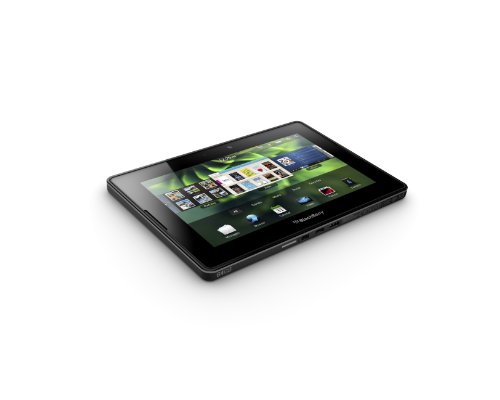
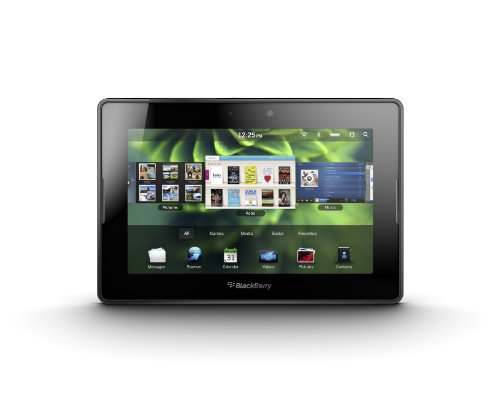
Rim Blackberry Playbook (1GB + 64GB) review. Compare 168 technical specifications and user reviews to see how it ranks among tablets and if it is worth buying.
Overall score
What it is: An overall evaluation of the smartphone's quality, based on technical analyses and user reviews.
When it matters: When you need a quick reference to identify the best Tablets on the market.
Score components:
90.0%
Technical Score
10.0%
User score
Technical Score
What it is: An assessment of the smartphone's technical performance, covering eight key areas: performance & hardware, software, camera, connectivity, display, battery, audio, and design.
When it matters: When you want to compare Tablets based on technical performance and available features.
Score components:
22.0%
Performance
20.0%
Display
16.0%
Camera
14.0%
Battery
12.0%
Connectivity
8.0%
Software & Features
5.0%
Design
3.0%
Audio & Multimedia
User score
What it is: A rating that combines user reviews and the total number of reviews received by the smartphone
When it matters: When you want to know how a smartphone handles daily tasks and how reliable it remains over time according to user feedback.
Score components:
70.0%
User reviews
30.0%
Popularity

Score components:
25.0%
RAM capacity
20.0%
Refresh rate
20.0%
GPU frequency
20.0%
Chipset
15.0%
Battery capacity
Score components:
20.0%
Chipset
20.0%
Battery life
20.0%
RAM capacity
10.0%
Weight
10.0%
Internal storage
10.0%
Keyboard accessory
10.0%
Screen size
Score components:
30.0%
RAM capacity
25.0%
Chipset
20.0%
Internal storage
15.0%
Screen size
5.0%
Keyboard accessory
5.0%
Stylus included
Score components:
20.0%
Screen size
20.0%
Battery life
20.0%
Weight
20.0%
RAM capacity
20.0%
Chipset
Score components:
25.0%
Battery capacity
25.0%
RAM capacity
15.0%
Weight
15.0%
Internal storage
10.0%
Screen size
10.0%
Price
Score components:
20.0%
RAM capacity
20.0%
Battery life
15.0%
Chipset
15.0%
Weight
10.0%
Cellular module
10.0%
5G connectivity
5.0%
GPS
5.0%
Internal storage
Available: ranking among products currently available (including other versions of this product).
All: ranking among all products in the database.
#58 in Best Tablets Under £100
#180 in Best Cheap Tablets
#304 in Best Tablets Under £200
#375 in Best Tablets Under £250
#443 in Best Tablets Under £300
#587 in Best Tablets With Keyboard
#754 in Best Tablets
What it is: An assessment of the smartphone's technical performance, covering eight key areas: performance & hardware, software, camera, connectivity, display, battery, audio, and design.
When it matters: When you want to compare Tablets based on technical performance and available features.
Score components:
22.0%
Performance
20.0%
Display
16.0%
Camera
14.0%
Battery
12.0%
Connectivity
8.0%
Software & Features
5.0%
Design
3.0%
Audio & Multimedia
What it is: A rating that combines user reviews and the total number of reviews received by the smartphone
When it matters: When you want to know how a smartphone handles daily tasks and how reliable it remains over time according to user feedback.
Score components:
70.0%
User reviews
30.0%
Popularity
What it is: An indicator that combines the smartphone's overall rating with its cost.
When it matters: When you are looking for a smartphone with a good balance between quality and price.
Score components:
60.0%
Overall score
40.0%
Price
Importance: MEDIUM
Importance: HIGH
Good value: >=8 GB
Importance: HIGH
Good value: <7 nm
Importance: HIGH
Good value: >=128 GB
Importance: HIGH
Good value: >1300
Importance: HIGH
Importance: HIGH
Importance: HIGH
Importance: MEDIUM
Good value: >3500
Importance: MEDIUM
Good value: >=8 GB
Importance: MEDIUM
Good value: 5
Importance: MEDIUM
Good value: >20 GB/s
Importance: MEDIUM
Importance: MEDIUM
Good value: >7 W
Importance: MEDIUM
Good value: >2500
Importance: MEDIUM
Good value: >800
Importance: MEDIUM
Good value: >8
Importance: MEDIUM
Good value: >900 MHz
Importance: MEDIUM
Importance: MEDIUM
Good value: >3000
Importance: MEDIUM
Good value: >1200
Importance: MEDIUM
Good value: >3200 MHz
Importance: MEDIUM
Good value: >400
Importance: MEDIUM
Importance: MEDIUM
Good value: 8+
Importance: MEDIUM
Importance: MEDIUM
Good value: >800 MHz
Importance: MEDIUM
Importance: MEDIUM
Importance: MEDIUM
Good value: >10000 million
Importance: LOW
Good value: >=4 MB
Importance: LOW
Good value: >64 KB
Importance: LOW
Good value: >=1 MB
Importance: LOW
Importance: LOW
Good value: 4
Importance: LOW
Good value: >=512 GB
Importance: LOW
Good value: 2.0/3.0
Importance: LOW
Good value: 3.2
Importance: LOW
Good value: 3.3
Importance: HIGH
Importance: HIGH
Good value: >=120 Hz
Importance: HIGH
Importance: HIGH
Good value: >250 ppi
Importance: HIGH
Importance: MEDIUM
Good value: >500 nits
Importance: MEDIUM
Good value: >=11 inches
Importance: MEDIUM
Importance: MEDIUM
Good value: >120 Hz
Importance: MEDIUM
Importance: MEDIUM
Importance: MEDIUM
Importance: MEDIUM
Good value: >200 Hz
Importance: MEDIUM
Good value: >250 ppi
Importance: MEDIUM
Good value: >400 nits
Importance: MEDIUM
Importance: LOW
Importance: LOW
Importance: LOW
Importance: HIGH
Importance: HIGH
Importance: HIGH
Good value: >=8 MP
Importance: HIGH
Importance: HIGH
Importance: MEDIUM
Importance: MEDIUM
Importance: MEDIUM
Importance: MEDIUM
Importance: LOW
Importance: LOW
Importance: LOW
Importance: LOW
Importance: LOW
Importance: LOW
Importance: LOW
Importance: LOW
Importance: LOW
Importance: LOW
Importance: LOW
Importance: LOW
Importance: LOW
Importance: LOW
Importance: LOW
Importance: LOW
Importance: LOW
Importance: LOW
Importance: LOW
Importance: LOW
Importance: LOW
Importance: LOW
Importance: LOW
Importance: HIGH
Good value: >8000 mAh
Importance: HIGH
Good value: >30 W
Importance: HIGH
Good value: >10 hours
Importance: MEDIUM
Importance: MEDIUM
Importance: LOW
Importance: LOW
Importance: HIGH
Importance: HIGH
Importance: HIGH
Importance: MEDIUM
Importance: MEDIUM
Importance: MEDIUM
Importance: MEDIUM
Importance: MEDIUM
Importance: MEDIUM
Importance: MEDIUM
Importance: MEDIUM
Importance: MEDIUM
Importance: MEDIUM
Importance: LOW
Good value: >5.2
Importance: LOW
Importance: LOW
Importance: LOW
Good value: 3.1/3.2
Importance: LOW
Importance: LOW
Importance: LOW
Importance: LOW
Importance: LOW
Importance: LOW
Importance: LOW
Importance: LOW
Importance: LOW
Importance: HIGH
Importance: HIGH
Importance: HIGH
Importance: MEDIUM
Importance: MEDIUM
Importance: MEDIUM
Importance: MEDIUM
Importance: MEDIUM
Importance: MEDIUM
Importance: MEDIUM
Importance: MEDIUM
Importance: LOW
Importance: LOW
Importance: LOW
Importance: LOW
Importance: LOW
Importance: LOW
Importance: LOW
Importance: LOW
Importance: LOW
Importance: LOW
Importance: MEDIUM
Importance: MEDIUM
Good value: <500 g
Importance: MEDIUM
Importance: MEDIUM
Importance: MEDIUM
Good value: <10 ms
Importance: MEDIUM
Good value: >7
Importance: MEDIUM
Importance: MEDIUM
Importance: LOW
Good value: <7 mm
Importance: LOW
Importance: LOW
Importance: LOW
Importance: LOW
Importance: LOW
Importance: MEDIUM
Good value: >=2
Importance: MEDIUM
Importance: MEDIUM
Importance: MEDIUM
Good value: >=4
Importance: LOW
Importance: LOW
Importance: LOW
Importance: LOW
Importance: LOW
Importance: LOW
Importance: MEDIUM
Importance: MEDIUM
Good value: >400 nits
Importance: MEDIUM
Importance: LOW
Importance: LOW
Importance: HIGH
Importance: MEDIUM
Good value: >500 nits
Importance: MEDIUM
Good value: >=2
Importance: MEDIUM
Importance: HIGH
Good value: >=8 GB
Importance: MEDIUM
Importance: HIGH
Importance: HIGH
Good value: <7 nm
Importance: HIGH
Importance: HIGH
Importance: LOW
(Reviews last updated: May 2026)
Following the PlayBook OS 2.0 update and a price drop to $199, PCMag re-evaluated the RIM BlackBerry PlayBook in 2012, highlighting its transformation into a functional, budget-friendly 7-inch tablet. The update addressed earlier criticisms by introducing native email, contacts, and calendar support, positioning the device as a viable competitor for media consumption and web browsing. Pros included a polished, gesture-based UI, excellent browser performance, and strong multimedia capabilities, such as dual HD cameras and stereo speakers. The 1,024-by-600-pixel display and solid build quality, combined with a micro HDMI port and native 1080p video recording, offered high value for the price. However, the tablet still suffered from a lack of apps in the BlackBerry App World and lacked a 3G/4G option or expandable storage. Furthermore, it failed to support native BlackBerry Messenger (BBM) or enterprise email sync (BES), limiting its appeal to business users despite the improved OS.
Gough Lui’s review of the BlackBerry PlayBook highlights a device with solid hardware, such as a well-balanced build and good stereo speakers, but one crippled by an "anemic" ecosystem and a critical battery charging flaw. While the tablet featured innovative gesture-based multitasking, a strong web browser, and a functional touch-sensitive bezel, these strengths were undermined by a 7-inch screen plagued by a "screen-door effect" and a lack of native apps. Ultimately, the review concludes that despite its potential as a low-cost browser, the unit was doomed by missing functionality and the cancellation of expected software updates.
The Guardian's 2011 review describes the BlackBerry PlayBook as a solidly built, yet "half-finished" device with a "Soviet" lack of native applications. While the QNX operating system offers excellent multitasking via a "card" interface and top-tier touch responsiveness, the 7-inch screen features wide borders that detract from the experience. Key pros include high-performance browsing with Flash support, quality stereo speakers, and useful HDMI output capabilities. However, significant cons hinder the device, primarily the absence of native email, calendar, or contact apps, requiring a "bridge" to a BlackBerry smartphone for full functionality. Furthermore, the app store is deemed "anemic," leading the reviewer to conclude that software gaps make it difficult to recommend over competitors.
The 2011 TIME review describes the BlackBerry PlayBook as a high-quality, 7-inch tablet with a fast QNX-based OS, superior multitasking, and strong hardware features like dual cameras and micro-HDMI, making it an impressive, yet "unfinished" piece of hardware. While boasting advanced capabilities, the device launched without native email, calendar, or contact apps, requiring a "BlackBerry Bridge" connection to a phone, and suffered from an unreliable Adobe Flash implementation that frequently crashed the browser. Ultimately deemed a "work in progress," the PlayBook offered enterprise-level security but lacked the app ecosystem and essential functionality required to compete with established consumer tablets at launch.
The 2011 Business Insider review describes the BlackBerry PlayBook as a promising but unfinished device, featuring a thin design, a crisp 7-inch display, and excellent stereo sound. While the hardware impressed, the review heavily criticized the "not fully baked" software, notably the lack of native email, contacts, and calendar apps. Key pros highlighted include the device's exceptional touch responsiveness, a fast browser with full Flash support, and efficient multitasking gestures. The tablet also featured surprisingly high-quality 1080p cameras compared to competitors at the time. Significant cons centered on the limited app ecosystem and the requirement to tether a BlackBerry phone via "Bridge" for core functionality, which was deemed unwieldy. Further, the review noted a hard-to-use power button, the absence of native apps, and lack of built-in 3G, resulting in a limited standalone experience.
The Verge's review of the BlackBerry PlayBook highlights a device with exceptional, compact hardware, featuring a high-quality 7-inch display, powerful dual-core processor, and best-in-class stereo speakers. Its QNX-based operating system is praised for intuitive gesture-based navigation and snappy, instant multitasking, alongside a superior web browser that handles Adobe Flash with ease. However, the tablet suffers from an unfinished, "half-baked" software experience that lacks native apps, including essential, built-in email and calendar, forcing reliance on a "BlackBerry Bridge" connection to a phone.
The CNET review of the BlackBerry PlayBook highlights its exceptionally fast, 1GHz dual-core processor and "buttery smooth" QNX-based operating system, featuring a high-quality 7-inch display and strong multitasking capabilities. However, the tablet was severely criticized for lacking native apps, such as email and calendar, forcing users to tether to a BlackBerry phone, while the app ecosystem lagged behind competitors. Despite later software updates, the device was ultimately considered a powerful but "half-baked" product at launch due to these essential deficiencies.
The official CrackBerry review praises the BlackBerry PlayBook's high-quality 7-inch hardware, vibrant display, and powerful QNX-based gesture interface, which acts as a major pro. While the browser and 1080p video recording capabilities are top-tier, the device suffered at launch from missing native email and PIM apps, requiring a "BlackBerry Bridge" connection to a phone. Ultimately, the review defines the tablet as a promising but rushed device, recommended primarily for existing BlackBerry users due to its current software limitations.
The 2011 WIRED review praised the BlackBerry PlayBook for its well-constructed, minimalist design, a brilliant 7-inch display, and an intuitive multitasking system. While the hardware was solid and featured capable cameras, the device was severely hampered by the absence of native email, calendar, and contacts applications, forcing reliance on a BlackBerry phone via the "BlackBerry Bridge". Ultimately, despite its strong media capabilities and HDMI output, the lack of a mature app ecosystem and significant software gaps made the tablet hard to recommend at launch.
BlackBerry PlayBook 2.0 addresses major launch deficiencies by introducing native email, calendar, and contacts apps, featuring a highly capable "Unified Inbox" and an improved browser. The update enhances user experience with a revamped home screen and better folder management, significantly boosting the device's professional utility. However, the tablet is severely hampered by a poorly implemented Android app player that suffers from significant lag, clunky navigation, and a lack of proper app integration. Furthermore, the overall app ecosystem in BlackBerry App World remains weak, and the lack of native BlackBerry Messenger (BBM) forces continued reliance on a smartphone bridge. Ultimately, while the 2.0 software makes the 7-inch hardware more functional, the PlayBook remains a niche product, struggling to compete as a standalone device due to limited software and persistent ecosystem tethering.
The PCMag review highlights the BlackBerry PlayBook's QNX-based operating system for its fast, responsive multitasking and superior gesture-based interface. Key advantages include a vibrant 7-inch display, high-quality cameras, and robust Adobe Flash support for superior web browsing. However, the device suffered from a significant lack of native core apps (email, calendar) at launch, forcing a clunky "bridge" connection to a BlackBerry phone. Additional cons included poorly designed, recessed physical buttons and inconsistent touchscreen responsiveness. Ultimately described as high-tier hardware with unrefined software, the PlayBook was limited by its ecosystem, though it later improved for media and web use following updates.
The BlackBerry PlayBook is a compact 7-inch tablet featuring a high-quality 1024x600 display, impressive stereo speakers, and capable 1080p HD cameras, making it a strong media device. However, its launch was heavily criticized for lacking native email, calendar, and contact apps, requiring a paired BlackBerry smartphone via the BlackBerry Bridge app to access these essential functions. While the tablet boasts solid portability and responsive, gesture-based navigation, it is limited by a sparse app ecosystem and a lack of independent 3G connectivity.
The Canadian Reviewer review highlights the 7-inch BlackBerry PlayBook as a powerful yet incomplete tablet, praising its "Mini Cooper-like" 1GHz processor and gesture-based QNX operating system for superior multitasking and performance. Key pros include the rugged build, vibrant 1024x600 display, and exceptional multimedia handling, while significant cons include the lack of native email and calendar apps, requiring a BlackBerry Bridge connection to a smartphone for full functionality. Although promising in hardware, the device is deemed an unfinished product at launch due to a paltry app selection and a hard-to-reach power button.
The Techlicious review describes the 7-inch BlackBerry PlayBook as solid hardware with a "half-baked" software experience, praising its portable 0.9 lb design, high-quality 5MP rear camera, and bright 1024x600 display. Key pros include a fast, gesture-based QNX operating system with excellent multitasking and a powerful web browser supporting Adobe Flash. However, the tablet lacks native email, calendar, and contact apps at launch, requiring a BlackBerry Bridge connection to a smartphone for these functions. Additionally, the weak app ecosystem and lack of 3G connectivity at launch limit its usability, leading to a recommendation to wait for software improvements.
The PCMag review of the BlackBerry PlayBook praises its high-quality 7-inch display and impressive, sharp photo/video reproduction, which exceeds that of the iPad 2. Conversely, the hardware receives criticism for its poorly positioned, small buttons and a difficult-to-use recessed power button. PCMag UKWhile the gesture-based bezel navigation is hailed as intuitive and effective, the tablet is severely hampered by a complete lack of native, on-device email, calendar, and contact applications at launch. The 5-megapixel rear camera is noted as a strong point, outperforming the competition in image sharpness. PCMag UKTechnical issues further mar the experience, including an unreliable "BlackBerry Bridge" feature that fails to consistently connect with smartphones, a flaky touchscreen, and a slow-reacting accelerometer. For more details, visit PCMag.
The PCMag UK review describes the RIM BlackBerry PlayBook as a "viable choice" for a 7-inch tablet following the 2.0 OS update and a price reduction, praising its sharp display and soft-touch design. While the QNX-based operating system is lauded for its fluid multitasking, the device suffers from flawed hardware, including difficult, tiny power buttons, and a lack of a physical home button. A major advantage is the top-notch web browser with full Flash support, but a significant drawback is the lack of a native email client without a tethered BlackBerry phone. The review concludes that the limited app ecosystem makes it a hard sell compared to competitors like the iPad, despite excellent media capabilities and dual cameras.
Trusted Reviews describes the BlackBerry PlayBook as a "superb piece of hardware" featuring a sharp 7-inch screen and a pocketable design, yet it was severely hampered by a lack of native email and calendar apps at launch. While the QNX-based operating system provides impressive multitasking and gesture navigation, the device required a "BlackBerry Bridge" connection to a smartphone for basic PIM functions, notes Trusted Reviews. Despite an excellent, fast browser with full Flash support, the PlayBook was labeled an "unfinished product" due to software instability and anemic app selection, making it hard to recommend at launch.
The review titled "RIM BlackBerry PlayBook: Unfinished, unusable" severely criticizes the 7-inch tablet as a fundamentally incomplete, rushed product that fails to compete with established rivals like the Apple iPad. A major drawback is the device's heavy reliance on a BlackBerry smartphone via "bridging" for core, native functions such as email, calendar, and contacts. Despite these flaws, the tablet is praised for solid, compact hardware, a high-resolution display, and a smooth, gesture-based operating system. For the full, detailed review, visit ProQuest.
The TechSpot review highlights the BlackBerry PlayBook's high-end hardware, featuring a 1GHz dual-core processor, 1GB of RAM, and a responsive QNX-based UI with intuitive gesture-based multitasking. However, a major flaw is the absence of native email, calendar, and BBM apps, which requires users to rely on a "BlackBerry Bridge" connection to a phone. While the 7-inch display is high-quality, the lack of auto-correct on the on-screen keyboard hinders typing, leading to a conclusion that the hardware is strong but the software feels unfinished. For more details, visit TechSpot.
The RIM BlackBerry PlayBook is a 7-inch tablet with a solid, high-quality build and a crisp, high-pixel-density display. Praised for its fast QNX-based performance, the device features a responsive touch-sensitive bezel that allows for efficient navigation without relying on its somewhat stiff physical buttons. A major strength is the browser's native Flash 10.1 support, offering a superior, "true" web experience compared to competitors. Pocket-lintThe review highlights significant, critical shortcomings, specifically the lack of native PIM apps (email, calendar, contacts) upon launch. To access these features, users must use a "BlackBerry Bridge" connection with a smartphone, which causes a substantial drain on battery life. The app ecosystem is described as severely limited and in a "Soviet-era" state, though the reviewer expresses hope for future Android app support to address this gap.
The BlackBerry PlayBook is a 7-inch tablet with a robust, rubberized design featuring a bright 1024x600 display and excellent stereo speakers. Powered by a 1GHz dual-core processor and 1GB of RAM, the QNX-based device offers a very fluid, gesture-controlled user experience. Key pros include high-quality cameras, a micro HDMI port, and smooth, lag-free multitasking. However, the tablet has significant software limitations, most notably the lack of native email and calendar apps, requiring a "BlackBerry Bridge" connection to a phone. Furthermore, the app ecosystem is considered "anemic" and small compared to competitors. Other cons include the absence of an SD card slot and a very small, hard-to-use power button. In summary, while the PlayBook delivers impressive hardware performance and a unique, capable UI, its reliance on a paired phone for basic functions limits its utility as a standalone tablet. The exceptional browser and display make it strong for media consumption, but the lack of native apps is a major drawback. The review highlights a device with high potential hampered by incomplete software at launch.
The BlackBerry PlayBook is praised for its high-quality, portable 7-inch hardware, featuring a sharp 1024x600 display, dual stereo speakers, and a responsive 1 GHz dual-core processor. While praised for its performance, the device initially lacked native email and apps, forcing a reliance on "BlackBerry Bridge" to a smartphone, and suffered from a very poor app ecosystem. Despite improvements in OS 2.0 and high-quality 1080p video recording, the tablet's cramped keyboard, lack of cellular options, and late arrival made it difficult to compete with rivals.
The Hardwareluxx review describes the BlackBerry PlayBook as a high-quality, compact 7-inch tablet that balances business functionality with multimedia, featuring a robust build and a powerful dual-core processor. Key pros include the excellent multi-touch display, the QNX-based OS, and strong media capabilities, such as 1080p playback and 5 MP/3 MP cameras. Conversely, the review identifies significant cons, including a limited app ecosystem and the lack of native email/calendar apps without "tethering" to a BlackBerry phone, alongside a difficult-to-press power button.
The Heise Bestenlisten review praises the 7-inch BlackBerry PlayBook for its high-quality construction, fast QNX-based operating system, and seamless multitasking via bezel gestures. Key strengths include a powerful dual-core processor, a vibrant display, excellent stereo speakers, and a highly capable browser with full Flash support. However, the review highlights significant drawbacks, most notably the lack of native email and calendar apps, requiring a "bridge" to a BlackBerry phone, alongside a limited app ecosystem. Additional cons include the absence of 3G connectivity on the initial model, mediocre camera performance, and a difficult-to-use power button. For more details, visit the Heise Bestenlisten review.
The ComputerBase review of the BlackBerry PlayBook highlights a 7-inch tablet with high-quality hardware, featuring a bright 1024x600 display, a 1GHz dual-core processor, and excellent build quality, particularly for business users. Key software strengths include the QNX-based OS, which utilizes intuitive gesture controls, and a superior web browser with full Adobe Flash support. However, the tablet is critically hindered at launch by a severe lack of native apps and a thin ecosystem, alongside the requirement to pair with a BlackBerry phone for email and calendar functionality via "BlackBerry Bridge".
The CHIP review of the RIM BlackBerry PlayBook praises its high-quality build, bright display, and strong performance, placing it high on their tablet leaderboard [1.1]. Key advantages include a fast operating system, solid battery life for browsing and video, and useful connectivity options like HDMI [1.1]. However, significant drawbacks, or cons, include a limited app ecosystem (AppWorld) and a lack of native standalone applications, such as email or calendar, for users not tethered to a BlackBerry smartphone [1.1]. While the "Bridge" feature provides high security, the reliance on an existing BlackBerry device limits the tablet's standalone functionality [1.1]. Overall, the PlayBook is presented as a capable, fast device hindered by software limitations and a mandatory ecosystem integration.
According to CNET France, the BlackBerry PlayBook is a high-end, compact 7-inch tablet featuring a premium "monobloc" design, powerful 1GHz dual-core processor, and 1GB of RAM for a fluid user experience. The QNX-based operating system excels in multitasking with a card-based interface, while the device boasts a high-quality display and accurate virtual keyboard. Significant drawbacks include a severe lack of third-party applications and the necessity of "bridging" to a BlackBerry smartphone for native email and calendar functionality, limiting its appeal.
The Clubic review describes the BlackBerry PlayBook as a high-quality 7-inch tablet featuring a bright, high-definition 1024x600 display and a robust QNX-based operating system capable of fluid, gesture-driven multitasking. Despite its excellent hardware build and 1080p video capabilities, the device was severely hindered at launch by a lack of native email, calendar, and contact applications. These key productivity features required tethering to a BlackBerry phone, while an "anemic" app ecosystem and web browser instability further limited its usability. Ultimately, the PlayBook is presented as a "half-baked" product, balancing impressive hardware performance with incomplete, "work-in-progress" software.
According to Les Numériques, the 7-inch BlackBerry PlayBook features a compact, high-quality build with an excellent screen. It boasts superior stereo speakers, dual HD cameras capable of 1080p recording, and a powerful processor, making it a capable multimedia device. The QNX-based operating system is a key strength, providing a fluid, gesture-driven interface with impressive multitasking abilities, including seamless handling of 3D games and HD video. However, the tablet is heavily criticized for its immature ecosystem and lack of native core applications like email and calendar at launch, which required tethering to a BlackBerry phone, as detailed by Les Numériques. The app ecosystem (App World) is described as limited compared to competitors, and the device lacks expandable storage, say Les Numériques. The web browser receives praise for speed and full Flash support, but the overall experience is hindered by these software limitations.
The BlackBerry PlayBook features premium, compact hardware with a high-quality 7-inch display, a 1GHz dual-core processor, and impressive multitasking capabilities, along with dual HD cameras and Micro HDMI output. However, the tablet is severely hindered by unfinished software at launch, specifically lacking native apps for email, calendar, and contacts. While it offers a strong web browser and unique gesture navigation, the reliance on "BlackBerry Bridge" for core functions makes it difficult to recommend as a standalone device despite its potential.
The RIM BlackBerry PlayBook is a compact 7-inch tablet (1024x600 display) aimed at professionals, featuring a 1GHz dual-core processor, 1GB of RAM, and the QNX-based BlackBerry Tablet OS. Notable strengths include a highly portable design, excellent multitasking capabilities, a superior web browser with Flash support, and 1080p video recording from dual HD cameras. However, key drawbacks include a very limited app ecosystem, the lack of native email/calendar apps without a paired BlackBerry phone, and a small, restrictive power button. For the full technical details, visit 01net.
One year after its launch, a review of the BlackBerry PlayBook highlights the OS 2.0 update as a crucial improvement, finally introducing native email and calendar apps to address initial limitations. While the 7-inch hardware remained responsive and portable, the app ecosystem, despite improved Android app porting, continued to lag behind competitors in both quality and quantity. Ultimately, the update made the tablet more functional, but it remained a niche device facing stiff competition from more established platforms.
The BlackBerry PlayBook features high-quality hardware with a compact 7-inch, 1024x600 display and a fast 1GHz dual-core processor, ensuring a fluid user experience. Key strengths include excellent stereo speakers, a robust web browser with full Flash support, and an intuitive gesture-based QNX operating system. However, the device lacks native email and calendar apps, requiring a "BlackBerry Bridge" connection to a phone for full functionality, which restricts its independence. Additionally, the tablet suffers from a weak app ecosystem and 3MP/5MP cameras that lack autofocus, which hinders performance in low-light conditions. While offering powerful performance, the reliance on a secondary device for core productivity makes the early software feel unfinished.
The iGeneration review describes the BlackBerry PlayBook as a premium, high-quality device, praising its fast QNX operating system, gesture-based interface, and excellent 7-inch display. The tablet is lauded for its true multitasking abilities and strong, portable build, which represent a significant technical achievement for RIM. However, the review highlights critical software limitations, specifically the lack of native email, calendar, and contacts applications, which force reliance on a "BlackBerry Bridge" connection to a phone. Furthermore, while the browser supports Adobe Flash, the App World ecosystem is criticized for being sparse compared to competitors. Ultimately, the PlayBook is presented as a "half-baked" product with great potential, offering strong media capabilities and video support, but lacking necessary functionality for most users at launch. The review concludes that until the app library and native tools improve, it remains a compromised, "professional" device.
The Xataka review of the BlackBerry PlayBook at CES 2011 highlighted the device's high-quality hardware, featuring a 7-inch display, robust build, and a powerful 1 GHz dual-core processor. Pros noted were its smooth, QNX-based operating system with gesture controls and a strong web browser with full Adobe Flash 10.1 support. Additionally, the "BlackBerry Bridge" allowed for secure, necessary linking with smartphones to access email and calendars. Significant cons included the lack of native email, calendar, or contact applications, which severely hindered standalone functionality. Reviewers also pointed to a sparse app ecosystem in BlackBerry App World and a difficult-to-use physical power button. The reliance on the "Bridge" feature for core productivity was seen as a major limitation for users.
The BlackBerry PlayBook is positioned as a professional-grade, 7-inch tablet with a high-quality, fingerprint-resistant design. Its QNX-based operating system features a gesture-driven interface with card-based multitasking and a sharp 1024x600 display. The device offers strong performance with a 1GHz dual-core processor, excellent Adobe Flash-enabled browsing, and strong multimedia capabilities, including 1080p video playback and stereo speakers. However, it lacks native email, calendar, and contact apps without a BlackBerry Bridge connection, and it faces a limited app ecosystem.
The BlackBerry PlayBook is a robust 7-inch tablet featuring high-quality construction, a non-slip, rubberized body, and an innovative "active bezel" for gesture-based navigation. Powered by a dual-core 1 GHz processor with 1GB of RAM, the device delivers strong multimedia performance, including stereo speakers, 1080p HDMI output, and a capable 3MP front camera. A standout feature is the BlackBerry Bridge, which enables secure integration with BlackBerry phones for email and data access. However, significant drawbacks include the lack of native email and calendar apps at launch and a limited app ecosystem. While the hardware and multitasking OS are praised, the device's dependence on the BlackBerry ecosystem and inconveniently small power buttons are noted as major cons.
The BlackBerry PlayBook is a compact 7-inch tablet featuring a robust, elegant design with a matte finish, driven by a 1GHz dual-core processor that supports smooth 1080p video playback. Its QNX-based operating system introduces a fluid, gesture-based interface, while the web browser offers full Adobe Flash support, outperforming many contemporaries in browsing capability. Despite excellent stereo sound, the device is considered a work in progress due to a sparse app ecosystem and the lack of native email or calendar apps, requiring a "BlackBerry Bridge" connection to a phone for these functions. For a detailed analysis, visit Xataka.
The Xataka review highlights the BlackBerry PlayBook as a high-performance 7-inch tablet utilizing the QNX-based operating system, delivering a fluid user experience and true real-time multitasking. Featuring a 1024x600 display and superior dual speakers, the device shines in media consumption and web browsing, with the WebKit browser supporting 1080p video and Adobe Flash. Its compact design, rubberized back, and HDMI output add to the portability and versatility, making it, as described, a strong contender in its class. However, the review details critical drawbacks, most notably the lack of native PIM applications like email, calendar, and contacts, which requires users to tether a BlackBerry phone via BlackBerry Bridge for full functionality. Additionally, the limited app ecosystem and a hard-to-operate, recessed power button are noted as significant disadvantages.
The Xataka review highlights the BlackBerry PlayBook as a "professional-grade" 7-inch tablet with high-quality hardware, including a bright 1024x600 display and a fast dual-core 1 GHz processor. Pros include excellent multitasking capabilities, a smooth gesture-based QNX operating system, and a superior web browser with full Flash support. However, the review characterizes the software as "half-baked," noting the lack of native email, calendar, or contact applications without pairing a BlackBerry phone via Bluetooth. Additionally, the app ecosystem is described as very limited, with poor quality third-party options available at launch. Ultimately, the PlayBook’s solid hardware and media performance are overshadowed by missing core PIM (Personal Information Manager) features, making it feel like an unfinished product. While a strong option for existing BlackBerry users, the lack of a robust app ecosystem limits its competitiveness in the general tablet market.
The BlackBerry PlayBook is characterized by premium hardware, featuring a compact 7-inch design, a vivid 1024x600 display, and a fast, gesture-driven QNX operating system. Key advantages include superior "PC-grade" multitasking and full Adobe Flash support in the browser. However, significant drawbacks include the lack of native email, calendar, or contact apps, requiring a Bluetooth connection (BlackBerry Bridge) to a smartphone for basic functionality. Additional cons include limited third-party apps in BlackBerry App World and an awkward, recessed power button. The device is ultimately described as powerful hardware constrained by unfinished, ecosystem-dependent software.
The FWD Magazine review highlights that the BlackBerry PlayBook, especially with the 2.0 OS update, is a compact 7-inch tablet with robust build quality, excellent 1080p video recording, and a powerful, smooth multitasking interface, which were strong points of the QNX-based device,. Key advantages (pros) include a top-tier web browser with Flash support, a high-quality display, and a unique gesture-driven operating system. However, significant drawbacks (cons) are highlighted, particularly the lack of a native email client on launch and a limited app ecosystem, alongside a lack of memory expansion,. Despite a price reduction making it a better value, the review concludes that the device, with its frustratingly small power button, is best suited for existing BlackBerry users who can utilize the Blackberry Bridge feature.
The BlackBerry PlayBook is a 7-inch tablet with a solid build, featuring a rubberized back, a 1024x600 LCD, and a gesture-driven interface. It boasts strong hardware performance driven by a 1 GHz dual-core processor and 1 GB of RAM. The QNX-based operating system provides excellent multitasking, a fast web browser with full Adobe Flash support, and high-quality stereo speakers. Notable pros include smooth 1080p video playback and a capable 3 MP front-facing camera. Major drawbacks include the lack of native email or calendar apps without "BlackBerry Bridge" and a limited app ecosystem. Other cons include a difficult, recessed power button and a small form factor that may limit productivity.
The 2011 Tweakers review described the BlackBerry PlayBook as a powerful but unfinished niche device, highlighting its excellent 7-inch display, dual-core processor, and smooth QNX-based gesture interface as key pros. Despite this, it was heavily criticized for lacking native email, calendar, and contact apps without a paired BlackBerry phone, alongside a poor app ecosystem and unstable browser, marking it as a "half-baked" product only for enthusiasts.
Compare