Sharkoon Skiller SGM35 Review | 78 Data compared

double-arrow
  • Avg. price in UK: ~£20
  • Avg. price in US: ~$20
  • Connectivity: wired
  • Maximum polling rate: 1000 Hz
  • Maximum DPI: 6400 DPI
  • Weight: 80 g

Sharkoon Skiller SGM35 review. Compare 78 technical specifications and user reviews to see how it ranks among mice and if it is worth buying.

4.8

Overall score

What it is: An overall evaluation of the mouse's quality, based on technical analyses and user reviews.

When it matters: When you need a quick reference to identify the best mice on the market.

Score components:

80.0%

4.3

Technical Score

20.0%

6.7

User score

Poor
4.3

Technical Score

What it is: An assessment of the mouse's technical performance, covering key areas such as sensor performance, buttons and features, connectivity, battery life, ergonomics, software, and build quality.

When it matters: When you want to compare mice based on technical performance and available features.

Score components:

36.0%

4.3

Performance & Sensor

22.0%

5.4

Controls

16.0%

7.4

Design

14.0%

2.0

Features

7.0%

1.1

Connectivity

5.0%

1.0

Battery & Charging

Poor
6.7

User score

What it is: A rating that combines user reviews and the total number of reviews received by the mouse.

When it matters: When you want to understand how a mouse performs in daily use or gaming and how reliable it is in terms of comfort, button feel, tracking accuracy, and long-term durability.

Score components:

70.0%

8.4

User reviews

30.0%

2.7

Popularity

User score:
United Kingdom
amazon
4.1
(27)
amazon
4.4
(13)
United States
Amazon_logo.png
4.4
(13)

(Reviews last updated: May 2026)

Good
  • 4.3
    Gaming

    Score components:

    28.0%

    3.7

    Maximum polling rate

    24.0%

    7.8

    N. of programmable buttons

    20.0%

    1.0

    Onboard memory profiles

    16.0%

    2.0

    Maximum tracking speed

    12.0%

    7.3

    Weight

  • sharkoon-skiller-sgm35
  • sharkoon-skiller-sgm35
  • sharkoon-skiller-sgm35
  • sharkoon-skiller-sgm35
  • sharkoon-skiller-sgm35
  • sharkoon-skiller-sgm35
  • sharkoon-skiller-sgm35
  • sharkoon-skiller-sgm35
  • sharkoon-skiller-sgm35
sharkoon-skiller-sgm35

Best prices in UK

Best rankings

?

Available: ranking among products currently available (including other versions of this product).
All: ranking among all products in the database.

Verdict

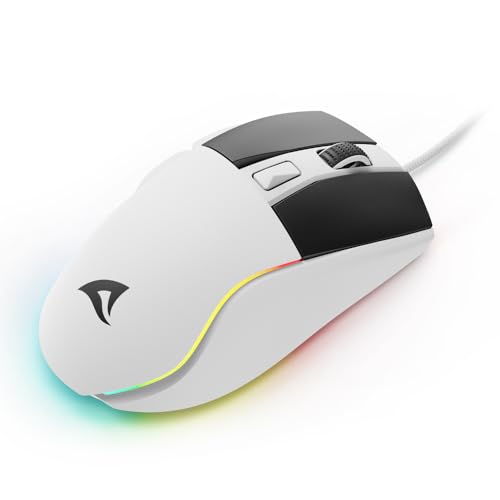
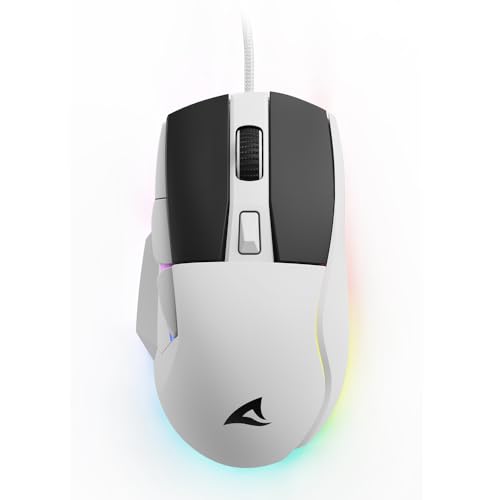
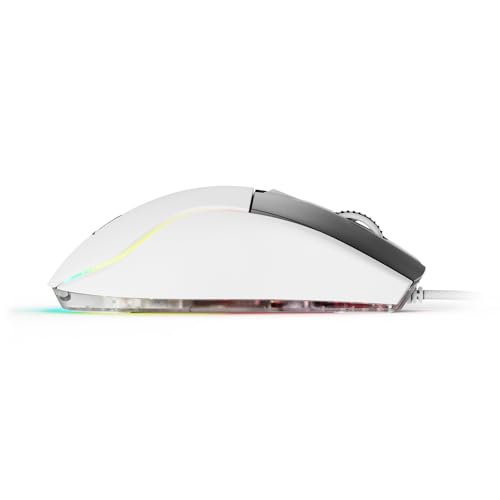
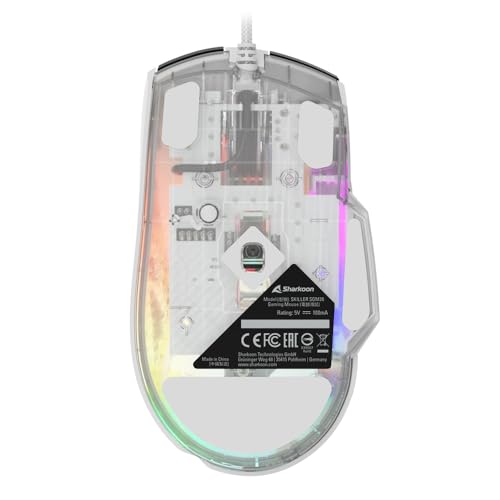
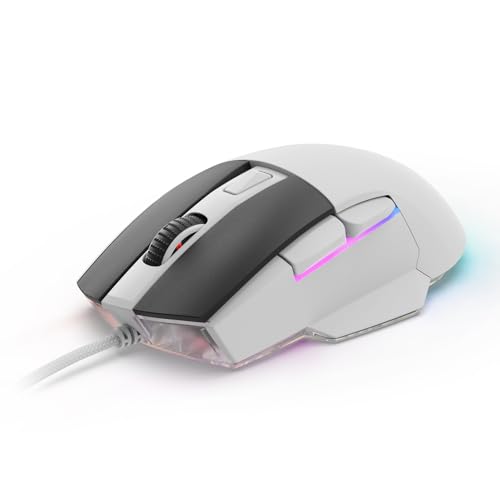
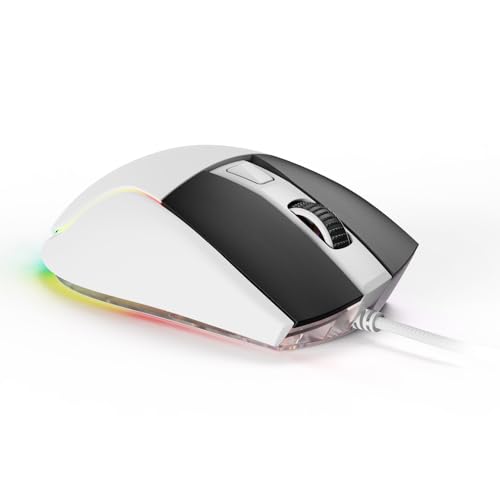
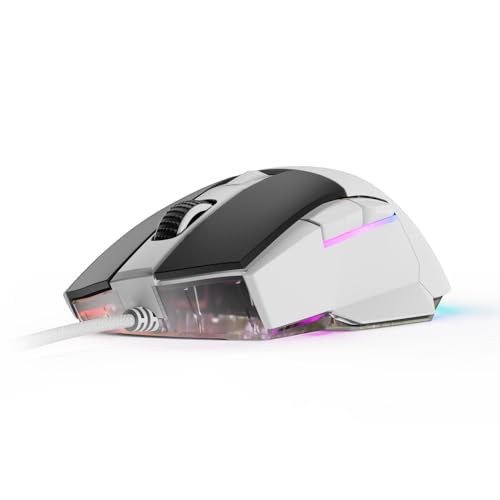
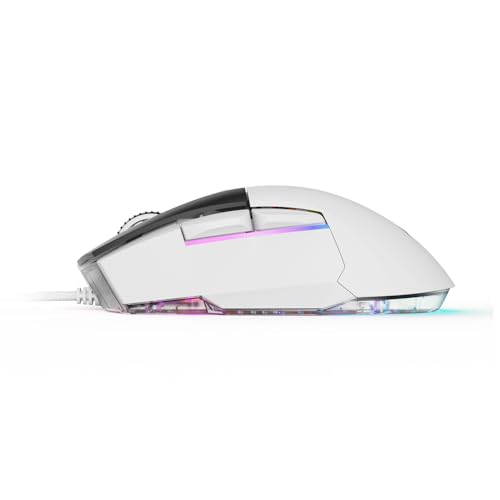
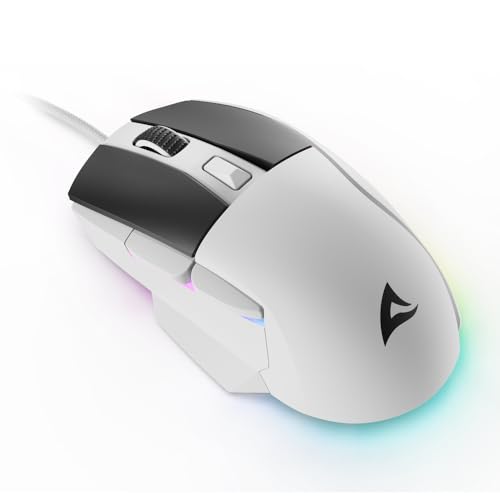
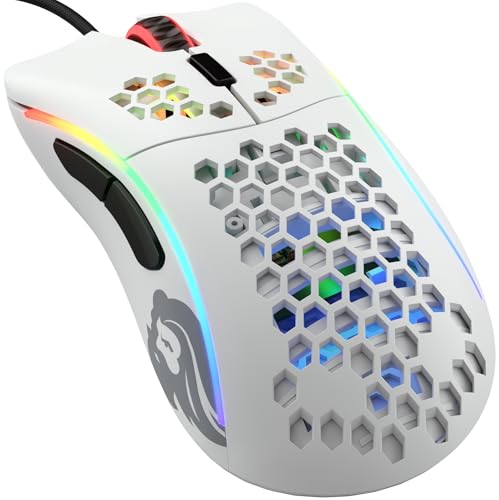
The Sharkoon Skiller SGM35 is a budget-oriented wired gaming mouse featuring an ATG4090 optical sensor with a maximum sensitivity of 6,400 DPI, adjustable in six levels down to 400 DPI. It weighs 80g and is equipped with a 1,000 Hz polling rate, 20g maximum acceleration, and a tracking speed of 100 IPS. Key characteristics include high-quality PBT left and right buttons rated for 30 million clicks, five 100% PTFE feet for smooth gliding, and customisable RGB underbody lighting that can be adjusted via a bottom switch without requiring software. Main pros are its lightweight design, durable grease-resistant PBT buttons, and driverless configuration. However, notable cons include its relatively low maximum tracking speed and acceleration compared to higher-end gaming sensors, as well as the lack of a dedicated profile switching button.

Technical Specifications of Sharkoon Skiller SGM35

Technical Score

What it is: An assessment of the mouse's technical performance, covering key areas such as sensor performance, buttons and features, connectivity, battery life, ergonomics, software, and build quality.

When it matters: When you want to compare mice based on technical performance and available features.

Score components:

36.0%

4.3

Performance & Sensor

22.0%

5.4

Controls

16.0%

7.4

Design

14.0%

2.0

Features

7.0%

1.1

Connectivity

5.0%

1.0

Battery & Charging

4.3
Sharkoon Skiller SGM35 has a technical score of 4.35 points, which is lower than that of 86.1% of products in this category.
User score

What it is: A rating that combines user reviews and the total number of reviews received by the mouse.

When it matters: When you want to understand how a mouse performs in daily use or gaming and how reliable it is in terms of comfort, button feel, tracking accuracy, and long-term durability.

Score components:

70.0%

8.4

User reviews

30.0%

2.7

Popularity

User score:
United Kingdom
amazon
4.1
(27)
amazon
4.4
(13)
United States
Amazon_logo.png
4.4
(13)

(Reviews last updated: May 2026)

6.7
Sharkoon Skiller SGM35 has a user score of 6.67 points, which is lower than that of 87.5% of products in this category.
Popularity
What it is: An indicator based on the number of reviews received by the mouse.
When it matters: When you prefer a mouse that has already been chosen and reviewed by many other users.
2.7
Sharkoon Skiller SGM35 has a popularity of 2.7 points, which is lower than 69% of products in this category.
Ratio quality/price

What it is: An indicator that combines the mouse's overall rating with its cost.

When it matters: When you are looking for a mouse that offers a strong balance of performance, features, and price.

Score components:

60.0%

4.8

Overall score

40.0%

10

Price

6.4
Sharkoon Skiller SGM35 has a quality-to-price ratio of 6.4 points, which is lower than 85.3% of products in this category.
Brand name
What it is: The manufacturer or brand of the product.
When it matters: When you prefer a specific ecosystem, support network, or design philosophy.

Importance: MEDIUM

Sharkoon
Maximum polling rate
What it is: The maximum number of position reports the mouse can send to the computer each second, measured in Hertz (Hz).
When it matters: When you are chasing the lowest possible input delay for competitive play and want the mouse reporting as often as possible.

Importance: HIGH

Good value: >=1000 Hz

1,000 Hz
Sharkoon Skiller SGM35 has a maximum polling rate of 1000 Hz, which is higher than 27.8% of mice and equal to 55.1% of mice.
Wired polling rate
What it is: The polling rate the mouse reaches when it is connected with a cable.
When it matters: When you mainly use the mouse wired and want maximum responsiveness.

Importance: HIGH

Good value: >=1000 Hz

1,000 Hz
Sharkoon Skiller SGM35 has a wired polling rate of 1000 Hz, which is higher than 13.3% of mice and equal to 77.3% of mice.
2.4 GHz polling rate
What it is: The polling rate available when the mouse is used over a 2.4 GHz wireless connection.
When it matters: When you use the 2.4 GHz receiver and want near-wired performance.

Importance: HIGH

Good value: >=1000 Hz

1,000 Hz
Sharkoon Skiller SGM35 has a 2.4 GHz polling rate of 1000 Hz, which is higher than 33.5% of mice and equal to 46.8% of mice.
Bluetooth polling rate
What it is: The polling rate available when the mouse is connected through Bluetooth.
When it matters: When you use Bluetooth and want to understand the trade-off in responsiveness.

Importance: LOW

Good value: >=125 Hz

0 Hz
Sharkoon Skiller SGM35 has a Bluetooth polling rate of 0 Hz, which is equal to 63% of mice.
wired only.
Show more
Connectivity
What it is: The mouse's high-level connectivity class: wired only, wireless only, or both wired and wireless.
When it matters: When you need to know at a glance whether the mouse is wired, wireless, or flexible enough to support both.

Importance: HIGH

wired
Sharkoon Skiller SGM35 supports wired connectivity, which is less versatile than 65.1% of mice and equal to 34.9% of mice.
connection modes: wired.
Bluetooth support
What it is: Shows whether the mouse can connect over Bluetooth instead of relying only on a wired link or proprietary USB receiver.
When it matters: When you want a dongle-free connection option for laptops, tablets, or devices with limited USB ports.

Importance: MEDIUM

no
Sharkoon Skiller SGM35 does not support Bluetooth. 35.6% of mice support Bluetooth.
Bluetooth version
What it is: The Bluetooth standard version supported by the mouse for wireless connectivity and compatibility.
When it matters: When you care about Bluetooth compatibility, efficiency, and connection quality.

Importance: LOW

Good value: >=5.1

N/A
Proprietary 2.4 GHz support
What it is: Shows whether the mouse supports the brand's dedicated 2.4 GHz wireless system rather than relying only on Bluetooth.
When it matters: When you want the brand's fast low-latency wireless mode instead of depending only on Bluetooth performance.

Importance: MEDIUM

no
Sharkoon Skiller SGM35 does not support proprietary 2.4 GHz wireless. 61.6% of mice support proprietary 2.4 GHz wireless.
Receiver included
What it is: Shows whether a compatible wireless receiver is included in the box instead of needing to be bought separately.
When it matters: When you expect full wireless use immediately and do not want to buy extra accessories just to get started.

Importance: MEDIUM

no
Sharkoon Skiller SGM35 does not include a receiver. 62.5% of mice include a receiver.
Show more
Battery life
What it is: The operating time the mouse can deliver on a full charge or a fresh set of batteries under normal use.
When it matters: When the mouse needs to last through workdays, travel, or repeated gaming sessions without constant charging.

Importance: HIGH

Good value: >400 hours

N/A
Battery capacity
What it is: The amount of energy the built-in battery can store, measured in milliampere-hours (mAh).
When it matters: When you want rough battery context behind the runtime claim instead of judging endurance from marketing hours alone.

Importance: MEDIUM

Good value: >=500 mAh

N/A
Battery form factor
What it is: The battery format used by the mouse, such as AA, AAA, integrated rechargeable cell, or another form.
When it matters: When you care whether the mouse uses easy-to-replace AA or AAA cells or a sealed rechargeable pack.

Importance: LOW

N/A
Rechargeable battery
What it is: Shows whether the mouse uses a rechargeable battery instead of relying only on disposable cells.
When it matters: When you prefer topping the mouse up over USB or a dock instead of buying disposable batteries repeatedly.

Importance: HIGH

no
Sharkoon Skiller SGM35 does not use a rechargeable battery. 46% of mice use a rechargeable battery.
Removable battery
What it is: Shows whether the battery can be removed and replaced by the user instead of being sealed inside the mouse.
When it matters: When long-term serviceability matters and you would rather replace the battery than replace the whole mouse later.

Importance: LOW

no
Sharkoon Skiller SGM35 does not use a removable battery. 22.3% of mice use a removable battery.
Show more
N. of buttons
What it is: The total number of physical buttons available on the mouse body.
When it matters: When you need enough physical controls for shortcuts, MMO binds, browser actions, or productivity commands.

Importance: HIGH

Good value: >=7

6
Sharkoon Skiller SGM35 has 6 buttons, which is more than 23.2% of mice and equal to 40.1% of mice.
N. of side buttons
What it is: The number of buttons placed on the side of the mouse, typically for thumb access.
When it matters: When thumb-access buttons matter for browser navigation, MMOs, or productivity shortcuts.

Importance: MEDIUM

Good value: >=2

2
Sharkoon Skiller SGM35 has 2 side buttons, which is more than 15.1% of mice and equal to 68.4% of mice.
N. of programmable buttons
What it is: The number of mouse buttons that can be customized or reassigned through software or onboard settings.
When it matters: When remapping flexibility matters and you want more actions moved off the keyboard.

Importance: HIGH

Good value: >=7

6
Sharkoon Skiller SGM35 has 6 programmable buttons, which is more than 36.4% of mice and equal to 31.3% of mice.
DPI switching button
What it is: Shows whether the mouse includes a dedicated control for changing DPI levels on the fly.
When it matters: When you want to swap sensitivity instantly for sniping, browsing, editing, or different game genres.

Importance: MEDIUM

yes
Sharkoon Skiller SGM35 includes a DPI switching button. 14.7% of mice include a DPI switching button.
Profile switching button
What it is: Shows whether the mouse includes a dedicated control for changing onboard or saved profiles during use.
When it matters: When you switch between saved profiles for different games or work routines.

Importance: LOW

no
Sharkoon Skiller SGM35 does not include a profile switching button. 16.8% of mice include a profile switching button.
Show more
Orientation
What it is: The hand orientation the mouse is designed for, such as right-handed, left-handed, or ambidextrous use.
When it matters: When hand comfort matters and you need a shape that fits your grip and dominant hand.

Importance: HIGH

right-handed
Weight
What it is: The overall weight of the mouse itself, which influences portability, comfort, and movement feel.
When it matters: When you care about how light or substantial the mouse feels during long sessions.

Importance: HIGH

Good value: <100 g

80 g
Sharkoon Skiller SGM35 weighs 80 g, which makes it lighter than 52% of mice and equal to 1% of mice.
Extra weights
What it is: The total weight of removable extra weights included for tuning the balance or feel of the mouse.
When it matters: When you care about tuning balance and overall heft instead of being locked into the stock feel.

Importance: LOW

0 g
Sharkoon Skiller SGM35 comes with 0 g of extra weights, which is equal to 95.4% of mice.
Cable length
What it is: The length of the supplied cable used for wired operation or charging, usually measured in meters.
When it matters: When you need enough cable reach across your desk or charging setup.

Importance: LOW

Good value: >=1.8 m

1.8 m
Sharkoon Skiller SGM35 comes with a 1.8 m cable, which is longer than 18.9% of mice and equal to 64.5% of mice.
Cable type
What it is: The construction style of the cable, such as braided, rubber, or paracord, which affects flexibility and durability.
When it matters: When cable drag, flexibility, and durability affect how the mouse feels in use.

Importance: LOW

braided
Show more
Onboard memory profiles
What it is: The number of user profiles that can be stored directly in the mouse memory for use without reconfiguring software each time.
When it matters: When you use different games, apps, or devices and want settings saved directly on the mouse.

Importance: MEDIUM

Good value: >=3

0
Sharkoon Skiller SGM35 supports 0 onboard memory profiles, which is less than 52.5% of mice and equal to 47.5% of mice.
Onboard memory size
What it is: The amount of onboard memory available inside the mouse for storing settings, macros, or profiles.
When it matters: When you store complex macros, settings, or several onboard profiles.

Importance: LOW

Good value: >=512 KB

8 KB
Sharkoon Skiller SGM35 has 8 KB of onboard memory, which is larger than 86% of mice and equal to 0.5% of mice.
Software name
What it is: The name of the official software used to configure the mouse, update firmware, or customize features.
When it matters: When software ecosystem and customization tools influence your buying decision.

Importance: LOW

N/A
Firmware upgradable
What it is: Shows whether the mouse can receive firmware updates for fixes, compatibility improvements, or feature changes.
When it matters: When you want the option for later fixes, stability improvements, or performance tweaks after purchase.

Importance: LOW

no
Sharkoon Skiller SGM35 does not support firmware upgrades. 72.9% of mice support firmware upgrades.
Suitable for gaming
What it is: Shows whether the mouse is positioned or tuned around gaming-focused speed, latency, and control features.
When it matters: When fast clicks, low latency, and gaming-oriented features are priorities.

Importance: MEDIUM

yes
Sharkoon Skiller SGM35 is suitable for gaming. 24.3% of mice are suitable for gaming.

Sharkoon Skiller SGM35 vs the average mouse

  • 3 years newer release date
    Sharkoon Skiller SGM35 was released in 2,024, while the average mouse was released in 2,021.
    May 2024
    What it is: The official release or launch timing of the mouse, usually expressed as month and year when available.
    When it matters: When you prefer newer models with more recent hardware and software support.

    Importance: LOW

    Good value: >=2023

    Sharkoon Skiller SGM35 was released in 2,024, while the average mouse was released in 2,021.2024 vs 2021
  • 75% cheaper
    Sharkoon Skiller SGM35 is cheaper than the average mouse (£20 vs £35).
    Sharkoon Skiller SGM35 is cheaper than the average mouse (£20 vs £35).£20 vs £35
  • 3 years newer release date
    Sharkoon Skiller SGM35 was released in 2,024, while the average mouse was released in 2,021.
  • 75% lower tracking speed
    Sharkoon Skiller SGM35 has a maximum tracking speed of 100 IPS, while the average mouse has a maximum tracking speed of 400 IPS.
  • 36% lower maximum DPI
    Sharkoon Skiller SGM35 has a maximum DPI of 6,400 DPI, while the average mouse has a maximum DPI of 10,000 DPI.
  • 50% lower maximum acceleration
    Sharkoon Skiller SGM35 has a maximum acceleration of 20 G, while the average mouse has a maximum acceleration of 40 G.
  • 200 DPI higher minimum setting
    Sharkoon Skiller SGM35 has a minimum DPI of 400 DPI, while the average mouse has a minimum DPI of 200 DPI.
  • Poor default DPI tuning
    Sharkoon Skiller SGM35 uses a default DPI of 200 DPI, while the average mouse uses a default DPI of 1,000 DPI.
  • 700 DPI coarser step size
    Sharkoon Skiller SGM35 has a DPI step size of 800 DPI, while the average mouse has a DPI step size of 100 DPI.
  • No proprietary 2.4 GHz support
    Sharkoon Skiller SGM35 does not support proprietary 2.4 GHz wireless, while the average mouse does. 61.5% of mice support proprietary 2.4 GHz wireless.
  • No receiver included
    Sharkoon Skiller SGM35 does not include a receiver, while the average mouse does. 62.4% of mice include a receiver.
  • Limited connectivity
    Sharkoon Skiller SGM35 supports wired connectivity, while the average mouse supports wireless connectivity.
    connection modes: wired.
  • No automatic sleep mode
    Sharkoon Skiller SGM35 does not support auto-sleep, while the average mouse does. 63.2% of mice support auto-sleep.
  • No battery level indicator
    Sharkoon Skiller SGM35 does not include a battery level indicator, while the average mouse does. 59.2% of mice include a battery level indicator.
  • 2.3 mm taller mouse height
    Sharkoon Skiller SGM35 has a height of 42 mm, while the average mouse has a height of 39.7 mm.
  • 6 mm wider mouse width
    Sharkoon Skiller SGM35 has a width of 72 mm, while the average mouse has a width of 66 mm.
  • No firmware upgrades
    Sharkoon Skiller SGM35 does not support firmware upgrades, while the average mouse does. 72.8% of mice support firmware upgrades.
  • 1 fewer onboard profiles
    Sharkoon Skiller SGM35 supports 0 onboard memory profiles, while the average mouse supports 1 onboard memory profiles.
  • No proprietary 2.4 GHz support
    Sharkoon Skiller SGM35 does not support proprietary 2.4 GHz wireless, while the average mouse does. 61.5% of mice support proprietary 2.4 GHz wireless.
    What it is: Shows whether the mouse supports the brand's dedicated 2.4 GHz wireless system rather than relying only on Bluetooth.
    When it matters: When you want the brand's fast low-latency wireless mode instead of depending only on Bluetooth performance.

    Importance: MEDIUM

    Sharkoon Skiller SGM35 does not support proprietary 2.4 GHz wireless, while the average mouse does. 61.5% of mice support proprietary 2.4 GHz wireless.
  • No firmware upgrades
    Sharkoon Skiller SGM35 does not support firmware upgrades, while the average mouse does. 72.8% of mice support firmware upgrades.
    What it is: Shows whether the mouse can receive firmware updates for fixes, compatibility improvements, or feature changes.
    When it matters: When you want the option for later fixes, stability improvements, or performance tweaks after purchase.

    Importance: LOW

    Sharkoon Skiller SGM35 does not support firmware upgrades, while the average mouse does. 72.8% of mice support firmware upgrades.
  • 1 fewer onboard profiles
    Sharkoon Skiller SGM35 supports 0 onboard memory profiles, while the average mouse supports 1 onboard memory profiles.
    What it is: The number of user profiles that can be stored directly in the mouse memory for use without reconfiguring software each time.
    When it matters: When you use different games, apps, or devices and want settings saved directly on the mouse.

    Importance: MEDIUM

    Good value: >=3

    Sharkoon Skiller SGM35 supports 0 onboard memory profiles, while the average mouse supports 1 onboard memory profiles.0 vs 1
  • 75% lower tracking speed
    Sharkoon Skiller SGM35 has a maximum tracking speed of 100 IPS, while the average mouse has a maximum tracking speed of 400 IPS.
    What it is: The highest movement speed the sensor can track accurately before it starts losing precision, usually expressed in inches per second (IPS).
    When it matters: When you make very fast swipes and do not want the sensor to lose tracking.

    Importance: HIGH

    Good value: >=400 IPS

    Sharkoon Skiller SGM35 has a maximum tracking speed of 100 IPS, while the average mouse has a maximum tracking speed of 400 IPS.100 IPS vs 400 IPS
  • No automatic sleep mode
    Sharkoon Skiller SGM35 does not support auto-sleep, while the average mouse does. 63.2% of mice support auto-sleep.
    What it is: Shows whether the mouse automatically enters a low-power state after inactivity to reduce battery drain.
    When it matters: When battery life matters but you do not want to remember to power the mouse down every time you step away.

    Importance: LOW

    Sharkoon Skiller SGM35 does not support auto-sleep, while the average mouse does. 63.2% of mice support auto-sleep.
  • No receiver included
    Sharkoon Skiller SGM35 does not include a receiver, while the average mouse does. 62.4% of mice include a receiver.
    What it is: Shows whether a compatible wireless receiver is included in the box instead of needing to be bought separately.
    When it matters: When you expect full wireless use immediately and do not want to buy extra accessories just to get started.

    Importance: MEDIUM

    Sharkoon Skiller SGM35 does not include a receiver, while the average mouse does. 62.4% of mice include a receiver.
  • 36% lower maximum DPI
    Sharkoon Skiller SGM35 has a maximum DPI of 6,400 DPI, while the average mouse has a maximum DPI of 10,000 DPI.
    What it is: The highest sensitivity setting supported by the mouse sensor, measured in dots per inch (DPI).
    When it matters: When extremely high sensitivity is part of your setup, even if it matters less than sensor quality for most users.

    Importance: HIGH

    Good value: >=18000 DPI

    Sharkoon Skiller SGM35 has a maximum DPI of 6,400 DPI, while the average mouse has a maximum DPI of 10,000 DPI.6400 DPI vs 10000 DPI
  • 50% lower maximum acceleration
    Sharkoon Skiller SGM35 has a maximum acceleration of 20 G, while the average mouse has a maximum acceleration of 40 G.
    What it is: The highest acceleration the mouse sensor can handle without tracking errors, typically measured in G.
    When it matters: When you flick the mouse aggressively and need the sensor to stay accurate.

    Importance: HIGH

    Good value: >=50 G

    Sharkoon Skiller SGM35 has a maximum acceleration of 20 G, while the average mouse has a maximum acceleration of 40 G.20 G vs 40 G

Graphic comparison of Sharkoon Skiller SGM35 and

Attribute category
Attribute
No results found

Third-party reviews

United States

(Reviews last updated: May 2026)

What customers like about Sharkoon Skiller SGM35?

  • Highly affordable price point, offering great value for money
  • High-quality PBT material on main left/right buttons for improved grip and durability
  • Includes replacement PTFE skates/feet in the box
  • Decent build quality and ergonomic design suitable for various grip types
  • Plug-and-play functionality with RGB and DPI adjustments available via hardware buttons (no software required)
  • Lightweight design at approximately 80g

What customers dislike about Sharkoon Skiller SGM35?

  • Lack of dedicated software for advanced customisation or macro settings
  • Missing a dedicated 800 DPI preset, which is a common standard for many gamers
  • Does not save certain settings (like lighting) after a system restart
  • Technical specifications (sensor speed/acceleration) are lower than more premium gaming mice
  • May feel 'hollow' or 'plasticky' to some users compared to higher-end models
  • Lacks a dedicated profile-switching button

Video reviews

Compare Sharkoon Skiller SGM35 with

VS
VS

Compare