Scored using Mice Methodology v1.0
Mice Methodology v1.0
Mathematical & Unbiased Scoring
Products in this category are scored under Frontum Mice Methodology v1.0: technical specifications plus authentic consumer ratings, with 0% commercial bias.
Explore Mice Methodology v1.0

Apple Magic Mouse 2 Review | 78 Data compared

Avg. price:~£80Connectivity:wirelessMaximum polling rate:90 HzMaximum DPI:1300 DPIWeight:99 g

Apple Magic Mouse 2 Review: Compare 78 technical specifications and user reviews to see how this product ranks in the Mice category and whether it is worth buying.
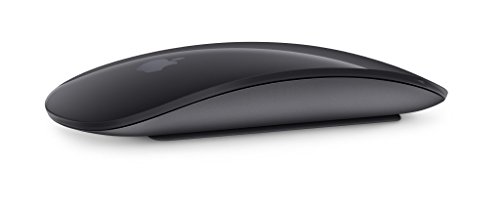
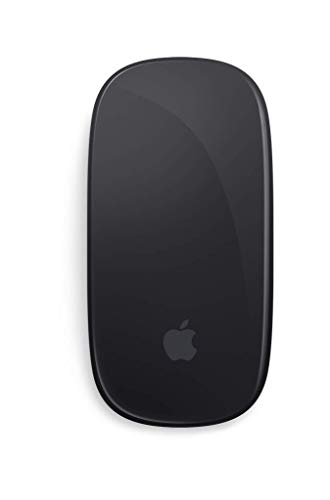
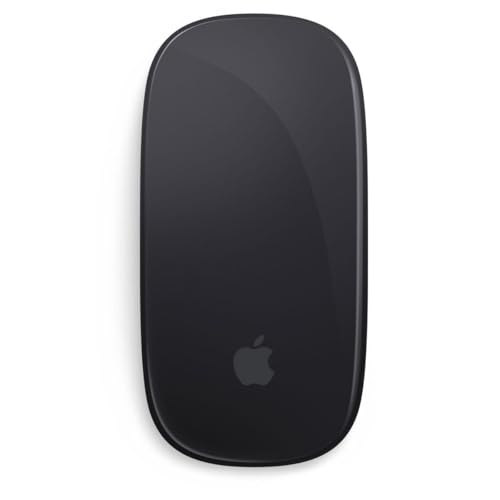
Apple Magic Mouse 2
5.1/10

Overall score

Score
5.1/ 10
✕
What it is
An overall evaluation of the mouse's quality, based on technical analyses and user reviews.
When it matters
When you need a quick reference to identify the best mice on the market.
Score distribution
▼
<55-66-77-88-99-10
Score components

80%

4.1

Technical score

20%

9.5

User score

▼Worse than 80% of mice
6.6

Value for money

Value for money
6.6/ 10
✕
What it is
An indicator that combines the mouse's overall rating with its cost.
When it matters
When you are looking for a mouse that offers a strong balance of performance, features, and price.
Score distribution
▼
<55-66-77-88-99-10
Score components

70%

5.1

Overall score

30%

10

Price

▼Worse than 81%
4.1

Technical score

Technical score
4.1/ 10
✕
What it is
An assessment of technical performance for products in the Mice category across these key areas: Performance & Sensor, Connectivity, Battery & Charging, Controls, Design, Features.
When it matters
When you want to compare mice based on technical performance and available features.
Score distribution
▼
<55-66-77-88-99-10
Score components

36%

3.6

Performance & Sensor

22%

4.2

Controls

16%

5.8

Design

14%

3.3

Features

7%

1.3

Connectivity

5%

7.6

Battery & Charging

▼Worse than 90%
9.5

User score

User score
9.5/ 10
✕
What it is
A rating that combines user reviews and the total number of reviews received by the mouse.
When it matters
When you want to understand how a mouse performs in daily use or gaming and how reliable it is in terms of comfort, button feel, tracking accuracy, and long-term durability.
Score distribution
▼
<55-66-77-88-99-10
Score components

70%

9.3

User ratings

30%

10

Number of reviews

Based on ratings from across the web.
★Better than 99%
  • apple-magic-mouse-2
  • apple-magic-mouse-2
  • apple-magic-mouse-2
  • apple-magic-mouse-2
apple-magic-mouse-2
apple-magic-mouse-2
apple-magic-mouse-2
apple-magic-mouse-2
Where to buy
*As an Amazon Associate, we earn from qualifying purchases.
Best rankings
Available: ranking among products currently available (including other versions of this product).All: ranking among all products in the database.

What owners say about the Apple Magic Mouse 2

Based on 70 owners sharing their experience in online comments

49%positive14%mixed37%negative

Owners praise its gestures, battery, and productivity, but discomfort, charging design, and recurring connection failures undermine daily use.

What owners dislike

  • Owners say the mouse stops showing up in Bluetooth and will not pair, and fixing it took hours of trying other steps before a switch position worked.42
  • Owners say the mouse suddenly stops working after charging or an update, and it can start again only after the power switch is moved to a different position.18
  • Owners say the shape is awkward and uncomfortable, causing hand and wrist strain during long sessions, and some sold or stopped using it because of it.15
  • Owners say it is fine for basic tasks but feels worse than standard mice for everyday use, and some switched to a Logitech mouse.10
  • Owners say the tracking lags behind hand movement, feels slow or jerky, and gets worse on a mouse pad, with cursor stutters.9
  • Owners say the price is too high for what it delivers, and some felt it was overpriced even when it worked well.9
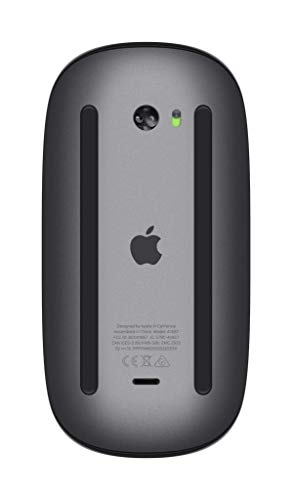
  • Owners say the charging port on the underside makes charging awkward, since the mouse cannot be used while it charges.7
  • Owners say it feels strange at first and takes days or weeks of practice before it feels comfortable and the gestures become natural.7
  • Owners say the touch surface causes accidental clicks, zooming and scrolling, and scrolling on web pages can fail.4
  • Owners say the mouse has only one usable click button with no right click by default, and no scroll wheel for apps that need one.3

Points mentioned by at least 3 owners, most mentioned first.

Loading...
Loading category ranking...

Technical Specifications of mouse Apple Magic Mouse 2

Technical score
Technical score
4.1/ 10
✕
What it is
An assessment of technical performance for products in the Mice category across these key areas: Performance & Sensor, Connectivity, Battery & Charging, Controls, Design, Features.
When it matters
When you want to compare mice based on technical performance and available features.
Score distribution
▼
<55-66-77-88-99-10
Score components:

36%

3.6

Performance & Sensor

22%

4.2

Controls

16%

5.8

Design

14%

3.3

Features

7%

1.3

Connectivity

5%

7.6

Battery & Charging

4.1
User score
User score
9.5/ 10
✕
What it is
A rating that combines user reviews and the total number of reviews received by the mouse.
When it matters
When you want to understand how a mouse performs in daily use or gaming and how reliable it is in terms of comfort, button feel, tracking accuracy, and long-term durability.
Score distribution
▼
<55-66-77-88-99-10
Score components

70%

9.3

User ratings

30%

10

Number of reviews

Based on ratings from across the web.
9.5
Popularity
Popularity
10/ 10
✕
What it is
An indicator based on the number of reviews received by the mouse.
When it matters
When you prefer a mouse that has already been chosen and reviewed by many other users.
Score distribution
▼
<55-66-77-88-99-10
Popularity:
Apple Magic Mouse 2 has a popularity score of 10 points, which is higher than that of 91.5% of products in this category.
10
Value for money
Value for money
6.6/ 10
✕
What it is
An indicator that combines the mouse's overall rating with its cost.
When it matters
When you are looking for a mouse that offers a strong balance of performance, features, and price.
Score distribution
▼
<55-66-77-88-99-10
Score components:

70%

5.1

Overall score

30%

10

Price

6.6
Brand name
Apple
Maximum polling rate
90 Hz
This mouse has a maximum polling rate of 90 Hz, which is lower than 99.9% of mice and equal to 0.1% of mice.
Wired polling rate
N/A
2.4 GHz polling rate
N/A
Bluetooth polling rate
90 Hz
This mouse has a Bluetooth polling rate of 90 Hz, which is higher than 64.2% of mice and equal to 1.4% of mice.
Show more
Connectivity
wireless
This mouse supports wireless connectivity, which is more versatile than 35% of mice and equal to 21.7% of mice.
connection modes: Bluetooth.
Bluetooth support
yes
This mouse supports Bluetooth. 64.5% of mice support Bluetooth.
Bluetooth version
3
This mouse uses Bluetooth 3, which is newer than 68.5% of mice and equal to 0.2% of mice.
Proprietary 2.4 GHz support
no
This mouse does not support proprietary 2.4 GHz wireless. 61.3% of mice support proprietary 2.4 GHz wireless.
Receiver included
no
This mouse does not include a receiver. 62.3% of mice include a receiver.
Show more
Battery life
?
Battery capacity
1956 mAh
This mouse has a battery capacity of 1956 mAh, which is larger than 99.7% of mice.
Battery form factor
integrated
Rechargeable battery
yes
This mouse uses a rechargeable battery. 54.2% of mice use a rechargeable battery.
Removable battery
no
This mouse does not use a removable battery. 22.3% of mice use a removable battery.
Show more
N. of buttons
1
This mouse has 1 buttons, which is less than 100% of mice.
N. of side buttons
0
This mouse has 0 side buttons, which is less than 85.3% of mice and equal to 14.7% of mice.
N. of programmable buttons
0
This mouse has 0 programmable buttons, which is less than 83.4% of mice and equal to 16.7% of mice.
DPI switching button
no
This mouse does not include a DPI switching button. 85.4% of mice include a DPI switching button.
Profile switching button
no
This mouse does not include a profile switching button. 16% of mice include a profile switching button.
Show more
Orientation
ambidextrous
Weight
99 g
This mouse weighs 99 g, which is heavier than 68.7% of mice and equal to 1.7% of mice.
Extra weights
0 g
This mouse comes with 0 g extra weights, which is less than 4.6% of mice and equal to 95.4% of mice.
Cable length
1 m
This mouse has a cable length of 1 m, which is less than 96.7% of mice and equal to 2.1% of mice.
Cable type
rubber
Show more
Onboard memory profiles
0
This mouse supports 0 onboard memory profiles, which is less than 52.2% of mice and equal to 47.8% of mice.
Onboard memory size
0 KB
This mouse has an onboard memory size of 0 KB, which is smaller than 12.6% of mice and equal to 87.4% of mice.
no onboard memory.
Software name
N/A
Firmware upgradable
yes
This mouse supports firmware updates. 22.5% of mice support firmware updates.
Suitable for gaming
no
This mouse is not suitable for gaming. 76.2% of mice are suitable for gaming.

Apple Magic Mouse 2 vs the average mouse

246810TotalPerformance & SensorConnectivityBattery & ChargingControlsDesignFeatures
  • Gesture support
    This mouse supports gesture controls, while the average mouse does not. 6.6% of mice support gesture controls.
  • 19% higher user score
    User score
    9.5/ 10
    ✕
    What it is
    A rating that combines user reviews and the total number of reviews received by the mouse.
    When it matters
    When you want to understand how a mouse performs in daily use or gaming and how reliable it is in terms of comfort, button feel, tracking accuracy, and long-term durability.
    Score distribution
    ▼
    ▼
    <55-66-77-88-99-10
    Apple Magic Mouse 2
    the average mouse
    Apple Magic Mouse 2 has a higher user score than the average mouse (9.52 vs 8).
    9.52 vs 8
  • Rechargeable battery
    This mouse uses a rechargeable battery, while the average mouse does not. 45.9% of mice use a rechargeable battery.
  • Detachable cable
    This mouse comes with a detachable cable, while the average mouse does not. 43% of mice come with a detachable cable.
  • 56.6% more popular
    Apple Magic Mouse 2 is more popular than the average mouse (10 vs 6.4).
    10 vs 6.38
  • 3.91x larger battery capacity
    This mouse has a battery capacity of 1956 mAh, while the average mouse has a battery capacity of 500 mAh.
    1,956 mAh vs 500 mAh
  • 18.1 mm lower mouse height
    This mouse is 21.6 mm tall, while the average mouse is 39.7 mm tall.
    21.6 mm vs 39.7 mm
  • Bluetooth support
    This mouse supports Bluetooth, while the average mouse does not. 35.5% of mice support Bluetooth.
  • 19% higher user score
    User score
    9.5/ 10
    ✕
    What it is
    A rating that combines user reviews and the total number of reviews received by the mouse.
    When it matters
    When you want to understand how a mouse performs in daily use or gaming and how reliable it is in terms of comfort, button feel, tracking accuracy, and long-term durability.
    Score distribution
    ▼
    ▼
    <55-66-77-88-99-10
    Apple Magic Mouse 2
    the average mouse
    Apple Magic Mouse 2 has a higher user score than the average mouse (9.52 vs 8).
    9.52 vs 8
  • 56.6% more popular
    Apple Magic Mouse 2 is more popular than the average mouse (10 vs 6.4).
    10 vs 6.38
  • Bluetooth support
    This mouse supports Bluetooth, while the average mouse does not. 35.5% of mice support Bluetooth.
  • Rechargeable battery
    This mouse uses a rechargeable battery, while the average mouse does not. 45.9% of mice use a rechargeable battery.
  • 3.91x larger battery capacity
    This mouse has a battery capacity of 1956 mAh, while the average mouse has a battery capacity of 500 mAh.
    1,956 mAh vs 500 mAh
  • Gesture support
    This mouse supports gesture controls, while the average mouse does not. 6.6% of mice support gesture controls.
  • Detachable cable
    This mouse comes with a detachable cable, while the average mouse does not. 43% of mice come with a detachable cable.
  • 18.1 mm lower mouse height
    This mouse is 21.6 mm tall, while the average mouse is 39.7 mm tall.
    21.6 mm vs 39.7 mm
  • 8.9 mm narrower mouse width
    This mouse is 57.1 mm wide, while the average mouse is 66 mm wide.
    57.1 mm vs 66 mm
  • No proprietary 2.4 GHz support
    This mouse does not support proprietary 2.4 GHz wireless, while the average mouse does. 61.3% of mice support proprietary 2.4 GHz wireless.
  • 91% lower maximum polling rate
    This mouse has a maximum polling rate of 90 Hz, while the average mouse has a maximum polling rate of 1,000 Hz.
    90 Hz vs 1,000 Hz
  • 6 fewer programmable buttons
    This mouse has 0 programmable buttons, while the average mouse has 6 programmable buttons.
    0 vs 6
  • 87% lower maximum DPI
    This mouse has a maximum DPI of 1,300 DPI, while the average mouse has a maximum DPI of 10,000 DPI.
    1,300 DPI vs 10,000 DPI
  • 1 fewer onboard profiles
    This mouse supports 0 onboard memory profiles, while the average mouse supports 1 onboard memory profiles.
    0 vs 1
  • 20.7% higher mouse weight
    This mouse weighs 99 g, while the average mouse weighs 82 g.
    99 g vs 82 g
  • No receiver included
    This mouse does not include a receiver, while the average mouse does. 62.3% of mice include a receiver.
  • No adjustable DPI
    This mouse does not support adjustable DPI, while the average mouse does. 93.9% of mice support adjustable DPI.
  • 2.29x more expensive
    Apple Magic Mouse 2 is more expensive than the average mouse (£80 vs £35).
    £80 vs £35
  • 10.7% worse value for money
    Apple Magic Mouse 2 has worse value for money than the average mouse (6.6 vs 7.3).
    6.6 vs 7.31
  • 91% lower maximum polling rate
    This mouse has a maximum polling rate of 90 Hz, while the average mouse has a maximum polling rate of 1,000 Hz.
    90 Hz vs 1,000 Hz
  • 87% lower maximum DPI
    This mouse has a maximum DPI of 1,300 DPI, while the average mouse has a maximum DPI of 10,000 DPI.
    1,300 DPI vs 10,000 DPI
  • No adjustable DPI
    This mouse does not support adjustable DPI, while the average mouse does. 93.9% of mice support adjustable DPI.
  • 1,100 DPI higher minimum setting
    This mouse has a minimum DPI of 1,300 DPI, while the average mouse has a minimum DPI of 200 DPI.
    1,300 DPI vs 200 DPI
  • No angle snapping support
    This mouse does not support angle snapping, while the average mouse does. 54.4% of mice support angle snapping.
  • No proprietary 2.4 GHz support
    This mouse does not support proprietary 2.4 GHz wireless, while the average mouse does. 61.3% of mice support proprietary 2.4 GHz wireless.
  • No receiver included
    This mouse does not include a receiver, while the average mouse does. 62.3% of mice include a receiver.
  • 6 fewer programmable buttons
    This mouse has 0 programmable buttons, while the average mouse has 6 programmable buttons.
    0 vs 6
  • No DPI switching button
    This mouse does not include a DPI switching button, while the average mouse does. 85.3% of mice include a DPI switching button.
  • 2 fewer side buttons
    This mouse has 0 side buttons, while the average mouse has 2 side buttons.
    0 vs 2
  • 5 fewer buttons
    This mouse has 1 buttons, while the average mouse has 6 buttons.
    1 vs 6
  • 20.7% higher mouse weight
    This mouse weighs 99 g, while the average mouse weighs 82 g.
    99 g vs 82 g
  • Thin glide feet
    This mouse uses 0.2 mm thick mouse feet, while the average mouse uses 0.8 mm thick mouse feet.
    0.23 mm vs 0.8 mm
  • No RGB lighting
    This mouse does not have RGB lighting, while the average mouse does. 56.3% of mice have RGB lighting.
  • 0.8 m shorter cable
    This mouse has a cable length of 1 m, while the average mouse has a cable length of 1.8 m.
    1 m vs 1.8 m
  • 6 older release date
    This mouse has a release date of 2015, while the average mouse has a release date of 2021.
    October 2015
    2015 vs 2021
  • 1 fewer onboard profiles
    This mouse supports 0 onboard memory profiles, while the average mouse supports 1 onboard memory profiles.
    0 vs 1
  • Not suitable for gaming
    This mouse is not suitable for gaming, while the average mouse is. 76.1% of mice are suitable for gaming.

Video reviews

Hands-on testing, unboxing, and real-world video evaluations

8.0
Musa On Tech (ZA)
≈ estimated
17/12/2024
Long-term use review · multi-year daily use
Verdict
Apple Magic Mouse 2 is still one of the best mice and worth buying, despite its comfort and charging drawbacks.
8.0
Simple Alpaca
≈ estimated
05/04/2023
Long-term use review · several units over years
Verdict
Apple Magic Mouse 2 is still worth buying, though a trackpad is usually the better first pick.
9.0
BiG PhiL TV
≈ estimated
30/06/2021
Long-term test · one year with iPad Pro
Verdict
Apple Magic Mouse 2 is a great companion for iPad Pro despite its high price and the need to reconnect yourself after power-off.
6.0
TheJuan&Only
≈ estimated
05/02/2020
Hands-on review · browsing and video editing use
Verdict
Apple Magic Mouse 2 is fine for basic browsing, but it is too small and causes cramps in long sessions or with large hands.
7.0
Simple Alpaca
≈ estimated
26/06/2025
Hands-on review · design, charging and gaming use
Verdict
Apple Magic Mouse 2 is still worth buying for the right person, mainly for office work and Mac use.
8.0
AGU Tech
≈ estimated
26/05/2024
Long-term test · 8 months of daily use
Verdict
Apple Magic Mouse 2 is still enjoyable to use despite its drawbacks, mainly for macOS gestures and battery life.
7.0
NewAppleTimes
≈ estimated
10/10/2023
Unboxing and first look · iPad and Mac tests
Verdict
Apple Magic Mouse 2 is worth buying if you find it at a cheap price, and the included braided cable is a nice bonus.
8.0
Adam Talks Tech
≈ estimated
01/09/2023
Hands-on review · pros, cons and comparison with Logitech
Verdict
Apple Magic Mouse 2 has great Mac integration and gestures and is recommended for Apple users, but its ergonomics are weak.
9.0
Simple Alpaca
≈ estimated
25/05/2023
Comparison · Magic Mouse 1 vs 2 with real-use notes
Verdict
Apple Magic Mouse 2 is the clear winner over the first model, even with its charging-while-using drawback.
8.0
AR Smart Reviews
≈ estimated
03/10/2022
Unboxing and first look · gesture demos
Verdict
Apple Magic Mouse 2's gestures are handy and the cable is a bonus, though the flat design takes getting used to.
9.0
All Things Apple
≈ estimated
05/06/2022
Short review · two years of daily use
Verdict
Apple Magic Mouse 2 is still a great mouse in 2022, despite its fingerprint-prone finish and bottom-mounted charging port.
5.0
kendidshoots
≈ estimated
08/10/2021
First impression · unboxing and setup
Verdict
Apple Magic Mouse 2 feels like a middle ground between a trackpad and a mouse, but its low, flat shape takes getting used to.
More graded video reviews (3)
creator’s own scoreestimated by us

Expert reviews

In-depth analysis and verdict from leading tech publications

P
pcmag.com
30/10/2015
Summary of the review
uk.pcmag.com
30/10/2015
Hands-on review · Mac Bluetooth mouse
Verdict
The Apple Magic Mouse 2 is an incremental update with rechargeable batteries, but its flat design and Lightning port location won't suit everyone.
macfilos.com
13/11/2015
Hands-on test · Rechargeable mouse
Verdict
The Apple Magic Mouse 2 is a clear upgrade over the original for anyone tired of battery trouble, though it cannot run wired.
rtings.com
11/12/2019
Lab test · Wireless mouse
Verdict
The Apple Magic Mouse 2 is a compact travel mouse with solid build quality, but its limited sensor and slow clicks make it poor for games and mixed use.
digitalcameraworld.com
30/10/2024
Hands-on test · Creative editing
Verdict
The Apple Magic Mouse 2 suits Mac photo and video editors who like its gestures, but its shallow, flat shape strained one reviewer's wrist.
M
macworld.com
19/10/2015
Summary of the review
appleinsider.com
24/10/2015
Hands-on review · Everyday mouse
Verdict
The Apple Magic Mouse 2 is the most comfortable of Apple's new accessories with no learning curve, but adds little over the original and is not a must-buy.
macworld.com
26/10/2015
Hands-on review · Gesture mouse
Verdict
The Apple Magic Mouse 2 is attractive with neat gestures, but its flat, symmetrical shape and two buttons sacrifice comfort and usability.
guycounseling.com
18/08/2018
Personal review · Switching from PC
Verdict
The Apple Magic Mouse 2 is light, glides easily and suits a Mac desk, but its high price and flat shape make it a treat rather than a necessity.
imore.com
21/10/2015
Hands-on review · Multitouch mouse
Verdict
The Apple Magic Mouse 2 is best for people who want Apple gestures and a built-in battery, but it is not for gamers or budget buyers.
M
macwelt.de
26/04/2022
Summary of the review
haus.de
16/04/2021
Lab test · Bluetooth mouse
Verdict
The Apple Magic Mouse 2 is a well-made mouse with a rechargeable battery and many macOS settings, but its flat body and slow pointer feel awkward.
apfelpage.de
06/02/2016
Hands-on test · Daily Mac use
Verdict
The Apple Magic Mouse 2 ends weekly battery swaps, and a 12-minute top-up from a cable gives enough charge for the rest of a day.
mac4ever.com
16/10/2015
Hands-on test · Rechargeable Mac mouse
Verdict
The Magic Mouse 2 keeps the same flat shape and adds a built-in battery, so it suits Mac owners who want smoother, quieter gliding but little else new.
journaldulapin.com
11/11/2016
First hands-on · Mac mouse
Verdict
The Magic Mouse 2 fixes the first model's weight and gliding, and its built-in battery ends battery swaps, but it remains flat and rather expensive.
sitegeek.fr
01/03/2024
Hands-on test · Office and browsing
Verdict
The Apple Magic Mouse 2 suits browsing, email and document work, but it isn't built for quick movements, so skip it for games or CAD.
faq-mac.com
24/02/2017
Long-term review · Mac mouse
Verdict
The Magic Mouse 2 is a sturdy mouse for everyday office work on a Mac, with a battery that lasts about a month, but it is not built for gaming.
saggiamente.com
26/10/2015
Hands-on review · Mac mouse
Verdict
The Magic Mouse 2 glides more smoothly than before and has a built-in battery, but with the same design and no Force Touch, upgrading makes little sense.
spider-mac.com
14/10/2015
Upgrade guide · Mac mouse
Verdict
The Magic Mouse 2 looks identical to its predecessor, so its built-in battery is the main reason to upgrade, and it still lacks Force Touch.
urhoba.net
06/07/2026
Hands-on review · Daily Mac work
Verdict
The Apple Magic Mouse 2 works well for Blender and Unity on a Mac without a scroll wheel, but its underside charging port is poor design.

Third-party reviews

Based on ratings from across the web.
Reviews last updated: November 2026 · How we calculate this

What customers like about Apple Magic Mouse 2

  • Seamless macOS integration with native gesture support like swiping and scrolling
  • Excellent battery life, often lasting a month or more on a single charge
  • Sleek, minimalist aesthetic and premium build quality with aluminum and glass
  • Multi-touch surface allows for intuitive navigation without physical buttons or a scroll wheel
  • Compact and lightweight design makes it highly portable for travel
  • Ambidextrous shape is suitable for both left- and right-handed users

What customers don't like about Apple Magic Mouse 2

  • Poor ergonomics due to its flat profile, which can cause hand fatigue or strain during long sessions
  • Charging port is located on the bottom, making the mouse unusable while plugged in
  • High price point compared to other wireless mice with more features
  • Limited functionality on non-Apple operating systems like Windows
  • Low polling rate can make the cursor feel less accurate or 'skittish' for precision work or gaming
  • Small size may be uncomfortable for users with larger hands

Verdict

The Apple Magic Mouse 2 is a lightweight, wireless peripheral weighing 99g with dimensions of 2.16 x 5.71 x 11.35 cm. It features a built-in rechargeable lithium-ion battery that provides over a month of use per charge and a unique Multi-Touch surface that supports gestures like 360° scrolling and multi-finger swiping. Main pros include its seamless automatic pairing with macOS, a sleek ambidextrous design, and highly responsive touch controls that bridge the gap between a mouse and a trackpad. However, notable cons include poor ergonomics due to its shallow, flat profile which can cause hand fatigue, and the inconvenient placement of the Lightning charging port on the bottom, rendering the device unusable while charging.

Compare Apple Magic Mouse 2 with other products in the Mice category

1Product to compare no. 1
VS
2Product to compare no. 2
VS
3Product to compare no. 3 (optional)

Graphic comparison of Apple Magic Mouse 2 and other products in the Mice category

No results found