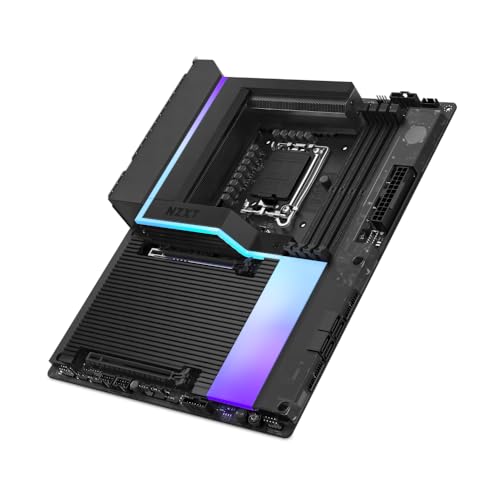

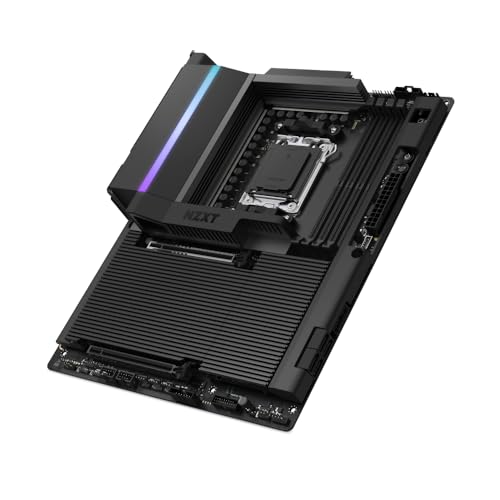
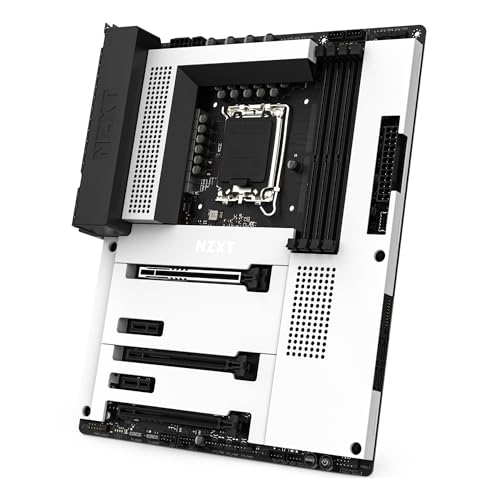
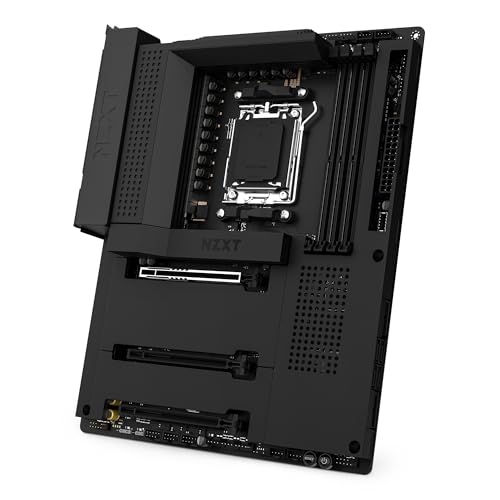
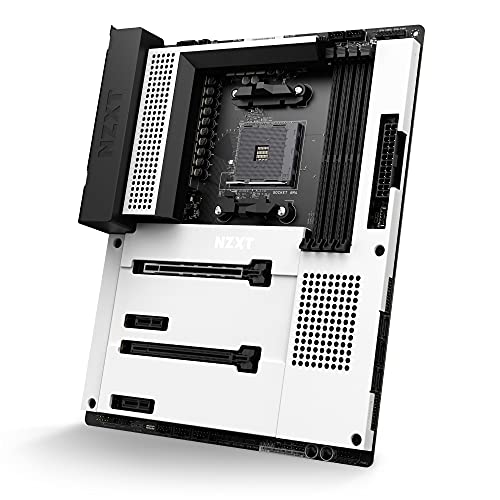
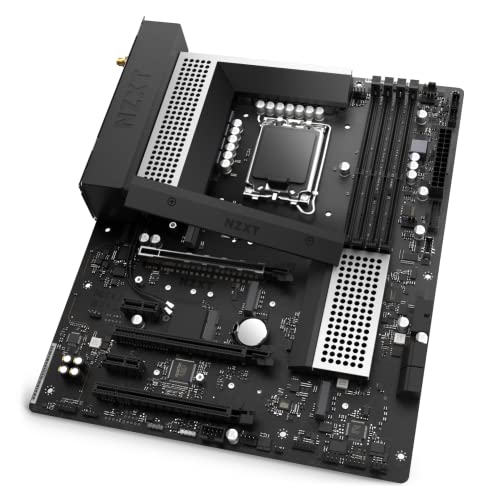
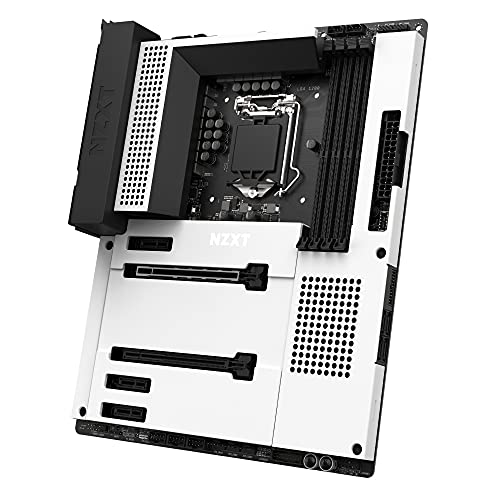
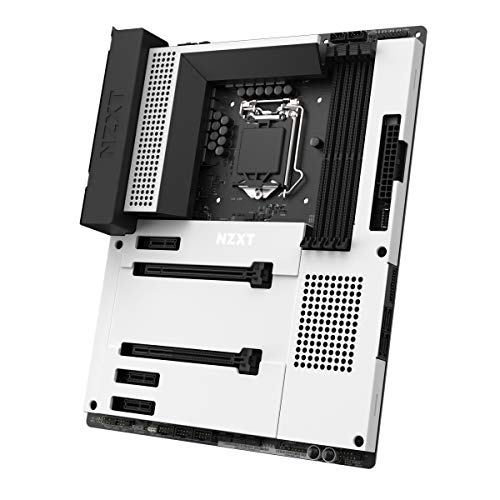
Are NZXT motherboards good?
NZXT motherboards have an average overall score of 7.8, ranking #6 among all motherboard brands, and a user rating of 8.9, placing them at #4 based on user reviews.
NZXT motherboards are generally well-regarded for their design and aesthetics, as they focus on clean layouts, integrated lighting, and minimalistic looks that match their cases and cooling products.
They are usually targeted at PC builders who value style alongside functionality, with BIOS interfaces that are user-friendly and straightforward for beginners. These boards also integrate features like reinforced slots and good power delivery systems that handle modern CPUs without issues.
On the downside, NZXT does not have as broad a motherboard lineup as brands like Asus, MSI, or Gigabyte, which means fewer options in terms of chipsets, price ranges, and advanced features.
The best NZXT motherboards are as follows.
- NZXT N9 Z890 (Overall score: 8.65 points)
- NZXT N9 X870E (Overall score: 8.48 points)
The chart below ranks motherboard brands by average overall score.
[horizontal-chart-12588743876552819512164314463740724746191265422285]


What are the main advantages of NZXT motherboards?
The main advantages of NZXT motherboards are the following:
- High build quality: NZXT motherboards use 8-layer PCBs with reinforced layers that increase durability and reduce interference. This design stabilizes power delivery and extends long-term reliability.
- Modern connectivity: They integrate multiple M.2 slots with PCIe 4.0 support and USB 3.2 Gen 2x2 ports (20 Gbps). This enables faster NVMe SSD performance and high-speed external storage compatibility.
- Strong power delivery: VRM designs often use 12+2 phase setups with 50A DrMOS power stages. This supports stable overclocking for Intel Core i9 or AMD Ryzen 9 CPUs under heavy loads.
- Clean design integration: NZXT boards synchronize with NZXT CAM software for RGB lighting, fan curves, and thermal management. This creates a unified system control interface without third-party tools.
- Enhanced audio: Dedicated Realtek ALC1220 or similar premium chipsets are used with separate PCB layers for left and right channels. This reduces crosstalk and produces clearer output for gaming headsets or studio speakers.
- Wi-Fi and LAN speed: Most boards include Intel Wi-Fi 6E (up to 2.4 Gbps) and 2.5 GbE LAN. This provides stable networking for gaming and content creation without external adapters.
What are the main disadvantages of NZXT motherboards?
The disadvantages of NZXT motherboards are the following:
- Higher price: NZXT boards often cost 20–£30 more than competitors with similar specifications, so price-to-performance ratio can be weaker.
- Limited model range: The lineup focuses on mid-range and high-end, so entry-level options are missing. Users with tight budgets have fewer choices.
- Fewer expansion slots: Compared to ASUS or MSI, NZXT boards sometimes include only one PCIe x16 and one additional x1 slot, which restricts multi-GPU or add-in card setups.
- Smaller community support: Since NZXT motherboards are less common, troubleshooting guides, BIOS mods, and online forums are more limited.
- BIOS simplicity: The BIOS interface is easier to navigate but lacks advanced tuning options available in brands like ASUS or Gigabyte.
Who makes NZXT motherboards?
NZXT motherboards are made by ASRock, a Taiwanese hardware manufacturer that builds the boards under contract for NZXT.
The designs come from NZXT, but the actual production, assembly, and quality control are handled by ASRock, which has long experience in motherboard manufacturing. This partnership allows NZXT to release motherboards that follow its own design vision while relying on the established expertise of ASRock to handle the technical production side.
The boards carry NZXT branding and follow a clean, minimalist style that matches the company’s cases and cooling products, while their engineering base comes directly from ASRock platforms. This means NZXT motherboards often share similarities in layout, chipset support, and firmware with ASRock boards, although NZXT adapts the design for its ecosystem.
How popular are NZXT motherboards worldwide?
NZXT motherboards are a niche player worldwide, with shipments in 2024 estimated at under 1 million units and a global market share below 1 %, so the brand stayed far behind Asus, MSI, Gigabyte, and ASRock. NZXT focused mainly on stylish, minimalist designs such as the N7 series, which integrated features tailored for gaming PC builds.
Sales were concentrated in North America and parts of Europe, while in Asia the brand’s presence remained very limited.
What are the main NZXT motherboard series?
NZXT motherboards are divided into the following series:
- N7 Series: The N7 motherboards are the flagship line that focuses on a clean design with full metal covers and integration with NZXT CAM software. They support both Intel and AMD platforms (Z690, Z790, B650E, X670E chipsets) and include features such as Wi-Fi, Bluetooth, multiple M.2 slots, and optimized layouts for easier cable management.
- N5 Series: The N5 motherboards serve as a more affordable option compared to the N7. They still maintain NZXT’s minimalistic design but use less metal shielding and simpler aesthetics. The N5 boards include solid connectivity options, PCIe Gen 4 support, and essential features for gaming and productivity without the higher cost of the N7 line.
How much do NZXT motherboards cost?
NZXT motherboards cost between £170 and £430 depending on the series and specifications.
The entry models sit closer to £170 and focus on basic gaming or standard builds, while the high-end versions reach £430 as they include more advanced features and higher build quality. Prices place NZXT in the mid to upper segment of the motherboard market, so it competes with established brands such as Asus or MSI.
The price varies based on chipset support (Intel Z series or AMD B/X series), VRM quality, connectivity, and design. Models built for overclocking and extended gaming performance are priced at the higher end, while simpler boards with fewer ports and lower power phases stay at the lower end.
The following chart shows the price distribution of NZXT motherboards.
[vertical-chart-09480941909064169130046850606200121952123399558119]
What should you consider while choosing the best NZXT motherboard?
When choosing the best NZXT motherboard for your build, consider the following technical factors:
- Socket compatibility and chipset selection: NZXT motherboards come in different chipsets and socket types including Z890 for Intel Core Ultra processors, Z790 for Intel 12th-14th generation, and X870E for AMD Ryzen processors. The N9 series features high-end chipsets like Z890 and X870E which support advanced features such as PCIe 5.0, while the N7 series focuses on mainstream Z790 chipsets that balance performance and cost. Socket compatibility determines which CPU you can install and affects future upgrade paths.
- Cooling and thermal management: NZXT motherboards feature different cooling solutions across their series with the N9 models including dual VRM fans and substantial heatsinks for every M.2 slot to prevent thermal throttling during extended gaming sessions. The N7 series uses 2oz copper printed circuit boards for better thermal conduction and integrated heat spreaders for M.2 slots. These cooling features become crucial when you plan to overclock or run high-performance components that generate significant heat.
- Aesthetic design and build integration: NZXT motherboards feature full metal covers available in black or white colors that blend seamlessly with NZXT cases and create a cohesive visual theme. The N9 series includes customizable RGB lighting strips along the I/O shroud while the N7 series provides clean minimalist aesthetics without flashy elements. The design philosophy focuses on hiding the PCB complexity behind sleek metal covers that complement modern PC builds rather than distract from other components.
- Connectivity and expansion options: The series differ significantly in connectivity with N9 models offering next-generation USB 4 (40 Gbps), multiple M.2 slots with quick-release latches, and 5GbE networking. N7 motherboards provide standard USB 3.2 Gen 2 ports, three M.2 connectors, and integrated NZXT fan control headers that work directly with NZXT CAM software. Both series include proprietary NZXT RGB fan headers and multiple internal USB 2.0 headers which prove useful when connecting multiple peripherals and lighting accessories.