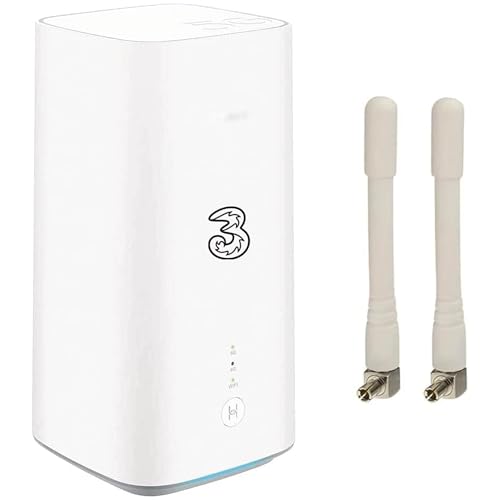

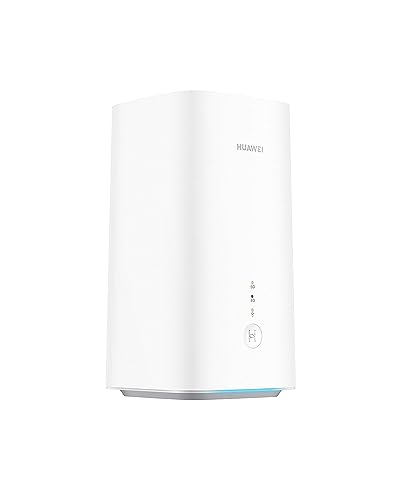
What is a 5G Wi-Fi router with SIM card?
A 5G Wi-Fi router with SIM card is a device that uses a SIM card to connect to a 5G mobile network and then shares this connection through Wi-Fi. It works like a hotspot but with stronger hardware, so it can connect more devices and give higher speeds. You insert a SIM card into the router, and it connects to the nearest 5G cell tower, then distributes the internet to laptops, smartphones, tablets, or other devices at home or on the go.
These routers reach much faster speeds than 4G models, with lower latency and better performance in streaming, video calls, and gaming. Many support both 5G and 4G networks (useful if 5G coverage is weak), and some include advanced features like dual-band Wi-Fi or external antennas to boost reception.
Who is a 5G SIM router best suited for?
A 5G SIM router is best suited for the following users:
Remote workers: They need fast and stable internet in areas without fixed broadband. A 5G SIM router gives them reliable speeds for video calls, cloud use, and large file transfers.
Travelers: People who move between locations can stay connected without searching for public Wi-Fi. The router creates a private network wherever there is 5G coverage.
Households without fiber: Families in regions where fiber or cable is not available can use 5G as the main internet source. The router can connect multiple devices at once with stable performance.
Gamers: Low latency and high speeds of 5G help with smooth online gameplay. The router keeps connections steady even with multiple users on the same network.
Businesses: Shops, offices, and small companies can use a 5G SIM router as their main or backup connection. It keeps card payments, video meetings, and internal systems running without interruption.

Which brands make the best 5G Wi-Fi routers with SIM card?
How much do 5G Wi-Fi routers with SIM cards cost?
5G Wi-Fi routers with SIM cards cost between £170 and £600 depending on their specifications.
Entry-level models start near £170 and include basic 5G connectivity with support for a limited number of devices, while high-end models go above £430 with advanced chipsets, broader frequency band support, and higher maximum speeds.
The price increases with features such as support for Wi-Fi 6, stronger internal antennas, and compatibility with both standalone and non-standalone 5G networks. Some models add multiple Ethernet ports and external antenna connections, which also raise the cost.
The chart below shows the price distribution of 5G Wi-Fi routers with SIM cards.
[vertical-chart-06395142476980614821039258072061831454713750851556]
What speeds can 5G Wi-Fi routers with SIM cards reach?
5G Wi-Fi routers with SIM cards can reach speeds up to 10 Gbps in theory, which is far higher than the maximum of 4G routers.
In real use, the speed depends on network coverage, signal quality, and the data plan. In cities with strong 5G infrastructure, you can expect speeds that are several times higher than 4G, with downloads often reaching hundreds of Mbps or even over 1 Gbps.
These routers also use lower latency compared to 4G, which improves real-time applications like video calls, streaming in 4K, or online gaming. The speed varies by frequency band: sub-6 GHz bands deliver wide coverage with moderate speeds, while mmWave bands achieve the highest speeds but with shorter range.
How many devices can connect to 5G Wi-Fi routers with SIM cards?
5G Wi-Fi routers with SIM cards can connect between 32 and 128 devices at the same time, depending on the model and hardware capacity. Entry-level portable models usually support around 32 simultaneous connections, while advanced home and office routers extend the limit to 64 or even 128 devices.
What else should you consider while choosing the best 5G Wi-Fi router with SIM card?
When choosing the best 5G Wi-Fi router with SIM card, you should consider the following factors to ensure optimal performance and compatibility:
- Network compatibility: Check if the router supports your carrier's specific frequency bands for 5G networks. Different cellular providers operate on different frequency bands (such as n71, n260, n41), and the router must match your SIM card provider's bands for proper functionality. This compatibility determines whether you can access 5G networks and affects connection stability.
- Coverage range and signal strength: Assess the router's signal transmission power and antenna configuration based on your space requirements. Smaller apartments may only need basic dual-antenna routers, while larger homes or multi-story buildings require models with external high-gain antennas or multiple built-in antennas. Signal penetration through walls and floors becomes critical in larger spaces.
- SIM card compatibility: Verify the router accepts your specific SIM card size (standard, micro, or nano) and type. Many routers require data-only SIM cards designed for internet use rather than standard smartphone SIMs. Check if your SIM operates on compatible frequency bands and whether any carrier restrictions apply to the router model.
- Dual-SIM capability: Some routers support multiple SIM cards for connection redundancy or carrier switching. This feature allows automatic failover to a backup carrier if the primary connection fails, or you can use different carriers for cost optimization. Dual-SIM routers provide better reliability and flexibility for continuous connectivity.
- Security features: Look for routers with advanced security options including WPA3 encryption, VPN support, and built-in firewalls. These features protect your network from unauthorized access and potential cyber threats. Modern routers often include additional security tools like guest networks and parental controls for enhanced protection.
- Physical connectivity options: Consider the number and type of physical ports you need for wired connections. Evaluate Ethernet ports for gaming consoles or desktop computers, and USB ports for shared storage or other devices. Wired connections provide more stable performance than Wi-Fi for bandwidth-intensive applications.






