


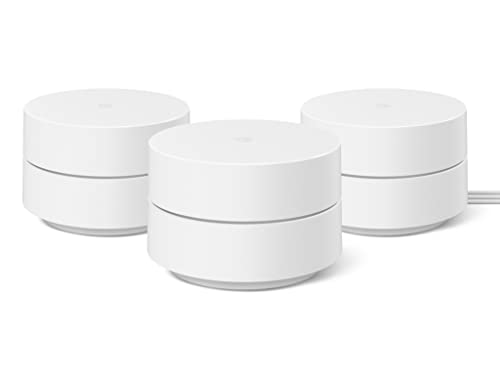
Are Google routers good?
Google routers have an average overall score of 6.5, ranking #14 among all router brands, and a user rating of 9.1, placing them at #3 based on user reviews.
Google routers perform well for most home users. They use mesh technology and integrate with Google’s ecosystem for easy setup and management. Users control settings through a mobile app, and the routers support Wi-Fi 6 for faster speeds and better device handling. C
overage is strong in small to medium homes, and the design is sleek and compact. Integration with Google Assistant adds voice control for network tasks. Performance is reliable for streaming, gaming, and multiple devices, but advanced users may find limited customization options.
However, some drawbacks exist. Google routers lack robust parental controls compared to competitors, and advanced features like VPN support or detailed QoS settings are absent. They work best in Google-centric environments, so compatibility with non-Google devices or ecosystems may feel restrictive.
The best Google routers are as follows.
- Google Nest WiFi Pro (Overall score: 7.04 points)
- Google Nest WiFi (Overall score: 6.5 points)
- Google WiFi (Overall score: 6.32 points)
The chart below ranks router brands by average overall score.
[horizontal-chart-12358809363490758653123200512821428302133513557861]
What are the main advantages of Google routers?
The main advantages of Google routers are as follows.
- Mesh technology: Google routers use mesh Wi-Fi that connects multiple access points and covers up to 600 m² with 3 units. This eliminates dead zones and keeps speed consistent across rooms.
- Easy setup: The system pairs with the Google Home app, which completes installation in less than 10 minutes. The app also manages parental controls, speed tests, and connected devices.
- Automatic updates: Google routers receive firmware updates directly from Google. This strengthens security and adds features without manual action from the user.
- High device support: A single Google router handles over 100 devices, and a 3-pack supports more than 300. This fits large households with smart TVs, cameras, and IoT devices.
- Smart integration: The routers integrate with Google Assistant and Nest devices. Users can pause Wi-Fi for specific devices or prioritize streaming and gaming traffic by voice.
- Dual-band and tri-band models: Entry models use 2.4 GHz and 5 GHz bands with speeds up to 2.2 Gbps, while the Nest Wifi Pro supports Wi-Fi 6E with a 6 GHz band that reaches up to 5.4 Gbps.
- Consistent performance: Adaptive routing directs devices to the fastest band or node. This keeps latency low, often under 20 ms in local connections, which benefits gaming and video calls.
What are the main disadvantages of Google routers?
The main disadvantages of Google routers are as follows.
- Limited advanced settings: Google routers focus on simplicity, so they lack options like VLAN, static routing, or advanced firewall rules that power users expect.
- No multi-gig ports: Even the Nest Wifi Pro has only 1 Gbps Ethernet ports. Competing routers in the same price range include 2.5 Gbps ports, which limits wired speed.
- High price for coverage: A single Nest Wifi Pro costs around £170, and a 3-pack goes above £430, which is higher than similar mesh kits from TP-Link or ASUS.
- Cloud dependency: Features like parental controls and remote management need a Google account and internet access. This reduces control if there is an outage.
- Basic backhaul: Earlier models lack dedicated wireless backhaul, so node-to-node communication reduces bandwidth. Users with gigabit fiber can see speed drops in extended setups.

Who makes Google routers?
Google routers are developed and manufactured by Google LLC, the American technology company founded in 1998 by Larry Page and Sergey Brin.
The first model, Google OnHub, launched in 2015 in partnership with TP-Link and later with ASUS. In 2016, Google shifted focus to its own networking line under the Google Wifi brand, followed by the release of the Nest Wifi series in 2019. These products are designed by Google’s hardware division, the same group responsible for Pixel smartphones and other Nest devices.
The routers are built to integrate with Google’s ecosystem and are produced in cooperation with external manufacturing partners in Asia. Google employs more than 180,000 people worldwide (as of 2024) and has its headquarters in Mountain View, California.
How popular are Google routers?
Google routers are a niche but premium player worldwide, with shipments in 2024 estimated at about 3 million units and a global market share close to 2 %, so the brand stayed outside the global top 5 vendors. The Nest WiFi and Nest WiFi Pro drove most sales, positioned in the mesh segment with integration into Google’s smart home ecosystem.
Google performed strongest in North America, where its share reached about 5 %, while in Europe it stayed around 2 % and in Asia almost negligible.
What are the main Google router series?
The main Google router series are as follows.
- The main Google router series are as follows:
- Google OnHub: First generation of Google routers released in partnership with TP-Link and Asus. It focused on ease of use and had a clean design but was later replaced by newer series.
- Google Wifi: Launched in 2016 as a mesh Wi-Fi system. It allowed users to connect multiple units for better coverage across larger homes and included app-based management.
- Nest Wifi: Introduced in 2019 as the successor to Google Wifi. It featured a router and satellite points with built-in Google Assistant smart speakers, so it combined networking with voice control.
- Nest Wifi Pro: Released in 2022 with Wi-Fi 6E support. It improved speed and coverage, added access to the 6 GHz band, and focused on future-proof connectivity for smart homes.
How much do Google routers cost?
Google routers cost between £90 and £300 depending on the model and the number of units in the package.
The basic Google Nest Wi-Fi unit usually starts around £90 while a single Nest Wi-Fi Pro unit costs about £170. If you choose a multi-pack for larger coverage (two or three units), the price can reach 300–£300.
The following chart shows the price distribution of Google routers.
[vertical-chart-03810458228917574928061776959348304716341431306287]
What should you consider while choosing the best Google router?
When choosing the best Google router, you should evaluate the following key factors:
- Wi-Fi standard: The network technology determines your connection speed and future compatibility. Google Nest Wifi Pro uses Wi-Fi 6E with tri-band configuration (2.4 GHz, 5 GHz, 6 GHz), while Nest Wifi and Google Wifi use Wi-Fi 5 with dual-band connectivity (2.4 GHz, 5 GHz). Wi-Fi 6E delivers faster speeds up to 5.4 Gbps compared to 2.2 Gbps on Nest Wifi and 1.2 Gbps on Google Wifi.
- Coverage: Different series cover varying square footage per unit. Each Nest Wifi Pro router covers up to 2,200 square feet, identical to Nest Wifi routers, while Google Wifi points cover 1,500 square feet. A three-pack system provides coverage up to 6,600 square feet with Nest Wifi Pro, 5,400 square feet with Nest Wifi, and 4,500 square feet with Google Wifi.
- Antenna: The antenna setup affects signal strength and range capabilities. Nest Wifi features 4x4 MU-MIMO antennas that deliver better performance over distance compared to Google Wifi's 2x2 configuration. This translates to improved wireless transfer speeds at 75 feet, with Nest Wifi reaching 431 Mbps versus Google Wifi's 201 Mbps.
- Connectivity: The number of connected devices varies significantly between series. Both Nest Wifi Pro and Nest Wifi can handle up to 100 connected devices per router, while Google Wifi supports the same number per point. Nest Wifi Pro includes Thread border router and Matter support for smart home compatibility, features that Google Wifi lacks.
- Ethernet port: Physical connection options differ across the router series. Nest Wifi Pro routers include two Gigabit Ethernet ports per unit, while Nest Wifi routers have two ports but points have none. Google Wifi provides two Ethernet ports on each device, allowing wired connections throughout your mesh network.
- Security standards and network management: Modern security protocols protect your network from threats. Nest Wifi Pro and Nest Wifi support WPA3 encryption with automatic security updates, while Google Wifi uses older security standards. All series use the Google Home app for setup and management, but newer models include advanced features like automatic network optimization and self-diagnosing capabilities.






