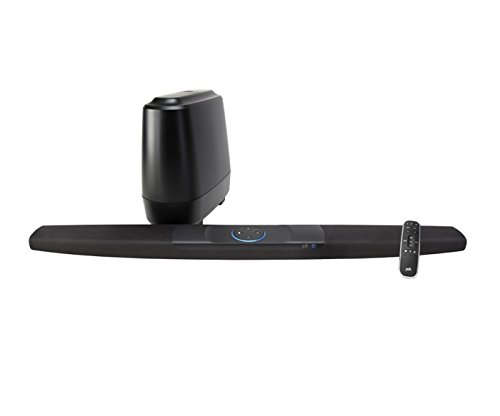
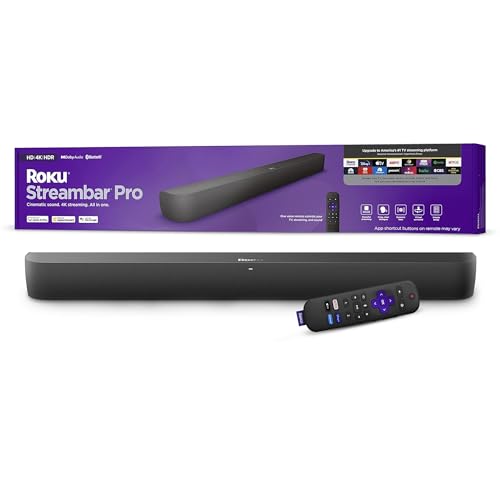
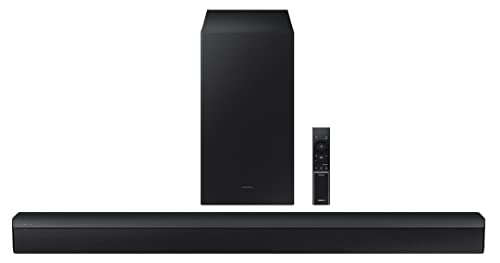
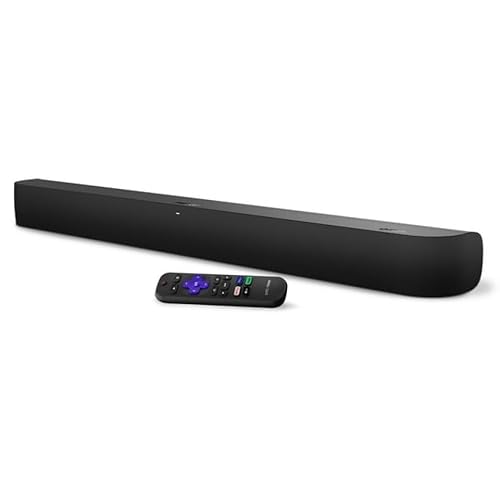
Which brands make the best cheap soundbars?
The best cheap soundbar brands are as follows:
- Roku (Average overall score: 6.8)
- LG (Average overall score: 6.5)
- Samsung (Average overall score: 6.4)
The chart below ranks cheap soundbar brands by average overall score.
[horizontal-chart-07101737368518032811136205261971080347651810015326]
Are cheap soundbars worth buying?
Yes, cheap soundbars are worth buying if the target is clearer TV sound, stronger dialogue, and basic Bluetooth playback without paying for premium surround hardware.
The value is strongest when the TV speakers are weak and the room is small or medium-sized. In this price class, a simple 2.0 or 2.1 bar can still be a clear upgrade if it has decent tuning and a practical TV connection.
They are less convincing when you expect real Atmos, deep bass, rear-speaker immersion, or wide-room output. Cheap soundbars should be judged as practical upgrades, not as replacements for larger cinema systems.
What compromises are common on cheap soundbars?
The most common compromises on cheap soundbars are simpler channel layouts, weaker bass hardware, and fewer premium connection features.
Most models in this price range are 2.0 or 2.1, and separate subwoofers are rare. HDMI ARC is common enough to look for, but a large number of cheap bars still rely on optical, Bluetooth, or basic HDMI-less setups.
Dolby Atmos and eARC exist in the budget range, but they are exceptions rather than baseline specs. If a cheap model advertises cinema effects, check the actual channel layout and connection type before treating that claim as a real hardware advantage.
What channels are common on cheap soundbars?
The most common channels on cheap soundbars are 2.0 and 2.1. That means the category is mostly built around basic left-right audio, sometimes with added bass support, rather than full surround playback.
A 2.0 bar is usually enough for clearer speech and a cleaner front stage. A 2.1 bar is the more relevant step up if you want more low-end weight, but it still should not be confused with rear-speaker or Atmos immersion.
A few cheap soundbars list 3.x or height-style layouts, but those are much less common. In this price range, channel count is useful because it quickly separates basic TV-sound upgrades from the smaller number of more ambitious budget models.
What connections are common on cheap soundbars?
The connections most common on cheap soundbars are as follows.
- Bluetooth: Bluetooth is the baseline wireless feature in cheap soundbars and appears far more often than Wi-Fi. It is useful for phone playback, but it should not be treated as a full TV-integration feature.
- HDMI ARC: ARC is the most useful TV connection to look for in this price range. It makes daily TV use cleaner than optical or Bluetooth because volume and TV audio routing are easier to manage.
- No ARC: Many cheap soundbars still skip ARC entirely. That is acceptable for very basic use, but it usually means more limited control and a less convenient TV setup.
- eARC: eARC appears only on a small part of the budget range. If a cheap bar has eARC, it is a stronger connection spec than most low-cost alternatives.
- Wi-Fi: Wi-Fi is much less common than Bluetooth below £220. It matters mainly if you want app streaming, multi-room behavior, or better music-service integration.
Do cheap soundbars include subwoofers?
No, cheap soundbars usually do not include subwoofers.
Most models below £220 are all-in-one bars, so bass output depends mainly on the main cabinet and driver size.
A bundled subwoofer can still appear in this price range, but it is not the default. When it does appear, it is usually one of the clearest signs that the model is trying to offer stronger low-end impact rather than only clearer dialogue.
If bass is important, check subwoofer inclusion directly. Do not assume that a 2.1 label always means a separate subwoofer, and do not assume that a cheap all-in-one bar will deliver deep bass from a compact cabinet.
What should you consider while choosing a cheap soundbar?
The main things to check while choosing a cheap soundbar are as follows.
- Channel layout: Most cheap soundbars are 2.0 or 2.1, so channel layout is one of the fastest ways to understand the hardware. A 2.0 bar is mainly for dialogue and cleaner stereo output. A 2.1 model can add more bass weight, but it still does not equal full surround sound.
- HDMI ARC type: ARC is worth prioritizing because it makes TV use easier than Bluetooth-only or optical-only setups. eARC is better, but it is not common on basic models. If a cheap bar has no ARC, make sure your TV and remote-control setup will still be convenient.
- Dialogue enhancement: Dialogue handling matters more than cinema branding on a cheap soundbar. Look for a dedicated dialogue, voice, or clear-speech mode if TV shows, news, or YouTube are the main use case. A basic stereo bar with good speech tuning can be more useful than a feature-heavy model with muddy voices.
- Dolby Atmos: Atmos is rare on cheap soundbars, so check it directly instead of assuming it from marketing language. If Atmos is listed, also check the channel layout because software processing is not the same as a larger speaker system. For many cheap soundbars, clearer dialogue is a more realistic target than height effects.
- Subwoofer hardware: Most cheap soundbars do not include a separate subwoofer. If you want stronger bass for films or games, this spec matters more than small differences in claimed power. Also check whether the bass level can be adjusted, because cheap subwoofer packages can sound boomy in small rooms.
- Bluetooth and Wi-Fi: Bluetooth is common and useful for phone playback, while Wi-Fi is much less common on cheaper bars. If music streaming matters, Wi-Fi support can be a meaningful upgrade. If you only need TV sound, Bluetooth alone should not distract from checking ARC and channel layout.
- Cabinet size: Cheap soundbars vary from compact desk-style models to wider TV bars. Width affects driver spacing, TV fit, and how broad the front stage can sound. Check the bar width against your TV stand and screen size before comparing smaller feature differences.